



Small businesses usually start searching for a cloud based phone system for small businesses when growth creates friction. Shared phones stop working, accounts begin asking for repeated verification, and team access turns messy. The issue isn’t making calls. It’s managing phone-based accounts and sessions without overlap.
Most cloud phone systems focus on communication, not identity. They handle numbers and routing, but they don’t solve what happens when multiple business accounts rely on the same phone environment. That’s where instability starts quietly.
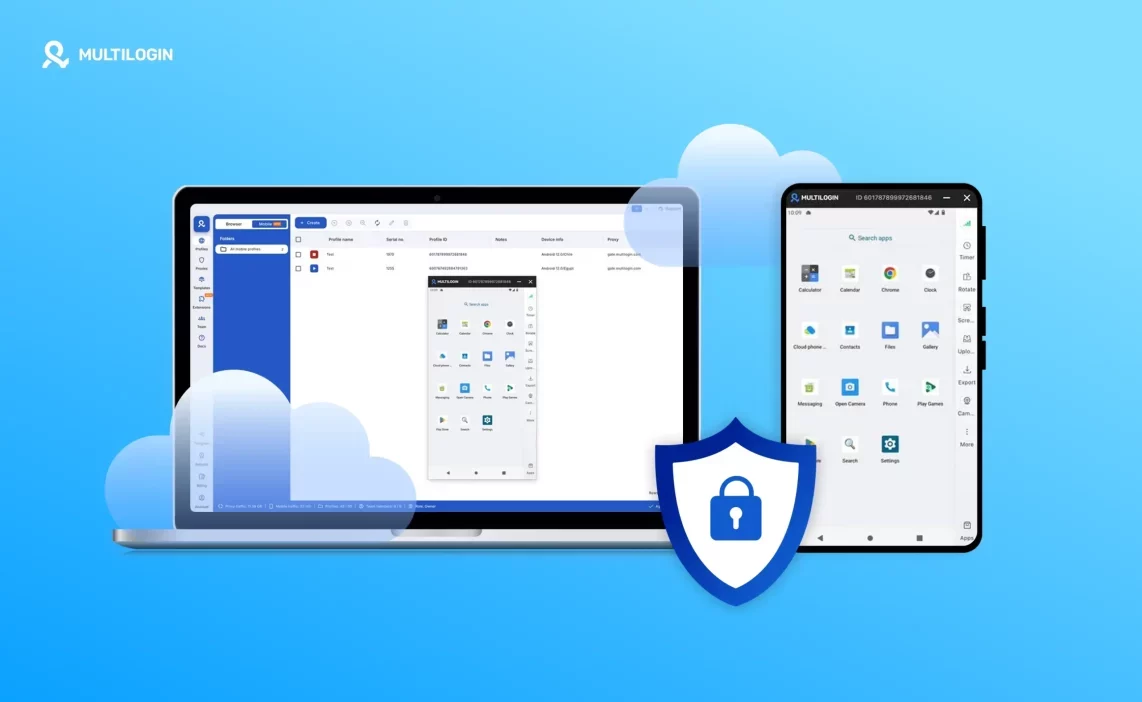
A real cloud based phone system for small businesses needs more than call features. It needs stable, isolated phone environments that can support accounts over time. This is exactly where Multilogin Cloud Phones redefine what a cloud phone system actually means for growing businesses.
The real problem small businesses face with phone systems
For most small businesses, getting phone numbers is not the hard part. Numbers are cheap, easy to activate, and widely available. What becomes difficult very quickly is managing the phone environment behind those numbers once more than one person, account, or workflow depends on it.
As teams grow, phones stop being personal tools and turn into shared assets. One device is passed between sales, support, marketing, or operations. Apps are logged in and out. Accounts are reused. Nothing looks broken at first, which is why the risk is easy to miss.
The problems appear gradually. Verification prompts start showing up more often. Business apps log out unexpectedly. Sessions don’t hold between days. Some accounts hit limits, others get restricted without clear explanations. When this happens, many small businesses assume the issue is with the app or the platform, when in reality the problem sits at the phone environment level.
Why traditional cloud phone systems break for small businesses
Traditional cloud phone tools were never designed to support phone-based business identities. They solve communication, but they don’t solve account stability, which is where most modern workflows live.
VoIP systems focus on calls, not phone-based accounts
VoIP platforms are built to route calls, manage extensions, and handle numbers. They are not designed to behave like phones. There is no device-level separation, no persistent mobile environment, and no way to run app-based workflows the way a real Android phone does.
This becomes a problem the moment a business relies on apps like WhatsApp, Google services, TikTok, Meta platforms, or mobile-first CRMs. These apps expect a consistent phone environment, not a rotating call endpoint. Without that consistency, instability is inevitable.
Shared phones and SIM reuse create account instability
When several people use the same phone identity, the system underneath starts collecting mixed signals. Apps see repeated logins from the same device. Session history overlaps. Verification requests increase because the behavior no longer looks like one stable user.
Nothing breaks immediately. That’s what makes it dangerous. By the time restrictions appear, the environment has already accumulated too much overlap to easily fix.
Physical phones don’t scale for small teams
Buying more phones feels like a solution, until it becomes a burden. Hardware costs add up. Devices need charging, updating, replacing, and tracking. Phones get lost or locked. There’s no central place to see what’s active, who owns which phone, or how accounts are being used.
For growing teams, physical phones introduce operational chaos rather than control.
What a cloud based phone system for small business actually needs
A cloud based phone system for small businesses has to do more than place calls. It needs to support phone-based identities in a way that holds up over time.
That means providing a real Android environment per business function or account, not profiles inside a shared system. App data and sessions must persist instead of resetting. Device identity has to remain stable so apps don’t see a new phone on every login. Location and network signals must stay aligned. System-level data cannot be shared between users. And all of this must remain manageable from one place as the business grows.
If any of these pieces are missing, instability simply shows up later instead of sooner.
Why Multilogin cloud phones are a cloud based phone system — not just a tool
Multilogin approaches the problem from the device layer upward. Instead of offering numbers or temporary access, it provides real cloud-hosted Android phones designed to function as long-term business devices.
Each phone behaves like a dedicated Android environment that can be reused day after day without resetting identity, sessions, or system data. This makes Multilogin a cloud based phone system for small business in the structural sense, not just a utility.
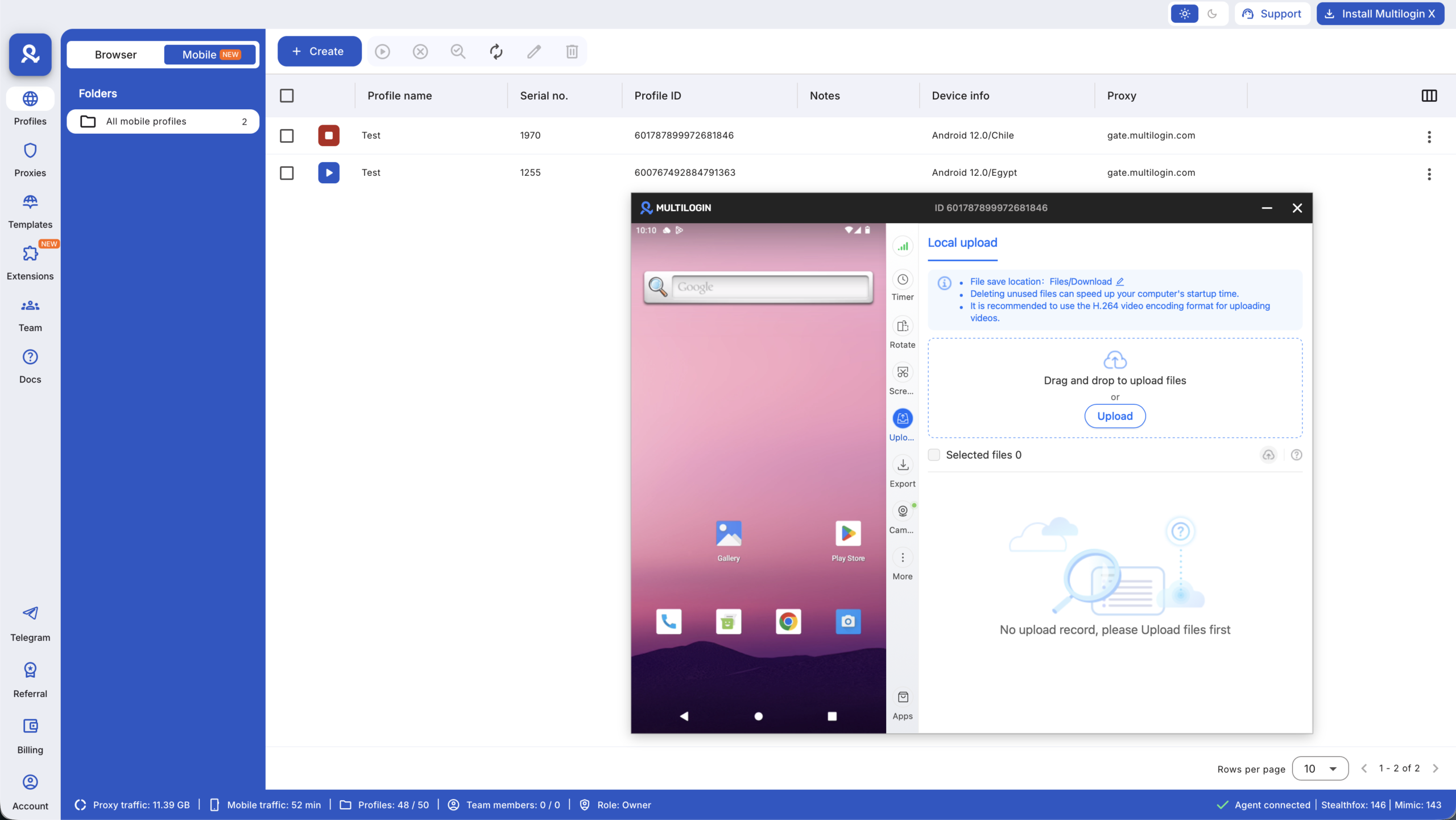
Multilogin turns phone-based operations into structured infrastructure instead of shared hardware.
One Multilogin cloud phone = One business phone environment
The core rule is simple, and it’s what keeps everything stable.
Dedicated Android environment per business use case
Each cloud phone is assigned to a specific function such as sales, support, marketing, or operations. These phones do not share operating systems, app storage, or system history. Activity in one environment cannot influence another, which removes the silent linking that breaks shared setups.
Persistent sessions that don’t break workflows
Apps reopen exactly where they were left. Login states remain intact. Teams don’t lose time re-verifying accounts or rebuilding access every few days. Workflows stay continuous instead of restarting.
Real Android cloud phones (Not VoIP, not emulators)
Multilogin cloud phones run real Android operating systems, not simulated layers.
Genuine android OS and device parameters
Each phone runs a real Android version with stable Android ID, IMEI, and system signals. These identifiers don’t rotate or reset, which is critical for long-term account trust.
Full app compatibility for business tools
Apps can be installed directly from the Play Store or uploaded as APKs for internal or regional use. Behavior matches physical phones, which means no workaround flows and no broken app features.
Location-Controlled Cloud Phones for Small Businesses
Location mismatches are one of the fastest ways to destabilize phone-based accounts.
Region and country selection per phone
Each cloud phone is launched from a selected country or region that matches business operations, whether local or international.
Aligned location signals
IP, network, SIM, and GPS signals move together and remain consistent across sessions. This removes contradictions that often trigger restrictions or verification loops.
Managing all business phones From One Multilogin Dashboard
As the number of business phones grows, control quickly becomes more important than speed. Without a central view, teams lose track of who uses which phone, sessions get mixed, and small mistakes turn into operational problems. Multilogin solves this by keeping every business phone visible and manageable from one place, so growth adds clarity instead of confusion.
- Launch, pause, and monitor all cloud phones from a single dashboard
- No need to handle physical devices or switch between tools
- Label and tag phones by role, team, or purpose
- Add notes for context and ownership tracking
- Keep responsibilities clear as teams and operations expand
Scaling a small business without rebuilding phone infrastructure
Scaling usually breaks systems because growth forces reuse. Multilogin avoids that by keeping the structure unchanged.
New employees receive new cloud phones. Old environments are never reused. Scaling adds capacity, not risk. This is where a cloud based phone system for small business either holds or collapses.
Automation layer for small business phone workflows (optional)
Automation should never be the starting point for small business phone workflows. When environments reset, devices change, or sessions don’t hold, automation only amplifies existing problems and makes failures happen faster. This is why automation is treated as an optional layer, not a requirement, and only becomes useful once the phone environment itself is stable and reusable over time.
When stability is in place, automation starts to behave predictably instead of breaking workflows. Persistent sessions and consistent device identity mean automated actions interact with the same phone environment every time, rather than triggering fresh-device signals or repeated re-verification. The result is automation that supports daily operations instead of constantly needing fixes.
For teams that need it, Multilogin supports automation at the environment level using tools such as Selenium, Playwright, Puppeteer, Postman, and the Multilogin CLI. These tools work because they operate on long-lived cloud phone environments, allowing automated workflows to run without changing phone identity or disrupting active business accounts.
Team access without sharing phone credentials
Sharing passwords is usually where collaboration starts to break down, especially as small teams grow and more people need access to the same phone-based tools. Instead of passing credentials around, team access works best when collaboration is tied to environments, not logins, so control stays clean and risks don’t spread as staff changes.
With environment-based collaboration, teams work inside assigned cloud phones rather than sharing account details, which keeps ownership clear and sessions intact.
- Team members access cloud phones without seeing or sharing passwords
- Permissions are assigned per phone, based on role or responsibility
- Phone ownership remains clear even when staff join, leave, or change roles
- Accounts stay logged in and uninterrupted during handoffs
What a Cloud Based phone system looks like when done right
When a cloud based phone system for small business is set up the right way, daily operations stop feeling reactive and start feeling controlled. Phones are no longer shared tools that carry hidden history from one task to another, but stable environments that behave the same way every time they are used. Each business function runs inside its own cloud phone, with apps staying logged in, sessions holding over time, and device and location signals remaining consistent instead of shifting between uses. Everything is managed from a single control layer, so owners always know who is using which phone and for what purpose. As the business grows, nothing underneath needs to be rebuilt or reset. New phones are added, existing ones stay untouched, and the system remains predictable instead of fragile.

