


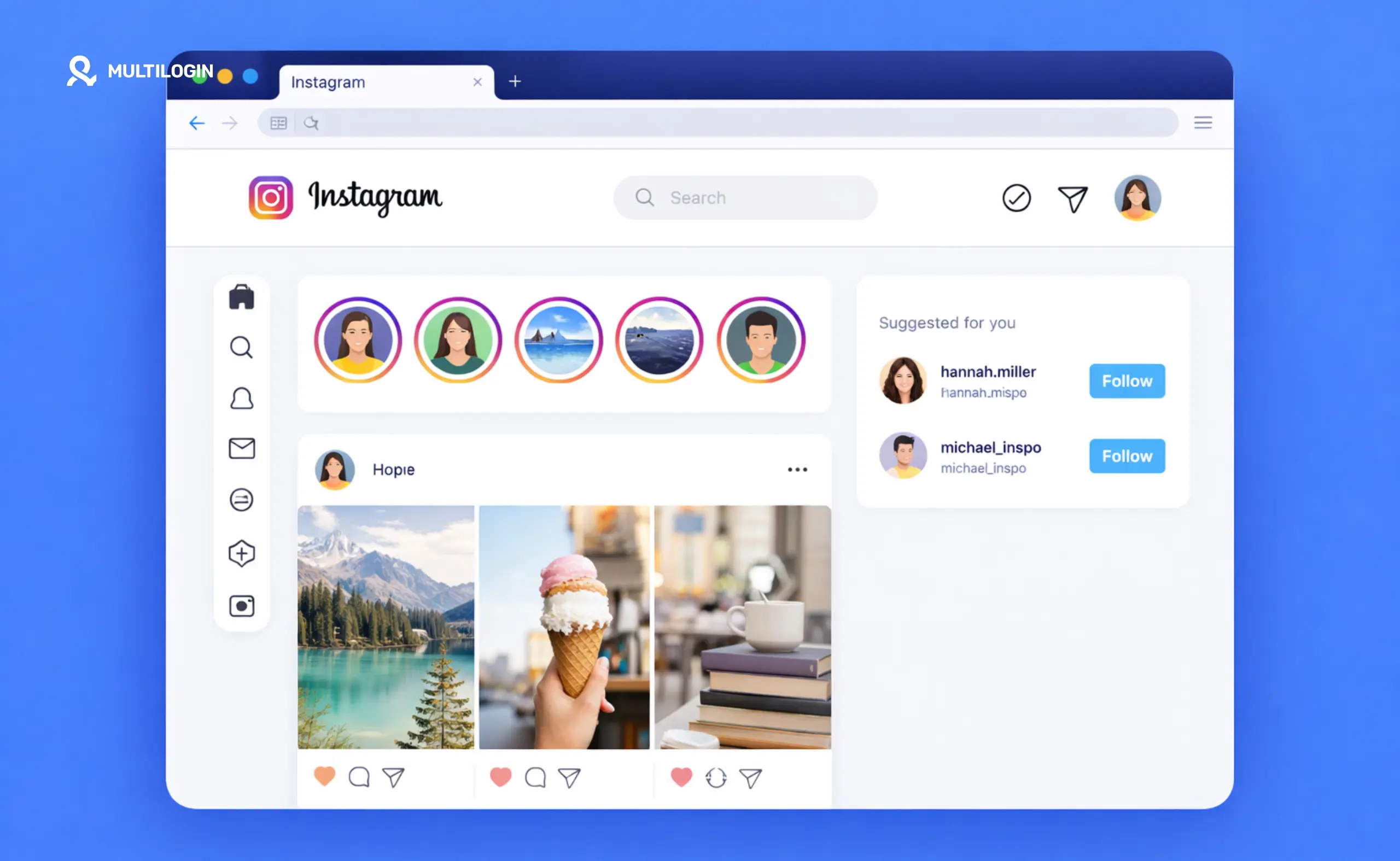



Want to view Instagram on your computer instead of your phone?
You’re not alone. Whether you’re managing multiple accounts for clients, doing market research, or just prefer a bigger screen, using an Instagram web viewer makes life easier.
But here’s the thing: Instagram’s web interface has limitations. You can’t view private accounts without following them. You can’t see stories anonymously. And if you’re managing multiple accounts, constantly logging in and out gets old fast.
This guide covers everything you need to know about Instagram web viewers, how to view Instagram on web effectively, and the best tools for managing multiple accounts without getting banned.
Let’s dive in.
What Is an Instagram Web Viewer?
An Instagram web viewer is simply a way to access Instagram content through a web browser on your computer instead of the mobile app.
There are two main types:
- Official Instagram Web Viewer: The standard instagram.com website where you log into your account and browse like normal.
- Third-Party Instagram Web Viewers: External tools that claim to let you view Instagram profiles, stories, and posts without logging in or anonymously.
Most people search for “instagram web viewer” because they want to:
- View Instagram content on a larger screen
- Manage multiple Instagram accounts from one place
- Browse Instagram without using their phone
- View stories or profiles without the account owner knowing
- Access Instagram from a work computer where the app is blocked
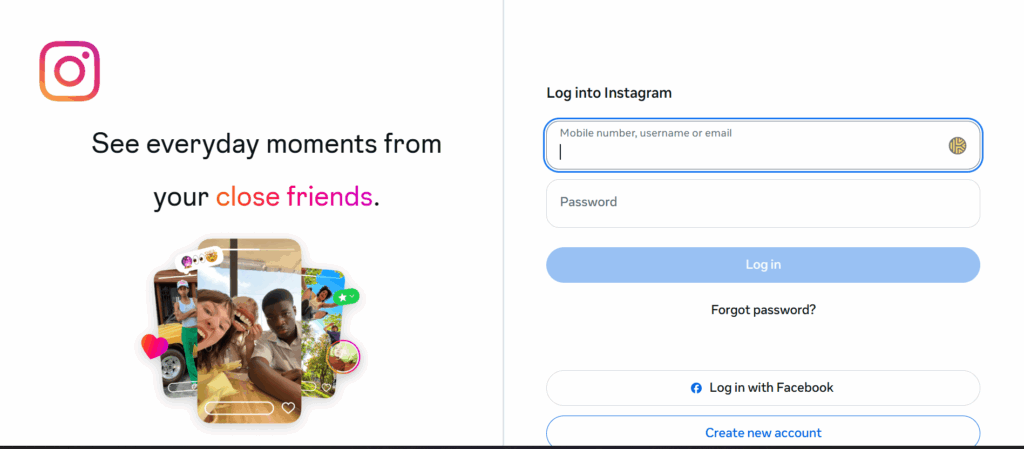
How to View Instagram on Web: The Official Method
The easiest way to view Instagram on web is through the official website.
Step 1: Go to Instagram.com
Open any web browser (Chrome, Firefox, Safari, Edge) and navigate to instagram.com.
Step 2: Log Into Your Account
Enter your username and password. If you have two-factor authentication enabled, you’ll need to enter the code sent to your phone.
Step 3: Browse Normally
Once logged in, you can:
- View your feed
- Check direct messages
- Upload photos and videos
- View and post stories
- Browse profiles
- Like and comment on posts
- Search for accounts and hashtags
What You Can’t Do on Instagram Web
Instagram’s web version has some limitations compared to the mobile app:
- No Instagram Reels creation (you can view them, but not create them easily)
- Limited video editing features
- No support for some newer features that debut on mobile first
- Slower story viewer experience
- No built-in shopping features in some regions
Instagram Web Viewer Private Accounts: What Works and What Doesn’t
Here’s where people get frustrated.
Can you view private Instagram accounts on web without following them?
No. Not through any legitimate method.
If an account is private, you need to:
- Send a follow request
- Wait for them to approve it
- Then you can view their content
Why “Instagram Web Viewer Private Account” Tools Don’t Work
You’ll find websites claiming to be a “private Instagram web viewer” that lets you see private profiles without following.
These tools are either:
- Scams: They ask you to complete surveys or download software that doesn’t work
- Phishing attempts: They try to steal your login credentials
- Outdated: They might have worked years ago before Instagram fixed the vulnerability
Instagram’s privacy settings exist for a reason. If someone has a private account, there’s no legitimate way to view it without their permission.
Instagram Story Web Viewer: How to View Stories on Desktop
Want to watch Instagram stories on your computer?
The official Instagram web viewer supports stories, but with some quirks.
How to View Instagram Stories on Web Browser
- Log into instagram.com
- Look at the top of your feed for the row of circular profile pictures
- Click on any profile picture with a colored ring around it
- The story will open in a modal window
- Click the right arrow to go to the next story, or click outside the modal to close it
Can You View Stories Anonymously on Instagram Web?
No. When you view someone’s story on the Instagram web viewer, they can see that you viewed it, just like on the mobile app.
Your username will appear in their story viewers list.
Instagram Highlights Web Viewer
Highlights are saved stories that appear on someone’s profile.
To view highlights on Instagram web:
- Go to the person’s profile
- Scroll down to the row of circular highlight covers below their bio
- Click on any highlight to view it
- The same viewing rules apply (they’ll see you viewed it)
Best Instagram Web Viewer Tools for Multiple Account Management
If you’re managing multiple Instagram accounts (whether for business, clients, or personal use), the official web viewer becomes problematic.
Here’s why:
The Problem with Managing Multiple Accounts on Instagram Web
- You can only be logged into one account at a time in a standard browser
- Constantly logging in and out wastes time
- Instagram can flag your account for suspicious activity if you switch too frequently
- You can’t view multiple accounts side-by-side
- Risk of posting to the wrong account
The Solution: Proper Account Isolation
The best way to manage multiple Instagram accounts on web is through account isolation technology.
This means giving each Instagram account its own dedicated environment so they appear to Instagram as completely separate users.
Here’s what that looks like in practice:
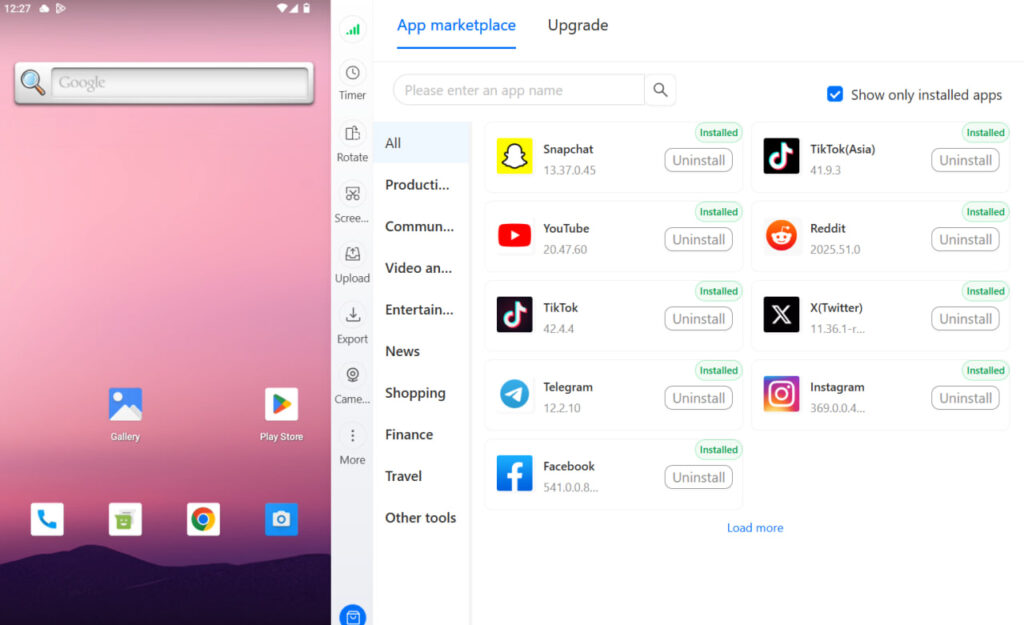
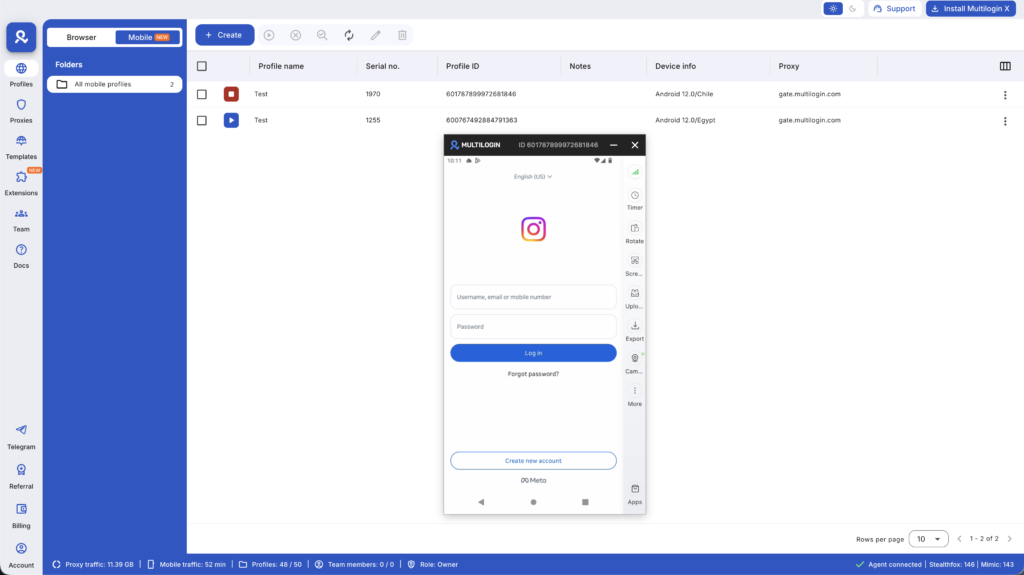
Cloud Phones for Instagram Management
Instead of juggling accounts in regular browser tabs, you create isolated environments for each account. Each environment has:
- Its own unique device fingerprint
- Separate login sessions that never overlap
- Individual IP addresses and location data
- Persistent app data that stays saved
With Multilogin Cloud Phones, you can:
- Run each Instagram account in its own cloud-hosted Android phone
- Access native Instagram app features from your desktop
- Keep all accounts completely separated and secure
- Switch between accounts instantly without logging in and out
- Manage dozens of accounts without triggering Instagram’s security systems
Plus, when you get Multilogin Cloud Phones, you automatically get access to the leading antidetect browser in the same dashboard. This means you can manage both mobile app accounts and web-based accounts from one unified platform.
Online Instagram Web Viewer: Free vs Paid Options
Let’s compare different ways to view Instagram on web.
Free Instagram Web Viewer Options
Instagram.com (Official)
- Cost: Free
- Pros: Official, safe, full features (within web limitations)
- Cons: Only one account at a time, no privacy features, limited compared to mobile app
Browser Extensions
- Cost: Free
- Pros: Some add features like downloading images
- Cons: Quality varies, security risks, many violate Instagram’s terms of service
Third-Party Viewer Websites
- Cost: Free
- Pros: No login required for public profiles
- Cons: Don’t work for private accounts, no interaction features, often filled with ads, security concerns
Paid Instagram Web Viewer Solutions
For professional use, especially if you’re managing multiple accounts, free tools don’t cut it.
Professional solutions offer:
- True account isolation (each account appears as a separate device)
- Built-in proxy management for location consistency
- Team collaboration features
- Automation capabilities
- 24/7 support
Multilogin Cloud Phones provides all of this starting at €0.009 per minute with usage-based pricing. You only pay for what you use, and unused minutes roll over.
Anonymous Instagram Web Viewer: Is It Possible?
People often search for “anonymous web Instagram viewer” hoping to browse without being tracked.
The reality is more complicated.
What “Anonymous Viewing” Actually Means
- Viewing Public Posts: You can view public Instagram profiles, posts, and highlights without logging in through various third-party websites. However, you can’t interact (like, comment, follow) and you can’t see stories.
- Viewing Stories: There’s no legitimate way to view someone’s Instagram story anonymously. If you view it, they’ll see your username in their viewer list.
- Viewing Private Accounts: As mentioned earlier, impossible without following the account.
The Privacy Trade-Off
If you use third-party “anonymous viewer” websites:
- You’re trusting them with your browsing data
- Many are filled with malware or phishing attempts
- They often don’t work as advertised
- You’re violating Instagram’s terms of service
For legitimate business use (competitive research, market analysis), it’s better to use proper tools that keep you compliant and secure.
How to View Blocked Accounts on Instagram Web
If someone has blocked you on Instagram, you cannot view their profile or content, period.
This applies whether you’re using:
- The Instagram mobile app
- The Instagram web viewer
- Any third-party tool
When you’re blocked:
- The profile appears as if it doesn’t exist
- You can’t find them in search
- Previous conversations disappear
- You can’t view any of their content
The only workarounds are:
- Create a new account they haven’t blocked (though this violates Instagram’s terms if you’re trying to circumvent a block)
- Ask someone else who isn’t blocked to show you the profile
- View their content on other platforms if they cross-post
Instagram Web Story Viewer: Best Practices
If you’re viewing Instagram stories on web regularly, here are some tips:
For Personal Use
- Use the official instagram.com for safety
- Remember that the account owner can see you viewed their story
- Stories expire after 24 hours unless saved as highlights
- You can mute stories from accounts you follow if they post too frequently
For Business and Marketing Research
When researching competitors or doing market analysis:
- Create a dedicated research account with a professional name
- Follow accounts you want to monitor legitimately
- Take screenshots or notes since stories disappear
- Respect privacy and don’t engage in questionable behavior
For Managing Multiple Client Accounts
If you’re managing Instagram accounts for clients:
- Keep each client account in its own isolated environment
- Use persistent sessions so you don’t have to log in repeatedly
- Match your IP location to where the client is based
- Never mix client account access with personal accounts
Multilogin Cloud Phones makes this simple with real Android environments for each account, built-in location-based proxies, and a unified dashboard to organize everything.
Can You View Archived Posts on Instagram Web?
Yes, you can view your own archived posts on Instagram web.
How to Access Archived Posts on Instagram Web
- Log into instagram.com
- Click on your profile picture in the top right
- Click on the gear icon (Settings)
- Select “Archive”
- You’ll see all posts you’ve archived
- Click on any post to view it
- You can unarchive posts from here if you want them back on your profile
Note: You can only view your own archived posts, not someone else’s.
Instagram Free Web Viewer: What to Avoid
Not all “free” Instagram web viewers are safe.
Red Flags to Watch For
- Asking for Your Instagram Password: Legitimate viewer tools never ask for your login credentials.
- Requiring Personal Information: If a website asks for your email, phone number, or other personal details just to view public Instagram content, it’s likely a data harvesting scheme.
- Too-Good-To-Be-True Promises: Claims like “view any private account” or “download any story anonymously” are always scams.
- Excessive Ads and Pop-Ups: While ads aren’t inherently bad, excessive redirects and pop-ups often indicate malicious intent.
- Download Requirements: If you have to download software to use an Instagram web viewer, don’t do it unless it’s from a verified, reputable company.
Safe Alternatives
Stick to:
- The official instagram.com
- Verified browser extensions from official extension stores (Chrome Web Store, Firefox Add-ons)
- Professional tools from established companies with real customer support
Managing Multiple Instagram Accounts on Web: The Professional Approach
If you’re a social media manager, agency, or freelancer handling multiple Instagram accounts, you need a system that scales.
Here’s what that system should include:
Account Isolation
Each Instagram account should run in its own environment with:
- Unique device fingerprints
- Separate browser sessions
- Individual cookies and cache
- No cross-contamination between accounts
Location Consistency
Instagram tracks where you’re logging in from. If an account based in Miami suddenly logs in from Singapore, that raises flags.
Use location-based proxies that:
- Match the account’s geographic location
- Provide residential IP addresses (not datacenter IPs)
- Stay consistent over time
- Are automatically managed without manual configuration
Persistent Sessions
Logging in and out constantly is suspicious. Maintain persistent login sessions that:
- Keep you logged in between work sessions
- Build natural account history
- Reduce security challenges from Instagram
- Save time and improve workflow
Team Collaboration
If you work with a team, you need:
- Shared access to client accounts
- Permission controls for who can access what
- Activity logs for accountability
- Secure password management
All in One Dashboard
Instead of juggling multiple tools, manage everything from one place:
- Instagram mobile accounts
- Instagram web access
- Other social media platforms
- Proxy management
- Team member access
Multilogin Cloud Phones provides exactly this setup. You get real Android cloud phones for native Instagram app access, plus the leading antidetect browser for web-based management, all in one dashboard.
Every cloud phone includes:
- Real Android hardware IDs (not emulated)
- Built-in residential proxies matched to your chosen location
- Persistent app data and login sessions
- Full team collaboration features
- 24/7 expert support in 5 languages
The stronger alternative: Multilogin Cloud Phones
If the limitations above hit close to home, Multilogin Cloud Phones address every one of them.
- Real Android hardware, documented. Every cloud phone runs with authentic IMEI, Android ID, and MAC addresses from approximately 30 device types (OPPO, vivo, Samsung, Google Pixel, Redmi, OnePlus). No ambiguity about what’s real and what’s simulated.
- 2-in-1 platform. Cloud phones for mobile work plus full antidetect browser access for web work. One subscription, one dashboard. Post TikTok videos and manage Facebook Ads without switching tools or risking cross-platform detection.
- Residential proxies included. 30M+ IPs across 195+ countries. Mobile-grade proxies that automatically match your device’s geolocation. No separate proxy vendor, no manual configuration.
- Full automation. Documented API with guides for Selenium, Puppeteer, Playwright, and Postman. Developer-focused resources that technical teams can actually work with.
- 24/7 support in 5 languages. English, Spanish, Portuguese, Russian, and Chinese. Comprehensive documentation covering setup to advanced workflows.
- Transparent pricing. €0.009 per minute of active cloud phone use. Proxies, browser access, automation tools, and team features all included.
Need a better way to manage Instagram? Try Multilogin Cloud Phones.
Instagram Web Viewer: The Smart Approach
Viewing Instagram on web doesn’t have to be complicated.
For casual browsing, the official instagram.com works fine.
But if you’re managing multiple accounts, working with clients, or running a social media agency, you need proper account isolation and management tools.
Multilogin Cloud Phones gives you everything you need:
✅ Real Android cloud phones for each Instagram account
✅ Built-in location-based proxies (no separate subscriptions)
✅ Leading antidetect browser included in the same dashboard
✅ Persistent sessions that maintain account health
✅ Team collaboration with unlimited seats on business plans
✅ Usage-based pricing starting at €0.009 per minute
Stop risking account bans with unsafe tools. Get the professional solution that scales with your business.
👉 Try Multilogin Cloud Phones today and manage Instagram accounts the right way.
Start your trial and see how much easier professional Instagram management can be.
Frequently asked questions About Instagram Web Viewers
You can view some public content through third-party websites without logging in, but you won’t have access to the full experience. You can’t view stories, interact with posts, see private accounts, or access your feed without logging into Instagram.
There is no legitimate Instagram web viewer that can show private accounts without following them. The only way to view a private account is to send a follow request and wait for approval. Any tool claiming otherwise is a scam.
You cannot view Instagram stories anonymously on the web or mobile app. When you view someone’s story, your username appears in their viewer list. This is an intentional feature of Instagram’s platform.
Most third-party Instagram web viewers pose security risks. They may contain malware, steal your data, or violate Instagram’s terms of service. Stick to the official instagram.com or verified professional tools from reputable companies.
Yes, but the official Instagram web interface only allows one logged-in account at a time. For managing multiple accounts effectively, you need account isolation technology like cloud phones that create separate environments for each account.
Agencies can use Instagram web to manage client accounts, but should implement proper account isolation to prevent account linking, bans, or security issues. Professional tools that create separate environments for each client account are essential for safe, scalable management.
Log into instagram.com, click your profile picture, select Settings, then Archive. You can view all your archived posts and stories here. You can only view your own archives, not other users’ archived content.


