





Let’s be direct. The internet is full of roadblocks. Whether it’s your school firewall blocking YouTube, your office network killing social media, or a streaming service telling you content isn’t available in your country, you hit a wall. You need a way around it.
That’s where BlockAway comes in. It’s a free web proxy, and it does exactly what it promises: it unblocks websites. It’s simple, it requires zero setup, and it works right in your browser. For basic, low-stakes unblocking, it’s a tool many people turn to.
But here’s the honest truth: “free” always comes with a catch.
In this review, we’ll break it all down and help you decide if this is the right proxy for your needs.
What is BlockAway.net?
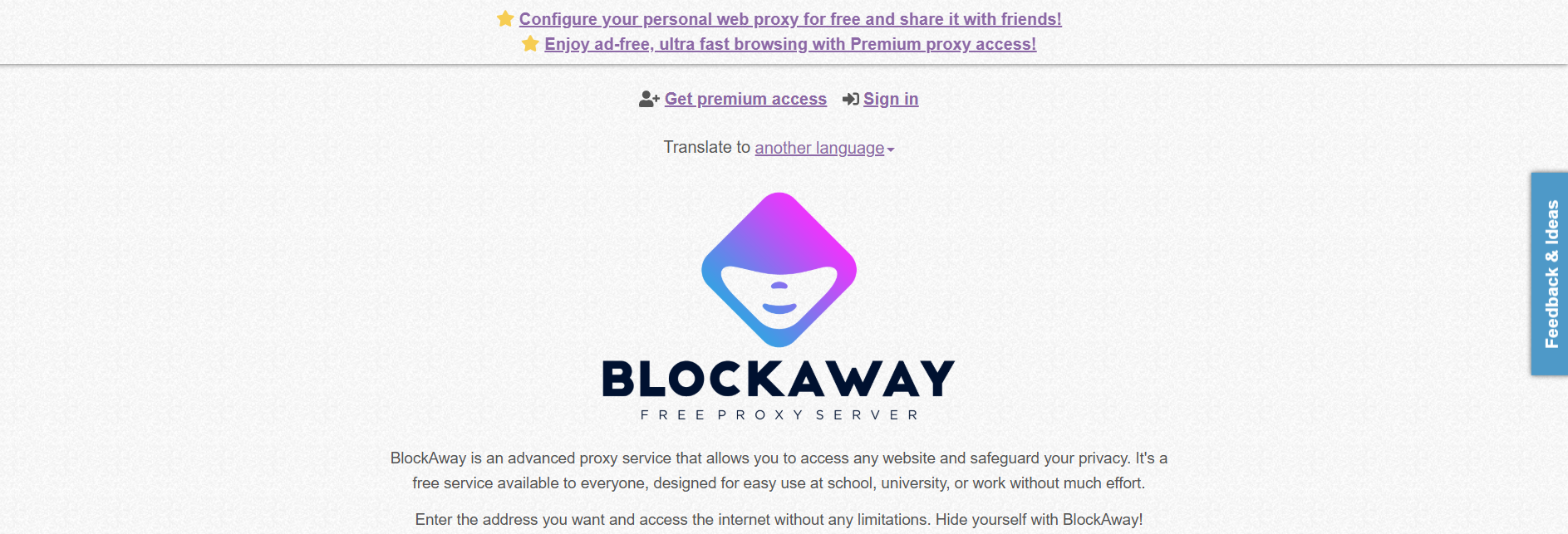
BlockAway.net is a free web proxy service that allows users to browse the internet anonymously and access blocked websites. Unlike VPNs, which encrypt all your internet traffic, a web proxy routes only the data within your browser session through its servers, making it an easy-to-use option for quick, anonymous browsing.
BlockAway provides access to various restricted websites, including YouTube, Facebook, and other social media platforms. It’s widely used by individuals looking to bypass firewalls imposed by schools, offices, or even regional internet restrictions.
BlockAway.net features breakdown
BlockAway claims to be an “advanced” proxy service. When you look at the features, they focus on making the basic proxy function work better than the competition.
Feature | What it means for you |
|---|---|
Zero configuration | You don’t install software. You don’t change system settings. It runs in the browser. |
High compatibility | It claims to handle complex sites like YouTube and social media without breaking the layout. |
Basic anonymity | It hides your IP address from the destination website. |
Server choice | You can pick between Europe and USA server locations. This is crucial for unblocking geo-restricted content. |
Premium option | They offer a paid tier. This is where they promise faster speeds and no ads. |
Key features: A direct look
BlockAway tries to solve the biggest problems that plague most free proxies: speed and broken websites.
1. Simple, direct access
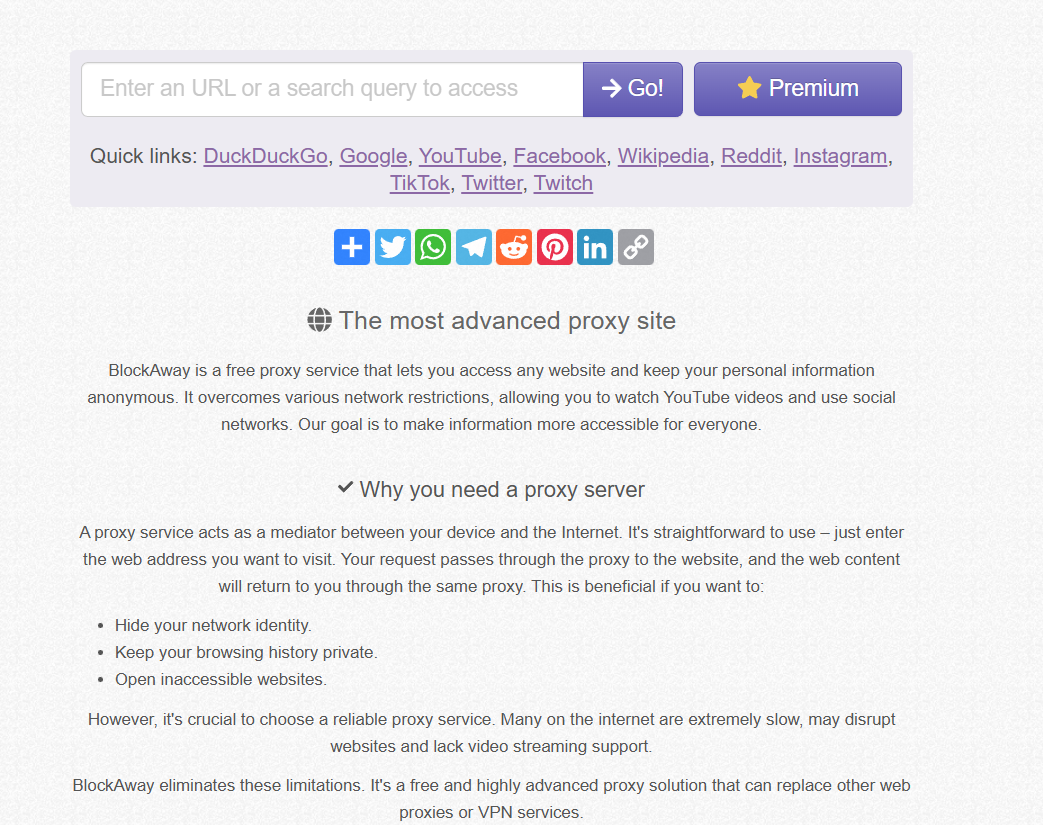
This is BlockAway’s strongest point. The interface is clean. You land on the page, you see the input box, and you know exactly what to do. There is no learning curve. If you are on a locked-down computer where you can’t install a VPN or a proxy extension, this browser-based tool is one of the few options you have. It’s fast to deploy and requires no commitment.
2. Handling complex websites
Most simple proxies fail when they hit a modern, complex website. They break the layout, mess up the JavaScript, or simply can’t stream video. BlockAway has invested in the technology to rewrite URLs and handle the complex code of sites like YouTube and Facebook. This means you are more likely to get a functional, usable page rather than a jumbled mess of text and broken images. This is a necessary upgrade over older, simpler web proxies.
3. Basic privacy and security
BlockAway hides your IP address. That’s the core privacy feature. It also uses SSL encryption for the connection between your browser and the BlockAway server. This is good. It means your local network administrator or ISP can’t easily see the content of your browsing session. They only see that you are connected to BlockAway.
However, don’t confuse this with real anonymity. It’s a basic shield, not a fortress. We’ll get to the real privacy risks later.
4. Server location control
The ability to choose between a USA and a Europe server is a practical feature. If you want to watch a video restricted to the US, you select the USA server. If you need to access a European news site, you select Europe. This simple choice is the difference between success and failure when trying to bypass geo-blocks. It shows that the service understands the user’s main goal: accessing specific content.
How BlockAway works and hidden dangers
BlockAway isn’t magic; it’s a technical solution to a technical problem. Understanding the mechanics shows you where it succeeds and, more importantly, where it fails.
1. The reverse proxy core
BlockAway acts as a reverse proxy. When you make a request, the proxy server intercepts it. It then establishes a secure connection to the target website on your behalf. The content is downloaded to the proxy server and then sent back to you. This tunneling is the core of the unblocking process. Your local network only sees the connection to BlockAway, not the final destination.
2. The URL rewriting engine
This is the hard part. When BlockAway gets the raw HTML code from the target website, it can’t just pass it on. If it did, all the links, images, and scripts would point back to the original website, and your browser would try to connect directly, triggering the block.
BlockAway runs an engine that systematically rewrites every single link on the page. It replaces the original URLs with new ones that point back to the BlockAway server, ensuring that all traffic remains within the proxy’s tunnel. This is why BlockAway is better at handling complex sites than older proxies; its rewriting engine is more robust.
3. Server locations and speed
The server location choice is a double-edged sword. It helps with geo-blocking, but it can kill your speed. If you are in Asia and choose the USA server, your data has to travel a long way. The speed you get depends entirely on how many other people are using that same free server at the exact same time. Since it’s free, the servers are almost always congested.
The catch: Why free web proxies are a bad idea for anything serious
We need to be completely honest here. BlockAway is a free tool, and that means you are the product. If you are just trying to check a single webpage once, fine. But for anything else, the risks far outweigh the convenience.
1. The logging policy is a black box
This is the biggest red flag. Free services have to pay for their servers somehow. They either run ads or they sell data. When you use BlockAway, you have no real idea what they are logging. They don’t have the same legal or financial pressure as a paid service to maintain a strict “no-logs” policy.
You are trusting a free, anonymous service with your entire browsing history. If you log into any sensitive account—email, banking, or even a main social media profile—you are taking a massive, unnecessary risk. Assume they are logging everything.
2. The ad problem and malware risk
Free proxies are notorious for aggressive, intrusive advertising. You will see banner ads, pop-ups, and pop-unders. This isn’t just annoying; it’s a security risk. These ads often come from low-quality ad networks that don’t screen their content.
In the worst cases, the proxy itself can inject malicious code into the pages you visit. This code can lead to malware, spyware, or phishing attempts. You are trading a simple network block for a potential security compromise on your device.
3. Speed is unreliable and slow
BlockAway claims “high-speed data transfer,” but the reality of a free, oversubscribed service is different. You are sharing bandwidth with thousands of other users. Expect pages to load slowly. Expect video streaming to buffer constantly. This service is not built for performance; it is built for basic access. If you need speed, you need a dedicated, paid solution.
4. You are still trackable: Fingerprinting
Hiding your IP address is only half the battle. Modern websites use browser fingerprinting. They collect dozens of data points about your device: your screen size, your operating system, your installed fonts, your graphics card details, and more.
BlockAway does nothing to change this fingerprint. You might have a new IP, but your unique digital signature is still visible. This means sophisticated trackers can still link your activity across the web, completely defeating the purpose of anonymity. You get a false sense of security.
5. Useless for online business
If your goal is anything beyond unblocking a single YouTube video, BlockAway is useless. You cannot use it for:
- Managing multiple social media accounts.
- Running automated web scraping tasks.
- E-commerce or high-value transactions.
Why? Because the IP addresses are shared, often flagged, and the service is unstable. If you try to log into a platform like Facebook or Amazon using a free proxy, you will likely get flagged and banned immediately. For professional tasks, you need dedicated, clean IP addresses and the ability to manage your digital identity.
Is BlockAway.net safe?
When using any proxy service, safety is a primary concern. So, is BlockAway.net safe to use? Here’s a breakdown of its security aspects:
What makes BlockAway.net safe
- IP masking: It hides your real IP address, helping you maintain online anonymity.
- SSL encryption: The service provides SSL encryption to secure your browsing session from basic cyber threats.
- No downloads required: Since it’s web-based, there’s no risk of malware from software installations.
Potential risks of BlockAway.net
- Data logging: Some free proxy services log user data and browsing history, which can compromise your privacy. It’s unclear whether BlockAway.net logs user activities.
- Limited encryption: Unlike VPNs, proxy services only encrypt browser traffic and not your entire internet connection.
- Ads and third-party tracking: Free services often display ads that could contain tracking scripts, potentially exposing your browsing habits.
Verdict: BlockAway.net is safe for casual browsing but not ideal for sensitive activities like online banking or handling confidential information. If security is a top concern, consider using a VPN instead.
How to use BlockAway.net
Using BlockAway.net is simple, and no technical knowledge is required. Here’s a step-by-step guide:
- Visit the website: Open your browser and go to BlockAway.net.
- Enter the URL: In the proxy field, type in the web address of the site you want to access.
- Select a server (Optional): If you want a specific location, choose one of the available proxy servers (US or EU-based).
- Click “Go”: BlockAway.net will fetch the website for you, and you can start browsing anonymously.
BlockAway.net check results
To see how BlockAway.net’s IP holds up, we ran an IP check using Pixelscan. Here’s what we found:
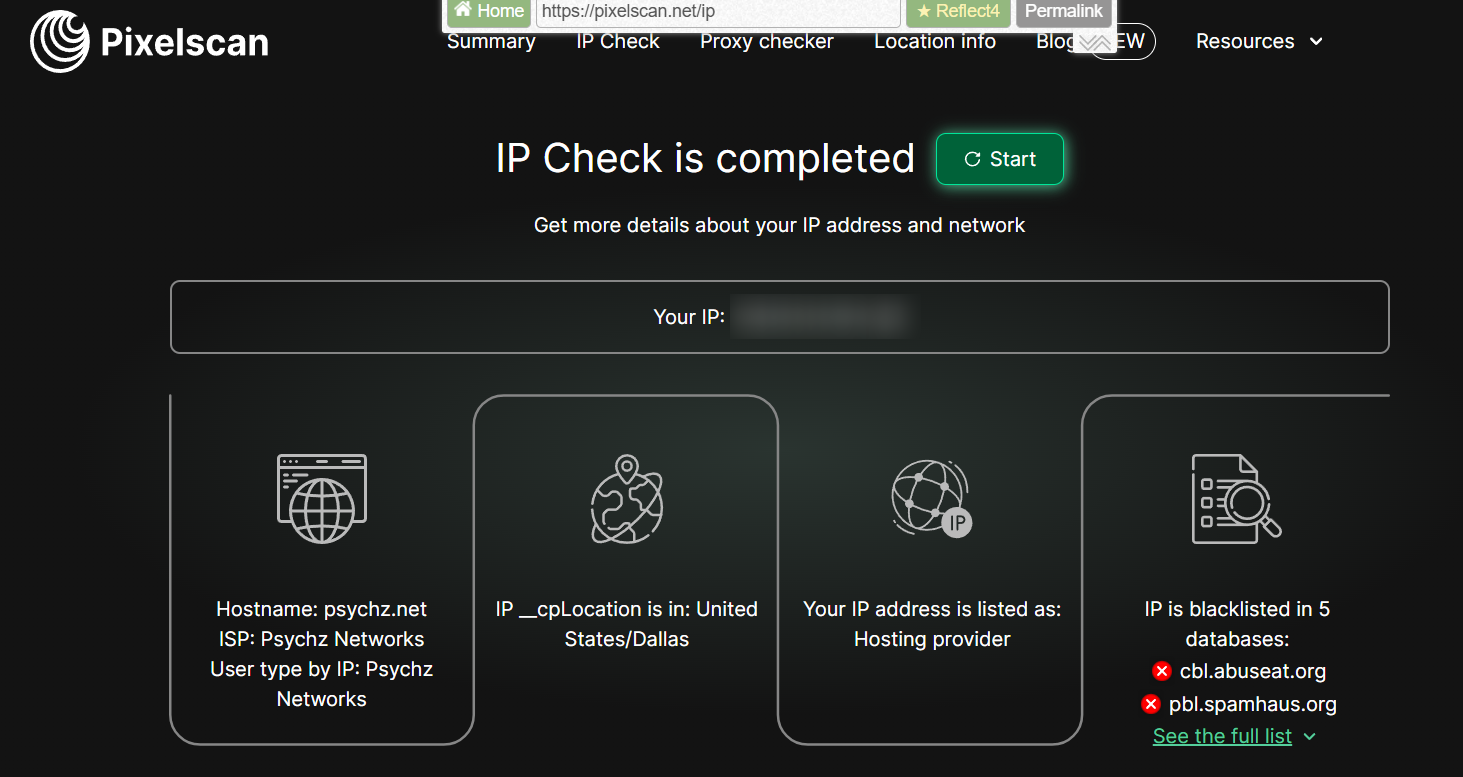
Here’s how you can use Pixelscan to check your connection:
- Go to Pixelscan.
- Click on “IP Check” or visit pixelscan.net/ip.
- View your results, such as IP, location, ISP, and blacklist status.
Best BlockAway.net alternatives list
If BlockAway.net no longer does the job, there are better options worth looking at. Free web proxies are fine for quick, one-off access, but they fall short when you need consistent performance, real privacy, or long-term control.
1. Multilogin
Multilogin is a reliable antidetect browser and a strong alternative to basic web proxy services like BlockAway.net. Instead of routing traffic through a shared web proxy, it creates fully isolated browser environments that prevent identity and IP linkage.
- Creates separate browser profiles with unique browser fingerprints
- Prevents account and session linkage at both browser and network levels
- Provides built-in proxies with over 30 million IPs across 150+ locations, including city-level and ISP targeting
- Designed for multi-account management and long-term usage
- Suitable for individuals and small teams
How to use proxies in Multilogin
Using proxies in Multilogin is straightforward and takes only a few steps. Each proxy is assigned to a dedicated browser profile, ensuring full isolation and stable sessions.
1. Create a browser profile: Name the profile, select the storage option, and add tags for easier organization.
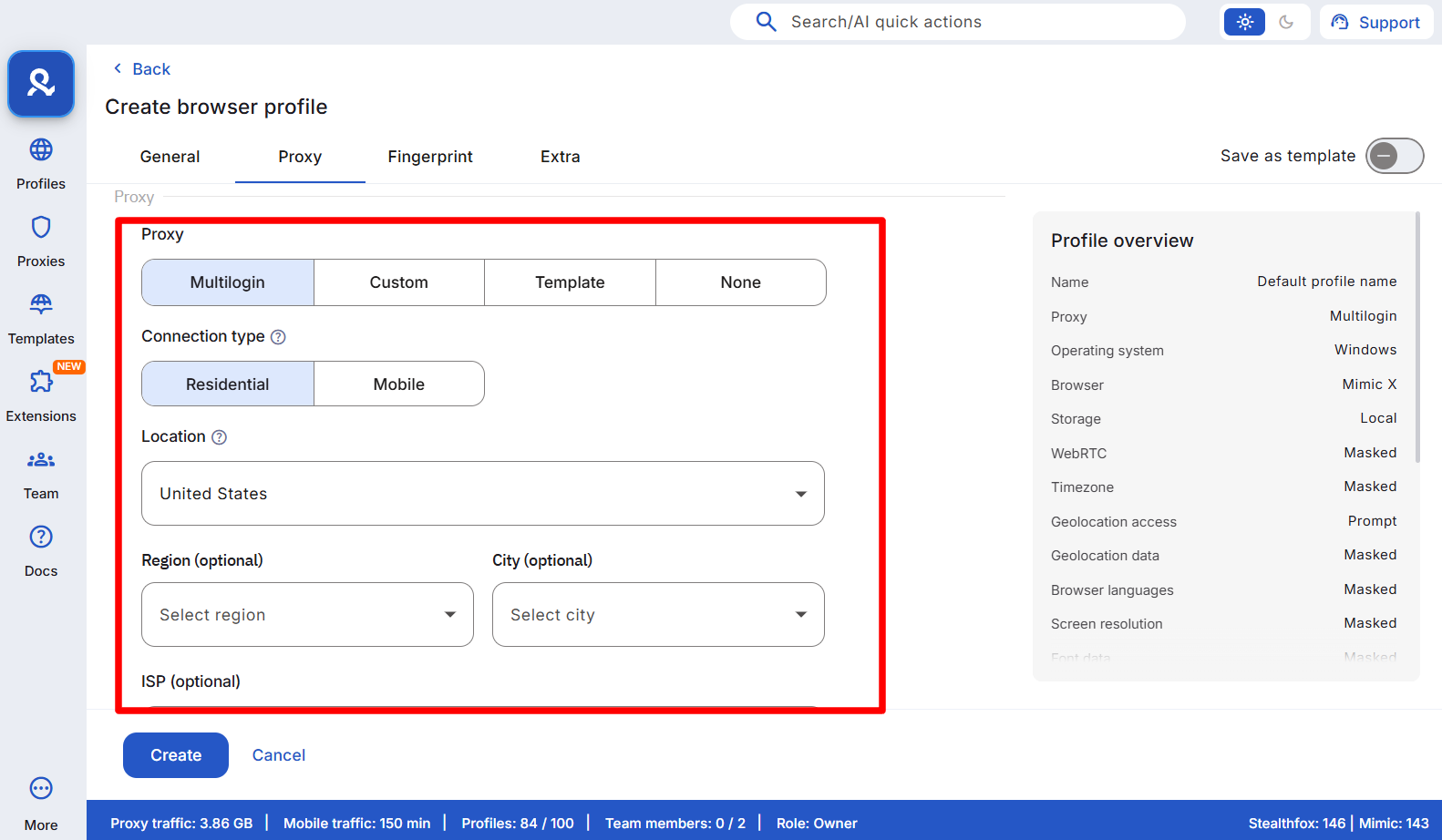
2. Configure the proxy settings: Choose the proxy type, specify the connection method, and select the desired country, city, and ISP.
3. Customize fingerprint settings: Adjust browser fingerprint parameters as needed, then save and launch the profile.
For a step-by-step walkthrough, check the full guide in the YouTube video.
2. NodeMaven
NodeMaven is a premium proxy provider built for users who need stable, high-quality IPs rather than shared free proxies. It is a practical upgrade path from BlockAway.net when reliability and location control become important.
- Residential and mobile IPs with high trust scores
- Country, city, and ISP-level geo-targeting
- Consistent speeds for browsing, scraping, and automation
- Lower block rates compared to free web proxies
- Compatible with antidetect browsers and automation tools
3. CroxyProxy
CroxyProxy is one of the most widely used free web proxy services and works well for quick access to blocked websites. It operates entirely in the browser and requires no account or installation.
- Supports video streaming, including YouTube and social platforms
- SSL encryption for basic traffic security
- No software or browser extension required
- Simple interface for one-time use
4. ProxySite.com
ProxySite.com provides a familiar experience for users looking for a simple BlockAway.net replacement. It offers multiple proxy endpoints and is optimized for popular websites.
- Multiple server locations in the US and Europe
- Works well with social media platforms
- Free to use without registration
- Optional VPN upgrade for better performance
5. Hide.me
Hide.me offers a free web proxy alongside its paid VPN service, making it suitable for users who want better privacy controls. Its infrastructure is generally faster than many free proxy websites.
- Free browser-based proxy access
- Strict no-logs policy
- Better speeds than typical web proxies
- Easy transition to a full VPN service
6. GenMirror
GenMirror is designed for fast access to blocked content without technical setup. It focuses on simplicity and streaming compatibility rather than advanced privacy features.
- Free SSL web proxy
- No installation or account required
- Works on mobile and desktop devices
- Optimized for video streaming platforms
7. ProxMate
ProxMate combines proxy routing with browser extensions to automate access to certain websites. It is a step up from basic web proxies but still easier to use than full VPN setups.
- Browser extensions for Chrome and Firefox
- Automatic proxy switching for supported sites
- Mix of proxy and VPN-like functionality
- Minimal configuration required
Best BlockAway.net alternatives list
If BlockAway.net no longer does the job, there are better options worth looking at. Free web proxies are fine for quick, one-off access, but they fall short when you need consistent performance, real privacy, or long-term control.
1. Multilogin
Multilogin is a reliable antidetect browser and a strong alternative to basic web proxy services like BlockAway.net. Instead of routing traffic through a shared web proxy, it creates fully isolated browser environments that prevent identity and IP linkage.
- Creates separate browser profiles with unique browser fingerprints
- Prevents account and session linkage at both browser and network levels
- Provides built-in proxies with over 30 million IPs across 150+ locations, including city-level and ISP targeting
- Designed for multi-account management and long-term usage
- Suitable for individuals and small teams
How to use proxies in Multilogin
Using proxies in Multilogin is straightforward and takes only a few steps. Each proxy is assigned to a dedicated browser profile, ensuring full isolation and stable sessions.
1. Create a browser profile: Name the profile, select the storage option, and add tags for easier organization.
2. Configure the proxy settings: Choose the proxy type, specify the connection method, and select the desired country, city, and ISP.
3. Customize fingerprint settings: Adjust browser fingerprint parameters as needed, then save and launch the profile.
For a step-by-step walkthrough, check the full guide in the YouTube video.

