

You can make TikTok without a phone number, and it takes about two minutes.
TikTok lets you sign up with an email address or a Google, Facebook, or Apple login, so your SIM card can stay out of it. This guide walks you through every working method in 2026, shows you how to create brand new accounts that don’t get flagged, and explains how cloud phones help you test and run several TikTok profiles from one dashboard.
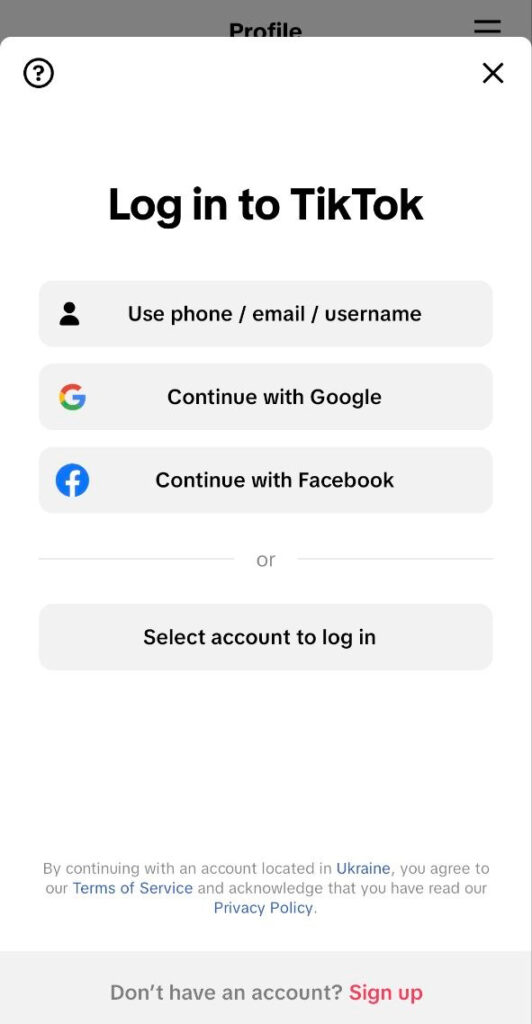
Quick answer: to create a TikTok account without a phone number, open the app or tiktok.com, tap “Sign up,” choose “Use email,” enter a fresh email address, confirm the 6-digit code, and set a password. Done. No SMS required.
Why skip the phone number at all?
Fair question. Here’s why so many people search for this:
- Privacy. Your number connects your TikTok to your real identity, your contacts, and every other app that has it.
- No SIM available. Maybe you use a tablet, a work device, or you live in a region where SIM cards require ID registration.
- Multiple accounts. TikTok ties each phone number to one account. If you run a personal page plus a brand page, one number won’t cover both.
- Testing. Marketers and agencies spin up test accounts to check content, regions, and formats before touching the main profile.
Whatever your reason, you have options. Let’s go through them.
What TikTok officially says about it
Good news: TikTok itself doesn’t demand a phone number. The official account creation guide simply says “choose a sign-up method,” and phone is just one of them. Three official rules matter here.
- One credential = one account. Each phone number, email, or social account links to only one TikTok account.
- Your contact must stay valid. TikTok uses it for login and password recovery (think twice before temp mail).
- Instagram and X don’t work anymore. Your real options: phone, email, Google, Facebook, or Apple.
Skip the phone, and email becomes your main door in.
5 ways to make TikTok without a phone number
1. Sign up with email (the classic way)
The most reliable method, and the one most YouTube tutorials from summer 2026 still recommend first:
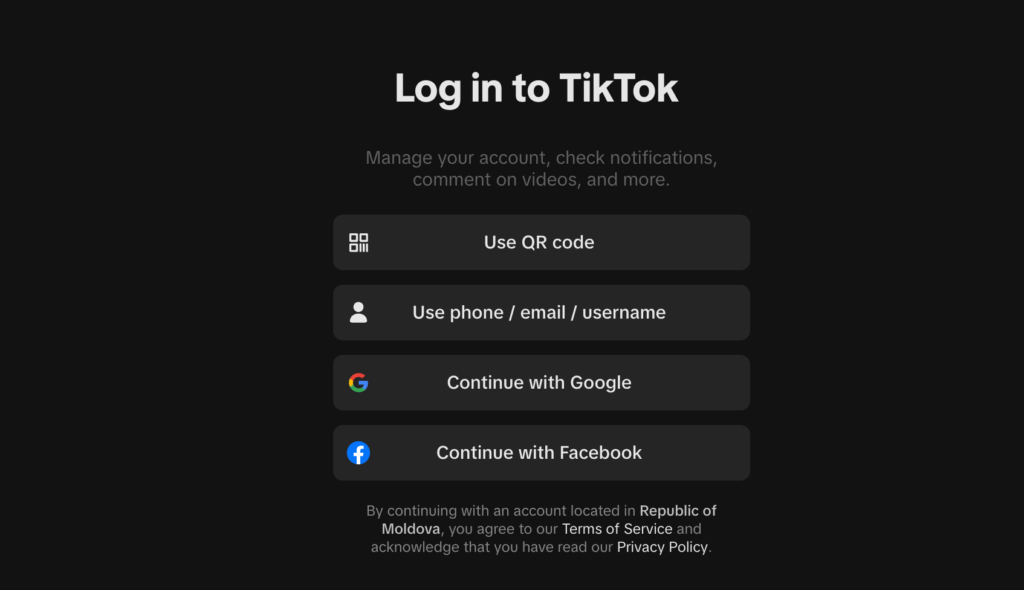
- Open the TikTok app or go to tiktok.com.
- Tap Sign up.
- Choose Use phone or email, then switch to the Email tab.
- Enter your email and birthday.
- Grab the 6-digit verification code from your inbox and enter it.
- Set a strong password and pick a username.
That’s it. TikTok verifies the email instead of a phone number. Tip: use a dedicated email for TikTok, not your main personal inbox.
2. Continue with Google, Facebook, or Apple
One tap and you’re in. TikTok pulls your name from the connected account and skips phone verification completely. Apple’s “Hide My Email” option even masks your real address.
The catch: your TikTok now links to that account. For privacy that helps only if the connected account itself doesn’t expose you. For multi-account work it’s a weak spot, because platforms can see the connection.
3. Use a fresh email account (best for brand new accounts)
A new Gmail address, or one of the solid Gmail alternatives like Proton Mail or Tuta, gives you a clean start. Creators on YouTube call this the “clean slate method”: new email, new TikTok, zero connection to your old accounts. Proton Mail and Tuta don’t ask for a phone number either, so the whole chain stays number-free.
Proton Mail and Tuta don’t ask for a phone number either, so the whole chain stays number-free.
4. Temporary email (fast, but risky)
Temp mail services generate a throwaway inbox that receives the TikTok code. It works, and it takes about two minutes. But most temp inboxes expire within an hour. Lose the inbox, lose password recovery. If you go this route, save your username and password somewhere safe immediately, and add an authenticator app for 2FA. For any account you plan to grow, use a real email instead.
5. Virtual number (when TikTok insists on SMS)
Sometimes TikTok asks for SMS verification later, especially after suspicious logins. Online SMS services rent you a virtual number that receives the code.
Two warnings here: TikTok blocks many free VoIP numbers, and each number verifies only one account. Treat this as a backup, not the main plan.
How to create a brand new TikTok account (that doesn’t get flagged)
Making the account is the easy part. Making it survive is where most people fail. TikTok looks at way more than your phone number: it reads your device, your IP address, and your behavior. If a brand new account pops up on a device that already hosted five others, TikTok connects the dots fast.
Here’s what a clean brand new account setup looks like in 2026:
- One fresh email per account. No aliases like [email protected]. TikTok can recognize them as linked.
- A clean device environment. New account, new device identity. This matters more than anything else on this list.
- An IP address that matches your target region. A US account should sign up and live on a US residential IP, not jump between countries.
- A warm-up period. Scroll, watch, like, and follow for several days before you post. Accounts that blast content on day one get flagged.
- Unique content. Never post the same video across accounts. TikTok matches content across profiles regardless of device or IP.
Do all five and your account builds trust like a normal user. Skip them and even a perfect email signup won’t save you.
Cloud phones: the practical way to test and create new accounts
Here’s the problem with doing this on your own phone: you only have one device. TikTok is a mobile-first platform, and its app reads signals that only a real phone produces, like hardware identifiers and sensor data. Browser tricks don’t recreate those signals. So when you need a second, third, or tenth account for testing or growth, your options used to be buying physical phones or giving up.
Cloud phones solve this. A cloud phone is a real Android device hosted in the cloud that you control from your browser or desktop. With Multilogin, each TikTok profile runs on its own cloud phone with its own genuine hardware identifiers (IMEI, Android ID, MAC address), its own apps, and its own location. One cloud phone = one social profile, so nothing crosses over between accounts.
Why this works so well for creating and testing new TikTok accounts:
- Real device signals. Cloud phones run genuine Android (versions 10-16) on real hardware, so the TikTok app sees a real phone, not an emulator.
- Persistent sessions. App data, cache, and logins stay saved between sessions. Your new account builds real history over time, which supports natural warm-up.
- Built-in proxies. Every plan includes residential proxy traffic matched to each profile’s location. Sign up your US account from a US IP, your German account from a German IP, with GPS and network synced automatically.
- Camera for verification. Cloud phones include camera functionality, so you can handle in-app checks and record content directly.
- Not just TikTok. The same setup runs Instagram, Facebook, and other native Android apps, while isolated browser profiles cover web platforms like Reddit and YouTube. You manage every social account from one dashboard.
- Room to test. Spin up a profile, test a content angle or a region, and if it doesn’t work, start fresh without touching your main accounts.
And you can try it without spending anything: Multilogin has a Free plan with no time limit and no credit card, which includes up to 5 profiles, 30 mobile minutes, and 200 MB of proxy traffic. Paid plans start from $7.08/month with cloud phones, browser profiles, and proxies included.
If you’re planning more than one account, read our guides on how many TikTok accounts you can create and creating multiple TikTok accounts without bans.
Important privacy tips
Creating the account without a number is step one. Keeping it private takes a few more settings:
- Switch to a Private account in Settings → Privacy so only approved followers see your content.
- Turn off contact and Facebook friend syncing. Otherwise TikTok suggests your account to people who have your details, which defeats the purpose.
- Turn off “Suggest your account to others.”
- Turn off Activity status so people can’t see when you’re online.
- Use 2FA with an authenticator app, not SMS. This secures the account without adding a phone number.
- Keep your bio clean. No real name, workplace, or location details.
- Don’t link other social accounts. Every link is a thread back to you.
- Mind your location data. TikTok collects device and location information, so review app permissions and use an IP that matches your intended region. Cloud phones handle this per profile automatically.
- Never reuse passwords. One fresh email plus one unique password per account.