
"Maximum Number of Attempts Reached" on TikTok: What It Means and How to Fix It

how to fix tiktok maximum number of attempts reached
28 May 2026
7 mins read
Share with
Manage Unlimited Mobile and Web Accounts

Manage your accounts without restrictions or interruptions

  • Log in with mobile/browser profiles

  • Access accounts anywhere
  • Use apps like Instagram, TikTok, Reddit, Facebook, and more

Summarize this article with your preferred AI

Table of Contents

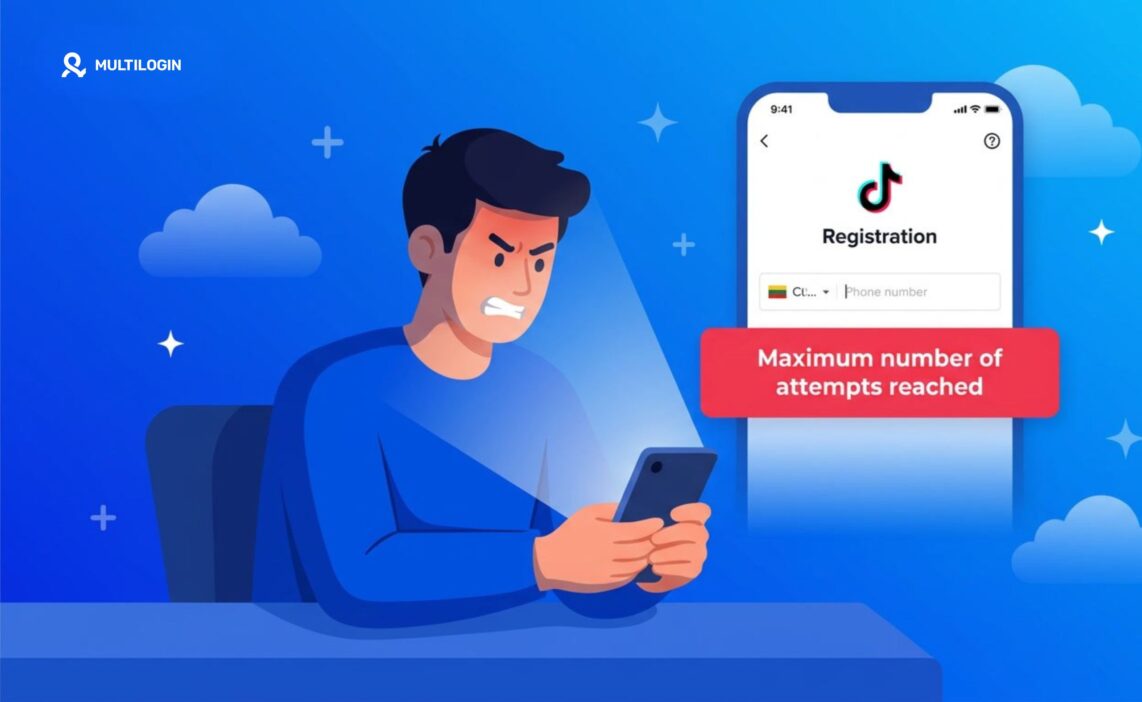
You are trying to log into TikTok — or verify your phone number, or reset your password — and every attempt produces the same result: “Maximum number of attempts reached. Try again later.”
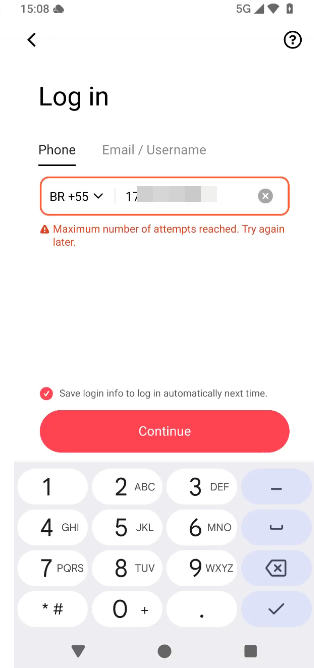
Nothing is broken on TikTok’s end. This is a deliberate security mechanism that TikTok applies to rate-limit repeated login and verification attempts. Its primary purpose is to prevent automated credential-stuffing attacks. 

The side effect is that it also triggers for real users who are legitimately trying to access their own accounts. This guide explains exactly what causes it, how long it lasts, every method to fix it, and how to make sure it never happens again.

What does ‘maximum number of attempts reached’ mean on TikTok?

TikTok places a ceiling on how many times you can attempt specific actions within a set time window. The affected actions include:

  • Entering your password to log in
  • Requesting an SMS verification code
  • Requesting an email verification code
  • Submitting a new phone number for verification
  • Attempting to change account security settings

Once you cross the attempt threshold for any of these, TikTok blocks you from retrying that specific action temporarily. This is not an account ban. Your account is still active. You are blocked only from the login or verification action that triggered the limit — not from TikTok itself.

Откройте в браузере ТикТок

What triggers the maximum attempts error?

In practice, the error almost always occurs in one of these scenarios:

  • Entering the wrong password three or more times in rapid succession
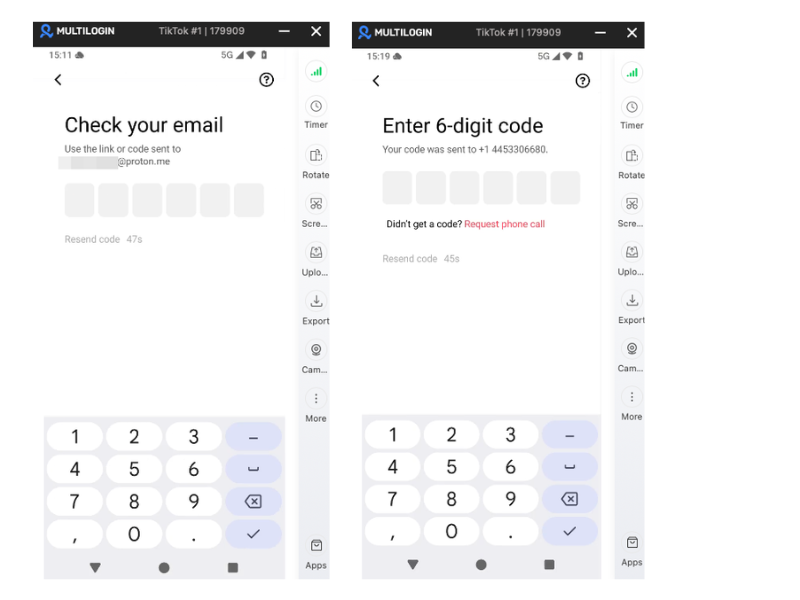
  • Requesting an SMS verification code, not receiving it immediately, and requesting it again two or more times before waiting
  • Trying multiple login methods (phone, email, Google, Apple) in rapid succession when one method fails
  • Switching devices and triggering new login requests from a different IP address in a short time window
  • Using the TikTok mobile app and the TikTok web version simultaneously and attempting to log in on both

The most common real-world scenario: you cannot remember your password, request an SMS code, do not receive it within 30 seconds, request it again, try your email instead, request that code too, try a different login method — and within about five minutes you have triggered the limit across multiple verification channels simultaneously. TikTok sees a cluster of repeated verification requests and applies the rate limit.

How long does the TikTok maximum attempts lockout last?

Standard lockout duration: 24 hours. TikTok does not publish its exact cooldown windows but based on extensive user reports in 2025 and 2026, a standard limit trigger clears after 24 hours. Some users report shorter windows — 1 to 4 hours — for minor first triggers, particularly for SMS code requests.

Critical rule: stop trying immediately. Every additional login attempt or verification request after the lockout is triggered resets or extends the timer. The worst thing you can do right now is keep trying. Close the app, step away, and leave the account alone for 24 hours. This is not optional advice — it is the fastest path to resolution.

How to fix the TikTok maximum number of attempts reached error

Fix 1: Wait 24 hours, then try once with a single method

Do not attempt any login for a full 24 hours from the last attempt. When you try again, choose one method only — your email, your phone number, or a third-party sign-in — and do not switch if it does not work immediately. Switching methods mid-attempt restarts the attempt counter.

Fix 2: Change your network before retrying

Some attempt limits are enforced at the IP address level rather than the account level. Switching from home Wi-Fi to mobile data — or from mobile data to a different Wi-Fi network — gives you a fresh IP that may not be subject to the same rate limit. Try this before the 24-hour wait if you need access urgently.

Fix 3: Use the TikTok web version if the app is blocked (or vice versa)

TikTok web version (tiktok.com) and the mobile app can be tracked separately in some configurations. If you have hit the limit in the app, try logging in at tiktok.com in a browser. If you hit it on the web first, try the app. This does not always work, but it is worth attempting before the full 24-hour wait.

Fix 4: Use a completely different authentication method

TikTok supports login via phone number, email address, Google account, Apple ID, and Facebook. If your SMS verification is locked out, the Google or Apple sign-in options bypass the SMS attempt counter entirely — they use those platforms’ own authentication flows, which are not subject to TikTok’s SMS rate limits. If you linked your TikTok account to a Google account at any point, ‘Continue with Google’ is often the fastest path back in.

Fix 5: Contact TikTok support directly

If you have waited the full 24 hours and still cannot log in, escalate to TikTok’s support team. If you have access to a secondary TikTok account, use the in-app Feedback and Help section to submit a support request. If not, go to the TikTok Help Center at support.tiktok.com and submit a ticket. Include your exact username, the device and operating system you are using, and a clear description of what happened — including how many times you attempted each verification method and when.

How to avoid this error in the future

The maximum attempts error is almost entirely preventable once you know what triggers it:

  • Request any verification code once, then wait at least 60 seconds before considering a second request — SMS delivery can be slow, especially internationally
  • Use Google or Apple sign-in as your primary TikTok login method rather than phone number or email — these third-party authentication flows have their own attempt limits that are much higher than TikTok’s native limits
  • Keep your email address and phone number current in TikTok’s security settings — having multiple recovery options means you are less likely to exhaust any single method

warming up new TikTok accounts, avoid repeated login/logout cycles in a short period — fresh accounts with high verification request rates get flagged quickly

Getting this error across multiple TikTok accounts?

If you manage several TikTok accounts and you are hitting the maximum attempts error repeatedly — especially when moving between accounts quickly — the root cause may be that your accounts share a device and IP environment that TikTok is rate-limiting as a single unit.

When multiple accounts operate from the same phone, TikTok groups their login and verification activity together in its security monitoring. A burst of verification requests that would be unremarkable from genuinely separate devices gets flagged when it comes from one shared environment.

Multilogin Cloud Phones resolve this by giving each TikTok account its own isolated Android device with its own IP address and session history. Login attempts on one account are completely independent of all others. No shared rate limits, no cascading lockouts, no attempt errors that affect multiple accounts at once.


how to run multiple TikTok accounts without bans | multiple TikTok accounts | TikTok account suspended — what to do

облачные телефоны multilogin

Getting started with Multilogin

3-day trial: $2 — 5 profiles, cloud mobile + browser profiles, API access.

Pro plans: from $7.08/month (billed annually at $85/year) or $11/month. Includes 10–100 profiles depending on tier, quick cloning, bulk operations, automation-friendly API (RPM 50–100), and premium proxy add-on. Bonus minutes included: 60 min (Pro 10) up to 150 min (Pro 100). Bonus proxy traffic: 1–5 GB.

Business plan: from $57.08/month (billed annually at $685/year) or $89/month — 300+ profiles, unlimited team seats, advanced team management, 450+ bonus minutes, 10 GB proxy traffic.

Cloud phone minutes: $0.011/minute pay-as-you-go. Unused minutes roll over. Bulk packages:

  • 2,000 min: $18 (was $21, save 20%)
  • 5,000 min: $43 (was $53, save 20%)
  • 10,000 min: $85 (was $105, save 20%)
  • 50,000 min: $380 (was $525, save 20%)
  • 100,000 min: $825 (was $1,055, save 30%)
  • 1,000,000 min: $7,320 (was $10,530, save 30%)

Proxy traffic: $3.50/GB. Unused traffic rolls over.

Managing multiple TikTok accounts and hitting rate limit errors? Multilogin Cloud Phones isolate each account completely — no shared limits. Plans from $7.08/month. 3-day trial at $2 — multilogin.com.

Need to manage multiple social media accounts? Try Multilogin Cloud Phones.

Frequently asked questions About the TikTok maximum attempts error

No. It is a temporary rate-limiting error, not an account ban. Your account is still active. You are temporarily blocked from the specific login or verification action that triggered the limit.

Switch networks (from Wi-Fi to mobile data or vice versa) and attempt login using a completely different method — particularly ‘Continue with Google’ or ‘Continue with Apple’ if your account is linked to either. If that does not work, the 24-hour wait is the reliable resolution.

If the error persists after 24 hours, you may have continued attempting logins during the lockout window, resetting the timer repeatedly. At this point, contact TikTok support directly via the Help Center at support.tiktok.com.

No. The lockout applies only to the specific login or verification action that triggered it. If you can access your account through a different login method, all features — posting, viewing, messages — remain fully available.

Yes. Multiple accounts operating from the same device are rate-limited as a shared environment. If you manage more than two or three TikTok accounts, each account should have its own isolated device environment to prevent shared rate limits.

Conclusion

The TikTok maximum number of attempts reached error is a security throttle, not a ban. It is almost always caused by too many verification requests or login attempts in too short a window — and it is almost entirely preventable once you understand the triggers.

The immediate fixes are: stop trying, switch networks, and use a different authentication method (especially Google or Apple sign-in if your account supports it). For multi-account operators, the longer-term infrastructure fix is proper account isolation so that one account’s rate limit activity cannot affect any other.

Manage Unlimited Mobile and Web Accounts

Manage your accounts without restrictions or interruptions

  • Log in with mobile/browser profiles

  • Access accounts anywhere
  • Use apps like Instagram, TikTok, Reddit, Facebook, and more

Table of Contents

Join our community!

Subscribe to our newsletter for the latest updates, exclusive content, and more. Don’t miss out—sign up today!

Recent Posts
Reviewer
28 May 2026
Share with
https://multilogin.com/blog/maximum-number-of-attempts-reached-tiktok/
Recent Posts
Join our community!

Subscribe to our newsletter for the latest updates, exclusive content, and more. Don’t miss out—sign up today!

Telegram