


Cloud phone or browser profile, which one should you choose? Short answer: choose a cloud phone when your main workflows happen on mobile-first platforms and need native Android apps, choose a browser profile when your work focuses on a website or browser extension.
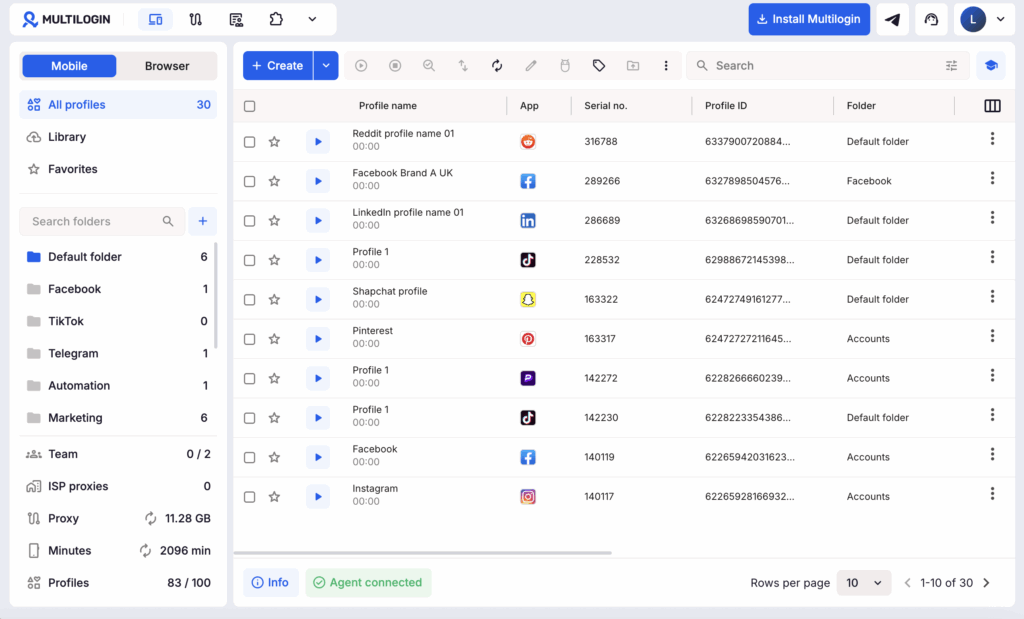
For social media teams managing both mobile and web workflows, the most practical setup is often one environment per social profile, with cloud phones and browser profiles managed from the same Multilogin dashboard.
This guide compares cloud phones and browser profiles. It shows which setup fits you best and how to use or choose between both in Multilogin.
Cloud Phone vs. Browser Profiles at a Glance
Cloud phones and browser profiles both keep social profiles separate, but they operate at different layers. A cloud phone provides a persistent Android environment for apps. A browser profile provides a browser environment for websites.
| What you need | Cloud phone | Browser profile |
|---|---|---|
| Best fit | Android-only tasks and mobile-first platforms such as TikTok, Instagram, Facebook mobile, YouTube mobile, WhatsApp, Snapchat | Desktop dashboards like Reddit, YouTube Studio, LinkedIn, X, Facebook web, ad dashboards, seller centers, CRMs |
| Environment | Android 10–16 on cloud-hosted ARM hardware | Isolated browser with its own device identity and settings |
| Saved state | Apps, app data, login state, device details, and session history | Cookies, local storage, login session, browser settings, and proxy |
| Mobile features | Native apps, touch controls, camera flows, file upload, and Android automation | Mobile web only, does not run Android apps |
| Web productivity | Works, but is not designed for tab-heavy desktop work | Strong fit for tabs, extensions, dashboards, and web automation |
| Usage model | Active time is measured in mobile minutes | Counted within the plan’s profile limit |
| Main limitation | Requires a stable connection and a proxy; no direct SMS, calls, or eSIM | Cannot reproduce native app workflows or mobile device signals |
The decision rule is simple: follow the interface your workflow actually uses. Do not place a mobile-first task in a browser profile merely because it is convenient, and do not spend mobile minutes on work that is faster in tabs.
What Is a Cloud Phone?
A cloud phone is an Android environment hosted remotely and controlled from your computer through a live stream. Each Multilogin cloud phone keeps its own device details, app data, login state, proxy configuration, and session history.
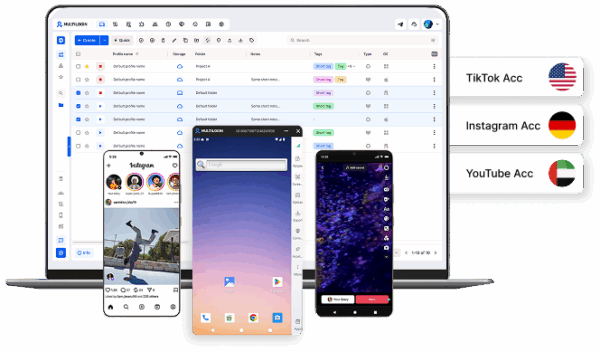
Multilogin cloud phones run Android 10–16 on ARM-based hardware, with more than 30 device types across 12 brands including Samsung and Google. Sensor, battery, carrier, location, and network information are part of the Android environment. That makes cloud phones the stronger choice when a social profile depends on the native TikTok, Instagram, or Facebook app.
Your teams can install apps, upload creative files, use camera or QR flows, and return to saved sessions without maintaining a shelf of phones. See how Multilogin cloud phones actually work.
What Is a Browser Profile?
A browser profile is a separate web workspace with its own cookies, session data, browser identity, proxy settings, and local storage. It fits sites and desktop tools such as Reddit, YouTube web, LinkedIn, X (Twitter), Facebook Business Manager, seller centers, CRMs, extensions, and tab-based automation.
Mimic is the recommended Chromium-based option for most new profiles. Regular profiles retain data. Quick profiles delete it after the session. Store browser data locally for solo work or in the cloud for team handoffs.
Learn how to create a Multilogin browser profile.
Which Option Fits Each Social Platform?
Choose based on the task, not only the platform name. Facebook, YouTube, and other services may need both environments.
- TikTok and Instagram: Use a cloud phone for posting, app-only tools, content uploads, and mobile automation.
- Facebook: Use a cloud phone for the app and a browser profile for Business Manager, Ads Manager, pages, groups, and desktop workflows.
- Reddit and LinkedIn: A browser profile is usually the efficient default for web publishing, moderation, outreach, and account management.
- YouTube: Use a browser profile for Studio and channel administration. Add a cloud phone when the workflow requires the Android app or a mobile check.
- Client work across platforms: Give each account its own environment, then organize profiles by client, region, or campaign.
How to Set Up Mobile and Web Social Profiles in Multilogin
Use one cloud phone or browser profile per social account, keep its region consistent, and return to that same environment for future sessions.
1. Map the workflow. Mark each account as Mobile, Web, or Both. For example, “Instagram publishing” is Mobile, while “Facebook Ads Manager” is Web.
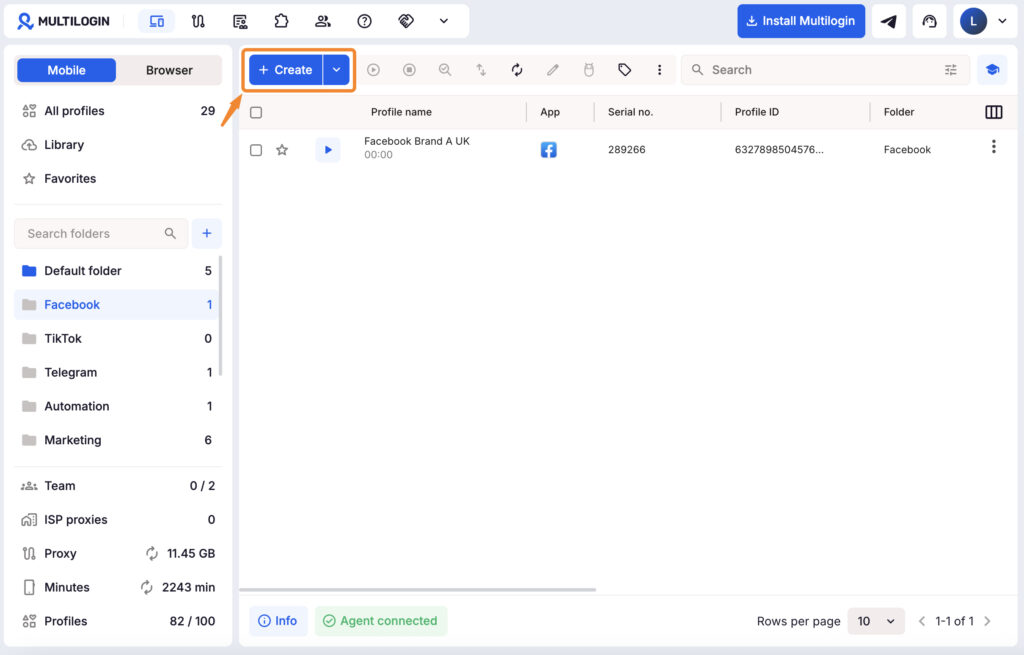
2. Create the right profile type. Go to “Profiles”, select “Mobile” or “Browser”, and click “Create”. Use a short name such as `Facebook_Brand A_UK`. Add up to 10 color-coded tags and a note for status or handoff context.
3. Set and check the connection. Every cloud phone needs a public proxy. Choose a built-in Multilogin proxy or add an HTTP, HTTPS, or SOCKS5 proxy, select a location, and run the check. A proxy is optional for browser profiles, but a consistent connection per account is the cleaner model. Keep location, timezone, and language coherent.
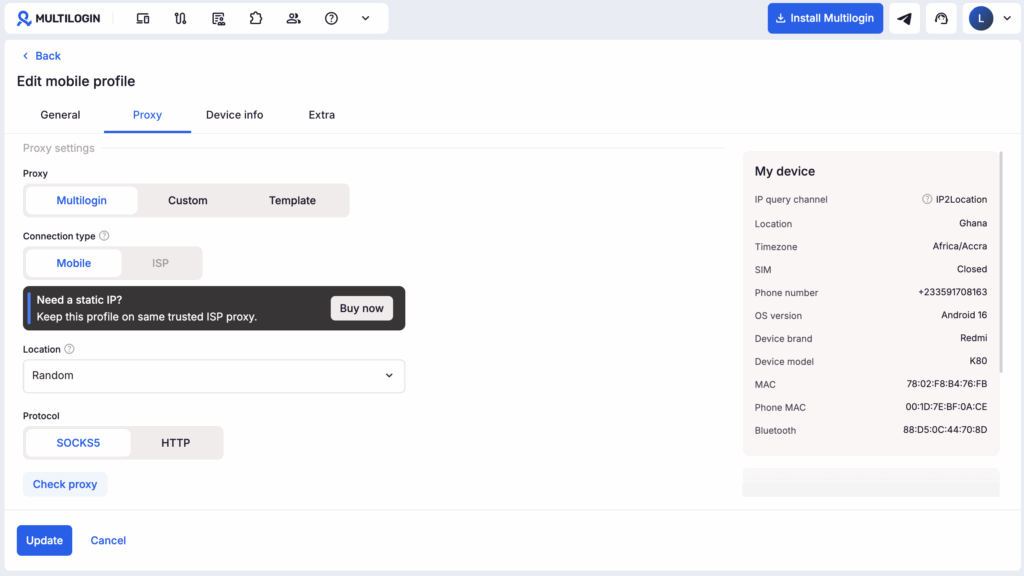
4. Keep the recommended defaults. Multilogin generates compatible device and browser values. For a cloud phone, review the Android device and network type. For a browser profile, use Mimic unless the workflow requires Firefox. Click “Create”.
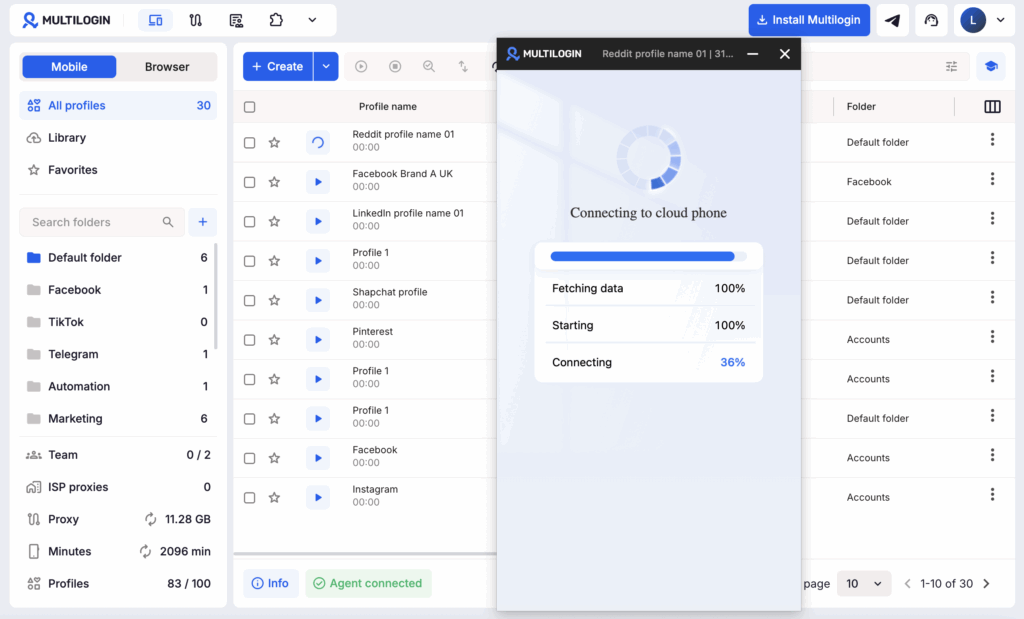
5. Start and prepare the profile. Starting a cloud phone begins mobile-minute usage, while creating it does not. Install the Android app, upload content, and sign in. For a browser profile, click “Start”, add only the extensions you need, and open the website. Return to this environment for the same account.
Check and follow Multilogin’s social profile setup checklist.
Can You Use a Cloud Phone and Browser Profile Together?
Yes. Multilogin places both profile types under one login and dashboard. A Facebook client might use a cloud phone for Reels and a browser profile for Business Manager. A YouTube client might use a browser profile for Studio and a cloud phone for mobile-only checks.
Treat them as coordinated workspaces, not copies. Tags are shared across the workspace, but mobile and browser folders are separate. Keep location and account details consistent when both support the same client.
Multilogin Pricing
Multilogin’s Free plan has no time limit and credit-card is requirement. It includes up to five profiles, with a maximum of one cloud phone, plus one-time allocations of 30 mobile minutes and 200 MB of proxy traffic. Paid plans start at $7.08 per month on annual billing ($85 per year), or $11 month to month for Pro 10. Extra mobile time starts at $0.0073 per active minute and proxy traffic at $3.50 per GB. Allowances vary by plan.


Manage multiple accounts with Android cloud phones
Build account trust, reach new locations, and grow faster from one dashboard
Cloud Phone or Browser Profile: The Final Checklist
Choose a cloud phone, if the answer to any of these questions is yes:
✅ Does the task require a native Android app?
✅ Does it use touch, camera, QR, or mobile-only features?
✅ Does the social profile need persistent app data and an Android device history?
Choose a browser profile, if the work needs:
✅ Multiple tabs, extensions, or a desktop dashboard
✅ Persistent cookies and a saved web session
✅ LinkedIn, Reddit, YouTube Studio, seller-center, CRM, or web automation workflows
If both lists apply, use both from the same Multilogin workspace. Start with the Free plan, map one real workflow, and create one correctly matched social profile before scaling the structure across clients or campaigns.
Cloud phone vs browser profile FAQ
What is a cloud phone?
A cloud phone is a real Android device hosted in the cloud. You access it from your desktop, but it runs like a physical smartphone with its own operating system, hardware identifiers, and storage.
How are cloud phones different from emulators?
Cloud phones run on genuine Android hardware with real device identifiers (IMEI, Android ID, MAC address). Emulators use simulated environments that platforms can easily detect and flag.
What is the main difference between a cloud phone and a browser profile?
A cloud phone provides a dedicated Android environment for native mobile apps. A browser profile provides an isolated web environment with its own cookies, session data, browser identity, and proxy settings.
Should I use a cloud phone or browser profile for social media management?
Use a cloud phone when the workflow happens inside an Android app, such as TikTok or Instagram. Use a browser profile for web-based work such as Reddit, LinkedIn, YouTube Studio, Facebook Business Manager, ad dashboards, and CRMs.
Can I use a cloud phone and browser profile for the same social account?
Yes. For example, you could use a cloud phone for the Facebook mobile app and a browser profile for Business Manager. Keep the account’s location and other details consistent, but remember that the two environments do not share app data, cookies, or folders.
Which platforms work best with cloud phones, and which work best with browser profiles?
Cloud phones are the stronger fit for mobile-first workflows on TikTok, Instagram, WhatsApp, Snapchat, and Facebook mobile. Browser profiles work well for Reddit, LinkedIn, X, YouTube Studio, Facebook web, seller centers, and other desktop tools.
Are cloud phones more expensive to run than browser profiles?
The cost depends on usage. Cloud-phone activity is measured in mobile minutes, while browser profiles count toward the plan’s profile limit. Multilogin includes both profile types in the same platform, with mobile-minute and proxy allowances varying by plans.