



You open Instagram and the feed is full of content you have no interest in. Your Reels keep cycling through a niche you explored once six months ago. Your own posts are reaching fewer people week over week even though your content quality has not changed. The Instagram algorithm has learned the wrong habits from your account — and it needs a reset.
The good news: you can reset it. It is not a single button but a sequence of deliberate actions that together override the distorted model Instagram has built from months of passive, unfocused engagement. This guide covers every step — for personal accounts, for creator accounts, and for agencies managing multiple profiles.
How the Instagram algorithm actually works
Before you can reset the algorithm effectively, you need to understand what you are resetting. Instagram’s recommendation system personalises your feed, Explore tab, and Reels feed based on a continuous stream of signals:
- Watch time and completion rate — the percentage of each video you watch, whether you rewatch it, and how quickly you scroll past
- Engagement signals — likes, comments, saves, shares, and DMs. Saves and shares carry the most weight because they require deliberate intent
- Search history — what you search for in the Explore tab and the search bar directly shapes what you see next
- Account interactions — how often and how recently you have engaged with specific accounts determines how much of their content you see
- Not interested signals — every time you tap ‘Not interested,’ you send a direct negative signal that the algorithm responds to quickly
- Hashtag and topic interactions — the topics associated with content you engage with build a running interest map Instagram uses for recommendations
A reset clears or overrides the distorted signals this system has accumulated. It is not permanent — the algorithm will relearn from new behaviour. The goal is to flush out the wrong patterns and give it clean, accurate signals to build from.
How to reset the Instagram algorithm: complete step-by-step
Step 1: Clear your search history
Go to your profile, tap the three lines in the top right, select ‘Your activity,’ then ‘Recent searches,’ and clear everything. Your search history is a direct feed into your Explore recommendations and Reels feed. Clearing it removes months of accumulated signals in one action and is the fastest single step in a full reset.
Step 2: Use ‘Not interested’ aggressively for 3 to 5 days
Open your Explore tab and Reels feed. For every piece of content that does not match what you actually want to see, tap and hold and select ‘Not interested.’ Aim for 20 to 30 pieces of content per day for three to five consecutive days. This is the most powerful active reset tool Instagram gives you — and most people use it only occasionally when they should be using it systematically.
Step 3: Unfollow accounts you never engage with
Instagram treats every account you follow as part of your interest profile, whether you interact with them or not. If you follow 800 accounts and meaningfully engage with 80, the other 720 are adding noise to your algorithm model. Unfollow aggressively. The algorithm performs better with fewer, more relevant signals than with hundreds of diluted ones.
Step 4: Reset your ad preferences
Go to Settings, then ‘Account,’ then ‘Ads,’ then ‘Ad preferences.’ Review and remove the interest categories Meta has assigned to your account. This affects the advertising content you see and influences how Meta’s broader system categorises your profile for algorithmic purposes.
Step 5: Take a deliberate break from the app
This is the most underrated reset method. Stepping away from Instagram for 5 to 7 days achieves two things: it removes you from the algorithm’s recent behaviour window entirely, and it means your next engagement session carries disproportionate weight in reshaping the feed. A break followed by deliberate, niche-focused re-engagement produces faster visible results than continuing to use the app during the reset process.
Step 6: Re-engage with intention
When you return, be deliberate about every interaction. Watch full Reels from accounts in your target niche. Save posts you genuinely find valuable. Comment on content from the accounts you most want to see more of. These high-intent signals are what tell Instagram — accurately — what content model you actually want. Maintain this pattern for at least a week after the reset and you will see the feed shift noticeably.
How to reset the Instagram Reels algorithm specifically
If the Reels feed is the specific problem — you are stuck in a content loop from a niche you have moved on from — the targeted fix is aggressive ‘Not interested’ use applied specifically within the Reels tab.
Open the Reels tab. For every video that does not match your current interests, press and hold and select ‘Not interested.’ Do 15 to 25 videos per session. Return the next day and do it again. Within 48 to 72 hours you will see the Reels feed shift. Complete the reset by actively watching, replaying, and saving Reels from the content categories you want more of — video completion rate and saves are the two highest-weight signals in the Reels distribution algorithm.
Is it a shadowban, not an algorithm drift?
Instagram shadowban rather than simple algorithm drift. The symptoms look similar from the outside but the causes and fixes are different.
A shadowban is typically triggered by: using hashtags that Instagram has flagged, receiving a high volume of user reports, posting at extremely high frequency in a short window, or using third-party automation tools that violate Instagram’s terms.
The fix requires stopping the triggering behaviour, taking a posting break of several days, and then returning to a clean content strategy with no policy-violating practices.
An algorithm drift, by contrast, is caused by passive unfocused engagement over time — not by a policy violation. It is fixed by the reset steps above, not by stopping any specific behaviour.
Managing multiple Instagram accounts and keeping each algorithm clean
If you manage Instagram accounts for clients or run multiple niche accounts for your own brand, each account needs its own completely independent algorithm profile. What you engage with on one account should not influence what Instagram shows on another.
managing multiple Instagram accounts for clients, this cross-contamination means one client’s content behaviour can affect another client’s account performance.
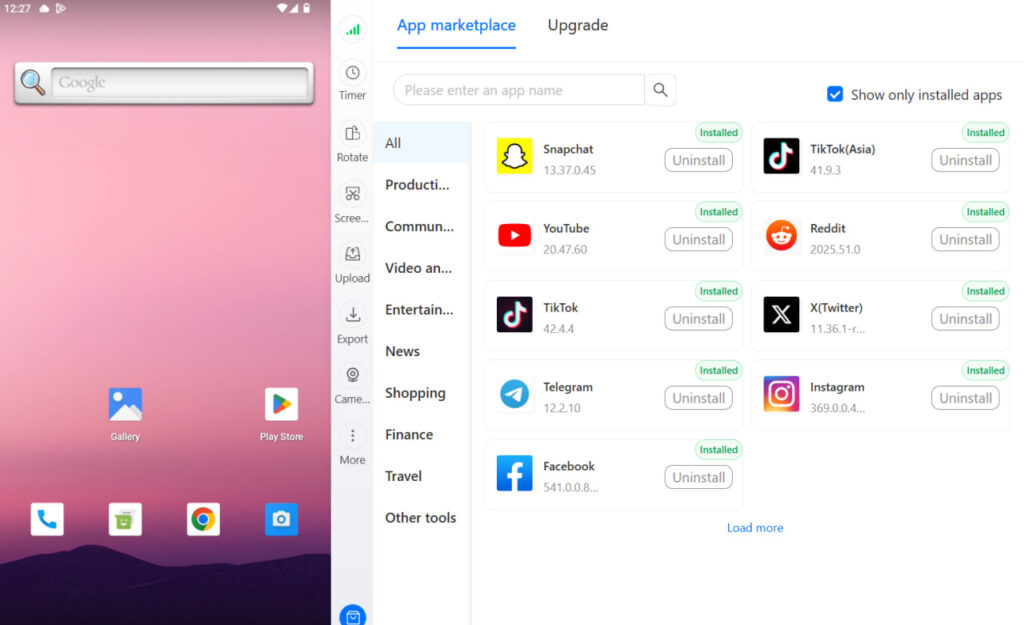
Multilogin Cloud Phones give each Instagram account its own isolated Android device with a unique device fingerprint, a dedicated IP address, and completely separate session storage. Each account’s algorithm learns only from that account’s activity. No signal bleed, no linked accounts, no cascade risk if one profile faces a restriction.
best cloud phones for Instagram multi-accounting and cloud phone for Instagram.
Getting started with Multilogin
3-day trial: $2 — 5 profiles, cloud mobile + browser profiles, API access.
Pro plans: from $7.08/month (billed annually at $85/year) or $11/month. Includes 10–100 profiles depending on tier, quick cloning, bulk operations, automation-friendly API (RPM 50–100), and premium proxy add-on. Bonus minutes included: 60 min (Pro 10) up to 150 min (Pro 100). Bonus proxy traffic: 1–5 GB.
Business plan: from $57.08/month (billed annually at $685/year) or $89/month — 300+ profiles, unlimited team seats, advanced team management, 450+ bonus minutes, 10 GB proxy traffic.
Cloud phone minutes: $0.011/minute pay-as-you-go. Unused minutes roll over. Bulk packages:
- 2,000 min: $18 (was $21, save 20%)
- 5,000 min: $43 (was $53, save 20%)
- 10,000 min: $85 (was $105, save 20%)
- 50,000 min: $380 (was $525, save 20%)
- 100,000 min: $825 (was $1,055, save 30%)
- 1,000,000 min: $7,320 (was $10,530, save 30%)
Proxy traffic: $3.50/GB. Unused traffic rolls over.
Managing Instagram for multiple clients? Multilogin Cloud Phones keep every account’s algorithm completely separate. Plans from $7.08/month. 3-day trial at $2 — multilogin.com.
Need to manage multiple social media accounts? Try Multilogin Cloud Phones.
Frequently asked questions About resetting the Instagram algorithm
Active steps like ‘Not interested’ produce noticeable feed changes within 48 to 72 hours. A full reset — including an app break and deliberate re-engagement — typically stabilises over 7 to 14 days.
Clearing search history removes signals that feed into Explore and search-based recommendations. It does not affect signals from watch time, likes, or follows. It is a meaningful step in the reset process but not a complete solution on its own.
Unfollowing does not directly affect how Instagram distributes your content to other users. It only affects what you see in your own feed. Your content’s reach is determined by engagement signals from your audience, not by your follow count.
No, but Threads makes it easy to follow all your Instagram connections with one tap when you first set up your account. Instagram followers receive a notification when you join Threads, and Threads suggests your Instagram connections as accounts to follow. They still need to manually choose to follow you on Threads.
Not directly. Threads and Instagram have separate follower counts. However, active presence on Threads can drive cross-platform discovery, especially as Meta adds more cross-posting and cross-promotion features between the two platforms.


