





Managing one Instagram account is already a hustle. Managing five, ten, or twenty? That’s a different game entirely — and hashtags are still one of the fastest levers you can pull to grow them all, if you know how to use them right.
This guide breaks down exactly how Instagram hashtags work in 2026, how many to use, how to find trending ones, and how serious social media managers keep every account discoverable without triggering platform flags.
Do Hashtags Still Work on Instagram in 2026?
Yes — but not the way they did in 2019.
Instagram has scaled back some of the raw reach boost that hashtags used to deliver. At the same time, hashtags still function as a classification and discovery mechanism. When the algorithm is trying to figure out who to show your post to, hashtags are one of the signals it reads. Used correctly, they improve your chances of reaching non-followers who care about your niche.
The shift in 2025–2026 is that Instagram has moved further toward interest-based recommendations over hashtag-based discovery. But that doesn’t make hashtags useless — it means using them intelligently matters more than ever.
How Many Hashtags Should You Use on Instagram?
This is the question every creator asks, and the honest answer is: fewer than you think.
Instagram’s own guidance has moved toward 3–5 highly relevant hashtags per post. Their internal testing showed that posts stuffed with 20–30 hashtags didn’t outperform posts using a focused selection of 3–10.
Here’s a practical breakdown:
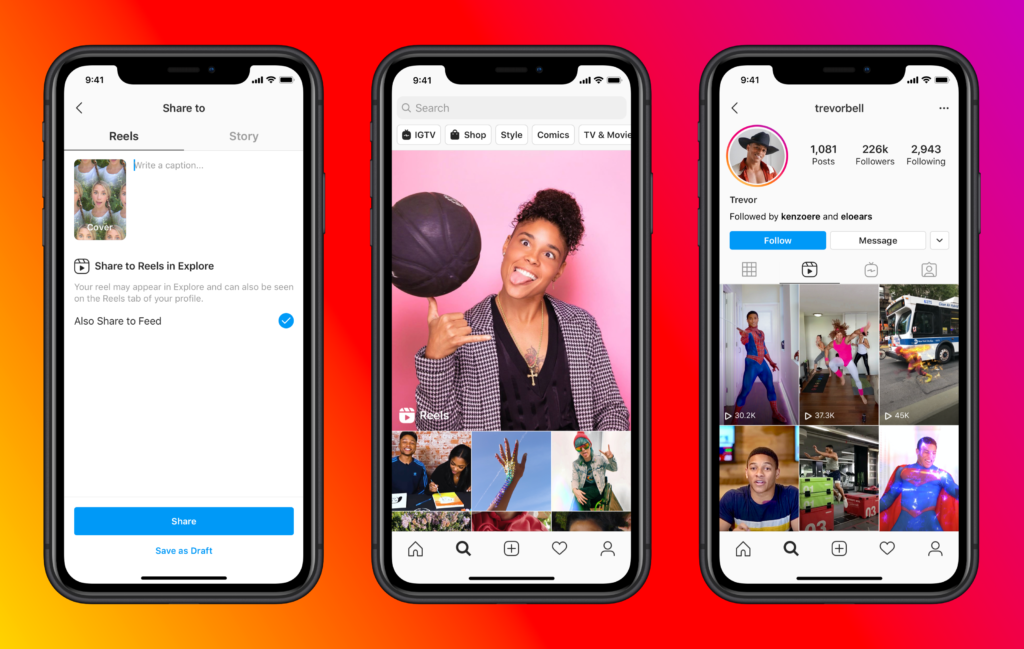
- For Reels: 3–5 hashtags. Reels get a lot of reach from Instagram’s recommendation system already — hashtags here serve more as classification than distribution.
- For Feed posts: 5–10 hashtags. You have more room to stack niche-specific, mid-volume, and broad-reach tags.
- For Stories: 1–3. Hashtag reach in Stories is minimal. Use them for discoverability only when they’re highly relevant.
- What to avoid: The “30 hashtag dump” with a mix of massive tags (#love at 2 billion posts) and tiny ones is a pattern Instagram has deprioritized. It can also look spammy and affect engagement rate.
Understanding Hashtag Types
Not all hashtags are equal. Smart managers categorize them before using them:
- Mega hashtags (10M+ posts): #photography, #fitness, #travel. These are extremely competitive — your post will be buried in seconds. Use them rarely or not at all unless you have strong engagement velocity.
- Large hashtags (1M–10M posts): #streetstyle, #homeworkout. Still competitive but reachable if your post performs well early.
- Medium hashtags (100K–1M posts): The sweet spot for most accounts. Enough volume to get traffic, small enough that a quality post can rank.
- Niche hashtags (10K–100K posts): These are gold for targeted accounts. Lower competition, more engaged audiences, higher chance of appearing on Explore.
- Micro hashtags (under 10K posts): Hyper-specific. Great for community building and being discoverable within tight niches.
The best approach is to mix medium, niche, and micro hashtags rather than chasing the biggest numbers.
Trending Instagram Hashtags in 2026
Trending hashtags change fast. The top tags in any given month shift with cultural moments, algorithm changes, and seasonal content cycles.
Instead of giving you a static list that’ll be outdated by next month, here’s how to find what’s actually trending:
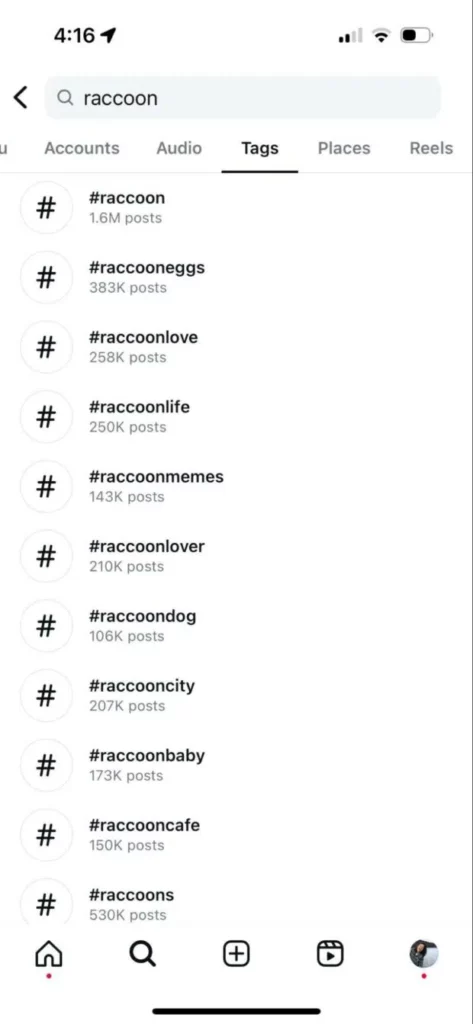
- Instagram’s native search: Type a keyword in the search bar and tap “Tags.” Instagram shows you real-time post counts and can surface related hashtags. Look for tags that are growing (high recent activity) versus just large (many posts but slow growth).
- Instagram Explore page: Scroll through Explore and note what hashtags appear on content similar to yours. These are tags the algorithm is currently surfacing.
- Competitor analysis: Look at the top 10–15 accounts in your niche. What hashtags appear on their highest-performing posts? This is a fast way to find what’s working without starting from scratch.
- Tools: Platforms like Later, Metricool, and Flick let you search hashtags by volume, growth rate, and difficulty score — useful for managing multiple accounts at scale.
If you’re managing accounts with social media automation tools, hashtag research should be part of your standard content workflow, not an afterthought.
Best Hashtags for Instagram by Category
Here are reliable hashtag clusters by niche, updated for 2026. Use these as starting points, then refine based on your account’s size and engagement rate.
- Social media marketing: #socialmediamarketing #smm #contentcreator #instagramtips #digitalmarketing #growyourinstagram #socialmediatips #instagramgrowth
- Lifestyle and personal branding: #lifestyleblogger #personalbranding #creativeentrepreneur #solopreneur #dayinmylife
- E-commerce and business: #shopsmall #onlineshop #ecommercetips #productphotography #handmadewithlove
- Travel: #travelgram #instatravel #wanderlust #travelblogger #solotravel
- Fitness: #fitnessmotivation #workoutroutine #gymlife #fitfam #progressnotperfection
The key is not to copy these blindly. Cross-reference with your account’s niche, your typical post engagement, and what’s performing in your competitor set.
Instagram Hashtag Generator: Do They Work?
Hashtag generators can save time, but most produce generic, overused tag sets that don’t move the needle. If you’re using a generator, treat the output as a starting point, not a finished strategy.
The better generators pull live data — real post counts, engagement rates, and growth signals. Some worth testing:
- Flick – Has solid relevance filtering and can suggest hashtags based on your niche
- Metricool – Good for agencies managing multiple accounts, integrates scheduling
- Later’s Hashtag Suggestions – Pulls in related tags based on your caption content
- Instagram’s native “Suggested” feature – Underrated; tap any hashtag you’ve added and it surfaces related ones
For teams managing many accounts, integrating hashtag research into your social media content calendar workflow keeps things consistent.
How to Use Instagram Hashtags for Multiple Accounts
Here’s where things get more complex — and where most guides stop.
If you’re managing multiple Instagram accounts for clients, brands, or your own portfolio, you need to think about hashtag strategy differently:
- Don’t reuse the same hashtag sets across all accounts. Instagram can identify behavioral patterns across accounts managed from the same device or IP. Using identical hashtag sets is one of those patterns. Each account should have its own researched hashtag mix relevant to its specific niche and audience.
- Maintain account-level isolation. Each account needs its own profile — its own browsing environment, its own session, its own location signals. Using cloud phones or browser profiles for each account is how professional social media managers handle this at scale.
- Track performance by account. What works for a fitness account won’t work for a B2B SaaS account. Keep hashtag performance data per account, not across accounts. If a tag cluster is driving saves and follows on one account, you can adapt (not copy) that logic for a similar account in the same niche.
- Account warm-up matters. Brand new accounts shouldn’t immediately use broad, competitive hashtags. Warm up each account with smaller, niche-specific tags first, and gradually expand reach as the account builds trust signals with the algorithm.
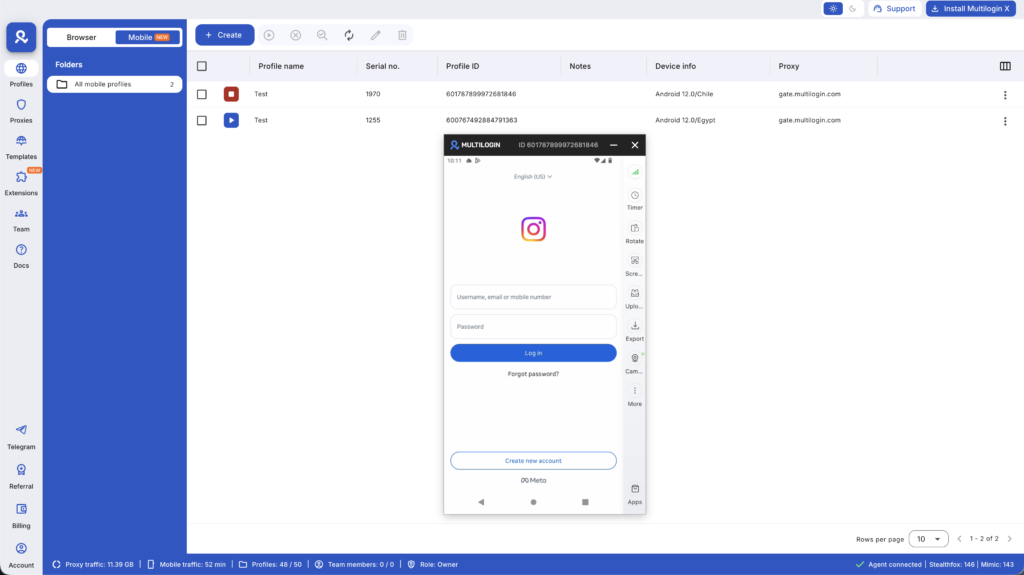
If you’re running accounts using Multilogin Cloud Phones, each phone runs a dedicated Android environment, meaning your accounts stay isolated — different IPs, different device parameters, different session histories. That’s the infrastructure that makes managing multiple Instagram accounts safely possible at any scale.
The Banned Hashtag Problem
Some hashtags have been flagged by Instagram and effectively shadowbanned — posts using them get suppressed. These lists change constantly, and you won’t always know a tag is problematic until your reach drops.
Telltale signs a hashtag is banned:
- When you click on it, the posts section shows “Recent posts for [hashtag] are currently hidden because the community has reported some content that may not meet Instagram’s Community Guidelines.”
- Posts using the tag show extremely low reach compared to your baseline.
- No “Top Posts” section appears when you tap the hashtag.
Avoid building hashtag sets around tags that are commonly reported or associated with spam behavior. Always test new hashtags manually before adding them to a rotation.
Instagram Hashtags for Reels vs. Feed Posts
The algorithm treats Reels and feed posts differently, and your hashtag approach should reflect that.
- Reels get most of their reach from Instagram’s Explore and Reels recommendation system. Hashtags on Reels are a secondary signal. Keep them few, specific, and directly relevant to the content. Three to five highly relevant tags is the recommended range.
- Carousel posts and single images rely more on hashtag discovery, especially for accounts without large follower counts. Here you have more room to work with 7–10 well-researched tags across multiple sizes.
- Stories have hashtag stickers but limited discoverability value. Use one or two only if they’re genuinely relevant — don’t pad Stories with tags for the sake of it.
Building a Hashtag Strategy That Actually Scales
If you’re managing five accounts or fifty, you need a system, not a one-off research session.
- Build a hashtag library by niche. Create a spreadsheet (or use a tool like Notion or Airtable) with researched tag clusters for each niche you manage. Organize by post volume tier: mega, large, medium, niche, micro.
- Rotate your sets. Don’t use the exact same hashtag set on every post for the same account. Instagram can flag this as repetitive behavior. Have 3–5 sets per account and rotate them.
- Track what converts. Saves and follows from hashtags are more valuable than just views. Use Instagram’s native insights to see which hashtags are driving profile visits and follower growth.
- Audit monthly. Pull your best-performing posts and look at which hashtag sets were used. Double down on what’s working and retire underperformers.
- Separate your tracking by account. This sounds obvious, but teams managing multiple accounts often aggregate data in ways that hide individual account performance. If you’re using a social media management tool, make sure it gives you per-account hashtag analytics.
Hashtag Strategy for Growing Instagram Accounts From Zero
Starting a new Instagram account in 2026 requires a different hashtag approach than an established one.
For accounts with under 1,000 followers:
- Focus on micro and niche hashtags exclusively. Don’t waste capacity on large tags you can’t compete in yet.
- Prioritize community hashtags where users are active and engaged, not just posting.
- Comment under relevant hashtags before you post. Building presence in a hashtag community before using it signals authenticity.
- Keep hashtags highly specific to the post content. Generic tags on specific content is a mismatch the algorithm notices.
For accounts between 1,000–10,000 followers:
- Start incorporating medium-tier hashtags (100K–1M posts) alongside your niche tags.
- Track which size range is driving your top posts and weight your sets accordingly.
- Use Instagram’s Explore performance data (available in post insights) to see if hashtag traffic is growing.
Common Instagram Hashtag Mistakes
- Using the same set on every post: This gets flagged as repetitive behavior. Rotate your sets.
- Hiding hashtags in comments: This used to be a common tactic. Instagram has confirmed that hashtags in comments carry the same weight as hashtags in captions — but the comment approach adds friction and can be forgotten. Put them in your caption.
- Ignoring post-level performance: Adding hashtags without tracking which ones drive results is flying blind. Build a tracking habit.
- Chasing volume over relevance: A hashtag with 2 million posts but no relevance to your content will send noise signals to the algorithm. Relevance beats volume.
Not warming up new accounts properly: If you’re building new accounts, use our guide on how to warm up your Instagram account before pushing into any growth strategy.
Managing Hashtag Strategy Across Multiple Accounts at Scale
For agencies and professional managers running 10+ accounts, manual hashtag research becomes a bottleneck fast.
The solution is a layered system:
- Template library: Build account-type templates (lifestyle creator, e-commerce brand, B2B service) with pre-researched hashtag clusters that can be customized per account.
- Account isolation infrastructure: Every account should operate from its own isolated environment. This means separate sessions, separate IPs, separate device fingerprints. Multilogin’s cloud phones give you real Android devices for each account, preventing cross-account linking.
- Scheduling tools that support per-account hashtag sets: Tools like Later, Metricool, or Hootsuite let you save and assign hashtag groups. Combine this with isolated accounts and you have a scalable system.
- Regular audits: Monthly review of which hashtag clusters are driving follower growth and which are stagnant.
Brands like agencies managing clients across verticals benefit hugely from best antidetect browsers for social media paired with dedicated cloud phones — keeping every client account completely separate while running from one organized dashboard.
Need to manage multiple social media accounts? Try Multilogin Cloud Phones.
Frequently asked questions
Indirectly, yes. Hashtags expand reach to non-followers. If that new audience finds value in your content, they’ll follow. But hashtags alone don’t drive follows — content quality and a clear account identity do.
Caption. Instagram has confirmed both work equally, but captions are processed faster on post and are less likely to be missed.
At minimum, monthly. More frequently if you’re in a fast-moving niche. Trending hashtags shift, banned hashtags change, and competitive dynamics evolve.
Instagram can detect multiple accounts operated from the same device through hardware fingerprinting. For casual personal use where linking isn’t a concern, the native switcher works fine. For professional management where genuine isolation matters, Cloud Phones are the right solution.
Tap your profile photo in the bottom right, then tap the account name you want to switch to. If you have up to five accounts in the switcher, switching is instant with no login required.
Final Thoughts
Hashtags aren’t dead — they’re just more nuanced. In 2026, quality, relevance, and consistency beat volume every time.
For solo creators, the playbook is simple: research your niche, build a small library of relevant tags, rotate them, and track what drives actual engagement.
For social media managers running multiple accounts, the challenge is scaling that playbook without triggering platform detection. That means account isolation, per-account tracking, and the right infrastructure — whether that’s dedicated cloud phones for native app management or browser profiles for web-based workflows.
Get the infrastructure right, and hashtag strategy becomes something you can build once and optimize continuously — across every account you manage.


