





You picked up your phone to send a message and got a notification you weren’t expecting: your WhatsApp account has been banned. No warning, no explanation you can immediately understand, and suddenly you’re cut off from every conversation, every group, and every contact who only knows how to reach you on WhatsApp.
Here’s what’s happening, why it happened, and exactly what you can do about it.
What does it mean when your WhatsApp account is banned?
When WhatsApp bans an account, it prevents that phone number from being used on the platform. Unlike a suspension, which is temporary, a ban means WhatsApp has determined that your account violated its Terms of Service in a way that warrants removal.
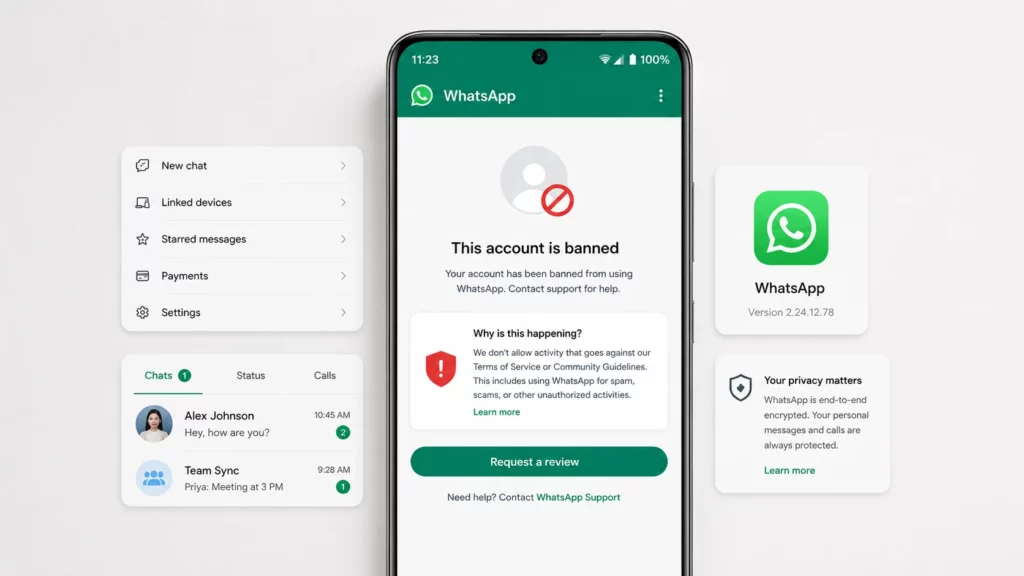
When you try to open WhatsApp, you’ll see a message saying your account has been banned along with a Support button — the banner appears instead of your chat list, and you cannot access your messages, contacts, or groups.
There are two types of WhatsApp bans:
- Temporary ban: WhatsApp flags suspicious activity and temporarily blocks your account while it reviews. These typically lift within 24 to 72 hours without any action on your part.
- Permanent ban: A deliberate decision by WhatsApp’s policy team that your account violated Terms of Service in a way that warrants permanent removal. These require an appeal to potentially resolve.
WhatsApp account banned reasons: why it happened
The most common whatsapp account banned reasons:
- Sending bulk or automated messages. Using automation tools, WhatsApp Business API misuse, or any mechanism to send messages to large numbers of contacts simultaneously without their explicit consent triggers the most common ban reason.
- Too many people blocking or reporting you. If a significant number of contacts block or report your account in a short period, WhatsApp’s automated systems flag it.
- Using unofficial WhatsApp clients. Third-party apps like WhatsApp Plus or GBWhatsApp violate WhatsApp’s Terms of Service. Accounts using unofficial clients are regularly banned in enforcement sweeps.
- Sharing prohibited content. Distributing content that violates WhatsApp’s policies results in account bans.
- Suspicious number activity. Accounts registered on numbers previously associated with spam or fraudulent activity may get flagged when registered on WhatsApp.
How to recover your banned WhatsApp account
Step 1: Tap ‘Support’ on the ban notification screen
When you open WhatsApp and see the ban notification, tap the Support button. This opens WhatsApp’s appeal form where you can explain your situation.
Step 2: Write a clear, factual appeal
Your appeal should be brief and specific. State your phone number with country code, that you believe the ban was triggered in error, what you were doing with the account just before the ban (without embellishment), and that you understand WhatsApp’s Terms of Service and are committed to compliance. Avoid lengthy explanations or emotional appeals — WhatsApp’s review team processes high volumes and responds better to factual messages.
Step 3: Wait for a response
WhatsApp typically responds to appeals within a few days to a few weeks. If your ban was triggered by automated spam detection and you weren’t actually violating the Terms of Service, appeals frequently succeed. If the ban was the result of deliberate enforcement action, the success rate is lower.
How to get banned WhatsApp account back when the appeal fails
- Submit a second appeal. If you have new information or additional context, a second appeal is worth submitting.
- Contact WhatsApp Business support for Business accounts. WhatsApp Business accounts sometimes have a different appeals pathway than personal accounts.
- Accept the outcome and start fresh. If multiple appeals are denied, you can create a new WhatsApp account with a different phone number.
How to fix WhatsApp account banned due to spam
If your account was banned specifically for spam-like behaviour — high message volume, automated sends, bulk broadcasts — in your appeal acknowledge that the activity may have appeared automated or spam-like, explain what you were actually trying to accomplish, and state specifically that you’ll modify your approach. For future WhatsApp Business communications at scale, the correct infrastructure is the official WhatsApp Business API through a licensed provider, not consumer WhatsApp or unofficial tools.
Can WhatsApp ban your account by mistake?
Yes — false positives happen. WhatsApp’s spam detection uses automated systems that can flag legitimate high-volume contact (like an emergency group message to many contacts) as spam-like behaviour. These false positive bans are the ones most likely to be successfully appealed. If you’re confident your account was banned by mistake, say so clearly in your appeal and describe specifically what you were doing when the ban occurred.
Managing multiple WhatsApp accounts safely
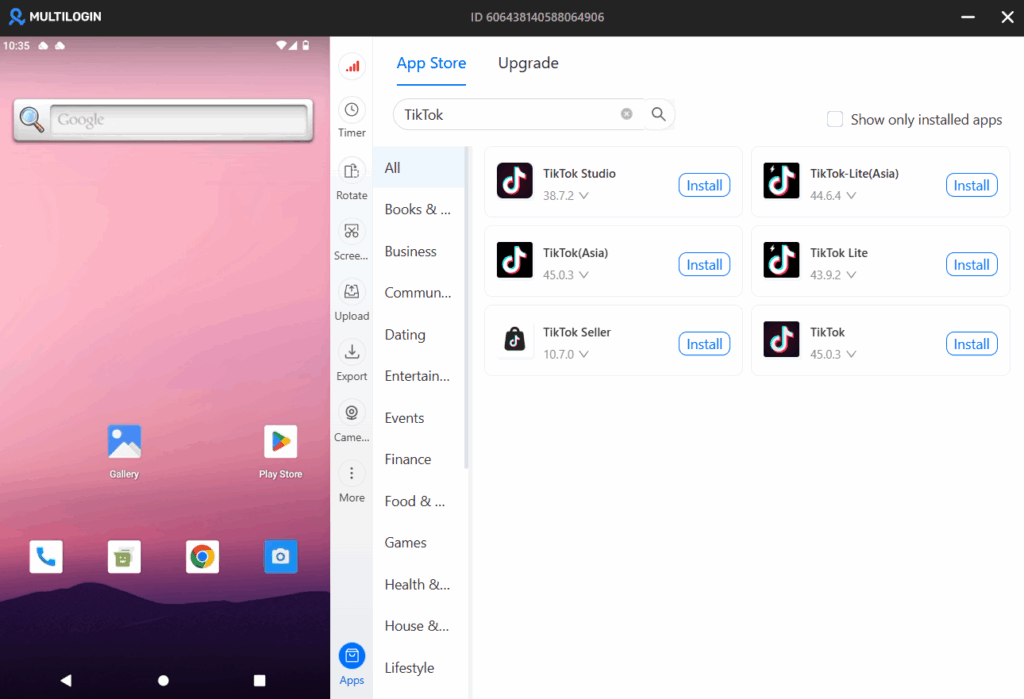
Some individuals and businesses legitimately run multiple WhatsApp accounts — a personal account and a business account, or accounts for different business operations. Each account requires a different phone number. Running multiple WhatsApp accounts from the same device creates risk: if the accounts are linked through device signals, a ban on one can affect the others. Multilogin Cloud Phones give each WhatsApp account its own isolated Android environment with a unique device fingerprint and dedicated IP — each account completely independent, with its own session history. Plans from $7.08/month.
Running multiple messaging accounts for business? Multilogin Cloud Phones keep each account isolated with its own fingerprint and IP. Plans from $7.08/month — try at multilogin.com.
Manage WhatsApp accounts long term with isolated cloud Android environments using Multilogin Cloud Phones.
Final thoughts
A whatsapp account banned notification is alarming but not necessarily permanent. Most bans can be appealed, and false positive bans from spam detection are frequently reversed.
The longer-term lesson: for business use cases that require high-volume WhatsApp communication, the official WhatsApp Business API through a licensed provider is the right infrastructure. Consumer WhatsApp is not designed for bulk business messaging, and using it that way will eventually result in a ban.
Frequently asked questions
Temporary bans typically lift within 24 to 72 hours without any action from you. Permanent bans require an appeal and may not be reversible. If the ban notice includes no timeframe, assume it’s permanent and initiate an appeal.
Yes, with a different phone number. Your banned number will remain blocked on WhatsApp, but a new number can be registered.
Having multiple WhatsApp accounts is permitted, as long as each uses a different phone number. WhatsApp doesn’t prohibit multiple accounts — it prohibits using those accounts for spam, automation, or Terms violations.
Yes, WhatsApp now allows linking up to 4 additional devices (phones, tablets, desktops) to a single account using the Linked Devices feature.
Yes, on Android. Use WhatsApp, WhatsApp Business, and Dual App clone (if your phone supports it).
Yes, as long as they can receive SMS or calls for verification. This is common with services like Google Voice or VoIP providers.
Yes, it has extra features like catalogs, business profiles, quick replies—but it functions similarly for messaging.

