


You may want one Cash App account for personal payments, another for business income, and maybe more accounts for separate projects. The basic question sounds simple: can you have multiple Cash App accounts?
Yes, Cash App provides specific official features for managing multiple Cash App accounts, connecting accounts, and switching between linked accounts. That means multiple accounts are not an unusual edge case, but they still come with rules, limits, and account-management responsibilities.
The more important question is what happens after you create them. Multiple Cash App accounts do not automatically give you separate limits, separate verification rules, or permission to ignore platform policies. The real challenge is keeping each account clean, compliant, and easy to manage.
This guide explains the facts first, then the most common problem scenarios, then practical solutions for managing two or more Cash App accounts.
Key takeaways
- Cash App supports multiple linked accounts and lets users switch between linked accounts in the app.
- Linked Cash App accounts keep their $Cashtags, balances, and account activity separate.
- Cash App may aggregate balance, spending, transfer, and withdrawal limits across accounts associated with the same person.
- Two accounts are usually easier to manage when the split is clear, such as personal use and business use.
- More than two accounts can work as an operational setup, but they need clearer records, ownership, and account separation.
- A second or third Cash App account should not be used to avoid limits, restrictions, verification, or account reviews.
Quick answer: can you have multiple Cash App accounts?
Yes, you can have multiple Cash App accounts, and Cash App provides account-linking and account-switching features for this use case.
Cash App’s account-connection help says users can connect Cash App accounts and switch between them with a secure login. When accounts are linked, each account keeps its own $Cashtag, balance, and activity.
Cash App’s Terms of Service also say that if you have more than one Cash App Account, Cash App may aggregate limits across all accounts associated with you. These limits can include balance, spending, transfer, and withdrawal limits.
So the answer is not just “yes.” The better answer is: yes, but multiple accounts must still follow Cash App’s identity, limit, business, and acceptable use rules.
Official facts about multiple Cash App accounts
Before creating a second account, it helps to separate confirmed facts from common assumptions.
Fact | What it means in practice |
Cash App provides settings for managing multiple accounts. | Multiple accounts are an expected workflow in the app. |
Cash App lets users connect accounts and switch between linked accounts. | You do not always need to sign out and sign back in manually. |
Linked accounts keep separate $Cashtags, balances, and activity. | Switching accounts does not merge balances or transaction histories. |
Cash App may aggregate limits across accounts associated with the same person. | More accounts do not automatically mean higher total limits. |
Cash App may require extra authentication when an account is accessed from a new device. | Switching devices or managing accounts across devices can trigger checks. |
One Cash App account can link up to two debit cards and one bank account at a time. | Adding another funding source is not always the same as needing another account. |
Cash App Business has its own eligibility, services, and payment terms. | Business activity should be handled through the right account type. |
Can you have two Cash App accounts?
Yes, you can have two Cash App accounts, and this is often the simplest multi-account setup.
A common example is one account for personal transfers and another account for business payments. This setup can make sense when the account purpose is clear. Personal transfers, rent splitting, family payments, and casual payments stay in one place. Customer payments, sales income, or small business activity stay in another.
Cash App’s account-linking flow can make this easier because linked accounts can be switched inside the app. However, two accounts are still not completely independent if they are associated with the same person. Cash App may still apply limits across both accounts.
A second account should have a real purpose. It should not be created to reset limits, avoid an account review, repeat referral bonuses, or continue activity after a restriction.
Can you have more than two Cash App accounts?
 Yes, Cash App’s multiple-account support is not only about two accounts, but more accounts create more operational complexity.
Cash App does not publish a simple public rule that says every user can safely open a specific number of accounts. Its official help pages show that multiple linked accounts can be managed, while its Terms explain that limits may be aggregated across accounts associated with one person.
That means the number of accounts is not the only issue. The more important question is whether every account has a legitimate purpose, accurate information, clean records, and compliant activity.
For example, two accounts may be easy to understand:
- One personal account
- One business account
Several accounts need more structure:
- One personal account
- One business account
- One account for a separate project
- One account connected to a managed workflow
- One account that belongs to a specific business use case
This is where many users run into problems. They focus on creating accounts, but they do not plan account ownership, payment records, login details, device access, or team responsibility.
Is there a difference between two accounts and several accounts?
Functionally, two accounts and several linked accounts may use a similar switching flow. Operationally, they are very different.
Two accounts are easier to label and remember. One can be personal, and one can be business. The risk of sending money from the wrong account or mixing payment history is lower.
Several accounts require more control. You need to know which account belongs to which purpose, which bank or card is connected, who has access, what payments should go there, and what records you need later.
The issue is not that several accounts are automatically forbidden. The issue is that several accounts are easier to mismanage.
Can you have multiple Cash App accounts on one phone?
Yes, Cash App’s linked account feature is designed to let users switch between linked accounts inside the app.
This can work well for one person managing a small number of accounts. For example, a user can switch between a personal account and a business account without logging out each time.
However, one phone can become messy when several accounts are involved. You may forget which account is active, send or receive money from the wrong $Cashtag, or confuse personal and business activity.
Cash App may also require extra authentication when an account is accessed from a new device. Because of that, device access should be planned carefully, especially when accounts are managed by more than one person.
Can you use the same phone number for multiple Cash App accounts?
For a clean setup, each Cash App account should use clear and accurate contact details.
Cash App account setup uses a phone number or email confirmation. Reusing one phone number across several unrelated accounts can create login, recovery, and verification confusion.
There is one important exception to understand. Cash App says that when you create a Cash App Business account, your personal and business accounts will be linked to the same email and/or phone number so you can log in and manage both accounts more easily.
Because of that, the safest wording is not “one phone number can never be used.” The safer rule is: follow Cash App’s official setup flow, keep contact details accurate, and avoid reusing login details in ways that make account ownership unclear.
Can you use the same bank account for multiple Cash App accounts?
Some users report that they have connected the same bank account to more than one Cash App account, but Cash App does not publicly guarantee this as a universal rule.
Cash App’s official bank-linking guidance confirms that one Cash App account can link up to two debit cards and one bank account at a time. It does not clearly promise that the same bank account can always be reused across several Cash App accounts.
Because of that, avoid presenting same-bank linking as guaranteed. If Cash App allows it inside your account, it may work for your situation. If it does not, you should follow the app flow or contact Cash App support.
Also, ask why you need the same bank account on several profiles. If the goal is cleaner records, using one business account or a dedicated business banking setup may be easier than spreading activity across several Cash App accounts.
Can you link two Cash App accounts together?
Yes, Cash App lets users connect accounts and switch between linked accounts.
According to Cash App’s account-connection help, linked accounts keep separate $Cashtags, balances, and account activity. That means linking accounts helps with access, but it does not merge the accounts into one profile.
This is useful when you need to move between account contexts. It is not a tool for combining balances, merging histories, or creating one shared account from several profiles.
Can you merge two Cash App accounts?
Cash App’s public multiple-account help focuses on connecting and switching accounts, not merging them into one account.
If you have two accounts and want to simplify your setup, first review the basics:
- Which account has the correct phone number?
- Which account has the correct email?
- Which account has the right bank link?
- Which account has the transaction history you need?
- Which account is personal?
- Which account is business?
- Do not abandon an account before saving records you may need later. If you need help closing, recovering, or simplifying accounts, use Cash App’s official support flow.
Can you have multiple Cash App Business accounts?
Cash App Business is meant for business activity, but multiple business accounts should be handled carefully.
Cash App’s Terms say Cash App may determine, limit, or modify which businesses and legal entities are eligible for a Cash App Business Account and which business services are available.
That means a business account is not just a renamed personal account. It has its own eligibility, payment terms, and use case.
If you sell goods or services, a Cash App Business account may be more appropriate than receiving customer payments through a personal account. If you manage several brands or projects, document each business account clearly and make sure each one has a real business reason.
Facts, problems, and practical solutions
Multiple Cash App accounts are not only a signup question. They affect limits, business use, verification, devices, banking, and account records.
Scenario | Practical problem | Practical solution |
You want one personal account and one business account. | Personal and customer payments can mix. | Use a personal account for personal transfers and Cash App Business for commercial payments. |
You want more than two accounts. | The workflow becomes harder to track. | Create an account map with purpose, $Cashtag, contact details, linked payment method, and owner. |
You want another account because you hit a limit. | Cash App may aggregate limits across accounts associated with you. | Do not create extra accounts to avoid limits. Review limits and use the correct account type. |
You want several accounts on one phone. | You may send or receive money from the wrong account. | Use linked account switching carefully and check the active $Cashtag before taking action. |
You want to reuse the same phone number or email. | Recovery and login confusion can happen outside the official personal-to-business linking flow. | Follow Cash App’s setup flow and keep contact details accurate. |
You want to reuse the same bank account. | Cash App does not publicly guarantee this for every setup. | Follow the app flow and verify eligibility inside Cash App. |
You manage accounts with a team. | Shared access can create security and accountability issues. | Assign clear owners and avoid shared credentials. |
You need clean business records. | Several accounts can make reconciliation harder. | Keep business activity in business accounts and save transaction records. |
When a second Cash App account makes sense
A second Cash App account makes sense when it solves a clear organization problem.
The most common example is separating personal and business payments. This helps keep casual transfers away from customer payments, sales income, and business records.
A second account can also make sense when you manage a separate project with its own payment activity. The key is clarity. You should know why the account exists, what activity belongs there, and which records you need to keep.
A second account does not make sense when the goal is to avoid limits, repeat promotions, hide related activity, or continue after a restriction.
When more than two Cash App accounts makes sense
More than two Cash App accounts can make sense when the accounts support real, separate workflows.
For example, a person or organization may have separate payment workflows for different projects, brands, locations, or business activities. In that case, each account needs a clear purpose and clean records.
The more accounts you manage, the more important documentation becomes. At minimum, track:
- Account purpose
- $Cashtag
- Account type
- Contact email
- Contact phone number
- Linked bank or card
- Owner or responsible person
- Business or project name
- Main payment use case
- Records needed for reporting
Without this structure, several accounts can quickly become confusing.
When multiple Cash App accounts become risky
Multiple Cash App accounts become risky when they are used to avoid rules or hide activity.
High-risk scenarios include:
- Creating accounts to get around limits
- Creating accounts after a restriction
- Using inaccurate identity information
- Mixing business and personal payments without records
- Repeatedly claiming signup or referral bonuses
- Sharing credentials across a team
- Using accounts for activity that violates Cash App’s Acceptable Use Policy
Cash App’s Acceptable Use Policy says accounts may be terminated and funds may be held for apparent violations of restricted activity. Extra accounts should not be used to avoid limits or restrictions.
How to manage several Cash App accounts more cleanly
Start with the account purpose. Do not create an extra account until you know exactly why it is needed.
Then choose the right account type. If the account receives customer payments, Cash App Business may be the better fit. If the account is only for personal transfers, a personal account may be enough.
Next, organize the account details. Record the $Cashtag, contact details, linked payment method, account owner, and use case. This is especially important when several accounts are involved.
Finally, review access. If multiple people touch the workflow, avoid shared credentials. Shared access makes it harder to know who changed settings, sent money, or handled a payment issue.
Best practices for multiple Cash App accounts
- Start with a real reason for each account. Each account should have a clear personal, business, project, or operational purpose.
- Use the right account type. Customer payments belong in a business workflow, not mixed casually into a personal account.
- Keep contact details clear. Accurate phone numbers and emails reduce login and recovery confusion.
- Track linked payment methods. Cash App’s official guidance confirms one account can link up to two debit cards and one bank account at a time.
- Document account ownership. If more than one person is involved, assign a clear owner or responsible person for each account.
Cash App personal vs business vs multiple account setup
Option | Best for | Strengths | Limitations | Pricing signal | Operational note |
One personal Cash App account | Simple personal transfers | Easy to manage and recover | Not ideal for customer payments | Free for standard personal use, with some service fees possible | Best for personal payments |
One Cash App Business account | Selling goods or services | Better fit for customer payments | Business payment terms and fees apply | Paid for eligible business payment activity | Best for commercial payments |
Two linked Cash App accounts | Personal and business separation | Easier switching between two contexts | Limits may still be aggregated | Depends on account type and activity | Good when the split is simple |
Several linked Cash App accounts | Multiple projects or business workflows | Can separate activity by purpose | Needs stronger records and access control | Depends on account type and activity | Good only with clear documentation |
Dedicated business payment system | Larger operations, teams, invoices, reporting | Better reporting and permissions | More setup work | Public pricing or custom pricing | Better when Cash App becomes hard to manage |
Solutions for cleaner multi-account management
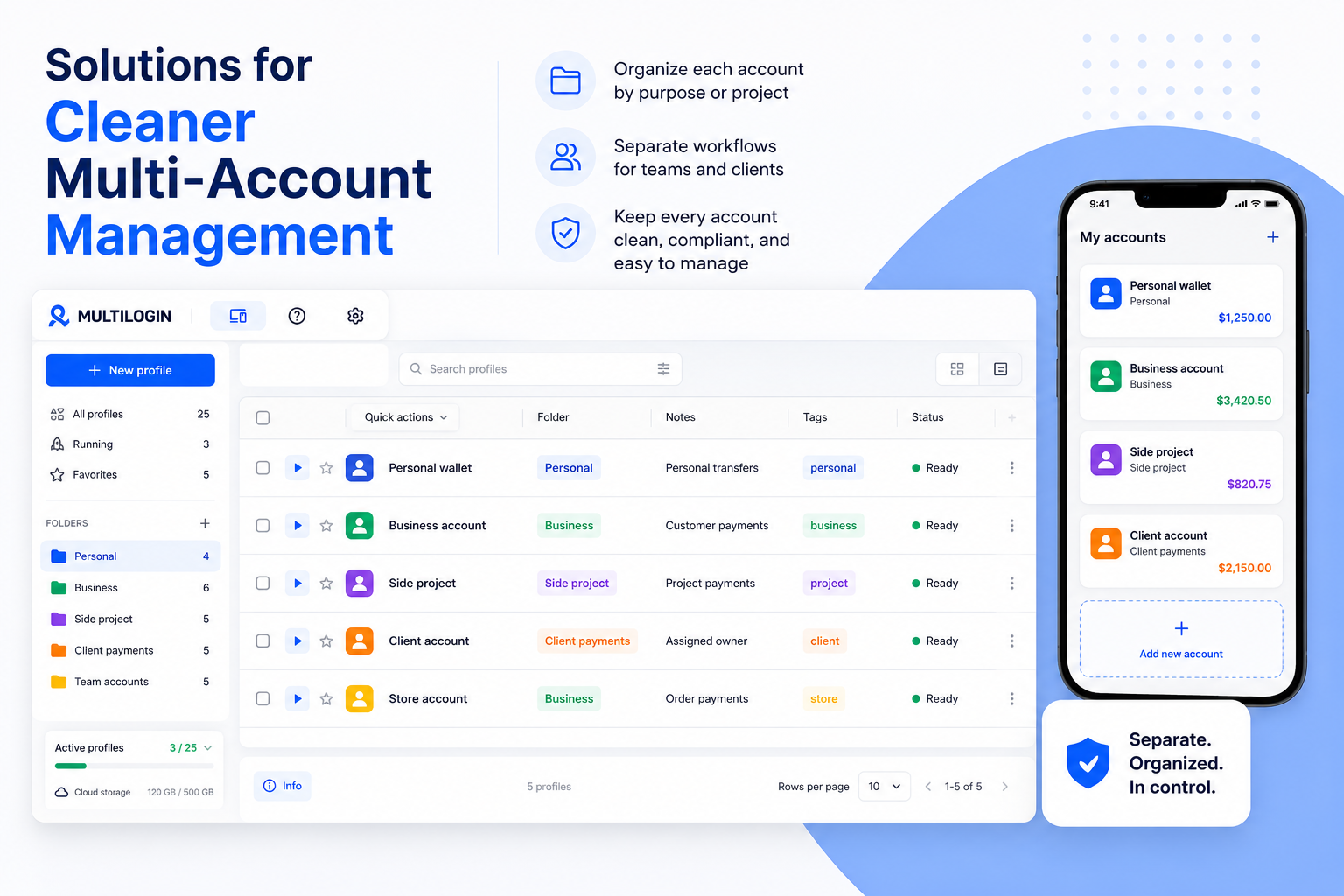
Cash App supports linked accounts, and that may be enough for one person managing a personal account and a business account. The workflow becomes harder when several accounts belong to different projects, clients, brands, or team members.
The main problem is no longer only account switching. It becomes account organization. Each account may have its own $Cashtag, contact details, payment history, business purpose, verification status, and responsible person.
Multilogin can help teams keep account workflows separated and easier to manage. Its multi-account management tools support separate browser profiles and organized workspaces, while cloud phones can support separated mobile workflows from a desktop environment.
For example, a team managing payment-related workflows for several small projects could keep each project in a separate workspace, document account ownership, and reduce messy switching between unrelated profiles on the same device.
This is useful when the goal is cleaner organization, not rule avoidance. Cash App already provides account switching inside the app. Multilogin becomes relevant when teams need clearer separation, assigned workflows, and better control across multiple account environments.
For cleaner organization, teams can explore multi-account management tools or cloud phones for separated mobile workflows.
Multilogin is not a way around platform rules; the safest approach combines clean account separation with original content, real engagement, and platform-compliant activity.
Benefits of cleaner account separation
- Keep personal and business payment workflows easier to understand
- Reduce confusing account switching when several accounts are involved
- Give team members clearer responsibility for assigned workflows
- Keep browser or mobile activity separated for operational clarity
- Make account ownership and recovery paths easier to document
- Reduce overlap between personal payments, customer payments, and project payments