



This guide is for marketers, agencies, and researchers who need to see the TikTok For You page of another market, not just once, but week after week.
To get a TikTok FYP from another country the way a local user sees it, you need four things: a local IP, a clean device environment, the local language, and a fresh account you train with local viewing behavior.
TL;DR
Your own account will never show you a real foreign FYP, because it carries years of your own history.
A fresh account in a clean environment with a local IP will. Everything below is about building that environment once and reusing it per market.
Looking for something else? If you want to change the country setting on your personal phone or account, read How to Change Location on TikTok: Complete 2026 Guide instead. That article covers the settings. This one covers research.
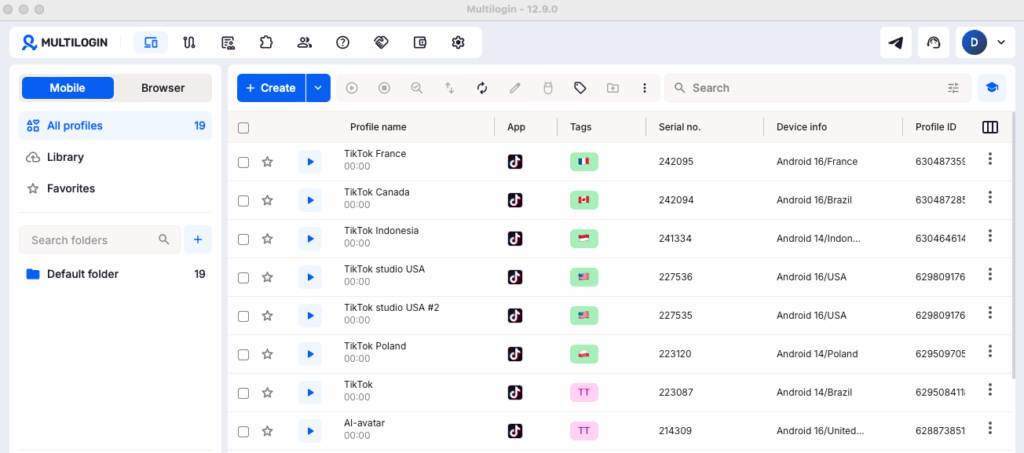
Multilogin dashboard with several Android cloud phones created for separate TikTok market profiles. How to create and manage several TikTok accounts inside those cloud phones comes next.
Watching a market is not the same as changing your location
Worth separating these two jobs, because people mix them up constantly and then wonder why nothing works.
Changing your location means adjusting your own device and account so TikTok treats you as being somewhere else. One phone, one account, one country at a time.
Changing your FYP region means building a viewing environment that produces the For You page a brand new local user would get. You care about accuracy, repeatability, and running several markets side by side without them contaminating each other.
The second job is harder, and it is the one agencies actually need. A creative team planning a launch in Indonesia does not want “my feed with some Indonesian videos mixed in.” They want to know what an Indonesian 22 year old sees at 9pm on a Tuesday.
Effective Methods to Change Your FYP Region
Five methods, ranked by how close the result lands to a genuine local For You page.
| Method | Setup effort | How much it changes your FYP region |
|---|---|---|
| Search local hashtags on your own account | 10 minutes | ★★☆☆☆ |
| Refresh your For You feed, then retrain it | 30 minutes | ★★★☆☆ |
| Local language plus local viewing behavior | 30 minutes | ★★★☆☆ |
| Fresh account on a local IP | 1 hour | ★★★★☆ |
| Fresh account on a cloud phone in that country | 15 minutes | ★★★★★ |
Notice that the most accurate option is also one of the fastest. That is not a typo, and the cloud phone section below explains why.
Method 1. Search your way into a local content graph
The fastest way to see foreign content today, with zero setup.
Say you want Thailand. Search กรุงเทพ, ประเทศไทย, Bangkok, Thai food. Then follow the trail rather than the feed:
video → the sound used in it → other creators using that sound → related videos → hashtags → more creators.
Ten to twenty minutes later you sit inside the local content graph, looking at what actually circulates there.
What this gets you: trending sounds, creator names, content formats, and hashtag clusters. Plenty for a first pass.
What it does not get you: the ranking. Search shows you what exists. The For You feed shows you what wins. For competitive research you eventually need the feed itself.
Method 2. Refresh your For You feed and retrain it
TikTok has an official reset. Go to Profile → ☰ Menu → Settings and privacy → Content preferences → Refresh your For You feed and confirm.
TikTok describes it as seeing a fresh feed as if you just signed up. Your profile, followers, drafts, and Following feed survive. The refresh itself is permanent, so you cannot undo it.
Right after the reset you get a window where TikTok collects signals fast. Feed it one market only: switch language, run 10 local searches, watch 30 to 50 local videos to the end, follow 5 to 10 local creators, and ignore everything else.
Method 3. Match the language
Language is an official recommendation signal and the cheapest lever you have.
It works best where the language maps cleanly to one country. Thai points at Thailand. Japanese points at Japan. Vietnamese points at Vietnam. Portuguese points mostly at Brazil.
English is the weak case, because it covers the US, UK, Canada, Australia, Ireland, and a dozen more markets at once. If your target is English-speaking, language alone will not separate them, and you have to lean on IP and behavior instead.
Method 4. Create a fresh account on a local IP
This is where results get serious.
A new account carries no watch history, no follows, and no accumulated interests. TikTok builds its first recommendations largely from content information plus user and device information, then leans harder on your interactions as they pile up. Zero history means the location and language signals finally count for something.
Set the local IP first, create the account second, then train it for twenty minutes on local content. The order matters, because an account created on your home IP starts life tagged to the wrong market.
If you plan to keep several of these alive, read how to run multiple TikTok accounts without bans before you register anything, and see how to use proxies for TikTok for the connection side.
Method 5. A cloud phone per market
Everything above competes with your own device. This method replaces it.
More on this below, because it is the method that actually scales to five countries.
How to set up a TikTok cloud phone in Multilogin
Six steps, about ten minutes.
1. Create a cloud phone profile. In the dashboard, add a new mobile profile and pick the Android device and version you want. There are 30+ device types across 12 brands on Android 10 to 16.
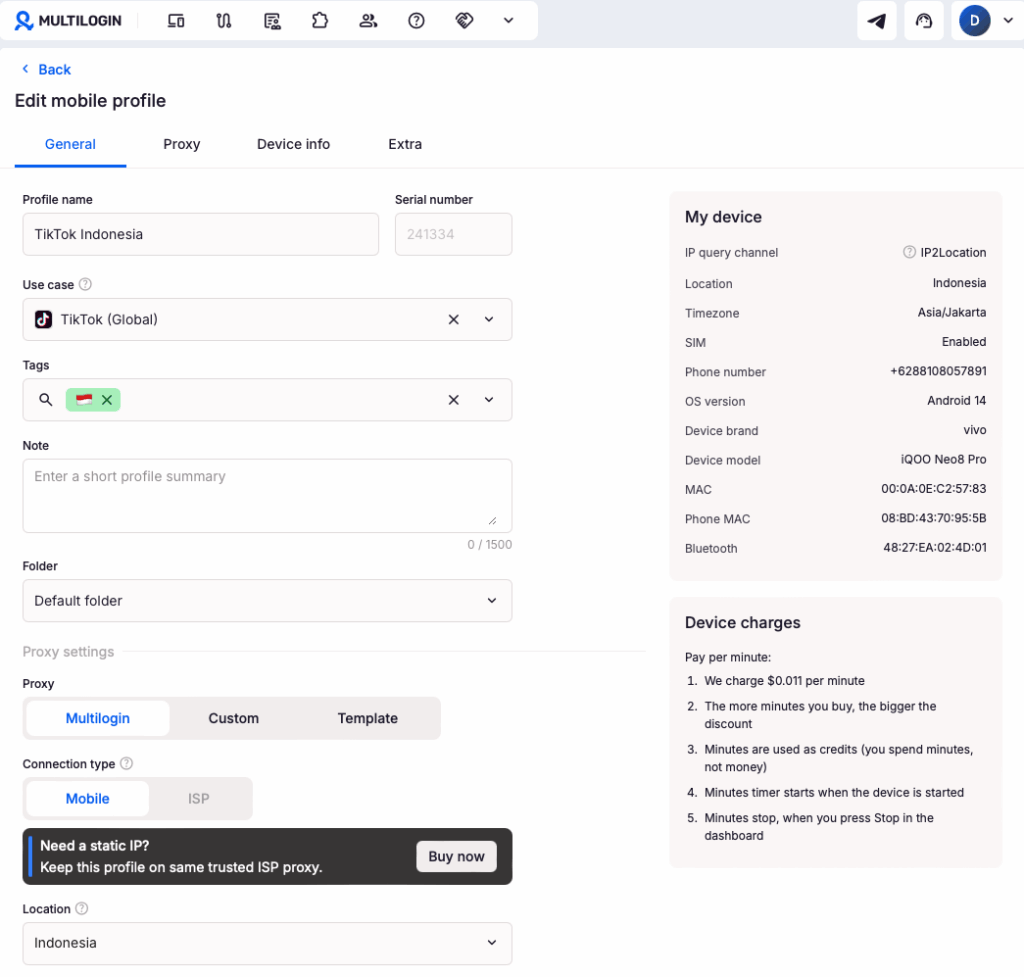
2. Choose the country and proxy. Select the market you are researching. Built-in residential proxies come with every plan, matched to that region.
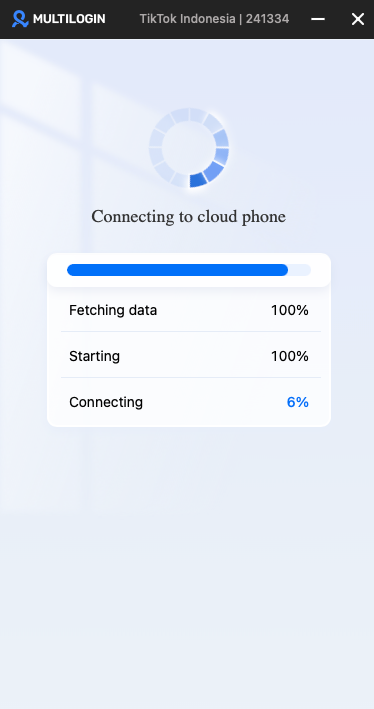
3. Launch the phone. It boots in the dashboard like a real device. Your mobile minutes start counting when it launches and stop when you press Stop.
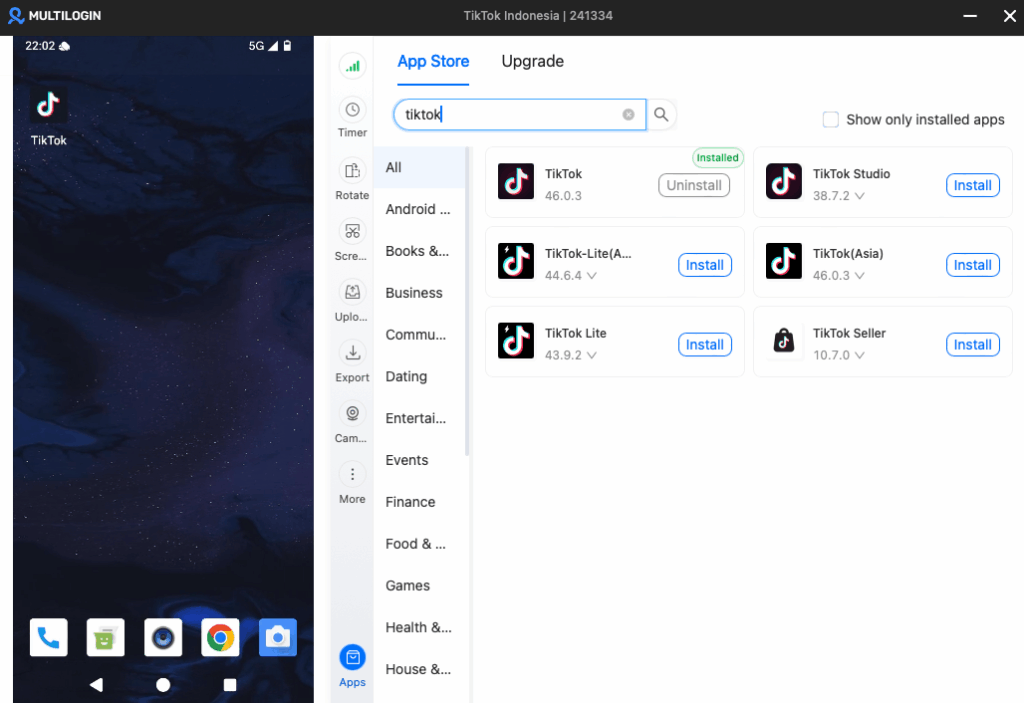
4. Install TikTok. Use the built-in app store, or upload the APK if you prefer a specific version.
5. Check that TikTok read the region correctly. Open the app. It offers the languages of that market first, for example Bahasa Indonesia for an Indonesian phone.
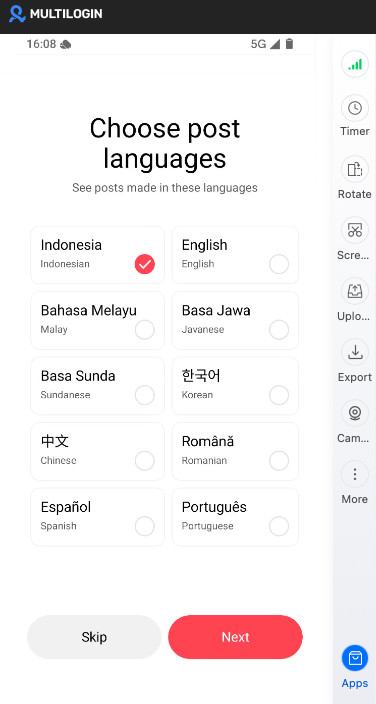
That is your confirmation before you invest any time in training.
6. Sign in or create an account. Log into an account you already run for that market, or register a fresh one for clean research.
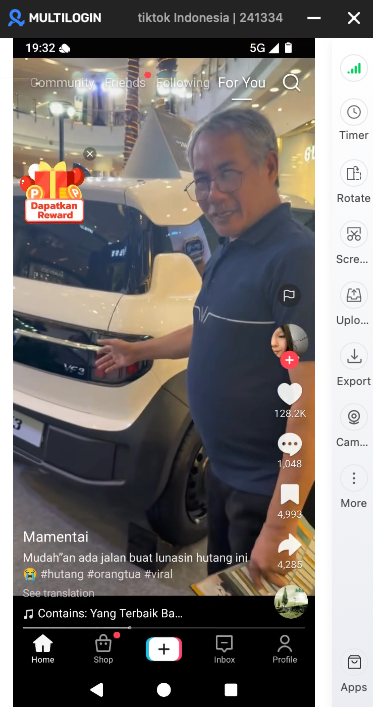
Then scroll the For You page for a few minutes. Local language, local creators, local sounds, and the market’s ad formats tell you the environment landed where you wanted it.