






Twitter search (okay, X search… but everyone still types “Twitter search”) is one of those tools people underestimate until they really need it.
You might be trying to:
- find a customer complaint you saw last week,
- track what people say about a competitor,
- pull receipts for a thread,
- or do serious market research without drowning in random posts.
The problem is: basic search is noisy. And if you’re doing this across multiple accounts, regions, or devices, it gets messy fast.
If you want a cleaner workflow, start your 3-day trial for €1.99 and run separate research sessions in isolated profiles with Multilogin. For research-heavy teams, this pairs nicely with this guide on antidetect browsers for market research.
Twitter Search Basics (And Why Results Feel Random)
X’s search is designed for discovery, not for “I need that exact post from that exact day.” When you type a query, X can mix:
- “Top” results (algorithm-picked),
- “Latest” results (chronological-ish),
- results influenced by your account behavior,
- results influenced by your location and language settings.
X’s own help pages describe searching across posts, people, and more, but the big takeaway is this: search is personalized and context-dependent.
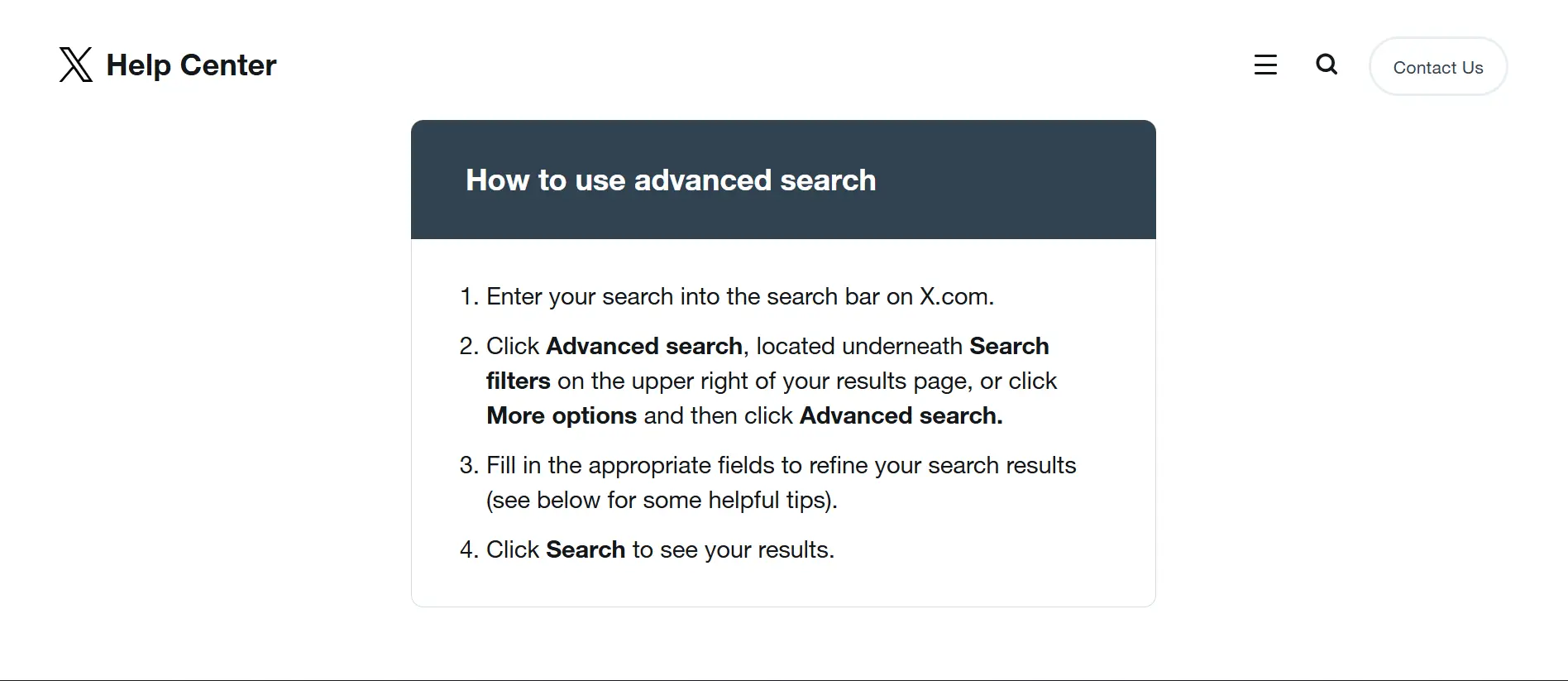
Quick tip that saves time: switch between Top and Latest immediately. If you’re researching trends, Top is fine. If you’re collecting evidence or tracking a timeline, Latest is usually the move.
Twitter Advanced Search (The Easy Ui Method)
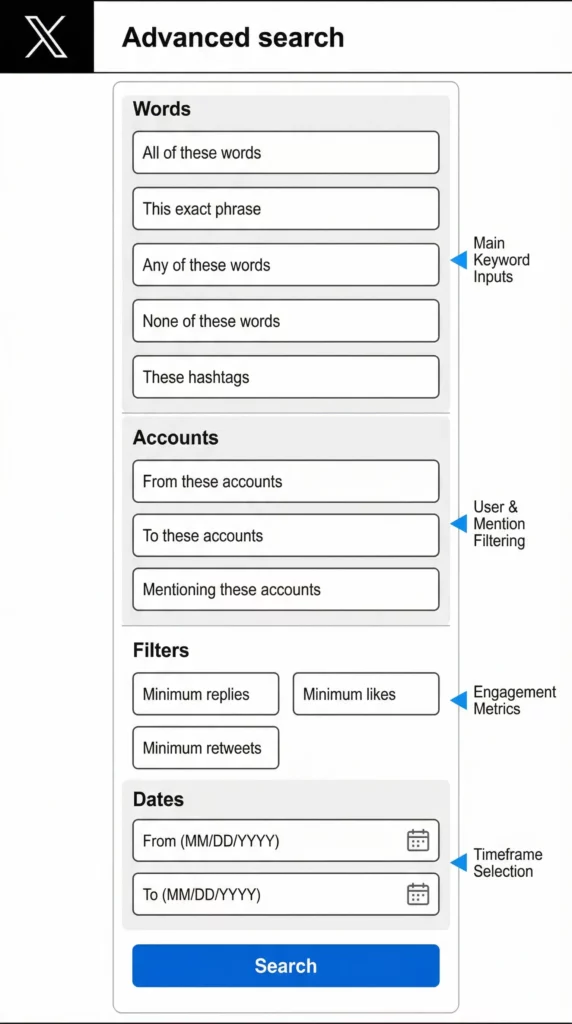
If you don’t want to memorize operators yet, use Twitter advanced search. X provides an advanced search interface that lets you filter by:
- exact words / phrases,
- hashtags,
- accounts (from / to / mentioning),
- engagement (minimum likes, replies, reposts),
- and date ranges.
This is the fastest way to do “normal person search” with “power user results.”
How to use twitter advanced search in 60 seconds
- Open advanced search (it’s often accessible via X’s UI, and many guides reference the advanced search endpoint).
- Fill only what you need:
- Exact phrase for quotes or slogans
- From these accounts for a specific creator
- Dates when you need a clean timeline
- Run the search, then switch to Latest if you want chronological results.
Mini cheat: If your goal is “find brand mentions + intent,” start with:
- exact phrase: “your brand”
- or any of these words: problem OR issue OR broken OR scam OR review
- language filter if you only want one market.
Twitter Search Operators (The Power-User Method)
Operators are the “keyboard shortcuts” of Twitter search. They follow a simple pattern like from:username, to:username, since:YYYY-MM-DD, and until:YYYY-MM-DD. Many guides consistently reference operators like from:, to:, since:, until:, filter:media, filter:links, and lang: as core building blocks for advanced queries. [1]
Twitter search operators you’ll actually use
Category | Operator | Description |
Accounts | from:handle | posts authored by that account |
to:handle | posts replying to that account | |
@handle | mentions of that account | |
Time | since:YYYY-MM-DD | from that date onward |
until:YYYY-MM-DD | before that date | |
Content type | filter:media | posts with images/videos |
filter:links | posts containing links | |
Language | lang:en | (or other language codes) |
Example queries you can steal
- Find announcements from a competitor in a date window: from:competitor since:2025-11-01 until:2025-12-01
- Find complaints with proof (media) in English: “brand name” complaint filter:media lang:en
- Find posts that link out to reviews: “your brand” filter:links
Point often overlooked: don’t over-filter. Start simple, then add one filter at a time. Otherwise you’ll think “twitter search not working” when you actually filtered everything out.
Twitter Search By Date (Fast Setups That Actually Work)
“Twitter search by date” is popular for a reason: it’s the difference between “I think I saw it” and “here it is.” You have two solid options:
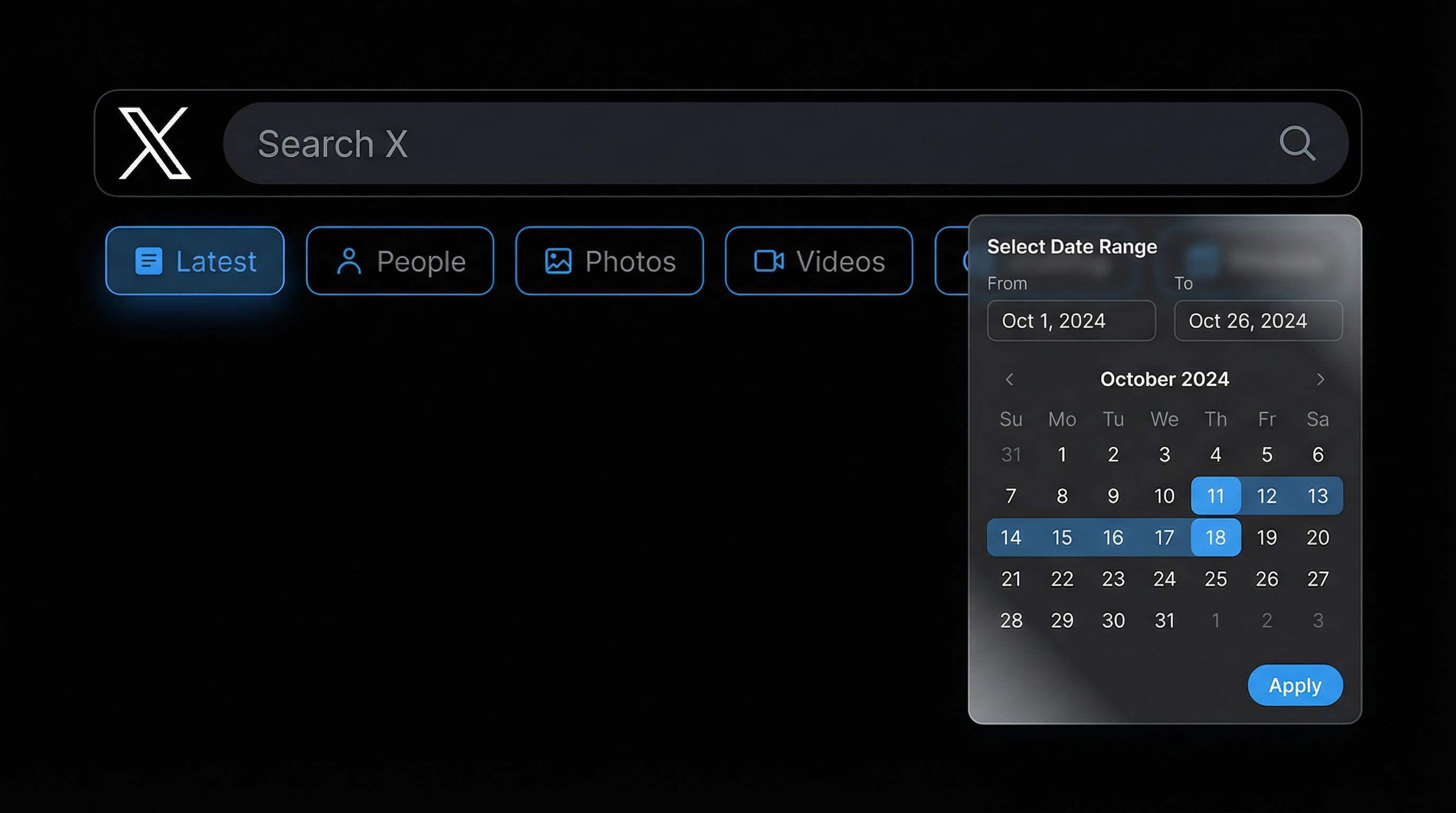
Option 1: Advanced search date fields Use the advanced search UI and set “From” and “To” dates. This is beginner-friendly and less error-prone.
Option 2: Operators (my go-to) Use since:YYYY-MM-DD and until:YYYY-MM-DD. For example: “giveaway” from:brandhandle since:2025-12-01 until:2025-12-31
Small warning: date boundaries can feel slightly off depending on timezone and how X indexes posts. If you’re doing legal-grade timeline work, expand the window by a day and validate.
Twitter Image Search And Twitter Video Search
If your goal is visuals, don’t just search keywords and scroll forever.
Twitter image search
Use filter:media plus a keyword or phrase. Example: “product name” filter:media. Then switch to the Photos tab if it appears in the UI.
Twitter video search
X often groups media, but you can still narrow by using filter:media plus video-related keywords (or by using the Videos tab when available). Many “history search” and operator guides highlight filter:media as the core media switch. If you’re trying to find a specific clip, add the creator handle (from:), a date range (since: / until:), and one unique keyword said in the video caption.
Twitter Search Without Account (What You Can And Can’t Do)
This one changes over time, because X frequently adjusts what logged-out users can access. Many guides still say you can search X without an account via the web, but with limitations (and the app typically requires login). In practice, “twitter search without account” usually means you can view some pages, you might hit login walls, and search depth can be limited.
If you need consistent access for research, logged-in workflows are more stable. And if you need multiple separate research identities (different regions, different personas, different teams), that’s where an antidetect browser helps. Try this setup with Multilogin.
Twitter Search History, Privacy, And Safe Search
- Can people see what you search on twitter? Generally, other users can’t see your personal search bar history like a public feed. That said, your device + account context still shapes what you see.
- How to clear twitter search history: Most platforms let you clear recent searches from the search UI (often via an “X” or “Clear” control).
- How to turn off safe search on twitter: Safe search settings typically live in privacy/content settings. If your research requires sensitive terms, check the settings before assuming the keyword has “no results.”
Twitter Search Not Working (Quick Fixes)
When someone says “twitter search not working,” it’s usually one of these:
- You’re on “Top” results and the algorithm decided your query is “not trending.” Switch to Latest.
- Your query is too strict. Remove one operator at a time.
- Rate limits / temporary restrictions. Take breaks and spread work across sessions.
- Logged-out restrictions. If you’re searching without an account, access can be inconsistent.
If X research is part of your workflow, run it in clean, separated sessions. Start with €1.99 for 3 days and test your full setup before scaling.
Bonus: API Twitter Search And Scraping Workflows
If you’re doing api twitter search (or building datasets), two things matter: consistency (stable sessions, predictable identity signals) and compliance (respect X’s rules, don’t scrape private data). For teams doing public-data collection, a common workflow looks like defining queries, collecting results through approved tools/APIs, and storing findings. If you’re building your own tooling, this guide on how to build a web scraping tool can help.
When collecting Twitter data at scale, you’ll also want to understand how to scrape data from Twitter safely and how to speed up Twitter scraping without triggering platform defenses. The key is maintaining clean browser fingerprints that don’t raise red flags—something standard proxies can’t handle alone.
Where Multilogin fits (desktop antidetect + mobile antidetect + cloud phones)
If you’re only using “Twitter search” casually, you don’t need anything fancy. But if you’re doing social listening, brand protection, influencer discovery, or managing multiple Twitter accounts, you hit the same wall: your sessions blend together, fingerprints overlap, and the platform starts “recognizing” patterns you didn’t mean to create.
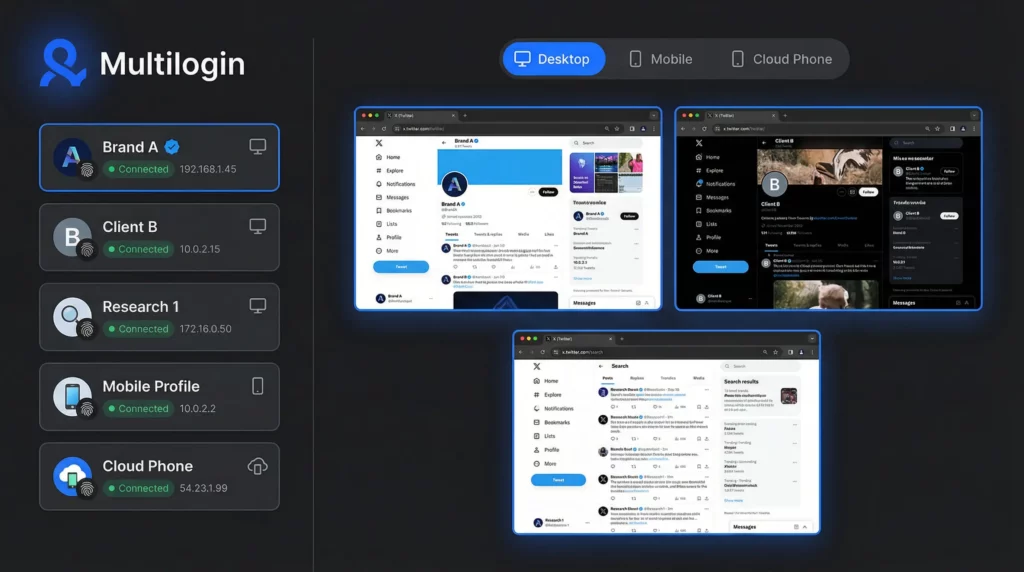
Why proxies alone don’t fix this: A proxy changes your IP. It doesn’t rewrite your full browser identity. That’s why Multilogin focuses on separate, human-like profiles plus built-in proxy management, all in one place.
The new part: mobile antidetect + cloud phones: With mobile antidetect profiles and cloud phones, you can run separate mobile identities the same way you run desktop profiles—except now it matches how people actually use social apps.
For serious social media work, combining Twitter research with proper multi-account management prevents the platform from connecting your different identities. Whether you’re doing competitive intelligence, brand monitoring, or social media marketing at scale, clean session separation is non-negotiable.
Stop fighting blocks one by one — run clean isolated sessions
Frequently Asked Questions About Twitter Advanced Search
Use advanced search date fields, or type since:YYYY-MM-DD and until:YYYY-MM-DD in the search bar. For example, from:competitor since:2025-12-01 until:2025-12-31 will show all posts from a competitor account during December 2025. This is especially useful for tracking campaigns, monitoring brand mentions during specific events, or conducting timeline-based research.
It’s a filter-based search page that helps you narrow results by keywords, accounts, engagement, and dates. Advanced search is available when you’re logged in to X.com and can be accessed via the search results page or directly at twitter.com/search-advanced. It’s the easiest way to build complex queries without memorizing operators.
They’re typed commands like from:, to:, since:, until:, and filter:media that refine results. You can combine multiple operators to create powerful queries. For example, “brand name” (complaint OR issue) filter:media lang:en will find English-language posts with images/videos mentioning your brand alongside complaint keywords.
Sometimes, yes, via the web—but access and depth can be limited and can change. X frequently adjusts what logged-out users can access, and you may hit login walls or experience limited search depth. For consistent research access, especially when managing multiple accounts or conducting competitive analysis, logged-in workflows are more stable.
Other users typically can’t see your private search history, but your account context can still shape what results you see. X personalizes search results based on your account behavior, location, language settings, and who you follow. This is why running separate research sessions in isolated browser profiles can give you cleaner, less personalized results.
You can combine multiple operators in a single query, but start simple and add one filter at a time. Over-filtering can result in zero results, making you think “twitter search not working” when you’ve actually filtered everything out. A good practice is to start with your core keyword or account filter, verify you’re getting results, then add date ranges, engagement filters, or content type filters.
Yes, you can type operators directly into the mobile search bar, but the advanced search UI is primarily designed for desktop/web use. If you’re managing multiple X accounts for different clients or brands, using a desktop antidetect browser like Multilogin gives you more control and the ability to run separate sessions without cross-contamination.
Use the OR operator with multiple from: commands. For example: (from:account1 OR from:account2 OR from:account3) keyword. However, if you’re monitoring multiple competitor accounts regularly, consider setting up separate research profiles in Multilogin so each monitoring session stays isolated and doesn’t influence your other accounts’ algorithms.
X personalizes search results based on your account’s behavior, who you follow, your location, and engagement patterns. This is why social media managers and researchers benefit from using antidetect browsers to create clean, separated research environments. With Multilogin, each profile gets its own unique digital fingerprint and browsing context, so your competitor research doesn’t contaminate your brand account’s feed—and vice versa.
This is where Multilogin becomes essential. When you manage multiple X accounts from the same browser, the platform can detect patterns through your digital fingerprint, cookies, and IP address. Multilogin creates separate virtual browser profiles with unique fingerprints for each account, plus built-in proxy management. Whether you’re running desktop sessions or need mobile environments (with our mobile antidetect and cloud phone capabilities), each account appears as a completely different user.
Conclusion
Twitter search gets powerful the moment you treat it like a tool, not a vibe. Start with advanced search for quick wins, then graduate to operators when you want precision. If you’re doing this at scale, run clean, separate sessions and stop letting one account’s behavior mess with another.


