



Creating multiple Instagram accounts usually feels simple at the beginning. You add a profile inside the app, switch between them, post, reply to messages, and continue your day. For a while, everything works. Then one account logs out unexpectedly. Another asks for verification. Engagement drops. A restriction appears without warning. What felt stable last week now feels fragile.
In most cases, the issue isn’t what you posted. It’s the structure behind the accounts. When multiple Instagram profiles share the same device, app data, or session history, signals begin to overlap. Instagram doesn’t just look at actions. It observes device behavior over time. Once accounts start looking connected underneath, instability spreads quietly. One flagged account can affect others tied to the same environment.
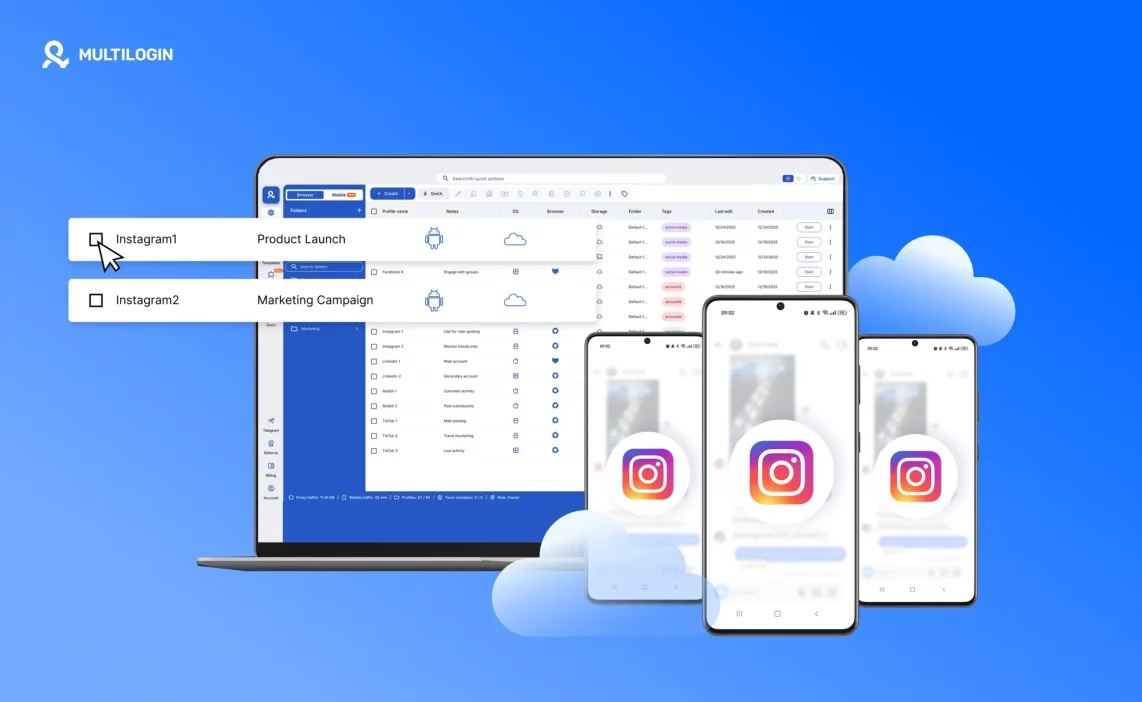
Multilogin Cloud Phones change that structure completely. Each Instagram account runs inside its own Android cloud phone, with separate app data, device identity, and session history. If one account encounters a restriction, it stays isolated. You don’t rebuild your entire setup. You return to a stable environment and keep working.
Can you have multiple Instagram accounts?
Yes, Instagram allows users to create and manage multiple accounts. The app even makes switching between profiles easy. For personal use or light activity, this feels convenient and controlled.
The complications begin when accounts are used daily, managed for clients, or scaled for business. Switching inside the same app means every account shares the same device environment. The same storage, background processes, and system signals are reused repeatedly. Early on, nothing seems wrong. Over time, session drops increase, verification checks appear more often, and restrictions become harder to explain.
Instagram does not isolate accounts at the device level. That separation has to come from your setup. When each account runs inside its own Android environment instead of sharing one device, overlap disappears. If one account faces a problem, the rest remain unaffected.
Why managing multiple Instagram accounts gets complicated over time
At first, everything feels under control. You switch accounts, schedule posts, reply to DMs. But the longer accounts share the same phone, the more risk builds in the background.
Instagram tracks device consistency across sessions. When multiple accounts reuse the same environment, patterns start to form. These patterns are not always visible to you, but they are visible to the platform.
Common signs of structural instability include:
- Accounts logging out unexpectedly
- Repeated verification requests
- Action blocks that seem random
- Reduced reach or limited features
- Issues spreading from one account to others
The root problem isn’t the number of accounts. It’s the shared foundation behind them. Without environment-level separation, every account carries the same risk profile.
Why Instagram accounts need dedicated environments in 2026
Instagram is deeply mobile-first. It expects accounts to behave like they belong to consistent, real devices over time. Device stability matters just as much as content behavior.
When the same Android environment is reused for multiple accounts, device signals overlap. Session data, app history, and behavioral patterns blend together. Even if accounts appear separate inside the app, they are not separate underneath.
In 2026, managing Instagram accounts safely means mapping one account to one environment. No switching. No rotation. No rebuilding. Stability comes from persistence, where the device identity remains the same across sessions and months of use.
What a cloud phone is and why it changes Instagram account management
A cloud phone is a full Android device hosted in the cloud. It runs the native Instagram app exactly as a physical phone would, but without being tied to fragile hardware.
Each cloud phone for Insatagram maintains:
- Its own Android system
- Separate storage and app data
- Independent session history
- A consistent mobile device identity
When you reopen an Instagram account inside its cloud phone, nothing looks new. The app opens exactly where it left off. There are no repeated setups, no resets, and no device changes behind the scenes.
The difference is simple: instead of sharing one device between many accounts, each account has its own.
How Multilogin cloud phones work for multiple Instagram accounts
Multilogin Cloud Phones are structured around strict isolation. One Instagram account runs inside one Android cloud phone. No account switching inside the same environment. No reuse.
When you return to an account:
- Sessions reopen where they were left
- App data remains intact
- Device signals stay consistent
- Problems remain contained
Account management becomes steady maintenance instead of constant recovery.
Native Instagram app behavior on cloud phones
Instagram performs best inside its native mobile app. Cloud phones support full Android app behavior, not browser simulations.
Inside each cloud phone:
- Instagram installs normally from the app store
- Login sessions persist across restarts
- App cache and activity history remain saved
- Device behavior matches long-term usage patterns
Because the environment doesn’t reset, Instagram sees continuity instead of repeated “new device” signals.
Location and network consistency for Instagram accounts
Instagram is sensitive to sudden IP or location changes. Jumping between regions can trigger security checks or limit account activity.
Cloud phones allow you to align each Instagram account with consistent network behavior. Instead of adjusting settings manually every time you log in, the environment maintains stable signals across sessions.
Stability comes from alignment, not constant correction.
Scaling multiple Instagram accounts without rebuilding setups
Growth usually breaks Instagram setups when accounts begin sharing devices. As more profiles are added, risks multiply.
With cloud phones, scaling means adding environments, not reusing them.
- New Instagram accounts are created inside new cloud phones
- Existing accounts remain untouched
- Environments can be paused and resumed without losing data
- Growth adds capacity without increasing structural risk
The setup doesn’t change as volume increases.
Managing Instagram accounts from one dashboard
Multilogin allows you to control all cloud phones from one dashboard. You can launch, pause, and organize Instagram accounts without switching devices or apps.
When everything is visible:
- Mistakes are reduced
- Ownership stays clear
- Scaling becomes manageable
Organization replaces chaos.
Team access and ownership for Instagram accounts
Sharing Instagram passwords across teams creates long-term security risks. With cloud phones, access is tied to environments, not credentials.
Each Instagram account maps to a dedicated cloud phone. Team members receive access to specific environments rather than shared logins.
This allows teams to:
- Assign accounts without sharing passwords
- Maintain clear ownership per profile
- Transfer accounts safely without session resets
Collaboration becomes structured instead of fragile.
Handling Instagram accounts without phone number reuse issues
Phone number reuse often becomes a problem later, not during account creation. When multiple Instagram accounts share one device, hidden connections form over time.
Cloud phones prevent this by isolating each account inside its own Android environment. Supporting assets, such as email accounts, can be created and managed inside the same environment as the Instagram account.
This keeps identities separate:
- App data never overlaps
- Session history remains isolated
- Accounts don’t inherit hidden connections
Separation prevents pressure from building silently.
Automation support for multiple Instagram accounts
Automation should support a stable foundation, not replace it. Cloud phones allow automation tools to operate inside isolated environments, where each Instagram account remains independent.
Because sessions persist and device identity remains consistent, automated actions stay predictable instead of interfering across accounts.
Automation works reliably only when structure exists underneath.
What multiple Instagram accounts look like when done right
When Instagram accounts are structured properly:
- Each account runs inside its own Android cloud phone
- Sessions remain persistent across restarts
- Device and network behavior stay consistent
- Problems affect one account, not all
- Scaling feels controlled instead of stressful
The difference isn’t more effort. It’s better design. Once the structure is in place, managing multiple Instagram accounts in 2026 stops feeling fragile and starts feeling sustainable.
Learn more about why Multilogin remote Android phones!
Start your trial and run each Instagram account in its own cloud phone!
Final verdict
Instagram account issues rarely come from what you post. They come from shared device environments. When multiple accounts run on the same phone, app data and session history overlap, and risks build quietly over time.
Multilogin Cloud Phones fix this by giving each Instagram account its own Android environment with persistent data and stable device identity. Problems stay contained. Accounts don’t need constant rebuilding.
In 2026, managing multiple Instagram accounts successfully comes down to one rule: one account, one environment.
FAQs about creating multiple Instagram accounts
Can you create multiple Instagram accounts?
Yes, Instagram allows users to create and switch between multiple accounts. The app supports this directly. Problems usually appear later, when those accounts are reused regularly inside the same device environment over long periods.
Why do Instagram accounts get restricted when managing multiple profiles?
Restrictions often happen when several accounts share the same device signals over time. Reused app data, repeated logins from one environment, and overlapping session behavior create patterns that Instagram tracks. Even if the content is compliant, shared infrastructure can trigger instability.
Is switching between Instagram accounts inside the app safe long term?
Switching works for light use. Over time, it reuses the same device foundation for every account. That reuse increases the chance of session drops, verification checks, and linked restrictions. It’s convenient early on, but fragile at scale.
How do cloud phones improve Instagram account stability?
Cloud phones give each account its own Android environment. App data, cache, login state, and device identity stay consistent across sessions. Because nothing changes behind the scenes, accounts don’t look newly created or repeatedly reused every time you return.
Do cloud phones work only for the Instagram app, or also for web use?
Cloud phones support native Android app behavior, which is critical for Instagram. Browser workflows can also run alongside mobile environments. Both benefit from consistent device behavior and controlled session persistence.
Can agencies manage Instagram accounts safely with a team?
Yes, when access is tied to environments instead of shared passwords. Each team member can be assigned specific cloud phones. Accounts can move between team members without resetting sessions or exposing credentials.

