





Most people treat SEO as a website problem. Optimize your pages, build links, wait for Google. Twitter does not fit neatly into that picture.
But it should. Twitter profiles rank in Google search results. Individual tweets surface for branded and topical queries. And within X itself, there is a full search engine that surfaces accounts and content based on relevance, authority, and engagement history.
Twitter SEO is real. It operates on two separate levels — on-platform discovery and Google indexing — and both require optimization. This guide covers what actually moves the needle for social media management teams and operators who want their Twitter presence to drive reach, traffic, and visibility in 2026.
What Twitter SEO actually means
Two different things are happening when someone talks about SEO on Twitter.
On-platform discovery. X has a built-in search engine. When someone searches a topic, keyword, or person inside Twitter, the algorithm surfaces accounts and tweets based on profile completeness, keyword presence, engagement rate, account authority, and posting consistency. Optimizing for this means treating your Twitter profile like a landing page and your tweets like search results.
Google indexing. Google crawls and indexes public tweets and Twitter profiles. A tweet from an authoritative account on a trending topic can rank on page one of Google results. Twitter profiles show up for brand name searches and personal brand queries. This is why Twitter SEO matters even for audiences that primarily live on Google.
Both require slightly different approaches. We cover both below.
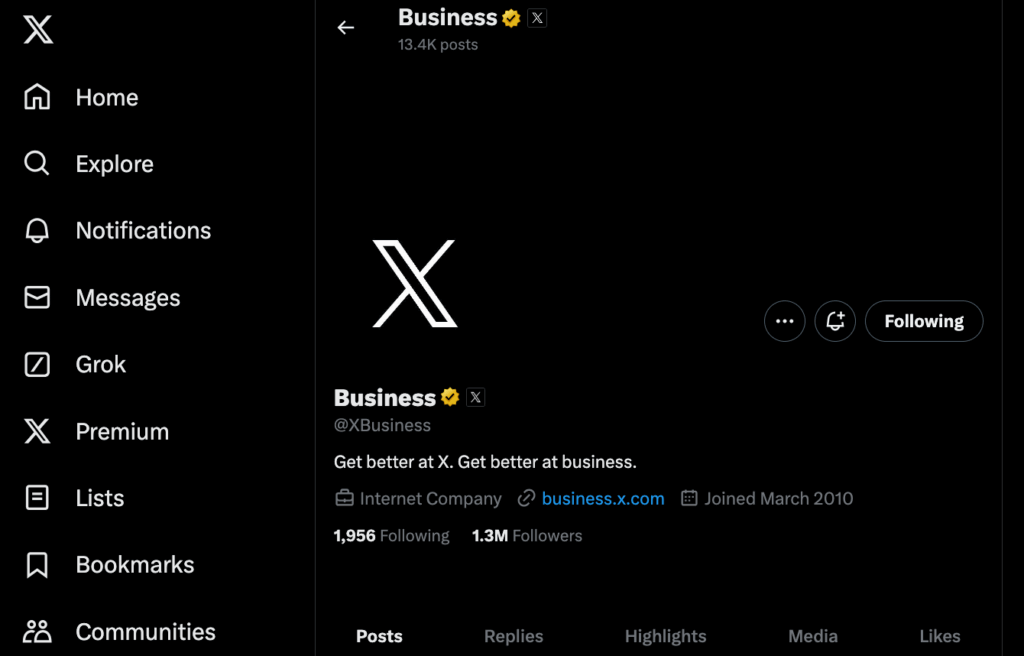
Optimizing your Twitter profile for search
Your profile is the foundation. Everything — including how individual tweets rank — builds on top of profile authority and keyword relevance.
- Your username is a strong relevance signal for branded queries. If your name or brand name is searchable, your handle should match it as closely as possible. An exact-match handle will consistently outrank one that does not match the searched term.
- Your display name is searchable too. Many professionals use a format like “Name | Topic” or “Name, Role.” This is effective because X reads the display name as part of keyword matching. A display name of “Sarah Chen | Content Strategy” will surface for “content strategy” searches more reliably than “Sarah Chen.”
- Your bio is the most important text field for on-platform SEO. X indexes bio text for keyword search. If someone searches “growth marketing London” and your bio says “growth marketing consultant based in London,” your profile becomes a candidate for that result. Use your actual specialty terms. Include location if relevant. Keep it readable — do not stuff it with keywords at the expense of coherence.
- Your pinned tweet carries more weight than most people realize. It is the first content a visitor sees and the first tweet indexed when Google crawls your profile. Pin a tweet that demonstrates your core topic, includes your main keyword naturally, and has meaningful engagement. A pinned tweet with strong replies and retweets signals topical authority.
- Your profile and header images do not directly affect text-based SEO, but they affect click-through rate. Profiles with professional imagery get followed at higher rates, and follower velocity is a ranking signal.
How individual tweets rank in X search
X’s on-platform algorithm surfaces tweets based on relevance and engagement. Understanding which signals matter helps you write tweets that rank for the queries your audience is actually searching.
Keyword placement is the primary relevance signal. A tweet that contains “content strategy 2026” in its first line surfaces more reliably for that search than one that mentions the topic indirectly. For tweets you want to rank for specific queries, lead with the keyword rather than building to it.
Early engagement rate is a strong ranking signal. Tweets that generate replies, retweets, and likes in the first hour after posting get surfaced more widely in both search results and the For You feed. Posting time matters not just for reach but for SEO. Tweet when your specific audience is most active.
Thread format consistently outperforms single tweets in search results. A thread creates a cluster of related content under one parent tweet, which X treats as a stronger topical authority signal than a standalone post. For content designed to rank for a specific topic, write threads.
Hashtags still matter but less than in previous years. One or two relevant hashtags per tweet is effective. More than three looks like spam to the algorithm and to readers. The hashtag should be a genuine search term someone would type into X’s search bar.
Alt text on images is indexed by both X and Google. If you post images, fill in the alt text with a natural description that includes your topic keyword. Most creators skip this. It is a consistent, low-effort advantage.
Twitter backlinks and Google SEO: what actually happens
Twitter backlinks do not pass PageRank. Links posted on Twitter are nofollow, meaning they do not contribute link equity to your website the way an editorial link does.
What Twitter contributes to SEO is indirect but real:
- Social engagement as a demand signal. When content gets widely shared on Twitter, Google observes that engagement. This accelerates indexing and can improve rankings for the linked content — not because of the links themselves but because of the attention signal.
- Secondary link generation. When a well-followed account tweets a link, journalists, bloggers, and newsletter writers often pick it up and write about it, creating genuine editorial backlinks. The tweet is the catalyst.
- Brand consistency for local SEO. Google’s local algorithms factor in brand consistency across platforms. If your Twitter profile location matches your Google Business Profile location, that consistency is a minor positive signal. Discrepancies create a minor negative one.
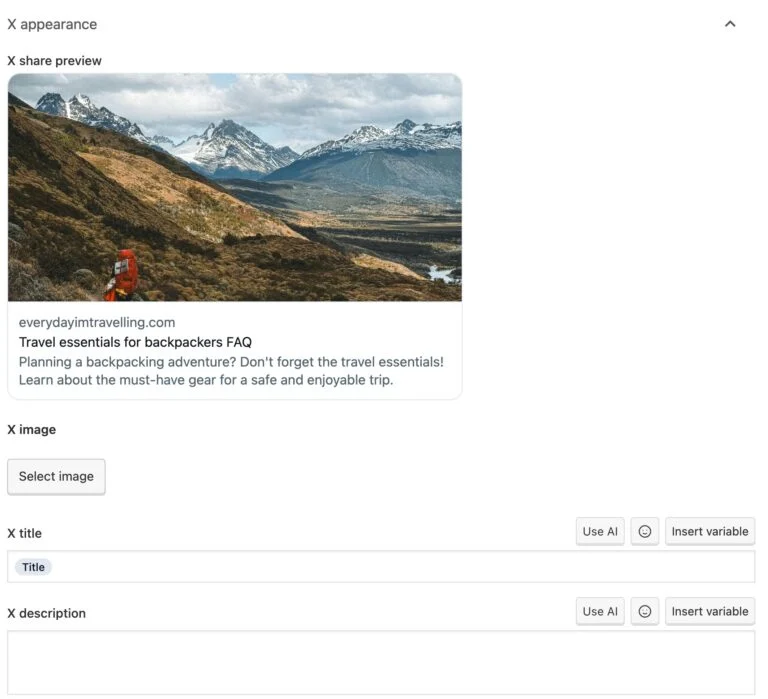
Yoast SEO Twitter cards are the technical piece. A Twitter card is meta tag code that controls how your URL appears as a preview when shared on X. Yoast generates these automatically for WordPress sites. The key settings are card type (summary or summary large image), title, and description. Correct Twitter card configuration means your shared links look professional in feeds, which improves click-through rate and social engagement signals.
Content strategy for Twitter SEO in 2026
Posting randomly and hoping for reach is not a strategy. Accounts that build genuine Twitter SEO equity do three things consistently: post on a specific topic cluster, engage actively within that cluster, and convert Twitter visibility into owned traffic through links and CTAs.
- Pick a specific topic cluster and stick to it. Accounts that tweet about everything signal topical confusion to X’s algorithm. Accounts that consistently tweet about one or two tightly related topics build authority that makes every new tweet more likely to rank for those topics.
- Engagement is two-directional. X looks not just at how many people engage with you, but who you engage with. Replying to and retweeting accounts that already have authority in your topic area signals that you belong in that cluster. This is one of the most underused tactics for building profile authority.
- Consistency beats volume. An account that posts twice a day every day builds stronger algorithmic trust than one that posts thirty times in a week and goes quiet for two weeks. X rewards predictable activity patterns.
Format drives search visibility differently:
- Threads rank better in X search than standalone tweets
- Short-form video gets preferential distribution in the For You feed
- Text tweets with high reply activity outperform low-engagement posts regardless of content quality
- Questions, polls, and contrarian takes invite replies and consistently outperform broadcast content
Managing multiple Twitter accounts with Multilogin cloud phones
Many marketers, agencies, and operators run more than one Twitter account — different brands, different clients, different regional presences. Each account needs its own independent SEO authority, and each needs to run without X linking them together.
X links accounts that share device fingerprints, IP addresses, or session patterns. When accounts are linked, a restriction on one spreads to the others. For agencies managing client Twitter accounts, this is a direct revenue risk.
Multilogin cloud phones solve this at the hardware level. Each cloud phone is a real Android device hosted in the cloud with its own unique IMEI, Android ID, MAC address, and persistent app storage. X’s detection system sees each cloud phone as a completely separate device — because it is one.
Each cloud phone also maintains persistent session data. The Twitter app on one cloud phone shares nothing with another profile: no cookies, no login state, no browsing history. This is what allows multiple accounts to build independent authority without cross-contamination.
How to set up Multilogin cloud phones for multiple Twitter accounts:
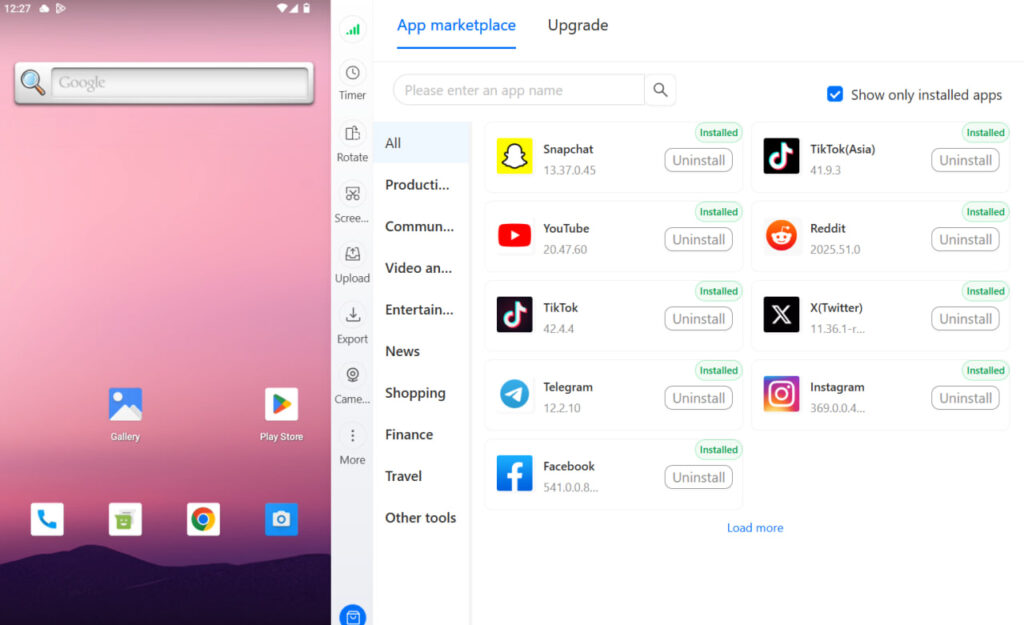
- Create one cloud phone profile per Twitter account in the Multilogin desktop app
- Choose a unique device model per profile (approximately 30 real Android device types available from Samsung, Google Pixel, Xiaomi, OPPO, OnePlus, and more)
- Assign a mobile-grade residential proxy matched to the geographic location for that account — Multilogin’s built-in proxy traffic is included in all plans
- Install the Twitter app fresh from the built-in app store on each cloud phone
- Never transfer app data or session files between profiles
- Manage each account from its assigned cloud phone only
For browser-based Twitter management alongside mobile, the Twitter proxy and antidetect bundle covers desktop profile isolation. Both cloud phones and browser profiles run from the same Multilogin dashboard — no separate tools needed.
See best antidetect browsers for Twitter for browser profile setup by use case, and managing multiple Twitter accounts for the operational workflow. If you are starting new accounts, see how to create multiple Twitter accounts on mobile and create multiple Twitter accounts.
For aged accounts with existing authority, see best places to buy Twitter accounts.
Two account safety issues worth knowing:
Twitter shadow bans are the most common early enforcement before a formal suspension. A shadow ban removes your tweets from search results and others’ feeds, while your account appears normal to you. Accounts flagged for suspicious device patterns or linked account signals are common shadow ban targets. For accounts being built for SEO, a shadow ban silently destroys the organic visibility you have been accumulating.
X also issues IP bans for accounts that violate policies or trigger automated detection. Changing your IP without addressing browser fingerprinting does not resolve the detection issue. Both need to be addressed together, which is what Multilogin cloud phones do by default.
Also worth reading: how to manage multiple social media accounts from one platform.
Practical Twitter SEO checklist
Profile:
- Username matches brand or name as closely as possible
- Display name includes a keyword or descriptor
- Bio contains 2–3 natural keyword phrases describing your specific topic
- Location filled in if relevant to local SEO goals
- Pinned tweet demonstrates core topic with meaningful engagement
Content:
- Consistent posting schedule: minimum 5–7 times per week
- Thread format used for content targeting specific queries
- 1–2 hashtags per tweet maximum, only where genuinely relevant
- Alt text filled in on every image
- Keyword in the first line of tweets meant to rank
Authority:
- Engagement with accounts in your topic cluster to build topical authority
- Twitter card meta tags configured correctly for your website (Yoast or manual)
- One isolated profile per account if managing multiple Twitter accounts
Need to manage multiple X accounts? Try Multilogin Cloud Phones.
Key takeaways
- Twitter SEO works on two levels: on-platform X search and Google indexing of public tweets and profiles
- Profile keyword optimization in bio, display name, and pinned tweet is the foundation of on-platform discoverability
- Threads consistently outperform single tweets in X search results
- Twitter backlinks are nofollow but contribute real indirect SEO value through engagement signals and secondary link generation
- Posting consistently on a specific topic cluster builds topical authority faster than high-volume generalist content
- Managing multiple Twitter accounts safely requires device isolation — Multilogin cloud phones give each account a real Android identity with unique hardware identifiers and matched residential proxies, managed from one desktop dashboard
Frequently asked questions About Twitter SEO
Yes, in two ways. Twitter profiles and tweets appear in Google search results and can rank for branded and topical queries. Within the platform, X has its own search algorithm that surfaces content based on keyword relevance, engagement, and account authority.
Twitter links are nofollow and do not directly pass PageRank. Their SEO value is indirect: social engagement signals Google observes, accelerated content indexing, and secondary links generated when high-engagement tweets are picked up by writers and journalists.
A Twitter card is meta tag code that controls how your website URL appears as a preview when shared on X. Properly configured Twitter cards improve click-through rates and ensure shared links look professional, which strengthens social engagement signals.
Use relevant keywords in your bio, display name, and pinned tweet. Keep your handle as close to your brand or name as possible. Post consistently on a specific topic cluster. Engage with other accounts in your niche to build topical authority signals.
For businesses, keeping your Twitter profile location consistent with your Google Business Profile and other local citations strengthens brand consistency signals that Google’s local algorithm factors in.
Hashtags contribute to X search indexing and help content appear in hashtag searches. One to two relevant hashtags per tweet is effective. More than three starts to read as spam to both the algorithm and readers.


