If you’ve ever tried managing multiple accounts from one device, you already know how fast things go wrong. One matching fingerprint, and suddenly your accounts are flagged, logged out, or banned. It’s frustrating, not because you did anything wrong, but because the platform saw the same pattern repeating across too many sessions.
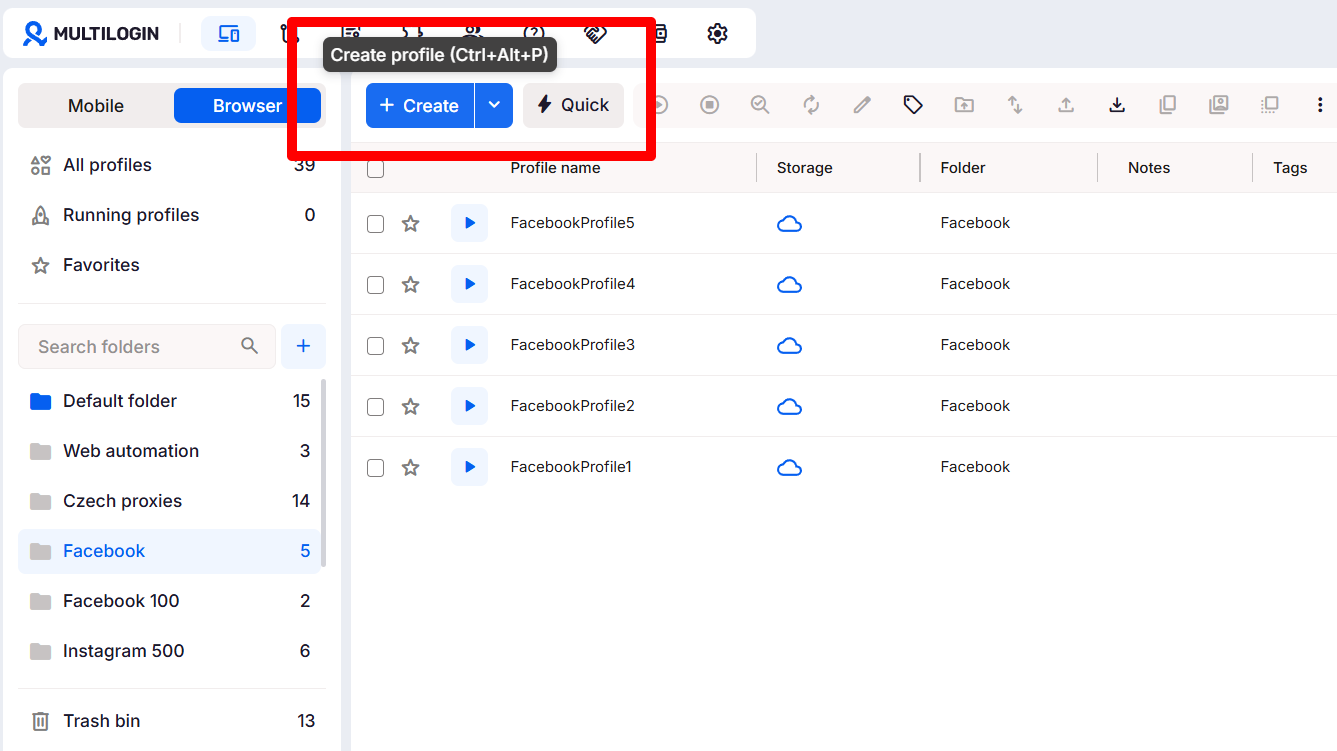
That’s where Multilogin’s browser profiles come in. They let you browse anonymously by creating isolated environments that look and behave like separate real users. Each one runs with its own fingerprint, cookies, and IP: no overlaps, no shared data, no traces linking one account to the next. Whether you’re managing Instagram and TikTok accounts for clients, running ad campaigns, or handling e-commerce stores, Multilogin keeps every profile separate, stable, and out of detection systems’ crosshairs, so you spend your time growing accounts instead of recovering them.
Why is anonymous browsing important?
Online privacy isn’t optional anymore. Every site you open leaves traces: your IP, your fingerprint, even how your mouse moves across the page. Platforms collect all of it and build a pattern around you. Once that pattern repeats across multiple accounts, it’s only a matter of time before something gets flagged.
If you manage multiple client accounts, run ad campaigns, or operate several e-commerce stores, a single trace can cost real progress. One flag, one ban, and hours of work disappear. And once a platform starts linking accounts together, you’re not just losing one, you’re losing everything connected to it.
Anonymous browsing isn’t about disappearing from the internet. It’s about control, keeping your work, your data, and your digital identity separate. With isolated profiles through Multilogin, you decide what gets tracked and what doesn’t. And if one account does get flagged, you don’t start from zero, you switch profiles, assign a fresh proxy, and keep working.
What kind of tracking should you actually worry about?
Cookies are just the surface. Modern platforms use far more advanced tracking methods, ones that can recognize you even after you’ve changed your IP, cleared your cache, or turned on a VPN. These systems don’t care what you claim to be; they care about how your browser and device behave.
Here’s what’s actually watching:
Fingerprinting. Every browser has its own signature: screen size, fonts, GPU, language, plugins, even how your system renders graphics. Combine those small details, and platforms can recognize you instantly, regardless of which IP or VPN you’re behind.
IP leaks. WebRTC and DNS leaks can quietly expose your real location. You might think you’re routed through a proxy, but one unnoticed leak undoes that effort in seconds.
Cross-account tracking. When multiple accounts share cookies, local storage, or cached sessions, platforms connect the dots fast. One flagged account can drag the rest down with it.
Anti-bot systems. Social platforms increasingly use AI to flag “unnatural” behavior: identical mouse paths, repeated login timings, or too many requests from the same setup. Once flagged, you’re blocked, banned, or shadowbanned.
That’s why browsing “privately” isn’t enough on its own. Avoiding detection takes a setup that manages fingerprints, isolates profiles, and gives each account its own IP, which is exactly what Multilogin does. Every profile looks like a genuinely separate person, not a copy trying to hide.
So what makes a browser truly anonymous?
Being private isn’t one setting, it’s a stack of protections working together. A genuinely anonymous browsing setup needs to cover every layer trackers use to link accounts:
Manage fingerprints so sites can’t match device signals across sessions
Isolate profiles so cookies, storage, and extensions never cross-contaminate accounts
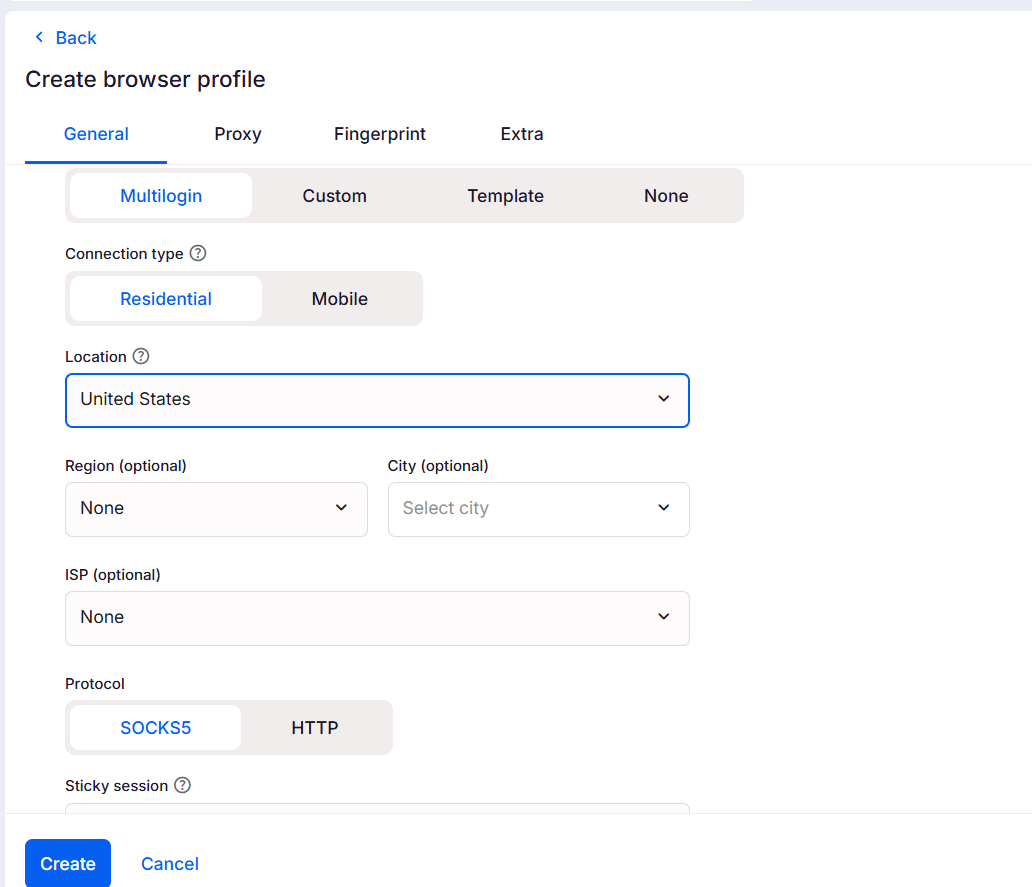
Give each profile its own IP, residential proxies work best, so location and ISP data don’t tie sessions together
Block DNS and WebRTC leaks that quietly expose your real IP
Behave like a real person, with natural timings, mouse movement, and realistic device combinations rather than robotic patterns
Multilogin covers all of this in one platform: per-profile fingerprint control, full profile isolation, built-in access to 30M+ residential and mobile proxies, leak protection, and behavior settings that mimic real human activity, so each session reads as a separate, genuine user rather than a copy.
Try Multilogin today for just U$2and see how easy anonymous browsing can be!
How does Multilogin make true anonymous browsing possible?
True anonymous browsing means controlling fingerprints, IPs, and profile data together, not just one of them. Create isolated profiles, assign a unique residential proxy per profile, enable leak protection, warm profiles with realistic browsing history, and use automation only when it mimics genuinely human behavior. If one account gets flagged, stop activity on it, clone the profile, assign a fresh proxy, warm it briefly, and move forward from there.
What you need before you start
A Multilogin account (with a free plan including 5 profiles such as free cloud phones and browser profiles, no time limit and plus proxy traffic and mobile-minute bonuses)
Residential and mobile proxy traffic (included in every Multilogin plan, with the option to add more inside the app if needed)
Clean email addresses for new accounts (never reuse ones tied to a flagged account)
A short list of target platforms and low-risk warm-up actions (browsing category pages, opening posts, liking a few items)
Time: initial setup runs about 10 to 20 minutes per profile; warming takes longer depending on the platform
1. Unique browser fingerprinting for each account
Instagram, TikTok, Facebook, and Google all link accounts through small browser signals. Fonts, screen size, audio and WebGL responses all add up to a fingerprint. Multilogin builds each profile from 50+ parameters, so those signals don’t match across accounts.
Why it matters: A shared fingerprint is one of the fastest ways to get accounts grouped and flagged together, turning a single mistake into several lost accounts.
How it works for you:
Independent accounts: each profile carries a different fingerprint, so platforms can’t tie sessions together
Human-like signals: fingerprints use realistic combinations that mirror actual devices and behavior
Fewer false positives: profiles look ordinary rather than engineered, reducing what triggers a ban
If you get banned: Stop using the flagged profile, clone it, adjust the fingerprint slightly, and move activity to the clone with a fresh proxy.
2. Residential and Mobile proxies included in every plan
Using the same IP across many accounts is one of the quickest ways to get noticed. Multilogin includes access to 30M+ residential and mobile proxies across 150+ countries in every plan, so each profile gets a different, clean location without extra setup.
Why it matters: IP address is one of the easiest signals platforms use to link accounts. Different IPs mean a lower chance of automated linking.
How it works for you:
Geo-match: pick an IP that matches the profile’s claimed location and timezone
Lower reuse: a large pool reduces the odds that other users share the same IP, keeping your profiles cleaner
Fewer network flags: residential IPs behave like real home connections, not data-center traffic
If you get banned: Swap the proxy for that profile, test the new IP, warm it briefly, then continue.
3. Efficient profile management, across browser and mobile
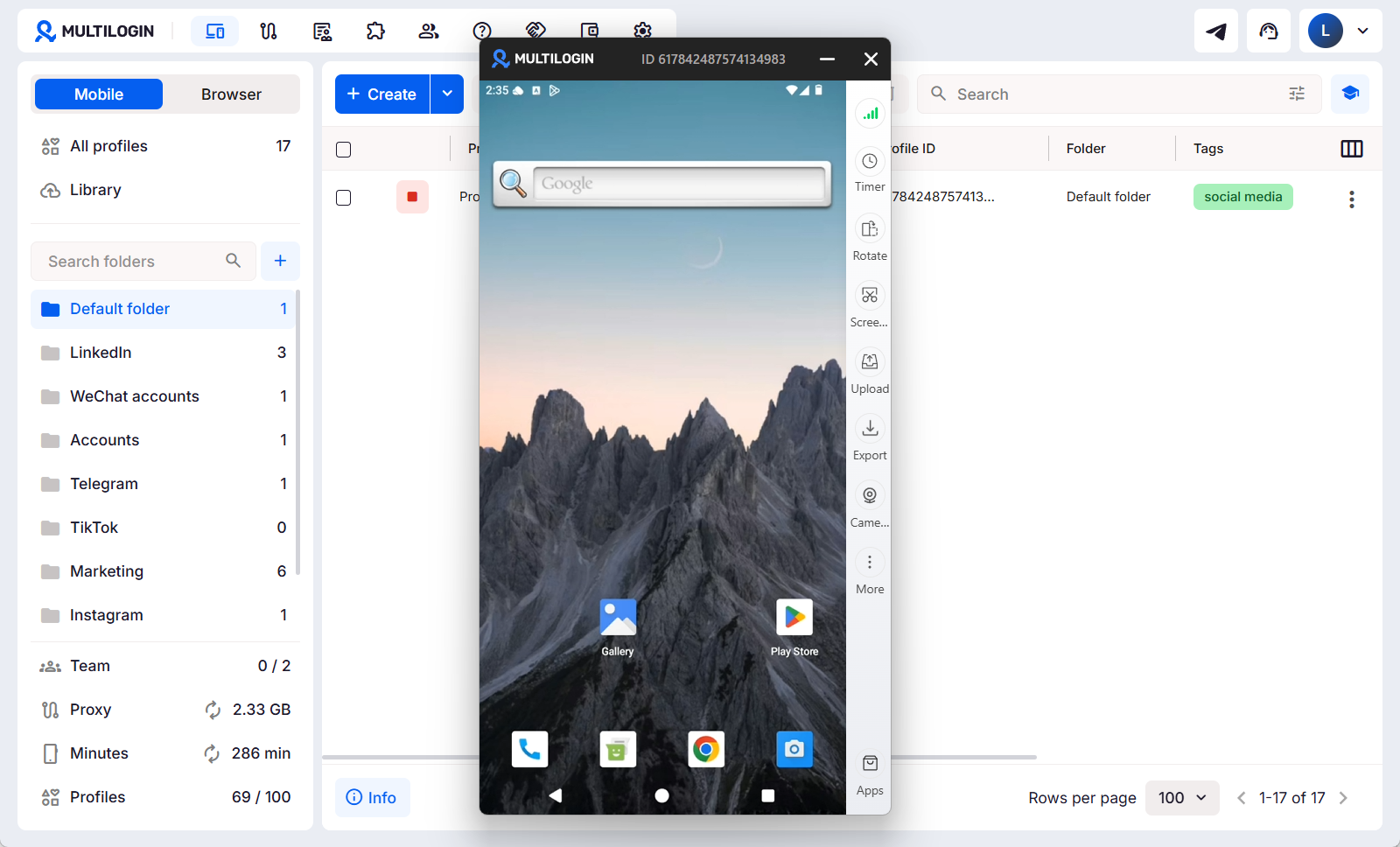
Juggling dozens of accounts across standard browser windows, and separately across a phone for the mobile app side of things, gets messy fast. Multilogin centralizes both: browser profiles for desktop work and cloud phones for Instagram, TikTok, or Facebook apps, all managed from the same dashboard.
Why it matters: Mistakes happen when setups are scattered across different tools, the wrong proxy, wrong cookie, wrong timezone, wrong device. Centralized management prevents those errors, whether the account lives in a browser tab or a mobile app.
How it works for you:
Fast switching: move between browser profiles or cloud phones without repeated logins or shared session data
Clear organization: name, tag, and sort profiles by platform, client, or region
One dashboard for both surfaces: desktop and mobile account activity stay coordinated instead of split across separate tools
Recover faster: export, import, and backup options make migrations quick and safe
If you get banned: Isolate the flagged profile in the dashboard, review its history and extensions, then restore from a known-good export.
4. Pre-farmed cookies for account warm-up
New accounts look suspicious, especially on social platforms that watch closely for sudden activity from brand-new profiles. Pre-farmed cookies simulate browsing history and soften the “brand new” signal that triggers checks on platforms like TikTok or Instagram.
Why it matters: A completely fresh session raises flags on its own. A bit of realistic history makes a profile behave like a normal, established user.
How it works for you:
Faster warm-up: apply cookies that match the profile’s fingerprint and proxy
Realistic history: cookies replicate normal visits and interactions, lowering scrutiny
Selective use: apply cookies only when they fit the profile’s region and device settings
If you get banned: Don’t reuse the same cookies. Build a fresh warmed profile or apply a new cookie set aligned with a different fingerprint and proxy.
5. Profile export and import for easy migration
Teams and freelancers move between devices constantly. Export and import preserves fingerprints, settings, and cookies so profiles stay consistent no matter which machine they’re running on.
Why it matters: Inconsistent setups during migration create impossible device combinations, the kind that raise flags immediately.
How it works for you:
Seamless migration: move profiles without rebuilding settings or losing warm-up history
Audit trail: exports let you track where a profile came from and when it was last modified
Safe sharing: export only what’s needed, and re-import under controlled access
If you get banned: Roll back to the last good export, compare what changed, and restore a clean copy while you investigate the flagged session.
6. Team access and collaboration
Working across many accounts as a team breaks isolation fast unless access is actually controlled. Multilogin’s role-based permissions keep shared work secure and accountable, especially for agencies managing several clients’ social media accounts at once.
Why it matters: Loose access leads to accidental overlap, someone uses the wrong profile, shares credentials, or logs into the wrong client’s account, and the whole set risks getting linked.
How it works for you:
Role control: give team members access only to the profiles and actions they actually need
Shared workflows: assign, audit, and track who changed what and when
Safe scale: teams can run many profiles, across both browser and cloud phone, without mixing sensitive data
If you get banned: Revoke access to the affected profile, audit recent edits, and roll activity over to a duplicated, cleaned profile.
Try Multilogin for $2 and create multiple isolated profiles with no issues.
No. Incognito or Private Mode gives a false sense of safety. It only hides your history from other people using your device, not from the internet itself. Websites still see your IP, your browser fingerprint, and every small detail that makes your device unique. Bans and shadowbans still happen even when you think you’re being careful, because incognito was never built to solve that problem.
If you’re running multiple accounts from the same browser, that identical fingerprint follows every session. Once one account gets flagged, the rest are next. Relying on Incognito mode alone is a bit like wearing sunglasses and calling it a disguise, it doesn’t fool the systems actually watching.
What actually happens when you open a private window?
Your browser stops saving local data. It clears cookies and history once you close the tab. But behind the scenes, a few things stay exactly the same:
Your IP stays the same, exposing your real location
Your browser fingerprint doesn’t change, same fonts, same resolution, same system info
Trackers and scripts keep collecting data in real time
Network-level monitoring still logs what you visit
So you look private on your own device, but to the internet, you’re still the same person. If an account gets banned, that fingerprint can still trace back to everything else tied to it. True anonymous browsing requires full profile isolation, fingerprint control, and unique IPs, exactly what Multilogin is built for.
Final verdict
Multilogin closes the gap between “private mode” and genuinely anonymous browsing. Create isolated profiles, pair each with its own residential or mobile proxy from Multilogin’s 30M+ pool, enable leak protection, and warm profiles before heavy use, that combination is what actually breaks tracking and stops accounts from being linked. For social media accounts managed through a mobile app rather than a browser, cloud phones extend that same isolation to Android, so the mobile side of an operation isn’t the weak point in an otherwise solid setup.
If one profile does get flagged, don’t panic: stop activity, duplicate the profile, assign a fresh residential proxy, warm the duplicate with low-risk browsing or pre-farmed cookies, and move tasks there. That workflow turns hours of cleanup into a few manageable steps.
Bottom line: browsing anonymously at scale takes a setup that controls fingerprints, IPs, and profile data together, across both browser and mobile. Multilogin does exactly that, and the free plan is the fastest way to see it in action.
Use isolated browser profiles with unique fingerprints and a different residential or mobile IP for each session. Create one profile per account, enable WebRTC and DNS leak protection, warm the profile with low-risk browsing or pre-farmed cookies, and match the proxy’s geo to the profile’s timezone. For accounts managed through a mobile app rather than a browser, use a cloud phone instead, so mobile activity gets the same isolation. If you get banned, stop using the flagged profile, duplicate it, assign a fresh proxy, warm the duplicate, then move activity there.
How to browse anonymously on Reddit?
Set up a dedicated profile or cloud phone for each Reddit account, use a residential or mobile proxy that matches the account’s claimed country, and avoid cross-posting identical links or copy/paste text across accounts. Build post history gradually—comment, upvote, and browse for days before posting heavy links or promotions. If a subreddit flags you: pause activity on that profile, clone it with a new proxy, warm the clone, and resume with slower, natural engagement.
Can I browse anonymously with Multilogin?
Yes. Multilogin gives you per-profile fingerprint control, leak protection, and access to 30M+ residential and mobile IPs included in every plan, so each session looks like a real, separate user. Use the fingerprint editor, proxy settings, and warm-up features to make browser profiles realistic, and use cloud phones for accounts managed through a mobile app instead of a browser. If a profile gets flagged, duplicate it inside Multilogin, assign a fresh proxy, warm it, and continue.
How to browse anonymously without a VPN?
You don’t need a VPN to be anonymous—what matters is per-profile IPs, fingerprint isolation, and leak protection. Use residential proxies per profile, block WebRTC/DNS leaks, and manage cookies and storage per session. If you relied on a VPN and still got linked, switch the compromised profile to a fresh residential proxy and warm a new profile before continuing.
What should I do immediately after an account gets banned?
Stop all activity on the affected profile to prevent further linkage. Duplicate the profile, give the duplicate a new residential proxy, warm it with low-risk browsing or matching pre-farmed cookies, and move tasks to the duplicate. Audit the banned profile for shared cookies, extensions, or impossible fingerprint combos and fix the root cause before reusing similar settings.
Manage Unlimited Mobile & Web Accounts
Manage your accounts
without restrictions or interruptions
Hi, I’m Gayane G., a passionate content creator at Multilogin. With a degree in Marketing and over 9 years of experience, I focus on creating engaging digital content that resonates with audiences. When I’m not writing, you can find me traveling, trying new recipes, or curled up with a good book.