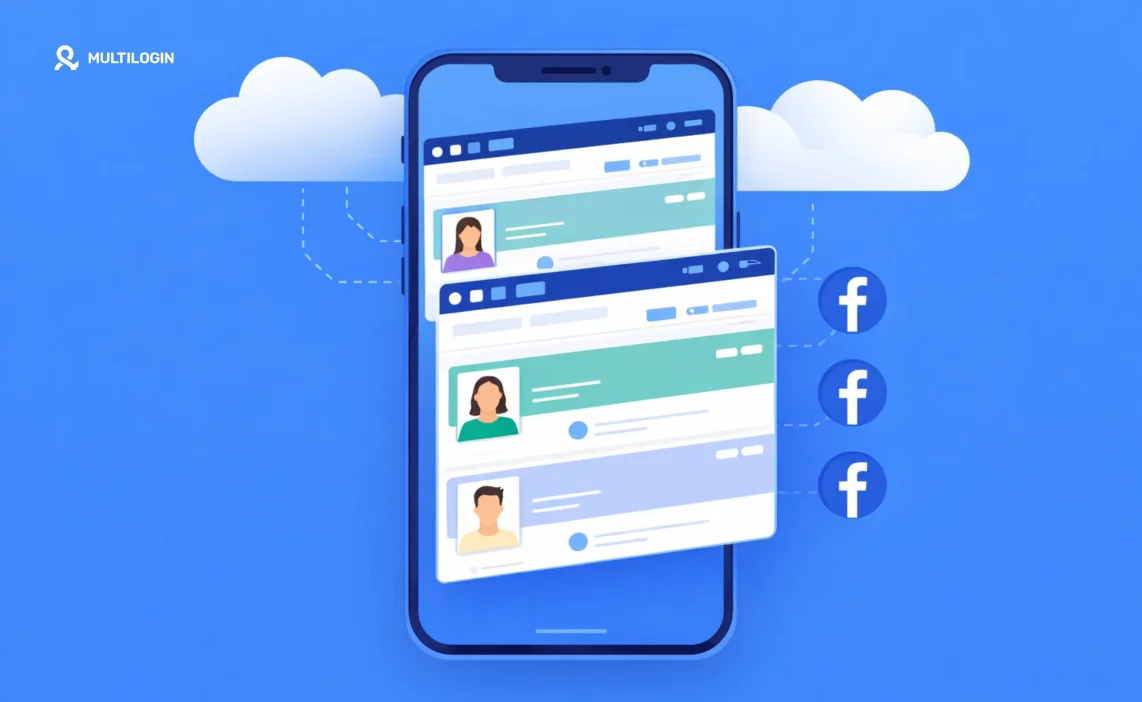

Need a stable mobile environment for Facebook accounts? Use a real cloud-based Android phone!
Your Facebook ad account just got restricted. Again.
Not because you did anything wrong. Not because you violated policies. But because Facebook’s security system flagged you for logging into five different client accounts from the same laptop this morning.
Now you’re locked out. Your client’s campaign is paused mid-flight. You’re spending your afternoon verifying your identity and explaining to an angry client why their ads stopped running.
This is the hidden cost of managing Facebook ads for multiple clients in 2026. The tools everyone recommends (multiple browsers, VPNs, incognito mode) don’t actually solve the problem. Facebook’s detection systems are too sophisticated.
They track device fingerprints, login patterns, behavioral signals, and dozens of other data points that reveal when one person is managing multiple accounts. And when they detect it, accounts get flagged, restricted, or banned.
The solution isn’t better password management or smarter VPN usage. The solution is giving each client account its own completely isolated environment that Facebook recognizes as a separate device.
That’s exactly what cloud phones do.
This guide explains why cloud phones have become essential for professional Facebook ads management, how they prevent account restrictions, and how agencies are using them to manage dozens of client accounts without triggering Facebook’s security systems.
The Real Problem with Managing Multiple Facebook Ad Accounts
Before we talk about solutions, let’s be clear about the problem.
Why Facebook Flags Agency Accounts (Even When You’re Legitimate)
Facebook’s security systems are designed to catch one thing: unusual activity patterns.
What counts as “unusual”?
- Logging into 10 different ad accounts in one day
- Managing accounts for businesses in different cities from the same IP address
- Accessing the same account from multiple devices or locations
- Switching between accounts rapidly
- Running similar campaigns across different accounts
Here’s the issue: these are all normal activities for agencies and freelance media buyers.
You’re supposed to manage multiple clients. You’re supposed to access accounts from your office. You’re supposed to check campaigns multiple times per day.
But to Facebook’s automated security system, this looks suspicious. It looks like:
- Account takeover attempts
- Bot activity
- Someone trying to evade bans
- Coordinated inauthentic behavior
What Happens When Facebook Detects “Suspicious Activity”
The consequences aren’t minor inconveniences:
- Immediate account restrictions: Campaigns stop running. Money stops flowing. Clients start panicking.
- Forced password resets: You need to reset passwords for multiple accounts, coordinate with clients, and waste hours just getting back in.
- Two-factor authentication challenges: Every single login requires a code from your phone. Switch between 10 accounts and you’re entering 10 different codes.
- Identity verification requirements: Submit your driver’s license, wait for review, hope they approve it.
- Ad account suspensions: The worst outcome. Entire ad accounts get disabled, and getting them reinstated can take weeks or be impossible.
- Business Manager restrictions: Even worse, your entire Business Manager gets flagged, affecting all clients at once.
One agency owner told us they lost a $50,000 client because Facebook restricted the ad account right before a major product launch. The account stayed locked for three weeks. The client couldn’t wait and moved to another agency.
That’s not a Facebook Ads Manager problem. That’s an account isolation problem.
Why Traditional Solutions Don’t Work
Most agencies try to solve this with makeshift approaches:
- Multiple browsers: Use Chrome for Client A, Firefox for Client B, Safari for Client C.
- Problem: Facebook tracks way more than just cookies. Your device fingerprint (screen resolution, installed fonts, WebGL parameters, hardware specs) stays the same across all browsers.
- Browser profiles or incognito mode: Create separate Chrome profiles or use private browsing.
- Problem: Same device fingerprint. Facebook can still tell it’s the same physical computer.
- VPNs: Mask your IP address to appear in different locations.
- Problem: VPNs only change your IP. They don’t change your device parameters, browser fingerprint, time zone settings, or behavioral patterns. Plus, Facebook is really good at detecting VPN usage.
- Multiple computers: Buy different laptops for different clients.
- Problem: Expensive, impractical, and hard to manage. Plus, you still have the login pattern issue if you’re accessing everything from the same physical location.
- Residential proxies: Use higher-quality proxies that look like real home internet connections.
- Problem: Better than VPNs, but still doesn’t solve the device fingerprint issue. You’re just changing the IP address, not creating a truly separate environment.
The fundamental issue is that all of these approaches are trying to trick Facebook’s detection systems. And Facebook’s systems are specifically designed not to be tricked.
What Are Cloud Phones and Why They Solve the Facebook Ads Problem
Cloud phones take a completely different approach.
Instead of trying to disguise that you’re managing multiple accounts from one device, cloud phones give you multiple actual devices.
How Cloud Phones Work
A cloud phone is a real Android device running in the cloud that you control from your desktop.
Each cloud phone:
- Runs a complete Android operating system (versions 10-15)
- Has genuine hardware identifiers (IMEI, Android ID, MAC address)
- Contains real SIM card and mobile network data
- Operates with authentic GPS and location information
- Can install and run any Android app, including Facebook Ads Manager mobile app
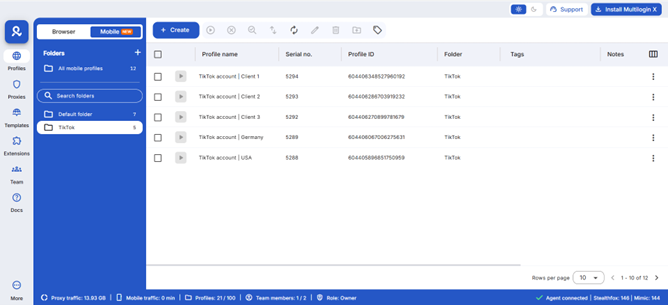
To Facebook’s detection systems, each cloud phone looks exactly like a real, separate Android phone because it essentially is one.
Why This Matters for Facebook Ads Management
When you manage Client A’s Facebook ads from Cloud Phone A and Client B’s ads from Cloud Phone B, Facebook sees:
- Two completely different devices
- Two different hardware fingerprints
- Two different sets of network data
- Two different physical locations (if you set them up that way)
- Two separate behavioral patterns
There’s no detection to bypass. There’s no system to trick. Each account genuinely is being accessed from a different device.
The result: No more “suspicious activity” flags. No more account restrictions. No more explaining to clients why their campaigns went dark.
The Account Isolation Difference
Here’s what proper account isolation with cloud phones looks like in practice:
Without cloud phones (traditional approach):
- 9:00 AM: Log into Client A’s account in Chrome
- 9:30 AM: Log out, log into Client B’s account in Firefox
- 10:00 AM: Log out, log into Client C’s account in Safari
- 10:15 AM: Facebook security alert on Client B’s account
- 10:30 AM: Two-factor authentication challenge on Client A’s account
- 11:00 AM: Client C’s ad account gets restricted
- 11:00 AM – 2:00 PM: Wrestling with Facebook support
With cloud phones:
- 9:00 AM: Open Client A’s cloud phone (already logged in, Dallas IP)
- Check campaigns, make adjustments, done
- 9:15 AM: Open Client B’s cloud phone (already logged in, Seattle IP)
- Check campaigns, make adjustments, done
- 9:30 AM: Open Client C’s cloud phone (already logged in, Miami IP)
- Check campaigns, make adjustments, done
- No security alerts. No authentication challenges. No restrictions.
Each client account maintains its own consistent identity over time, building natural usage patterns that Facebook recognizes as legitimate.
What Is Facebook Ads Manager?
Facebook Ads Manager is Meta’s official platform for creating, managing, and analyzing advertising campaigns across Facebook, Instagram, Messenger, and the Audience Network.
It’s the central hub where you:
- Create and launch ad campaigns
- Set budgets and bidding strategies
- Define target audiences
- Design ad creatives
- Monitor performance metrics
- Generate reports
- Manage multiple ad accounts
- Split test different ad variations
Think of it as your command center for all Facebook and Instagram advertising activities.
Facebook Ads Manager Features 2026
Meta continues to update Ads Manager with new capabilities. In 2026, key features include:
- AI-Powered Campaign Optimization: Advantage+ campaigns that automatically optimize creative, targeting, and placements.
- Enhanced Attribution: Better tracking across iOS devices despite privacy restrictions.
- Unified Reporting Dashboard: See performance across Facebook, Instagram, WhatsApp, and Messenger in one place.
- Improved Creative Tools: Built-in video editing, dynamic creative testing, and AI-generated variations.
- Advanced Audience Targeting: More sophisticated interest and behavior targeting options.
- Cross-Platform Campaign Management: Manage TikTok and other platform ads alongside Meta campaigns (limited integration).
- Real-Time Collaboration: Multiple team members can work on campaigns simultaneously with better permission controls.
Why Most Agencies Can’t Use These Features Effectively
Here’s the irony: Facebook Ads Manager has never been more powerful. The tools are incredible. The targeting is sophisticated. The optimization is AI-driven.
But if you’re managing multiple client accounts, you’re probably not experiencing any of that.
Instead, you’re dealing with:
- Constant login and logout cycles
- Security verification requests
- Account restriction warnings
- The fear that the next client you onboard will trigger a ban on all your accounts
The platform is built for power users. But the security system punishes anyone who uses it like a power user.
This is why cloud phones aren’t optional anymore. They’re the foundation that lets you actually use Facebook Ads Manager the way it was designed to be used.
When each client account has its own isolated environment:
- You can access advanced features without fear
- You can test aggressively without triggering alarms
- You can onboard new clients without worrying about account linking
- You can actually focus on campaign performance instead of account security
Let’s talk about how to access Ads Manager, then we’ll cover the specific cloud phone setup that agencies are using to manage accounts at scale.
Managing Facebook Ads for Small Business
Small businesses face unique challenges with Facebook advertising.
Facebook Ads Management for Small Business: Common Struggles
- Limited Budget: Every dollar matters, so mistakes are costly.
- Time Constraints: Small business owners wear many hats and can’t monitor ads constantly.
- Learning Curve: Facebook Ads Manager is complex, and small businesses don’t have time for extensive training.
- Competition with Big Brands: Competing in auctions against companies with unlimited budgets.
- Account Security Issues: Getting locked out can halt all marketing efforts immediately.
- Growth Limitations: When you want to run ads for multiple brands or locations, the multi-account problem appears even at small scale.
The Small Business Multi-Account Scenario
Many small business owners don’t realize they’re heading toward a multi-account problem until it’s too late.
Common scenarios:
- You have a main business and a side hustle
- You run ads for your business and also help a friend with theirs
- You have multiple locations that need separate ad accounts
- You acquire or launch a second brand
- You start a new venture while maintaining the old one
Suddenly, you’re logging into 2-3 different ad accounts from the same laptop. Then Facebook starts asking questions.
The solution doesn’t have to be complex: Even small businesses benefit from proper account isolation. Cloud phones work just as well for managing 2 accounts as they do for managing 20.
Facebook Ads Management for Small Businesses: Best Practices
- Start Small and Test: Begin with $10-20/day to learn what works before scaling.
- Use Simple Campaign Structures: Don’t overcomplicate with dozens of ad sets. Start with 1-3 well-targeted audiences.
- Leverage Automatic Placements: Let Facebook optimize where ads appear instead of manually selecting every placement.
- Focus on One Objective: Don’t try to do everything at once. Focus on leads OR sales OR awareness, not all three.
- Use Advantage+ Campaigns: Let AI handle optimization while you focus on creative and offer.
- Monitor Daily (But Don’t Over-Adjust): Check performance daily but only make changes weekly to allow data to accumulate.
The Challenge of Managing Multiple Facebook Ad Accounts
Here’s where everything we’ve discussed comes together.
Why Managing Facebook Ads at Scale Is Impossible Without Proper Infrastructure
When you manage ads for multiple clients, you face a fundamental conflict:
- What you need to do: Access multiple ad accounts throughout the day, make quick optimizations, monitor performance, respond to issues immediately.
- What Facebook’s security sees: Rapid account switching, multiple logins from the same device, different businesses all managed from one location, unusual patterns that look like automation or account takeover.
- The result: You’re trying to do your job, and Facebook’s systems are trying to stop you.
This isn’t a training issue. You can master Facebook Ads Manager completely and still face these problems. This isn’t a strategy issue. You can have the best campaigns in the world and still get accounts restricted.
This is an infrastructure issue.
And infrastructure issues require infrastructure solutions.
The Real Cost of Not Solving This Problem
Let’s be specific about what happens when you try to manage multiple Facebook ad accounts without proper account isolation:
- Time waste: 5-10 hours per week dealing with security prompts, verification requests, and authentication challenges.
- Campaign interruptions: Ads stop running when accounts get restricted, causing performance drops and budget waste.
- Client dissatisfaction: Explaining account problems to clients who just want their ads to run makes you look unprofessional.
- Revenue risk: When clients leave because of repeated account issues, you lose recurring revenue.
- Growth limitation: You can’t onboard new clients confidently because each new account increases the risk of Facebook flagging everything.
- Stress and anxiety: Constant fear that the next login will trigger a restriction that affects multiple clients.
One agency calculated they were losing $30,000 per year in billable hours just dealing with Facebook account issues. Another estimated they’d lost $100,000 in client lifetime value from churn caused by account restrictions.
The infrastructure investment to prevent these problems costs less than the problems themselves.
Why Managing Facebook Ads at Scale Requires True Device Separation
Facebook’s detection isn’t just looking at one thing. It’s analyzing:
- Device fingerprinting: Hardware specs, screen resolution, installed fonts, WebGL parameters, Canvas fingerprinting, audio context, browser plugins, system fonts, timezone, language settings.
- Behavioral analysis: Typing patterns, mouse movements, scroll behavior, interaction timing, navigation patterns.
- Network analysis: IP address, geolocation, ISP information, connection type, proxy detection.
- Account relationship mapping: Which accounts are accessed from which devices, login time patterns, geographic consistency, behavioral similarity.
- Session analysis: How long between logins, how sessions are maintained, cookie behavior, local storage patterns.
You can’t fake all of this. Trying to manipulate individual elements (like using a VPN to change your IP) doesn’t work when Facebook is analyzing dozens of other signals simultaneously.
The only actual solution is true device separation. And the only practical way to achieve true device separation at scale is cloud phones.
What Agencies Actually Need for Multi-Account Management
Stop thinking about tools and hacks. Start thinking about infrastructure requirements:
- Requirement 1: Separate Device Identity Each client account needs its own unique device fingerprint that stays consistent over time.
- Requirement 2: Location Consistency
If your client is in Denver, their ads should be managed from Denver IP addresses with Denver mobile network data. - Requirement 3: Persistent Sessions Staying logged in between work sessions creates natural usage patterns instead of suspicious rapid logins.
- Requirement 4: Scalability The solution needs to work just as well for 5 clients as it does for 50.
- Requirement 5: Team Access Multiple team members need secure access to specific accounts without password sharing.
- Requirement 6: Centralized Management You need one organized dashboard to see and access all client accounts, not 20 different tabs or apps.
Cloud phones meet all six requirements. Traditional approaches meet maybe one or two.
Cloud Phones for Facebook Ads Management: The Professional Solution
Cloud phones solve the account isolation problem that agencies face.
What Are Cloud Phones?
Cloud phones are virtual Android devices hosted in the cloud that you control from your desktop.
Each cloud phone:
- Runs a complete Android operating system
- Has genuine hardware identifiers (IMEI, Android ID, MAC address)
- Can install and run native mobile apps
- Appears to Facebook as a completely separate physical device
Why Cloud Phones Matter for Facebook Ads Management
- True Account Isolation: Each client’s ad account runs in its own cloud phone with unique device parameters. Facebook sees them as different devices, not one person juggling accounts.
- Location Matching: If your client is based in Dallas, their cloud phone can run from a Dallas IP address with Dallas mobile network data. This eliminates location inconsistency flags.
- Persistent Sessions: Stay logged into each account without constant password entry or two-factor authentication challenges.
- Native App Access: Use the Facebook Ads Manager mobile app, which sometimes has features or better performance than the web version.
- Team Collaboration: Multiple team members can access the same client accounts through shared cloud phones without password sharing.
- Scalability: Manage 10 clients or 100 clients with the same organized workflow.
How Multilogin Cloud Phones Work for Facebook Ads Management
Multilogin Cloud Phones provides the complete solution agencies need:
- Real Android Cloud Phones: Each account runs in an authentic Android environment with genuine hardware IDs. Not emulated, not spoofed. Real device parameters that pass all detection systems.
- Built-In Location-Based Proxies: Choose the region for each client, and mobile-grade residential proxies are automatically assigned. IP, GPS, and network data all match perfectly.
- 2-in-1 Platform: When you get Cloud Phones, you automatically get full access to the leading antidetect browser in the same dashboard. Manage both mobile app work and web-based Facebook Ads Manager from one place.
- Persistent App Sessions: Log into Facebook Ads Manager once per account. The session stays active between uses, maintaining natural account behavior patterns.
- Unified Management Dashboard: Organize all your client accounts with custom tags, color coding, and notes. See everything at a glance.
- Team Collaboration: Share specific cloud phones with team members. Set granular permissions for who can access what. Unlimited team seats on business plans.
- Usage-Based Pricing: Pay only for what you use starting at €0.009 per minute. Unused minutes roll over with an active subscription.
Real-World Workflow with Cloud Phones
Morning routine:
- Open Multilogin dashboard
- See all client accounts organized by name
- Launch Client A’s cloud phone
- Facebook Ads Manager is already logged in
- Check campaign performance, make adjustments
- Close when done
- Launch Client B’s cloud phone
- Repeat
No logging in and out. No “verify your identity” prompts. No security flags.
Each client account maintains its own consistent identity, running from the appropriate location, with persistent login sessions.
Need a better way to manage facebook ads? Try Multilogin Cloud Phones.
Managing Facebook Ads Professionally in 2026
Facebook Ads Manager is powerful, but managing multiple accounts professionally requires more than just knowing how to navigate the platform.
You need:
✅ Proper account isolation to prevent security flags
✅ Location matching for each client account
✅ Persistent sessions that maintain natural behavior patterns
✅ Team collaboration tools with granular permissions
✅ A unified dashboard to organize everything
Multilogin Cloud Phones delivers all of this in one platform:
- Real Android cloud phones with genuine hardware identifiers
- Built-in residential proxies matched to each account’s location
- Leading antidetect browser included for web-based work
- Persistent app data and login sessions
- Team collaboration with unlimited seats on business plans
- Usage-based pricing starting at €0.009 per minute
Stop risking client accounts with makeshift solutions. Get professional account isolation that actually works.
👉 Try Multilogin Cloud Phones today and manage Facebook ads the way agencies should.
Start your trial and see why leading agencies trust Multilogin for multi-account Facebook ads management.
Frequently Asked Questions About Facebook Ads Manager
Facebook Ads Manager is Meta’s official platform for creating, managing, and analyzing advertising campaigns across Facebook, Instagram, Messenger, and Audience Network. It’s where businesses and agencies control their paid social media advertising.
The easiest way is to go directly to business.facebook.com/adsmanager in any web browser. You can also access it from the Facebook menu (click the 9 dots icon in the top right and select “Ads Manager”) or download the Meta Ads Manager mobile app.
Look for the menu icon (three horizontal lines or 9 dots) in the top right corner of Facebook. Click it, scroll down to “All Tools,” and select “Ads Manager.” Once accessed, Facebook usually adds it to your shortcuts for easier future access.
Yes, Facebook Ads Manager itself is free. You only pay for the actual advertising spend (what you pay Facebook to show your ads). There are no fees to access or use the Ads Manager platform.
Business Manager is the organizational structure that houses your business assets (ad accounts, pages, team members). Ads Manager is the specific tool within that structure where you create and manage advertising campaigns. Think of Business Manager as the company headquarters and Ads Manager as the marketing department.
Yes. Small businesses should start with simple campaign structures, use Advantage+ campaigns for AI optimization, focus on one objective at a time, and begin with small daily budgets ($10-20) to test what works before scaling. The key is consistency and patience rather than complexity.
Facebook’s security systems detect when multiple accounts are accessed from the same device and IP address, which triggers suspicious activity warnings, forced password resets, and potential account restrictions. This makes managing client accounts challenging without proper account isolation technology.

