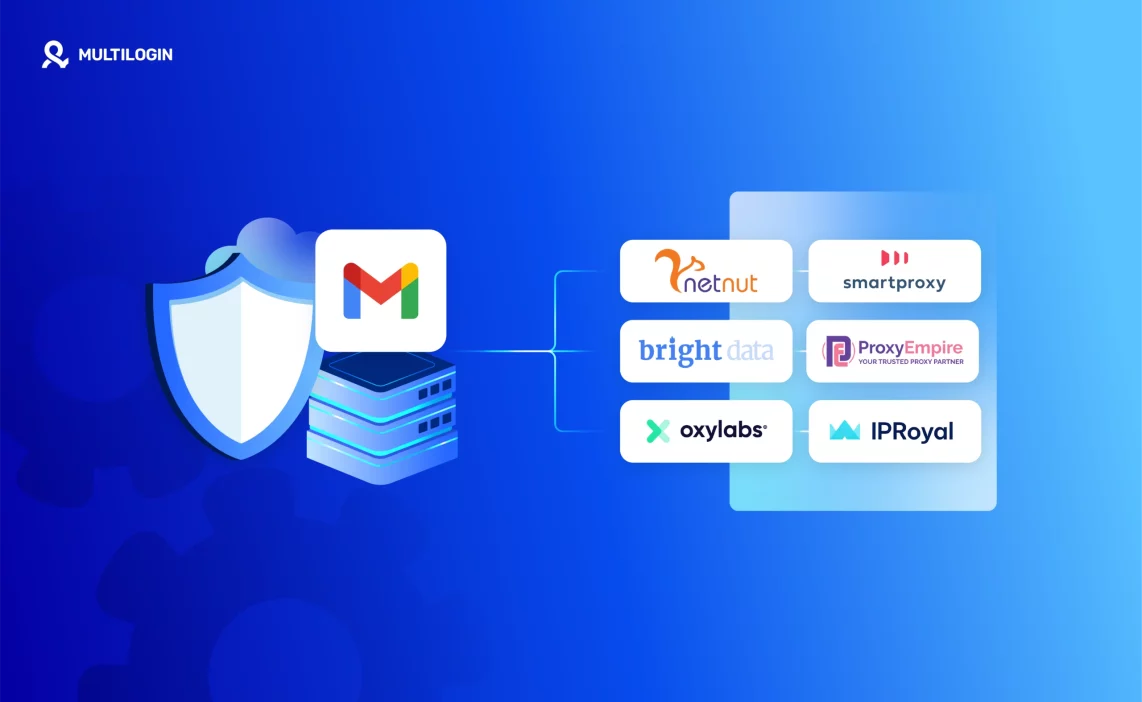

Managing multiple Gmail accounts, running cold outreach at scale, or logging in from different countries puts you on Google’s radar immediately. Not because you’re doing anything wrong. Because Gmail’s detection systems treat any pattern that deviates from single-user behavior as a threat.
The result is familiar to anyone who has tried to run Gmail operations without the right setup: endless “Verify it’s you” loops, unexpected logouts, temporary suspensions, and in the worst cases, full account bans triggered by nothing more than accessing two inboxes from the same device.
This guide covers everything you need to run Gmail accounts safely at scale: what makes a proxy Gmail-compatible, which providers actually work in 2026, why proxies alone are not enough, and how to build a complete stack that handles Google’s multi-layer detection.
Why Gmail Blocks Proxies (And What It’s Actually Detecting)
Gmail is the most-used email service in the world, which makes it the most targeted. Google’s security systems are not built around blocking proxies specifically. They’re built around detecting behavior that doesn’t match a normal single user, and proxies often trigger that detection as a side effect.
What Gmail’s detection actually looks at:
- IP geolocation and history. Gmail tracks where your account has logged in from historically. A login from a new country or city triggers verification. A login from a datacenter IP range triggers immediate suspicion. A login from an IP that has been flagged across Google’s network for spam or abuse can result in instant lockout.
- Device fingerprinting. Your browser sends dozens of signals with every request: operating system, screen resolution, fonts installed, WebGL renderer, canvas rendering output, audio context, timezone, language settings, and more. Gmail builds a device identity from these signals and checks whether new logins match the expected profile.
- Session consistency. If your IP changes mid-session, or if the fingerprint associated with a session suddenly changes, Gmail treats that as a session hijack.
- Login behavior patterns. Accessing multiple accounts in rapid succession from one device, logging into accounts that have never been linked, or performing actions that match automation patterns all trigger additional scrutiny.
- Proxy and VPN detection. Google maintains lists of datacenter IP ranges and known VPN exit nodes. Residential proxies from legitimate ISPs pass this check. Datacenter proxies and consumer VPNs often fail it.
Understanding this layered detection is the reason a simple proxy recommendation is never sufficient. You need to match the right proxy type to the right profile management tool. Both layers have to work together.
Who Actually Needs Gmail Proxies
You’re not trying to bypass security for fraudulent purposes. Gmail’s detection just can’t tell the difference between a fraudster and a legitimate operator managing multiple inboxes, and it defaults to suspicion.
- Cold email agencies and outreach teams running 5, 10, or 100+ Gmail inboxes for sales campaigns need separate IPs and isolated environments for each account. Without this, account linkages trigger deliverability problems and mass suspensions that kill entire campaigns.
- Freelancers and virtual assistants managing client Gmail or Google Workspace accounts from one device get flagged for multi-login patterns constantly. Each client account needs its own device identity.
- Remote teams working across regions where multiple team members log into shared Gmail accounts from different cities or countries. Geographic inconsistency in login history is one of Gmail’s most common suspension triggers.
- SaaS and e-commerce businesses managing support inboxes, regional email campaigns, or order-update workflows at scale need stable IP sessions to prevent constant logouts and verification loops.
- Agencies managing Google Ads accounts alongside Gmail often encounter compound detection because Google links activity across its entire product ecosystem. Accessing Gmail and Google Ads from the same flagged setup amplifies the risk.
What Makes a Proxy Gmail-Safe
Not all proxies work with Gmail. The ones that do share specific characteristics.
Residential IPs
Residential proxies use IP addresses assigned by ISPs to real home internet connections. Gmail sees these as traffic from genuine users. Datacenter proxies use IP ranges that belong to cloud hosting companies. Gmail has catalogued most of these ranges and treats traffic from them as inherently suspicious.
For Gmail specifically, residential proxies are not a nice-to-have. They are the baseline requirement for reliable access.
Sticky Sessions
Gmail’s session management expects your IP to remain consistent for the duration of a login session. Rotating proxies that change IP with every request or every few minutes will break the session consistency Gmail expects and trigger re-verification loops. Sticky sessions maintain the same IP for 10-30 minutes or longer, matching normal user behavior.
Location Control
Gmail flags logins that appear to come from locations inconsistent with account history. If your Gmail account was created and always accessed from the US, a login from a Brazilian IP triggers a verification challenge. Reliable Gmail proxies offer city-level or country-level targeting so you can match the proxy location to the account’s established login history.
Low Latency
Gmail’s login flow has timing expectations. A proxy that introduces significant latency can cause timeout errors that trigger additional verification steps or appear as automated behavior.
Clean IP History
Shared proxy pools can include IPs that have been previously used for spam, abuse, or fraudulent activity across Google’s network. Google’s IP reputation systems blacklist these at the network level, so an IP that worked last week may not work today. Premium residential proxy providers cycle IPs and monitor reputation. Cheap or free proxy lists use whatever IPs are available, including heavily flagged ones.
The Best Proxy Sites for Gmail in 2026
1. NodeMaven
NodeMaven offers residential proxies purpose-built for stability and compatibility with high-security platforms including Gmail. The combination of clean residential IPs, city-level targeting, and sticky session support makes it the most consistently recommended option for Gmail-specific operations.
What works well for Gmail:
- Clean residential IPs from real ISP-assigned connections
- Sticky sessions up to 30 minutes, matching Gmail’s session expectations
- City-level geo-targeting to match proxy location to account history
- Low ban rates on Google properties compared to the category average
- Direct integration tested with Multilogin profiles
Best for: Cold email agencies, VAs managing client Gmail accounts, outreach teams running multiple inboxes.
2. Oxylabs
Oxylabs maintains one of the largest residential proxy pools globally, which matters for Gmail operations at scale where IP freshness is a constraint. For enterprise teams running hundreds of Gmail accounts where you need a consistent supply of clean, unburned IPs, the pool size becomes a real operational advantage.
What works well for Gmail:
- 100M+ residential IPs across 195+ locations
- Reliable uptime and connection stability
- Advanced session control
- Strong reputation across Google properties
Consideration: Pricing is positioned for enterprise use. For smaller operations, the cost may exceed what the use case requires.
3. Decodo (formerly Smartproxy)
Decodo offers residential proxies with strong value-to-performance for Gmail operations that don’t require enterprise-scale IP volume. The sticky session support and clean residential pool handle standard Gmail multi-account management reliably.
What works well for Gmail:
- 40M+ residential IPs across 195 locations
- Sticky session support
- Clear pricing tiers for different operation sizes
- Solid performance on Google Workspace accounts
Note: Like all residential proxy providers, Smartproxy handles the IP layer. Browser fingerprint management requires a separate tool (covered below).
4. IPRoyal
IPRoyal provides cost-effective residential proxies that work for smaller Gmail operations where managing a few accounts is the primary requirement. The IP pool is smaller than the enterprise providers, which means IP freshness can be a constraint at volume.
What works well for Gmail:
- Affordable entry-level pricing
- Residential IPs that pass basic Gmail detection
- Quick setup for basic multi-account workflows
Limitation: Less IP diversity for large-scale operations. Suitable for managing up to a few dozen Gmail accounts rather than hundreds.
5. Bright Data
Bright Data (formerly Luminati) offers the broadest proxy infrastructure in the market, covering residential, ISP, datacenter, and mobile proxies. For Gmail operations that require specific IP types for specific account scenarios (mobile proxies for mobile-app Gmail access, ISP proxies for maximum trust scores), the variety is unmatched.
What works well for Gmail:
- 72M+ residential IPs globally
- Mobile proxies for Gmail access patterns matching mobile users
- ISP proxies combining residential IP legitimacy with datacenter-grade speed
- Enterprise-level session management
Consideration: The breadth of options requires more configuration work to match the right proxy type to each use case.
Free Proxy for Gmail: What You Should Know
Free Gmail proxies exist. The consistent experience with them is negative.
The problems are structural. Free proxy lists are publicly available, which means any IP on them has been tried by thousands of users before you. Google’s IP reputation systems have already catalogued these IPs and flag them immediately. Free proxies typically lack sticky sessions, meaning your Gmail session breaks mid-login. There is no IP hygiene: these IPs carry ban histories from every previous use.
Beyond detection: free proxies often log your traffic, meaning your Gmail credentials pass through infrastructure run by unknown parties.
For anyone with actual accounts to protect, free proxies are more expensive than paid proxies once you account for the time spent dealing with suspensions and re-verification.
Why Gmail Proxies Alone Are Not Enough in 2026
Here’s what most proxy guides skip entirely: changing your IP address solves only one of Gmail’s detection layers.
Even with a perfect residential proxy assigned to your Gmail account, you can still get flagged. The reason is browser fingerprinting.
Every browser sends a unique combination of signals with every request:
- Operating system and version
- Screen resolution and color depth
- Installed fonts
- Canvas rendering output (a unique identifier generated from how your GPU renders graphics)
- WebGL renderer and vendor strings
- Audio context fingerprint
- Timezone and language settings
- Browser plugins and extensions
- Hardware concurrency (CPU core count)
- Device memory
These signals combine into a device fingerprint that Google uses to verify that the account accessing Gmail is coming from a known, trusted device. If you have a perfect residential proxy but your browser fingerprint is inconsistent with the account’s history, or if your fingerprint matches another Gmail account being accessed from the same device, Gmail’s security system sees a mismatch and triggers verification.
For multi-account Gmail operations, this means:
- Running 10 Gmail accounts in 10 regular browser tabs = 10 accounts with the same fingerprint = Google immediately knows they’re the same operator
- Switching proxy IPs without changing fingerprints = IP changes, device identity stays the same, Google links the accounts anyway
This is the gap that an antidetect browser fills.
Multilogin + Gmail Proxies: The Complete Setup
Multilogin creates completely isolated browser profiles, each with a unique, consistent fingerprint. When you pair a Gmail account with a Multilogin profile and assign a residential proxy to that profile, every signal Google reads confirms a distinct device and user.
What Multilogin does for Gmail:
- Unique fingerprint per profile. Each Gmail account runs in a profile with its own canvas fingerprint, WebGL output, font list, screen resolution, timezone, language, and hardware parameters. Google sees each account as a separate device, not multiple accounts from one machine.
- Persistent cookie and session storage. Cookies are stored per profile and persist between sessions. Gmail recognizes the device from stored session cookies and skips verification for trusted devices. This means you stop being asked to reverify accounts you’ve already established as trusted.
- Profile-level proxy assignment. Each profile has its own proxy configured at the profile level. The IP that Gmail reads is the proxy IP, consistent with that account’s location history.
- Complete account isolation. No cross-profile cookie bleeding, no shared local storage, no shared session tokens. Each Gmail account operates as if it’s on a completely separate device.
Workflow for managing multiple Gmail accounts:
- Open Multilogin
- Create a browser profile for Gmail account A
- Assign a residential proxy with the location matching account A’s history
- Log in to Gmail A, complete any initial verification
- Close the profile; cookies and session are saved
- Repeat for each Gmail account with its own profile and proxy
- From this point, opening each profile goes directly to the Gmail inbox without re-verification
This is multi-account management applied to Gmail: the same isolation principles that protect e-commerce seller accounts and social media accounts apply equally to Gmail.
Multilogin Cloud Phones for Gmail Mobile Access
Gmail’s mobile app is a separate access channel with its own detection layer. Managing Gmail on Android devices introduces device-level signals that browser fingerprinting doesn’t address: IMEI, Android ID, carrier information, and hardware-level identifiers that the Gmail app reads directly.
For teams that need to manage Gmail accounts through the mobile app rather than the web interface, Multilogin Cloud Phones provide real Android devices in the cloud.
Each cloud phone is a physical Android device hosted remotely, accessed through your browser. For Gmail mobile management, this means:
- Genuine device identity per account. Each cloud phone has a unique IMEI, Android ID, and hardware fingerprint. The Gmail app reads these as a genuine separate device, not an emulated environment.
- Location-matched mobile proxies. Each cloud phone profile includes a mobile carrier proxy that matches the device’s configured location. Gmail mobile security checks both device identity and network location. When both match the account’s history, verification loops are minimized.
- Native Gmail app installation. The Gmail app runs natively on real Android hardware. App-level device checks that would flag emulated environments pass because the hardware is real.
- Scale without physical devices. Managing 20 Gmail accounts via mobile app means 20 cloud phone profiles, each with a unique device identity, operated from one dashboard. No physical phone procurement, no SIM management.
For outreach agencies that need Gmail accounts warmed up through normal mobile usage patterns before using them in campaigns, cloud phones provide a way to establish genuine mobile account history at scale without owning racks of physical devices.
How to Create Multiple Gmail Accounts Safely
Several high-intent queries in this space relate to creating Gmail accounts in bulk. This context is important to address directly.
How many Gmail accounts can you create? Google allows multiple Gmail accounts per person but does not publish a hard limit. In practice, creating many accounts from the same IP, the same device, or with the same phone number triggers phone verification requirements and eventual account creation restrictions.
How to create multiple Gmail accounts without phone verification: This has become significantly harder. Google requires phone verification for most new Gmail accounts in 2026. Creating Gmail accounts in bulk without phone numbers requires either:
- Using real phone numbers (one per account, which doesn’t scale)
- Using virtual phone numbers from services that provide disposable numbers for SMS verification
- Using cloud phones with distinct mobile identities for verification
How to make multiple Gmail accounts from different IPs: Each account creation session needs a unique residential IP to prevent Google from linking accounts during creation. Multilogin profiles with assigned residential proxies provide this.
The practical reality: creating and maintaining large numbers of Gmail accounts for outreach requires both the creation infrastructure (unique IPs and device identities per account) and the ongoing management infrastructure (persistent sessions, stable proxies, fingerprint isolation) to keep accounts healthy after creation.
Gmail Proxy Setup: Step-by-Step Workflow
For anyone new to the Gmail proxy + antidetect browser setup:
Step 1: Choose your proxy provider. NodeMaven or Smartproxy for most use cases. Oxylabs or Bright Data for enterprise volume. Match the provider to the scale of your operation.
Step 2: Get residential proxies with sticky sessions. Configure them to match the geographic location where each Gmail account was created and historically accessed.
Step 3: Set up Multilogin. Create one browser profile per Gmail account. In each profile’s proxy settings, enter the credentials for that account’s assigned proxy.
Step 4: Configure the fingerprint. Set timezone, language, and screen resolution to match the account’s expected location and device profile. Multilogin auto-generates consistent fingerprints for each profile.
Step 5: First login. Open the profile, log in to Gmail. Complete any initial verification that Google requires for the new device. This establishes the device as trusted.
Step 6: Save and close. Multilogin saves the session cookies. Next time you open the profile, Gmail recognizes the device and skips verification.
Step 7: Scale. Repeat for each Gmail account. Each profile + proxy combination is a completely isolated Gmail environment.
Gmail Proxy vs. VPN: Why VPNs Don’t Work Here
Consumer VPNs are not Gmail proxies. The distinction matters.
VPNs route all your device’s traffic through one server. Every Gmail account you access gets the same VPN IP. If that IP is in a datacenter range (which most consumer VPN IPs are), Gmail flags it immediately.
More importantly, a VPN does nothing for browser fingerprinting. All your Gmail accounts still share the same device fingerprint through a VPN, which means Google still knows they’re the same operator.
Residential proxies assigned per profile, combined with isolated browser fingerprints, solve both the IP and the fingerprint problem simultaneously. VPNs solve neither.
Ready to start managing Gmail the right way? Try Multilogin’s Proxy + Antidetect Bundle Now
Frequently Asked Questions About Best Proxy Sites for Gmail
VPNs change your IP, but they don’t separate browser fingerprints or allow sticky sessions. Gmail still flags them. Use residential proxies instead.
Yes. Using proxies is legal, but automating Gmail or violating their terms of service can result in account suspension.
As many as you want. Each account should have its own proxy and browser profile for total safety.
No. Multilogin emulates real browser environments. It doesn’t inject code or reveal that you’re using any third-party tools.
Want Gmail Stability? Don’t Just Use Any Proxy—Use the Right Setup
Let’s recap.
- Free proxy lists? Too risky. Gmail will block you.
- Datacenter proxies? Too obvious. Gmail will flag you.
- Even paid proxies? Useless if your browser fingerprint gives you away.
What you need is the right combination:
- High-quality residential proxies
- Browser fingerprint management from Multilogin
This isn’t a hack. It’s the professional standard for managing Gmail at scale without risking bans, lockouts, or losing access mid-campaign.

