







What is IP Royal?
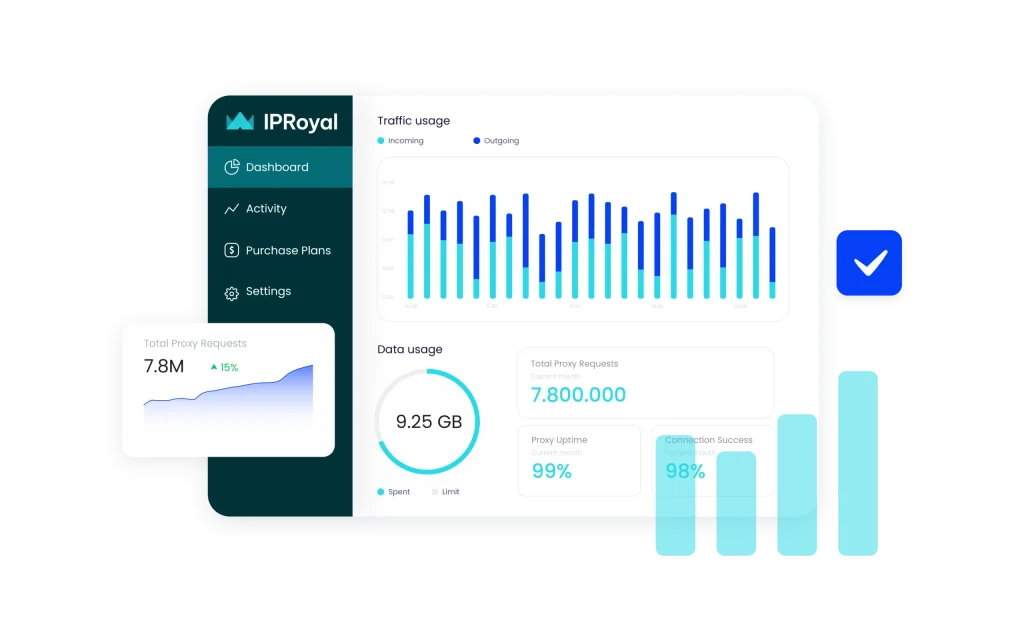
IPRoyal is a proxy service provider offering a diverse range of proxy solutions, including residential, datacenter, mobile, and ISP (Static Residential) proxies. Founded in 2020, IPRoyal has quickly established itself as a reliable provider for various online activities requiring anonymity and security.
- Residential, datacenter, mobile, and ISP proxies for every need.
- City-level location selection, rotation, and protocol options
- Exclusive proxy pool
- 24/7/365 support to help you maximize proxy usage
Why to use IP Royal with multi-account platform
Use IP Royal proxies with Multilogin to manage multiple accounts. Reliable proxies help you hide your IP, while Multilogin prevents detection. This way, you can browse anonymously and avoid bans.
This powerful combination is ideal for managing multiple accounts, accessing geo-restricted content, and scraping data securely. Stay undetected, avoid IP blocks, and protect your online identity with IP Royal and Multilogin.
Try Multilogin Now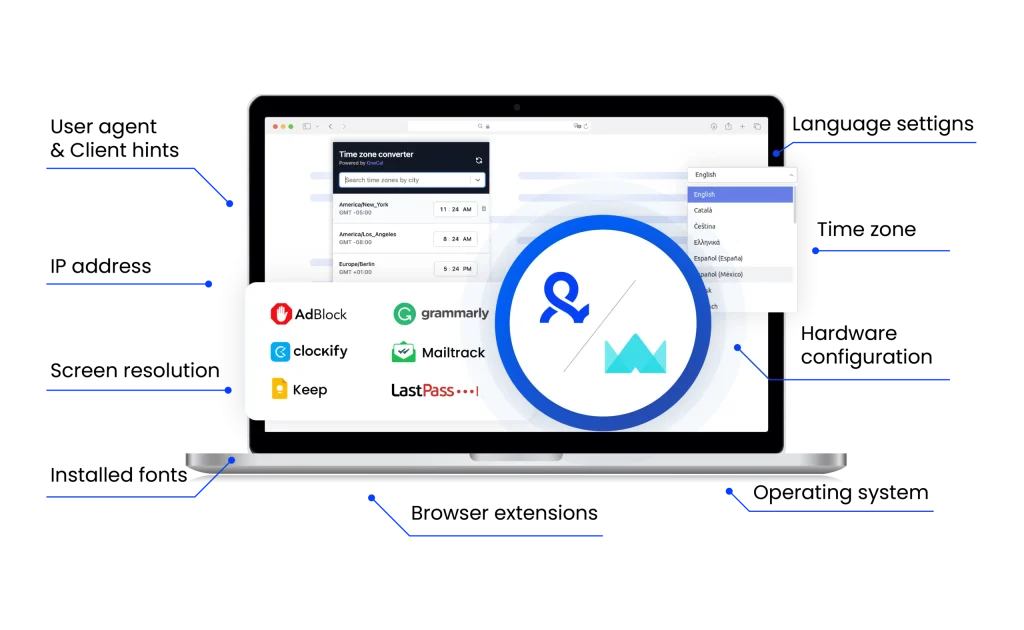
IP Royal unique benefits
Compare IP Royal with an alternative
Compare features, functionality, and benefits to find the solution that fits your needs best.
-
Proxy provider
IP Royal

Oxylabs

-
Supported proxy types
IP Royal
Residential
ISP
Datacenter
MobileOxylabs
Residential
ISP
Datacenter
Mobile
-
Starting price
IP Royal
Residential Proxies: from $7 /GB.
Datacenter Proxies: from $1.39/proxy
ISP Proxies: from $2.40/proxy
Mobile Proxies: from 117$/monthOxylabs
Residential Proxies: from $8/GB
Datacenter Proxies: from $1.2/GB
ISP Proxies: from $1.60/IP
Mobile Proxies: from $9/GB -
Speed
IP Royal
Average response time of 3.73 seconds
Oxylabs
Average response time of under 1 second
-
Success rate
IP Royal
95%+
Oxylabs
97-99%
-
Size of IP pool
IP Royal
Over 32 million IPs across 195 countries.
Oxylabs
102M+ IPs across 195 countries
-
Session control
IP Royal
Rotating and sticky sessions
Sticky sessions for up to 7 daysOxylabs
Rotating and sticky sessions available
for up to 24 hours using the sesstime parameter -
Best for
IP Royal
Budget-conscious users seeking affordable proxy solutions with flexible payment options
Oxylabs
Businesses & individuals – large-scale scraping, SEO, automation, data extraction
Watch the Multilogin Demo
See how to run multiple accounts in just 2 minutes.
Watch the demo below and discover how Multilogin can streamline your workflow.
Why Multilogin is the perfect match for IP Royal
Looking for all-in-one antidetect browser with built-in proxies?
Multilogin comes with built-in residential proxies to make multi-accounting, web scraping and web automation easier than ever. No extra setup, no third-party services—just undetectable browsing at no additional cost.
- Unlimited time
- Mobile and browser profiles included
- Free built-in proxies & mobile minutes
Discover more proxy providers
-
Read the review

- Read the review Review
-
Read the review

-
Read the review

-
Read the review

-
Read the review

-
Read the review

-
Read the review

-
Read the review

-
Read the review

-
Read the review

-
Read the review

-
Read the review

-
Read the review

-
Read the review

-
Read the review

-
Read the review

-
Read the review

-
Read the review

-
Read the review

-
Read the review

-
Read the review

-
Read the review

-
Read the review

-
Read the review

-
Read the review

-
Read the review

-
Read the review

-
Read the review

- Read the review Cherry Proxy
- Read the review CLiproxy
-
Read the review

-
Read the review

-
Read the review

-
Read the review
-
Read the review

-
Read the review

-
Read the review

-
Read the review

-
Read the review

-
Read the review

-
Read the review

-
Read the review

-
Read the review

-
Read the review

-
Read the review

-
Read the review

-
Read the review

-
Read the review

-
Read the review

-
Read the review

-
Read the review

-
Read the review

-
Read the review

-
Read the review

-
Read the review

-
Read the review

-
Read the review

-
Read the review
IP Royal Proxy Review: Everything you need to know in 2025
IP Royal’s performance depends on the type of proxy used. Residential proxies offer moderate speed with high anonymity, while datacenter proxies are faster but easier to detect. The average response time is 3.73 seconds, with a success rate of 89.05%. While this is decent, some competitors offer better speeds and connection stability.
How IP Royal Extension works
The IP Royal extension is a browser add-on that lets users quickly switch between different proxy IPs without adjusting system-wide settings. It provides an easy way to manage proxies directly from the browser, making it useful for tasks like managing multiple accounts, ad verification, and web scraping.
Installation and Setup Guide
Setting up the IP Royal extension is simple:
- Download the Extension – Visit the official Chrome Web Store page.
- Install and Enable – Click “Add to Browser” and confirm the installation.
- Log in to Your IP Royal Account – Enter your credentials to access your proxies.
- Select a Proxy – Choose from residential, datacenter, or mobile proxies.
Activate the Proxy – Click “Connect” to start browsing with a new IP.
The extension is ideal for users who need quick proxy switching without modifying network settings manually.
Need help configuring your proxy manually? Check out our article on how to configure proxies for step-by-step guidance.
Benefits of IP Royal Proxy
- Multiple Proxy Types – IP Royal offers residential, datacenter, mobile, and sneaker proxies, making it a versatile option for different use cases.
- Affordable Pricing – Compared to competitors, IP Royal provides cost-effective proxy solutions, especially for users with small or medium-scale needs.
- Sticky and Rotating Sessions – Users can choose between rotating IPs for anonymity or sticky sessions for maintaining persistent connections.
- Unlimited Concurrent Connections – No restrictions on how many sessions you can run simultaneously, which is ideal for automation and large-scale scraping.
- Ethically Sourced Residential IPs – PRoyal claims to source proxies ethically with user consent.
- Global Coverage – With IPs in 195+ countries, users can access localized content and conduct international research with ease.
Drawbacks to Consider
- Smaller Proxy Pool – Compared to premium providers like Bright Data, IP Royal’s pool is more limited, which may affect availability.
- No Free Trial – Users must purchase a plan to test the service, which can be a drawback for those wanting to try before committing.
- Support Response Time – Support is available via email and ticket system, but real-time chat options are limited.
IP Royal Proxy Performance and Pricing
IP Royal’s performance depends on the type of proxy used. Residential proxies offer moderate speed with high anonymity, while datacenter proxies are faster but easier to detect. The average response time is 3.73 seconds, with a success rate of 89.05%. While this is decent, some competitors offer better speeds and connection stability.
Pricing Plans and Best Value Options
IP Royal offers flexible pricing with pay-as-you-go and subscription-based plans.
- Residential Proxies – $7 per GB
- Datacenter Proxies – $9 for 5 IPs per month
- Mobile Proxies – Varies based on country and duration
For users needing high volumes of proxies, bulk discounts are available. However, competitors like Smartproxy and Bright Data provide more scalable options with larger proxy pools and faster speeds
How to Combine IP Royal with Multilogin
IPRoyal proxies can be configured in Multilogin to improve multi-account security. By combining these services, users can create unique browsing environments while preventing tracking.
- Using IP Royal with Multilogin ensures:
- Unique fingerprints for each profile
Separate browsing sessions that don’t leak data
Better account security and reduced risk of bans
Step-by-Step Integration Guide
- Log in to Multilogin – Open the dashboard and create a new browser profile.
- Go to Proxy Settings – In the profile setup, navigate to the proxy configuration section.
- Enter IP Royal Proxy Details – Add the IP address, port, username, and password provided by IP Royal.
- Test the Connection – Click “Check Proxy” to verify that it’s working properly.
- Save and Launch – Start the profile and begin browsing with an anonymous IP.
Multilogin enhances IP Royal Proxy by isolating browsing environments and preventing websites from linking multiple accounts. It’s an essential tool for multi-accounting, ad verification, and automation tasks.
Multilogin for Advanced Multi-Accounting
Managing multiple accounts on platforms like Google, Facebook, Amazon, and LinkedIn can be challenging. Websites track users based on browser fingerprints, cookies, and IP addresses. If two accounts appear to come from the same environment, they can get flagged or banned.
Multilogin solves this problem by:
- Creating separate browser profiles that act like different devices.
- Preventing websites from detecting shared cookies, IP addresses, or fingerprints.
- Allowing safe multi-accounting without triggering security checks.
When combined with IP Royal proxies, Multilogin lets users manage multiple accounts without linking them to the same identity.
Key Benefits of Using Multilogin with IP Royal
Unique Browser Fingerprints – Multilogin ensures that every account has a distinct browser fingerprint, preventing detection.
Safe Proxy Usage – IP Royal proxies provide unique IP addresses, while
Multilogin isolates browsing sessions to keep accounts separate.
Better Account Security – No need to constantly clear cookies or switch devices.
Each Multilogin profile maintains its own cookies and session data.
No IP Leaks – Traditional proxy use can lead to IP leaks if not configured properly. Multilogin prevents this by fully isolating browser profiles.
Ideal for Teams – Users can share profiles across team members securely without exposing account details.
Undetectable Multi-Accounting – When paired with IP Royal residential proxies, Multilogin provides a natural browsing experience that makes each account appear like a real, independent user.
Multilogin enhances IP Royal Proxy’s effectiveness by adding an extra layer of security. Users get better anonymity, safer account management, and reduced detection risks.
Managing several TikTok accounts? Our guide on handling multiple TikTok accounts explains how to avoid bans and stay under the radar.
FAQ
What is IPRoyal?
IPRoyal started in 2019 and provides ethically sourced proxies in 195 countries. It offers datacenter, static residential, sneaker, and mobile proxies, giving users flexible options for privacy, security, and online access.
Unlike providers that rely on third parties, IPRoyal runs its own residential proxy network, delivering high-quality IPs with stable connections. It also features pay-as-you-go pricing, unlimited connections, and long-duration sticky sessions.
Users can choose datacenter proxies for speed, residential IPs for anonymity, or mobile proxies for app-based tasks, depending on their needs.
What types of proxies does IPRoyal offer?
IPRoyal provides several types of proxies, each suited for different use cases:
- Datacenter proxies – High-speed IPs ideal for automation, scraping, and bulk requests.
- Residential proxies – Ethically sourced IPs from real devices, best for multi-account management, social media automation, and bypassing geo-restrictions.
- ISP (Static residential) proxies – These combine the speed of datacenter proxies with the trust level of residential IPs, great for e-commerce, sneaker copping, and fraud prevention.
- Mobile proxies – 4G/5G proxies that provide the highest level of anonymity, useful for ad verification, social media management, and mobile app testing.
If you’re using Multilogin, residential or ISP proxies are the best choices, as they ensure stable, undetectable browsing sessions for managing multiple accounts.
What are IPRoyal proxies best used for?
IPRoyal proxies are widely used for:
- Multi-account management – Run multiple profiles on platforms like Amazon, eBay, Instagram, or Facebook without detection.
- Web scraping & automation – Extract data from websites while avoiding IP bans. If you’re scraping eBay, this article shows how to do it effectively with proxy and browser isolation.
- Sneaker botting – Secure limited-edition sneaker drops on platforms like Nike SNKRS and Adidas Confirmed.
- E-commerce & affiliate marketing – Manage multiple seller accounts or ad campaigns without triggering security checks.
- Streaming & content access – Bypass geo-restrictions on Netflix, Hulu, and other platforms.
Pairing IPRoyal proxies with Multilogin allows users to keep each account isolated, preventing bans and ensuring smooth operations.
Can I use IPRoyal proxies with Multilogin?
Yes! IPRoyal proxies are fully compatible with Multilogin, allowing users to create undetectable browser profiles and manage multiple accounts securely.
To set up IPRoyal proxies in Multilogin:
- Log in to your IPRoyal account and copy your proxy details (IP, port, username, and password).
- Open Multilogin and create a new browser profile.
- Go to Proxy settings, select Custom, and enter your IPRoyal proxy credentials.
- Click Check Proxy to verify the connection.
Save the profile and start browsing securely. - Using IPRoyal proxies in Multilogin ensures a high level of anonymity, preventing tracking and reducing the risk of bans.
Does IPRoyal have a Chrome extension for easy proxy setup?
IPRoyal does not currently offer a dedicated Chrome extension. However, users can manually configure their proxies in Multilogin, web browsers, or automation tools for seamless integration.
For Multilogin users, setting up proxies inside browser profiles ensures each account has a unique identity, preventing websites from linking multiple sessions.
How does Multilogin prevent tracking and protect my accounts when using IPRoyal proxies?
Multilogin prevents tracking by masking browser fingerprints, isolating browsing sessions, and creating unique environments for each account. When paired with IPRoyal proxies, this combination:
- Prevents IP leaks – Ensures each profile appears as a unique user.
- Blocks fingerprinting attempts –
- Stops websites from linking multiple accounts.
- Protects against bans – Maintains natural browsing behavior with high-trust IPs.
By using IPRoyal proxies in Multilogin, users can safely manage multiple accounts, automate workflows, and browse undetected.