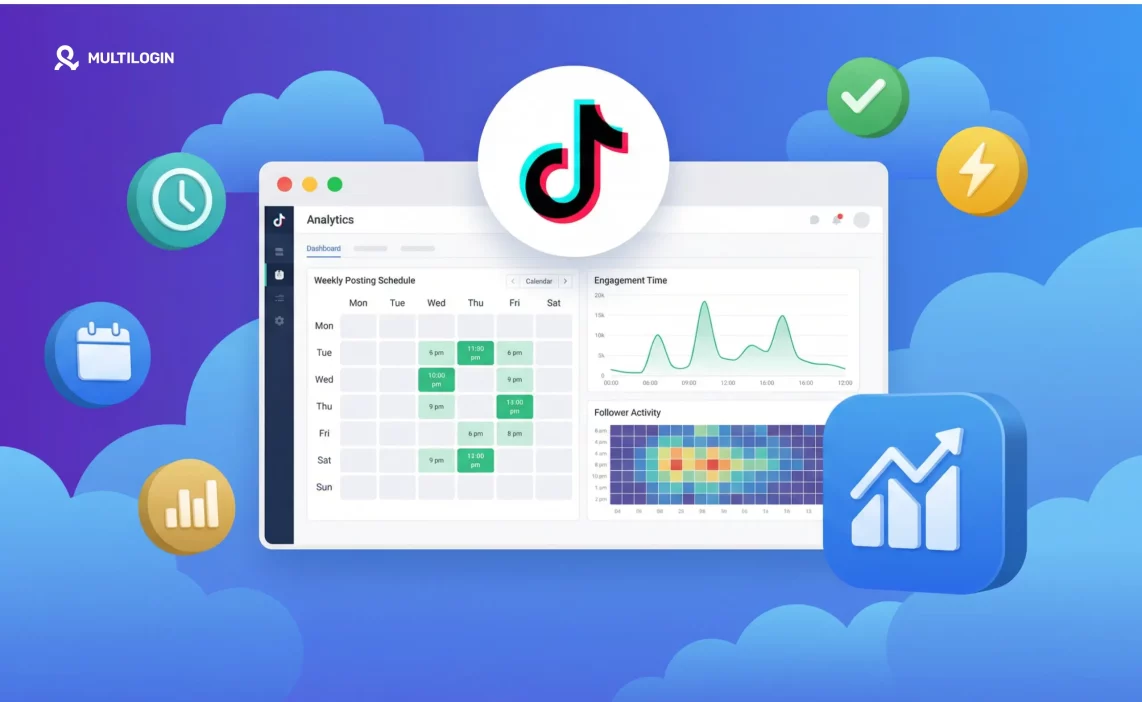

If you have ever posted a TikTok that felt like it should have performed and it just did not, posting time might be part of the story. Not all of it, but part of it.
TikTok works differently from most platforms when it comes to timing, and understanding why makes the recommendations in this guide a lot easier to actually use rather than just follow blindly.
This guide breaks down the best posting windows for every day of the week, covers EST and PST, explains how TikTok uses timing in its distribution logic, and shows you how to pull your own personalized posting time data from Tiktok Analytics.
There is also a section specifically for agencies and brands managing multiple TikTok accounts, because the timing question looks very different when you are running five or ten accounts at once.
Why Posting Time Matters on TikTok
When you hit post, TikTok does not blast your video to all your followers at once. It picks a small test group, typically a few hundred to a few thousand accounts, that skews toward your existing followers and other accounts TikTok thinks match your content type. What that group does in the next hour or two determines everything.
High watch-through rate, shares, comments, and saves all signal to TikTok that the video is worth pushing to a bigger audience. TikTok then rolls out distribution in waves, each wave larger than the last if engagement stays strong. This is why videos sometimes seem to explode a day or two after posting rather than immediately.
Here is where timing fits in. If your test batch goes to followers who are asleep, at work, or just not actively scrolling, the video collects slow engagement. TikTok does not know that the timing was bad. It just sees a low-engagement video and moves on. The opportunity for that first wave is gone.
Posting when your followers are most active means your initial batch is more likely to watch the video through, engage, and share it, which kicks off the wider distribution. One honest note though: even perfect timing cannot save a video that people do not want to watch. Content quality is the main driver of performance. Timing is the marginal optimization on top of it. Treat the windows below as solid defaults while you build your own data in Analytics.
Best Overall Times to Post on TikTok (2026)
Across creator datasets and TikTok Analytics reports, three daily windows show the highest engagement rates for the US audience.
Morning from 6:00 AM to 9:00 AM captures people in their morning routine or commute before the day properly starts. The lunch window from 11:00 AM to 1:00 PM gets the midday break scrollers. Evening from 7:00 PM to 11:00 PM is the peak leisure window where TikTok usage is highest in absolute terms.
Of those three, the 7:00 PM to 9:00 PM ET slot is the most consistently strong across content types and audience demographics. That after-work, before-sleep period is when people are on their phones with no particular agenda except to be entertained or informed, which means they are far more likely to watch a video all the way through.
All times in the sections below are in Eastern Time (ET) unless noted otherwise.
Best Time to Post on TikTok by Day
Best Time to Post on TikTok on Monday
Monday has a specific rhythm. People are transitioning back into work mode, and social media gets checked in pockets around that routine rather than in long sessions. The morning commute window works well because a lot of people use TikTok while commuting or before getting into work. The mid-afternoon dip on Mondays is real and worth avoiding. The evening window from 7:00 PM onwards recovers strongly as people decompress at the end of the first day back.
Best times on Monday: 6:00 AM to 8:00 AM ET, 12:00 PM ET, and 7:00 PM to 9:00 PM ET.
Best Time to Post on TikTok on Tuesday
Tuesday tends to outperform Monday. The initial week friction has worn off, people are in their stride, and evening social media usage on Tuesdays is reliably higher than on Mondays. The morning window is slightly later here because most people are already in their routine rather than gradually easing into it.
Best times on Tuesday: 8:00 AM to 10:00 AM ET, 12:00 PM to 2:00 PM ET, and 7:00 PM to 9:00 PM ET.
Best Time to Post on TikTok on Wednesday
Wednesday is consistently one of the strongest days in TikTok creator data. Mid-week, people are deep enough into their routine that leisure habits are predictable, and evening usage on Wednesdays tends to run longer than earlier in the week. If you have one strong piece of content to post in a given week, Wednesday evening is a very reliable choice.
Best times on Wednesday: 7:00 AM to 9:00 AM ET, 11:00 AM to 1:00 PM ET, and 7:00 PM to 11:00 PM ET.
Best Time to Post on TikTok on Thursday
Thursday performs almost identically to Wednesday. Pre-weekend energy starts to show in engagement patterns, and people are more likely to be browsing casually in the evening rather than switching off early. The evening window on Thursday is one of the best of the week.
Best times on Thursday: 9:00 AM to 11:00 AM ET, 12:00 PM ET, and 7:00 PM to 11:00 PM ET.
Best Time to Post on TikTok on Friday
Friday behavior starts shifting toward leisure earlier in the day. Mid-afternoon from 1:00 PM to 3:00 PM ET is noticeably stronger on Fridays than on any other weekday because people mentally check out of work mode before they physically leave. Early morning also performs well, and the evening window stays solid.
Best times on Friday: 5:00 AM to 8:00 AM ET, 1:00 PM to 3:00 PM ET, and 7:00 PM to 9:00 PM ET.
Best Time to Post on TikTok on Saturday
Weekend engagement does not follow the same shape as weekday engagement. Instead of sharp morning and evening peaks, Saturday usage is more spread out across the day. The early morning window is weaker than weekdays because most people sleep in. The mid-morning window once people are up and scrolling is solid. Late Saturday night from 8:00 PM onwards is actually one of the stronger windows of the week as people wind down after going out or staying in.
Best times on Saturday: 9:00 AM to 11:00 AM ET and 8:00 PM to 11:00 PM ET.
Best Time to Post on TikTok on Sunday
Sunday has a distinct two-peak pattern. Morning engagement is good as people start their day slowly with coffee and phones. Mid-afternoon dips as people are out with family or trying to get offline before the week starts. Then Sunday evening, particularly from 8:00 PM onwards, is one of the highest-engagement windows of the entire week. That pre-week settling-in behavior means people are scrolling TikTok for longer than on most other evenings.
Best times on Sunday: 8:00 AM to 10:00 AM ET and 8:00 PM to 11:00 PM ET.
Best Time to Post on TikTok: EST
For creators with a predominantly US East Coast audience, here is a day-by-day summary:
Day | Primary Window | Secondary Window |
Monday | 7:00 PM to 9:00 PM EST | 6:00 AM to 8:00 AM EST |
Tuesday | 7:00 PM to 9:00 PM EST | 8:00 AM to 10:00 AM EST |
Wednesday | 7:00 PM to 11:00 PM EST | 11:00 AM to 1:00 PM EST |
Thursday | 7:00 PM to 11:00 PM EST | 9:00 AM to 11:00 AM EST |
Friday | 7:00 PM to 9:00 PM EST | 1:00 PM to 3:00 PM EST |
Saturday | 8:00 PM to 11:00 PM EST | 9:00 AM to 11:00 AM EST |
Sunday | 8:00 PM to 11:00 PM EST | 8:00 AM to 10:00 AM EST |
The pattern is clear: the 7:00 PM to 10:00 PM EST block is the best single window across all seven days. If you can only choose one posting window, post here.
Best Time to Post on TikTok: PST
PST runs 3 hours behind EST. For West Coast US audiences:
Day | Primary Window PST | Notes |
Monday | 4:00 PM to 6:00 PM PST | Also 3:00 AM to 5:00 AM PST for early birds |
Tuesday | 4:00 PM to 6:00 PM PST | Also 5:00 AM to 7:00 AM PST |
Wednesday | 4:00 PM to 8:00 PM PST | Strongest weekday evening window |
Thursday | 4:00 PM to 8:00 PM PST | Equal to Wednesday |
Friday | 4:00 PM to 6:00 PM PST | Also 10:00 AM to 12:00 PM PST |
Saturday | 5:00 PM to 8:00 PM PST | Also 6:00 AM to 8:00 AM PST |
Sunday | 5:00 PM to 8:00 PM PST | Strong through 11:00 PM PST |
If your TikTok Analytics shows a majority West Coast audience, aim for 4:00 PM to 7:00 PM PST on weekdays. That window aligns with the highest-engagement East Coast evening hours while still catching your West Coast audience before they are fully settled in for the night.
Best Time to Post on TikTok: UK
UK TikTok usage follows a similar shape to US usage: commute, lunch break, and evening. For GMT/BST audiences, the strongest window on weekdays is 7:00 PM to 10:00 PM GMT/BST. Secondary windows are 7:00 AM to 9:00 AM for the morning commute and 12:00 PM to 1:00 PM for lunch. Saturday and Sunday evenings from around 9:00 PM onwards are the strongest weekend windows.
If your audience is split between the US and UK, a post around 7:00 PM to 8:00 PM GMT hits UK prime time and lands at roughly 2:00 PM to 3:00 PM ET, which catches the US afternoon window. It is not perfect for either audience but it is a reasonable compromise if you are only posting once.
How to Find Your Own Best Time in TikTok Analytics
The general windows above are a good starting point but they are not tailored to your specific audience. Your followers might be night owls, or predominantly based in a region with different usage patterns, or in a niche where people scroll TikTok at different times than the general population. TikTok shows you exactly when your followers are most active, and that data should eventually replace any generic recommendation including the ones in this article.
Here is how to pull it. Go to your profile, tap the three-line menu in the top right, select Creator tools, then Analytics. Go to the Followers tab and scroll down to the Follower activity section. You will see a breakdown by day of the week, and within each day a bar chart showing relative activity by hour.
Look for the hours where the bars are tallest on the days you post most often. Then post 30 to 60 minutes before those peaks so your video is live and starting to accumulate engagement right as your followers hit their most active window.
A few things worth knowing about this data. First, wait until you have at least 1,000 followers before relying on it heavily. Below that threshold the sample size is too small to be reliable. Second, the hours in Analytics are shown in your account’s local time zone, not UTC or US time, so the numbers are directly applicable without any conversion. Third, check it every few weeks because audience behavior shifts, especially if you are growing quickly and your follower base is changing.
For a full breakdown of everything inside TikTok Analytics including content performance metrics, follower demographics, and live analytics, the TikTok Analytics guide covers it in detail.
Does Time Zone Actually Matter for TikTok?
TikTok does not operate on a single global time zone. It infers your account’s local time from your device settings and IP address, and distributes your content to audiences based on where they are physically located. The follower activity data in your Analytics is shown in your local time, not a US reference time.
What this means practically is that if your account is set to UK time and your Analytics says followers are most active at 8:00 PM, that is 8:00 PM UK time. You do not need to convert anything. Just post at 8:00 PM local.
Where it gets more complicated is if you are targeting audiences across multiple time zones or running accounts registered in different countries. In those cases, the reference time for each account is tied to the device and IP that account operates from. An account with a US IP will show Analytics in US time. An account with a UK IP will show Analytics in UK time. This becomes very relevant when managing multiple accounts, which we cover in the next section.
Best Day to Post on TikTok
Looking across creator data in aggregate, the days that consistently produce the highest initial engagement are Tuesday, Wednesday, Thursday, and Sunday evening. Wednesday and Thursday evenings are the peak of the week, followed closely by Sunday night.
Monday tends to underperform relative to the rest of the week, and Saturday mid-afternoon is the weakest single window you can choose. That does not mean you should skip those days, it just means you should save your best content for the stronger windows.
If you are posting once per week and want the single best combination, Wednesday or Thursday evening from 7:00 PM to 9:00 PM ET is the most consistent recommendation across diverse account types and niches.
How Many Times Per Day Should You Post?
More posts per day creates more opportunities to hit a good window, but only if the quality stays up. Posting frequently with lower-quality content does not compound positively. TikTok also appears to reduce reach temporarily when a single account posts at very high frequency, so there is a ceiling.
For most creators with under 50,000 followers, one or two posts per day is optimal. If you are posting once, put it in the evening window. If you are posting twice, pair early morning (6:00 AM to 8:00 AM ET) with the evening window. If you are posting three times, add a lunch slot (12:00 PM to 1:00 PM ET) in between.
For accounts covering multiple niches or formats, three posts per day is more sustainable because the content variety reduces the repetitive-content effect that can suppress reach. A gaming account posting twice is different from an account that has a morning educational video, an afternoon comedy clip, and an evening product review.
For Agencies and Brands: Managing Multiple TikTok Accounts and Posting Schedules
For individual creators, the posting time question is relatively simple: find your Analytics peak, build a schedule around it, and stick to it. For agencies and brands managing multiple TikTok accounts, the same question becomes a coordination and infrastructure challenge.
Think about what managing five TikTok accounts actually looks like in practice. Each account has its own niche, its own audience demographics, its own peak engagement windows, and potentially its own target geography.
The US lifestyle account should probably post at 7:00 PM ET. The UK travel account should post at 8:00 PM GMT. The Southeast Asia entertainment account should post around 8:00 PM SGT. These are completely different real-world times, and coordinating them from a single device or a shared team setup creates real problems.
The bigger problem is this: when multiple TikTok accounts are operated from the same device or the same IP address, TikTok connects them. It recognizes the shared device signals, same IMEI, same Android ID, same MAC address, and treats the accounts as a linked cluster. Once accounts are linked, a policy issue or enforcement action on one account can cascade to all of them. That means a restriction on your US account can take down your UK and Southeast Asia accounts at the same time, even if those accounts were doing everything right.
For agencies managing client accounts, this is a particularly serious risk. Losing a client’s monetized TikTok account to a cascade ban because it was operated from the same shared device as three other clients’ accounts is the kind of incident that ends relationships and is entirely preventable with the right setup.
This is exactly the problem that Multilogin Cloud Phones are designed to solve.
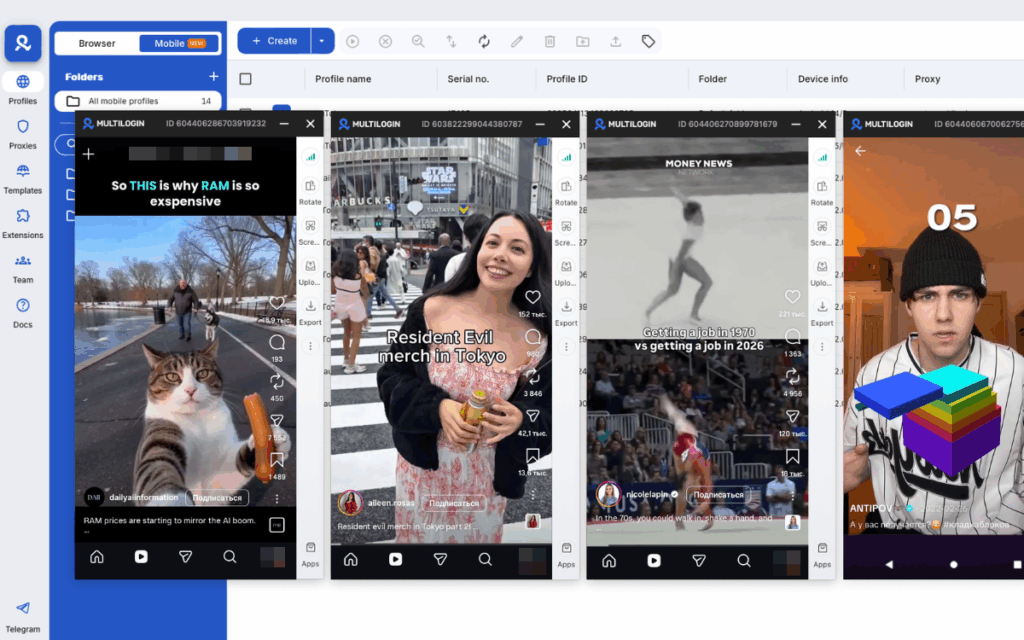
Each Cloud Phone is a real Android device running in the cloud with its own IMEI, Android ID, MAC address, and dedicated mobile IP address. When your US lifestyle account operates from Cloud Phone 1 with a US IP and your UK travel account operates from Cloud Phone 2 with a UK IP, TikTok sees two completely separate devices with completely separate histories and completely separate network identities. They are not linked because at the hardware level nothing is shared between them.
For agencies, this matters in several specific ways. First, each account’s Analytics data is clean and accurate. The follower activity data, the peak posting windows, and the algorithmic signals for each account reflect that account only, not a blended signal from multiple accounts sharing the same device. When you pull the Analytics for a client’s account to build their posting schedule, you are looking at genuine data for that account’s audience.
Second, each account’s posting schedule runs on its own timeline without interference. Your 7:00 PM ET post for the US account and your 8:00 PM GMT post for the UK account happen from independent devices on independent IPs. The algorithm treats each post as coming from a standalone creator on a standalone phone, which is exactly what builds organic algorithmic trust over time.
Third, if anything goes wrong with one account, it stays contained. A content issue, a policy review, or an unusual pattern on one account does not put every other account you manage at risk. For agencies responsible for multiple clients’ TikTok presences, that isolation is not just a nice-to-have. It is the operational foundation that makes the whole model sustainable.
The practical setup for an agency is straightforward. Create one Cloud Phone per TikTok account, set the IP location to match each account’s target audience region, install TikTok, log into the account, and run all activity for that account from that phone. Posting, engaging with comments, checking Analytics, uploading content. Everything for Account A happens on Phone A. Everything for Account B happens on Phone B. The Multilogin dashboard lets you manage all of them from one place without toggling between separate screens.
If your team needs to collaborate on multiple accounts, you can assign Cloud Phones to specific team members through the dashboard. One person handles the US accounts, another handles UK, another handles APAC. Each person works on their assigned phones without any of their activity creating linkage signals between accounts that could trigger a cascade enforcement issue.
For brands running multi-regional TikTok strategies, the timing benefit compounds. Running a US account, a UK account, and an Australia account from properly isolated Cloud Phones means each account builds its own regional algorithm trust independently.
TikTok’s distribution for each account is calibrated to that account’s regional audience rather than being muddled by shared signals from accounts operating in different markets. The UK account’s 8:00 PM GMT posts get distributed to UK evening audiences because TikTok sees a UK-based device posting for a UK audience.
That regional alignment is something you cannot replicate when all your accounts run from the same shared device in one location.
Need to manage multiple Tiktok accounts? Try Multilogin Cloud Phones.
Frequently asked questions About Best Time to Post on TikTok
For most US-based creators, 7:00 PM to 9:00 PM ET is the most reliably strong window regardless of the day of the week. If you want something more specific to your account, check the Follower activity section in your TikTok Analytics.
Go to Profile, tap the three-line menu, select Creator tools, then Analytics. Go to the Followers tab and scroll to Follower activity. You will see hour-by-hour activity data for each day. Use this once you have at least 1,000 followers and let your custom data take priority over any general recommendation.
8:00 AM to 10:00 AM ET and 7:00 PM to 9:00 PM ET. Tuesday is one of the stronger engagement days of the week overall.
7:00 AM to 9:00 AM ET and 7:00 PM to 11:00 PM ET. Wednesday evening is consistently one of the best posting windows of the entire week.
9:00 AM to 11:00 AM ET and 7:00 PM to 11:00 PM ET. Thursday evening is on par with Wednesday as the strongest window of the week.
5:00 AM to 8:00 AM ET, 1:00 PM to 3:00 PM ET, and 7:00 PM to 9:00 PM ET. Friday afternoon is stronger than any other weekday afternoon because people start mentally winding down from work earlier in the day.

