






Creating a second Gmail account is one of the most commonly needed things in the Google ecosystem — and also one of the most commonly frustrated. Google wants a phone number, the number you have is already used on another account, and suddenly a simple task becomes an obstacle course.
This guide covers exactly how to create a second Gmail account in 2026, how to do it without using your personal phone number, how to manage multiple Gmail accounts on any device, and the right setup for anyone managing Gmail at scale.
If a second Gmail account isn’t a hard requirement for you, it’s also worth checking our list of the best Gmail alternatives, several of which skip the phone number step entirely.
Can You Have Multiple Gmail Accounts?
Yes. Google allows you to have multiple Gmail accounts, and there’s no official limit. Google’s terms only prohibit creating accounts for the purpose of policy violation, spam, or abuse. Having separate accounts for personal use, business use, a specific project, or managing client communications is completely legitimate and common.
The constraint most people hit isn’t a rule — it’s the phone verification requirement.
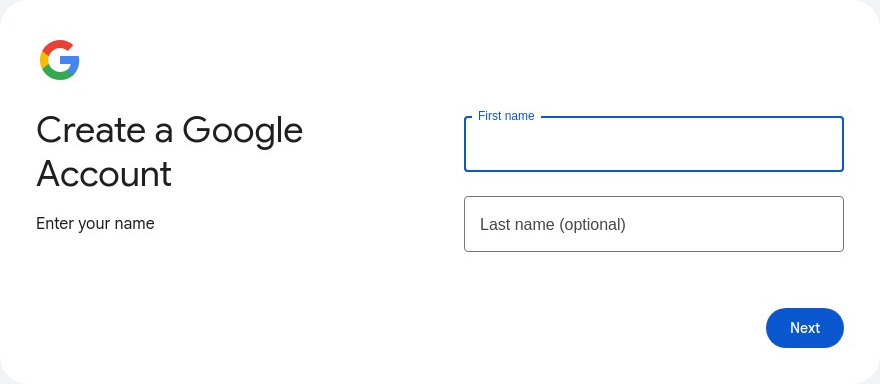
How to Create a Second Gmail Account on Desktop
Step 1. Go to accounts.google.com/signup or open Gmail and click “Create account.”
Step 2. Choose who the account is for — yourself or to manage your business. Both create standard Gmail accounts.
Step 3. Enter your first name, last name, and choose a Gmail username. If your preferred username is taken, Google will suggest alternatives.
Step 4. Create and confirm a password.
Step 5. Google may ask for a phone number to verify the account. This step is technically optional for some accounts (there’s a “Skip” option in some flows), but Google increasingly requires phone verification for new accounts, especially if:
- Your IP address has been used to create multiple accounts recently
- You’re on a shared network (work, university, VPN, datacenter IP)
- Google’s risk assessment flags the session
Step 6. Complete profile setup — recovery email, birthday, gender, and Google’s terms of service.
Step 7. Your new Gmail account is ready.
How to Create a Second Gmail Account on iPhone
On iPhone, you can add multiple Gmail accounts to the native Mail app, the Gmail app, or both:
Via the Gmail app: Open the Gmail app, tap your profile icon in the top right, tap “Add another account,” select Google, and follow the sign-in or account creation flow.
Via iPhone Settings > Mail: Go to Settings, scroll to Mail, tap Accounts, then Add Account. Select Google, and either sign in or create a new account.
If you’re creating a new account through the mobile flow, Google still asks for phone verification. A virtual number or a number from another device can be used here if you don’t want to use your personal number.
How to Create a Second Gmail Account on Android
The process on Android is similar and slightly more direct:
Go to Settings, then Accounts, then Add account. Select Google. In the sign-in screen, tap “Create account.” Follow the account creation flow exactly as you would on desktop.
Android Gmail accounts can also be added directly in the Gmail app: tap the profile icon in the top right, then “Add another account.”
How Many Gmail Accounts Can You Have?
Google doesn’t publish an official limit. In practice, you can maintain many Gmail accounts without issues. The constraint is account creation velocity — creating too many accounts from the same IP in a short period triggers phone verification requirements and can result in new accounts being flagged.
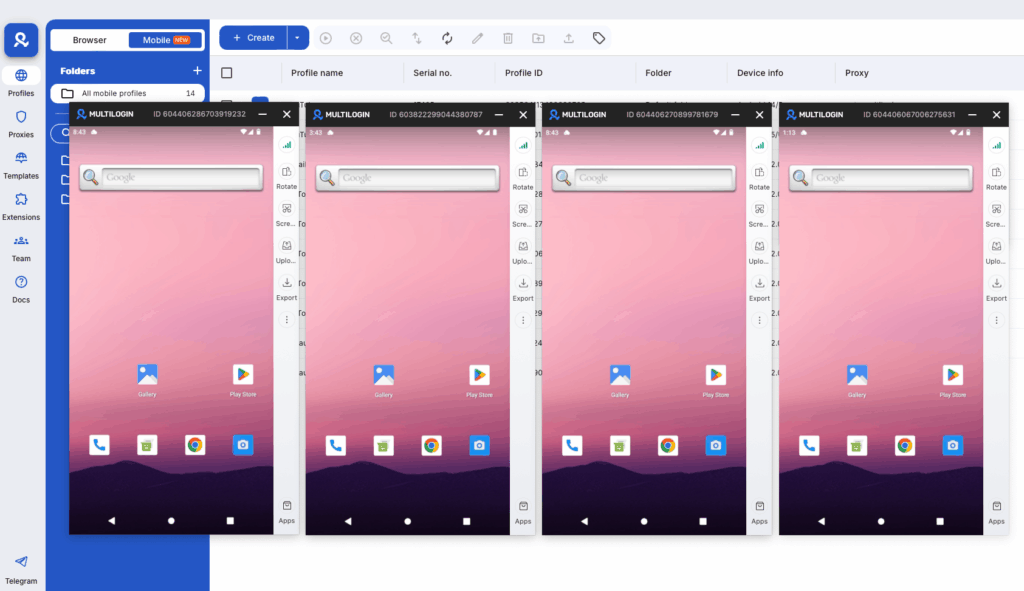
For reference, Multilogin’s Academy covers managing unlimited Gmail accounts with Cloud Phones — which gives you the framework for creating Gmail accounts at any scale without triggering Google’s spam filters.
Second Gmail Account for Business
Creating a Gmail account specifically for business use is common and sensible. A few things that make it work better:
Use a consistent naming convention. [email protected], or [email protected], look more professional than randomized usernames.
Connect it to Google Workspace if needed. For a branded email address ([email protected]), Google Workspace (formerly G Suite) connects a custom domain to Gmail’s interface. This is the standard for businesses that want professional email with Gmail’s tooling.
Set up forwarding if you want one inbox. If you want to monitor a business Gmail from your personal account, set up forwarding or check all accounts in one Gmail inbox using the “Accounts and Import” settings.
How Many Gmail Accounts Can You Have?
Google doesn’t publish an official limit. In practice, you can maintain many Gmail accounts without issues. The constraint is account creation velocity — creating too many accounts from the same IP in a short period triggers phone verification requirements and can result in new accounts being flagged.
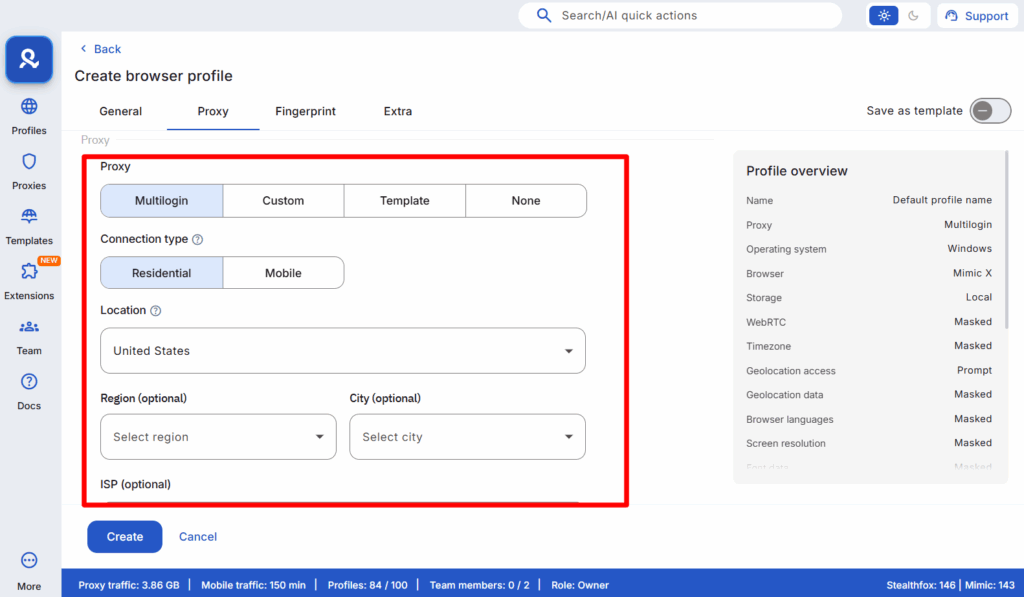
For reference, Multilogin’s Academy covers managing unlimited Gmail accounts with Cloud Phones — which gives you the framework for creating Gmail accounts at any scale without triggering Google’s spam filters.
Second Gmail Account for Business
Creating a Gmail account specifically for business use is common and sensible. A few things that make it work better:
Use a consistent naming convention. [email protected], or [email protected], look more professional than randomized usernames.
Connect it to Google Workspace if needed. For a branded email address ([email protected]), Google Workspace (formerly G Suite) connects a custom domain to Gmail’s interface. This is the standard for businesses that want professional email with Gmail’s tooling.
Set up forwarding if you want one inbox. If you want to monitor a business Gmail from your personal account, set up forwarding or check all accounts in one Gmail inbox using the “Accounts and Import” settings.
No more juggling physical devices or risking account links. Try Multilogin's cloud phones now.
Frequently Asked Questions
Sometimes. The “Skip” option during phone verification works on some flows, particularly from residential IPs without recent account creation activity. For more reliable phone-free creation, Multilogin Cloud Phones let you configure a virtual number at the device level, which passes Google’s verification more consistently.
No official limit. Multiple accounts for different purposes are fully allowed by Google’s terms.
A Gmail alias (using + or .) is just a filter for your existing inbox. It doesn’t create a new account, new storage, or a separate identity. A separate Google account is a completely independent identity with its own login, password, and storage. For true isolation, you need separate accounts, not aliases.
Yes, it’s perfectly legal and within Google’s terms of service to own multiple Gmail accounts. The issue arises from the methods used to create them. Google’s systems are designed to block automated or suspicious creation methods, which is why a professional tool like Multilogin is necessary for scaling operations safely.
The key is using the right infrastructure. Cloud phones let you manage dozens or hundreds of accounts from a single dashboard, with each account maintaining its own isolated environment. This prevents the confusion and security risks of trying to manage multiple accounts from a single device.
Yes, the cloud phone methodology works for all Google services. Once you’ve created Gmail accounts properly, you can use them for Google Ads, YouTube, Google Drive, and other services. The isolation principle applies across the entire Google ecosystem.
Stop Fighting Google, Start Working Smarter
Trying to trick Google’s detection systems with old methods is a losing battle. The only way to reliably create and manage multiple Gmail accounts is to give the platform exactly what it trusts: unique users on unique mobile devices.
Multilogin cloud phones are the only solution that provides the necessary isolation and environmental trust to do this at scale. Stop wasting time with methods that lead to disabled accounts and start building a stable, professional workflow.
Whether you’re managing multiple YouTube accounts, Facebook profiles, or Gmail identities, the principle remains the same: proper isolation through authentic mobile environments is what separates amateur operations from professional ones.
Ready to create Gmail accounts without limits? Start your Multilogin plan and experience the power of isolated cloud phone environments.


