


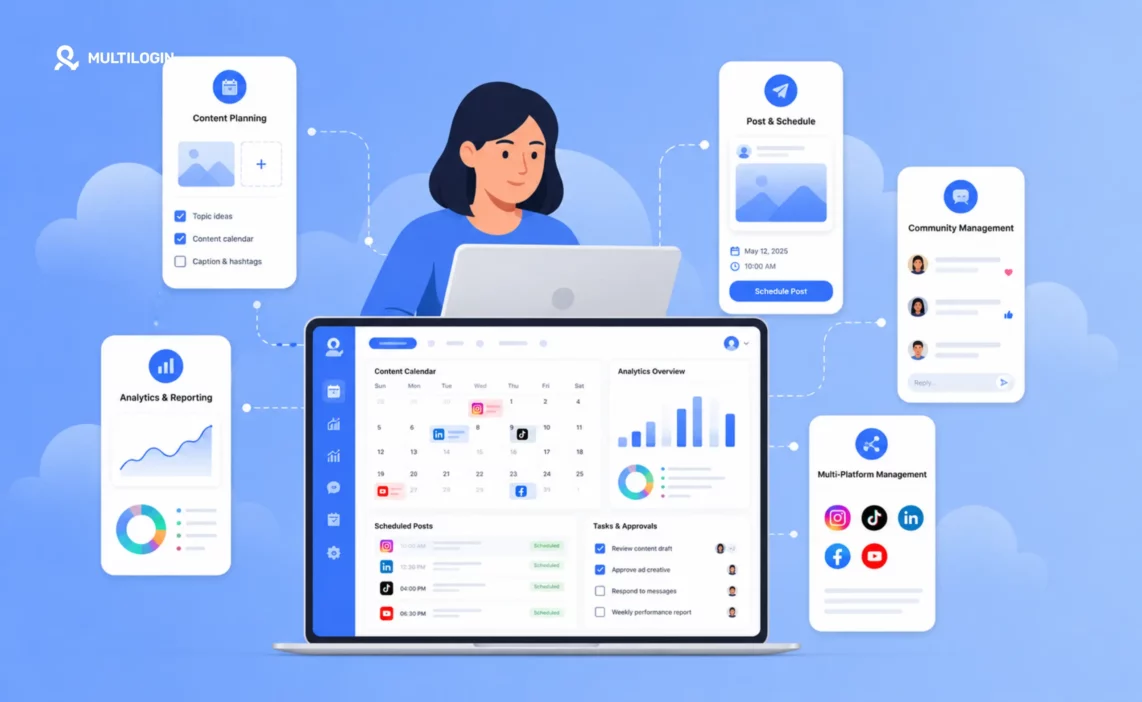



A social media manager plans, creates, publishes, and monitors content across social media platforms to grow an audience and drive measurable business outcomes. On a daily basis, this means writing captions, scheduling posts, responding to comments and DMs, reviewing analytics, briefing designers, coordinating approvals, and managing the content calendar across one account or twenty.
The role has expanded significantly in 2026. Social media managers are now expected to understand platform algorithms, produce short-form video, read analytics critically, and manage account infrastructure that prevents restrictions when handling multiple clients. This guide covers what the role actually involves, what tools social media managers use, how to get started, what to expect in terms of salary, and how Multilogin cloud phones fit into the day-to-day workflow of anyone managing more than one social profile.
What is a social media manager?
A social media manager is a marketing professional responsible for building and managing a brand’s presence on social media platforms, including strategy, content creation, publishing, community management, analytics, and reporting.
The title covers a wide range of seniority and specialisation. A freelance social media manager working alone for small business clients operates very differently from an in-house social media manager at a large enterprise, who in turn operates differently from an agency social media manager juggling dozens of client accounts simultaneously. Each version of the role faces a different scale problem. A freelancer might manage three or four accounts and keep everything straight in their head. An agency manager managing multiple clients at once needs account infrastructure that determines whether the business survives a platform crackdown.
The unifying element is that the social media manager is the person responsible for ensuring the brand shows up consistently, compellingly, and safely on social platforms and for proving that the presence produces measurable results.
What does a social media manager do daily?
A social media manager’s daily workflow typically covers five areas, though the split of time between them varies by role type.
Content creation and scheduling: the core daily task
Creating, reviewing, and scheduling content is where most social media managers spend the largest share of their time. This includes writing captions, briefing designers or videographers, editing short-form video, selecting and sizing images, writing alt text, and scheduling posts through a social media management tool. For managers handling multiple clients, batching — dedicating one block of time to all content for all clients for the week ahead — is the workflow that makes this manageable at scale.
The tools matter less than the system. A manager who batches content on Monday for the whole week frees up the rest of their time for community management and strategy. A manager who creates reactively, day by day, spends the whole week in execution mode and never reaches the strategic layer that actually moves accounts forward. For a deeper look at building that system, see the guide to how to plan social media content and the complete content calendar guide.
Community management: responding to comments and DMs
Community management is the ongoing task of responding to comments, DMs, mentions, and tagged posts across all managed accounts. It is one of the most time-consuming parts of the role and one of the most impactful. Platform algorithms measure response time and engagement rates, and audiences form their impression of a brand heavily from how it handles public conversations. Block-time management, meaning two or three thirty-minute engagement windows per day rather than constant monitoring, works better for most managers because it protects focus time without letting response times slip.
This is also where multi-account managers run into their first infrastructure problem. Logging in and out of ten different Instagram accounts from the same browser, or switching between client TikTok accounts on the same phone, is exactly the pattern platforms look for when flagging suspicious activity. The consequence can be anything from an Instagram shadowban to a TikTok account restriction, and often the manager does not know it has happened until engagement collapses.
Analytics review and reporting: measuring what’s working
Social media managers review performance data to understand which content is working, which is not, and why. Day to day this is typically a quick check of recent post performance. Weekly reviews assess trends: which format performed best, which content pillar drove the most saves, and what the reach trajectory looks like. Monthly reviews produce formal reports for clients or leadership with conclusions and strategy adjustments.
Strategy and content planning: the work behind the work
Planning the next month’s content, updating the content calendar, researching trends and competitor activity, building content briefs around clear content pillars, and adapting strategy based on performance data all fall under this pillar. This is the strategic layer that determines whether daily activity adds up to business impact or just fills a posting schedule. Understanding social media SEO and how to repurpose content across platforms multiplies the value of every piece of content produced.
Account management and infrastructure: keeping multiple social profiles safe
For social media managers running multiple client accounts, there is an infrastructure layer that does not appear in most role descriptions but takes real time. Setting up and maintaining the account environments that prevent client profiles from being linked or restricted is a genuine, recurring job function, not a one-time setup task.
Each client’s Instagram or TikTok profile needs its own isolated device environment: its own cloud phone with its own IP, so that a flag on one profile does not spread to others. This is the operational infrastructure that separates agencies who can safely scale past ten or fifteen profiles from agencies who keep losing client accounts to bans. For more on how this works in practice, see how to manage multiple social media accounts with Multilogin and running multiple Instagram accounts with cloud phones.
What are the main responsibilities of a social media manager?
The three core responsibilities of a social media manager are strategy, execution, and measurement, in that order of importance, and roughly the reverse of the order they usually appear in job descriptions.
Strategy: defining what the account is for
A social media manager’s strategic responsibilities include defining content pillars, setting measurable goals such as follower growth rate, engagement rate, reach, link clicks, and leads generated, identifying the target audience on each platform, choosing which platforms to prioritise, and building the content calendar that executes the strategy. Without clear strategy, execution is just posting. The guide to driving social media growth covers how strategy translates into platform-specific tactics.
Execution: creating and publishing content consistently
Execution covers everything that turns strategy into published content: writing, designing, filming, editing, captioning, scheduling, and community management. Execution without strategy produces content that fills a calendar but does not build toward anything. Tools like social media automation and automation platforms increasingly handle the mechanical parts of this, freeing managers to focus on creative and strategic work.
Measurement: proving the work is working
Measurement is what makes social media management a professional discipline rather than creative output. Social media managers track performance metrics, identify which content types and topics perform best, translate data into strategic decisions, and present results to clients or stakeholders in formats they can act on. Understanding how to run paid social campaigns alongside organic content and measure both together is increasingly a core part of this responsibility.
What are the 9 skills every social media manager must have?
The skills that define effective social media managers in 2026:
- Platform algorithm knowledge. Understanding what Instagram, TikTok, LinkedIn, and Facebook actually reward and why, so content strategy is built on how the platforms work rather than how they used to work. This includes knowing how to grow Instagram Reels engagement, when the best time to post on TikTok is, and how timing affects Facebook and X/Twitter reach.
- Short-form video production. The ability to produce, edit, and optimise Reels, TikToks, and Shorts, including hook writing, caption strategy, and audio selection.
- Copywriting. Writing captions that stop scrolls, create engagement, and drive specific actions. This is a different skill from long-form writing. AI tools like Claude prompts for Instagram and ChatGPT prompts for social media growth are increasingly used to accelerate this, but the manager still needs enough copywriting instinct to edit and direct the output.
- Analytics fluency. Reading performance data critically, identifying trends, and making strategy decisions from numbers rather than instinct.
- Content planning and calendar management. Building and maintaining content systems across multiple platforms and accounts without things falling through the cracks. The content calendar guide covers the practical side of this.
- Community management. Handling public conversations, crisis situations, negative comments, and DM relationships in a way that reflects well on the brand. See also: how to grow on social media through genuine engagement rather than broadcast-only posting.
- Visual design basics. Enough Canva, Figma, or design tool knowledge to brief designers effectively or produce passable graphics independently.
- Account safety and infrastructure. Understanding how platforms detect linked accounts, how to set up isolated environments for multiple clients, and how to prevent restrictions that end client relationships. For managers running TikTok profiles at scale, see how to run multiple TikTok accounts without bans. For Instagram, see managing multiple Instagram accounts. Account warm-up is also part of this: see how to warm up accounts and how to warm up an Instagram account.
- Client communication. Presenting strategy, explaining performance, managing expectations, and translating social media metrics into business outcomes that clients care about.
What tools do social media managers use?
Social media managers use tools across four categories. The specific tools vary by agency size and client type, but every professional social media manager needs all four covered.
Scheduling and publishing tools
Buffer is a solid option for clean scheduling with a usable free tier. Hootsuite covers full-feature agency management with approval workflows. For a direct comparison of the two most popular options, see Buffer vs Hootsuite. Planable works well for teams that need collaborative content review before publishing. SocialBee suits content recycling and category-based scheduling. For a full overview, see the guide to best social media management software.
Analytics tools
Native platform analytics, including Instagram Insights, TikTok Studio, and LinkedIn Analytics, are free and most accurate for their own platforms. Sprout Social is worth the cost for formal client reporting and social listening at agency scale. The Meta Business Suite covers scheduling and analytics for Facebook and Instagram natively and is free for anyone running those platforms.
Content creation tools
Canva covers design templates, static graphics, and carousel creation. CapCut handles short-form video editing specific to TikTok and Reels. Adobe Express works well for design and short-form video on brand-heavy client accounts. AI tools are increasingly standard for content creation: Claude for social media managers, Claude workflows for multi-account management, Claude prompts for social media growth, and AI agents for social media are practical options for accelerating content production and strategy work. For a broader view of what is available, see the best AI tools for social media marketing.
Account management tools
Multilogin provides cloud phones and browser profiles for managing multiple client social profiles safely, so each profile gets its own isolated environment and Instagram, TikTok, and LinkedIn do not link them together. This is essential infrastructure for agencies running ten or more profiles. Password managers such as 1Password or Bitwarden handle secure credential storage across client accounts. Project management tools like Notion, ClickUp, or Airtable cover content calendar management, brief storage, and client communication.
Why Multilogin cloud phones matter for social media managers
Account safety is the one skill on the list above that most social media managers learn the hard way, usually after losing a client profile to a platform ban. Multilogin cloud phones exist to solve exactly this problem, and they are worth understanding in detail because the way most managers currently handle multi-profile work creates the exact pattern platforms are built to catch.
What a cloud phone actually is
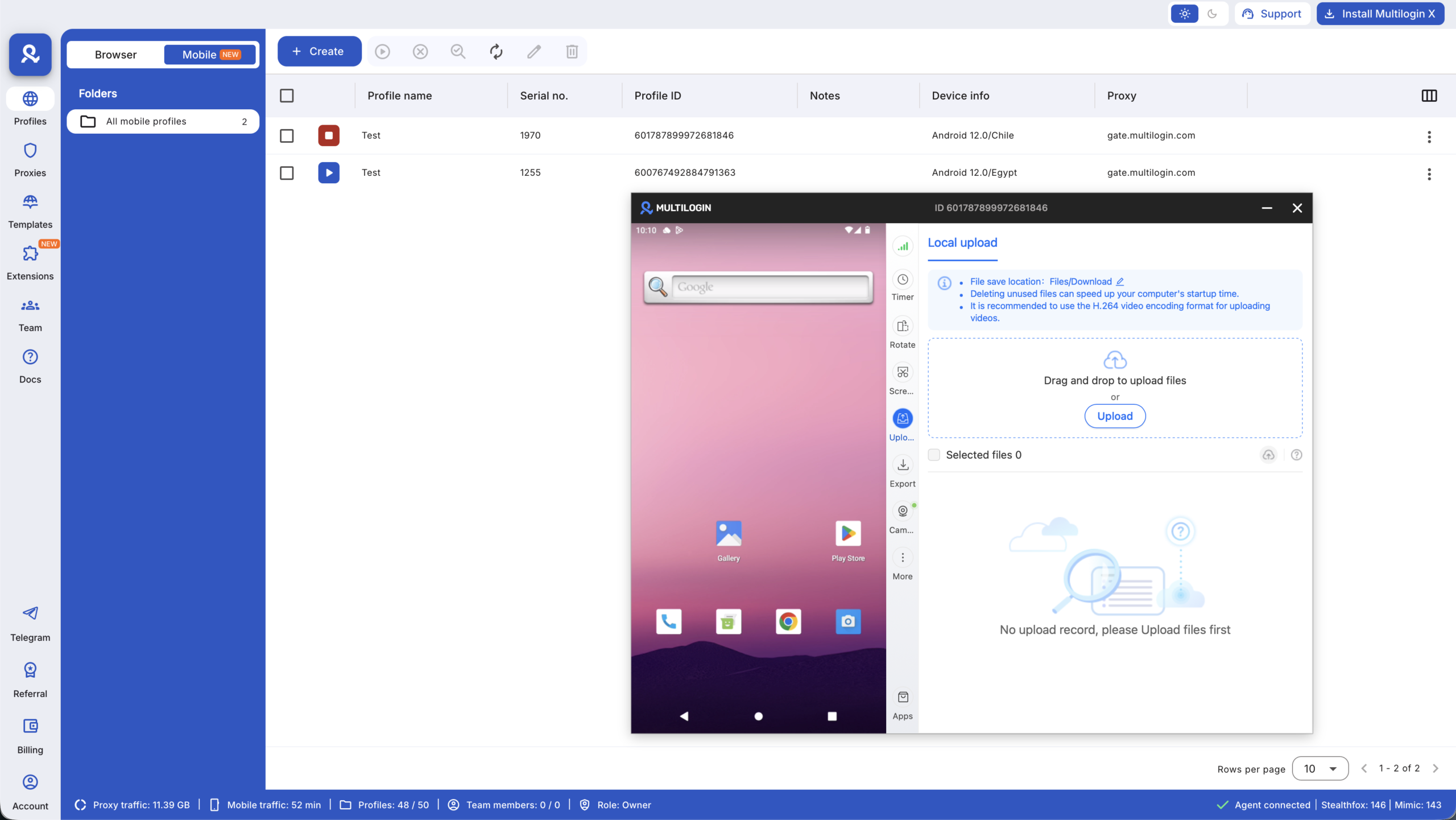
A cloud phone is a cloud-based Android environment that runs remotely on real ARM hardware. You do not hold a physical device in your hand. You open the phone inside Multilogin and control it from your computer through a live interactive stream. The apps on that phone, including Instagram, TikTok, and WhatsApp, run inside a genuine Android environment, not a browser session pretending to be a phone.
This distinction matters because platforms like Instagram and TikTok check device signals at the hardware level: device IDs, sensor readings, installed app signatures, and behavioural patterns. A real ARM-based Android device with a residential IP does not trigger the flags that emulators and physical phone farms set off. For a full technical breakdown of how this works, see cloud phones vs other isolation methods.
Device identity: what makes each cloud phone unique
Every cloud phone generates its own device identity covering Android ID, IMEI, GAID, build properties, device model, brand, and system properties, all mapped to real-world device combinations. Two cloud phones running the same brand and model still have different hardware-level identifiers, just like two physical phones of the same model are not identical.
The environment also simulates background signals that apps check: accelerometer, gyroscope, and magnetometer data that shifts naturally rather than staying frozen; a battery level that charges and discharges like a real device; and carrier and GPS data that aligns with the configured IP region. None of this is cosmetic. It is what prevents a device from looking empty to an app specifically checking for signs of automation.
Cloud phones vs. physical phone farms
Some agencies solve multi-profile safety with a phone drawer, meaning a physical device per client account. This works up to a point but does not scale. Physical devices need charging, updating, physical access, and physical security. They also do not solve the IP problem: a drawer of phones sitting on the same office WiFi shares a network identity across every device on it.
Cloud phones solve both problems at once. Each one is a genuine ARM-based Android device with its own hardware identity and its own IP, accessible from any browser with no physical hardware to manage. For a direct cost and operational comparison, see cloud phone farm vs physical phone farm and phone farm cost vs cloud phone pricing.
Which platforms benefit most from cloud phone isolation
Not every platform needs a cloud phone. Browser profiles handle LinkedIn, Facebook web, and X/Twitter well. Cloud phones are most valuable for platforms that run natively on mobile and check for real phone hardware. The guides below cover platform-specific setups:
- Best cloud phones for Instagram
- Best cloud phones for TikTok
- Best cloud phones for WhatsApp Business
- Best cloud phones for social media managers
- Top cloud phones for social media marketing
Platform-specific multi-profile guides
For managers running profiles across specific platforms, these guides cover the practical setup for each:
- Managing multiple Instagram accounts
- Running multiple TikTok accounts without bans
- Managing multiple LinkedIn accounts
- Managing multiple Twitter/X accounts
- Managing multiple Reddit accounts
- Managing multiple Discord accounts
Multilogin pricing for social media managers
Multilogin offers a permanent free plan with no credit card required. The free plan includes 5 cloud mobile and browser profiles, 200 MB of premium proxy traffic one-time, and 30 minutes of cloud phone usage on one profile one-time. No API access and no team seats on the free tier.
Paid plans start from $7.08/month on annual billing for Pro 10, which includes 10 profiles, 60 bonus mobile minutes per month, 1 GB of proxy traffic per month, quick cloning, bulk operations, and automation API access. Pro 50 and Pro 100 scale profile counts and bonuses for larger rosters. Business plans from $57.08/month annual cover 300+ profiles with unlimited team seats.
Cloud phone usage beyond plan bonuses is billed at $0.0073 per minute, with unused minutes rolling over. Additional proxy traffic is $3.50 per GB, also with rollover. See the full breakdown at multilogin.com/pricing.
What are the 5 pillars of social media?
The 5 pillars of social media are the five strategic foundations that every effective social media presence is built on: Strategy, meaning why the account exists and what it is meant to achieve; Content, meaning what gets posted and in what format; Engagement, meaning how the account interacts with its audience; Analytics, meaning how performance is measured and acted on; and Community, meaning how the account builds genuine relationships rather than just broadcasting. A social media manager’s job is to build and maintain all five pillars for every profile they manage.
What are the 7 types of social media?
The 7 types of social media by function are social networks such as Facebook, LinkedIn, and X/Twitter; image-sharing platforms such as Instagram and Pinterest; video platforms such as TikTok and YouTube; messaging apps such as WhatsApp, Telegram, and Snapchat; community and discussion forums such as Reddit and Discord; professional networks, primarily LinkedIn; and blogging or content platforms such as Substack and Medium. Social media managers typically specialise in two or three types most relevant to their clients’ audiences.
What are the 7 functional blocks of social media?
The 7 functional blocks of social media, from Kietzmann et al.’s social media honeycomb framework, are Identity, meaning how users represent themselves; Conversations, meaning what they discuss; Sharing, meaning what content they exchange; Presence, meaning whether they are available or reachable; Relationships, meaning how they connect to others; Reputation, meaning how they are perceived; and Groups, meaning what communities they belong to. Social media managers can use this framework to audit which functions matter most for a specific brand’s audience. A B2B brand on LinkedIn prioritises Identity and Reputation, while a consumer brand on TikTok prioritises Conversations and Sharing.
What are the 4 types of social media content?
The 4 types of social media content by purpose are Educational, meaning content that teaches the audience something; Entertaining, meaning content that makes them laugh, feel, or be surprised; Inspirational, meaning content that motivates or aspirationally appeals to them; and Promotional, meaning content that drives a specific commercial action. The most durable social media strategies include all four types. Heavy reliance on promotional content drives unfollows. Heavy reliance on entertainment without conversion content does not produce business results.
Social media manager salary: what to expect in 2026
Social media manager salaries vary significantly by location, experience, employer type, and whether the role is in-house, agency, or freelance.
In the US market, the typical ranges in 2026 are entry-level social media manager at $40,000 to $55,000, mid-level at $55,000 to $75,000, senior social media manager at $75,000 to $95,000, and social media director at $95,000 to $130,000 or more. In-house roles at larger companies typically pay 20 to 30 percent more than agency roles at the same seniority level.
Freelance social media manager rates depend on scope. Most established freelance social media managers charge $500 to $2,500 per client per month for standard account management covering strategy, content creation, scheduling, and reporting. Hourly rates range from $50 to $150 per hour for project work. Rates at the higher end reflect specialisation, track record, and the ability to demonstrate measurable results.
How to become a social media manager with no experience
The path into social media management without prior professional experience follows a consistent pattern: build the skills, prove them on real accounts, and package the results as a portfolio.
- Build platform knowledge actively by managing your own accounts with a clear strategy. Treat them like client accounts: content pillars, a posting schedule, and regular analytics review. The algorithm does not care whether you are learning.
- Learn the tools by getting comfortable with Buffer or Later for scheduling and Canva for design, and by using native analytics for measurement. Free accounts cover everything you need at the start.
- Get your first real account to manage by volunteering for a local business, non-profit, or someone in your network. You need real results, not hypothetical strategy.
- Build a portfolio by documenting what you did, what changed, and why. Screenshots of engagement growth, before-and-after follower counts, and examples of content you created matter more than credentials.
- Start finding clients or applying for roles through freelance platforms, direct outreach to local businesses, and job boards for junior social media manager roles. A portfolio with real results beats a resume with no experience every time.
If you plan to take on more than one client from the start, set up account infrastructure before you need it. Multilogin’s free plan is a practical starting point: 5 profiles, no credit card, enough to test the workflow before your first paying client. A single flagged account early in a freelance career, before there is a portfolio or reputation to fall back on, can end things before they start.


