
Method 2: Use a Facebook video downloader tool
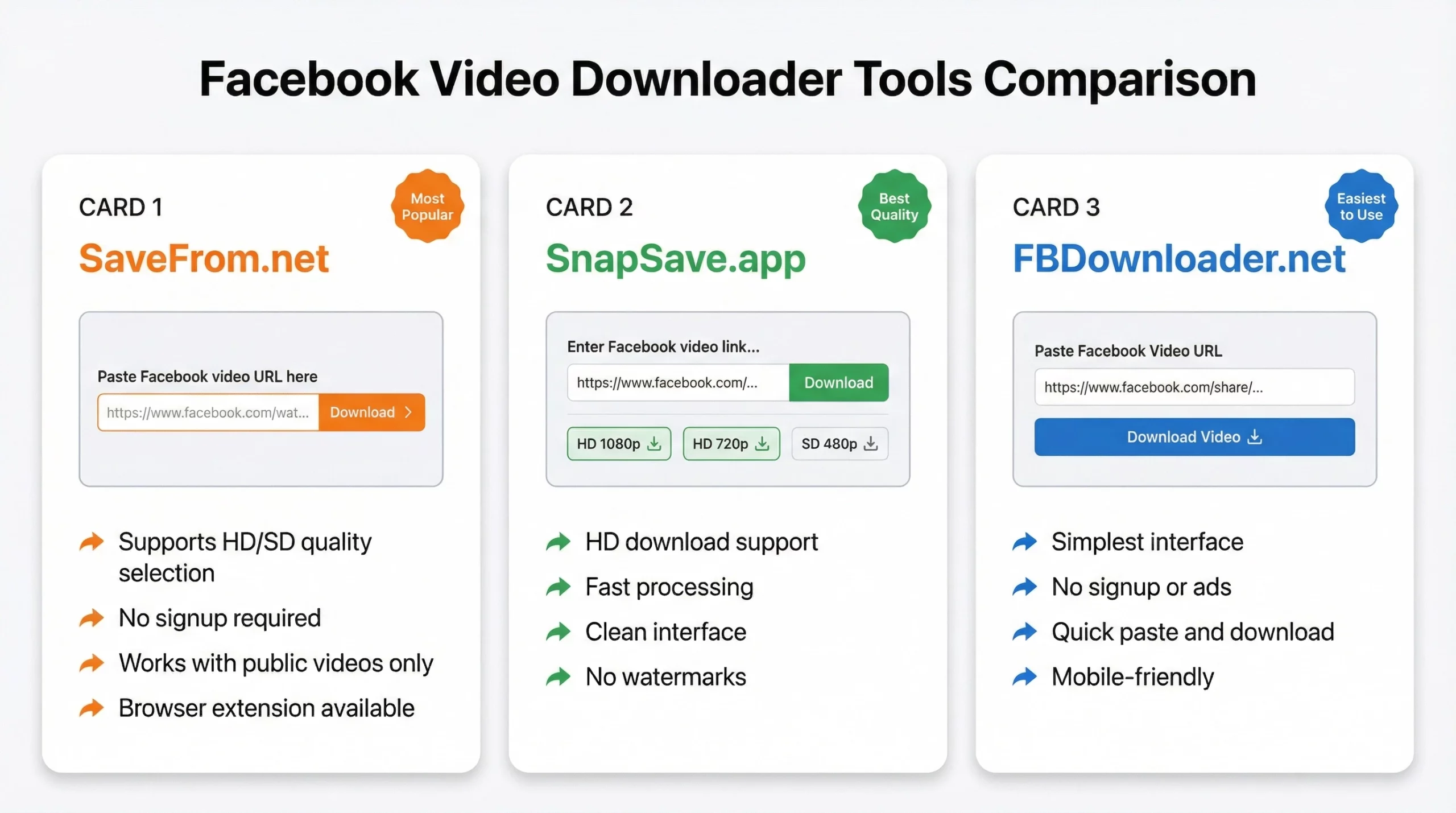
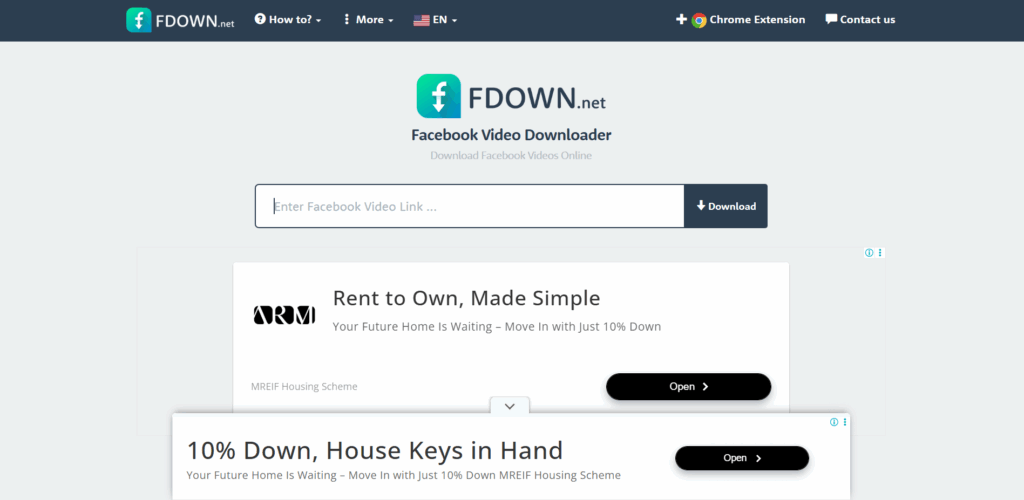
Several third-party tools let you paste a Facebook video URL and download the clip directly:
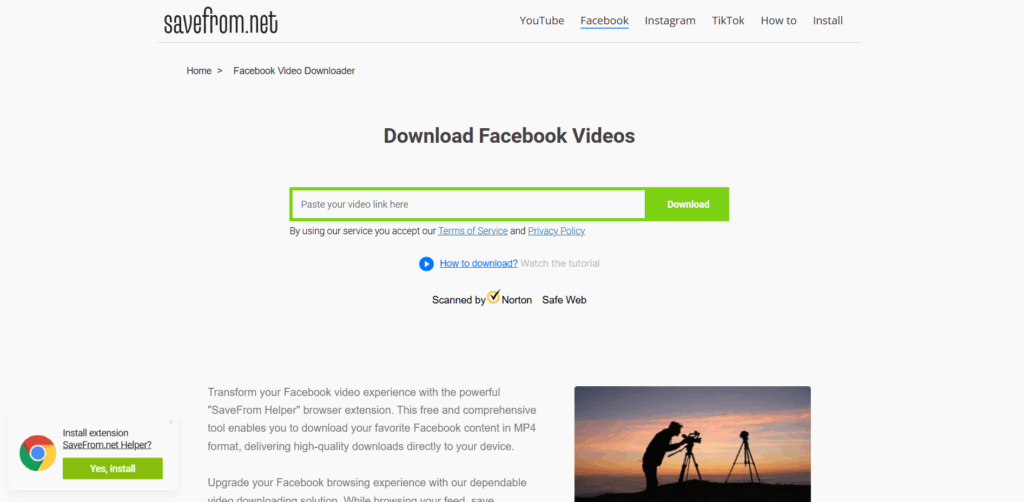
- SaveFrom.net — paste the URL, select quality, download
- SnapSave.app — supports HD downloads for Facebook video clips
- FBDownloader.net — clean interface, no signup required
The process is the same across all of them:
- Copy the Facebook video URL
- Paste it into the tool’s input field
- Select video quality (HD/SD)
- Click download
These tools work for public videos. Private videos or videos visible only to Facebook friends generally can’t be downloaded this way — the tool can’t access content it’s not authorized to view.
How to download Facebook video clips on mobile (iPhone and Android)
Facebook’s mobile app doesn’t include a native download option for most content. Here’s how to get around that:
On Android
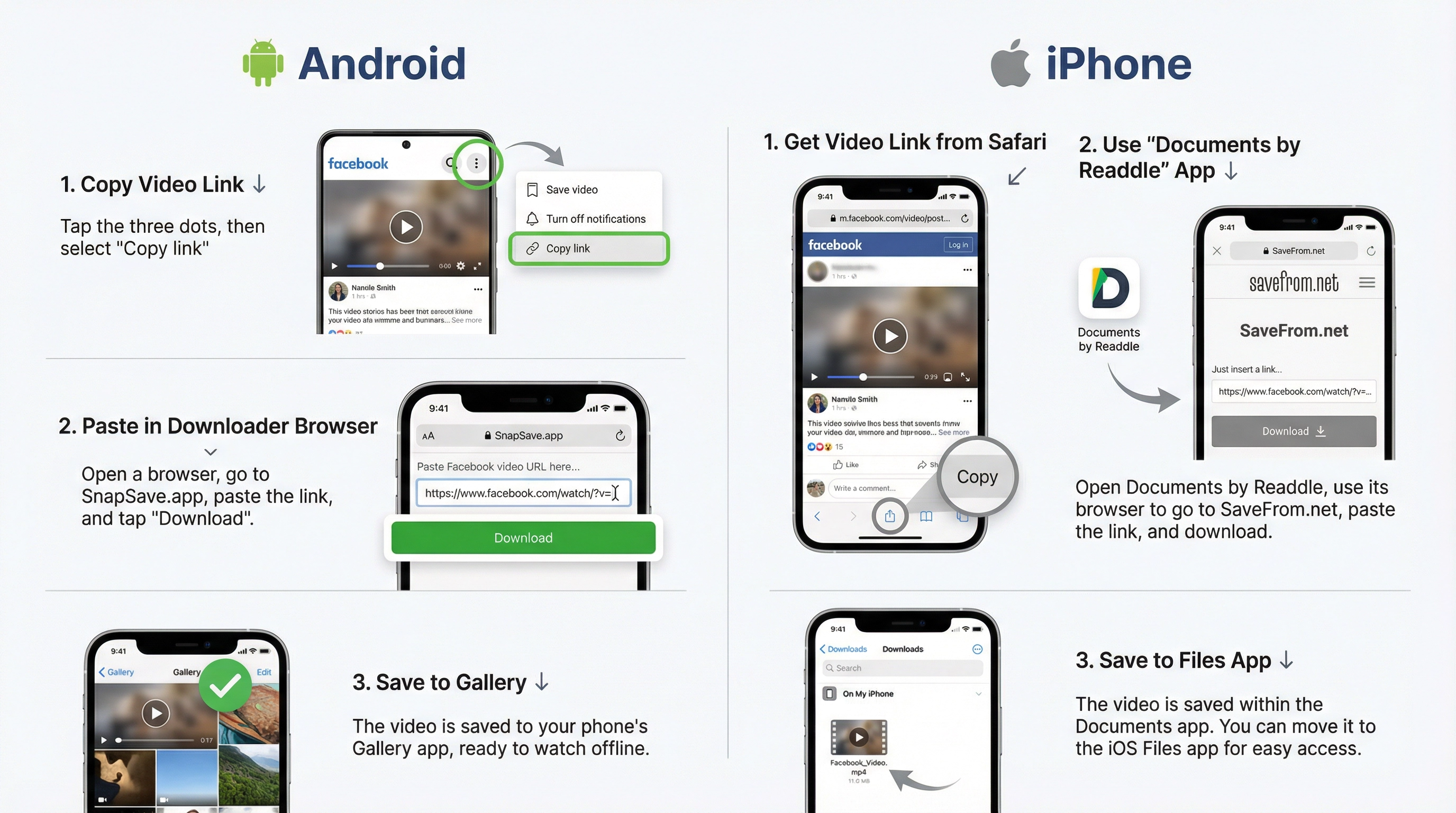
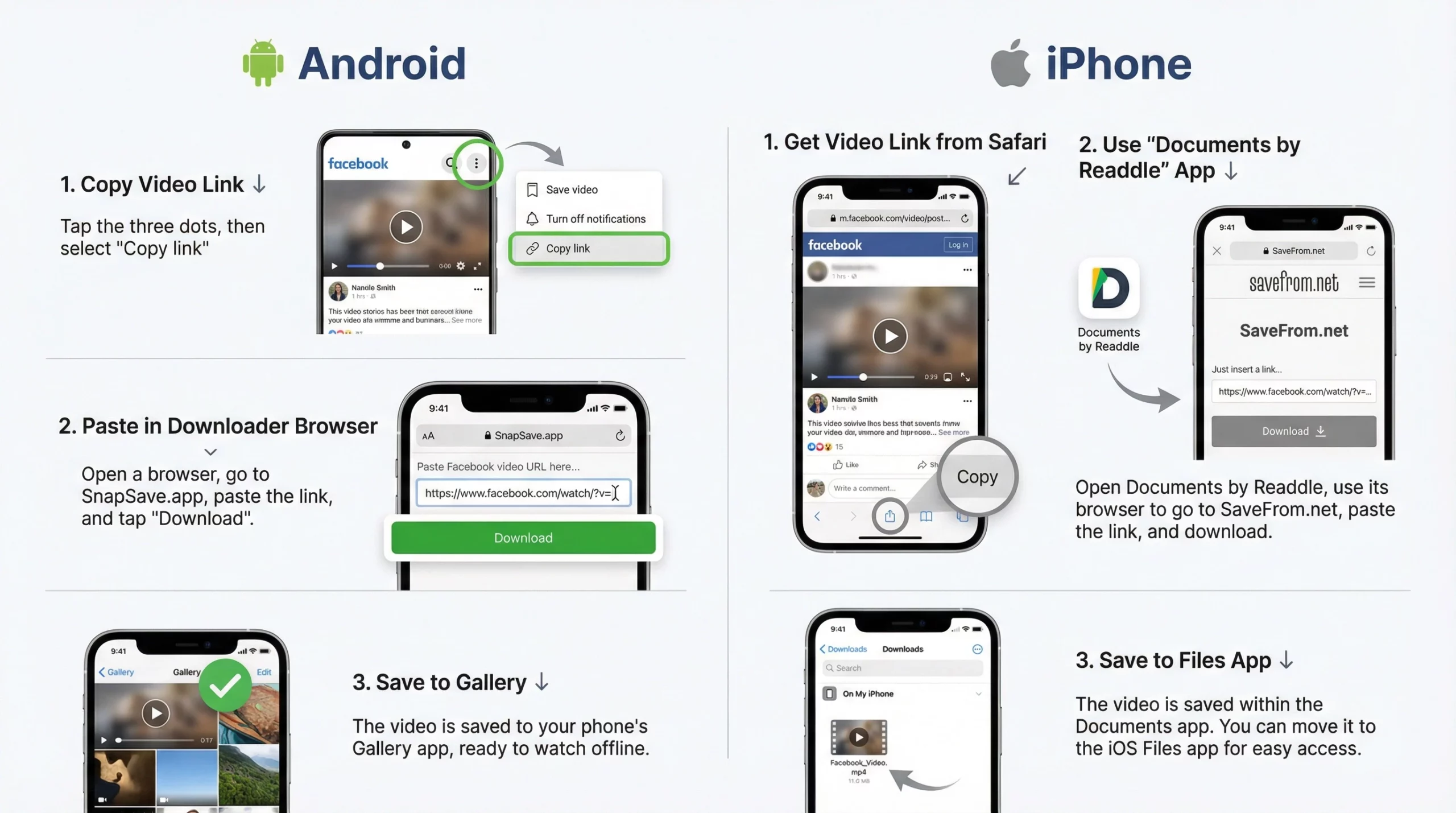
- Copy the Facebook video link (tap the three dots on the video > Copy link)
- Open a browser and go to SaveFrom.net or SnapSave.app
- Paste the link, select quality, and download to your device gallery
Alternatively, apps like “Video Downloader for Facebook” (available on Google Play) let you download Facebook video clips directly from the app.
On iPhone (iOS)
iOS restricts direct downloads from third-party apps, but you can:
- Use the Documents app by Readdle as a download manager
- Open Facebook in the Safari browser (not the app)
- Copy the video URL and paste it into SaveFrom.net within Documents
- Save to your Files app
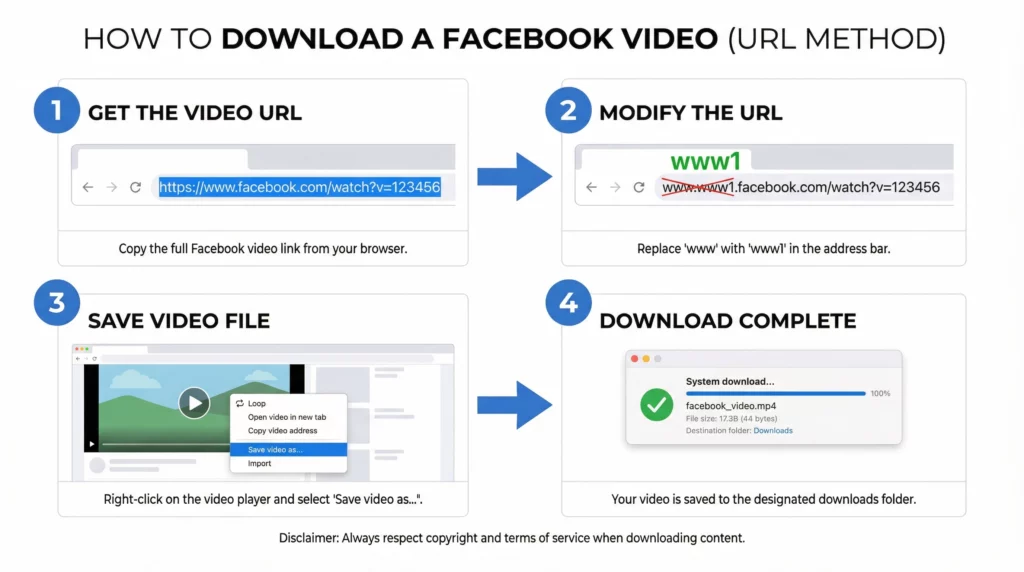
Or use the same URL method as desktop — change www to www1 in Safari and save the video.
How to download voice clips from Facebook Messenger
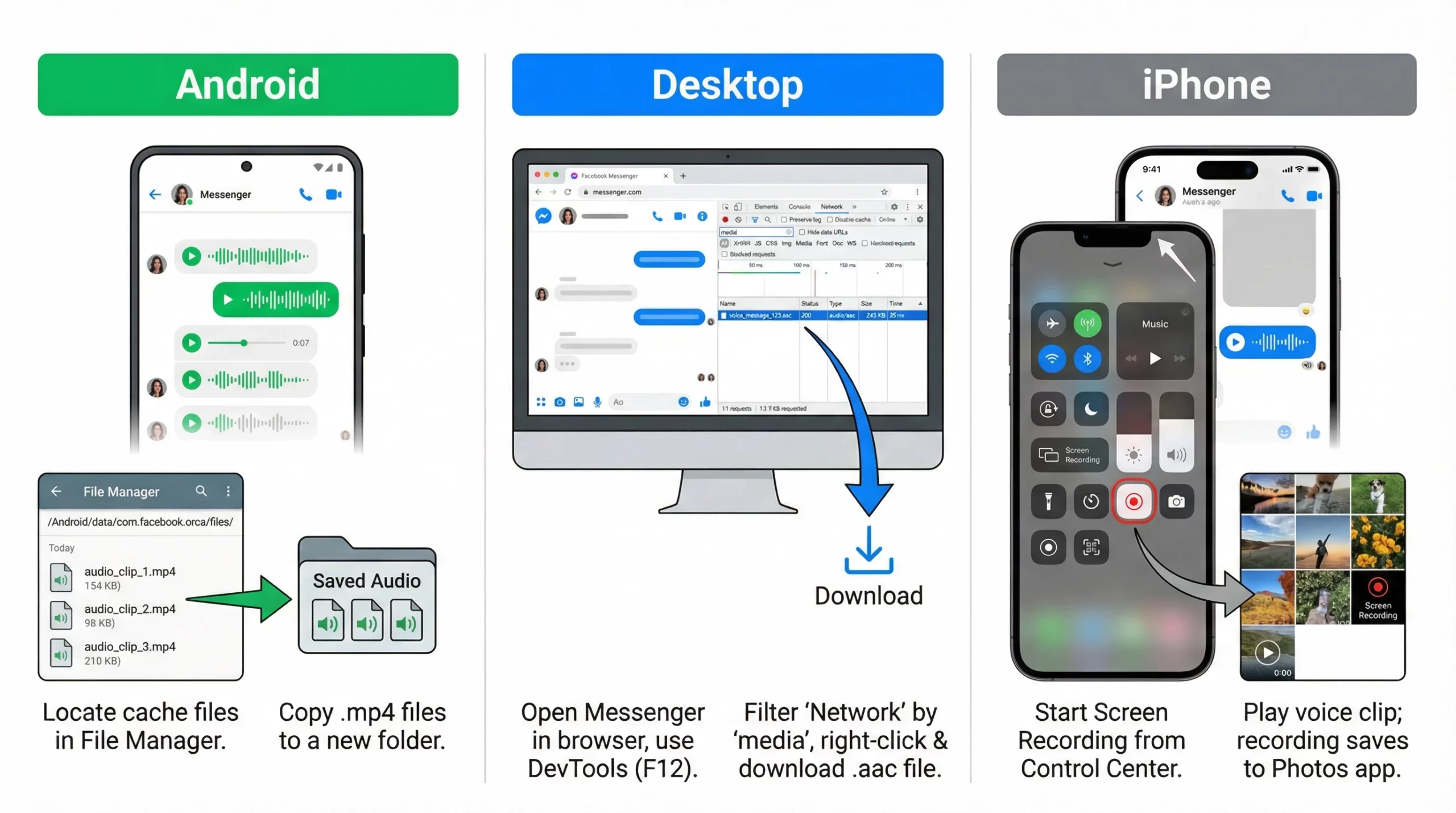
Downloading voice clips and audio clips from Facebook Messenger is trickier because Messenger content isn’t publicly accessible via URL.
Method for Android Messenger voice clips
- Open Messenger on Android
- Tap and hold the voice clip you want to save
- Select “Save to device” if the option appears (available in some Messenger versions)
- If not available, use a screen recording app and record while the audio plays
Alternatively, on Android:
- Use a file manager app to navigate to /Android/data/com.facebook.orca/files/
- Voice messages are sometimes stored there temporarily as .mp4 audio files
- Copy them to another folder before they’re cleared
Method for iPhone Messenger voice clips
iOS doesn’t expose app storage to file managers directly. Options:
- Use the screen recording feature (Control Center > Screen Recording) with audio enabled to record the voice clip as it plays
- Use a third-party app like “iMazing” to access Messenger’s app data if you have a Mac
Downloading audio clips from Facebook Messenger on desktop
On desktop Messenger (messenger.com):
- Open the conversation containing the voice or audio clip
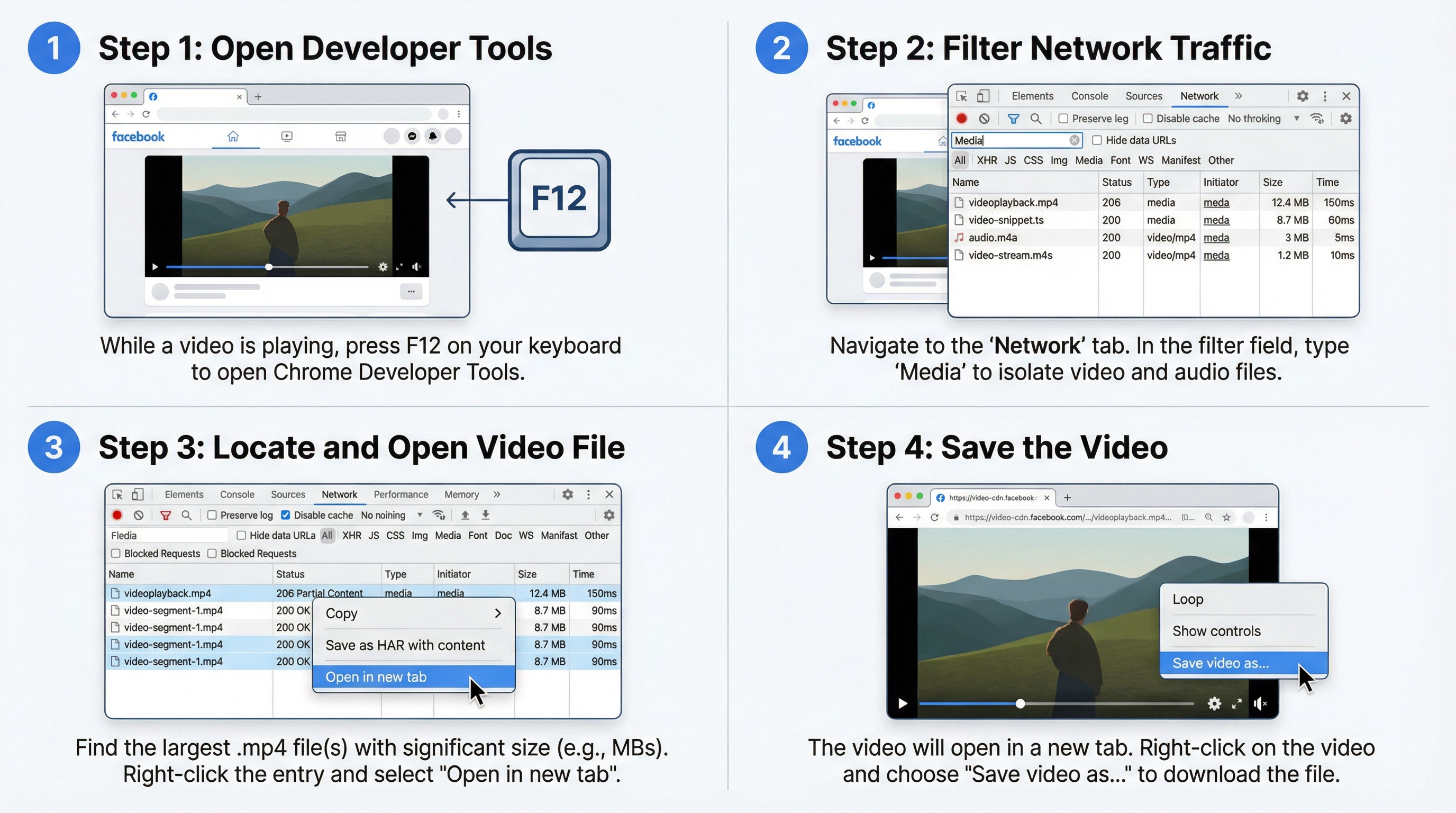
- Right-click the audio player
- Select “Inspect” to open developer tools
- In the Network tab, filter by media and play the clip
- Download the audio file from the network log (usually .aac or .mp4 format)
This is the most reliable method for saving audio clips from Facebook Messenger on desktop.
How to download Facebook movie clips and sound clips
For video clips from Facebook Watch, shared movie clips, or sound clips embedded in posts, the same methods apply — URL modification, dev tools, or a third-party downloader.
One important note: downloading copyrighted content (movie clips, music videos, commercial content) from Facebook without the rights holder’s permission is a copyright issue. The methods above are technically functional, but using them on copyrighted material is your responsibility to assess.
For social media managers downloading client content, video testimonials, or brand assets, all methods above are fully appropriate.
Bulk downloading Facebook video clips
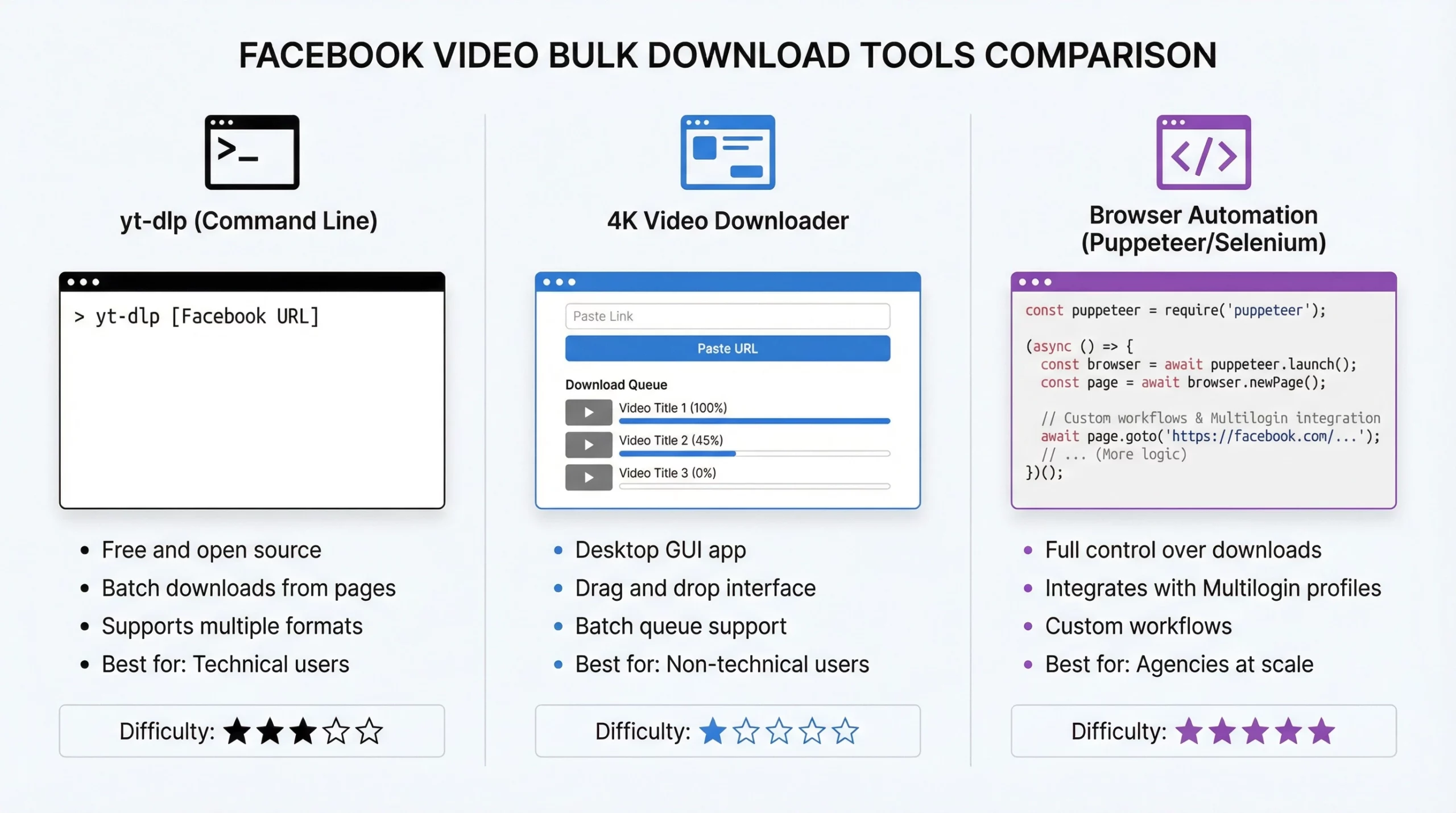
If you’re managing content for multiple Facebook pages or clients and need to download clips regularly, doing it manually one by one doesn’t scale. A few approaches for bulk operations:
- yt-dlp (command line tool): supports Facebook and can download batches of videos from public pages. Command: yt-dlp [Facebook video URL]
- 4K Video Downloader: GUI app that supports batch downloads from Facebook
- Browser automation: tools like Puppeteer or Selenium can automate the download process for large content libraries
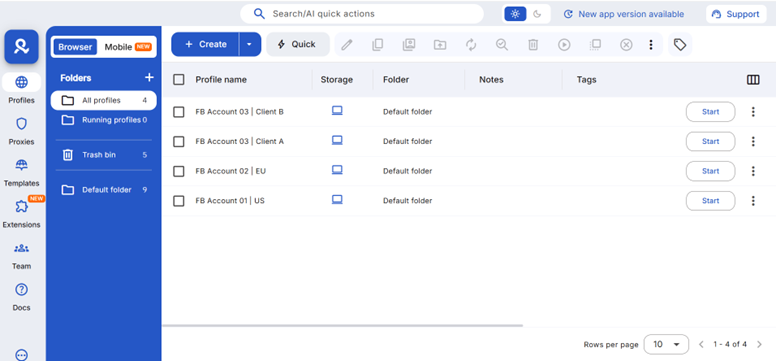
For agencies managing multiple Facebook pages and clients, browser automation paired with Multilogin’s isolated profiles lets you run these operations across accounts without the sessions interfering with each other. Each page’s content management stays in its own environment.
Managing multiple Facebook accounts safely while downloading and repurposing content
Content managers who download Facebook clips typically aren’t just working from one account. They’re managing pages for multiple clients, running ad accounts, and often operating several Facebook profiles for different purposes.
Facebook’s detection system is sophisticated. It tracks browser fingerprinting signals — your canvas fingerprint, WebGL renderer, timezone, screen resolution, fonts — not just your IP address. If two accounts share the same fingerprint profile, Facebook treats them as the same person, which is a common trigger for account restrictions.
This is why how to avoid getting banned from Facebook is one of the most searched topics for agencies. The answer isn’t “use a different email” — it’s having genuinely separate device identities for each account.
What Multilogin does for Facebook multi-account management
Multilogin gives each Facebook account its own isolated browser profile. Each profile has:
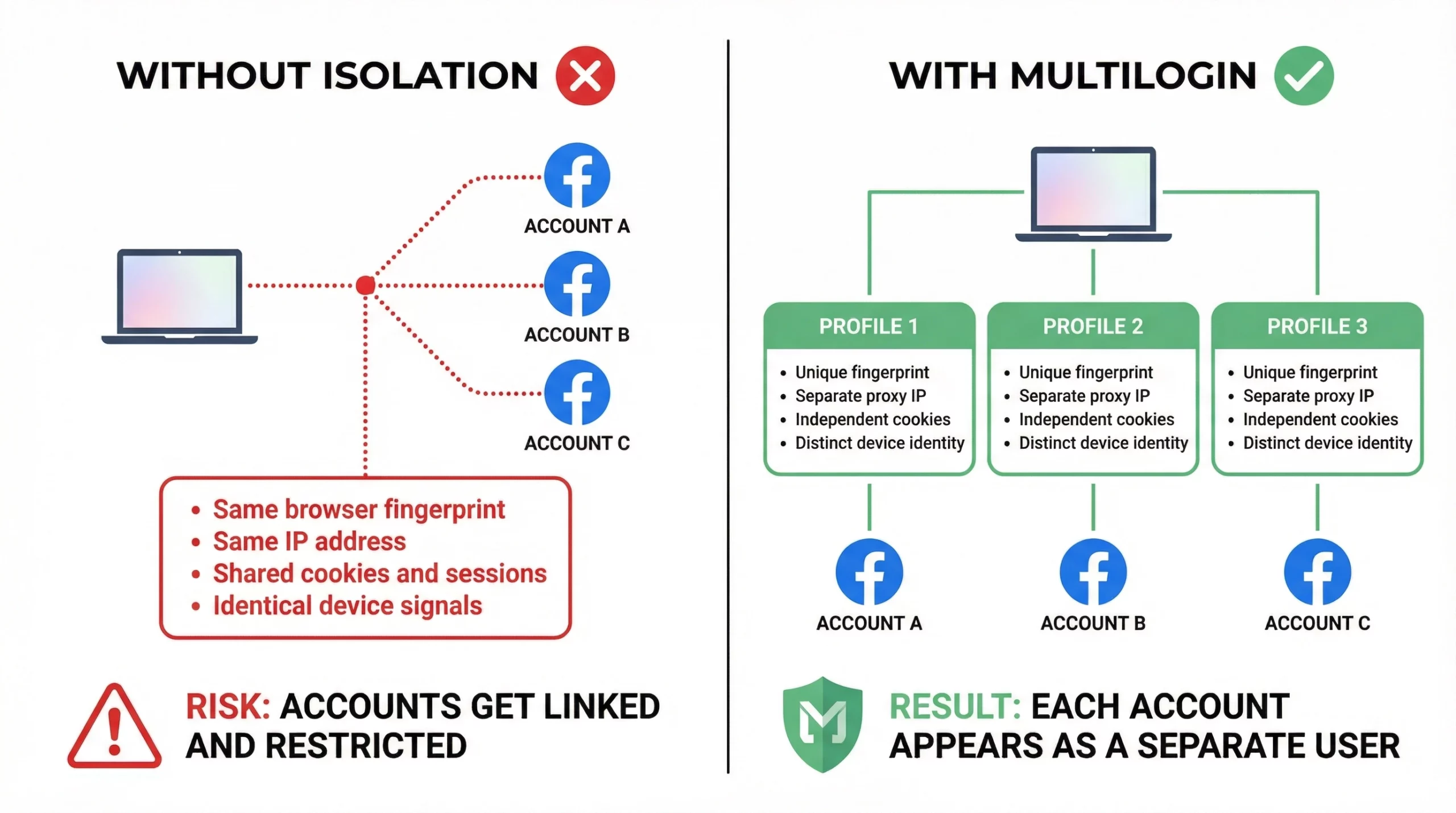
- A unique digital fingerprint (canvas, WebGL, fonts, screen resolution, hardware concurrency)
- Separate cookies and session storage — no data crosses between profiles
- Its own proxy assignment — each account can have a different IP and geolocation
- Persistent sessions — you don’t have to log in from scratch each time
For mobile-based Facebook management (native app rather than desktop browser), Multilogin Cloud Phones give each account a real Android device environment with genuine hardware identifiers. Instagram-style behavioral detection that checks hardware-level signals — IMEI, Android ID, MAC address — sees each cloud phone as a completely separate device.
Teams managing Facebook accounts for multiple clients use Multilogin’s shared workspace features: you can assign profiles to team members, set granular permissions, and run bulk operations across accounts from one dashboard.
Manage multiple Facebook accounts safely with Multilogin — or start your plan directly from €5.85/month.

