
X has gone through more changes in three years than most platforms see in a decade. New ownership, new monetization programs, a rebrand, paid verification tiers, ad revenue sharing. Most guides about making money on Twitter are working from a platform that no longer exists.
This one isn’t. Here’s what’s actually producing income on X in 2026 and what you need to make each method work.
1. Ad revenue sharing
X’s Creator Ads Revenue Sharing program pays eligible creators a share of the ad revenue generated within replies to their posts.
What you need to qualify: An X Premium subscription, at least 500 followers, and 5 million organic impressions in the past three months.
That impression threshold is the real barrier. Getting to 5 million organic impressions requires consistent, high-engagement posting over months. If you’re already doing that, the program is worth activating. If you’re not there yet, focus on building before worrying about monetization.
What does it actually pay? Creator earnings reports suggest roughly $1 to $8 per 1,000 impressions depending on audience demographics, engagement quality, and ad market conditions. Finance, business, and technology accounts tend to earn higher rates because advertisers pay more to reach those audiences.
At scale: 5 million monthly impressions at $4 CPM earns around $20,000 per month. Realistic for top creators. Most accounts earning from this program are in the $500 to $5,000 per month range, which requires a substantial and consistently engaged following to achieve.
2. X subscriptions and paid communities
X Premium subscribers can offer exclusive content to paying followers through the native subscription feature. You set a monthly price; subscribers pay for access to exclusive posts or communities you designate.
This model works best for people with strong niche expertise that their audience values. Finance commentary, growth strategy, trading insights, marketing analysis, and technical subject matter all convert well here. People pay for the specific knowledge, not the personality.
The income is predictable in a way ad revenue isn’t. 200 subscribers at $10 per month is $2,000 per month in recurring revenue that doesn’t depend on impression counts or algorithm changes.
Many operators use X as the acquisition channel and host the actual paid community elsewhere on platforms like Skool, Discord, or Circle. X builds the audience. The third-party platform houses the monetized community. This gives you more control over the product and the relationship.

3. Affiliate marketing
Affiliate marketing works on X even at relatively small follower counts because the platform rewards content specificity. A highly engaged niche audience converts at much higher rates than a large generalist following.
The approach: post consistently useful content in your niche, include affiliate links for products you genuinely recommend (disclosed properly), and earn a commission when your followers purchase.
High-performing affiliate niches on X include software tools, books, financial products, courses, and physical gear for specific communities like tech, fitness, or creative work. Commission rates range from 5% for consumer products up to 30 to 50% for SaaS and digital products.
Disclosure is not optional. The FTC requires clear disclosure of affiliate relationships in the US, and platform rules increasingly reflect this globally. “Ad” or “affiliate” in the post is the minimum. Being transparent also builds trust rather than eroding it, which is the longer game on any content platform.
4. Selling your own products and services
X is one of the best organic acquisition channels for people selling things that require explanation. Courses, consulting, software, writing, and design all fit this profile.
The playbook is straightforward: post consistently about a topic you know deeply, build an audience of people interested in that topic, mention what you offer occasionally, and link to a landing page. The soft sell through demonstrated expertise converts over time without being pushy or transactional.
Ghost, Gumroad, and Beehiiv are the platforms most commonly used to sell products promoted through X. Many accounts that look like pure content creators are actually running five or six figure product businesses that originated almost entirely from organic X growth.
5. Sponsored content and brand deals
Once you have a meaningful following, brands pay for sponsored posts. The threshold varies by niche, but 10,000 engaged followers in a specific topic area is typically where inbound interest starts.
Rates range from $100 to $500 per post for micro-influencers with niche followings up to $1,000 to $10,000 or more for accounts with 100,000 or more followers in premium categories.
The sustainable approach: only work with products you’d actually recommend, disclose properly, and keep sponsored content to a small percentage of your overall output. Audiences that feel sold to constantly disengage. Your organic reach drops. Your sponsored content rates drop with it.
Building the following you need: what actually works
None of these monetization methods work without an audience. Here’s what consistently grows X followings faster in 2026.
- Stay in one niche. Accounts that post about everything confuse the algorithm and confuse potential followers. Pick one topic and become the clearest, most consistent voice on it. This is boring advice that works.
- Reply to bigger accounts before you post your own content. A genuinely useful reply on a post with 50,000 impressions puts your name in front of a large audience you haven’t earned yet. This is one of the most underused growth tactics on the platform.
- Post threads rather than single posts. Thread content consistently outperforms standalone posts for follower growth because it demonstrates depth, gets shared more, and appears more prominently in feeds.
- Consistency beats any single viral post. One viral moment that gains 5,000 followers doesn’t build a business. Showing up reliably in one niche for 12 months does.
- Engage genuinely. Pure broadcasting stalls out. Conversation builds followings.
Tools that serious X operators actually use
- Scheduling: Buffer, Hypefury, or X’s native scheduler. Hypefury is popular with X-focused creators for its thread and engagement features.
- Analytics: X Analytics (native) for impression trends and engagement rate. Shield App for more granular data on which content types are performing.
- Newsletter integration: Beehiiv, Ghost, and ConvertKit all work well for capturing email subscribers from X profile links and pinned posts. Email is the income layer that makes X monetization compound.
- Link tracking: UTM parameters on links let you track which posts are driving actual conversions, not just clicks. Knowing which content types generate buyers rather than just impressions is how you optimize your strategy over time.
The timeline: realistic expectations
Building to meaningful ad revenue income requires hitting 5 million impressions per quarter consistently. For most new accounts posting well, that’s 6 to 18 months away.
Affiliate income can start much earlier with a small but highly targeted audience. Product and service income can start immediately if you have an existing offer.
The accounts that succeed treat X as a 12 to 24 month content business project, not a quick income lever. The upfront cost is time and consistency. The payoff compounds significantly once an audience is established.
Building the right audience, not just a big one
The accounts that monetize most effectively on X are not always the largest. They’re the most specific. An account with 3,000 followers who are all B2B SaaS founders will generate more affiliate commission and product sales revenue than an account with 50,000 mixed followers who followed for a single viral tweet.
Building a specific audience requires staying specific. Every post should be something your target reader would save, share, or reply to. If you’re building a finance account, posting about football because it got 10,000 impressions last week is a trap. It gets you the wrong followers and trains the algorithm to show your content to people who aren’t your buyer.
The reply-first strategy for early growth: Before your own posts get traction, replies are how you grow. Identify the 10 to 20 accounts in your niche with the largest engaged followings. Follow them. Spend 20 minutes every day writing substantive, valuable replies to their posts. Do this consistently for 90 days. The compound effect of your name appearing repeatedly in threads where your target audience already spends time is significant.
Cross-platform distribution
X is most powerful as a distribution channel when it feeds into something you own. Email is the obvious complement. A link to a free resource, a newsletter, or a short guide turns X followers into email subscribers. Email subscribers are an asset you own regardless of what X does with its algorithm or monetization policies.
Many of the accounts earning $10,000 to $50,000 per month from X have 80% of their actual revenue flowing through email and direct product sales. X is what brings people into the funnel. The owned channel is where the money is made reliably.
Beehiiv, Ghost, and ConvertKit all integrate well with X-based audience building. The specific tool matters less than the habit: capture email addresses consistently and send valuable content on a regular schedule.
What the X Premium subscription actually gets you for monetization
X Premium is required to access the ad revenue sharing program. At $8 per month for the base tier and $16 to $22 per month for the higher tiers, it’s a legitimate business expense if you’re posting consistently with the goal of monetization.
Beyond ad revenue eligibility, Premium gives you longer posts (up to 25,000 characters, which enables thread-quality content in a single post), better post analytics showing which content is driving follows and engagement, and visibility boosts in replies that get your content seen by more people naturally.
The honest ROI calculation: if you’re generating 5 million impressions per quarter from a business or finance account at a $4 average CPM, you’re earning roughly $1,600 per quarter, or $533 per month, from ad revenue alone. That’s $525 net after the $8 monthly subscription. The subscription pays for itself quickly once you’re at that scale.
Below the 5 million quarterly impression threshold, ad revenue is minimal and the subscription is really a growth investment rather than a revenue tool.
The long game: 12 months of consistent posting
The single most reliable predictor of X monetization success is whether someone is still posting in the same niche 12 months after they started. Most people quit somewhere between month two and month four when growth feels slow.
The accounts that stick through that period and keep publishing specific, high-quality content in one niche are the ones generating real income at the 12 to 18 month mark. The growth curve on content platforms is not linear. It’s often flat for months and then accelerates sharply once the algorithm has enough data to understand who to show your content to.
Set a 12-month commitment before evaluating whether it’s working. Post consistently. Engage genuinely. Track which content drives follows and engagement rather than just impressions. Adjust based on data, not feelings.
Want to make money on X? Try Multilogin's cloud phones now.
Frequently Asked Questions About How to make money on Twitter
It depends on the method. Ad revenue sharing requires 500 followers but effectively needs millions of impressions per quarter to earn meaningfully. Affiliate income can work with a few hundred highly engaged niche followers. Sponsored content typically starts at 10,000 or more. Selling your own products can work from a very small, specific audience.
5 million organic impressions in the past three months is the threshold to qualify for X’s ad revenue sharing program. Ongoing earnings scale with impression volume from there.
It requires sustained effort and a real niche. The people who succeed treat it as a content business with a medium-term horizon. Quick income expectations lead to quick abandonment. Slow, consistent audience building in a specific area leads to real monetization.
Yes, you can often use the same phone number to verify multiple X accounts. X allows phone number reuse, but there are some limitations. First, there’s a maximum number of accounts that can be tied to a single phone number (the exact limit isn’t published but is generally around 10). Second, if X detects unusual activity—like multiple new accounts being created rapidly—it may require unique phone numbers. Third, if one account gets suspended for spam or violations, X may take action on other accounts tied to the same phone number. For business operations, using separate numbers or virtual phone numbers for each account provides better protection.
With affiliate marketing and direct product sales, yes. The quality and specificity of your audience matters more than the number. A 500-person following of SaaS founders who trust your judgment is worth more for product sales than 50,000 general followers.
Managing multiple X accounts for agencies and testing
Many serious X operators and agencies run multiple accounts. Testing different niches, different posting styles, or managing accounts for multiple clients all require proper account isolation. X’s detection works at the browser, device, and IP level, not just at the login level.
Multilogin gives each account its own isolated browser profile with a separate fingerprint, cookies, and session data. Paired with its own residential proxy, each account looks like a completely different user on a completely different device.
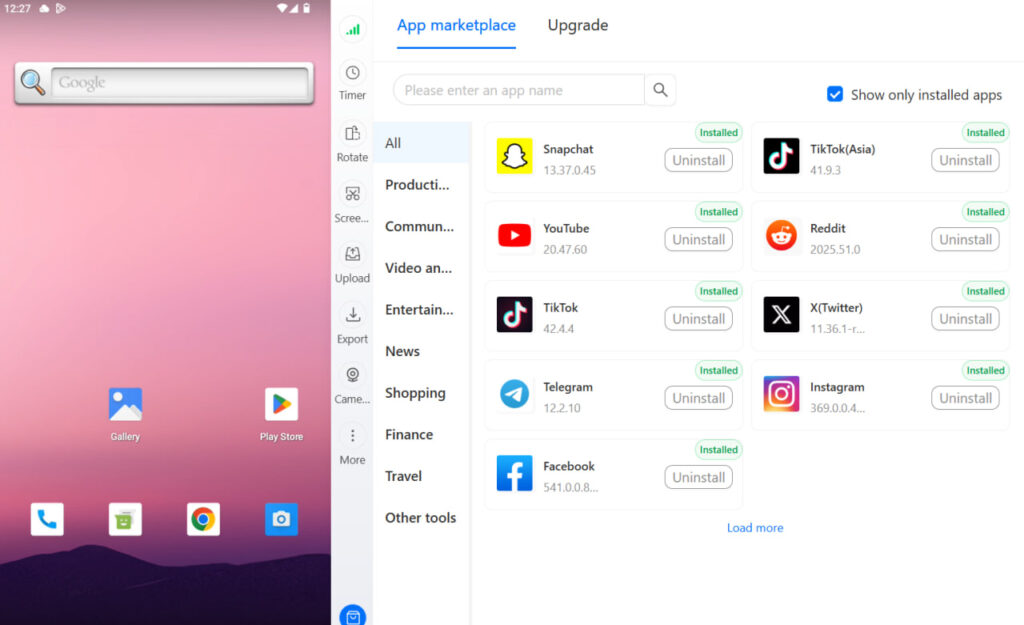
For mobile X management, Multilogin cloud phones run the X app in real Android environments with genuine hardware identifiers. Phone verification for new accounts is handled through third-party virtual number providers that Multilogin supports.
Read more about managing multiple Twitter accounts safely and how to create multiple Twitter accounts without linking risk.

