

If you’ve searched “what is a cloud based phone system,” you’re probably researching business phone solutions for your company. But here’s something important: this term actually refers to two different technologies that happen to share similar names.
- Cloud-based phone systems (VoIP for business communication): Internet-based business telephony replacing traditional landlines — what most articles discuss. Services like RingCentral, 8×8, and Nextiva.
- Cloud phones (real mobile devices in data centers): Actual Android/iOS smartphones hosted remotely for mobile operations — less commonly discussed but increasingly important for businesses managing multiple mobile accounts, app testing, or social media operations.
This guide covers both technologies comprehensively because understanding the difference matters when choosing solutions for your business needs. The first handles your business calls. The second handles mobile device operations at scale.
Need cloud-hosted mobile devices (not VoIP)? Multilogin Cloud Phones provide real Android devices accessible from your desktop — perfect for multi-account management, mobile testing, and scaled mobile operations.
What is a cloud based phone system? (VoIP business telephony definition)
A cloud based phone system is a business telephony solution where phone services run on internet servers instead of physical hardware at your location. Also called VoIP phone systems (Voice over Internet Protocol), hosted PBX, or virtual phone systems.
Core concept:
Traditional phone system:
- Physical PBX (Private Branch Exchange) hardware in your office
- Landline connections
- Maintenance by phone company technicians
- High upfront costs ($5,000-$50,000+)
- Tied to physical location
Cloud based phone system:
- Software running on provider’s internet servers
- Calls route through internet
- Managed by provider remotely
- Subscription pricing ($20-$50 per user/month)
- Accessible from anywhere with internet
How it works:
- Provider hosts infrastructure — PBX software, call routing, voicemail, all on cloud servers
- Your devices connect via internet — desk phones, computers, mobile apps
- Calls transmitted as data — voice converted to digital packets, transmitted over internet
- Features managed through web portal — add users, configure settings, view analytics
Key components:
Provider’s cloud infrastructure
- Redundant data centers
- PBX software managing call routing
- Voicemail storage servers
- Call recording systems
- Security and encryption
Your devices
- IP desk phones (connect to internet)
- Desktop applications (softphones)
- Mobile apps (iOS/Android)
- Web-based clients
Internet connection
- Reliable broadband required
- Bandwidth: ~100 kbps per concurrent call
- Quality of Service (QoS) prioritization recommended
Management portal
- Web-based admin console
- User management
- Call routing configuration
- Analytics and reporting
- Integration settings
Learn more about cloud devices in general.
How does a cloud based phone system work? (step by step)
Setup process:
Step 1: Choose provider and plan
- Select cloud phone system provider (RingCentral, 8×8, Nextiva, etc.)
- Choose plan based on users and features needed
- Provision phone numbers (port existing or get new)
Step 2: Configure settings
- Set up users and extensions
- Configure auto-attendant (automated greeting)
- Create call routing rules
- Set business hours
- Configure voicemail
Step 3: Deploy devices
- Option A: IP desk phones shipped to employees
- Option B: Desktop softphone apps installed
- Option C: Mobile apps on employee phones
- Option D: Mix of all three
Step 4: Port existing numbers (optional)
- Transfer business phone numbers from old provider
- Process takes 7-30 days typically
- Zero downtime with proper planning
Call flow example:
Inbound call:
- Customer dials your business number
- Call routes to provider’s cloud servers
- Auto-attendant answers (“Press 1 for Sales…”)
- Call routes based on rules (time, caller ID, selection)
- Agent’s device rings (desk phone, computer, or mobile)
- Agent answers, call connects
Outbound call:
- Employee makes call from any connected device
- Call routes through provider’s cloud system
- Displays business caller ID (not personal number)
- Connects to recipient
- Call recorded if configured
Technical process:
Voice to data conversion:
- Your voice picked up by microphone
- Converted to digital data (codec compression)
- Broken into packets
- Transmitted over internet
Quality assurance:
- Jitter buffer smooths packet arrival
- Error correction compensates for packet loss
- Redundant routing ensures call quality
- QoS prioritizes voice traffic
Benefits of cloud based phone system for small business
Cost advantages:
Lower upfront investment
- No PBX hardware purchase ($5,000-$50,000 saved)
- No installation fees
- No wiring infrastructure
- Start immediately with subscription
Predictable monthly costs
- $20-$50 per user per month typical
- Scales with business (add/remove users easily)
- Includes maintenance and updates
- No surprise repair bills
Example cost comparison (10 employees):
Traditional PBX:
- Hardware: $10,000-$20,000
- Installation: $2,000-$5,000
- Monthly service: $200-$400
- Maintenance: $1,000-$3,000/year
- 5-year total: $35,000-$65,000
Cloud based system:
- Hardware: $0-$1,500 (optional desk phones)
- Setup: Included
- Monthly service: $300-$500 (10 users)
- Maintenance: Included
- 5-year total: $18,000-$31,500
Savings: $15,000-$35,000 over 5 years
Operational benefits:
Work from anywhere
- Employees use business phone from any location
- Mobile apps for remote work
- Laptop softphones
- Same features regardless of location
Easy scaling
- Add users in minutes (not days/weeks)
- Remove users instantly
- Pay only for active users
- No hardware procurement delays
Advanced features included
- Auto-attendant (automated receptionist)
- Call forwarding and routing
- Voicemail to email
- Call recording
- Video conferencing
- Team messaging
- CRM integrations
Reliability improvements
- Redundant data centers (99.999% uptime typical)
- Automatic failover
- No single point of failure
- Disaster recovery built-in
Management simplicity
- Web-based admin portal
- No technical expertise required
- Provider handles updates
- No on-site maintenance
Best cloud based phone system providers (2026 comparison)
For small businesses (2-50 employees):
RingCentral
- Plans: $20-$45/user/month
- Best for: Growing businesses needing full features
- Pros: Comprehensive features, reliable, good mobile apps, CRM integrations
- Cons: Can be expensive at scale, learning curve for admin
- Notable: Market leader, strong reputation
Nextiva

8×8
- Plans: $15-$44/user/month
- Best for: International businesses
- Pros: Unlimited international calling (many countries), video conferencing included, affordable
- Cons: Interface less intuitive, occasional call quality issues reported
- Notable: Best value for international calling
CloudTalk
- Plans:
- The Starter plan ($25/user/month) covers all core cloud calling essentials to get teams up and running fast.
- The Essential plan ($29/user/month) adds smarter automation, deeper integrations, and improved workflow efficiency.
- The Expert plan ($49/user/month) unlocks advanced analytics, scalability features, and AI-powered capabilities designed for high-performing and fast-growing teams.
Best for: SMB sales teams that need strong international calling, seamless CRM integration, and 24/7 AI voice capabilities to automate workflows and improve performance.
Pros: CloudTalk gives you AI-powered voice agents + a 24/7 virtual receptionist, 100+ integrations, and 160+ international numbers to scale calling fast.
- Cons: CloudTalk doesn’t support video conferencing, and many advanced features are only available in higher-tier plans, plus setup/custom call flows can take some initial onboarding time.
- Notable: One of the best-value options for companies that rely on heavy outbound calling, locally or internationally, and want to scale without adding headcount thanks to automation.

Cisco Webex Calling
- Plans: Custom enterprise pricing
- Best for: Large enterprises with complex needs
- Pros: Enterprise-grade security, extensive features, strong integrations, global reach
- Cons: More expensive, complex setup, overkill for small businesses
- Notable: Best for Fortune 500 companies

Selection criteria:
Consider:
- Number of users (now and projected growth)
- Required features (basic calls vs advanced)
- Integration needs (CRM, helpdesk, etc.)
- International calling requirements
- Existing software ecosystem
- Budget constraints
- Support requirements
Cloud based phone system vs on premise PBX
Comparison:
Feature | Cloud Based System | On-Premise PBX |
Hardware | None (provider-hosted) | Physical PBX required |
Initial Cost | Low ($0-$2,000) | High ($10,000-$50,000+) |
Monthly Cost | $20-$50/user | $10-$30/user + maintenance |
Setup Time | Days to weeks | Weeks to months |
Maintenance | Provider handles | Your IT staff |
Updates | Automatic | Manual (costly) |
Scalability | Instant (add/remove users) | Hardware limited |
Remote Work | Excellent (designed for it) | Difficult (VPN required) |
Reliability | 99.999% uptime typical | Depends on your infrastructure |
Disaster Recovery | Automatic | You must plan |
Features | Constantly updated | Fixed (hardware limited) |
Control | Provider manages | Complete control |
Customization | Limited to provider options | Unlimited (if you can build it) |
When on-premise still makes sense:
✅ Very large enterprises (5,000+ employees) with dedicated IT teams
✅ Highly regulated industries requiring specific control (some healthcare, government)
✅ Locations with unreliable internet where cloud quality would suffer
✅ Companies with massive call volume where per-user costs make on-premise cheaper long-term
✅ Organizations with specific customization needs cloud providers can’t meet
When cloud makes sense:
✅ Small to medium businesses (2-500 employees)
✅ Companies with remote workers or multiple locations
✅ Businesses wanting predictable costs and minimal upfront investment
✅ Organizations without dedicated IT staff for phone system management
✅ Growing companies needing flexibility to scale quickly
✅ Businesses wanting latest features without upgrade cycles
Reality: 80%+ of businesses are better served by cloud based phone systems in 2026.
What is a cloud phone? (mobile device context — different technology)
Important distinction: When you search “cloud based phone system,” you’re probably looking for VoIP business telephony (covered above). But there’s another technology called “cloud phones” that’s completely different:
Cloud phones = real Android/iOS smartphones hosted in data centers
Not to be confused with:
- Cloud based phone systems (VoIP for business calls)
- Phone apps for cloud phone systems
- Virtual phone numbers
What cloud phones actually are:
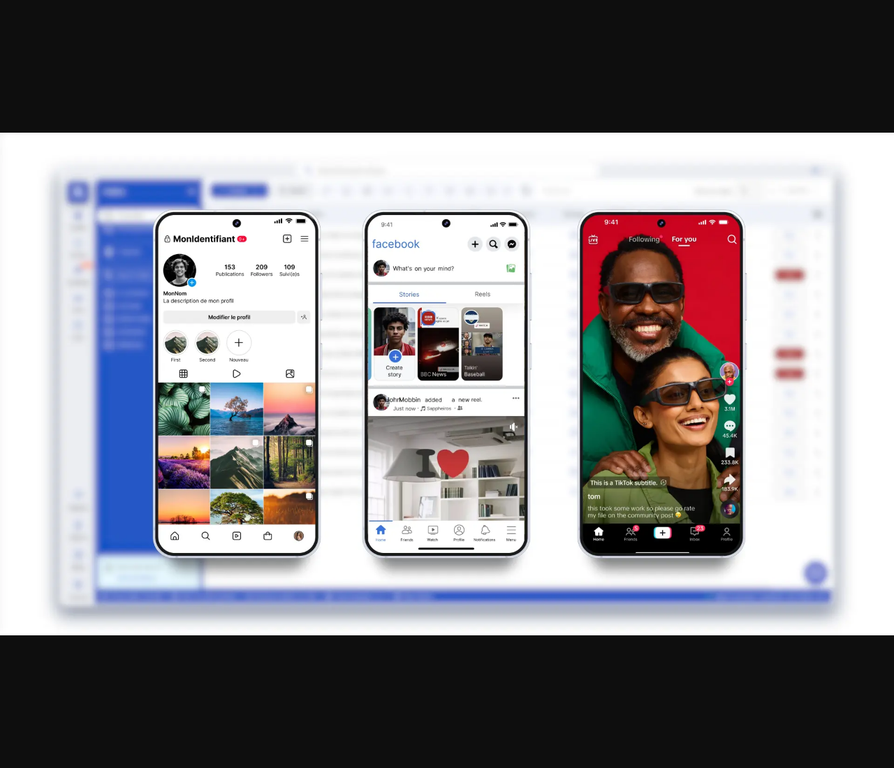
Real physical smartphones (Samsung, Google Pixel, iPhone, OnePlus, etc.) hosted in professional data centers that you control remotely from your desktop or browser. Think of them as mobile devices you rent access to rather than physically own.
Key characteristics:
- Actual mobile hardware with genuine device IDs (IMEI, Android ID, MAC address)
- Native Android/iOS operating systems
- Real cellular and WiFi capabilities
- Accessible from any computer with internet
- Persistent (apps stay installed, data remains)
Why businesses use cloud phones:
Multi-account management:
- Social media agencies managing 50+ client Instagram/TikTok accounts
- E-commerce sellers operating multiple Amazon/eBay stores
- Marketing teams running multiple brand accounts
- Each cloud phone provides genuinely unique device identity
Mobile app testing:
- Test apps on real devices without buying hardware
- Access diverse device models (30+ types)
- Production-grade testing (not emulators)
- Persistent test environments
Scaled mobile operations:
- Crypto airdrop farming (multiple wallets)
- Mobile game operations
- Phone farming without physical hardware
- App automation at scale
Key differences: VoIP cloud phone system vs cloud phones (mobile devices)
Feature | Cloud Phone System (VoIP) | Cloud Phone (Mobile Device) |
Purpose | Business calling/communication | Mobile app operations |
Technology | Internet telephony software | Real physical smartphones |
Use Cases | Phone calls, voicemail, conferencing | Multi-account management, app testing |
Devices | IP phones, computer apps, mobile apps | Real Android/iOS devices in data center |
Users | Every business needing phones | Social media agencies, app developers, operations teams |
Cost Model | Per user/month subscription | Usage-based (pay per minute used) |
Integration | CRM, helpdesk, business tools | Antidetect browsers, proxy systems, automation |
Learn more: cloud phones vs mobile emulators.
Cloud phones for mobile operations (Multilogin solution)
If you need cloud-hosted mobile devices (not VoIP business phones), here’s what that looks like:
What Multilogin Cloud Phones provide:
Real Android devices remotely accessible:
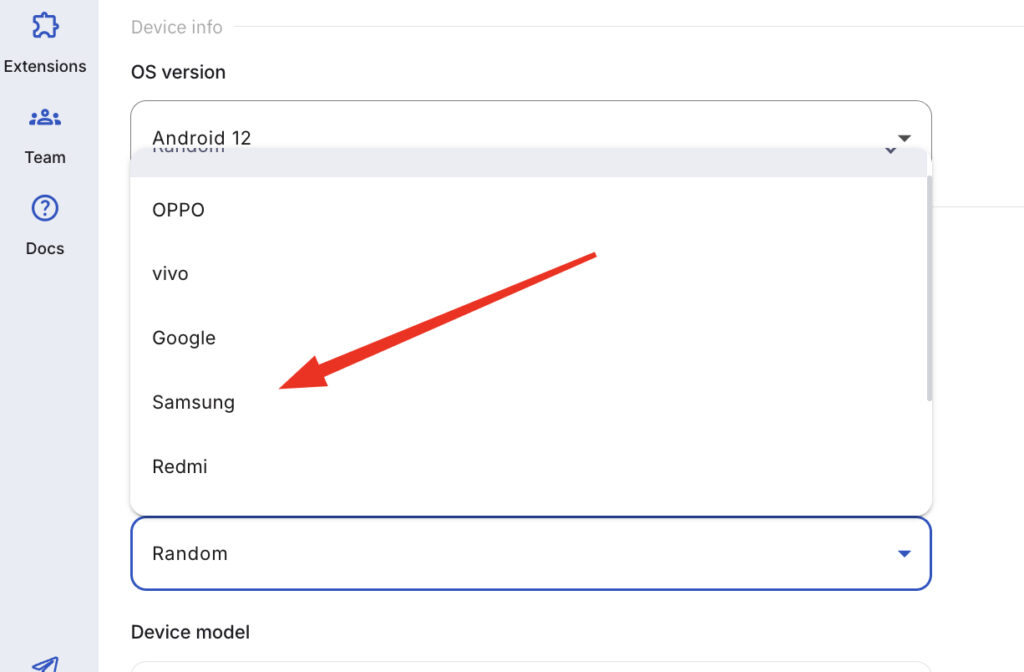
- Samsung, Google, OPPO, OnePlus, Redmi, Vivo
- ~30 device models available
- Genuine manufacturer hardware IDs
- Native Android OS (versions 10-15)
Desktop management:
- Control all cloud phones from one dashboard
- Launch devices in seconds
- Access via desktop application or browser
- Team collaboration features
Built-in infrastructure:
- Residential proxies included (30M+ IPs, 195+ countries)
- Mobile-grade network connectivity
- Persistent sessions (apps and data stay)
- Professional data center hosting
Use cases:
Social media management:
- Instagram: Manage 50+ accounts safely with unique device identities
- TikTok: Run campaigns across multiple brand accounts
- WhatsApp Business: Operate multiple business lines
- Twitter/X: Agency-scale account management
E-commerce operations:
- Amazon: Multiple seller accounts with proper isolation
- eBay: Store management without account linking
- Marketplace: Multi-storefront operations
- Dropshipping: Scaled operations
App testing:
- Real device testing (not emulators)
- Banking apps work (pass SafetyNet/Play Integrity)
- Production environment testing
- Persistent test devices
Mobile automation:
- Crypto airdrop farming
- Mobile game operations
- App automation scripts
- Data collection at scale
Pricing:
- Usage-based: €0.009/minute
- Plans start: €5.85/month
- No per-device caps
- Scale instantly
See: managing multiple Instagram accounts safely with cloud phones.
Common misconceptions about cloud based phone systems
Misconception 1: “Cloud based phones are less reliable than traditional phones”
Reality: Cloud based phone systems typically offer better reliability than on-premise:
- 99.999% uptime (5 minutes downtime per year)
- Redundant data centers across multiple locations
- Automatic failover
- No single point of failure
Traditional PBX: One hardware failure = entire phone system down.
Misconception 2: “Cloud phone systems require expensive internet”
Reality: Internet requirements are modest:
- ~100 kbps per concurrent call
- 10 employees on calls simultaneously = 1 Mbps
- Most business internet (25-100 Mbps) easily handles phones
- Backup internet connection recommended (not required)
Misconception 3: “Call quality is worse than landlines”
Reality: VoIP call quality often exceeds traditional phones:
- HD audio codecs (wideband audio)
- Clearer than landline quality
- Depends on internet quality (ensure adequate)
- QoS (Quality of Service) prioritizes voice traffic
Poor call quality usually indicates internet issues, not VoIP technology.
Misconception 4: “Cloud phones and cloud phone systems are the same thing”
Reality: Completely different technologies:
- Cloud phone systems: Internet-based business telephony (VoIP)
- Cloud phones: Real mobile devices hosted in data centers
One handles business calls. The other provides mobile device access for operations.
Misconception 5: “Setup is complex and requires IT expertise”
Reality: Modern cloud phone systems designed for non-technical users:
- Web-based admin portals (no coding)
- Guided setup wizards
- Mobile apps install like any app
- Provider handles technical aspects
- Support available for setup assistance
Most small businesses operational in 1-2 days.
No more juggling physical devices or risking account links. Try Multilogin's cloud phones now.
Frequently Asked Questions About What is a cloud based phone system
A cloud based phone system is internet-based business telephony where phone services run on provider’s servers instead of physical hardware at your location. Also called VoIP (Voice over Internet Protocol) or hosted PBX. Calls route through internet, devices connect via apps/IP phones, and you manage everything through web portal. Benefits: lower costs ($20-$50/user/month), work from anywhere, easy scaling, advanced features included. Different from “cloud phones” (real mobile devices in data centers).
Cloud based phone systems work by: (1) Provider hosts PBX software on cloud servers, (2) Your devices (IP phones, computers, mobiles) connect via internet, (3) Voice converts to digital data packets and transmits over internet, (4) Provider manages call routing, voicemail, features remotely, (5) You configure settings through web portal. Requires reliable internet (100 kbps per concurrent call). Calls route through provider’s redundant data centers for 99.999% uptime. Setup takes days vs weeks for traditional PBX.
Cloud based phone system = internet-based business telephony (VoIP) for making calls, managing voicemail, holding meetings. Examples: RingCentral, 8×8, Nextiva. Used by all businesses for communication. Cloud phone = real Android/iOS smartphone hosted in data center for mobile operations (multi-account management, app testing, mobile automation). Examples: Multilogin Cloud Phones. Used by agencies, app developers, operations teams. Different technologies, different purposes, both “cloud” but not the same thing.
Yes, typically more reliable than on-premise PBX. Cloud providers offer 99.999% uptime (5 minutes downtime per year maximum). Advantages: redundant data centers across multiple locations, automatic failover if one data center fails, no single point of failure, built-in disaster recovery, professional monitoring 24/7. Traditional PBX: one hardware failure = entire phone system down. Cloud reliability depends on your internet connection — ensure adequate bandwidth (100 kbps per call) and consider backup internet for mission-critical operations.
Get the right cloud solution for your needs
For business communication (calls, voicemail, conferencing):
Choose a cloud based phone system from providers like RingCentral, Nextiva, 8×8, or Zoom Phone. These handle your business telephony needs with internet-based calling, advanced features, and remote work capabilities.
For mobile device operations (multi-accounting, app testing, mobile automation):
Choose cloud phones — real Android devices in data centers. Not for business calls; for managing multiple mobile accounts, testing apps on real devices, or scaling mobile operations.
Multilogin Cloud Phones provide real mobile devices for operational needs:
🔹 Real Android hardware — Samsung, Google, OPPO, OnePlus with genuine device IDs
🔹 ~30 device models available — choose exact devices for your use case
🔹 Desktop management interface — control all cloud phones from dashboard
🔹 Built-in residential proxies — 30M+ IPs, 195+ countries, mobile-grade networks
🔹 Persistent sessions — apps stay installed, data remains between uses
🔹 Team collaboration — share access, set permissions, track usage
🔹 Use cases: Multi-account social media, e-commerce operations, app testing, mobile automation
🔹 Usage-based pricing — €0.009/minute, plans start at €5.85/month
If you’re managing Instagram accounts, running mobile tests, or operating at scale on mobile platforms, cloud phones deliver real device authentication for production operations.
Get started with Multilogin Cloud Phones — real Android devices in the cloud for mobile operations.

