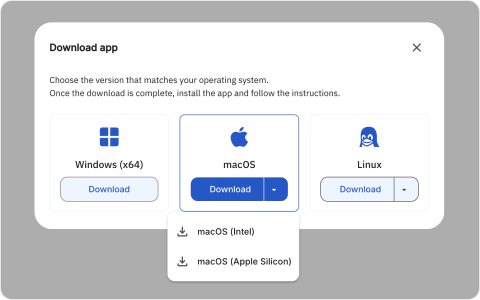
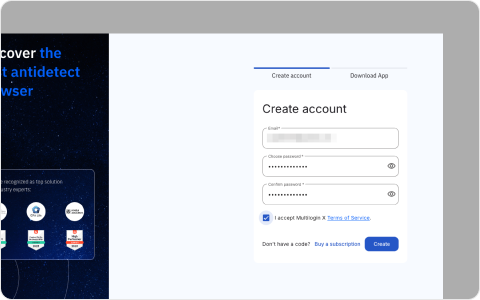
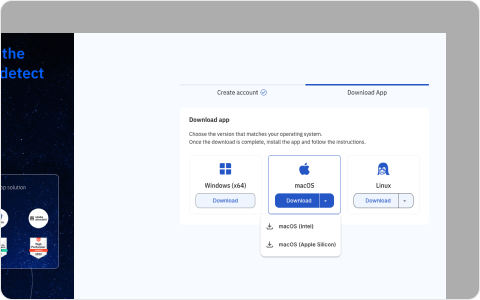
Download Multilogin App
// Push originalLocation to dataLayer
window.dataLayer = window.dataLayer || [];
window.dataLayer.push({
originalLocation: document.location.protocol + '//' +
document.location.hostname +
document.location.pathname +
document.location.search
});
// Download and redirect logic for each OS
document.addEventListener('DOMContentLoaded', function() {
const versions = [
{
url: 'https://cdn-download.multiloginapp.com/multilogin/6.4.5/multilogin-6.4.5-7-windows_x86_64_setup.exe',
redirect: 'https://multilogin.com/multilogin-app/thank-you/'
},
{
url: 'https://cdn-download.multiloginapp.com/multilogin/6.4.5/multilogin-6.4.5-7-osx_x86_64.dmg',
redirect: 'https://multilogin.com/multilogin-app/thank-you/'
},
{
url: 'https://cdn-download.multiloginapp.com/multilogin/6.4.5/multilogin-6.4.5-7-linux_x86_64.zip',
redirect: 'https://multilogin.com/multilogin-app/thank-you/'
}
];
const buttons = document.querySelectorAll('.c-version__submit');
buttons.forEach((button, index) => {
button.addEventListener('click', function() {
const a = document.createElement('a');
a.href = versions[index].url;
a.download = versions[index].url.split('/').pop();
document.body.appendChild(a);
a.click();
document.body.removeChild(a);
setTimeout(() => {
window.location.href = versions[index].redirect;
}, 1000);
});
});
});