





If you’ve looked for an incognito mode on Reddit and can’t find it, that’s because Reddit’s built-in private browsing feature was removed a few years ago. The Reddit app used to have a dedicated incognito option that let you browse without saving your viewing history locally on the device. That feature is gone now across most platforms, and what’s left is less useful than many people assume.
This guide explains what Reddit currently offers for private browsing, what your browser’s incognito mode actually does when you use it on Reddit, what it doesn’t protect against, and what approaches give you meaningful privacy when browsing or posting on Reddit in 2026.
Does Reddit have incognito mode?
Reddit had a built-in incognito mode in its mobile app until around 2023, when it was removed during a series of app changes that followed Reddit’s API policy updates. The feature let users browse without content being logged to their viewing history on the device. As of 2026, Reddit does not have a dedicated incognito mode built into its app or desktop interface.
What you can do instead: on mobile, use your phone’s built-in browser in private mode and open Reddit through the browser rather than the app. On desktop and PC, open your browser’s incognito or private window and browse Reddit through the web at reddit.com. Both approaches stop local history from being saved on your device. That’s where their usefulness ends.
What browser incognito mode actually does on Reddit
Incognito mode is widely misunderstood. It’s not a privacy tool in any meaningful sense beyond your local device. Here’s what it actually does and doesn’t do when you use it on Reddit.
What incognito does: It prevents your browser from saving your browsing history locally. Once you close the incognito window, the list of Reddit threads you visited won’t appear in your browser history. Cookies and site data from that session are cleared when the window closes. This stops someone with physical access to your device from seeing what you browsed.
What incognito does not do:
It does not hide your activity from Reddit. Reddit still sees your IP address, the subreddits you visit, the posts you click, how long you spend on pages, and all your behavioral data within the session. Reddit’s servers log this regardless of your browsing mode.
It does not hide your activity from your ISP or network. Your internet service provider sees that you’re connecting to Reddit. If you’re on a work or school network, your network administrator can see it too.
It does not prevent browser fingerprinting. Your browser has a unique combination of characteristics: screen resolution, installed fonts, GPU, system language, timezone, and more. Websites including Reddit can identify your browser from this fingerprint even without cookies, even in incognito mode. Closing the incognito window doesn’t change your fingerprint at all.
The honest summary: incognito mode on Reddit hides your local browsing history from other people who use your device. That’s it. If you want privacy from Reddit itself, your network, or tracking systems, incognito mode doesn’t provide it.
How to go incognito on Reddit (app, PC, and mobile)
Even though the built-in Reddit incognito is gone, here’s the closest available equivalent on each platform.
How to go incognito on Reddit on iPhone or Android:
Close the Reddit app. Open Chrome (Android) or Safari (iOS) in private mode. In Chrome, tap the three dots in the top right and select “New Incognito Tab.” In Safari, tap the tabs icon and select “Private.” Navigate to reddit.com. You can browse logged out, or log into your Reddit account within the private browser tab.
How to go incognito on Reddit on PC or desktop:
Open your browser’s private window. In Chrome: Ctrl+Shift+N on Windows or Cmd+Shift+N on Mac. In Firefox: Ctrl+Shift+P. In Edge: Ctrl+Shift+N. Browse reddit.com in that window. History won’t save locally once you close it.
How to make Reddit open links in incognito:
On Android with Chrome, you can configure links to open in incognito through Chrome’s settings. On iOS, this isn’t natively supported without third-party apps. On desktop, Chrome extensions like “Open Link in Incognito” handle this automatically for all links.
How to disable incognito mode on Android (Reddit’s most searched parental control question):
On Android, incognito mode can be restricted through Google Family Link if the device is managed through that system. On unmanaged devices, disabling Chrome’s incognito requires enterprise browser policy tools, which are typically only available in managed organizational environments.
Why Reddit incognito mode doesn’t give you real privacy
The reasons people look for Reddit incognito mode usually come down to a few things: they want to browse without Reddit knowing who they are, they want to read subreddits without those appearing in their Reddit recommendations, they want to avoid Reddit’s ad tracking, or they have an account that’s been restricted and want to read content anyway.
Browser incognito addresses none of these at a meaningful level. Reddit can still fingerprint your browser, log your IP, and build a behavioral profile from your session. Your Reddit account history stays intact either way. And Reddit bans follow your IP address, not just your account login.
Understanding what browser fingerprinting actually is and how it works without cookies makes clear why incognito falls short. Your browser sends dozens of signals to every website you visit, and these combine into a unique identifier that persists regardless of your browsing mode. Opening an incognito window doesn’t change any of those signals.
What actually works for browsing Reddit privately
If your goal goes beyond hiding local history, there are approaches that provide real privacy improvements.
Use a different browser profile. Creating a separate browser profile in Chrome or Firefox keeps Reddit activity isolated from your main browsing environment. Each profile has its own cookies, history, and session storage. It doesn’t hide your IP from Reddit, but it keeps your browsing contexts cleanly separated and is easy to set up.
Use a VPN. A VPN changes the IP address Reddit sees when you connect. This is the most commonly used tool for basic Reddit privacy and works specifically for hiding your real IP address. The limitation: VPN IPs are often flagged by Reddit’s systems as proxy or datacenter traffic, which can trigger CAPTCHAs or limit certain actions. Your VPN provider can also still see your traffic.
Use a privacy-focused browser. Browsers like Brave and Firefox with strict privacy settings block a significant portion of cross-site trackers and reduce fingerprinting exposure. They’re meaningfully better than Chrome incognito for Reddit browsing. Best browsers for anonymous browsing compares the main options and what each actually blocks.
Browse logged out. Obvious but effective: logged-out Reddit browsing means Reddit has far less data to attach to an identity. Combined with a different IP, this is a real privacy improvement for reading content. The trade-off is you can’t post, comment, or vote without logging in.
Use an antidetect browser. For users who need genuine session isolation, an antidetect browser goes much further than incognito. It manages browser fingerprints at a deep level, generating unique fingerprint parameters that don’t match your real device. Each browser profile in an antidetect browser looks like a different person on a different device to Reddit’s tracking systems. Anti-detect browsers for anonymous browsing explains how this works in practice.
For a complete breakdown of what incognito provides versus what real incognito alternatives deliver, that guide covers the full range from browser settings to full session isolation.
Browsing Reddit anonymously: the complete picture
Genuinely anonymous Reddit browsing requires addressing three things at once: your IP address, your browser fingerprint, and your account identity.
Your IP address is what Reddit uses for IP-level bans and geographic analysis. A VPN or residential proxy changes what Reddit sees here. Residential proxies work better than VPN IPs for Reddit because they use real ISP-assigned addresses rather than recognizable datacenter ranges.
Your browser fingerprint persists regardless of incognito mode, VPN usage, or cookie clearing. An antidetect browser is the only tool that actually manages fingerprint parameters and makes your browser look like a different device.
Your account identity ties all your Reddit activity together. If you’re logged in, browsing is attached to your account regardless of everything else. Truly anonymous Reddit use means either browsing logged out or creating a separate account accessed only from a clean, isolated environment.
How to anonymously browse Reddit covers the full setup for readers who want meaningful anonymity rather than just cleared local history. And how to browse anonymously covers the same principles applied across platforms beyond Reddit.
Reddit shadow bans and why incognito doesn’t help with account restrictions
A lot of people searching for Reddit incognito are dealing with a restriction of some kind. Their posts aren’t showing up, their account may be shadow banned, or they want to check how their account appears to logged-out users.
Reddit’s shadow ban system is worth understanding on its own terms. A shadow banned Reddit account appears completely normal to the person who owns it — posts go through, comments submit, everything looks fine. But to everyone else, the posts are invisible. The account isn’t explicitly banned; it just silently stops having any effect on the platform. What is a Reddit shadow ban and how to avoid it explains how to check your shadow ban status, what behaviors trigger it, and what recovery looks like.
For users managing multiple Reddit accounts, whether for community management, research, or keeping personal and professional Reddit identities separate, incognito mode creates a specific problem. Reddit’s detection systems look at device fingerprints, IP addresses, and behavioral patterns to identify when multiple accounts are operated from the same environment. Incognito mode doesn’t change any of those signals.
How to manage multiple Reddit accounts covers what’s actually required for keeping accounts properly separated. And how to prevent bans when running multiple Reddit accounts goes into the specific signals Reddit uses to detect linked accounts and what structural changes prevent the cascade enforcement that takes down whole account clusters at once.
Working with aged Reddit accounts adds another layer of legitimacy. Accounts with established karma and posting history are treated differently by Reddit’s systems than freshly created accounts, which matters whether you’re managing multiple accounts or recovering from a restriction.
How Multilogin handles Reddit session isolation
For users who need real separation between Reddit sessions, whether for privacy, multi-account management, or working around IP-level restrictions, Multilogin’s antidetect browser provides what incognito mode can’t.
Each Multilogin browser profile carries its own unique fingerprint across dozens of parameters (screen resolution, fonts, GPU, timezone, language settings, and more), its own cookie and session storage, and its own dedicated residential proxy. Reddit sees each profile as a completely different person on a different device in a different location.
Browsing anonymously with Multilogin shows what this looks like in practice: a browser profile with no connection to your main browser identity, connecting through a residential IP, with session data that doesn’t carry over to your main environment when you close it.
For anyone running multiple Reddit accounts for legitimate purposes, profile isolation prevents the account linking that triggers Reddit bans. Each account lives in its own browsing environment with its own identity. A policy issue on one account doesn’t affect the others because Reddit can’t detect any shared signals between them.
When to use incognito vs. a VPN vs. an antidetect browser for Reddit
The right tool depends on what you’re actually trying to accomplish.
Use browser incognito if: You want to browse Reddit without the history appearing on a shared device. That’s the one thing incognito genuinely does well, and it’s a legitimate use case.
Use a VPN if: You want to change the IP address Reddit sees and you’re not maintaining separate account identities. Simpler to set up than an antidetect browser, and handles basic IP-level privacy. The trade-off: VPN IPs can be flagged by Reddit, and your VPN provider can see your traffic.
Use a privacy browser (Brave, Firefox with strict settings) if: You want meaningful cross-site tracking reduction and partial fingerprinting protection without the overhead of a full antidetect setup. Genuinely better than Chrome incognito for Reddit privacy, not as thorough as dedicated isolation tools.
Use an antidetect browser if: You’re managing multiple Reddit accounts, you need genuine fingerprint isolation between sessions, or you need a clean isolated environment for each Reddit identity. This is the appropriate tool for multi-account work or any situation requiring real separation between browsing contexts.
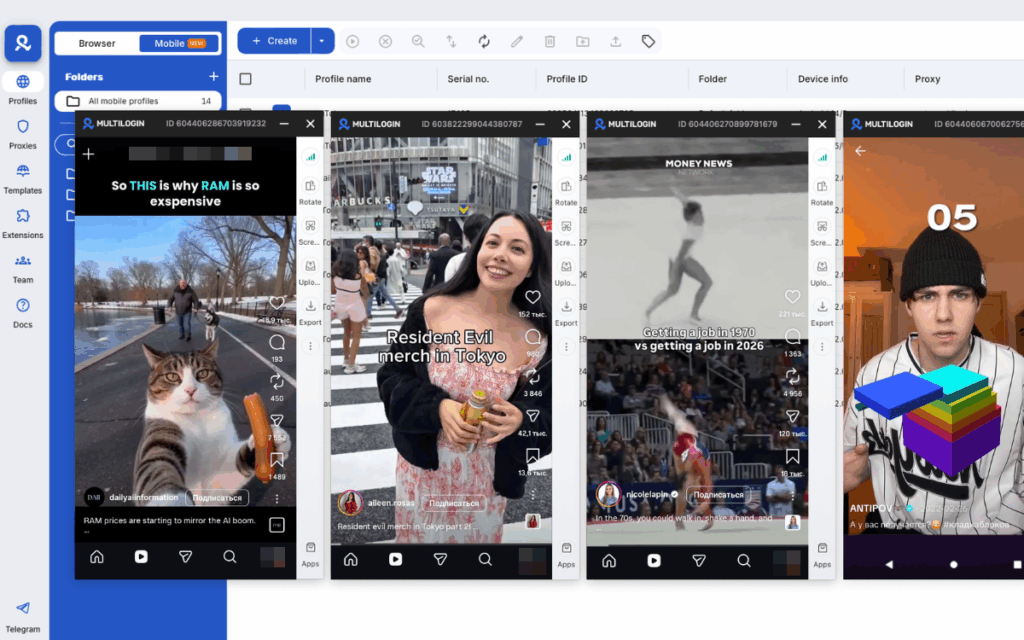
Need to manage multiple Reddit accounts? Try Multilogin Cloud Phones.
Frequently asked questions About Reddit incognito mode
Not anymore. Reddit removed its built-in incognito feature from the mobile app around 2023. You can use your device’s browser in private mode to visit reddit.com, but there’s no dedicated incognito option inside the Reddit app itself.
Close the Reddit app. Open Chrome (Android) or Safari (iOS) in private mode and go to reddit.com. In Chrome, tap the three dots and select “New Incognito Tab.” In Safari, tap the tabs icon and select “Private.” Browse Reddit through the browser instead of the app.
Open a private or incognito window in your browser. Chrome: Ctrl+Shift+N (Windows) or Cmd+Shift+N (Mac). Firefox: Ctrl+Shift+P. Edge: Ctrl+Shift+N. Navigate to reddit.com. History from that session won’t be saved locally once you close the window.
Browser incognito mode only prevents local history from being saved on your device. Reddit still sees your IP address, browser fingerprint, and all activity during the session. Your ISP can still see you’re connecting to Reddit. Incognito does not make you anonymous to Reddit.


