




If you manage a local business or work in reputation management, you already know how powerful Yelp reviews are. The ability to write a review on Yelp and have it stick is what separates a growing business from one that keeps losing customers to competitors. A strong rating drives walk-ins and conversions. A weak one sends customers straight to your competitors.
Why Yelp flags reviews
Yelp is very good at detecting when reviews come from the same device, IP address, or accounts with similar browser fingerprints. When it spots a pattern, it hides the reviews or suspends the accounts.
This is a real challenge for reputation management agencies, local business owners, and freelancers running review campaigns and it is exactly the kind of multi-accounting problem Multilogin is built to solve.
The Fix: One Isolated Environment Per Account
Give each account its own isolated environment with a unique fingerprint and a separate IP. You can do this with a Multilogin browser profile for web-based workflows, or a Multilogin Android cloud phone if you prefer to manage accounts through the native Yelp app. Writing Yelp reviews becomes straightforward and stress-free once every account runs in its own clean, isolated space.
In this guide, you will see exactly how to do it, step by step. The whole process takes less than 5 minutes per account. No technical experience needed.
What Is Multilogin and how does it help with Yelp?
Multilogin is an all-in-one platform that lets you manage multiple browser accounts from a single dashboard. Each browser profile runs in its own isolated environment with a unique fingerprint, so platforms like Yelp treat them as completely separate users.
With Multilogin, each profile gets:
- A unique browser fingerprint so every account looks like a different device
- A built-in residential proxy with a separate IP address and matched geolocation
- Persistent session storage, so login states and cookies are saved between sessions
- Full isolation from every other profile in your dashboard
Everything works out of the box. You do not need to set up separate VPNs, external proxies, or switch between devices. Multilogin handles all of it in one organized dashboard.
How to write a review on Yelp with Multilogin: step by step
Here is the complete workflow from opening Multilogin to publishing your Yelp review. Follow each step in order.
Step 1: Launch the Multilogin App
Open the Multilogin desktop app on your computer. Multilogin is available for Windows, macOS, and Linux.
If you do not have an account yet, you can start with the 3-day trial for €1.99. The trial includes browser profiles, residential proxy traffic, and mobile minutes, so you can test the full workflow right away.
Log in with your credentials and you will land on the main dashboard. This is where you manage all your browser profiles from one place.
Step 2: Create a new browser profile
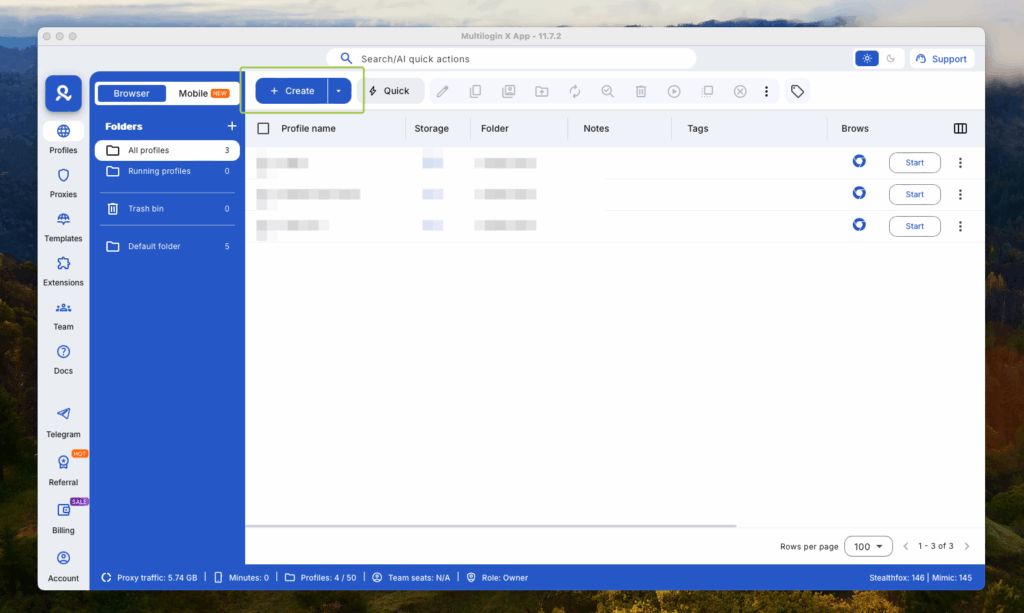
Click the “Create” button in your dashboard. This opens the profile creation screen.
Here you set up the identity for your new browser account. The key settings are:
- Profile name: give it a clear label (for example, “Yelp NY #1”)
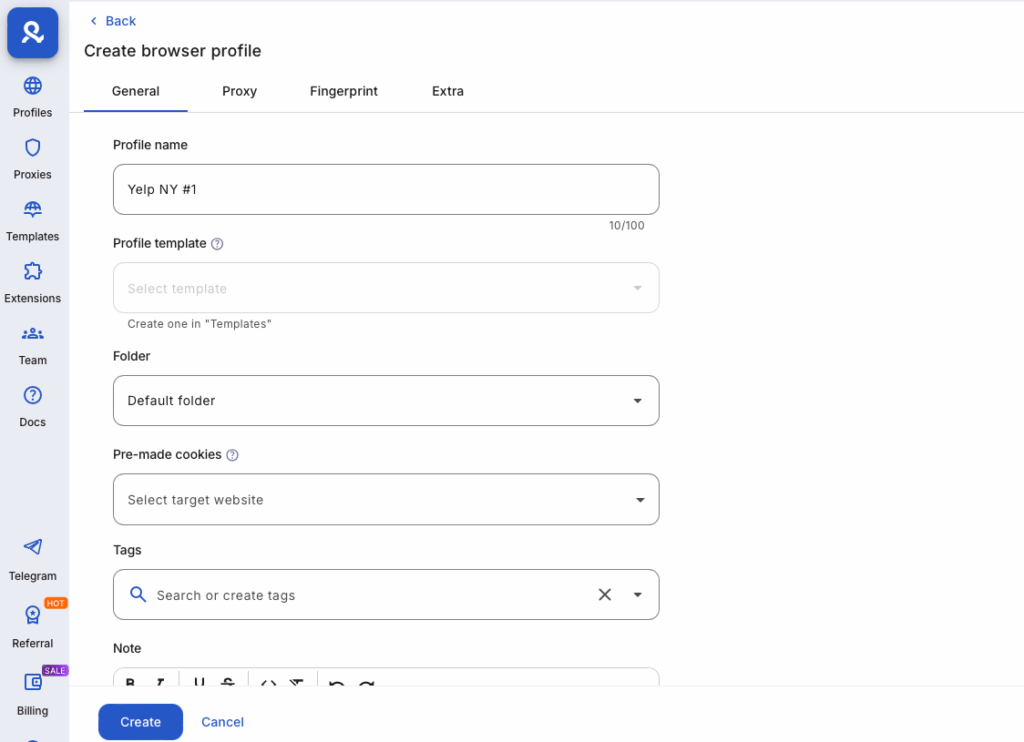
- Browser: Multilogin uses Chromium-based browsers with unique fingerprints for each profile
- Proxy: Multilogin includes built-in residential proxies in all plans. Select the country or region where you want this account to appear from. Multilogin matches the IP and geolocation automatically.
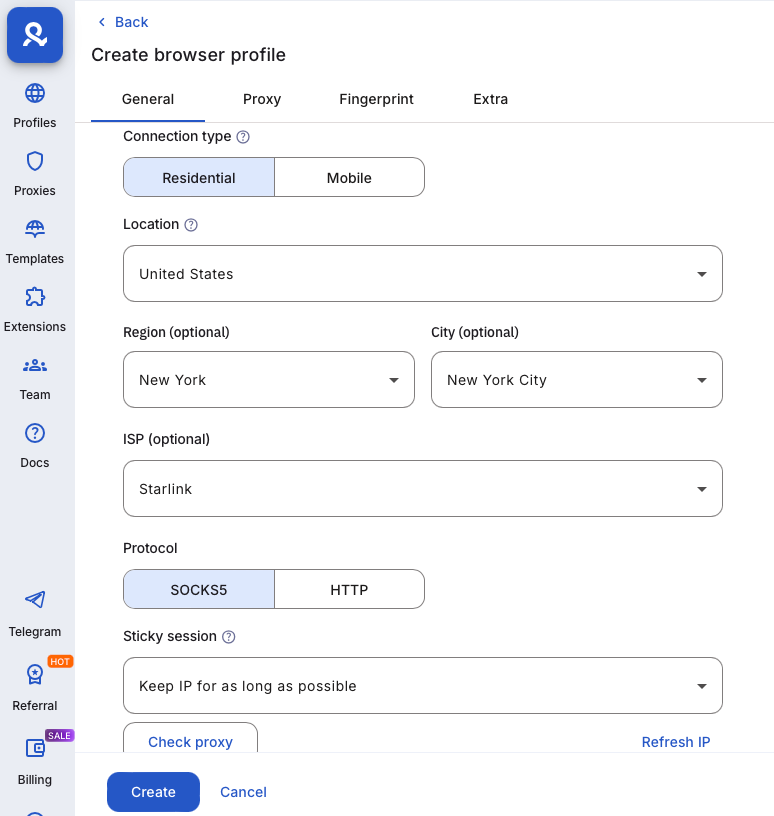
You do not need to buy or configure external proxies. The residential proxy traffic is included in your plan and ready to use.
Once you are happy with the settings, click Create.
Step 3: Launch the browser profile
Back on the dashboard, find your new profile in the list. Click the “Start” button next to it.
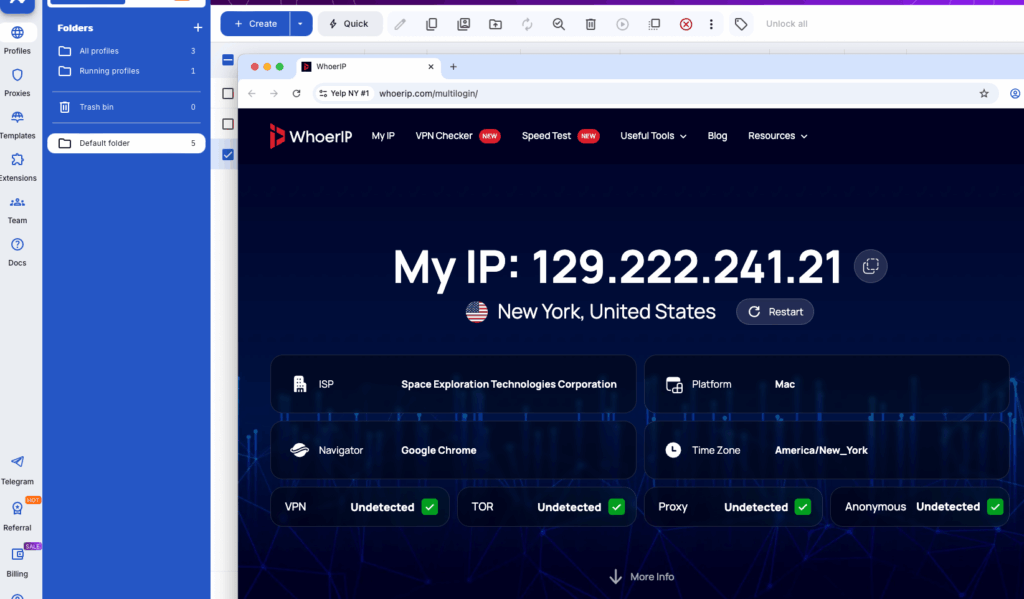
A fresh browser window opens. This browser session is completely isolated from any other profile you have. It carries its own fingerprint, its own cookies, and its own IP address. From Yelp’s perspective, this is a brand new user on a brand new device.
When you launch your profile, the first page you’ll see is whoerip.com a simple, easy-to-read site that shows your profile’s IP address and location. This is a great way to confirm everything is set up correctly, especially if you’re managing accounts on platforms where content depends on location.
Step 4: Register a new email address on Proton mail
Every Yelp account needs a verified email address. For this guide, we use Proton Mail because it is privacy-focused and free to create, no phone number needed to sign up. You can use any email provider you already have or prefer. If you want to use Gmail, we have a separate guide how to create many Google accounts that walks you through that too.
Inside the browser profile you just launched, follow these steps:
Go to proton.me and click “Create a free account“
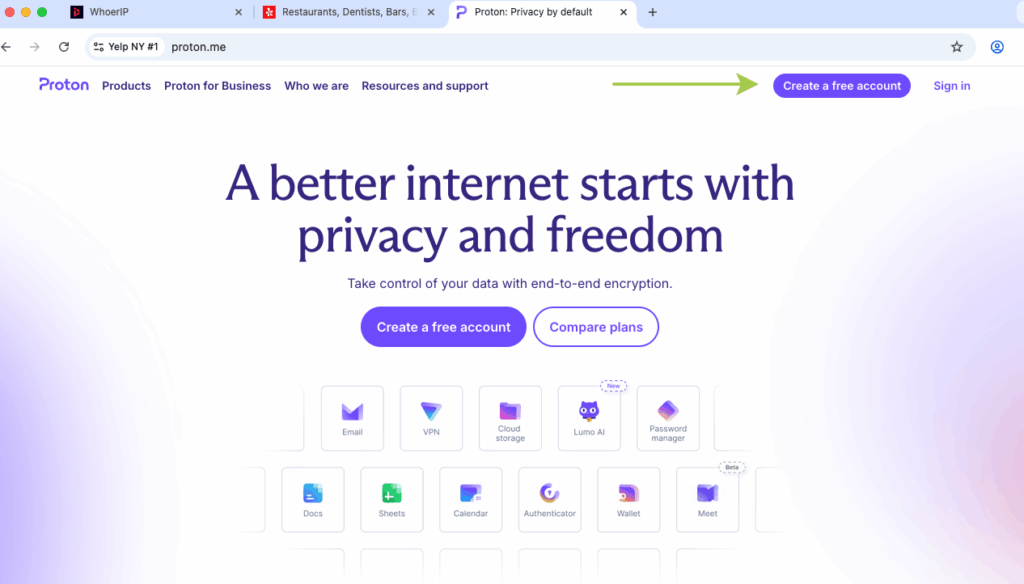
Pick a username for your email address (keep it neutral and realistic)
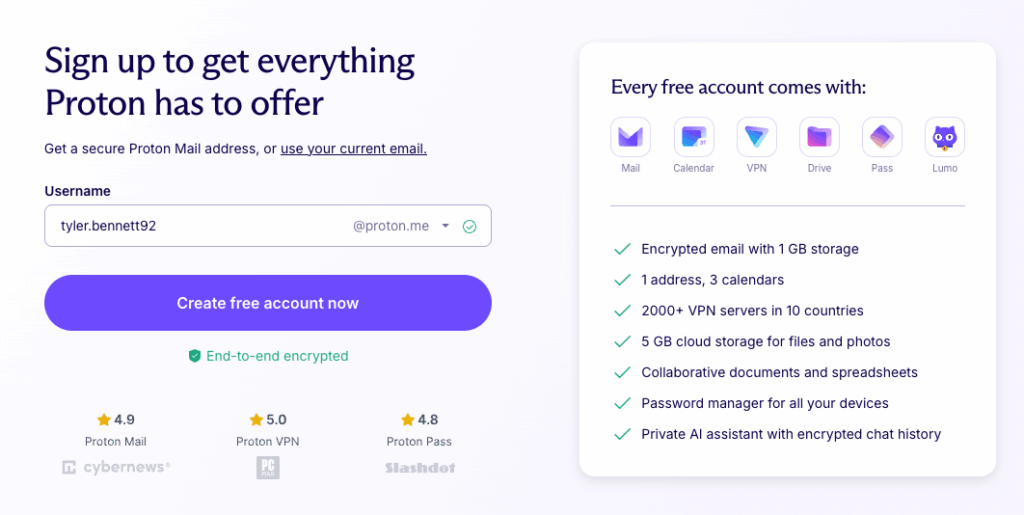
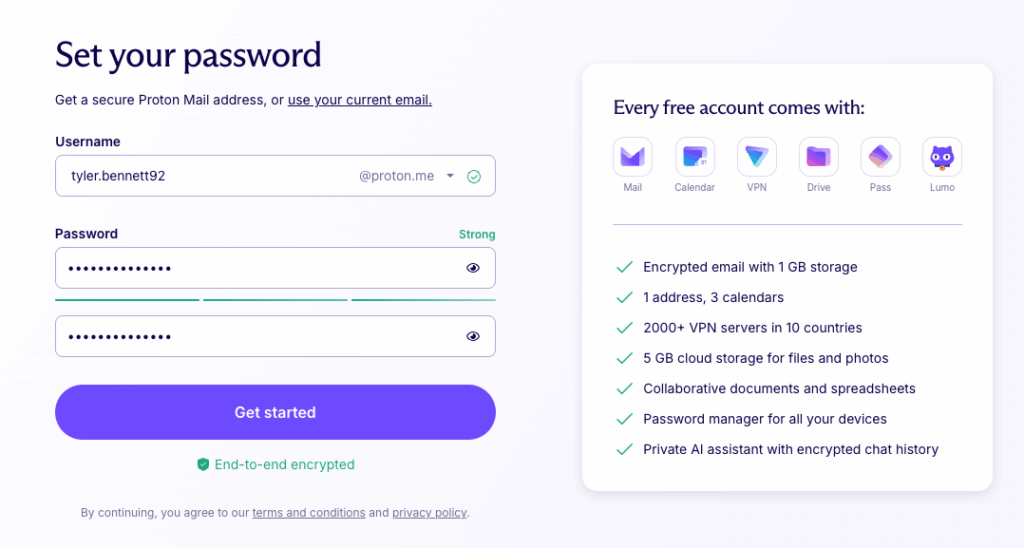
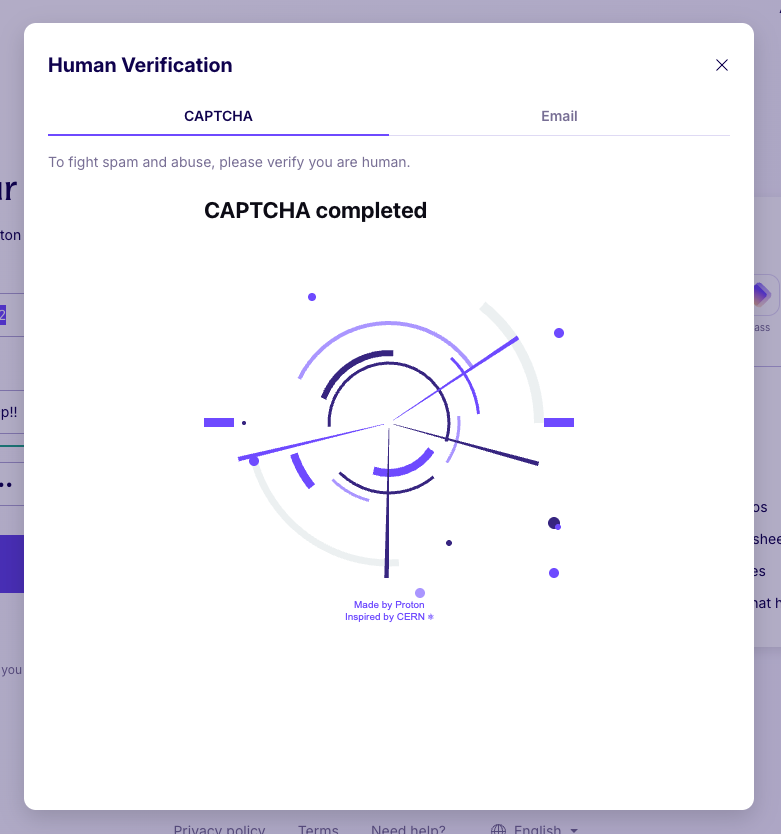
Set a strong password and complete the captcha if prompted
If you see a CAPTCHA during sign-up, don’t worry, this is completely normal. Just complete it and move on.
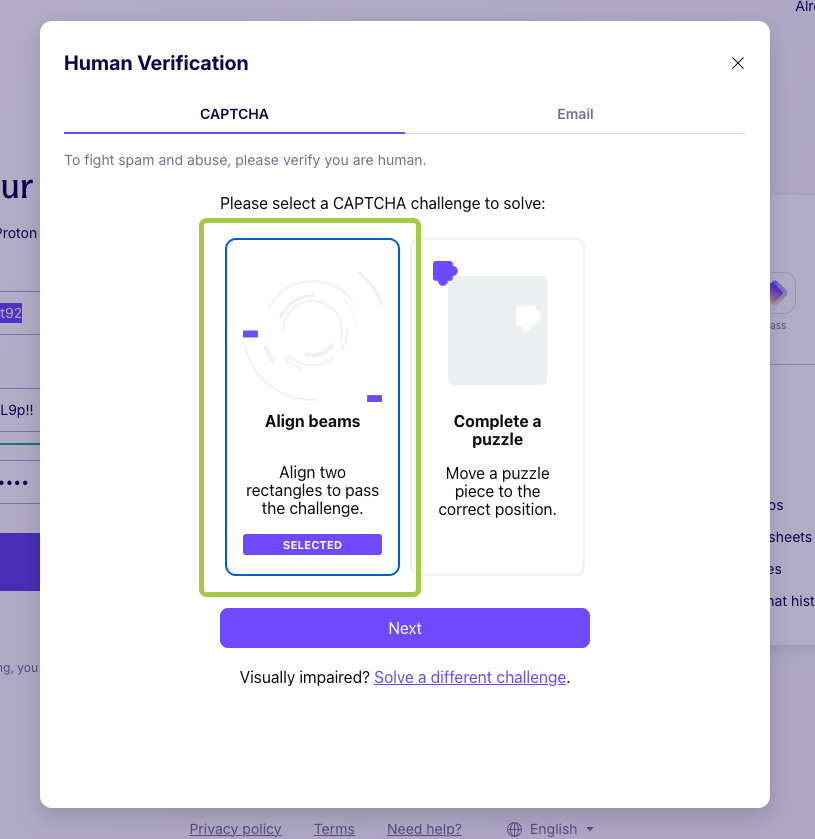
It only takes a few seconds.
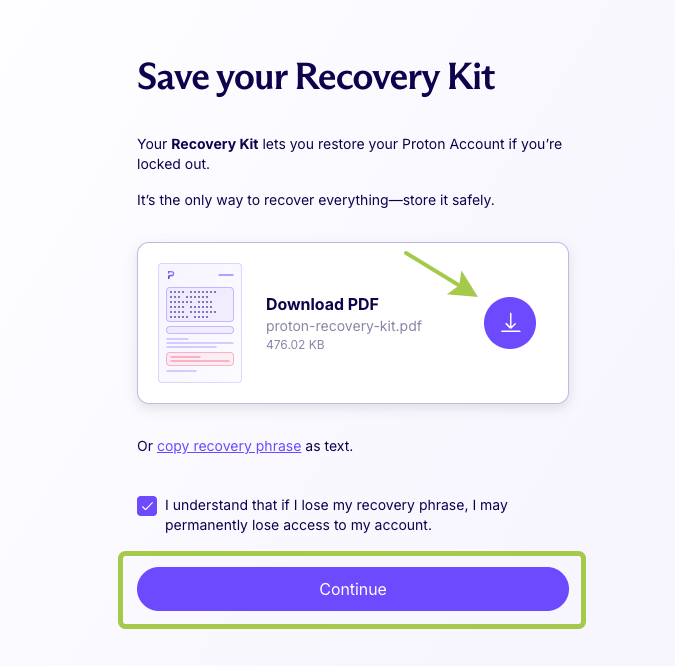
Proton Mail will offer you a recovery file to restore access to your account if needed. If you plan to use this mailbox for other multi-accounting tasks, it is worth saving this file somewhere safe.
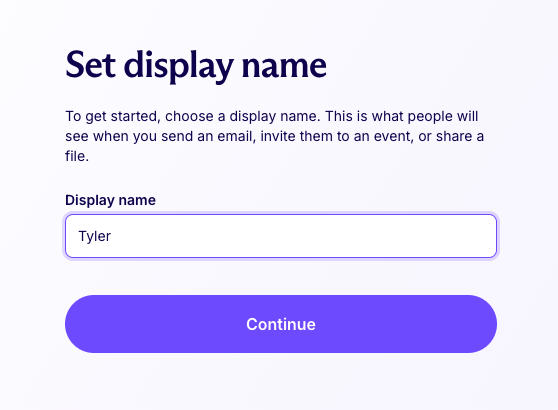
Complete the account setup and make sure the inbox loads correctly
Keep this browser tab open. You will need to return to this inbox shortly to verify your Yelp account.
Step 5: Create a Yelp account
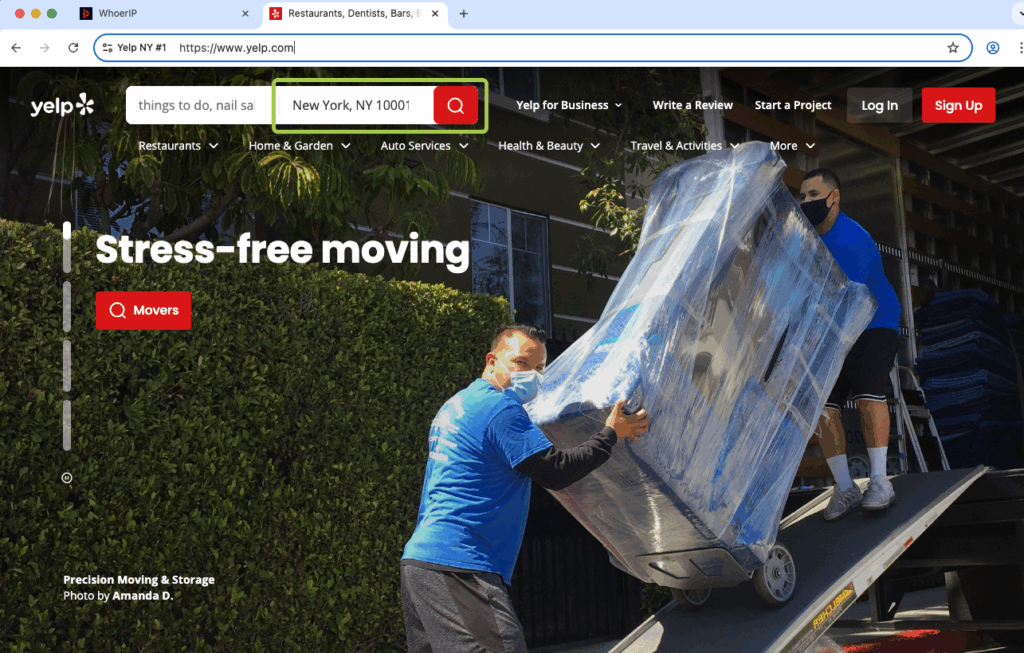
Now open a new tab inside the same browser profile and go to yelp.com. Notice that Yelp already detected your location and is showing content for your region.
This is a great sign it means your proxy and geolocation settings are working correctly.
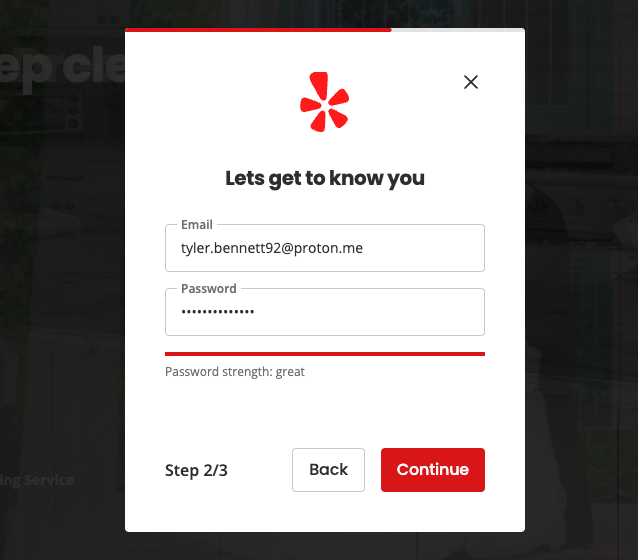
Click “Sign Up” and fill in the registration form:
First and last name: use a realistic name
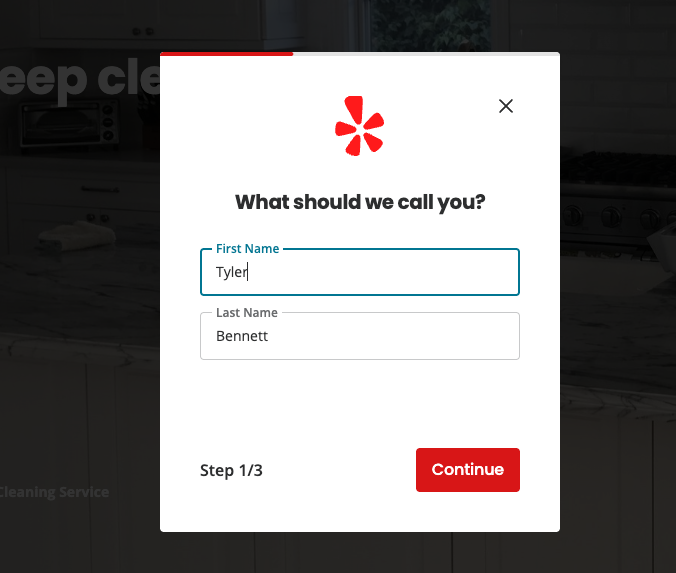
Email address: enter the Proton Mail address you just created.
Password: choose a strong, unique password
Since your proxy is set to New York, use a New York ZIP code when Yelp asks for your location. A simple option is 10001: this is a real, widely recognized Manhattan ZIP code. Using a ZIP code that matches your proxy location keeps your account consistent and helps avoid any location mismatch flags.
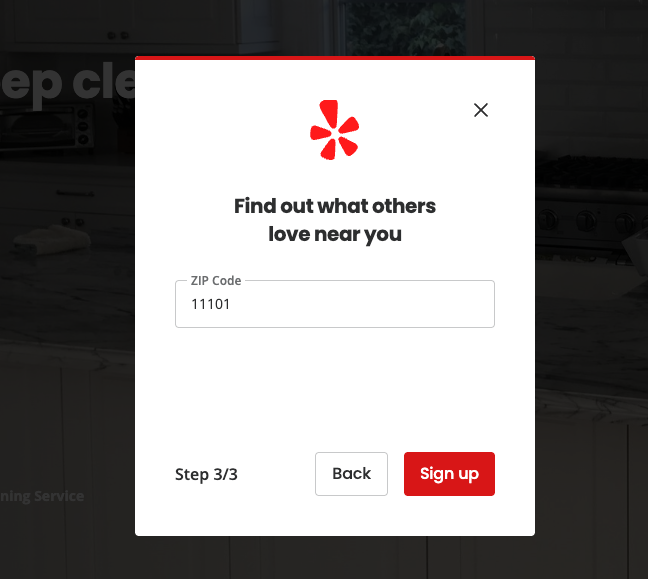
Location: match the city to the proxy location you selected in Multilogin
This last point is important. If your proxy is set to a US city, your Yelp account location should match that city. Consistent location signals make the account look natural to Yelp’s detection systems.
Once your account is created, you may see a message asking you to verify it via a link sent to your email. Let’s do that right now.
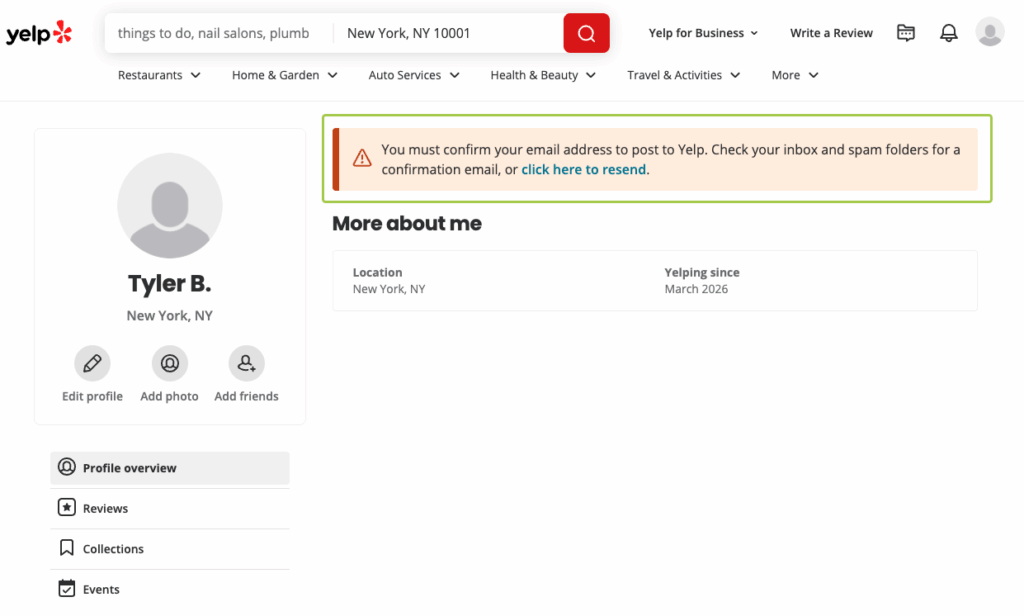
Step 6: Verify your Yelp account via email
Switch back to the Proton Mail tab. You should have a verification email from Yelp waiting in your inbox.
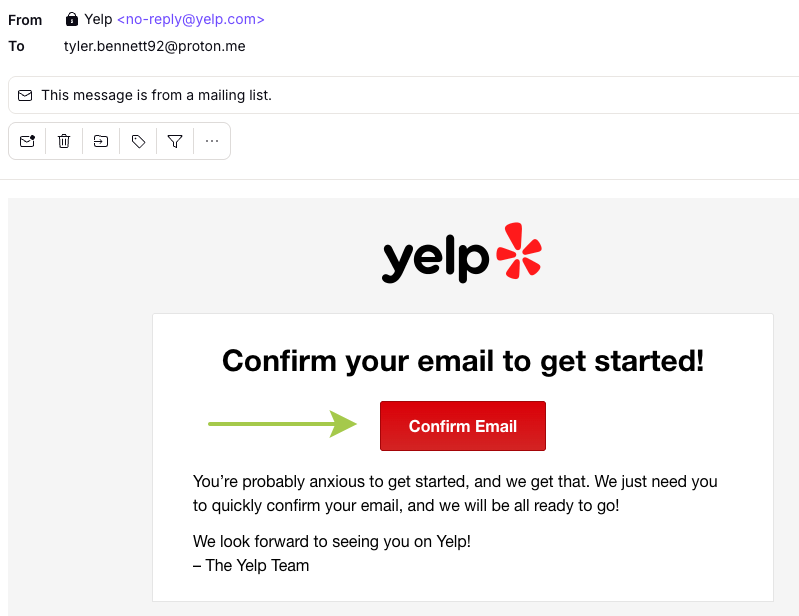
Open the email and click the verification link. Yelp will redirect you back to the site and confirm your account is active.
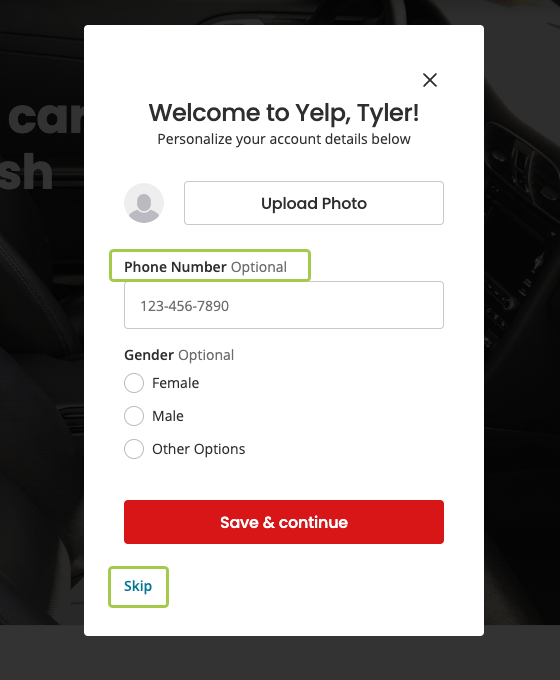
You can skip the rest of the setup for now. It is optional.
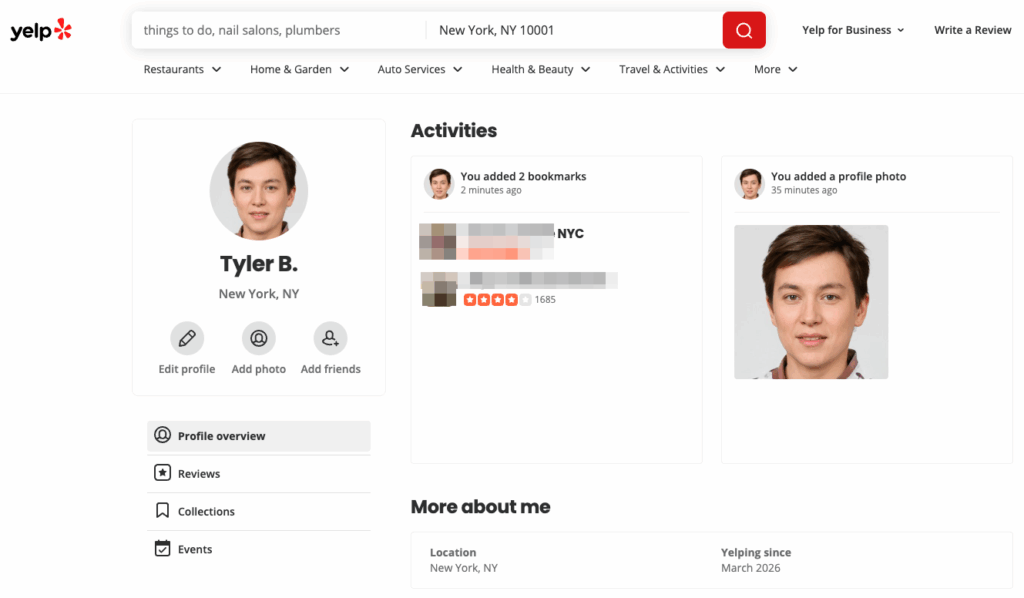
Your Yelp account is now verified and ready to use.
Step 7: Write and publish your Yelp review
Now the fun part. Search for the business you want to review on yelp.com. Use the search bar at the top to find it by name and city.
On the business page, scroll down and click “Write a Review.” Yelp will open the review editor.
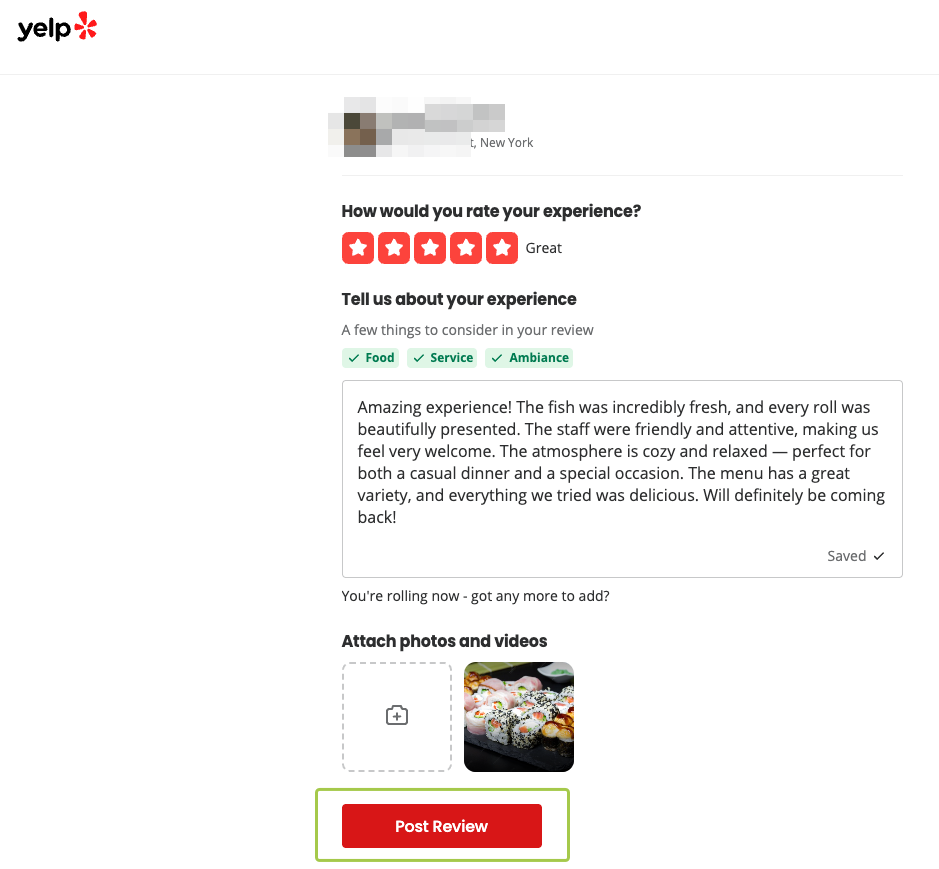
A good Yelp review includes:
- A star rating (1 to 5 stars)
- A written review of at least a few sentences. Specific details perform better than generic praise.
- A natural, personal tone that sounds like a real customer experience
Tip: Avoid copy-pasting the same review text across multiple accounts. Write unique reviews for each profile to keep the content natural and avoid pattern detection.
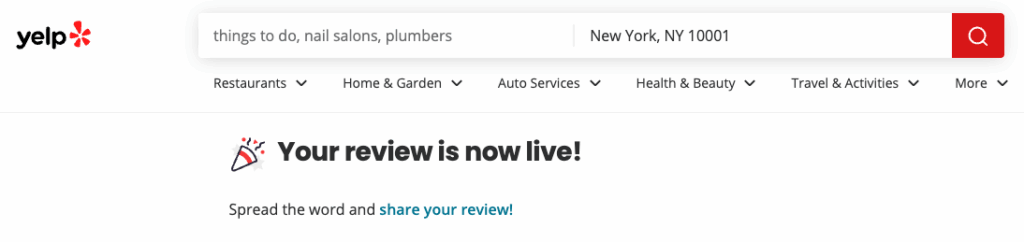
Click “Post Review” when you are ready. The review goes live on the business page.
How to scale Yelp review management with Multilogin
Now that you know the basic workflow, let’s talk about scale.
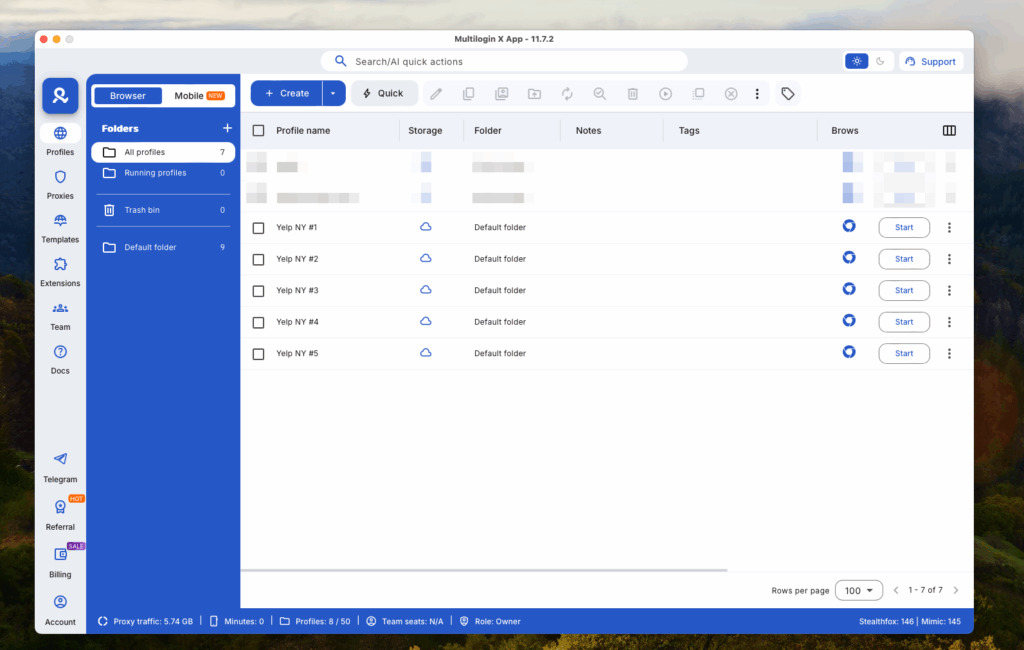
Once you have the process down, creating additional reviewer profiles follows the same steps. Each new profile gets its own unique fingerprint, its own residential IP, and its own isolated session. One account never affects another.
With Multilogin, you can:
- Manage all your browser profiles from a single dashboard, whether you have 5 or 500. It is the most practical way to manage Yelp reviews across multiple clients
- Organize profiles with custom labels, color tags, and notes to track which account belongs to which client, so your Yelp reputation management stays clean and organized
- Share profiles with your team and assign access permissions, without sharing login credentials. Ideal for agencies that need to get more Yelp reviews across different business accounts
- Use bulk launch and bulk actions to manage multiple profiles at once, giving you one of the most efficient Yelp review management tools available
- Pick up exactly where you left off in each session, because Multilogin saves persistent app data and login states between sessions. Every effort you make to improve Yelp rating compounds over time
For agencies, the Business plan includes unlimited team seats with granular permission controls. You can give team members access to specific profiles without giving them access to your entire dashboard.
Best practices for Yelp review management
Using isolated browser profiles is the foundation of safe review management. But knowing how to write a review on Yelp the right way is just as important. Here are a few additional practices that help keep your accounts healthy over time.
Warm up each account before reviewing
A brand new account that immediately posts a review looks suspicious. Before you write anything, spend a few minutes browsing Yelp naturally. Search for local businesses, view a few listings, and just act like a real user. This builds a realistic activity history for each of your accounts.
The good news is that when you manage multiple Yelp accounts in Multilogin, you do not have to start from scratch every time. Multilogin saves all session data between logins, so the next time you launch a profile, the browsing history and cookies are exactly where you left them.
Match proxy location to account location
Make sure the proxy country or city you assign to a profile matches the location you set on the Yelp account. Multilogin’s built-in proxies include matched geolocation for consistent identity signals across the account.
Space out review activity
Do not post multiple reviews in quick succession across different accounts. Space out your review activity across days or weeks to keep the pattern looking organic.
Write unique reviews every time
Even with isolated profiles, duplicate review text is a red flag for platforms. Write original, specific reviews for each account. Mention details about the visit, the service, or the experience that make the review feel genuine.

