





What is GeeLark cloud phone?
GeeLark is an Android cloud phone service built for social media managers, content creators, affiliate marketers, and phone farmers who want to replace physical device racks with virtual Android environments. The core cloud phone product runs multiple Android instances simultaneously, each with its own app data, cookies, and sessions, organized with tags and groups and backed by a built-in app store. GeeLark also offers a separate browser profile product, sometimes referred to as GeeBrowser, for desktop-based account work, though it’s marketed and structured somewhat separately from the cloud phone product itself.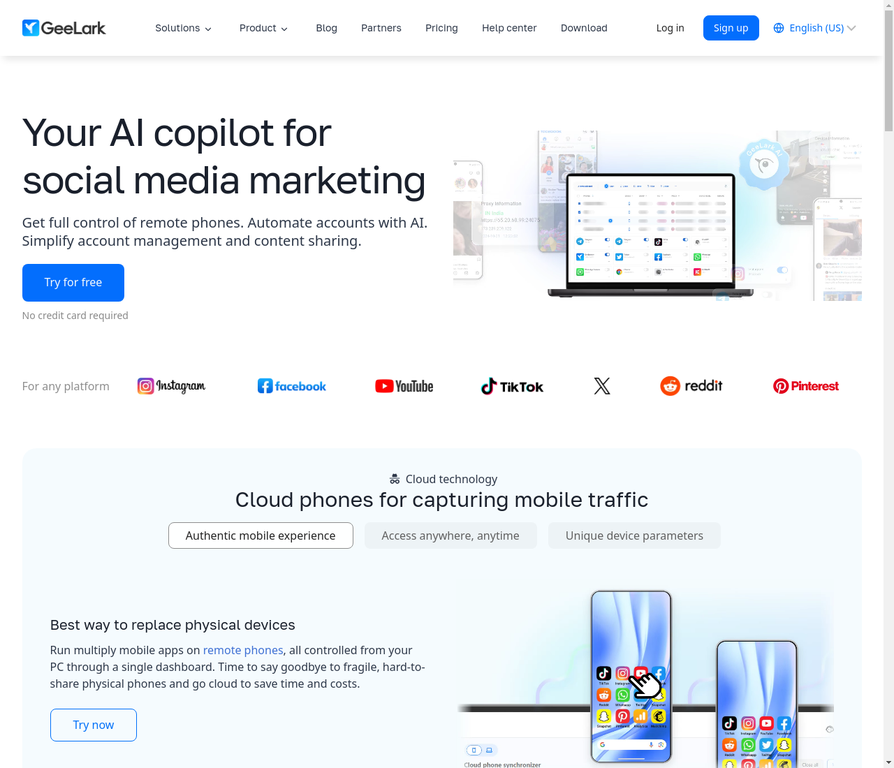
What is Multilogin cloud phone?
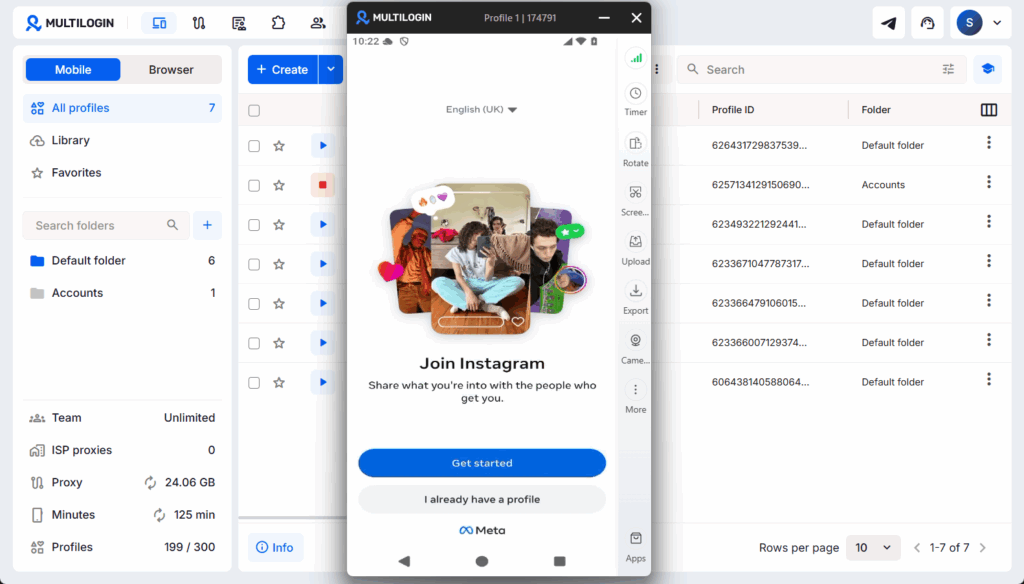
Multilogin cloud phones are real Android devices hosted in the cloud, controlled from your desktop. Each cloud phone runs genuine Android OS (versions 10 through 16) with authentic hardware identifiers, IMEI numbers, Android IDs, MAC addresses, all real, all from actual device production lines. Multilogin offers a Free plan, while paid options include Pro 10 starting at $7.08/month, Pro 20, and Pro 50. For larger-scale operations, Business plans start from 100 profiles.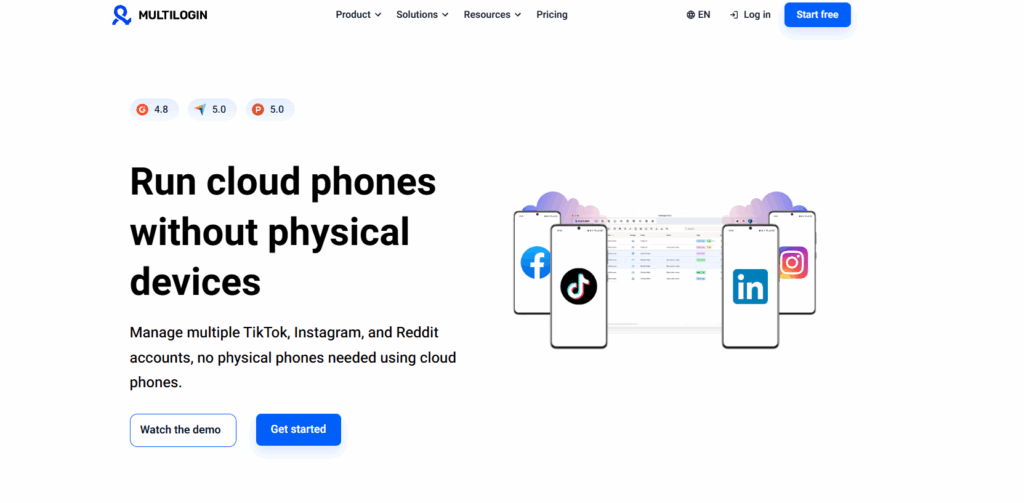
Device authenticity: what each platform actually claims
This is one of the more genuine differences between Multilogin cloud phone and GeeLark cloud phone, though it’s a narrower gap than it might first appear.GeeLark’s approach to device identity
GeeLark cloud phone runs on real ARM-based Android hardware rather than x86 emulation, and GeeLark documents this clearly across its own site and in independent reviews. That’s a verifiable claim: the underlying hardware architecture is real, which is what lets GeeLark’s cloud phones pass the basic hardware-level checks that catch software emulators like BlueStacks or LDPlayer. Where the picture gets less clear is the specific device identifiers. GeeLark describes its IMEI, MAC address, and other identifiers as randomized per profile, generated to look like a real device rather than tied to an actual manufacturer’s production records. For many workflows, that distinction may not matter much day to day. For accounts where platforms cross-reference identifiers against manufacturer databases specifically, a randomized-but-plausible identifier is a different claim than one traceable to genuine production, the same distinction that separates real hardware from device emulation more broadly.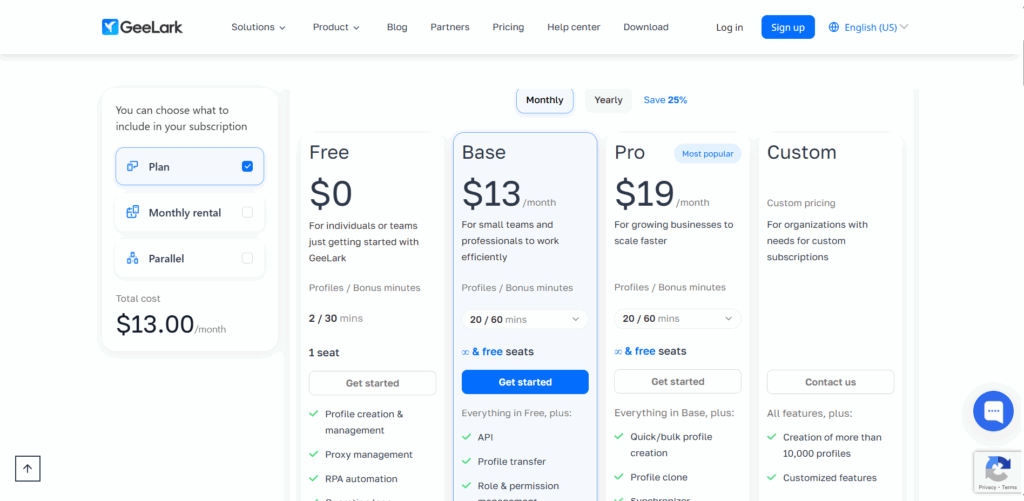
Multilogin’s approach to device identity
Multilogin cloud phones use real Android hardware with genuine identifiers from approximately 30 device types across 12 brands. Samsung Galaxy, Google Pixel, OPPO, vivo, Redmi, OnePlus, and others. These are actual IMEI numbers and Android IDs from real manufacturer production, not randomized, not spoofed, not simulated.
When TikTok or Instagram queries your device parameters, every signal aligns with what a genuine phone from that manufacturer would report. Screen dimensions match. Sensor data matches. Hardware IDs trace back to legitimate production. That consistency is one factor that supports account longevity over weeks and months, alongside normal content and account behavior. It also affects reach: platforms weigh device authenticity when deciding how far to distribute a post, so posting from a real device gives an account a better shot at recommendation feeds than one running on a less documented device identity.
This is the real nuance in the comparison: both platforms run on genuine ARM hardware, not emulation. The difference is in the identifiers themselves, randomized-but-plausible on GeeLark, versus tied to real production records on Multilogin.
Proxy integration: built-in vs bring-your-own
GeeLark requires a separate proxy provider
GeeLark cloud phone supports proxy integration, but the proxies are your responsibility. You find a residential proxy provider, purchase a plan, configure proxies, and assign them to individual GeeLark cloud phone profiles.
This works, and some users prefer choosing their own GeeLark proxy provider. But it introduces three challenges. First, you’re paying a separate vendor on top of your GeeLark subscription, which increases total cost beyond GeeLark’s advertised rates. Second, you need to manually ensure proxy locations match account locations. A proxy showing Miami while your device fingerprint suggests London is the kind of mismatch platforms flag. Third, if your proxy provider has issues, your GeeLark operations are affected even though GeeLark itself is running fine.
Multilogin includes proxies by default
Multilogin cloud phones include built-in residential, mobile, and ISP proxies in every subscription. 30M+ IPs, 150+ countries. Assign one to a profile directly from the same dashboard used to manage it, or import a third-party proxy instead if you already have one.
Launch a cloud phone and assign a proxy in the same setup step. That’s one less operational headache, one less vector for detection, and one less line item to budget for separately.
For teams managing dozens or hundreds of accounts, the difference between manually sourcing a proxy vendor per device and assigning one from the same dashboard at scale is significant.
Mobile and browser profiles: how each platform bundles them
GeeLark’s cloud phone product covers native mobile apps. It also sells a separate browser profile product for desktop-based account work, sometimes marketed as GeeBrowser, priced and set up apart from the cloud phone product. Confirm current plan details on GeeLark’s own site if browser-based work is something you need.
Multilogin bundles mobile and web in one dashboard
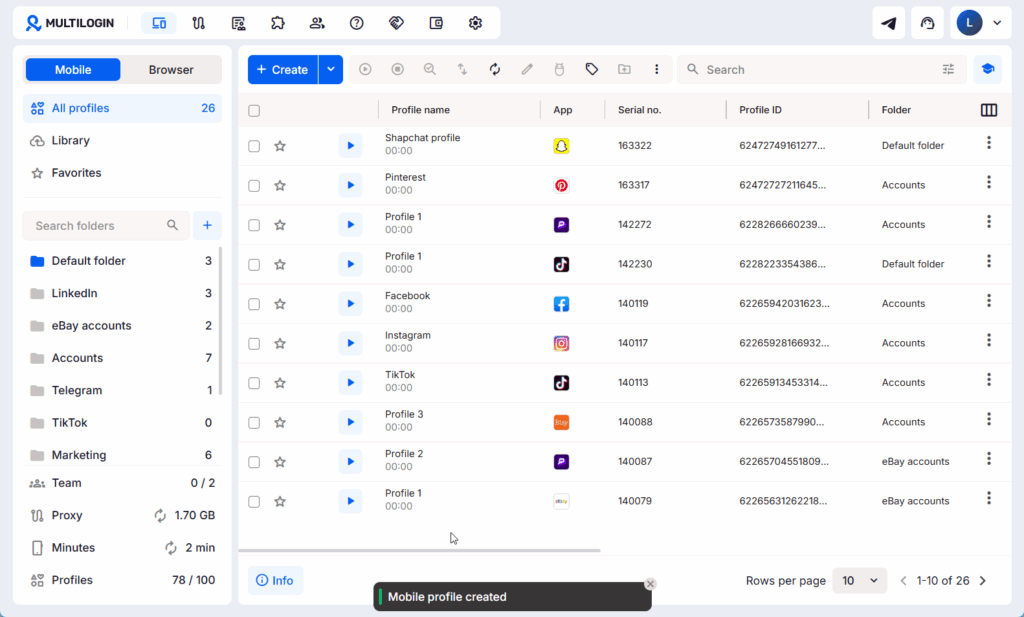
Multilogin cloud phones come bundled with full access to Multilogin’s browser profiles as a standard part of every subscription. You manage TikTok accounts in native mobile apps through cloud phones, then switch to browser profiles for YouTube Studio or Facebook Ads Manager, all from the same dashboard, one login, one set of team permissions, with no separate product to configure. The same setup covers Instagram, Reddit, WhatsApp, X, and LinkedIn, cloud phones for the mobile-first platforms, browser profiles for the web-first ones.
Automation and API comparison
GeeLark covers basic, repeatable tasks
GeeLark offers automation features for repetitive social media tasks within its ecosystem. GeeLark automation handles things like batch posting, scheduled actions, and some engagement workflows. The GeeLark API provides programmable access for developers, though GeeLark documents less about integration depth and framework compatibility than purpose-built automation platforms do.
For users running simple, repeatable mobile actions, GeeLark automation gets the job done. For teams building complex, conditional automation pipelines with developer-grade tools, the limitations become apparent.
Multilogin connects developer tools and AI agents
Multilogin cloud phones integrate directly with Selenium, Puppeteer, Playwright, and Postman. The Multilogin API lets you programmatically create cloud phones, install apps, configure settings, and trigger workflows from your own codebase, or connect an AI agent directly to run those same workflows without a person driving each step, since Multilogin is built for people and AI agents alike, including workflows like managing AI influencer profiles or AIGC content management at scale.
This is developer-grade automation with documented integrations and framework support. If your team writes custom scripts, builds automated pipelines, or wants an AI agent handling routine tasks, Multilogin provides the API and tools to make that work reliably.
Team collaboration
GeeLark documents fewer team controls
GeeLark offers some organizational tools for managing multiple profiles, including tags, groups, and batch operations. It doesn’t prominently document role-based permissions, profile sharing controls, or multi-user access management. Smaller teams may find the existing tools sufficient, but agencies with strict access requirements should verify what’s available directly.
Multilogin controls who sees and edits what
Multilogin lets you share cloud phones and browser profiles with team members while restricting access to sensitive settings. Business plans include unlimited team seats. Bulk operations create, launch, and manage profiles in batches. Cloud storage means team members access shared sessions from any device.
An agency managing several clients can assign specific profiles to specific team members, control who can edit fingerprint settings versus who can only operate accounts, and keep an audit trail across the whole operation.
Pricing comparison
GeeLark cloud phone pricing
GeeLark’s Free plan includes 2 profiles and 30 bonus minutes per month. Paid subscription tiers start around $5-13/month depending on the plan and billing cycle, on top of which cloud phone usage is billed at roughly $0.007 per minute, capped at $1-1.2 per device per day. A monthly device rental (around $29.9/device) removes that daily cap for continuous use. That per-minute rate is lower than Multilogin’s. But GeeLark’s cloud phone pricing doesn’t include proxies at any tier, so add a separate residential or mobile proxy subscription to get the true operational cost, and check current terms if browser profile access is part of your plan or a separate purchase.Multilogin cloud phone pricing
Multilogin’s Free Plan has no time limit and no credit card required, covering 5 profiles across cloud phones and browser profiles, more than double GeeLark’s free tier. Paid plans start from $7.08/month with Pro 10, Pro 20, and Pro 50 options. For larger-scale operations, Business plans start from 100 profiles. Mobile minutes beyond a plan’s included allowance run $0.011/minute, and proxy traffic is $3.50/GB, both billed from the same dashboard rather than a separate vendor. That structure bundles real Android hardware, built-in residential proxies, browser profiles, automation tools, team collaboration, and 24/7 support into one subscription. GeeLark’s raw per-minute rate is cheaper in isolation; Multilogin’s bundle is what you’d otherwise pay for by combining GeeLark’s cloud phone product with a separate proxy vendor. For detailed plan options, check Multilogin’s pricing page.Side-by-side comparison table
| Feature | Multilogin cloud phone | GeeLark cloud phone |
| Hardware | Real ARM-based Android, genuine IMEI/Android ID/MAC | Real ARM-based Android, randomized IMEI/MAC per profile |
| Proxy integration | Built-in residential, mobile, and ISP proxies (30M+ IPs, 150+ countries), or import your own | Bring-your-own proxy (external purchase required) |
| Browser profiles | Included in every subscription | Available as a separate product |
| Automation | Selenium, Puppeteer, Playwright, Postman, API, AI agents | Built-in automation tools, API available |
| Free plan | 5 profiles, no time limit | 2 profiles, 30 bonus minutes/month |
| Team collaboration | Role-based access, unlimited seats (Business) | Organizational tools, team features less documented |
| Cloud phone usage rate | $0.011/minute beyond plan allowance | ~$0.007/minute, capped $1-1.2/device/day |
| Base subscription | Free Plan, then Pro 10, Pro 20, and Pro 50 from $7.08/month; Business from 100 profiles | Free plan, then from ~$5-13/month |
| Support | 24/7 in 5 languages | Support available |
Which cloud phone fits your situation?
Social media agencies with mixed workflows
If you manage client accounts across both mobile apps and browser-based platforms and want that in one subscription without configuring a separate product, Multilogin cloud phone is the more straightforward choice. Built-in proxies and real device IDs reduce the risk of client accounts getting flagged.Individual TikTok or Instagram operators
If your work lives entirely inside mobile apps and you’re running a smaller number of accounts, GeeLark cloud phone offers a focused option with a lower per-minute rate. Just factor in a separate proxy subscription, and confirm current terms if you’ll need browser profile access too.Large-scale phone farming
Operations running dozens or hundreds of cloud phones need infrastructure that scales without breaking. Multilogin’s real device hardware, built-in proxy assignment, API-driven automation with AI agent support, and team permissions are built for exactly this scenario. The pay-as-you-go proxy and minute pricing on top of a plan means costs stay tied to actual usage as you scale up or down.Teams needing developer-grade automation
If your workflow involves custom scripts, conditional logic, or connecting an AI agent to run tasks without manual input, Multilogin’s framework support (Selenium, Puppeteer, Playwright) and documented API give your developers what they need. GeeLark’s automation works for simpler, repeatable tasks but may limit more complex or AI-driven implementations.Need a better Geelark Alternative? Try Multilogin Cloud Phones.
Why Multilogin cloud phone is the more complete solution
GeeLark cloud phone does mobile well, on real ARM hardware, at a lower per-minute rate than Multilogin. It’s a solid tool for straightforward social media management on mobile apps, particularly at smaller scale.
Multilogin cloud phone covers more ground for a single subscription price: real Android hardware with genuine, production-tied identifiers, built-in residential proxies, browser profiles bundled by default, developer-grade automation support built for both people and AI agents, and team collaboration designed for agencies, plus a more generous Free Plan to start with.
For teams that need mobile, web, proxies, and automation working together without configuring separate products, that bundling reduces the coordination overhead that comes with combining several specialized tools.
Ready to see the difference? Start with Multilogin cloud phones and get browser profile access included from the first plan.
FAQ
The biggest differences are pricing structure and what’s bundled by default. Multilogin includes browser profiles and built-in residential proxies in every subscription, with a more generous Free Plan and AI agent-ready automation. GeeLark’s cloud phone product has a lower per-minute rate but requires a separate proxy vendor, and its browser profile capability is structured as a separate product.
No. GeeLark requires you to source and configure your own residential or mobile proxies from a third-party provider for its cloud phone product. This adds separate costs and manual setup to your workflow. Multilogin includes built-in residential, mobile, and ISP proxies you assign directly to a profile, in every subscription, or you can import a third-party proxy instead if you prefer.
Both platforms run on real ARM-based hardware for native TikTok apps. Multilogin’s advantage is device identifiers tied to genuine manufacturer production, built-in proxies you assign per profile, and the option to connect an AI agent for automated posting. GeeLark works well for TikTok too, particularly for smaller operations at a lower per-minute cost, tracked against how the TikTok algorithm responds to account consistency over time either way.
Yes, GeeLark offers a separate browser profile product alongside its cloud phone product, though the two are structured and marketed somewhat separately rather than as a single bundled subscription. Multilogin includes browser profiles as a standard part of every cloud phone subscription, with no separate product to set up.


