


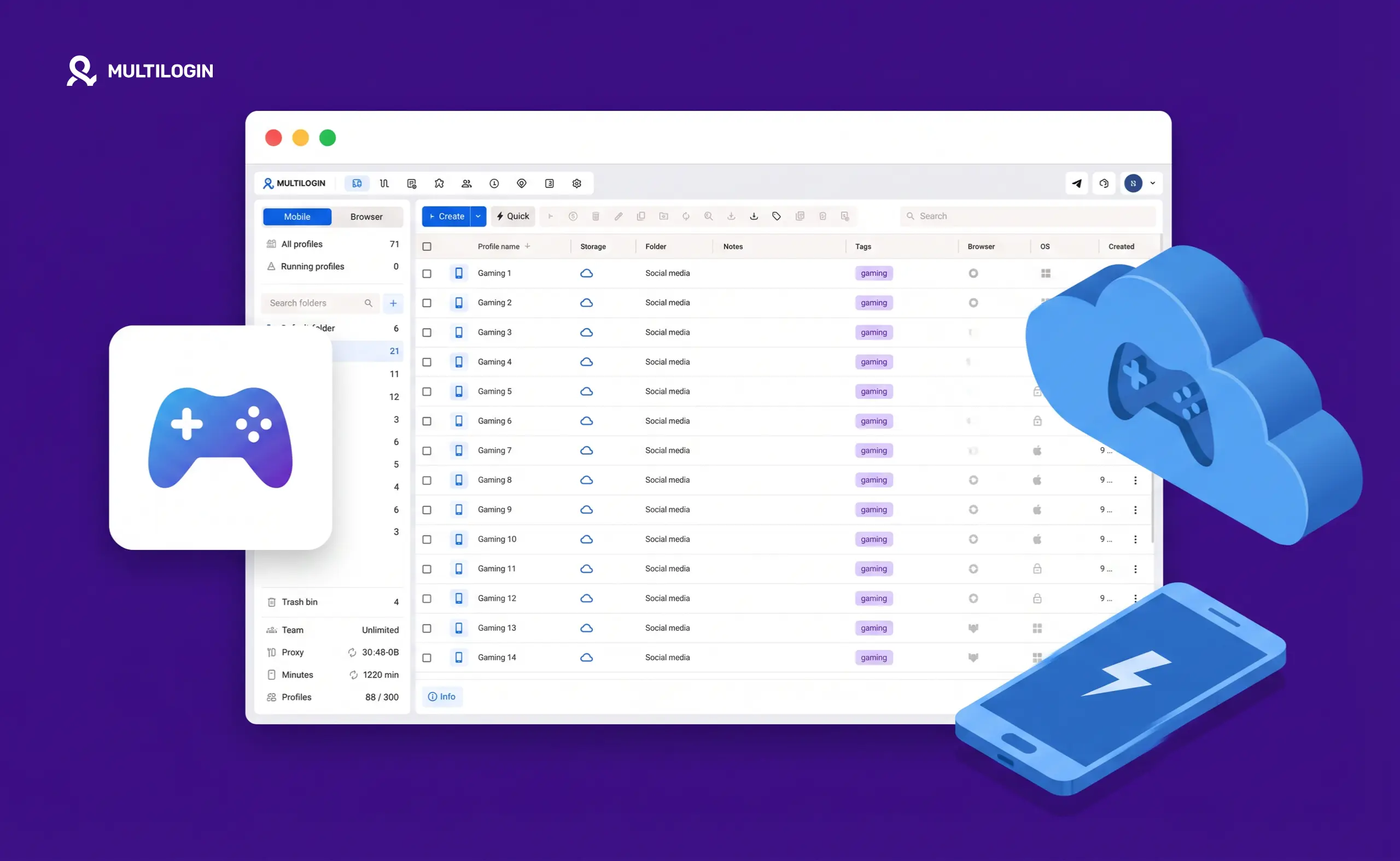



Mobile gaming and multi-account management have always had a complicated relationship. Most popular games — Clash of Clans, PUBG Mobile, Call of Duty Mobile, Mobile Legends, Genshin Impact, Pokémon GO — let you create multiple accounts. What they actively resist is running those accounts from the same physical device without them knowing about it.
The old workarounds are running out of road. Multiple SIM cards don’t help with device fingerprinting. Android emulators like BlueStacks get detected more reliably with every passing quarter. Physical phone farms work but cost thousands in hardware and require ongoing maintenance.
In 2026, cloud phones are the more practical answer. This guide explains exactly why — what mobile games detect, why emulators keep failing, and how Multilogin Cloud Phones give each account a genuinely separate device identity without physical hardware.
What Mobile Games Are Actually Detecting
This is worth understanding before diving into solutions, because the detection is more sophisticated than most people realize.
- IMEI. The International Mobile Equipment Identity number is a unique identifier burned into every Android device at the manufacturing level. Games that enforce one-account-per-device policies read the IMEI on launch. If two accounts have ever been linked to the same IMEI, the game knows — and the response is usually a ban or merge.
- Android ID. A software identifier generated when Android is first set up on a device. Unlike the IMEI, Android ID can be reset, but games check for the consistency patterns that genuine resets produce and flag accounts where it looks manipulated.
- Device fingerprint. Screen resolution, GPU model, CPU characteristics, total RAM, device model string, build fingerprint — these combine into a hardware profile. If two accounts present the same hardware profile, the detection system links them regardless of account credentials.
- Behavioral patterns. Session timing, interaction speed, switching patterns between accounts — these are all logged. Playing two accounts on the same device within the same hour, even with different logins and between sessions, creates behavioral signatures that ML-based detection systems are specifically trained on.
- Network signals. IP address, connection type (Wi-Fi vs. cellular), carrier signals. Some games check whether the network profile is consistent with the declared device region.
When the game’s detection system identifies multiple accounts tied to the same device, the consequences range from a warning to a permanent ban on every linked account. Losing an account you’ve invested months into building is genuinely painful — and often unrecoverable.
Why Emulators Fail for Multi-Account Gaming
Emulators like BlueStacks, LDPlayer, MEmu, and NoxPlayer simulate Android environments on your PC or Mac. They let you play mobile games on a bigger screen with keyboard and mouse controls, and they can run multiple instances simultaneously.
For casual single-account gaming, emulators are completely fine. The problem is multi-account gaming where you need each account to look like a genuinely separate device.
Emulators share the underlying hardware of the host machine. When a game reads hardware identifiers from an emulator instance, it gets either the host machine’s real hardware data or a spoofed value that doesn’t match any device in a real manufacturer’s database. Both create detection problems.
Games in 2026 specifically look for:
- Virtualization artifacts in the Android build configuration — flags that indicate the OS is running inside a virtual machine
- GPU rendering inconsistencies — rendering behavior that doesn’t match the GPU a real device of the declared model would have
- Sensor data without variation — real phone gyroscopes, accelerometers, and other sensors have natural micro-variation; emulated sensors often output perfectly consistent values that look synthetic
- CPU signature mismatches — CPU characteristics that don’t match the declared device type
The result: emulator accounts have a significantly higher detection and ban rate than real device accounts, and that gap has widened as mobile game developers have invested more in detection systems.
What a Cloud Phone Is — and Why It’s Fundamentally Different
A cloud phone is not an emulator. That distinction matters enormously.
A Multilogin Cloud Phone is a real physical Android device — manufactured hardware — hosted in a data center and accessed remotely through a live video stream. When you open a Cloud Phone session, you see the actual screen of a real phone running in a server room. Your inputs are transmitted to the device and executed on actual hardware.
Because the hardware is genuine:
- The IMEI is from a real device manufactured by a real company, with a valid registration in manufacturer databases
- The Android ID is authentic, generated on real hardware during setup
- The GPU renders exactly as the manufacturer’s device renders — because it is the manufacturer’s device
- Sensor data has natural variation because real sensors are producing it
- The device fingerprint matches a real-world device model precisely
Games that check “is this a real device or an emulator” get the right answer from a Cloud Phone. It is a real device. There’s no emulation artifact to detect.
Multilogin Cloud Phone Features That Matter for Gaming
Multilogin Cloud Phones are available with approximately 30 real Android device models — Samsung Galaxy series, Google Pixel, Xiaomi, OPPO, OnePlus, Motorola, Redmi, Vivo, realme, and others. Android versions 10 through 15 are supported.
- Unique device identity per Cloud Phone. Every Cloud Phone profile has its own IMEI, Android ID, device model, and hardware fingerprint. No two Cloud Phones share these identifiers. From a game’s detection perspective, each Cloud Phone is a completely distinct device.
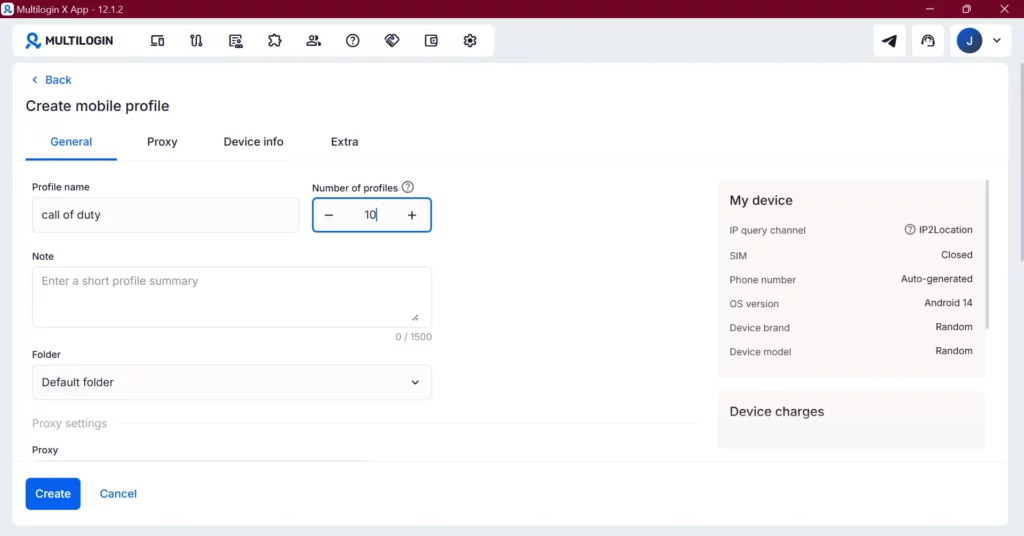
- Network type selection: Wi-Fi or Cellular. This is a feature most guides overlook. When creating a Cloud Phone, you can select whether the device presents as a Wi-Fi or Cellular connection. For games that factor in network type as part of their environment check, being able to simulate cellular connectivity makes sessions look more authentic. You set this in the “Extra” section of the Cloud Phone creation panel.
- Location-matched residential proxies. Every Cloud Phone includes a residential proxy matched to your configured region. The IP address comes from a real home ISP, not a datacenter or VPN exit node. This is important for games that check geographic consistency between the declared account region and the network origin.
- Complete session isolation. Each Cloud Phone is its own Android instance. Installing a game on Cloud Phone 1 creates an installation that is completely separate from Cloud Phone 2. Account data, progress, login sessions, and behavioral history are fully isolated between phones.
- Session persistence. When you close a Cloud Phone session and reopen it later, everything is exactly where you left it. Your game is running from where you paused. Your account is logged in. There’s no re-setup or re-login friction between sessions.
- Remote access from any device. Cloud Phones are controlled through the Multilogin desktop application on Windows or Mac. You interact with the phone’s touchscreen using your mouse and keyboard. No need to sit next to a physical device.
Specific Gaming Use Cases
- Multiple competitive accounts. In games like PUBG Mobile, Arena of Valor, or Mobile Legends, maintaining a ranked main account and a practice or smurf account is common. Running both on the same physical phone links them. Two separate Cloud Phones with different device models and different hardware profiles keeps them genuinely separate.
- Resource farming across accounts. Games like Clash of Clans, Clash Royale, and similar strategy games have active communities that farm resources across multiple accounts. Cloud Phones let you scale this without buying additional physical hardware.
- Play-to-earn and Web3 mobile games. Blockchain-based mobile games like Hamster Kombat, Axie Infinity, and similar titles often support multiple wallet-linked accounts. Cloud Phones provide the isolated environments needed for each wallet and account to operate without cross-linking. This use case overlaps with airdrop farming and Telegram crypto games.
- Game account building and trading. Building mobile game accounts to high levels and trading them is a real market. Managing multiple accounts in parallel on separate Cloud Phones is how practitioners do this at scale without hardware overhead.
- Regional server and geo-restricted content access. Some games have separate regional servers or region-specific content. Cloud Phones configured with proxies from specific countries let you connect as a user from that region — useful for accessing content or playing on servers that would otherwise be unavailable.
- Content creators running alt channels. Gaming content creators sometimes maintain secondary accounts for specific series or experiments. A dedicated Cloud Phone keeps the alt account’s behavioral history and session data completely distinct from the main account.
- Phone farming operations. For operators running large numbers of accounts across games and apps simultaneously, Cloud Phones provide the equivalent of a physical phone farm without the hardware cost, maintenance overhead, or physical space requirements.
Cloud Phones vs. Physical Phone Farms
Physical phone farms — owning and managing a collection of real phones — genuinely solve the device isolation problem. Each phone has its own hardware, its own IMEI, its own Android environment. There’s no detection risk from sharing.
But they have real costs:
- Hardware: $200 to $800 per device
- SIM cards for each device
- Charging infrastructure and physical space
- Maintenance when devices fail or need OS updates
- Logistics of adding new devices when you need more accounts
Scaling from 5 phones to 50 means roughly $5,000 to $15,000 in additional hardware, plus setup time. When you need a new account for a new region or a new game, you need a new phone.
Cloud Phones have the same device authenticity advantages with none of the hardware overhead. Creating a new Cloud Phone profile takes a few minutes. There’s no physical setup, no charging cables, no shelf space required. You can read a detailed breakdown of the tradeoffs in the cloud phone farm vs. physical phone farm comparison.
Billing on Multilogin Cloud Phones is usage-based at €0.009/minute of active use. For gaming accounts that are used a few hours per day, this is often more economical than maintaining physical hardware that runs 24/7.
Step-by-Step: Setting Up a Cloud Phone for Gaming
Step 1. Sign up for Multilogin at multilogin.com/pricing. Log in to the dashboard.
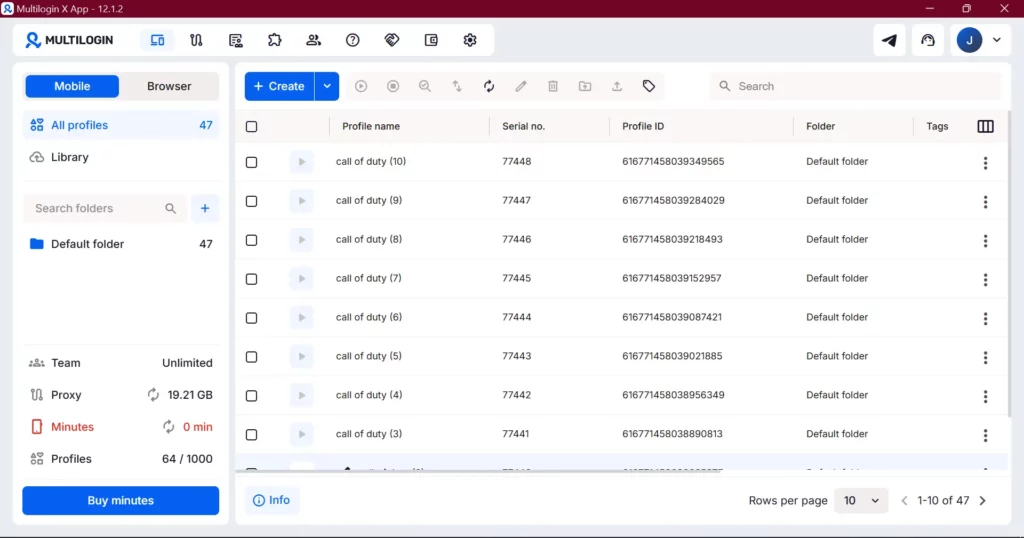
Step 2. Click the toggle at the top to switch from Browser Profiles to the Mobile/Cloud Phones view.
Step 3. Click “Create Cloud Phone.”
Step 4. Choose a device model. Select from the available real Android devices. If you’re creating multiple Cloud Phones for multiple accounts, choose different device models for each — a Samsung Galaxy S23 for one, a Google Pixel 7 for another, an OPPO A78 for a third.
Step 5. Select an Android version. Android 12, 13, or 14 covers most modern game requirements.
Step 6. Configure the network. In the Extra section, choose between Wi-Fi and Cellular network presentation. For games where cellular presentation is more consistent with normal mobile gaming behavior, select Cellular.
Step 7. Set the proxy. Select Multilogin’s built-in residential proxy and choose the country matching your game’s target region or server location.
Step 8. Click “Create” then “Launch.”
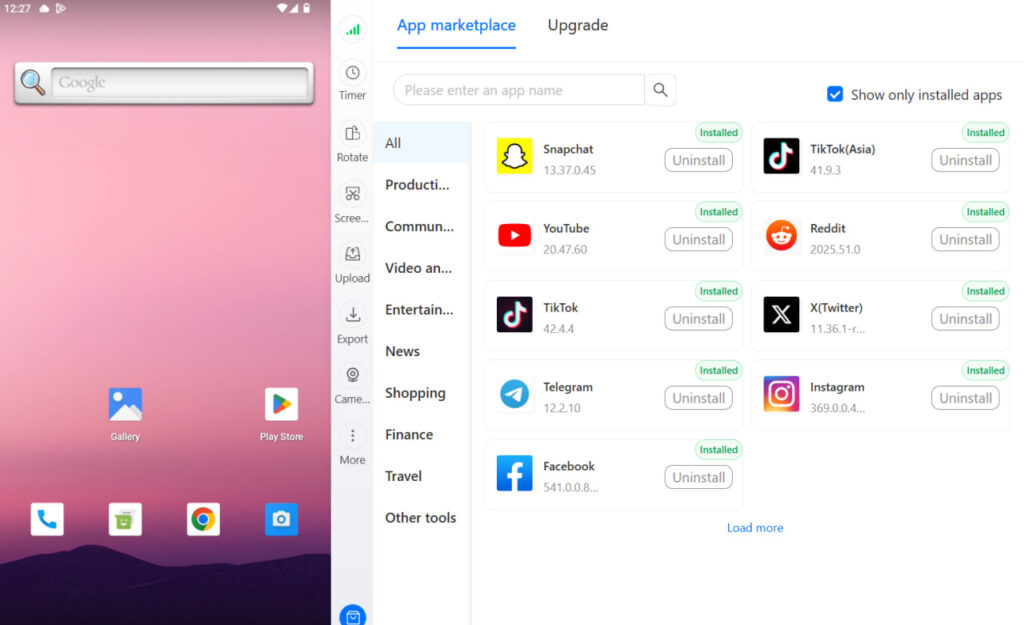
Step 9. In the App Marketplace (accessible from the right-side control panel), search for your game and install it.
Step 10. Create or log into your game account. All future activity for this account happens through this Cloud Phone.
Repeat for each additional account, always choosing a different device model.
Need to manage multiple Facebook accounts? Try Multilogin Cloud Phones.
Frequently asked questions About Cloud Phone for Mobile Gaming
Cloud Phones are non-rooted by default. Games that check for root access pass this check because there’s no root access present. If a specific game requires root, that configuration is available, but for most gaming use cases non-rooted is the correct and safer setup.
Yes. You can launch multiple Cloud Phone sessions from the same Multilogin dashboard simultaneously. Each runs independently in its own window with its own device identity.
Usage is billed at €0.009/minute of active use (while the Cloud Phone window is open). One hour of active use per account per day costs approximately €0.54. Cloud Phone sessions persist when closed — you’re only billed for time the window is actually open.
Android 10 through 15. Choose based on what your game supports — most current mobile games work best on Android 12, 13, or 14.
Yes. The Cloud Phone lets you select Cellular mode and input a custom phone number, including virtual numbers from providers like SMSPool. This creates a more complete cellular device identity for platforms and games that check SIM-related signals. See the virtual phone page for how phone number integration works with Cloud Phones.
Emulators run Android in software on your computer and share your machine’s hardware. Cloud Phones are real physical Android devices. Games that check for virtualization artifacts, GPU rendering behavior, sensor data patterns, or CPU signatures will distinguish between them. Read the detailed cloud phone vs. Android emulator comparison for the full technical breakdown.
Cloud Phones and Other Mobile Platforms
The same Cloud Phone setup that works for gaming also works across mobile-first platforms. The principles are identical: each account needs its own isolated device environment.
For social media specifically:
- Cloud Phone for TikTok — running multiple TikTok accounts from separate real Android devices
- Cloud Phone for Instagram — managing multiple Instagram accounts with full device isolation
- Cloud Phone for Facebook — handling Facebook app sessions for multiple client accounts
- Cloud Phone for social media — general multi-account social management
Gaming and social media management share the same fundamental infrastructure challenge: multiple accounts that need to look like genuinely separate people on genuinely separate devices. Cloud Phones solve that for both.


