


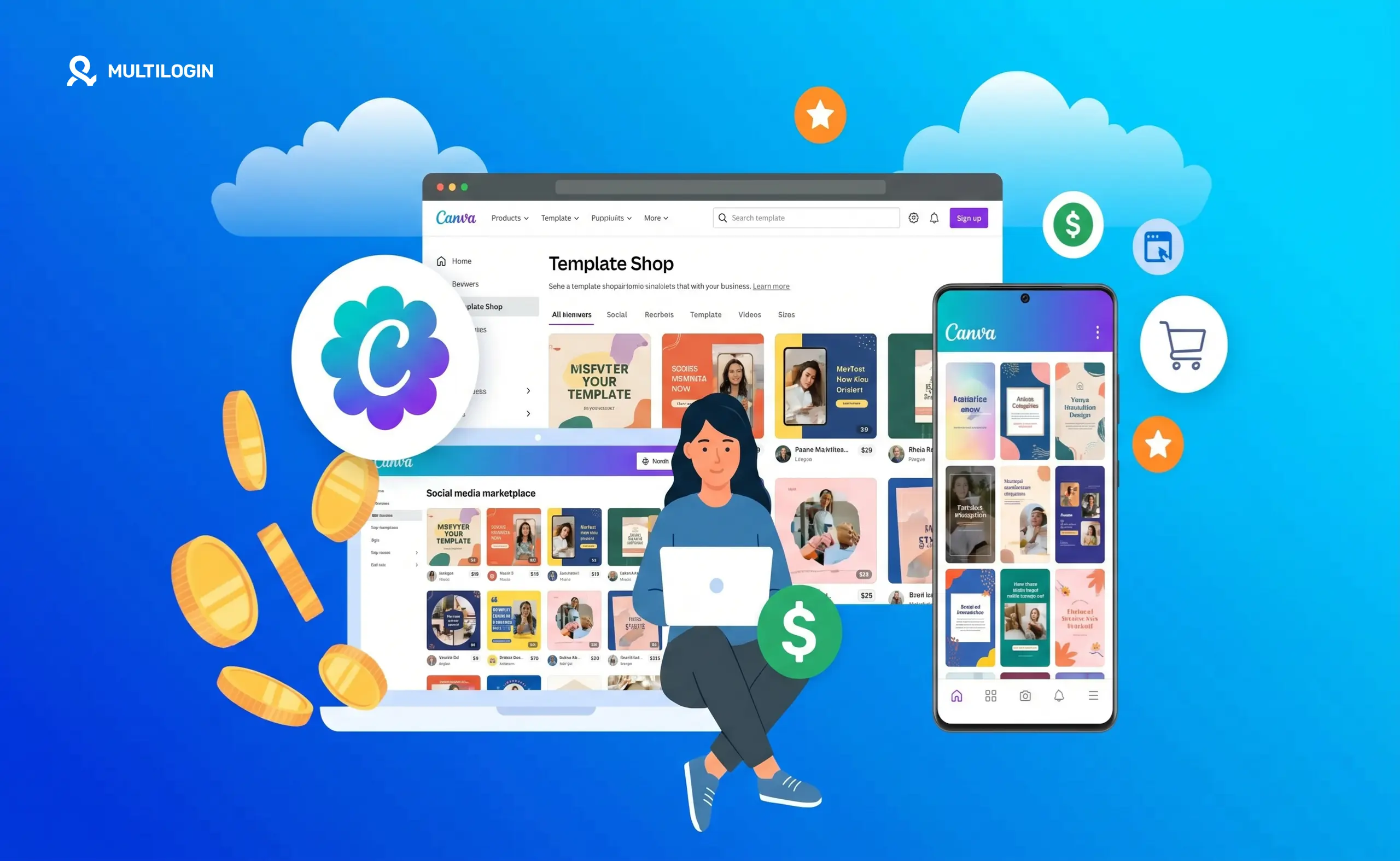



Yes, you can make real money from Canva. Not theory money. Not “possible in ideal conditions” money. Real, consistent income — from selling templates you created once that keep selling for years, from offering design services to clients who need professional graphics but cannot afford an agency, and from building a digital product business that runs while you sleep.
Canva has over 220 million monthly active users. Etsy alone processes over 500 million searches per month. The overlap between those two platforms is where most of the money gets made.
A single well-positioned set of Canva templates can generate $1,000 to $5,000 per month for a focused creator. The highest-performing sellers on Etsy pull $10,000 to $19,000 per month from Canva templates alone. One seller documented earning over $1.4 million while working 10 hours per week.
This guide covers every method that actually works in 2026, how to set each one up step by step, and how to scale without burning out.
Can You Really Make Money From Canva?
The honest answer is yes — with one important caveat. The people making serious money from Canva are not making generic templates and hoping for the best. They are solving specific problems for specific audiences. The shift that happened in 2025 and has carried into 2026 is this: broad templates are oversaturated, niche templates are underserved and highly profitable.
“Social media templates” is a crowded category. “Instagram Reels templates for vegan bakeries” is a specific solution that a specific buyer will pay premium pricing for without much comparison shopping. “Resume templates” is competitive. “Resume templates for nurses switching to healthcare management” converts at a completely different rate.
There are two primary tracks for making money from Canva in 2026. Passive income through selling templates and digital products — you create once and sell indefinitely. Active income through design services — you use Canva to deliver client work faster and more profitably.
The most successful Canva income earners run both in parallel, using service work to generate immediate cash while building a template library that generates passive income over time.
Track 1: Selling Canva Templates
Why Templates Work as a Business Model
Templates are one of the cleanest digital product business models available. Zero inventory. Zero shipping. Zero manufacturing cost. You design the template once, host the share link on Etsy, Gumroad, or your own store, and collect payments every time someone buys it. The same file sells unlimited times. The same $27 template bundle that took four hours to create can generate $2,700 over the next year with zero additional effort.
The business model also scales beautifully. Adding a new template does not require more time proportional to more revenue. Building a catalog of 50 templates generates dramatically more monthly income than 5 templates without requiring 10 times the ongoing work.
What Templates Sell Best in 2026
The best-selling Canva template categories in 2026 are heavily skewed toward professional productivity and social media. Canva resume templates and resume template packs consistently rank among the highest-searched and highest-converting template types on Etsy. Canva presentation templates and slide deck templates for specific industries — coaching, consulting, startups, education — sell at premium prices to buyers who need professional-looking presentations without a designer. Canva invoice templates and business card templates appeal to freelancers and small business owners who want polished professional materials quickly.
Social media template categories with strong commercial intent include Canva Instagram templates, Canva Instagram story templates, Canva LinkedIn banner templates, and Canva social media templates bundled by industry or aesthetic. These sell well because the buyers are business owners and content creators who need consistent, professional visuals and will buy again when they need new designs.
Other consistently strong categories include Canva ebook templates for coaches and course creators, Canva newsletter templates for email marketing, Canva pitch deck templates for startups and agencies, Canva website templates for service businesses, Canva planner templates for productivity niches, and Canva calendar templates for organization and lifestyle audiences.
The template niches with the highest conversion rates in 2026 are the ones that serve a clearly defined professional audience. Wedding planners, real estate agents, fitness coaches, HR professionals, teachers, and nonprofit managers all need professional-looking materials and will pay $15 to $75 for a template bundle that saves them hours of design work.
How to Create Templates That Sell
Start by researching what buyers are actually searching for rather than what you think looks good. Browse Etsy’s best-seller lists in your target category. Look at the listings with the most reviews — those are products with proven demand. Look at the search results for your target keywords and identify where the gaps are. What is missing from what is already available? What would you want if you were the buyer?
Design with editability as the primary requirement, not aesthetics. A beautiful template that buyers cannot customize easily generates negative reviews and refunds. Every element that a buyer might want to change should be clearly labeled and easy to access. Use clear fonts, organized layers, and simple color schemes that buyers can swap out in minutes.
Use only free Canva elements in templates you sell unless you are certain your buyers have Canva Pro. If you include Pro elements in a template, buyers without a Pro subscription cannot edit those elements without watermarks. State clearly in your listing whether the template requires Canva Pro or works with the free version.
Create in bundles rather than individual templates. A bundle of 10 to 20 related templates — a complete Instagram content kit, a full business branding package, a comprehensive pitch deck with 20 slides — commands $25 to $75 and converts significantly better than a single template at $5. Buyers see bundles as higher value and the pricing psychology supports premium positioning.
Use Canva’s Magic Studio and Magic Switch features in 2026 to accelerate creation dramatically. Design your core template once, then use Magic Switch to instantly resize it across multiple dimensions — Instagram post to Pinterest pin to Instagram story — multiplying your product inventory in minutes instead of hours.
How to Sell Canva Templates on Etsy
Etsy is the primary marketplace for Canva template sellers because it comes with built-in buyer traffic. Over 96 million active buyers search Etsy regularly, and a significant portion are specifically looking for digital downloads including Canva templates.
Setting up your Etsy shop for Canva templates requires understanding how Etsy delivery works for digital products. You cannot upload a Canva file directly to Etsy. Instead, you create a template in Canva, generate a share link that allows buyers to copy the template to their own Canva account, and then deliver that link through a PDF file that you upload as the digital download. When someone purchases your listing, Etsy automatically delivers the PDF containing your template link.
Etsy SEO is what determines whether your templates get found organically. Your listing title, tags, and description should all include the exact search terms buyers use. Long-tail keywords like “Canva resume template nurse” or “Canva Instagram templates for coaches” with lower competition convert better than broad terms like “resume template” even though the search volume is lower.
Your listing photos are critical. Use clean mockups that show the template being used in context — displayed on a laptop, shown in a social media feed, previewed at multiple slides. Etsy buyers make purchase decisions based primarily on the visual preview. Create 5 to 10 mockup images for each listing that showcase different pages, different use cases, and the editing experience.
Pricing on Etsy for Canva templates typically ranges from $5 to $15 for simple individual templates, $17 to $45 for small bundles of 5 to 15 templates, and $45 to $97 for comprehensive packs of 20 or more templates. Position your pricing at the mid-to-upper range of your category once you have reviews to support the premium. Underpricing signals low quality to buyers more than it attracts sales.
Once you have a few listings, use Etsy Ads to accelerate visibility. Start with $1 to $2 per day focused on your best-performing listings rather than spreading budget across all products. Etsy Ads accelerate the review accumulation that then drives organic ranking.
Selling on Gumroad and Your Own Store
Etsy is the best starting point but it is not the only or most profitable option at scale. Gumroad has zero listing fees and lets you sell template bundles directly to your audience with clean checkout pages. Gumroad works particularly well when you have a social media following or email list to drive traffic, because you are not dependent on a marketplace’s internal search to get found.
The highest-margin setup is your own storefront — either a standalone site or a store on a platform like Shopify or Payhip — because you keep 100 percent of revenue with no marketplace fees and own the customer relationship completely. This requires driving your own traffic through social media, Pinterest, SEO, or email marketing, which is more work upfront but more profitable per sale at volume.
Bundles of 20 to 50 related templates priced at $17 to $47 sell particularly well on Gumroad and direct stores. A single bundle selling just 5 copies per week at $25 generates $6,500 per year in largely passive revenue after initial setup.
Track 2: Offering Design Services With Canva
Why Design Services Generate Faster Income
Template sales are a slow burn for the first 30 to 60 days while you build inventory and accumulate reviews. Design services generate income immediately. If you can use Canva to produce professional-quality graphics, social media content, presentations, or brand materials, businesses will pay you for that output right now — before you have a single template review on Etsy.
The income gap between freelancers and agency designers has narrowed significantly because of Canva. A social media manager who uses Canva fluently can produce content that a few years ago would have required a dedicated designer. Clients pay for the output, not the tool. The tool just determines your margin and your delivery speed.
Social Media Design Services
Small businesses need consistent, professional social media content and most do not have an in-house designer. A social media content package — a set of branded, platform-ready graphics delivered weekly or monthly — is one of the most in-demand services for Canva-proficient freelancers in 2026.
Beginner rates for social media design packages start at $300 to $600 per month per client. Experienced designers charging for strategy alongside execution — not just creating graphics but advising on what to create and why — earn $1,000 to $2,500 per month per client on retainer.
Canva’s social media templates and content creation tools make this service deliverable at volume that would be impossible with traditional design software. One designer using Canva can serve 3 to 5 clients simultaneously because templates and brand kits drastically reduce per-piece production time. If you also use Claude AI for social media workflow, the production time drops further — Claude handles copy, Canva handles design, and the output is complete client-ready content.
Presentation and Pitch Deck Design
Canva presentation templates and slide decks are one of the highest-value services available to Canva freelancers. Startup founders, business owners, consultants, and coaches regularly need professional presentations for investor meetings, client pitches, conference talks, and online courses.
A well-designed 20-slide pitch deck created in Canva typically sells as a service for $300 to $1,500 depending on complexity and the client’s industry. The same presentation template, once designed for a client project, can be stripped of client-specific content and sold as a template product on Etsy or Gumroad — turning one service project into both immediate revenue and ongoing passive income.
Brand Package Services
Small business owners want professional branding but cannot afford agency pricing. A Canva brand package — logo variations, business card templates, social media profile graphics, email signature template, presentation template — created in Canva can be delivered for $500 to $2,000 as a complete service engagement.
The advantage of building brand packages in Canva is that clients receive editable brand materials they can update themselves, which is a significant selling point over static files from traditional design tools. Clients who receive Canva brand packages often become repeat buyers for additional materials and refer other small business owners who want the same type of service.
Building Recurring Revenue From Services
The most profitable service model combines retainer work with passive template sales. You use service clients to generate monthly cash flow and develop new template designs through client projects that you then strip, genericize, and sell on Etsy or Gumroad.
A client who pays you $800 per month for social media content becomes the proving ground for template designs. If the graphics you create for that client perform well, you already know there is an audience for that style — list it as a template and let it earn while you sleep.
How to Use Claude and Canva Together to Scale Your Income
The combination of Claude AI for strategy and copy and Canva for design is one of the most powerful content production stacks available to independent creators and agencies in 2026.
Claude generates the content strategy, writes the copy for social media posts, presentation scripts, template descriptions, and Etsy listing copy. Canva executes the visual design. The result is complete, polished, deliverable content at a speed that lets you serve significantly more clients or build your template catalog far faster than either tool alone allows.
For template sellers specifically, Claude can generate the keyword-optimized Etsy listing copy for every template you create — title, description, and tags written in buyer language that matches search intent. This is one of the most time-consuming parts of running an Etsy shop and one where Claude accelerates output dramatically. See how to use Claude and Canva together for the full workflow.
For design services, Claude handles the strategy and brief development for each client deliverable, so your time in Canva is spent on design rather than figuring out what to design. A single Claude session can generate a full month’s worth of social media content ideas, post captions, and brief descriptions for every piece of content — leaving you to open Canva and execute rather than staring at a blank brief.
Managing Multiple Canva Income Streams Without Burning Out
The most common mistake Canva income builders make is trying to run multiple revenue streams — Etsy shop, Gumroad store, freelance clients, multiple social media accounts for promotion — from a single workflow without any systems or infrastructure.
For anyone managing multiple Etsy stores across different template niches, or managing social media accounts on multiple platforms to promote Canva products, the account isolation and management layer becomes critical fast. Multiple Etsy accounts, multiple Instagram profiles, or multiple Pinterest accounts promoting different template niches all need to operate from separate, clean environments to avoid platform linking and potential account suspension.
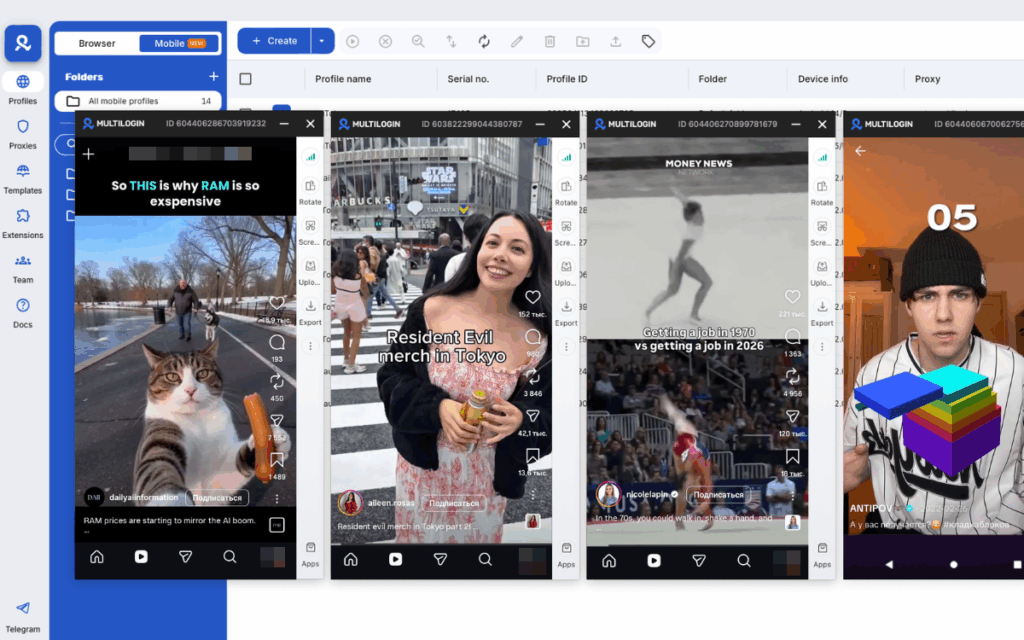
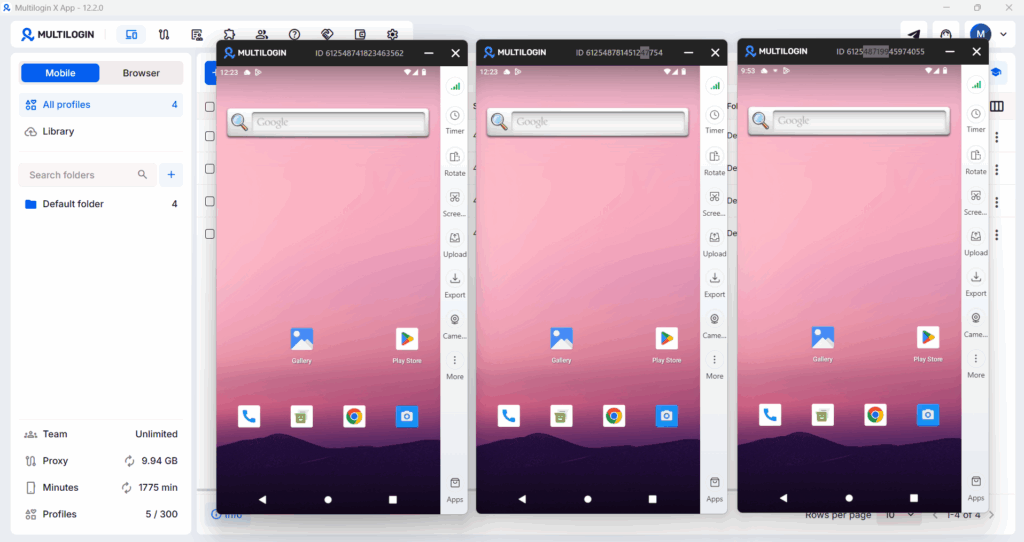
Multilogin’s Cloud Phone provides completely isolated Android environments for each account — separate device fingerprints, separate residential IP addresses, separate session data. Whether you are managing a TikTok account that promotes your Canva templates, a Pinterest account driving traffic to your Etsy shop, or an Instagram profile building an audience for your design services, each account operates independently with no shared signals that could get them linked or flagged.
For the operational picture of managing multiple social media accounts for a Canva-based business, see how to manage multiple social media accounts, creating multiple Pinterest accounts, and how to grow on Pinterest — since Pinterest is consistently the highest-converting traffic source for Canva template shops.
How to Promote Your Canva Templates
Templates do not sell themselves. The Etsy platform drives some organic traffic once you have optimized listings and reviews, but the sellers making serious income almost always layer in external promotion.
Pinterest is the most powerful external traffic source for Canva template sellers. Pinterest users are in a planning and purchasing mindset, and template categories perform extremely well there. Create pins for every template in your shop, pin consistently to relevant boards, and use keyword-rich descriptions that match what buyers search for. A Pinterest account specifically focused on your template niche can drive thousands of visits to your Etsy shop monthly. See Pinterest SEO for the full optimization approach.
Instagram and TikTok work well for showing templates in use — before and after content where you show a blank template becoming a finished professional design. This format creates immediate desire and drives clicks to your shop. Short-form video demonstrating how easy the template is to edit and customize converts particularly well because it answers the buyer’s primary hesitation: will I actually be able to use this?
Email marketing compounds over time in a way that social media does not. Building a list of buyers and template-interested subscribers lets you announce new template launches to an already-warm audience, generate immediate sales velocity that helps new listings rank on Etsy faster, and build a direct relationship that is not dependent on any platform’s algorithm.
How Much Can You Realistically Make From Canva Templates?
The income range is genuinely wide and depends entirely on niche selection, content volume, and consistency.
In the first 30 to 60 days, most new template sellers earn between $0 and $200 per month. This is the building phase where you are creating inventory, accumulating reviews, and learning what performs. It is also the phase most people quit, right before the results start appearing.
By months 3 to 6 with consistent listing creation, Etsy SEO optimization, and external promotion, realistic earnings for a focused seller range from $500 to $2,000 per month. This is where the passive income model starts to feel real — sales happening overnight, during vacations, and in the background while you are working on other things.
Established sellers with 50 to 200 listings, strong review profiles, and external traffic sources regularly earn $3,000 to $10,000 per month. The top percentile of Canva template sellers on Etsy generates $10,000 to $20,000 per month, but those outcomes require significant catalog size, niche authority, and consistent promotion over 12 to 24 months.
The design services track generates income faster but scales differently. A freelancer with 3 to 5 design service clients can realistically earn $2,000 to $8,000 per month in active income within the first 3 months of serious outreach and portfolio building.
The combination of both — passive template income plus active service revenue — is where the most sustainable and highest income levels sit for independent Canva creators.
Need to make extra money online? Try Multilogin Cloud Phones.
Frequently asked questions About How to Make Money From Canva Templates
Yes. Thousands of sellers earn consistent monthly income from Canva templates sold on Etsy, Gumroad, and their own stores. The income range is wide — from $200 to $20,000+ per month — and depends on niche selection, catalog size, listing quality, and promotion consistency. It is not instant income but it is real, scalable, and passive once the library is built.
Two primary paths: sell designs as templates on Etsy or Gumroad where buyers purchase the editable Canva file, or offer design services to clients using Canva to create their graphics, social media content, presentations, or brand materials. Both work. Services generate faster income. Templates generate more passive income over time.
Social media templates (Instagram carousels, story sets, TikTok covers) consistently lead. Business templates (pitch decks, proposals, media kits) sell at higher price points. Seasonal and niche-specific packs (wedding, real estate, fitness) outperform generic ones because they face less competition and attract buyers with a clear need.
Export your Canva design as a PDF or PNG, then list it as a digital download on Etsy. Include a PDF guide showing buyers how to access the template via a Canva share link. Set the listing to “digital item” — Etsy delivers it automatically after purchase. Focus your listing title and tags on specific use cases, not just “Canva template.”
The short answer: isolated environments per client. Sharing browser sessions, cookies, or device identifiers across client accounts creates linking risk. Use separate browser profiles or cloud phones per client so nothing bleeds between accounts. This is especially important on mobile, where native app sessions are persistent and harder to separate manually.
For many people, yes — but it usually requires stacking methods rather than relying on one. Template sales alone are rarely enough at the start. The most sustainable Canva businesses combine passive income (templates, POD, affiliate) with active income (client services, social media management) and grow the passive side over time.


