


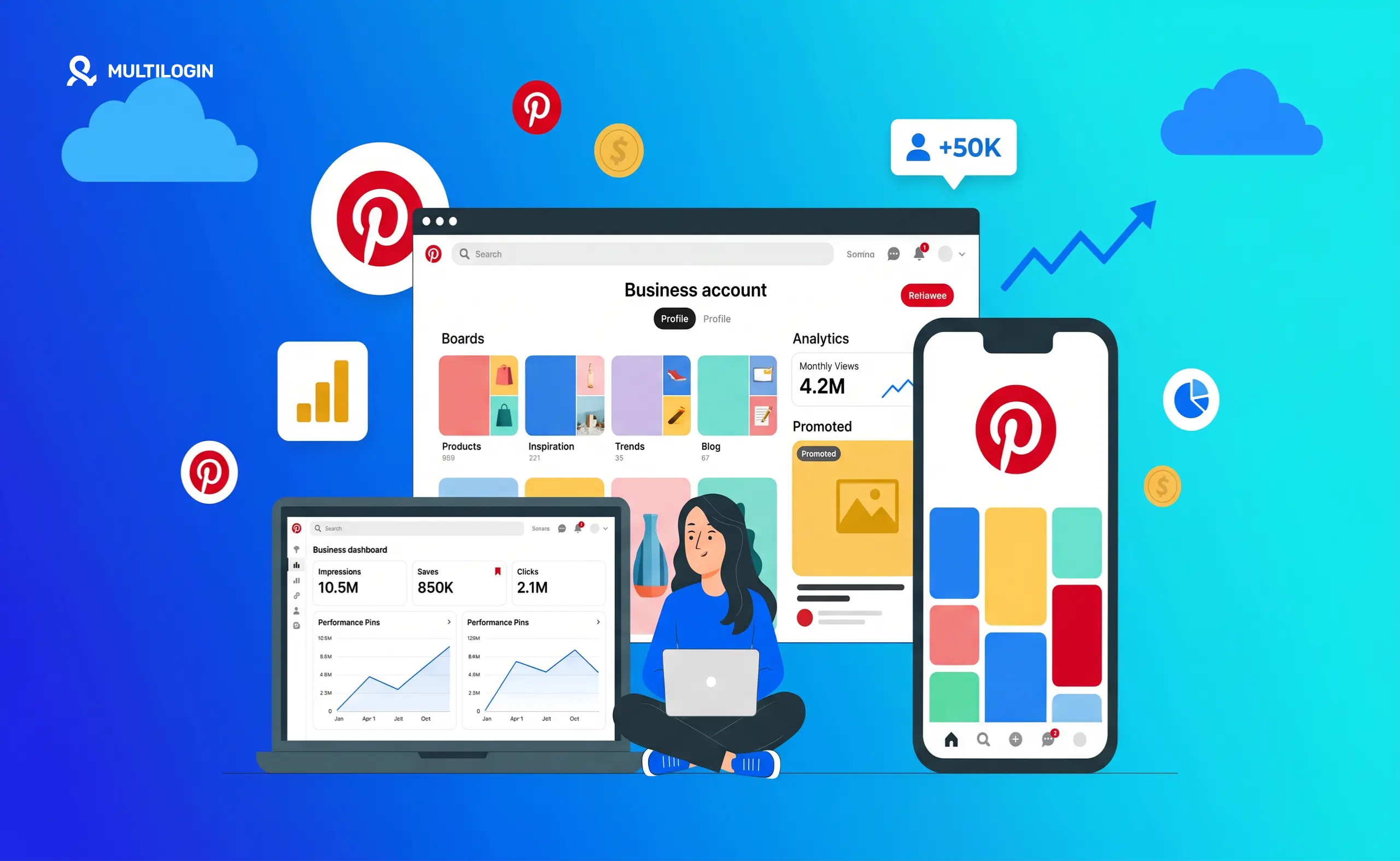



Pinterest has over 600 million monthly active users and they are not passively scrolling. They are actively planning purchases, researching products, organizing upcoming projects, and looking for the exact things your business sells.
That is the fundamental difference between Pinterest and every other social platform. On Instagram or TikTok, users discover content accidentally while being entertained. On Pinterest, users arrive with a specific intent — they are searching for something they want to find and do or buy.
That buyer intent is what makes Pinterest one of the highest-converting traffic sources available to businesses in 2026, consistently delivering a 26 percent higher spend per customer than most social platforms and conversion rates that outperform Meta and TikTok for many product and service categories.
Pinterest users are also more than twice as likely as non-Pinterest users to invest time preparing for seasonal moments, which means they are planning gift purchases, home renovations, wardrobe updates, and holiday projects months before the date — giving businesses who show up early a significant advantage over competitors who wait until the moment arrives.
This guide covers everything you need to know about using Pinterest for business in 2026. Setting up your business account, creating pins that rank and convert, building a board structure that drives search visibility, using Pinterest for Etsy and Shopify, running Pinterest ads, managing multiple accounts safely, and the metrics that actually matter.
For the content creation workflow that feeds your Pinterest strategy, see how to create a social media content calendar, how to use Claude and Canva together, and Claude AI for social media managers.
Why Pinterest Works Differently From Every Other Platform
Before setting up a single pin, you need to understand why Pinterest works the way it does — because the mental model that works on Instagram or TikTok actively hurts you on Pinterest.
Pinterest is a visual search engine, not a social network. Users are not following people — they are following topics, ideas, and aesthetics. They do not come to Pinterest to see what you had for lunch or to watch entertaining content. They come to search for specific things: “small bathroom renovation ideas,” “wedding guest outfit summer 2026,” “healthy meal prep for beginners,” “home office setup small space.”
Your job as a business is to be the visual answer to those searches. Not by interrupting their feed with ads, but by creating content that is so directly relevant to what they searched for that it naturally appears in their results and earns a save or a click.
This search engine model has three major implications for businesses. First, keyword optimization matters more than follower count. A brand new account with 50 followers can out-distribute a 50,000-follower account if its pins are better keyword-optimized for the searches its target audience is making.
Second, content on Pinterest is evergreen — a well-optimized pin published today can rank in Pinterest search and drive traffic for two to three years after posting, unlike Instagram posts that have a 24-hour lifespan or TikTok videos that decay within days.
Third, the audience arrives with buying intent already established. When someone saves your pin for “minimalist living room furniture,” they are planning to furnish a room. When someone clicks your pin for “easy weeknight chicken recipes,” they are planning meals. Y
ou are reaching people at the decision stage, not the awareness stage.
Step 1: Set Up a Pinterest Business Account
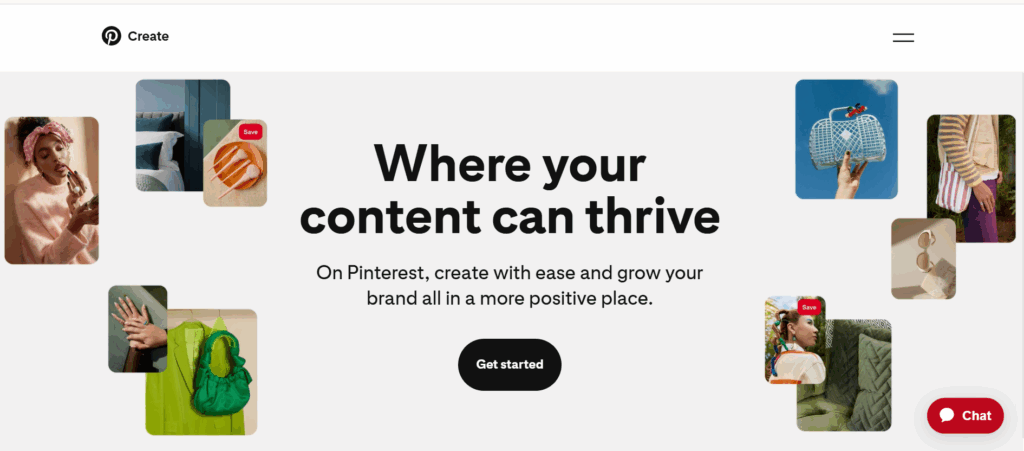
The first step is converting to or creating a free Pinterest business account. This unlocks analytics, the ability to run ads, Rich Pins, product catalogs, the Shop tab, and all the marketing infrastructure that makes Pinterest worth using for business.
Go to business.pinterest.com to create a new business account or convert your existing personal account. Conversions take less than two minutes and you do not lose any existing boards or pins.
Complete every section of your profile before pinning anything. This is not optional — an incomplete profile ranks lower in Pinterest’s internal discovery and signals to the algorithm that your account is low-quality.
Your username should reflect your business name or your primary product category. Your display name should include your most important keyword — if you sell handmade jewelry, “Sarah Johnson | Handmade Jewelry” outperforms “Sarah Johnson” for discovery. Your bio should use conversational language that includes the keywords your ideal customer would use to describe what they are looking for, not marketing language that describes what you think of yourself.
Claim your website. This connects your pins to your domain, gives you access to Rich Pin data, adds a verified badge to your profile that builds credibility, and enables Pinterest Analytics to show you which pins are driving traffic to your site. Claiming takes 5 minutes and the impact on distribution is significant — claimed accounts get preferential treatment in Pinterest’s algorithm.
Step 2: Understand Pinterest SEO
Pinterest SEO is the skill that separates businesses that grow consistently on Pinterest from those that post without result. Because Pinterest is a search engine, keyword optimization determines whether your content gets found or stays invisible regardless of how good your visuals are.
The keyword research process for Pinterest is similar to traditional SEO but uses Pinterest’s own tools. Type your primary topic into Pinterest’s search bar and look at the suggested completions — these are the exact terms people are actually searching for.
Look at the colored keyword bubbles that appear below the search bar on Pinterest’s desktop interface — these represent the most common search refinements and tell you exactly how your audience segments their searches.
Use your keywords in four places for every piece of content: your board name and board description, your pin title, your pin description (the first 50 characters are most important as they appear in feed), and your alt text when uploading images.
Use natural, conversational keyword language rather than keyword-stuffed phrases. Pinterest’s AI has become sophisticated at identifying the topic of a pin from its visual content, text overlay, title, and description together. The most effective keyword strategy in 2026 is writing descriptions that read like something a helpful person would write to accurately describe the content, not a string of search terms jammed together.
Long-tail keywords consistently outperform broad keywords for business Pinterest accounts. “Quick healthy dinner recipes for busy families” reaches a smaller but much higher-intent audience than “recipes” and has dramatically less competition in search results.
Step 3: Build a Board Structure That Drives Discovery
Boards are the organizational backbone of your Pinterest presence and they play a direct role in how Pinterest categorizes your account and distributes your content.
Create boards that mirror the search terms your target audience uses. A home decor brand should have boards titled “Small Living Room Ideas,” “Bedroom Decor Neutral Colors,” and “Minimalist Home Office” — not “Our Favorite Looks” or “Inspiration.” The board names that match search terms get found. The board names that do not match search terms do not.
Write keyword-rich board descriptions for every board. These descriptions are indexed by Pinterest and contribute to how the board ranks in search. Write two to three sentences describing exactly what the board covers, including natural variations of the primary keyword.
Aim for 10 to 20 boards when starting out, each with a clear, specific topic. Add 10 to 30 existing pins to each board before you start actively using Pinterest for marketing — boards with existing content look established to both the algorithm and to visitors who click through to your profile.
Keep boards focused and specific. A board titled “Home Decor” is too broad to rank well for any specific search. A board titled “Boho Living Room Decor Ideas” ranks for a specific audience with specific intent and adds real discovery value.
Step 4: Create Pins That Rank and Convert
Pin quality in 2026 is determined by three things: visual strength that stops the scroll, keyword relevance that matches search intent, and save-worthiness that signals genuine value to Pinterest’s ranking system.
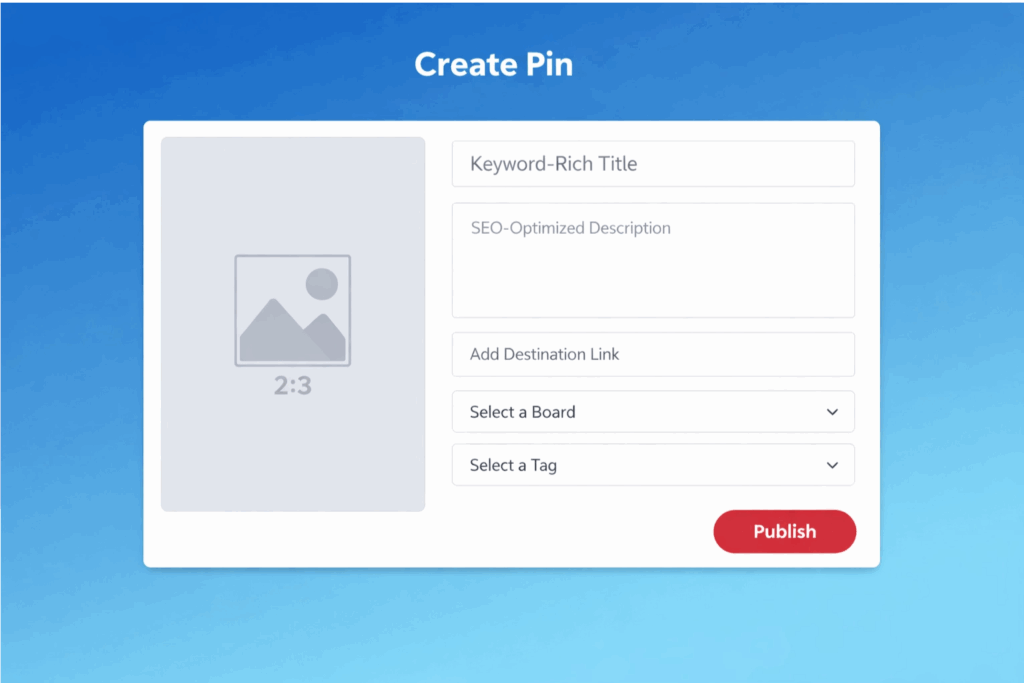
- Visual specifications that matter. Use a vertical 2:3 ratio (1000 x 1500 pixels is the standard) — vertical pins take up significantly more screen real estate in feeds and search results than square or horizontal images. Pinterest’s AI visually analyzes your pins and categorizes them, so the visual content of your image should clearly represent the topic your keywords describe. Text overlays on pins dramatically improve performance — a clear, readable text overlay that communicates the value or topic of the pin (without the person needing to read the description) consistently outperforms image-only pins.
- Pin formats to use in 2026. Standard image pins remain the workhorse of most Pinterest strategies. Idea Pins — the multi-page story-style format — are the highest-engaging format on the platform and receive algorithm priority in the Watch tab and the home feed. Video pins perform well for how-to and tutorial content. Product pins with price information perform well for ecommerce. Carousel pins work well for step-by-step processes and before-and-after content.
- What makes a pin worth saving. The save is the most powerful signal on Pinterest. Saves tell Pinterest’s algorithm that your content is worth showing to more people who might be interested in the same topic. Create pins around content that people would want to come back to — practical how-to guides, useful lists, step-by-step processes, before-and-after transformations, seasonal planning content, and genuinely beautiful or inspiring visuals that make someone want to save them to a specific board they are building.
- Posting frequency. For established accounts with a proven content strategy, 5 to 10 fresh pins per week is the 2026 recommendation. Post steadily rather than in bursts — Pinterest rewards consistency and the algorithm builds a distribution baseline around your posting pattern that erratic behavior disrupts. The “20 pins per day” advice from older Pinterest guides is outdated. Engagement quality per pin matters far more than volume in 2026.
- Best posting times. Weekday posts outperform weekend posts significantly on Pinterest. Tuesday through Thursday at 10 AM in your audience’s primary timezone is consistently the highest-performing posting window based on 2025 engagement data across millions of accounts.
Step 5: Use Rich Pins
Rich Pins automatically pull metadata from your website and embed it directly in your pins. They make your pins more informative and more powerful without any additional design work on your part.
There are three types of Rich Pins available for business accounts. Product Rich Pins automatically include current price, availability, and product description pulled from your website — when your price changes or an item sells out, the pin updates automatically.
Article Rich Pins include the headline, author, and description of a blog post or article, making content pins significantly more professional-looking. Recipe Rich Pins include ingredients, cooking time, and serving information pulled directly from your recipe pages.
To enable Rich Pins, add meta tags to your website (your web developer can do this in under 30 minutes, or it is automated through most Shopify, WordPress, and Squarespace setups), then apply for Rich Pins through Pinterest’s Validator tool. Approval typically takes 24 to 72 hours. Once enabled, all pins linked to your website automatically become Rich Pins.
How to Use Pinterest for Business Marketing
Pinterest marketing works across the full customer journey and the most effective business strategies in 2026 use a combination of organic content and paid ads to cover each stage.
- Awareness content introduces your brand to people who do not know it exists yet. Seasonal and trend-driven content, lifestyle photography, and inspiration boards work best for awareness. Pinterest’s own 2026 Marketing Moments Guide shows that seasonal searches start building momentum months before the actual date — planning content for Christmas in September, summer travel in March, and back to school in May reaches buyers during their planning phase when decisions are being made, not after they have already committed to a competitor.
- Consideration content helps people who are interested evaluate whether your product or service is right for them. How-to guides, comparison content, tutorials, and product detail pins convert consideration-stage visitors into saves and profile visits.
- Conversion content drives direct action — clicks to product pages, sign-ups, purchases. Product pins with price information, pins linked directly to specific landing pages rather than your homepage, and content with clear calls to action drive conversion traffic. Pinterest users are already in a buying mindset. A pin that takes them directly to the relevant product page rather than making them navigate from your homepage dramatically improves conversion rate.
How to Use Pinterest for Small Business Without a Website
You do not need a website to start using Pinterest for business, though having one significantly expands what you can do on the platform.
Without a website, you can still drive traffic to your Etsy shop, your Gumroad store, your booking page, your Instagram profile, or any other destination where your business lives. Pin your product photos with links directly to your Etsy listings. Create how-to content that drives traffic to your service inquiry page. Build boards around your niche that establish your expertise and drive profile visits that convert to direct messages.
For service businesses — photographers, designers, coaches, consultants — Pinterest works as a portfolio and lead generation tool even without a traditional website. Pins showcasing your work, case studies, and client results drive profile visits and DM inquiries.
A photography business using Pinterest effectively can fill a booking calendar through Pinterest traffic alone with the right pin strategy around location-specific and style-specific keywords.
How to Use Pinterest for Etsy Business
Pinterest and Etsy work together more powerfully than almost any other platform combination for small product businesses. Pinterest users actively search for unique, handmade, and personalized items — the exact audience Etsy sellers need. Every Etsy listing is also a Pinterest-ready pin with its own URL, making distribution straightforward.
Pin every Etsy listing. Use the product’s primary search terms in your pin title and description — “personalized leather wallet for men engraved” outperforms “leather wallet” as a pin title because it matches specific Etsy search intent. Create pins that show your products in use rather than on plain backgrounds — lifestyle context dramatically outperforms product-only photography for saves and click-through rates.
Build boards organized around your Etsy product categories, seasonal collections, and gift occasions. “Personalized Gifts for Dads,” “Unique Anniversary Gifts,” and “Handmade Leather Accessories” reach buyers at different stages of purchase planning and cast a wider discovery net than a single general products board.
The Etsy-Pinterest integration through Rich Pins is particularly powerful — Etsy listings that have Rich Pins enabled automatically show current price and availability on Pinterest, which reduces friction for buyers who need that information before clicking through.
See Pinterest SEO and how to grow on Pinterest for the full optimization approach specifically for product-based businesses.
How to Use Pinterest for Business with Shopify
The Pinterest-Shopify integration is one of the most direct product-to-sale setups available in ecommerce marketing. Through the Pinterest app in the Shopify App Store, you can sync your entire product catalog to Pinterest automatically, create Shopping ads without manual pin creation, and track conversions from Pinterest pins back to Shopify sales with full attribution.
Once connected, your entire product catalog becomes a Pinterest catalog — every product gets its own shoppable pin with real-time price and availability data. The Shop tab appears on your business profile, giving visitors a browsable storefront directly within Pinterest. Users can now complete purchases within the Pinterest app in many markets, reducing the friction that typically causes mobile conversion drop-off.
Danish jewellery brand Pilgrim is a documented example of what Shopify-Pinterest integration delivers at scale — using Pinterest’s Shopify integration over the Black Friday and Christmas period, they achieved their highest-ever online sales revenue, a four-times higher return on ad spend than other social media platforms, and an 80 percent lower cost per acquisition.
How to Use Pinterest Ads for Business
Pinterest ads are significantly underutilized in 2026 relative to their performance. The platform’s user intent means your ads are shown to people who are already looking to buy, not people who need to be convinced from scratch. That intent difference is why Pinterest consistently delivers higher ROAS for product categories than equivalent spend on Meta or TikTok for many businesses.
The main Pinterest ad formats are Standard Image Ads (single image pins with a destination URL), Video Ads (particularly effective for how-to and product demonstration content), Shopping Ads (automatically generated from your product catalog), Carousel Ads (multiple images in one pin), and Idea Ads (multi-page story format with product tagging).
Pinterest ads work on a CPC (cost per click) and CPM (cost per thousand impressions) model. Campaigns can be optimized for awareness, consideration, or conversion depending on your objective. Conversion-optimized campaigns require the Pinterest tag installed on your website to track purchase and sign-up events.
The targeting options available for Pinterest ads include keyword targeting (showing ads to people searching specific terms), interest targeting (showing ads to people who engage with content in specific categories), demographic targeting, and customer list targeting (uploading email lists for retargeting).
The Pinterest Predicts report — published annually — identifies trending search categories before they peak, giving advertisers a competitive advantage by investing in ad categories before competition drives up CPMs.
Pinterest Analytics: The Metrics That Actually Matter
Pinterest Analytics is available exclusively to business accounts and gives you visibility into how your pins and boards are performing across impressions, engagements, saves, and link clicks.
The metrics to prioritize for business growth are saves (the most powerful signal — indicates content people want to return to and that Pinterest will distribute more widely), outbound clicks (people clicking through to your website — the primary business outcome), click-through rate (clicks divided by impressions — indicates how well your pin visual and title motivate action), and engaged audience (unique people who engaged with your content — a better measure of genuine reach than raw impression count).
Impressions matter for brand awareness campaigns but are a weak proxy for business performance. A pin with 10,000 impressions and 5 clicks is significantly less valuable than a pin with 2,000 impressions and 200 clicks, even though the impression count looks better at a glance.
Review your analytics monthly at minimum. Look for patterns in what content earns the most saves and the highest click-through rate — these patterns tell you exactly what your audience wants and should directly inform your content creation priorities.
How Multilogin Helps Businesses Scale Pinterest Safely
For agencies managing Pinterest for multiple clients, and for businesses running multiple Pinterest accounts across different niches or product lines, account isolation is the infrastructure requirement that makes scaling sustainable.
Pinterest’s detection systems monitor for coordinated behavior across accounts — multiple accounts sharing device fingerprints, IP addresses, or behavioral patterns. When accounts get linked through shared signals, Pinterest restricts them as a connected network. A ban or suppression on one client’s account creates risk for all accounts operating from the same environment.
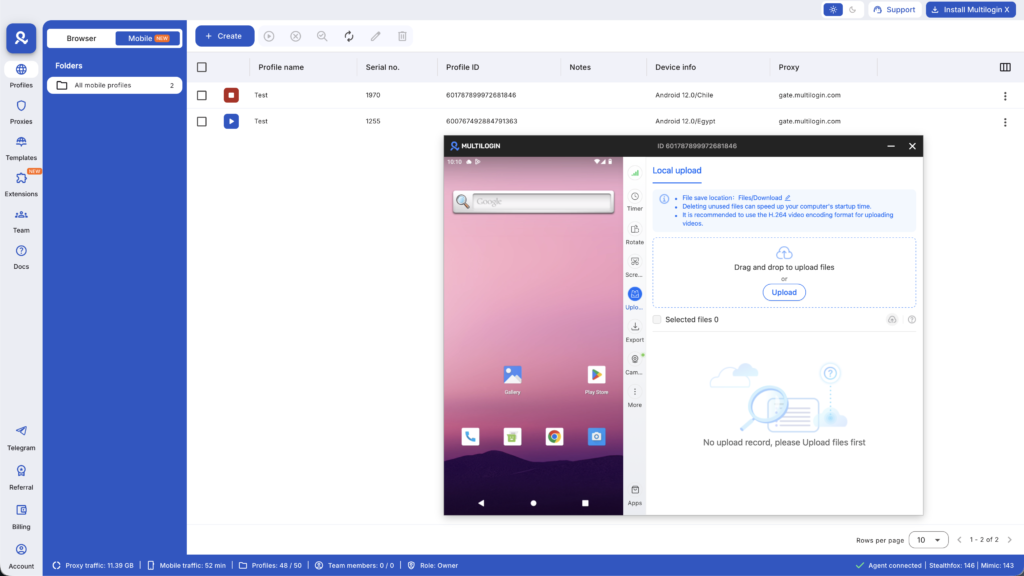
Multilogin’s Cloud Phone provides completely isolated Android environments for each Pinterest account — separate IMEI, separate Android ID, separate residential IP address, and separate app environment. Each account operates as it should: a distinct entity on a distinct device with no detectable connection to any other account in the portfolio.
For creators building multiple Pinterest accounts across different niches — a home decor account, a food account, and a fashion account running simultaneously — the same principle applies. Each account needs its own environment to avoid Pinterest linking them and applying restrictions across all of them when any one triggers a detection event.
For the full multi-account management setup, see how to manage multiple social media accounts, creating multiple Pinterest accounts safely, and best cloud phones for social media marketing.
Want to earn more on Pinterest? Try Multilogin Cloud Phones.
Frequently asked questions About How to Use Pinterest for Business
Convert to a free business account, claim your website to enable Rich Pins and analytics, build keyword-optimized boards that mirror your audience’s search terms, create vertical 2:3 ratio pins with text overlays and keyword-rich descriptions, post 5 to 10 fresh pins per week consistently on weekdays, and analyze saves and click-through rate monthly to identify what to create more of.
Link your pins to any external destination where your business exists — your Etsy shop, Gumroad store, booking page, Instagram profile, or Facebook page. A website significantly expands Pinterest’s capability for your business but is not required to start generating traffic and sales from Pinterest.
Pin every Etsy listing with its direct listing URL. Use your product’s primary search terms in pin titles and descriptions. Create boards organized around your product categories, seasonal collections, and gift occasions. Enable Rich Pins through Etsy’s Pinterest integration so current price and availability appear directly on your pins. Create lifestyle photography pins showing products in use rather than on plain backgrounds.
Switch to a free Pinterest business account. Verify your website to enable rich pins. Connect your product catalog if you sell physical goods. Add affiliate links directly to pins from your chosen programs. Use the Paid Partnership label for brand-sponsored content. There is no single monetization switch — each method requires its own setup.
$100 per day from Pinterest affiliate marketing requires consistent monthly impressions in the millions and click-through rates of 0.5 to 2 percent on commercial pins that link to products with solid conversion rates. This typically takes 3 to 6 months of consistent pinning in high-commercial-intent niches like home decor, tech gadgets, or personal finance. Most creators hit this level with 500 to 1,500 high-ranking pins in their catalog.


