


LinkedIn throwaway accounts are secondary LinkedIn profiles created for browsing, research, outreach, or other activities without tying everything directly to a main professional identity. In this article, you’ll learn what LinkedIn throwaway accounts are, why people use them, the main risks involved, and how to manage multiple LinkedIn accounts with better separation and control.
The challenge is that LinkedIn is built around the idea of one real person using one professional profile. That means secondary, temporary, or burner accounts can trigger verification checks, login restrictions, or additional review when multiple accounts share the same device, IP address, or browser environment.
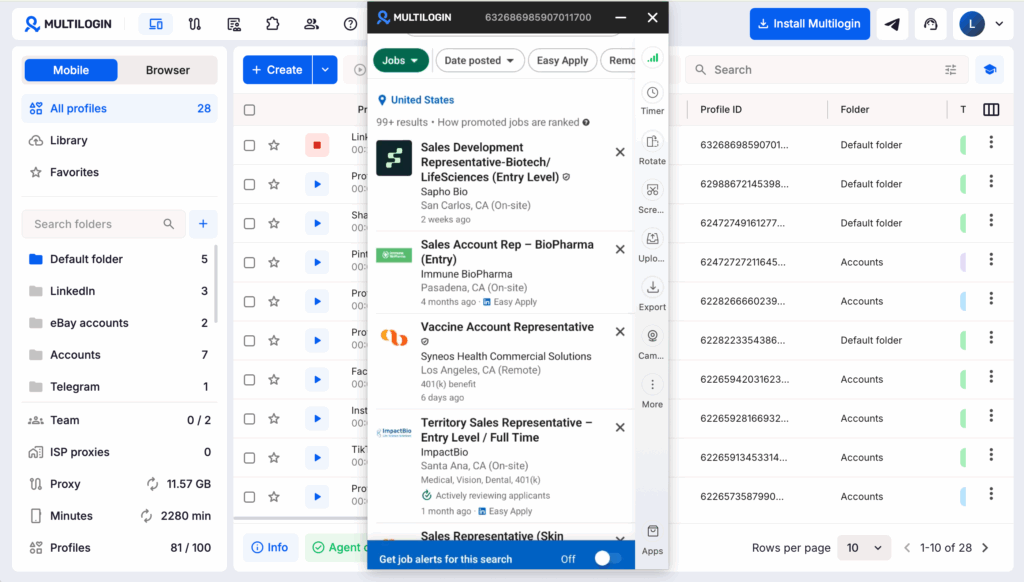
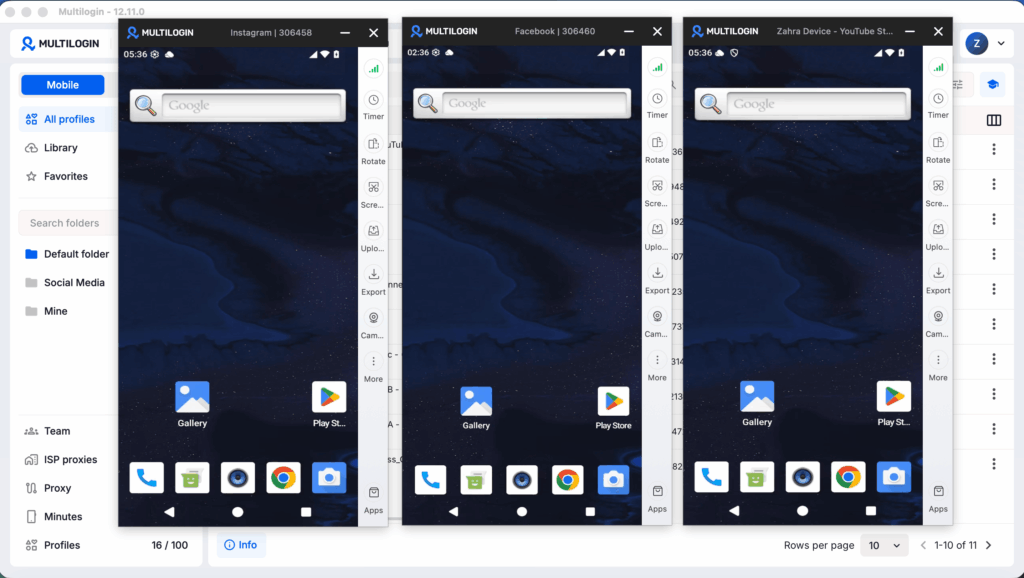
For users managing multiple accounts for research, recruiting, sales, or market operations, keeping each account in a separate environment can reduce overlap between sessions. Multilogin cloud phones provides isolated Android cloud devices for individual accounts, helping users separate device environments, IPs, and session activity more effectively.
Explore Multilogin Cloud Phones to manage multiple LinkedIn accounts with greater separation and control.
What Is a LinkedIn Throwaway Account, Really?
A LinkedIn throwaway account is a secondary profile, often with a fake or partial name, used for a specific purpose and then discarded, or at least kept separate from your main identity.
People use different words for basically the same thing. “Throwaway,” “burner,” “alt account” — pick your flavor. The intent is usually the same: do something on LinkedIn (view a profile without notifying them, message a competitor’s employee, research a company quietly) without it tracing back to your real, career-tied profile. Recruiters do it. Sales reps do it. Job seekers currently employed elsewhere do it, quietly, at lunch, hoping nobody at work notices the little green “active now” dot.
Why People Create a LinkedIn Burner Account (Common Use Cases)
Most LinkedIn burner account use cases fall into one of three buckets: privacy, testing, or scale.
Recruiters and sales teams often need to view dozens, sometimes hundreds, of profiles a day. Doing that from a personal account tips off their own network (and sometimes their competitors) about who they’re targeting. A secondary account keeps that activity separate from a professional, client-facing identity.
Then there’s the quieter reason: people job-hunting while still employed. Nobody wants their boss stumbling across “Open to Work” on their profile. A throwaway account, or a heavily locked-down secondary one, lets someone test the waters without setting off alarms at their current job.
And finally, marketers and growth teams sometimes run multiple accounts to manage several company pages, test outreach messaging, or engage with content at a volume that would look odd coming from one identity.
Is a LinkedIn Throwaway Account Against the Rules?
Yes, technically, LinkedIn’s User Agreement prohibits creating more than one personal account, and a throwaway account is a rules violation even if nobody notices.
That said, “against the rules” and “actively enforced against you” are two very different things. LinkedIn’s enforcement is inconsistent. Some people run a second account for years, unbothered. Others get flagged within days because of something as small as logging into both accounts from the same browser session, back to back, from the same IP.
The Real Risks of Running a Secondary LinkedIn Profile
The biggest risk of a secondary LinkedIn profile isn’t losing the throwaway account itself, it’s the platform tying it back to your main one and suspending both.
That’s the part people underestimate. LinkedIn doesn’t just look at the account in isolation. It looks at patterns: shared devices, shared IP addresses, overlapping contact lists, similar writing style, even similar login times. If your burner account and your real account keep showing up from the same network or the same laptop, the system starts connecting dots whether you meant it to or not.
There’s also a reputational angle nobody talks about enough. Throwaway accounts with generic names and stock photos get reported constantly, especially by users tired of spam connection requests. A reported account with a thin profile is an easy call for LinkedIn’s trust and safety team.
How LinkedIn Detects Multiple Accounts
LinkedIn detects multiple accounts mainly through shared IP addresses, device fingerprints, and behavioral overlap, not through anything mysterious or exotic.
Think about what data a login session hands over: your IP address, your browser’s fingerprint (fonts, plugins, screen resolution, timezone), cookies from prior sessions, and timing patterns. Log into your main account, close the tab, open a “completely separate” account two minutes later on the same Wi-Fi with the same browser, and you’ve basically handed LinkedIn a matching set of fingerprints.
A few of the signals that matter most:
- Same public IP address used across accounts (especially residential IPs tied to a home address)
- Shared cookies or browser cache between sessions
- Identical device and browser fingerprint
- Contact list overlap (messaging the same people from both accounts)
- Login timing that’s suspiciously synchronized
None of these individually guarantees a ban. Together, though, they build a profile LinkedIn’s automated systems are pretty good at recognizing.
Best Practices for Managing Multiple LinkedIn Accounts Safely
The safest way to manage multiple LinkedIn accounts is to separate them completely: different browser environments, different IP addresses, and different devices or virtual profiles where possible.
Here’s a rough checklist that actually holds up:
- Use separate browser profiles or an antidetect browser so cookies and fingerprints never mix.
- Avoid logging into both accounts on the same network back to back — space it out, or use different connections entirely.
- Give the throwaway account a believable, complete profile. Half-empty profiles with no photo scream “fake.”
- Don’t message the exact same people from both accounts within a short window.
- Use a separate email (and ideally a separate phone number) for the secondary account, not a plus-alias off your main email.
Cloud Phones and LinkedIn Multi-Accounting: A Safer Setup?
Cloud phones can make LinkedIn multi-accounting noticeably safer because each virtual device runs its own isolated environment, IP, and fingerprint, rather than sharing one physical machine across accounts.
Here’s the logic. A cloud phone is essentially a remote Android device you control through an app or browser, hosted somewhere else entirely. Instead of running two LinkedIn accounts through two browser tabs on your actual laptop (where fingerprints and IPs bleed together no matter how careful you are), each cloud phone instance behaves like a genuinely separate physical device. Different IP, different hardware signature, different everything.
This matters a lot more for mobile-heavy workflows than people expect. LinkedIn’s mobile app collects different signals than the browser version does, and running several mobile sessions from one real phone is a fast way to get flagged. A cloud phone setup sidesteps that entirely by giving each account its own “device” that never physically touches the others.
Comparing Your Options: Browser Profiles, Cloud Phones, and Plain Old Multiple Tabs
| Method | Pros | Cons |
|---|---|---|
| Separate browser tabs/windows on one device | Free, zero setup | Shares IP and fingerprint, easiest for LinkedIn to link |
| Isolated antidetect browser profiles | Separate fingerprints per profile, affordable | Still shares the same physical IP unless paired with a proxy |
| Dedicated cloud phone per account | Fully separate device, IP, and fingerprint; mirrors mobile behavior | Costs money monthly, slight learning curve |
If you’re only running one throwaway account for the occasional discreet browse, isolated browser profiles are usually enough. If you’re scaling past two or three accounts, or leaning on mobile access, a cloud phone earns its keep.
Quick Checklist Before You Launch a LinkedIn Throwaway Account
- Decide why you actually need it (research, job hunting, outreach, testing)
- Set up a separate browser profile or cloud phone, not just a new tab
- Build out a believable profile, not a blank shell
- Never message the same contacts from both accounts in one sitting
- Accept the risk: LinkedIn could still find and suspend it, and there’s no guaranteed workaround.