


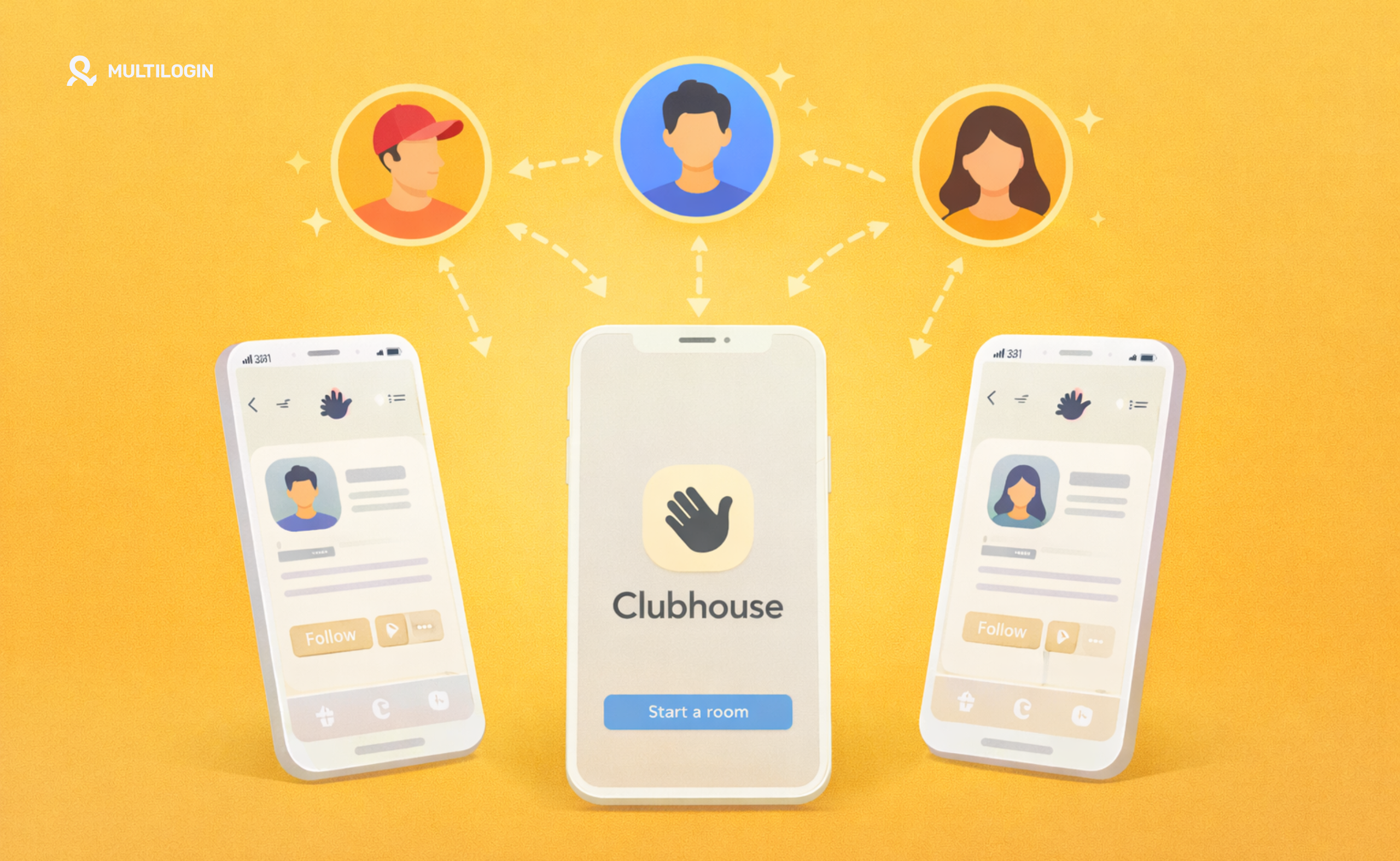



Remember when Clubhouse broke the internet? When everyone from Elon Musk to Oprah was hosting rooms, and getting an invite felt like receiving a golden ticket? While the initial frenzy has settled, Clubhouse remains a powerful platform for niche communities, thought leadership, and high-value networking—especially in tech, crypto, and business circles.
For digital marketers, community managers, brand strategists, and influencers, the question comes up constantly: Can you have multiple Clubhouse accounts?
The need is legitimate. You’re not trying to spam or manipulate—you’re trying to build professional brands the right way. Maybe you need:
- Brand Separation: One account for your personal thought leadership, another for your agency’s brand, and a third for a specific niche community you’re building.
- Client Management: As a social media manager, you need to moderate rooms and manage communities for different clients without mixing their brands.
- Geographic Segmentation: Running separate accounts focused on different regional communities or language-specific Houses.
- Testing and Strategy: A secondary account for testing room formats, trying new moderation approaches, or experimenting with content before deploying it on your main brand.
Here’s where reality hits hard. Clubhouse’s Terms of Service are crystal clear: they enforce a one person, one account policy. This isn’t just a suggestion—it’s a hard rule tied to the platform’s core identity verification system.
The platform was built on authenticity. Every account is tied to a verified phone number (no VOIP services allowed). Every user is meant to represent a real person. This is by design—it’s part of what made Clubhouse feel different from the bot-infested chaos of other social platforms.
Try to create a second account, even with a different phone number, and access it from the same device? You’re not just risking an account suspension. You’re risking a device ban—the nuclear option that locks your physical phone out of Clubhouse permanently, regardless of new phone numbers or accounts.
The invisible enforcer of this rule? Device fingerprinting—the same sophisticated technology that financial platforms use, but applied aggressively to mobile devices.
In this comprehensive guide, we’ll break down Clubhouse’s strict policy, expose how device bans actually work, explain why they’re permanent and devastating, and reveal the only truly safe solution for managing multiple Clubhouse accounts—a mobile antidetect browser that creates completely isolated digital identities for each account.
Understanding Clubhouse’s One Account Policy and Device Bans
Before we dive into solutions, let’s make sure we understand exactly what we’re dealing with. Clubhouse’s approach to account management is fundamentally different from web-based platforms, and that difference creates unique challenges.
The Evolution of Clubhouse’s Identity Verification
When Clubhouse first launched in early 2020, its invite-only model was core to both its appeal and its security architecture. You couldn’t just sign up—someone already on the platform had to invite you, creating a web of accountability. Combined with the requirement of a verified phone number, this created multiple barriers against multiple Clubhouse accounts.
The invite system has largely been phased out now—anyone can join Clubhouse without an invite. However, the fundamental requirement of a unique, verified phone number remains absolutely critical. This isn’t just any phone number—Clubhouse explicitly blocks:
- VOIP numbers (like Google Voice)
- Virtual phone services
- Temporary phone numbers
- Most prepaid numbers that can’t be verified
Why? Because the phone number requirement is their primary defense against spam, bots, and multi-accounting. They assume that if you have multiple legitimate phone numbers, but are accessing both accounts from the same physical phone, you’re violating their one-account policy.
This reliance on mobile identity—not just email verification like web platforms—is precisely why Clubhouse’s detection methods are so aggressive and focused on the physical device itself.
The Strict Limit on Clubhouse Multiple Accounts
Clubhouse’s policy is designed to prevent spam, maintain conversation quality, and ensure users are who they claim to be. The platform’s entire identity is built on authenticity—real people having real conversations.
From their Terms of Service perspective, multiple Clubhouse accounts represent a direct threat to this ecosystem. If you’re caught operating two personal accounts, the platform doesn’t just suspend the accounts—they issue a device ban.
This device ban is far more severe than a simple account suspension. It’s not tied to your phone number or your email address. It’s tied to your actual physical device—your iPhone or Android phone. Even if you:
- Get a new phone number
- Create a new email address
- Clear all your data and reinstall the app
- Wait months before trying again
…your device will still be banned. The ban is permanent and tied to hardware identifiers that you cannot change without getting a completely new phone.
How Clubhouse Device Bans Actually Work
Here’s what most people don’t understand: Clubhouse is a mobile-first application, and mobile platforms provide app developers with access to extremely persistent device identifiers.
When you install and use Clubhouse, the app collects a unique profile of your mobile device that includes:
- Device ID / IMEI: A unique hardware identifier permanently assigned to your phone’s hardware. This is like your phone’s fingerprint—it never changes.
- IDFV (iOS) / Android ID: Platform-specific identifiers that persist across app installations but reset if you completely wipe your device and set it up as new.
- Operating System Version: The specific version of iOS or Android you’re running.
- Device Model: Your exact phone model (iPhone 13 Pro, Samsung Galaxy S21, etc.).
- IP Address: Your network location (though this changes, it’s part of the behavior pattern).
- Time Zone and Language: Your system’s local configuration.
- App Installation Metadata: When you installed the app, usage patterns, etc.
When you use the same physical phone to access two different Clubhouse accounts with two different verified phone numbers, both accounts register the identical Device ID/IMEI. To Clubhouse’s detection algorithms, this is smoking-gun evidence that a single person is violating the one-account policy.
The result? Both accounts get banned, and more importantly, your physical device gets blacklisted. The next time you try to log in—even with a completely new account and phone number—the app checks your device’s hardware ID against their blacklist and immediately blocks access.
The Real-World Impact on Audio Professionals
For professionals who rely on Clubhouse for networking, client management, or brand building, a device ban is catastrophic:
- Your main account gets banned: Years of networking, thousands of connections, established credibility—all gone.
- Your device is permanently locked out: You literally cannot access Clubhouse from your phone anymore. The app will either crash, refuse to load, or display an error message.
- No appeal process that works: Clubhouse’s support is notoriously difficult to reach, and device bans are rarely reversed. Even if you have a legitimate business reason for needing separate accounts, they typically don’t care.
- You need a new physical phone: The only reliable way to regain access is to purchase a completely new phone with a new device ID. For professionals, this might mean buying multiple phones to manage multiple accounts—an expensive and completely impractical solution.
For social media managers, community builders, and digital marketers who need to manage multiple social media accounts across various platforms, this represents an operational nightmare.
The Technical Reality of Mobile Device Fingerprinting
Let’s talk about what’s actually happening under the hood when you try to run multiple Clubhouse accounts on one phone. Understanding this is crucial to understanding why amateur solutions fail and why you need professional tools.
How Clubhouse Detects You’re Using the Same Device
Clubhouse is a mobile app, not a website. This distinction is absolutely critical because mobile operating systems (iOS and Android) provide apps with access to hardware-level identifiers that simply don’t exist in web browsers.
When you open Clubhouse, here’s what the app can see:
Component | Description | Why It Matters for Multiple Clubhouse Accounts |
Device ID/IMEI | A permanent, unchangeable identifier burned into your phone’s hardware at the factory. | This is the nuclear identifier. It never changes unless you physically destroy your phone and get a new one. |
IDFV (iOS) / Android ID | A semi-permanent identifier that resets only with a complete device wipe and fresh setup. | Even if you delete and reinstall the app, this ID persists, linking your accounts. |
MAC Address | Your phone’s network adapter hardware address. | Another persistent hardware identifier that helps confirm device identity. |
SIM Card ICCID | The unique identifier of your SIM card. | Changes if you swap SIM cards, but combined with other identifiers, still helps track devices. |
Operating System Build | The exact version and build number of iOS or Android. | Helps create a complete device profile that remains consistent. |
Device Model & Hardware Specs | Screen resolution, CPU model, RAM, storage capacity. | These specs are unique enough that identical specs across “different” accounts trigger suspicion. |
App Permissions Granted | Which permissions (microphone, contacts, etc.) you’ve granted. | Part of the behavioral profile that helps identify the same user. |
Current battery level and charging state. | Sounds trivial, but mobile fingerprinting uses everything, including real-time battery data. |
Here’s the brutal truth: if you use a dual-SIM phone to register two different accounts with two different phone numbers, and access both accounts from the same physical device, Clubhouse instantly sees that both accounts share the identical Device ID/IMEI, MAC address, and hardware specifications.
Even if you:
- Use different SIM cards (changes ICCID but not Device ID)
- Use different Wi-Fi networks (changes IP but not hardware IDs)
- Clear app data between logins (doesn’t reset hardware identifiers)
- Wait days or weeks between accessing each account (pattern is still obvious)
…the underlying hardware signatures remain absolutely identical. It’s like trying to convince someone you’re two different people by changing your shirt but keeping the same face, height, and voice. The disguise is meaningless.
Why Standard Solutions Completely Fail
This is where most people’s attempts to manage multiple Clubhouse accounts fall apart completely:
- Dual-SIM Phones: Many people think having two SIM cards and two phone numbers means they can run two accounts. Technically, you can register two accounts. The problem is that both accounts are still running on the same physical device with the same Device ID. Clubhouse’s detection systems see this immediately and flag both accounts for device ban.
- App Cloning Tools: Android offers various app cloning solutions (like Samsung Secure Folder or third-party cloning apps) that let you run two instances of Clubhouse. Same problem: both instances report the identical device ID to Clubhouse’s servers. You might get away with it for a few days or weeks, but eventually, the detection algorithms will correlate the two accounts to the same hardware and ban both.
- Mobile VPNs: A VPN changes your IP address but does absolutely nothing to modify your device fingerprint. Your Device ID, IDFV, MAC address, and all other hardware identifiers remain completely exposed. Additionally, VPN IPs on mobile are often flagged as suspicious by app security systems, potentially triggering faster detection.
- Factory Reset Between Logins: Some desperate users try factory resetting their phone and setting it up as a “new” device between accessing different accounts. This is extraordinarily impractical (you lose all your data, apps, and settings), and on iOS, the Device ID persists even through factory resets unless you use very specific procedures that most users don’t know about.
For professionals who need to manage Clubhouse as part of their social media strategy—similar to managing multiple Instagram accounts or multiple Twitter accounts—these amateur solutions are completely untenable.
The Professional Solution: Multilogin for Mobile Antidetect
The only way to safely manage multiple Clubhouse accounts without risking a device ban is to ensure that each account is accessed from what appears to be a completely unique, separate physical mobile device.
Not just a different phone number. Not just a different IP address. An entirely different device with its own unique hardware identifiers, operating system fingerprint, and behavioral profile.
This is where the power of a mobile antidetect browser becomes essential, and Multilogin is the industry-leading solution that’s been proven for nearly a decade.
Multilogin doesn’t just change surface-level identifiers—it creates perfectly unique virtual mobile device profiles that emulate completely separate physical phones, each with its own persistent digital identity.
How Multilogin Guarantees Undetectability for Mobile Apps
Multilogin’s proprietary daily-tested mobile fingerprinting technology is specifically designed to fool the most advanced device detection systems, including those used by mobile-first applications like Clubhouse.
1. Complete Mobile Device Emulation with Hardware-Level Spoofing
For every Clubhouse account you need to manage, Multilogin creates a dedicated virtual mobile device profile.
- Unique Hardware Identifiers: Each profile gets its own virtual Device ID, IDFV/Android ID, MAC address, and SIM card ICCID. To Clubhouse, it genuinely looks like you’re logging in from a brand new, completely different iPhone or Android device every time you switch profiles.
- Consistent Device Identity: This is where Multilogin separates itself from amateur tools. Once you create a profile that emulates, say, an iPhone 14 Pro with specific hardware specs, that profile maintains the exact same device identity every time you use it. If “Brand Account A” logs in from a virtual iPhone 14 Pro today, it logs in from the exact same virtual iPhone 14 Pro tomorrow and next month.
This consistency is absolutely critical. Clubhouse’s fraud detection algorithms are looking for patterns of legitimate user behavior. A real user logs in from the same phone every day. Their device fingerprint doesn’t randomly change. Their hardware specs remain stable. Multilogin replicates this normal behavior perfectly for each of your accounts.
- Advanced Mobile Device Emulation: Multilogin doesn’t just spoof a few basic identifiers. It creates a complete, coherent mobile device profile that includes screen resolution, touch screen capabilities, gyroscope and accelerometer data, battery status and charging patterns, available sensors, camera specifications, and even realistic mobile usage behaviors like app switching patterns and background behavior.
2. Integrated Mobile Proxy Management for Location Consistency
Mobile apps are particularly sensitive to IP address patterns because mobile users typically access apps through cellular data or consistent home Wi-Fi, not random data center IPs.
- Mobile Proxy Integration: Multilogin seamlessly integrates with premium mobile proxy providers that provide real cellular IP addresses from major carriers (Verizon, AT&T, T-Mobile, etc.). This ensures that “Account A” always connects through a T-Mobile IP in New York, while “Account B” always connects through a Verizon IP in Los Angeles.
Mobile IPs are crucial for Clubhouse because they’re what real users actually use. A residential desktop IP or data center IP accessing Clubhouse might work, but a mobile cellular IP is what 99% of legitimate Clubhouse users are connecting through.
- Geolocation Consistency: The virtual device’s time zone, language settings, regional formats, and GPS coordinates are automatically matched to your mobile proxy’s geographical location. This eliminates the “New York IP but Tokyo time zone” red flag that triggers instant fraud detection.
- Carrier Information Matching: Advanced mobile fingerprinting can detect inconsistencies between your IP’s carrier (say, AT&T) and what your device reports. Multilogin ensures these details are perfectly aligned, creating a completely coherent mobile identity.
3. Professional Management for Social Media Scaling
For social media professionals, community managers, and digital marketers, Multilogin offers enterprise-grade tools for managing multiple brand presences:
- Centralized Dashboard: Manage all your virtual mobile device profiles (Clubhouse accounts) from a single, organized interface. Switch between your personal brand, your agency’s account, and your client accounts with a single click.
- Team Collaboration: Securely share specific mobile profiles with team members, assistants, or contractors without sharing passwords. Your community manager can access the “Client A Clubhouse” profile without accessing your personal account or any other client accounts.
- Session Persistence: Profiles maintain their logged-in state and app data, so you don’t need to constantly re-authenticate or go through phone verification every time you switch accounts. This is crucial for professionals who need to monitor multiple accounts throughout the day.
- Scheduled Profile Switching: For power users managing multiple accounts, Multilogin can automate profile switching based on schedules—useful for managing accounts in different time zones or maintaining consistent posting schedules across accounts.
Multilogin provides the operational efficiency and peace of mind that social media professionals demand. Instead of buying multiple physical phones or constantly worrying about device bans, you can manage your entire Clubhouse presence from a single workstation with complete security and scalability.
Why Multilogin Outperforms Amateur Mobile Solutions
There are cheaper alternatives out there—various Android emulators, some antidetect browsers claiming mobile support, DIY solutions with virtual machines. When you’re building professional brands and managing client accounts on social platforms, the choice becomes crystal clear.
Feature | Multilogin | Competitor X (e.g., Incogniton) | Physical Multiple Phones |
Mobile Fingerprinting | Advanced mobile antidetect browser with hardware-level device ID spoofing. | Often desktop-focused with limited mobile emulation that apps detect easily. | Perfect mobile fingerprints (real devices) but impractical. |
Consistency Guarantee | Guarantees identical device fingerprint on every login—critical for long-term accounts. | Can drift or fail to maintain mobile-specific identifiers across sessions. | Perfect consistency but operationally impossible at scale. |
Mobile Proxy Integration | Seamless integration with premium mobile proxy providers. | Limited or no mobile proxy support; often requires complex manual setup. | Can use cellular data but managing multiple phones with multiple plans is expensive. |
Operational Efficiency | Manage unlimited accounts from one workstation with organized dashboard. | Clunky interfaces, limited profile management, poor team collaboration. | Physically juggling 3-5-10 phones is completely impractical for professionals. |
Cost Analysis | €5.85/month = ~$70/year for unlimited accounts. | Varies, but hidden costs in detection and bans. | $500-1000+ per phone + monthly cellular plans ($30-50/month per line). |
Success Rate | Nearly a decade of proven success with social media professionals. | Newer to market, limited track record with mobile-first platforms. | 100% undetectable but completely unscalable. |
Support Quality | 24/7 support in five languages with mobile platform expertise. | Limited support, often doesn’t understand mobile-specific challenges. | You’re completely on your own for technical issues. |
The Cost Reality for Professional Management
Let’s run the numbers for someone managing just three Clubhouse accounts (personal brand, agency brand, one major client):
Option 1: Multiple Physical Phones
- 3 phones at $500 each (mid-range smartphones): $1,500 upfront
- 3 cellular plans at $40/month each: $120/month = $1,440/year
- Total Year 1 Cost: $2,940
- Ongoing: $1,440/year in cellular plans
- Operational chaos: Physically managing three devices
Option 2: Multilogin
- Subscription: €5.85/month = ~$70/year
- Quality mobile proxies: ~$50-100/month = $600-1,200/year
- Total Year 1 Cost: $670-1,270
- Manage everything from one computer
- Professional dashboard and team features
- Unlimited scalability if you need more accounts
For social media professionals, the ROI is obvious. Multilogin isn’t an expense—it’s essential infrastructure that makes professional-scale operations possible without bankrupting yourself on hardware.
👉 Don’t risk bans: Try Multilogin and keep your accounts undetected.
Frequently Asked Questions About Can You Have Multiple Clubhouse Accounts
While you can technically register a second account with a different, verified phone number, accessing both multiple Clubhouse accounts from the same physical mobile device is a severe violation of Clubhouse’s one person, one account policy. The platform uses advanced device fingerprinting technology that tracks hardware-level identifiers like Device ID and IMEI—identifiers that are permanently burned into your phone’s hardware and cannot be changed.
When both accounts are accessed from the same device, Clubhouse’s detection algorithms immediately link them through these identical hardware signatures. This typically results in both accounts being suspended and your physical device receiving a permanent ban that prevents it from accessing Clubhouse ever again, even with new phone numbers or accounts.
For professionals who need to manage multiple social media accounts legitimately—like separating personal brands from client accounts—you need a mobile antidetect browser that creates completely separate virtual device identities.
A Clubhouse device ban is the most severe penalty the platform can impose, and it’s far more permanent and devastating than a simple account suspension. Unlike account bans that are tied to your phone number or email, a device ban is tied to your phone’s permanent hardware identifiers—specifically your Device ID (IMEI on cellular devices).
When Clubhouse detects policy violations like attempting to run multiple Clubhouse accounts from one phone, they don’t just ban the accounts—they blacklist your device’s hardware ID in their database.
This means that even if you create a completely new account with a new phone number and new email, reinstall the app, factory reset your phone, or wait months before trying again, the Clubhouse app will check your device’s hardware ID against their blacklist and immediately block access.
The only way to regain access after a device ban is to purchase a completely new phone with a different hardware ID—an expensive and impractical solution. This is why professionals use antidetect browser technology that creates virtual mobile device profiles with unique hardware identifiers, allowing them to manage multiple accounts safely without risking their actual physical devices.
Clubhouse is a mobile-first platform, and its detection methods are specifically focused on mobile device fingerprints rather than web browser fingerprints. Standard desktop antidetect browsers are designed to spoof web browser parameters like Canvas rendering and WebGL, but they can’t effectively emulate the hardware-level identifiers that mobile apps can access—like Device ID, IMEI, IDFV (on iOS), MAC addresses, and other mobile-specific parameters.
A dedicated mobile antidetect browser like Multilogin creates complete virtual mobile device profiles that perfectly emulate unique, realistic smartphones (like a specific iPhone 14 Pro or Samsung Galaxy S23) with their own persistent hardware identifiers.
This ensures that each of your multiple Clubhouse accounts appears to be accessed from a completely separate, legitimate physical phone, effectively bypassing the device detection systems that would otherwise link your accounts and trigger a device ban.
Additionally, mobile antidetect technology integrates with mobile proxies (real cellular IPs from carriers like Verizon or AT&T) rather than residential or data center IPs, creating the most authentic mobile user experience possible..
When Clubhouse’s detection systems identify that multiple accounts are being accessed from the same device (identified through identical Device ID, IMEI, or other hardware fingerprints), the consequences escalate rapidly and are particularly severe compared to other social platforms. Initially, both accounts will be flagged for violation of the one-person-one-account policy.
Unlike platforms that might give warnings or temporary suspensions, Clubhouse typically moves straight to permanent action: both accounts are immediately suspended with no opportunity to appeal or choose which one to keep.
Absolutely, and this is one of the major strategic advantages of investing in Multilogin’s mobile antidetect technology. The same mobile device fingerprinting technology that Clubhouse uses is employed by virtually every major mobile-first social media platform—including TikTok, Instagram, Snapchat, BeReal, and dozens of others.
Once you have Multilogin configured with mobile device profiles for your Clubhouse accounts, you can use those exact same profiles to safely manage accounts on these other platforms as well, maintaining perfect isolation and undetectability across your entire social media portfolio.
While buying multiple physical phones would technically give you genuine, undetectable device IDs for managing multiple Clubhouse accounts, this approach is completely impractical and cost-prohibitive for any serious professional operation.
Let’s break down the reality: For just three accounts, you’d need three phones (minimum $1,500 for decent smartphones), three separate cellular plans ($120/month = $1,440/year), and the operational nightmare of physically managing three devices—keeping them charged, updated, and accessible when you need to switch between accounts throughout the day.
Conclusion: Professional Audio Presence Management Without the Risk
The desire to run multiple Clubhouse accounts isn’t about gaming the system—it’s about managing professional brands properly. You need separation between personal and business. You need to serve clients without mixing their communities. You need to test strategies without risking your main brand’s reputation.
Clubhouse’s one-account policy and aggressive device banning make traditional multi-accounting impossible for anyone who wants longevity on the platform. You could spend thousands on multiple phones and deal with the operational nightmare of physically managing multiple devices. Or you could accept the constant anxiety that today might be the day your accounts get linked and banned.
There’s a third option: invest €5.85 per month in the professional solution that thousands of social media marketers and community managers rely on.
Multilogin provides the undetectability, consistency, and operational efficiency that serious audio professionals demand. By creating unique, persistent mobile device identities for each account—combined with proper mobile proxy management—Multilogin ensures that your Clubhouse operations appear completely legitimate to the platform’s detection systems.
Stop worrying about device bans. Stop limiting your strategy because you’re afraid of detection. Instead, take control of your audio presence with the only proven solution for mobile-first platform management.
Ready to scale your Clubhouse presence without device bans?
Start your plan and experience the power of professional mobile antidetect technology. Get started with Multilogin today!


