






Ever wondered how scrapers, e-commerce sellers, and social media managers keep dozens of accounts stable without them getting linked or flagged? A big part of the answer is mobile proxies.
Most people reach social and shopping platforms from a phone, so websites tend to treat mobile carrier traffic as ordinary user traffic. That is why mobile proxies, real IPs from 3G/4G/5G connections, are a go-to choice when trust, stability, and success rates matter.
If you are scraping, automating, or managing multiple accounts across Instagram, TikTok, Facebook, or any sensitive platform, this is your guide to the best mobile proxies in 2026, plus how to pair them with cloud Android phones and browser profiles for a complete setup.
What Are Mobile Proxies?
Mobile proxies route your internet requests through real mobile devices connected to mobile carrier networks (like 3G, 4G, or 5G). This makes them appear as ordinary smartphone users, which is why websites block them less often than datacenter proxies or even residential proxies.
How Mobile Proxies Work
Mobile proxies operate through actual mobile carrier infrastructure:
- Physical SIM cards: Each proxy connection comes from a real SIM card in a mobile device or modem
- Carrier-grade NAT: Mobile networks use CGNAT (Carrier-Grade Network Address Translation), meaning thousands of users share the same IP address pool
- Dynamic IP rotation: As devices connect and disconnect from cell towers, IPs naturally rotate
- Geographic authenticity: IPs are genuinely registered to mobile carriers in specific regions
Because carriers share each public IP across many subscribers (the setup is defined in the IETF requirements for carrier-grade NAT), mobile proxy traffic looks very close to ordinary mobile use. That is why mobile IPs tend to earn high trust scores on most platforms.
Types of Mobile Proxies
3G Mobile Proxies:
- Older technology with slower speeds (0.5-2 Mbps)
- Lower cost but less reliable
- Suitable for basic tasks only
- Increasingly rare as networks sunset 3G
4G LTE Mobile Proxies:
- Industry standard for mobile proxies
- Speeds of 5-25 Mbps typical
- Excellent balance of speed and authenticity
- Widely available across providers
- Best for most use cases
5G Mobile Proxies:
- Newer technology with speeds up to 100+ Mbps
- Premium pricing
- Limited availability in many regions
- Ideal for high-bandwidth scraping or streaming
- Future-proof investment
Benefits of Mobile Proxies
Fewer Blocks and Bans
Mobile IPs come from legitimate carrier networks that serve millions of real users. Websites rarely block entire mobile IP ranges because it would affect genuine customers:
- High trust scores across most platforms
- Shared IP pools make individual IP bans less effective
- Natural rotation mimics real mobile user behavior
- Carrier reputation provides built-in legitimacy
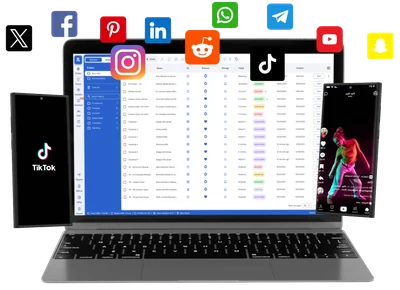
Platforms like Instagram, Facebook, TikTok, and Snapchat tend to be more tolerant of mobile IPs, since most of their users access these services from mobile devices.
Trusted by Websites as Real User Traffic
Website anti-bot detection systems evaluate traffic based on multiple factors:
IP reputation: Mobile carrier IPs have strong reputation scores
Usage patterns: Mobile traffic naturally varies in behavior
Geographic authenticity: Real carrier infrastructure in target locations
Device signals: When the IP is paired with a cloud Android phone, the device signals are genuine because the device is a real Android device
Rotating IPs via Carrier-Grade NAT
Mobile networks inherently rotate IPs as devices move between cell towers and reconnect:
Automatic rotation: No manual intervention needed
Natural patterns: Rotation mimics real mobile user behavior
Unpredictable timing: Harder to track through IP history alone
Shared IP pools: Your IP is shared with thousands of legitimate users
Ideal for Sensitive Platforms
Mobile proxies work well where other proxy types struggle:
Social media automation:
- Instagram account management
- TikTok growth services
- Facebook ads and pages
- Twitter/X multi-accounting
- Pinterest marketing
E-commerce platforms:
- Amazon multi-store and agency workflows, within Amazon’s account policies
- eBay multi-store management
- Shopify store operations
- Retail price monitoring
Web scraping:
- Social media scraping
- Ad verification and competitor monitoring
- Price comparison and e-commerce data
- Review and sentiment analysis
Geo and carrier testing:
- Creating accounts in specific regions
- Testing geo-restricted features
- Checking how apps and ads appear on specific carriers
Downsides of Mobile Proxies
Despite their advantages, mobile proxies have limitations:
Expensive Compared to Datacenter Proxies
Cost comparison (list prices, November 2026):
- Datacenter proxies: $0.90-2 per IP monthly
- Residential proxies: $1.75-8 per GB
- Mobile proxies: $2-7 per GB on rotating plans, or $59-150 per dedicated proxy monthly
The higher cost reflects the infrastructure required: real SIM cards, mobile devices or modems, and carrier data plans.
Slower Speeds
Performance characteristics:
- 4G LTE: 5-25 Mbps typical (with bursts to 50 Mbps)
- 5G: 50-200 Mbps (in optimal conditions)
- Latency: 30-80ms typically
Compare that to datacenter proxies (100-1000 Mbps) or fiber residential proxies (50-200 Mbps). Mobile proxies are fast enough for most use cases but not ideal for massive data transfers.
Limited Availability
Geographic constraints:
- Not all countries have mature 4G/5G infrastructure
- Rural areas often lack reliable mobile coverage
- Some carriers restrict commercial proxy use
- Premium locations (US, UK, major cities) command higher prices
Provider limitations:
- Smaller IP pools than residential providers
- Limited concurrent connections per proxy on some plans
- Some providers use questionable infrastructure (emulated instead of real mobile)
10 Best Mobile Proxies for Scraping and Automation
These are the top-rated mobile proxy providers in terms of performance, reliability, IP freshness, and customer support. Prices were checked on each provider’s own site in November 2026 and can change.
1. NodeMaven
NodeMaven offers rotating 4G/5G/LTE mobile proxies that share one traffic plan with its residential pool. Its proxies are built for scraping, ad verification, and multi-account workflows.
Key features:
- Mobile and residential IPs in a single traffic allowance
- Sticky sessions up to 24 hours, plus rotating sessions
- Country, city, and ISP targeting
- IP Quality Filter to skip low-quality IPs
- Works with Multilogin over HTTP(S) or SOCKS5
Pricing: From $2.20/GB on monthly plans; $3.50 trial with 750 MB
Best for: Social media managers, e-commerce sellers, scrapers
Performance: 99.54% average success rate (vendor-reported)
Why NodeMaven stands out:
- Unused traffic rolls over
- Cashback on used traffic
- API access for automation
- Reliable uptime (98%+)
2. Soax
Soax provides clean, rotating mobile proxies with granular geo-targeting options. It’s dashboard is intuitive and works for both beginners and pros.
Key features:
- Residential and mobile networks at one shared rate
- 3G/4G/5G mobile proxies
- City and carrier-level targeting
- Great for brand protection, SEO, and ad tracking
- SOCKS5 and HTTP(S) support
Pricing: Credit-based plans from $200/month (Builder), with Tier 1 countries at $3.00/GB and lower rates on larger plans and lower-cost country tiers; free Sandbox account
Best for: Ad verification, SEO monitoring, price scraping
Coverage: 100+ countries with mobile proxies in 50+ locations
Soax advantages:
- User-friendly dashboard
- Credit rollover
- Traffic caps and access controls per package
- Real-time statistics
3. Byteful
Byteful’s mobile proxies performed well in Proxyway’s Proxy Market Research 2026, which recorded the fastest mobile response time of the providers tested (0.48s).
Key Features:
- Country, Region, City, or ISP Targeting
- Per-request rotation and sticky sessions
- Never-expiring data
- Full REST API access
Pricing: From $4.25/GB (1-24 GB), dropping to $2.25/GB at 5,000+ GB
Best for: High-risk, performance-hungry workflows.
Coverage: 6M+ mobile IPs across 195+ countries
Byteful advantages:
- Strong independent benchmark results
- Bandwidth-saving SmartPath AI
- Access control rules
- Live network activity
4. Proxidize
Proxidize provides managed 4G/5G mobile proxies with pooled mobile IPs, rotating and sticky sessions, and city- and ASN/ISP-level targeting.
Key features:
- HTTP(S) and SOCKS5 support, including UDP over SOCKS5
- Per-GB and per-proxy billing options
- Sticky sessions up to 3 days
- No cap on access points
- Full API access
Pricing: From $2/GB (self-serve plans start at $50 for 25 GB; per-GB plans are US only) or $59/proxy/month
Best for: US mobile scraping and steady multi-account workloads
Coverage: US, UK, Canada, Germany, and India
Proxidize benefits:
- Flat per-GB rate across tiers
- Per-proxy plans with unlimited bandwidth
- 30-day money-back guarantee
- KYC verification required at signup
5. Proxy-Cheap
Proxy Cheap offers affordable mobile proxies with pay-as-you-go billing. It is a good fit if you are just getting started and want to test mobile proxies without a monthly commitment.
Key features:
- Rotating and static mobile proxies
- Shared and dedicated static mobile IPs
- 5M+ mobile IPs in 100+ countries
- Suitable for social media tasks and ad verification
Pricing: Rotating mobile from $5.99/GB with no monthly commitment; static mobile is priced per proxy and varies by location and term
Best for: Budget-conscious users, testing mobile proxies
Coverage: USA, UK, Germany, France, and more
Why choose Proxy-Cheap:
- Pay-as-you-go options
- No setup costs
- Responsive support
- Regular promotional offers
6. Bright Data (formerly Luminati)
Bright Data offers a wide mobile IP pool with direct connections to carriers. Although pricey, it delivers enterprise-level quality with very broad coverage.
Key features:
- Instant IP rotation with advanced controls
- 99.99% network uptime (vendor-reported)
- Coverage in 195 countries
- Ideal for high-volume enterprise scraping
- Compliance tools and Web Unlocker
Pricing: Pay-as-you-go from $4/GB (discounted from $8/GB at the time of checking); monthly plans from $499 with 141 GB included
Best for: Large enterprises, data intelligence firms
Network size: 400M+ proxy IPs across all proxy types
Bright Data advantages:
- Broad geographic coverage
- Advanced targeting (carrier, ASN, city level)
- Dedicated account managers
- GDPR and compliance tools
7. IPRoyal
IPRoyal focuses on rotating and dedicated mobile proxies with stable connections from real carrier networks worldwide.
Key features:
- Rotating (per-GB) and dedicated (per-day or per-month) plans
- Customizable rotation, including auto-rotate
- 4.5M+ mobile IPs from real cellular devices
- HTTP(S) and SOCKS5 support
- Support for browser automation tools
Pricing: Rotating from $6.80/GB (2 GB) down to $5.20/GB (100 GB); dedicated from $10.11/day or $130/30 days ($117/month on 90-day plans)
Best for: Social media automation, account management
Performance: About 0.8s response time and 99% uptime (vendor-reported)
IPRoyal highlights:
- Unlimited bandwidth on dedicated plans
- 24-hour test plans
- Multiple authentication methods
- API integration
8. TheSocialProxy
Designed with automation in mind, TheSocialProxy offers dedicated and rotating 4G/5G mobile proxies built around social media account management.
Key features:
- Private IPs from mobile modems (not shared)
- Dedicated IP = real SIM card
- No subnets or suspicious IP ranges
- Ideal for managing multiple Instagram accounts
Pricing: Varies by location and subscription length (from 2 days to 1 year); check the provider’s site for current rates
Best for: Instagram, TikTok, Snapchat automation
Trust level: Highest for social platforms
TheSocialProxy benefits:
- Dedicated IPs only (no sharing)
- Built specifically for social media
- Focus on Instagram workflows
- Responsive to platform changes
9. AirProxy
Tailored for serious automation users, AirProxy offers dedicated mobile IPs from SIM-based setups in Italy and across Europe.
Key features:
- One IP = one SIM card (true dedicated mobile)
- Unlimited data with no throttling
- Fast replacement policies for blacklisted IPs
- Focus on Instagram, Facebook, TikTok automation
Pricing: €67 per proxy per 30 days; 72-hour trial for €9.90; discounts on larger orders
Best for: European social media operations
Specialty: Italian and European mobile IPs
AirProxy advantages:
- Genuine Italian carrier IPs
- European data privacy compliance
- Quick IP replacement
- Specialized for social media
10. Coronium
Coronium dedicated mobile proxies use physical devices with individual SIM cards, with each line assigned to one customer. They support HTTP and SOCKS5 connections and can be configured with Multilogin cloud phones and browser profiles.
Key features:
- Dedicated 4G LTE and 5G mobile proxy lines
- IP rotation via dashboard, API, private link, or timer
- Unmetered data with fixed per-line pricing
- Country and carrier selection based on availability
Pricing: From $7 for 24 hours, $22 for 7 days, or $97 for 30 days per line; US lines currently run $129-149 for 30 days. Prices vary by country and carrier.
Best for: Multi-account management, web scraping, and ad verification.
Coverage: Mobile proxies in the US, UK, Germany, France, Netherlands, Singapore, Australia, and New Zealand, subject to availability.
Coronium highlights:
- One dedicated device and SIM per customer
- Short-term plans for testing before longer commitments
- API support for proxy management and IP rotation
What to Look for in a Mobile Proxy Provider
When selecting a mobile proxy, don’t settle for flashy dashboards. Focus on key criteria that align with your project goals.
IP Authenticity
Critical questions:
- Does the provider use real SIM cards and physical devices?
- Or do they route through cloud/emulated mobile connections?
- Can they provide carrier verification?
Warning signs:
- Vague infrastructure descriptions
- Prices significantly below market rate
- Inability to demonstrate real carrier connections
- Limited or no carrier/city targeting
Best practice: Only choose providers that use genuine SIM cards and physical mobile devices. Avoid cloud-routed “mobile proxies”, as anti-bot systems flag them easily.
Rotation Control
Choose proxies that let you to control when IPs rotate:
Rotation types:
- Static: IP never changes (rare for mobile)
- Time-based: Rotate every X minutes/hours
- Request-based: New IP per request or session
- Automatic: Provider-controlled natural rotation
Why it matters:
- Account warming requires consistent IPs
- Some platforms flag rapid IP changes
- Different use cases need different rotation strategies
- Control helps prevent avoidable bans
Optimal settings:
- Social media: 24-hour+ sticky sessions
- Web scraping: Request-based rotation
- Account creation: 1-hour sessions minimum
- Ad verification: Per-request rotation
GEO and Carrier Targeting
Make sure the provider supports precise geographic and carrier targeting:
Geographic options:
- Country-level (minimum requirement)
- State/region targeting (important for US operations)
- City-level targeting (premium feature)
- Zip code targeting (rare, premium)
Carrier selection:
- Target specific carriers (AT&T, Verizon, Vodafone, etc.)
- Important for carrier-specific testing
- Some platforms have carrier preferences
- Affects IP trust scores
Use cases:
- Testing geo-restricted content
- Accessing region-specific features
- Creating accounts in specific locations
- Accurate local search results
Reputation and IP Cleanliness
Check whether provider IPs are blacklisted or have low trust scores:
Due diligence:
- Test IPs on blacklist databases
- Check IP quality scores
- Verify on target platforms before buying
- Read recent user reviews and complaints
Red flags:
- IPs flagged on multiple blacklists
- Poor reviews mentioning blocked or flagged accounts
- No trial or money-back guarantee
- Evasive responses about infrastructure
Quality indicators:
- Clean IP reputation scores
- Positive user testimonials
- Transparent infrastructure
- Trial period or money-back guarantee
Connection Stability and Speed
Performance metrics to evaluate:
Speed:
- 4G LTE: Minimum 5 Mbps, prefer 10+ Mbps
- 5G: Minimum 25 Mbps, can reach 100+ Mbps
- Test during peak hours for realistic performance
Stability:
- Uptime: Should exceed 95%
- Connection drops: Fewer than 1% of requests
- Consistent speeds throughout the day
- Redundancy for failover
Latency:
- Domestic: 30-60ms acceptable
- International: 80-150ms acceptable
- Real-time applications need <100ms
Customer Support and Documentation
Essential support features:
- 24/7 availability (or at least business hours in your timezone)
- Multiple contact methods (chat, email, ticket)
- Technical expertise (not just basic support)
- Setup assistance for beginners
Documentation quality:
- Clear setup guides for popular tools
- API documentation if offered
- Troubleshooting resources
- Integration examples with multi-account platforms
Pricing Structure
Common pricing models:
Per-proxy pricing:
- Fixed monthly fee per dedicated proxy
- Typical: $59-150 per proxy
- Best for: Consistent, long-term use
Bandwidth pricing:
- Pay per GB consumed
- Typical: $2-7 per GB
- Best for: Variable usage patterns
Hybrid models:
- Base fee + bandwidth charges
- Offers flexibility
- Can be cost-effective at higher volumes
Consider total cost:
- Initial setup fees
- Minimum commitments
- Overage charges
- Discounts for volume or annual payment
Mobile Proxies vs Residential Proxies vs Datacenter Proxies
Understanding the differences helps you choose the right proxy type for your needs:
| Feature | Mobile proxies | Residential proxies | Datacenter proxies |
| Anonymity | Highest | High | Low |
| Cost | Expensive ($2-7/GB or $59-150/proxy/mo) | Moderate ($1.75-8/GB) | Affordable ($0.90-2/IP/mo) |
| Speed | Medium (5-25 Mbps) | Medium (10-50 Mbps) | Fast (100-1000 Mbps) |
| Trust by websites | Very high | High | Low |
| IP rotation | Natural (CGNAT) | Provider-controlled | Manual or provider |
| Geographic targeting | City/carrier level | City/ISP level | Country level |
| Ban rate | Lowest | Low-medium | High |
| Best for | Social media, scraping | E-commerce, Google scraping | Basic scraping, bulk tasks |
| Setup complexity | Medium | Low | Low |
| Availability at volume | Limited by providers | High | Very high |
When to Choose Each Type:
Mobile proxies are essential for:
- Social media automation and multi-accounting
- Platforms built mobile-first (Instagram, TikTok, Snapchat)
- High-value accounts where bans are costly
- Platforms with strict IP reputation checks
- Mobile app testing and verification
Residential proxies work well for:
- E-commerce scraping (Amazon, eBay, Walmart)
- Search engine scraping
- Price monitoring
- Ad verification from desktop users
- General web scraping on sites with moderate anti-bot protection
Datacenter proxies suffice for:
- Low-risk scraping projects
- Bulk data collection from tolerant sites
- Internal testing and development
- Price-sensitive operations
- High-speed data transfers
Built-in Proxies vs Third-party Mobile Proxies
Before you buy a separate proxy subscription, check what your multi-account platform already includes. Multilogin includes built-in residential proxies and mobile minutes in every plan, so each profile gets its own IP and matched geolocation without a separate proxy service. Additional proxy traffic starts from $2.275 per GB, and unused traffic rolls over.
Built-in proxies are residential. If a workflow needs IPs from a mobile carrier network, connect a third-party mobile proxy from this list. Multilogin supports HTTP, HTTPS, ISP, and SOCKS5 proxies, so you can mix built-in and third-party proxies across profiles.
When built-in residential proxies are enough
- You are starting out or testing a new workflow
- Your accounts need a stable location rather than a carrier IP
- You do web-based work in browser profiles, such as marketplace back offices, ad accounts, or Facebook Business Manager
- Traffic per account is light, such as posting, messaging, or checking dashboards
When a third-party mobile proxy makes sense
- The platform expects mobile carrier traffic, as many mobile-first apps do
- You want one dedicated SIM per account for long-term account warming
- You need carrier-specific targeting, such as a specific US carrier
- You run high-volume mobile scraping
See how to set up a proxy in Multilogin for the step-by-step process.
Multilogin + Mobile Proxies: How they work together
Mobile proxies change your IP address, but platforms also look at the device and browser behind the connection. A mobile carrier IP coming from a desktop browser is a mismatch that platforms can spot.
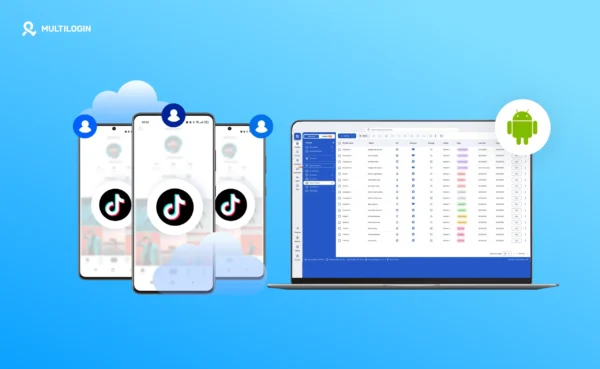
Multilogin is a cloud Android phone platform for multi-account management. Each mobile-app account runs on its own Multilogin cloud phone, a real Android device in the cloud with separate app data, location, and IP. Multilogin also includes browser profiles for web-based accounts, managed from the same dashboard. Pair a cloud phone with a mobile proxy and the IP, device, and session all point to one consistent user.
Run mobile-app accounts on cloud Android phones
Instagram, TikTok, WhatsApp, eBay, and Walmart all have apps built for phones. Use one Multilogin cloud phone per account:
- Real cloud-hosted Android devices running native Android apps
- 30+ real Android device types across 12 brands, including Samsung, Xiaomi, Google, and Motorola
- Persistent app data and login history between sessions
- Install any Android app from the built-in store or upload an APK
- Its own proxy and location for each cloud phone
Keep web accounts separate with browser profiles
For browser-first work like Reddit, YouTube channel management, Facebook Business Manager, marketplace back offices, and ad accounts, Multilogin includes browser profiles:
- Full isolation with its own cookies, session, and IP per profile
- Location can be synced with a cloud phone for accounts used across both
- No mobile minutes used
Manage multiple accounts from one dashboard
Multilogin works for social media and e-commerce workflows alike:
- Instagram and TikTok: one cloud phone per account, with persistent history
- Facebook: run the app on a cloud phone and Business Manager in a browser profile
- eBay, Walmart, and Depop: each store account gets its own device, IP, and location
- Reddit and YouTube: browser profiles for web-first work
- Teams: seats, permissions, and profile sharing for agencies
Assign proxies inside isolated environments
- Each profile gets its own IP and matched geolocation
- Use built-in residential proxies or your own HTTP, HTTPS, ISP, or SOCKS5 proxies
- Assign a different mobile proxy to each cloud phone
Limits to know
A few things to plan for before you start:
- Multilogin cloud phones cannot receive SMS or calls. If an app requires verification, use a separate number the app accepts, such as your own phone or an external SMS provider, and enter the code in the app on the cloud phone.
- Cloud phones need a reliable internet connection. A slow connection can affect use.
- Separate cloud phones do not solve content problems. Posting the same content across accounts can still cause issues.
Works with all top mobile proxy providers
Multilogin works with every provider on this list:
- NodeMaven
- Soax
- Byteful
- Proxidize
- Proxy-Cheap
- Bright Data
- IPRoyal
- TheSocialProxy
- AirProxy
- Coronium
- And any HTTP(S) or SOCKS5 proxy service
Cost-Benefit Analysis: Are Mobile Proxies Worth It?
Breaking Down the Investment
The figures below use the dedicated-proxy list prices from this article ($59-150 per proxy per month). Rotating per-GB plans can cost less for light workloads.
Small scale (5-10 accounts):
- Mobile proxies: $300-750/month (5 dedicated proxies)
Medium scale (20-50 accounts):
- Mobile proxies: $1,200-3,000/month (20 dedicated proxies)
Large scale (100+ accounts):
- Mobile proxies: from about $5,900/month at list prices for 100 dedicated proxies; most providers offer custom volume pricing
Your multi-account platform is the other line item. Most cloud phone providers charge separately for device access, usage time, proxies, or browser profiles. Multilogin brings these into one subscription, which makes total cost easier to compare and removes the need to run a second tool.
Multilogin offers a free plan with no time limit and no credit card needed. Paid plans start from $7.08 per month. The right plan depends on how many accounts you run, so see plans and pricing to compare.
The Cost of Losing Accounts
When you weigh the spend, compare it with what a lost account costs you:
- Restrictions or loss of established accounts
- Reduced reach and engagement from shadowbans
- Time spent rebuilding restricted accounts
- Reputation damage with clients
- Lost revenue during downtime
When Mobile Proxies Are Essential
Must-have scenarios:
- Managing 5+ social media accounts professionally
- Running multiple e-commerce stores or client accounts
- Social media growth services or agencies
- Scraping social media platforms
- Affiliate marketing across multiple accounts
Optional scenarios:
- Single account management
- Low-risk web scraping
- General research and testing
- Personal social media backup accounts
Frequently Asked Questions About Best Mobile Proxies
What is the difference between a mobile proxy and a residential proxy?
A mobile proxy routes traffic through a SIM card on a 3G/4G/5G carrier network, while a residential proxy uses a home broadband connection. Because carriers share each mobile IP across many users, mobile IPs usually carry higher trust scores and are blocked less often.
Do I need a separate mobile proxy if I use Multilogin?
It depends on the workflow. Every Multilogin plan includes built-in residential proxies, which cover many cloud phone and browser profile tasks. If a platform expects mobile carrier traffic, or you want a dedicated SIM per account, connect a third-party mobile proxy over HTTP, HTTPS, or SOCKS5.
Can mobile proxies guarantee my accounts won't get banned?
No. Mobile proxies lower the risk of accounts being linked or flagged, but platforms make their own enforcement decisions. Following each platform’s rules and keeping every account in its own environment matters as much as the proxy.
Which proxy provider works best with Multilogin?
Nodemaven. It integrates cleanly and supports rotating residential and mobile IPs optimized for stealth operations.
Final thoughts: choosing the right mobile proxy in 2026
Mobile proxies are one of the most reliable ways to keep account traffic looking like ordinary mobile use. Genuine carrier IPs, natural rotation, and high trust scores make them a strong fit for social media and mobile-focused work, where they usually outperform datacenter and residential proxies.
However, a proxy only covers the network layer. Platforms also check the device, the browser environment, and session history, which is where the rest of your setup matters.
The complete setup: Multilogin + mobile proxies
Multilogin provides the missing pieces:
- Cloud Android phones for mobile-app accounts, one cloud phone per account
- Browser profiles for web-based accounts, each with its own cookies, session, and IP
- Built-in residential proxies and mobile minutes in every plan
- Support for third-party HTTP, HTTPS, ISP, and SOCKS5 proxies from the providers above
- Team seats and permissions
- 24/7 support in five languages
Multilogin offers a free plan with no time limit and no credit card needed. Paid plans start from $7.08 per month.
Take action today
Start free with a Multilogin cloud phone, test the built-in residential proxies, and add a mobile proxy from this list where a workflow needs carrier IPs. That way, you only pay for third-party proxies when they add something your setup does not already have. Start free, no credit card.


 Join 4,200+ subscribers