
Stop doing the same thing on your phone twice.
That’s the entire philosophy behind Android automation. If you’re tapping the same sequence of buttons every morning, responding to the same types of messages with the same replies, or running the same app routines day after day, you’re wasting time your phone could spend doing it for you.
Android automation apps have come a long way. What used to require technical knowledge and command-line skills is now accessible through intuitive drag-and-drop interfaces. And for power users, the depth of automation available on Android today is genuinely impressive.
This guide covers the best Android automation apps in 2026, how they compare, what you can automate, and why cloud phones are opening up entirely new automation possibilities that physical devices simply can’t match.
What Is Android App Automation?
Android app automation means setting up rules, triggers, and actions that run on your device automatically without you tapping anything.
At its simplest: “When I arrive home, turn on Wi-Fi and turn off mobile data.”
At its most complex: “When this app opens, wait 3 seconds, tap coordinate X/Y, enter this text, wait for a specific screen element, take a screenshot, send it to this webhook, and log the result.”
The gap between simple and complex is where the interesting tools live.
Automate App Android: Top Tools in 2026
Tasker: The Gold Standard
If you’ve spent any time looking into Android automation, you’ve heard of Tasker. It has been the dominant Android automate app for over a decade, and for good reason.
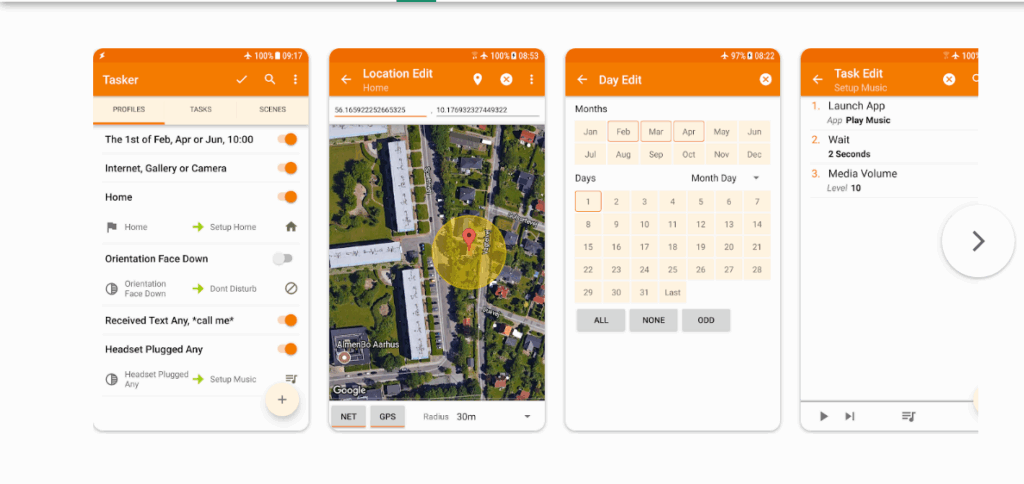
What Tasker does: Tasker runs on a profile and task system. You create profiles that define when something should happen (trigger conditions), and tasks that define what happens (actions).
Triggers can be almost anything: time of day, location, app launch, battery level, received text, screen state, Wi-Fi network, notification content, and dozens more.
Actions are equally extensive: modify settings, send messages, launch apps, execute scripts, interact with other apps, query web services, display notifications, and more.
Why Tasker still leads: Tasker gives you genuine programmable control over your Android device. It’s not a simplified automation tool with pre-built templates. It’s a full automation engine. That power comes with a learning curve, but the ceiling is essentially unlimited.
Where it falls short: The interface is old and dense. New users regularly feel overwhelmed. Complex automations require thinking in terms of variables, loops, and conditionals, which isn’t intuitive for everyone.
Apps Like Tasker: Alternatives Worth Knowing
If Tasker’s complexity puts you off, these alternatives balance power with accessibility.
MacroDroid
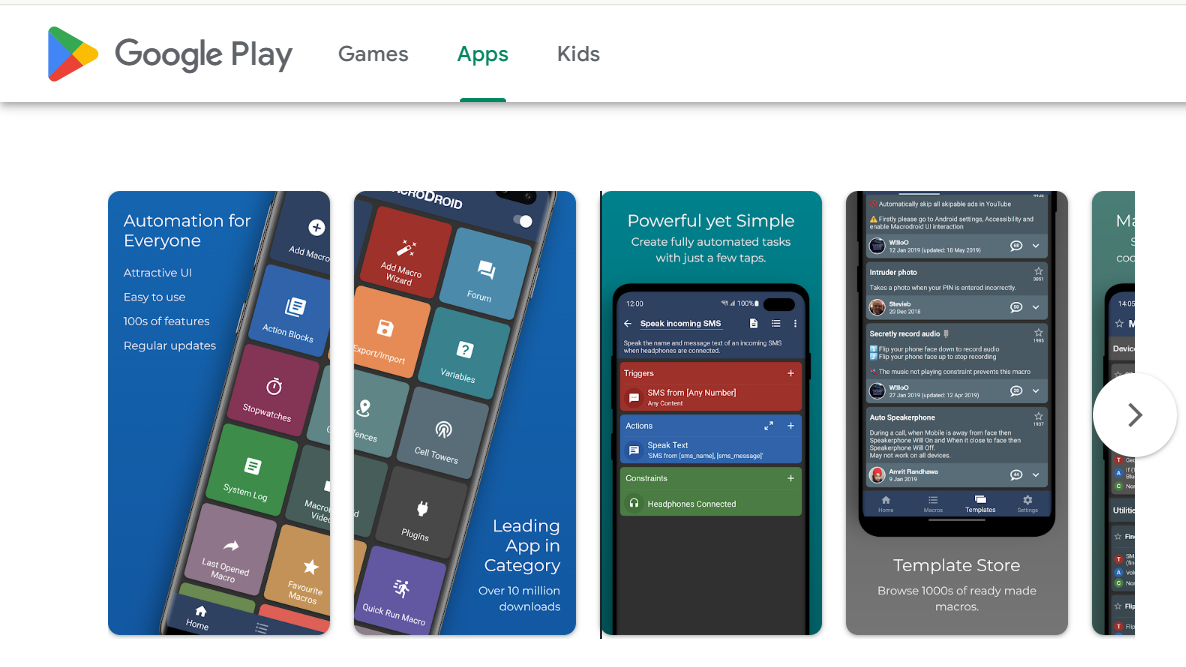
MacroDroid is widely considered the most beginner-friendly Android automation app. It uses a three-part structure: triggers, conditions, and actions, presented in a clean visual interface.
The free version is generous, allowing up to five macros. The paid version removes limits entirely.
MacroDroid won’t match Tasker’s depth for advanced users, but for 80% of automation use cases, it handles everything you’d need.
Automate App (by LlamaLab)
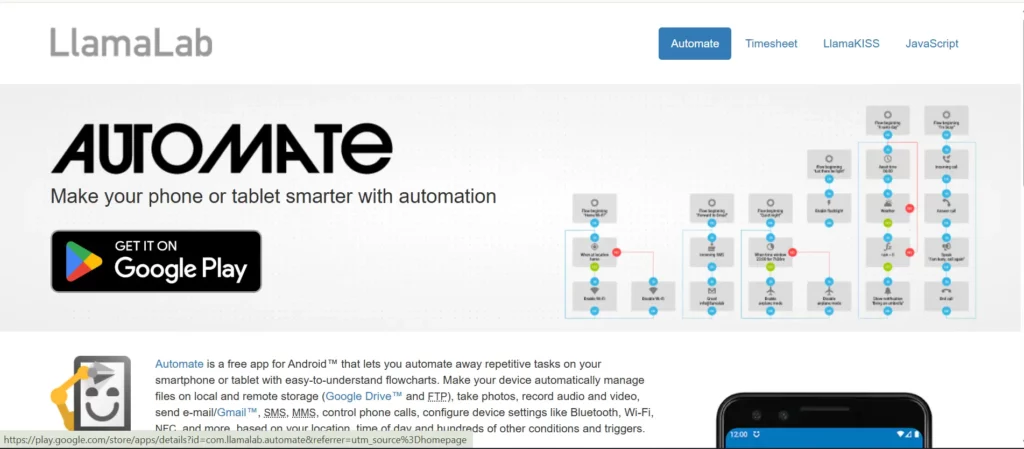
The Automate app for Android takes a unique approach: visual flowcharts.
Instead of lists of triggers and actions, you drag blocks onto a canvas and connect them with lines to show the flow of logic. If-else branches, loops, and parallel processes are all represented visually.
This makes Automate for Android genuinely accessible for people who think visually. The free tier limits you to 30 blocks per flow, which is enough for moderate automations. The premium version lifts that restriction.
IFTTT (If This Then That)
IFTTT takes a different angle: connecting services rather than controlling device settings. It links apps and web services together through simple “applets.”
“If I post on Instagram, automatically save the photo to Dropbox.” “If the temperature drops below 50 degrees, send me a notification.”
IFTTT shines for cross-service automations but has limited access to deep device functionality compared to Tasker or MacroDroid.
Shortcuts (iOS) vs Android Automate
iOS users have Apple’s Shortcuts app built into their phones. Android’s equivalent is a more fragmented landscape: Google’s Assistant Routines handle basic automation, while Tasker and MacroDroid cover advanced use cases.
For pure Android automation depth, Tasker still leads. But for ease of use, MacroDroid or Automate app Android are better starting points.
iMacros for Android: Still Useful?
iMacros was one of the first mainstream macro tools, originally built for desktop browsers. Its Android version exists but has become increasingly limited compared to native Android automation tools.
For web-based automation on Android, iMacros for Android can still record and replay browser sequences. However, for app automation beyond the browser, the native Android tools (Tasker, MacroDroid, Automate) offer far more control.
Phone Automation: What Can You Actually Automate?
Here’s where it gets practical. What can you actually automate on Android?
Daily Routine Automation
The most common use: automating your morning and evening routines.
Turn off Do Not Disturb when your alarm goes off. Increase screen brightness as the day progresses. Switch to battery saver mode at 20%. Turn on Bluetooth when you arrive at the car.
These small automations compound. Saving 30 seconds here and 60 seconds there adds up to meaningful time savings across a year.
App Interaction Automation
More advanced users automate actual app interactions: tapping buttons, filling in fields, navigating menus.
This requires either Android’s Accessibility Service (which most automation apps use) or tools with deeper root access.
Use cases include:
- Auto-replying to messages with specific content
- Automatically clearing notification badges
- Triggering app actions based on time or content
- Logging into apps and performing routine checks
Social Media Automation
This is where social media automation becomes interesting. Automating likes, comments, follows, and posts across social platforms at scale is a significant use case for serious marketers.
Basic phone automation apps can handle individual accounts on single devices. But for running multiple social media accounts across many profiles, you need proper infrastructure.
Web Automation and Scraping
Using Android automation for web tasks, like navigating to pages, extracting data, and triggering actions, is possible through browser-based automation tools.
For serious web automation, dedicated tools like Selenium or Puppeteer running on cloud phones offer far more capability than phone-based macro tools.
Notification Management
Automation apps can intercept, filter, respond to, and dismiss notifications based on rules you define. This is particularly useful for managing high-volume messaging apps or monitoring specific keywords in notifications.
Android Automation at Scale: Where Cloud Phones Change Everything
Here’s where this conversation shifts from personal productivity to professional operations.
Running automation on one phone is useful. Running the same automation across 50 phones simultaneously is an entirely different business model.
The Problem with Physical Device Automation
Physical phones hit walls quickly:
- Hardware limitations: Your phone can only run so many processes simultaneously. Battery drains. Storage fills. Performance degrades.
- Detection: Platforms are good at identifying automated behavior from single devices. Account bans follow.
- Management: Monitoring and adjusting automations across 20 physical phones requires physical access to each device.
- Scale: Want to add 10 more devices? Buy 10 more phones, charge them, set them up, manage them.
Cloud Phones as Automation Infrastructure
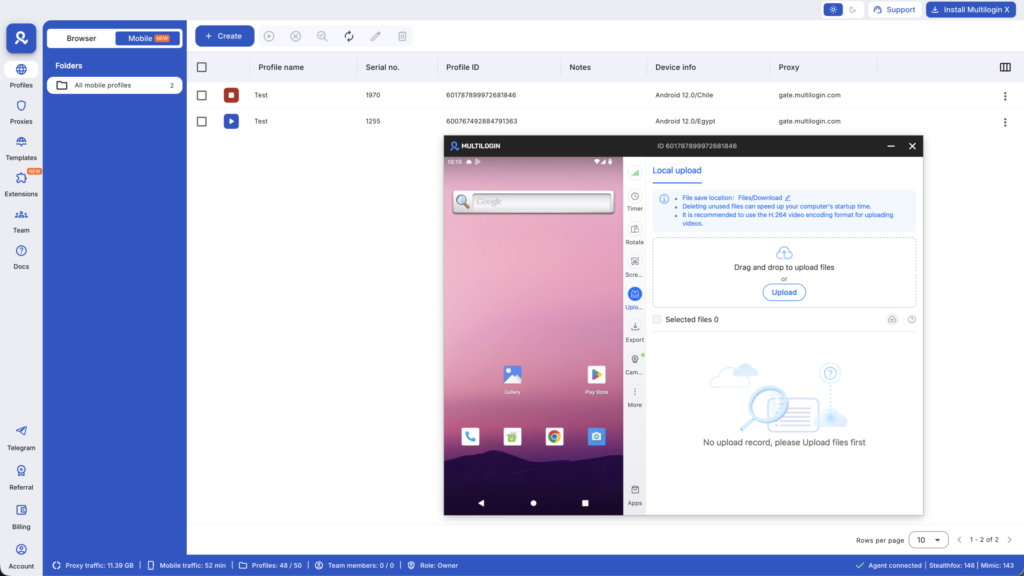
Multilogin Cloud Phones solve every one of these problems.
Each cloud phone is a real Android environment running in the cloud with:
- Genuine hardware identifiers that automation detection systems don’t flag
- Full support for Selenium, Puppeteer, Playwright, and Postman
- API access for building custom automation workflows
- Persistent sessions that maintain state between automation runs
- Built-in proxies so each device appears to come from a different location
For phone automation at scale, this means you can run identical automation workflows across 50 cloud phones simultaneously, each appearing to be a different physical device in a different location, without buying a single piece of hardware.
Automation Integration with Cloud Phones
Using the Multilogin API, you can:
- Programmatically create new cloud phones
- Install apps automatically
- Trigger automation sequences
- Monitor session states
- Collect results
Combined with Selenium or Puppeteer scripts running on each cloud phone, you have a complete mobile automation pipeline.
This is how professional teams handle phone farm automation at scale: cloud infrastructure, proper isolation, and code-driven automation.
Automation Apps vs Cloud Phone Automation: When to Use Each
Use Case | Phone Automation App | Cloud Phone Automation |
Personal device routines | Tasker, MacroDroid | Not needed |
Single-account social media | Automation app works | Overkill |
Multi-account management | Won’t scale | Essential |
Daily schedule automation | Automation app works | Optional |
Large-scale data collection | Too limited | Recommended |
Professional social media management | Too risky | Recommended |
App testing across device types | Limited | Strong fit |
Automations on Android: Practical Examples You Can Build Today
Morning Routine Macro (MacroDroid)
Trigger: Time (7:00 AM, Monday-Friday) Actions:
- Turn off Do Not Disturb
- Set screen brightness to 80%
- Enable Wi-Fi
- Open news app
- Speak weather notification through text-to-speech
Battery Saver Automation (Tasker)
Profile: Battery level drops below 20% Task:
- Enable battery saver
- Reduce screen brightness to 30%
- Disable background data for non-essential apps
- Send notification: “Battery saver enabled”
Auto-Response System (Automate App)
Flow:
- Trigger: Receive SMS from number containing “keyword”
- Action: Extract keyword from message
- Condition: If keyword matches “meeting”
- Action: Send auto-reply “I’m in a meeting, will respond shortly”
- Condition: Else
- Action: Log message to Google Sheets via webhook
Social Media Posting Automation (Cloud Phone Setup)
For managing multiple client accounts, the automation runs at the cloud phone level:
- Cloud phone A (Client A’s account) opens Instagram at 9 AM
- Automation script posts scheduled content
- Script engages with comments for 15 minutes
- Session persists, account stays logged in
- Same workflow runs on Cloud Phone B, C, D simultaneously
Each account appears as a unique device, in its own location, with natural behavior patterns.
Need a better way to automate your processes? Try Multilogin Cloud Phones.
The Bottom Line
Your Android phone is more powerful than most people realize. Whether you’re building simple daily routines with MacroDroid or running enterprise-scale mobile automation with cloud phones and Selenium, Android automation can quietly handle tasks that were eating hours from your week.
Start simple. Automate one routine. Then build.
And if you’re ready to scale beyond a single device, Multilogin Cloud Phones gives you real Android environments, built-in proxy management, and full automation framework support to run professional operations at scale.
👉 Explore Multilogin Cloud Phones for automation that actually scales.
Frequently Asked Questions About Android Automation Apps
Tasker is the most powerful Android automation app for advanced users. MacroDroid is the best choice for beginners who want easy-to-configure automations without a steep learning curve. Automate app (by LlamaLab) is ideal for visual thinkers who prefer flowchart-style logic.
MacroDroid has a generous free tier (up to five macros). Automate app allows 30 blocks per flow for free. IFTTT has a limited free plan. Tasker has a paid one-time purchase but offers a free trial. For basic automation needs, the free versions of these tools handle most use cases.
Yes. Most Android automation apps use Android’s Accessibility Service to interact with other apps without requiring root access. Tasker, MacroDroid, and Automate all function without root for the majority of automation tasks.
Professionally, phone automation is used for social media account management, data collection, app testing, e-commerce monitoring, and running multiple accounts simultaneously. At scale, cloud phones combined with automation frameworks like Selenium or Playwright are more effective than device-based automation apps.
Android automation apps (Tasker, MacroDroid, Automate) run on individual physical devices and control that device’s behavior. Cloud phone automation runs on virtual Android environments in the cloud, enabling the same automation to run across dozens of devices simultaneously without hardware limitations.

