


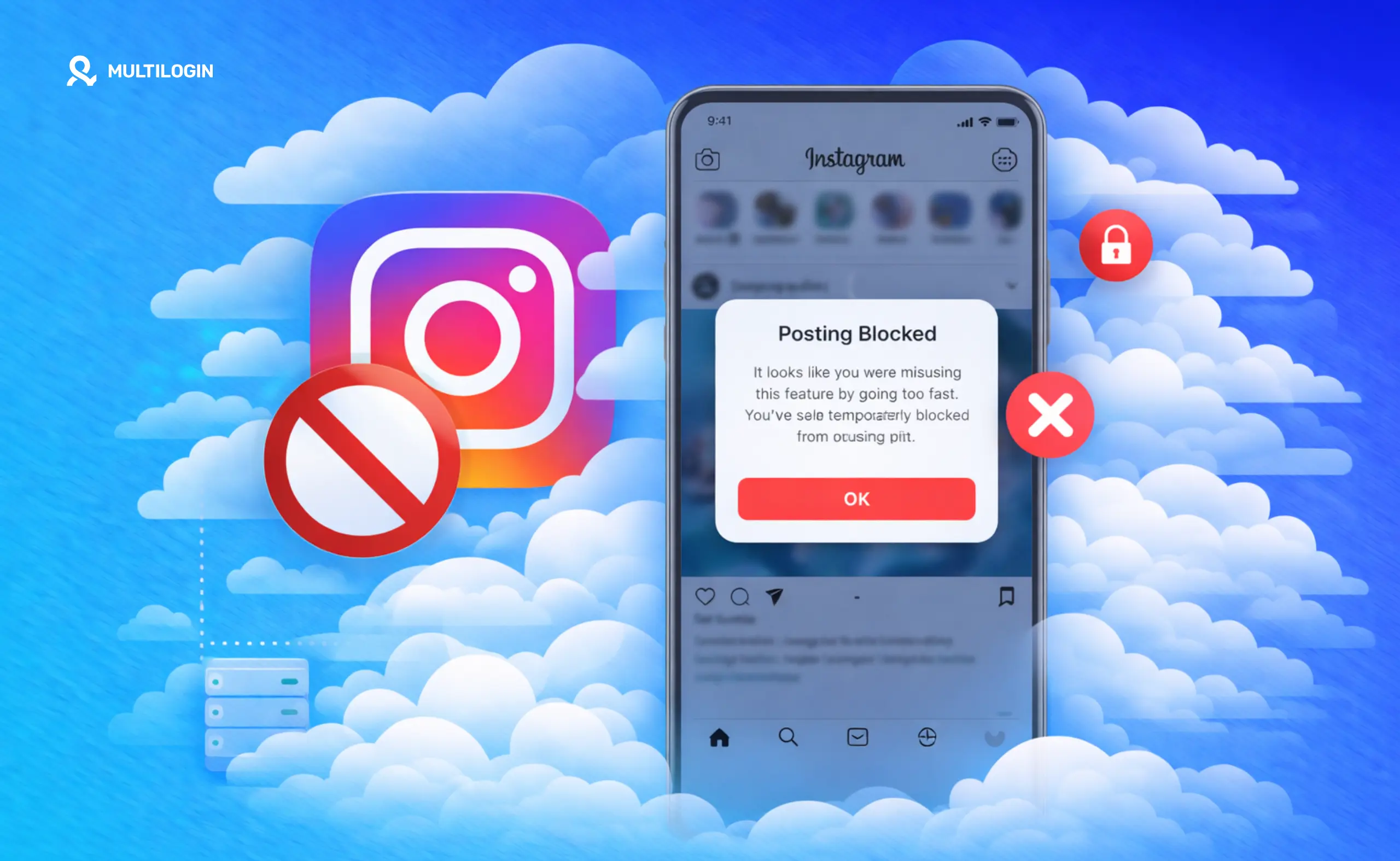



Getting banned from posting on Instagram is one of the most frustrating platform experiences — especially when you do not know what triggered it.
Your account still exists. You can scroll, search, and view other content. But the moment you try to post, comment, or like something, Instagram blocks the action. Sometimes it shows a message. Often it does not.
This is called an action block. It is Instagram’s way of limiting specific behaviors while it evaluates whether to take further action. It is different from a full account ban, and it can affect posting, story sharing, commenting, liking, following, and DMs independently or all at once.
This guide covers what triggers Instagram posting bans and like restrictions, what the different types of restrictions actually mean, how to recover, and how to prevent them from coming back — especially if you are managing multiple Instagram accounts as part of social media management work.
What “banned from posting on Instagram” actually means
Instagram does not have a simple on/off ban switch for posting. It uses a tiered system of action blocks that can be temporary or permanent, apply to one action or all engagement, and be triggered automatically or after review.
The most common experience people describe as being “banned from posting on Instagram” is a temporary action block. Instagram detects behavior it classifies as unusual or potentially automated and restricts your ability to perform specific actions for anywhere from a few hours to several weeks.
You might see an “Action Blocked” message with a vague explanation — or no explanation at all.
Being banned from posting stories on Instagram follows the same logic but is often triggered by specific story content: copyrighted music, content that violates community guidelines, or behavioral patterns linked to spam. Instagram can restrict story posting while leaving feed posting intact.
Being banned from liking posts on Instagram is a separate action block targeting engagement behavior. This triggers when you like too many posts too quickly, like posts from accounts you have no relationship with in a pattern that looks automated, or like content from accounts that are themselves flagged.
The root cause in almost every case is behavioral pattern detection. Instagram’s system flags accounts that behave differently from genuine personal users. It is not just about volume. It is about pattern: how fast you act, how consistent the intervals are, whether your behavior clusters around specific content types, and whether your device and account signals match expected human behavior.
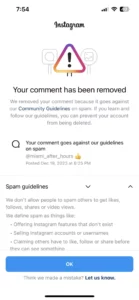
Why Instagram bans accounts from liking posts
Like bans confuse people because liking feels passive and harmless. But from Instagram’s perspective, automated liking has been one of the oldest and most common spam tactics on the platform.
Liking posts at scale to attract follow-backs, drive profile visits, or inflate engagement metrics violates Instagram’s Terms of Service. Instagram’s detection is calibrated to catch this — and it casts a wide net. Real users who spend a concentrated session liking a lot of content can get caught by the same filters as actual automation.
Behaviors that specifically trigger like bans:
- Liking more than 300–500 posts per day (the undocumented threshold has shifted over time)
- Liking posts at machine-like intervals — for example, every 8 seconds for an extended period
- Liking posts predominantly from accounts you have no existing relationship with
- High like activity immediately after account creation with no warm-up period
For accounts using automation tools, the risk is higher because automation often combines liking with following, commenting, and DM activity simultaneously — creating a multi-signal pattern that Instagram’s system catches more reliably than any single excessive behavior.
What triggers posting bans specifically
- Content violations. Instagram’s automated systems scan images, videos, and captions for content that violates community guidelines. Repeated violations — even false positives — build a restriction history that makes future posts more likely to trigger blocks.
- Behavioral velocity. Posting ten times in a single day after a week of inactivity looks suspicious to Instagram’s system. New accounts that immediately post at high frequency are treated with particular scrutiny. Consistent, gradual posting builds trust in a way that burst posting cannot.
- Restricted hashtags. Certain hashtags are restricted by Instagram because they have been associated with violating content. Using them does not directly cause a posting ban, but it can suppress posts and contribute to an account being flagged for review.
- Automation and third-party tools. Using scheduling or automation tools that access Instagram through unofficial API methods is one of the most reliable ways to trigger posting restrictions. Instagram actively detects these tools, and accounts they touch get flagged quickly.
- IP address reputation. Logging in from IP addresses on Instagram’s known-problematic lists — including many datacenter VPN IP ranges — triggers restrictions. This is separate from device fingerprinting but compounds it.
- Device signals that match banned accounts. Instagram can link new accounts to previously banned device identities. If the device fingerprint matches a flagged history, the new account starts at a disadvantage.
The Instagram shadowban: the restriction no one tells you about
The Instagram shadowban is different from an action block. With an action block, you know something is wrong. With a shadowban, your account looks completely functional to you.
You can post, like, and comment without any error messages.
But your content is invisible to anyone who does not already follow you. Your posts stop appearing in hashtag results. Your account does not surface in Explore. Your reach drops 80–95% with no explanation from Instagram.
A shadow ban is Instagram’s softest enforcement tool. It limits the damage from suspicious accounts without triggering a formal ban that users would immediately try to circumvent. The problem is it can last for weeks or months with no indication of what caused it or when it will lift.
Shadowbans are most common on accounts that were recently action blocked, accounts that use third-party tools Instagram considers unauthorized, and accounts that spike posting activity after long periods of low activity.
For the full detection hierarchy — from action blocks through shadowbans to permanent suspension — read Instagram ban prevention: the best long-term solution.
How to recover from an Instagram posting ban
Recovery depends on what type of restriction you are dealing with.
For temporary action blocks: Stop the behavior that triggered it immediately and wait. Most temporary blocks resolve in 24–72 hours. Some extend to two weeks. Trying to work around a block by switching accounts or devices without fixing the underlying behavior usually results in a more severe restriction.
If you see an “Action Blocked” message with a “Tell Us This Is a Mistake” option, using it once can sometimes accelerate recovery for incorrectly flagged accounts. Do not send multiple appeals — one is enough, and sending several flags your account as trying to manipulate the system.
For like bans: Reduce like activity to zero for 48–72 hours. When you resume, start at 20–30 likes per day and build up gradually over several weeks.
For posting bans: Stop posting entirely for 24–48 hours. When you resume, post once per day for the first week with original captions, no third-party tools, and no restricted hashtags. Log in and interact organically before posting each session.
Proper account warm-up prevents most of these issues when starting fresh. See how to warm up an Instagram account for the specific timeline that signals genuine account behavior to Instagram’s systems.
Managing multiple Instagram accounts with Multilogin cloud phones
Running multiple Instagram accounts is standard for agencies, creators managing different niches, brand accounts, and social media managers. The challenge is that Instagram links accounts that share device fingerprints, IP addresses, or behavioral patterns. When one account is restricted, Instagram checks whether linked accounts should be flagged too.
This is where the technical setup matters as much as the behavior.
Multilogin cloud phones solve account linking at the hardware level. Each cloud phone is a real Android device hosted in the cloud with its own unique IMEI, Android ID, and MAC address — real device parameters from real device hardware, not spoofed values.
When you log into Instagram on a Multilogin cloud phone, Instagram sees a separate physical device with its own consistent usage history, completely isolated from every other profile you manage.
Persistent sessions are what make this work for account warm-up. App storage, cache, and login states persist between sessions on each cloud phone — just like a real phone you pick up again after putting it down. This natural session continuity looks authentic to Instagram’s detection, because it is.
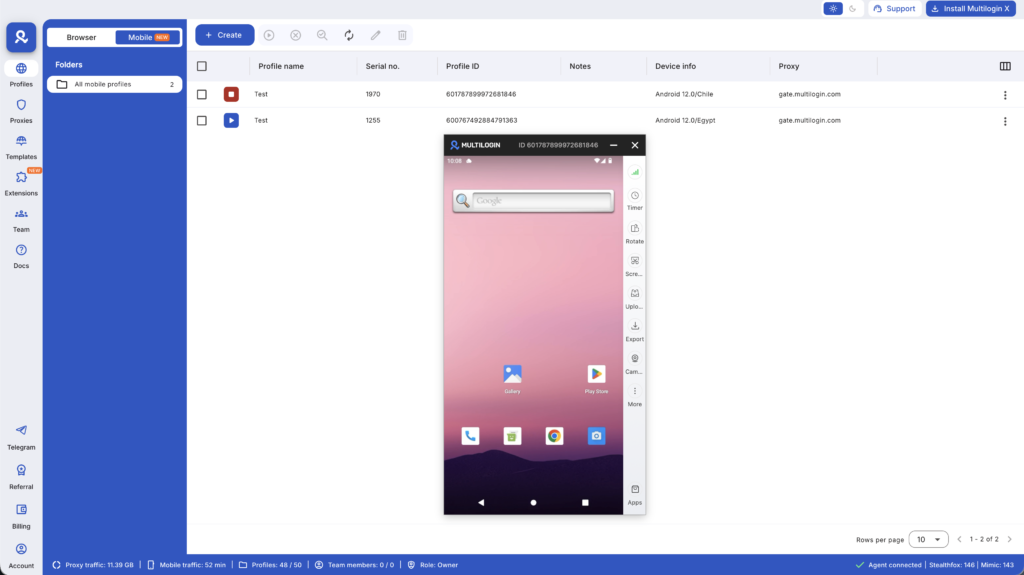
How to set up Multilogin cloud phones for multiple Instagram accounts:
- Create one cloud phone profile per Instagram account in the Multilogin desktop app
- Assign a different device model to each profile — approximately 30 real device types available including Samsung, Google Pixel, OPPO, Xiaomi, OnePlus, and more
- Assign a mobile-grade residential proxy for each profile, matched to the geographic location for that account — included in Multilogin’s built-in proxy traffic
- Install Instagram fresh from the built-in app store on each cloud phone
- Never transfer app data or APKs between profiles
- Warm up each account separately with gradual activity before any scaled posting
For browser-based Instagram management alongside cloud phones, the Instagram proxy and multi-account bundle and best Instagram proxies cover proxy selection by use case. The best multi-account browsers for Instagram guide covers browser profile setup. For accounts created from scratch, see how to create multiple Instagram accounts and create multiple Instagram accounts with Multilogin cloud phones.
For scaling to larger numbers, see unlimited Instagram accounts with Multilogin.
One critical thing to understand: an Instagram IP ban affects every account accessed from that IP, not just one. Mobile-grade residential proxies with stable, carrier-assigned IPs prevent this because each cloud phone profile has its own clean IP. Multilogin’s built-in proxy traffic handles this by default.
Also see how to use a multi-account browser to stop account bans for the broader tool setup workflow.
Specific mistakes that trigger Instagram bans
Using automation tools through unofficial API access. Instagram actively detects these tools. Accounts they touch get flagged quickly. This is the highest-risk single behavior.
Posting the same caption or hashtag set across multiple accounts in a short window. Repeated content patterns across related accounts are a coordination signal Instagram’s spam detection catches.
Switching between multiple accounts on the same physical device without session isolation. All accounts share the same device fingerprint. Instagram links them.
Following and unfollowing in large batches. Instagram has tightened follow/unfollow limits significantly. More than 150–200 follows per day is risky. A systematic follow-to-unfollow cycle is a well-documented ban trigger.
Using datacenter VPN IPs. Instagram maintains lists of datacenter IP ranges. A residential proxy looks like a real user’s internet connection. A datacenter VPN does not.
Starting a new account on a previously banned device without changing device fingerprint. Instagram ties bans to device identifiers, not just account credentials. The new account starts pre-flagged.
Quick checklist: avoiding Instagram posting bans
- One account per device environment — or one cloud phone per account for multiple accounts
- Mobile-grade residential proxy matched to account location, not datacenter VPN
- No third-party automation tools using unofficial Instagram API access
- Consistent posting schedule rather than volume spikes
- Maximum 200–300 likes per day with natural intervals between actions
- Check hashtags for restrictions before using them
- Warm up new accounts with 5–10 days of organic activity before scaling
- Stagger activity across multiple accounts so posting patterns do not mirror each other
- Fresh app installation per account — no shared session data between profiles
Need a better way to manage multiple Instagram accounts? Try Multilogin Cloud Phones.
Summary: Cloud Phone Infrastructure for Affiliate Marketing
- Instagram posting bans are usually temporary action blocks triggered by behavioral pattern detection, not just content violations
- Like bans are caused by high-volume or interval-consistent liking that resembles automation
- Shadowbans are separate from action blocks, invisible to the affected user, and can last weeks while dramatically limiting organic reach
- Recovery requires stopping the flagged behavior immediately and resuming gradually after a rest period
- Managing multiple Instagram accounts safely requires device-level isolation — Multilogin cloud phones give each profile real Android hardware identifiers and isolated app storage with no shared signals
- Mobile-grade residential proxies matched to account location prevent IP-based flagging that affects every account on a shared connection
- Persistent sessions on Multilogin cloud phones support natural account warm-up because app data and login state carry over between sessions, just like a real phone
Frequently asked questions About Banned from posting on Instagram
Yes. Instagram uses action blocks that restrict specific behaviors including posting, liking, commenting, and following. These can be temporary (hours to weeks) or permanent depending on violation severity and account history.
Like bans are typically triggered by liking too many posts too quickly, liking in patterns that resemble automation, or liking posts from flagged accounts. Instagram’s threshold for like activity has decreased in recent years.
Temporary action blocks typically last 24 hours to two weeks. Persistent restrictions that do not clear are usually tied to ongoing behavior patterns rather than a single incident. Stopping the flagged behavior and waiting is the most reliable recovery path.
A shadowban limits your content visibility to non-followers without showing you any error. Your posts do not appear in hashtag results or the Explore page. Your account appears to work normally but organic reach drops dramatically.
Posting very frequently immediately after account creation or after a long period of inactivity triggers behavioral velocity flags. There is no hard daily post limit, but the pattern of your posting matters as much as the volume.


