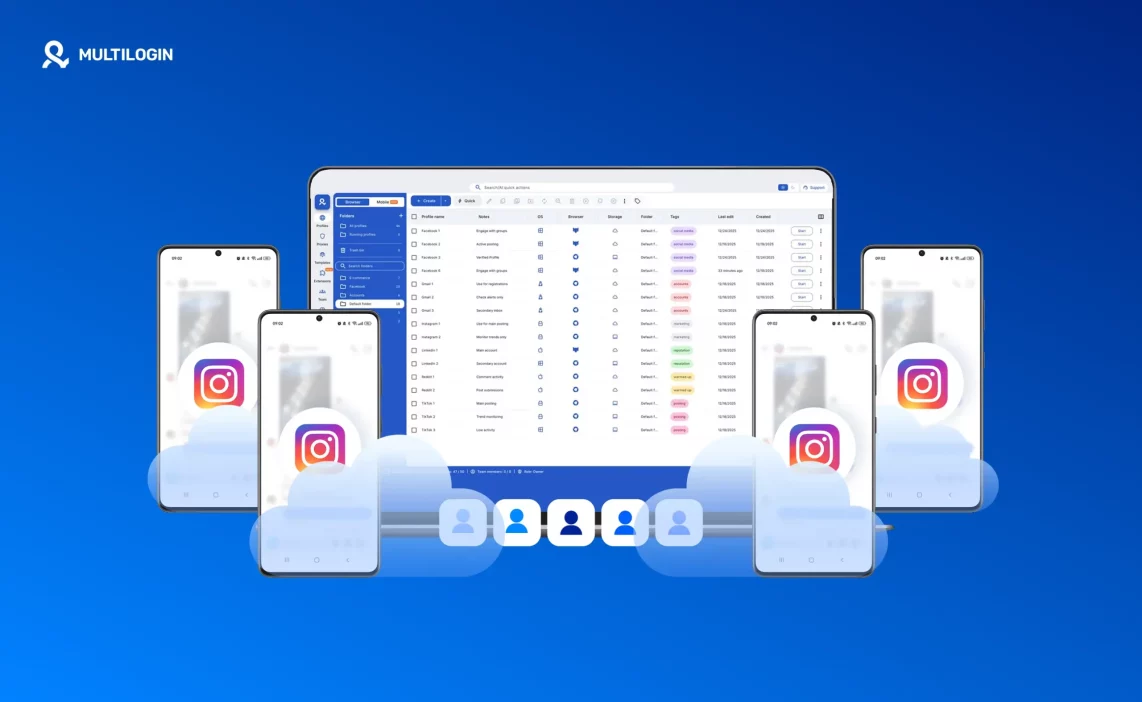

How Can I Create Multiple Instagram Accounts Without Number: A Structured Approach With Multilogin Cloud Phones

How Can I Create Multiple Instagram Accounts Without Number: A Structured Approach With Multilogin Cloud Phones
Image of the author Gayane Gh.
28 Jan 2026
7 mins read
Share with
Run Multiple Accounts Without Bans or Blocks

Get a secure, undetectable browsing environment for just €1.99.

  • 3-day trial 
  • 5 cloud or local profiles
  • 200 MB proxy traffic

Table of Contents

The question how can I create multiple Instagram accounts without number keeps coming up because many people hit the same wall after their first few accounts. Instagram still requires verification, but the real problem usually appears later, when accounts are reused, sessions stop holding, and identities begin to overlap without any clear warning. Phone numbers get blamed, but they are rarely the root cause. What actually breaks most setups is unstable structure behind the accounts.

This article looks at the problem from that angle. Instead of chasing shortcuts, it explains how Multilogin Cloud Phones create a stable way to build and manage Instagram accounts using email-based verification inside isolated Android environments, so each account stays separate, reusable, and consistent over time.

Read more about how to run an unlimited Instagram account!

How can I create multiple Instagram accounts without number with Multilogin cloud phones

Instagram does allow account creation using email verification, but creating more than one account without phone numbers only works when each account has its own stable mobile environment. Most failures happen when email accounts and Instagram accounts are created in shared or reused setups, where app data, sessions, and system signals slowly overlap. Over time, that overlap causes accounts to lose stability and require repeated verification.

Multilogin Cloud Phones solve this by giving every Instagram account its own Android cloud phone. Inside that environment, both the email account and the Instagram account are created, stored, and reused together. The environment does not reset, does not mix with others, and behaves consistently every time it is opened. This structure is what makes email-based Instagram accounts workable long term.

Create a separate email account inside each cloud phone

Each Multilogin Cloud Phone behaves like a real Android device with its own system data and storage. When you launch a new cloud phone, you are working inside a clean, independent Android environment.

Inside that cloud phone, you can create a new Gmail account and keep it stored there permanently. The email account lives only inside that environment and is not reused elsewhere. When the cloud phone is closed and reopened, the Gmail account remains logged in and unchanged.

The rule is simple and strict: one cloud phone equals one email identity. This keeps email accounts from leaking into other setups and prevents the quiet overlap that causes problems later.

Use email verification instead of phone numbers

Instagram supports email-based verification during account creation. When each Gmail account is created inside its own cloud phone, that email can be used for exactly one Instagram account without relying on phone numbers.

Each Gmail account is attached to a single Instagram account and never reused. This removes the pressure to recycle phone numbers and avoids the friction that usually appears when numbers are shared across accounts.

Multilogin does not bypass Instagram rules or change verification requirements. Instead, it keeps email identities isolated inside stable environments so they remain trusted over time. The separation is structural, not procedural.

Create the Instagram account in the same cloud phone

Once the Gmail account exists inside the cloud phone, the next step is to install the native Instagram app in that same environment. Registration is done using the Gmail account created earlier, without introducing external devices or shared sessions.

Instagram and Gmail stay together inside one persistent Android setup. App data, cache, and login state are saved between sessions, so the account behaves consistently every time it is accessed.

The result is a complete identity contained in one place. Email, app data, and session history all remain tied to a single Android environment, which is what allows Instagram accounts created without phone numbers to stay stable and reusable over time.
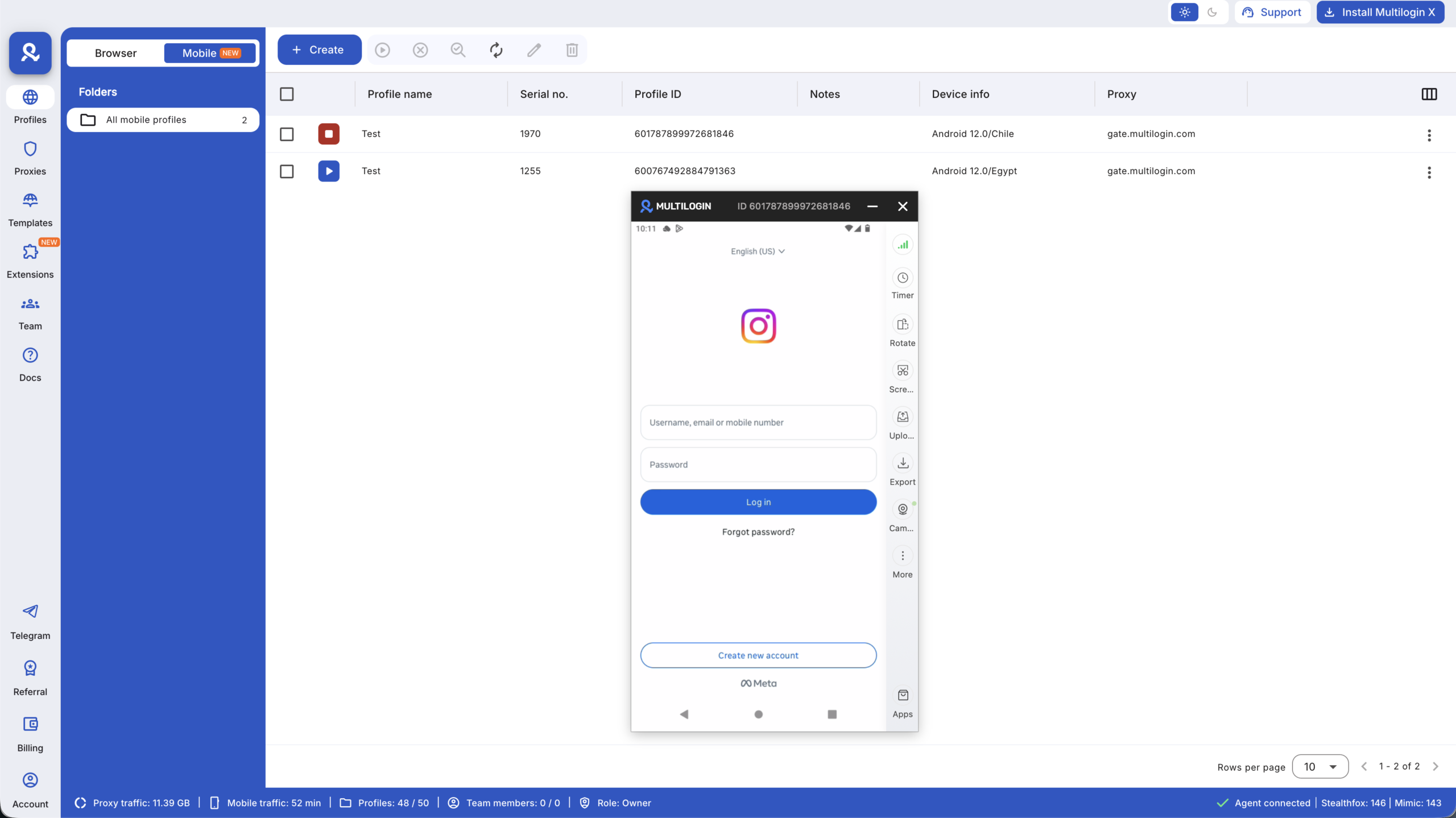
Create the Instagram account in the same cloud phone

Learn more about mobile farming with Multilogin!

Create unlimited Instagram accounts using isolated Android cloud phones with Multilogin.

Why this method works long term (and others don’t)

Most attempts to manage multiple Instagram accounts fail for the same reason: environments get reused. Even when accounts are created with different emails, shared app data, cached sessions, or system-level signals slowly begin to overlap. This overlap is rarely obvious at first. Accounts may work for weeks before problems appear, which makes the cause hard to trace.

When multiple accounts live inside the same environment, session history and app behavior start to look connected. Over time, that silent linking leads to repeated verification, unstable logins, or accounts behaving differently from one session to the next. Cloud phones remove this risk at the structural level. Each account runs inside its own Android environment, with no shared storage, no shared sessions, and no accidental crossover. Because environments are never reused, identities remain clean and consistent over time.

Learn more about Instagram ban prevention!

One Instagram account equals one Android cloud phone

Multilogin Cloud Phones are built around a strict rule that keeps Instagram accounts stable as they grow: one Instagram account equals one Android Cloud Phone. This rule eliminates the most common sources of conflict before they can appear.

There is no switching between accounts inside the same environment. System data is never shared between cloud phones. Session history is preserved only within the environment where the account was created. Each cloud phone carries its own app data, cache, and login state, and nothing is reused across accounts. By enforcing separation at this level, Multilogin prevents conflicts instead of reacting to them after they happen.

Managing and scaling accounts from one Multilogin dashboard

As the number of Instagram accounts grows, control becomes just as important as separation. Multilogin provides a single dashboard where all cloud phones can be managed without breaking the structure that keeps accounts stable.

From the dashboard, you can launch, pause, and reuse cloud phones without resetting them or losing session data. Accounts can be organized visually, making it easy to see which environment belongs to which account. When new Instagram accounts are needed, new cloud phones are added alongside existing ones, without touching or modifying setups that already work.

This approach allows scaling without disruption. Existing accounts remain unchanged, new accounts follow the same structure, and growth does not introduce hidden risks into the system.

Final verdict about how can I create multiple Instagram accounts without number

The question of how can I create multiple Instagram accounts without number is usually framed as a search for a shortcut, but the real answer lies in structure, not tricks. Instagram allows email-based verification, yet managing many accounts without phone numbers only works when every account lives in its own stable environment.

Multilogin Cloud Phones provide that structure. By keeping each Instagram account and its supporting email inside a dedicated Android cloud phone, identities remain separate, sessions stay intact, and reuse becomes safe. Instead of rebuilding accounts or reacting to instability, you work with a system designed to hold over time as accounts grow.

Start your Multilogin trial for €1.99 !

FAQs about how can I create multiple Instagram accounts without number

Yes, Instagram allows account creation using email verification instead of a phone number. However, this only works reliably when each account is created and managed in its own isolated environment. With Multilogin Cloud Phones, each Instagram account runs inside a separate Android cloud phone, which prevents shared session data and keeps email-based accounts stable over time.

Most long-term issues are not caused by skipping phone numbers. They happen when accounts are created or reused inside shared environments. When app data or session history overlaps, Instagram begins connecting accounts silently. Multilogin solves this by assigning one Android cloud phone per account, so identities never mix at the system level.

With Multilogin Cloud Phones, each Instagram account is built inside its own Android environment. Inside that cloud phone, you can create a separate Gmail account and then use that email to register Instagram. Because both the email and Instagram account stay inside the same cloud phone, the identity remains consistent and reusable without phone number reuse.

No. Multilogin does not bypass or modify Instagram’s rules. Instagram still controls how accounts are verified and approved. Multilogin focuses on infrastructure, not shortcuts, by keeping every account, email, app session, and device signal isolated inside its own Android cloud phone so accounts remain trusted over time.

With Multilogin, the limit is not tied to phone numbers or reused devices. Each cloud phone supports one Instagram account with its own email identity. Accounts can be launched, paused, reused, and scaled from a single Multilogin dashboard without affecting existing setups, making this approach suitable for long-term and team-based workflows.

Run Multiple Accounts Without Bans or Blocks

Get a secure, undetectable browsing environment for just €1.99.

  • 3-day trial 
  • 5 cloud or local profiles
  • 200 MB proxy traffic

Table of Contents

Join our community!

Subscribe to our newsletter for the latest updates, exclusive content, and more. Don’t miss out—sign up today!

Recent Posts
Reviewer
28 Jan 2026
Share with
Hi, I’m Gayane G., a passionate content creator at Multilogin. With a degree in Marketing and over 9 years of experience, I focus on creating engaging digital content that resonates with audiences. When I’m not writing, you can find me traveling, trying new recipes, or curled up with a good book.
https://multilogin.com/academy/how-can-i-create-multiple-instagram-accounts-without-number-with-multilogin/
Recent Posts
Join our community!

Subscribe to our newsletter for the latest updates, exclusive content, and more. Don’t miss out—sign up today!

Thank you! We’ve received your request.
Please check your email for the results.
We’re checking this platform.
Please fill your email to see the result.

Multilogin works with amazon.com