


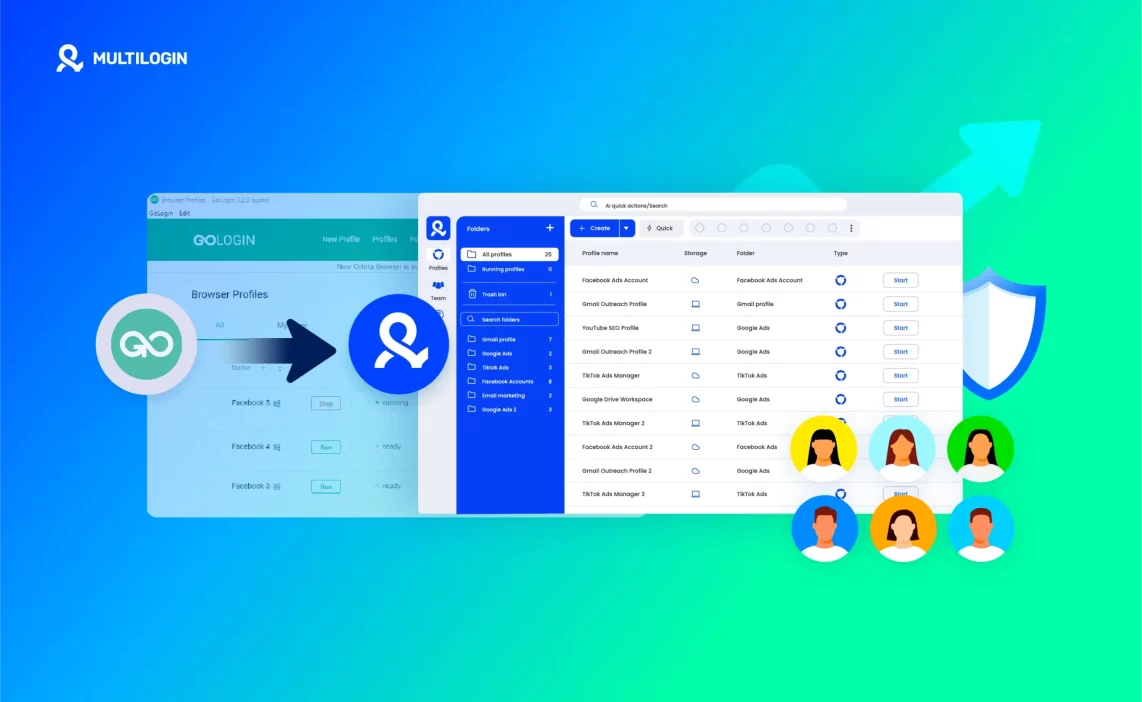

You’ve tried GoLogin. Maybe it worked for a while — until sessions broke, proxies failed to connect, or profiles started flagging without warning. That’s usually when people start looking for stability, and that’s exactly where the Multilogin antidetect browser comes in.
Export your GoLogin profiles and cookies, create clean isolated environments in Multilogin, import your data, attach residential proxies, and start running undetectable sessions that actually stay stable. Multilogin gives you what GoLogin can’t — long-term reliability, built-in proxy traffic, and fingerprint protection tested daily on 50+ sites.
If you’ve lost accounts, struggled with syncing across devices, or wasted hours reconfiguring profiles, this guide will show you the right way to migrate — step by step. You’ll keep your data, rebuild your profiles cleanly, and finally stop fighting constant bans.
Why you should migrate from GoLogin to Multilogin?
If you need reliability at scale, pick the tool built for it. Multilogin gives durable sessions, precise location control, deeper fingerprint options, and automation that actually saves time — not extra work. Move your profiles here and stop chasing temporary fixes.
- Built-in residential proxies (30M IPs): Multilogin includes a huge pool of residential and mobile IPs with super-sticky sessions and an IP quality filter. GoLogin’s proxy offering is smaller and often reports fast recycling and inconsistent quality.
- Advanced fingerprint control (50+ parameters): Multilogin lets you change canvas, WebGL, fonts, hardware IDs, timezone, and more so each profile looks like a distinct real device. GoLogin’s fingerprinting is more limited on some platforms.
- Two browser engines (Mimic & Stealthfox): Use Chromium or Firefox cores and switch if a site reacts to one engine. GoLogin uses a single Chromium-based core, limiting workarounds when a site tightens checks.
- Built-in automation & OpenAPI: Multilogin works with Postman, Selenium, Playwright, Puppeteer and adds AI Quick Actions and OpenAPI for no-code flows and action chaining. GoLogin lacks Postman/CLI support and no-code automation, which raises engineering overhead.
- Profile isolation and secure storage: Multilogin stores each profile separately with AES-256 encryption and clear export/import controls. GoLogin’s cloud sync is less flexible for team workflows and backups.
- Performance and stability at scale: Multilogin is designed to run thousands of profiles with lower flag rates and predictable behavior. GoLogin can struggle with many profiles on weaker hardware and shows higher detection under load.
- Support and testing: Multilogin offers 24/7 human support in five languages and daily testing across 50+ sites — faster, more technical help when things break. GoLogin support is responsive but generally less technical for complex fingerprint or proxy issues.
- Value for teams: Multilogin includes proxy traffic in plans, offers role-based permissions, and scales from solo users to enterprises with predictable pricing. GoLogin’s pricing and team seat model is less flexible and often more expensive for growing teams.
If you get banned on a platform, Multilogin makes recovery predictable: archive the flagged profile, spin up a fresh profile with a dedicated residential proxy and regenerated fingerprint, then follow a short warm-up plan. That workflow works because the platform is built for isolation, not patching.
Read more about the Gologin antidetect browser review!
Try Multilogin now full access for only €1.99.
What’s the migration goal and when should you migrate
If your profiles keep crashing, proxies drop mid-session, or bans come out of nowhere, it’s time to move. The point of migration isn’t just switching tools — it’s about keeping your cookies, stopping flags, and getting real stability that doesn’t break overnight.
When you move to Multilogin, you carry over what matters and leave the broken parts behind. Your cookies stay intact, your fingerprints become unique, and your proxies finally stay stable.
You should migrate when:
- Profiles disconnect often or log you out for no reason.
- Your proxies recycle or trigger IP bans too fast.
- Accounts get flagged in clusters instead of one by one.
- Automation feels like patchwork instead of a proper setup.
- You want built-in residential proxies that actually work at scale.
If you see these signs, stop patching and start fresh. A clean start inside Multilogin gives you control instead of chaos.
How to migrate from Gologin to Multilogin
Ready to move from GoLogin to Multilogin X? The process is quick and reliable. You’ll only need to export your cookies and rebuild your profiles inside Multilogin — everything else stays simple.
Step 1: Export cookies from GoLogin
Start by exporting cookies for the profiles you want to keep.
These files store your session data, helping you stay logged in to accounts without starting over.
💡 Tip: Save each cookie file with the same name as its account for easy tracking later.
Step 2: Activate your Multilogin X account
If you’re new to Multilogin X, create your account and activate a plan before moving profiles.
Once you’re in, you’ll be ready to build new browser profiles.
Step 3: Create new profiles in Multilogin X
Recreate your GoLogin setup inside Multilogin X as closely as possible:
Browser type: choose Mimic for Chrome-like environments or Stealthfox for Firefox-style setups.
Proxy settings: connect the same proxy or use one from the same location.
Profile preferences: set language, timezone, and resolution to match the originals.
Exact fingerprints won’t be identical — Multilogin uses its own fingerprint model — but these adjustments keep the browsing behavior consistent.
👉 For guidance on profile customization, see the Fingerprints section on the Tech page.
Step 4: Import your cookies
Once profiles are created, import your saved cookies.
This will restore your sessions and prevent unnecessary re-logins.
Open the new profile, import the cookies, then test by visiting your usual sites to confirm everything loads as expected.
Step 5: Test and repeat
Launch each profile, check the proxy connection, confirm the session, and perform a simple action like visiting your target platform.
If all works fine, repeat the same steps for your remaining profiles.
If you need help during migration or something doesn’t load correctly, reach out to [email protected] — our team will assist you.
Read our latest guide on how to set up the Multilogin extension!
Stop account links! try Multilogin now for €1.99!
Warm-up plan (7–14 days)
To avoid detection, always warm up new or migrated profiles.
- Days 1–3: Browse 10–20 minutes, read posts, upvote, and save a few threads. No posting.
- Days 4–7: Add a few meaningful comments, spaced out.
- Days 8–14: Make two or three text posts, reply to comments, and keep interactions natural.
Use one proxy per profile and never log into multiple accounts under the same IP.
Common issues and quick fixes
- Login fails: Check your proxy, timezone, and fingerprint settings.
- Fingerprint overlap: Clone and regenerate canvas/WebGL parameters.
- Import errors: Recheck mapping; test one small batch before importing all.
- Frequent bans: Switch to Multilogin’s built-in residential proxies for stability.
Why multilogin outperforms Gologin
Multilogin was built for stability, scale, and true stealth — not just browser isolation.
Here’s what makes it stronger:
- Built-in premium residential proxies (30M+ IPs) — no third-party setup needed.
- Two browser engines — Chromium-based Mimic and Firefox-based Stealthfox — for flexible testing.
- Full fingerprint control with 25+ parameters.
- Cloud or local profile storage with encryption.
- AI Quick Actions and full API automation.
- 24/7 multilingual support with real engineers, not bots.
GoLogin is fine for light use, but Multilogin gives serious users reliability, scale, and protection. It’s designed for long-term operations — not trial and error.
Switch smarter start your Multilogin trial for €1.99.
Final verdict
You’ve lost time to sessions that drop, proxies that recycle, and profiles that flag for no clear reason.
Multilogin fixes that by giving you durable residential IPs, deep fingerprint control, and tools built for scale — so profiles stop tripping over each other and teams stop firefighting.
Migrate only when the cost of fixes is higher than the cost of moving; if your workflows stall or bans repeat, move now and keep your cookies where they matter.
If you want fewer surprises and predictable results, move methodically and test one profile first.
Try the platform risk-free with the Multilogin trial for €1.99 and decide after you see the difference in stability.
FAQs — how to migrate from Gologin to Multilogin
Can I move only a few profiles from GoLogin instead of all?
Yes. The migration script lets you specify exact profile IDs, so you can move only the ones you need instead of your full list. It’s useful if you’re testing or cleaning up before a full migration.
Do I need to export cookies and bookmarks separately?
Yes. Cookies and bookmarks aren’t included in the main profile export. You’ll need to export them through the API or interface and import them into Multilogin manually or via the cookie import feature.
What happens if my old GoLogin cookies came from banned accounts?
Don’t import them. Those cookies often carry ban markers that will instantly flag new sessions. Archive them for reference, but start fresh with clean fingerprints and a new proxy.
Will my proxies transfer automatically?
If you used static proxy settings in GoLogin, they’ll migrate with the profile data. But if you used a third-party proxy system, you’ll need to reconnect or replace them. Many users switch to Multilogin’s built-in residential proxies for better consistency.
How long should I warm up migrated profiles before full activity?
Around 7–14 days. Start by browsing, reading, and light engagement. Gradually add posts and comments. This builds a natural activity pattern and prevents automated systems from flagging new fingerprints or IPs.

