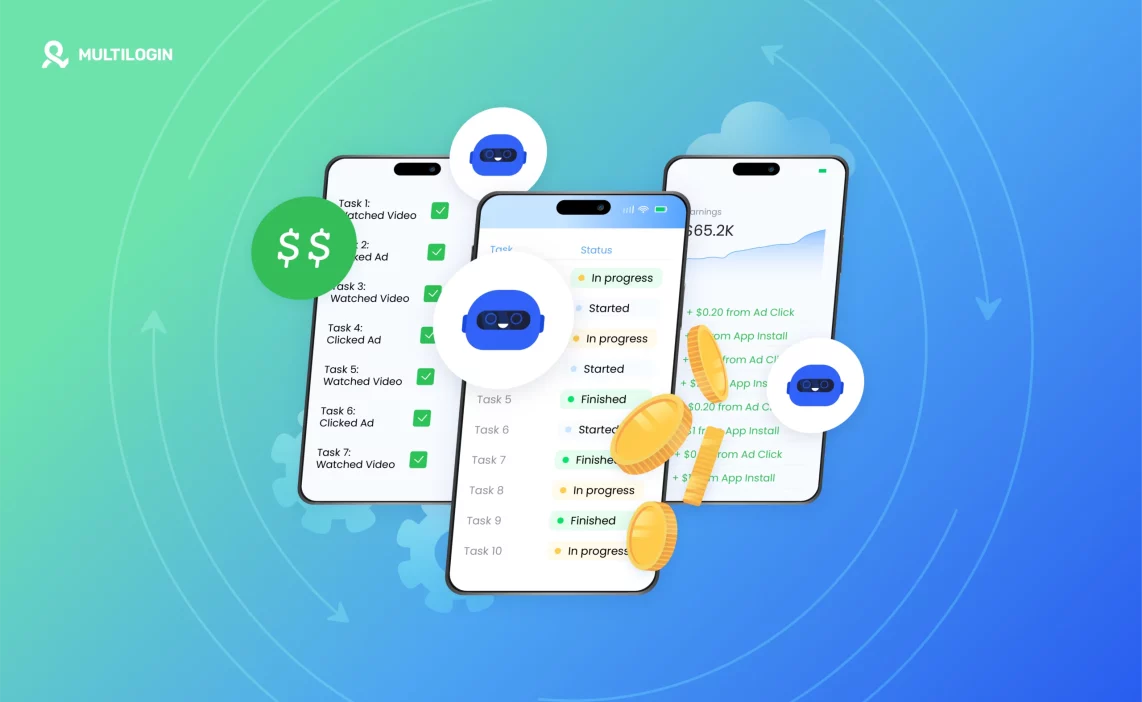

Android automation used to mean writing scripts, setting up ADB connections, and debugging Appium sessions at midnight. Most people managing apps at any kind of scale don’t have time for that — and they shouldn’t need to.
No-code automation tools have matured significantly. You can now build reliable, trigger-based flows on Android without touching a single line of code. But the tools themselves only solve part of the problem.
If you’re running automation across multiple accounts or devices, there’s a harder question: how do you keep those sessions stable, isolated, and actually safe from platform detection?
This article covers the best no-code tools to automate Android apps, what each one is genuinely good for, and why the infrastructure behind your devices matters just as much as the tool you pick. For a broader look at android automation app options, that guide covers the full spectrum including code-based approaches.
Why Android automation matters (especially at scale)
Automation on Android is not just about saving yourself five minutes of tapping. For social media managers, phone farming operations, and multi-account teams, it’s the difference between running 10 accounts manually and running 100 accounts consistently.
The use cases where automation genuinely pays off:
- Posting, liking, and commenting across multiple social accounts on a schedule
- Account warmup flows — mimicking natural usage patterns before pushing content
- App-based tasks that don’t have a web equivalent (in-app purchases, streaks, engagement actions)
- Testing how apps behave across different device types or Android versions
- Reward app flows — check-ins, video watching, survey completions
That last category is where social media automation and mobile automation start to overlap. The mechanics are the same: repeat a set of actions, across multiple sessions, without doing it by hand every time.
What’s often underestimated is what Android automated means in practice — it’s not just scripting taps. It’s maintaining consistent session states, not triggering behavioral detection, and keeping accounts from linking to each other.
Try Multilogin now — cloud phones with built-in automation support, real Android environments, and isolated device identities. Start from €5.85/month.
The tools: what they are and what they’re actually good for
Most no-code Android automation tools fall into two categories: trigger-based (if X happens, do Y) and macro-based (record a sequence of taps and replay it). Both have their place. Neither replaces good device infrastructure.
For teams doing QA automation on Android at scale, these tools can be layered on top of cloud devices — but that’s covered in a later section.
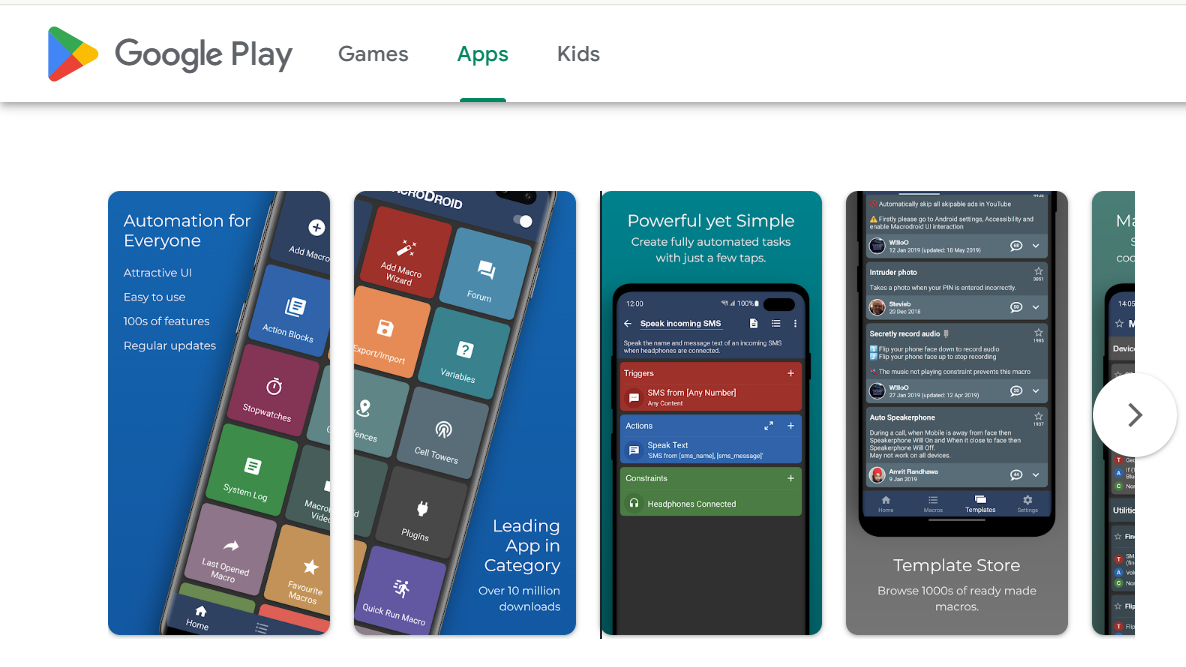
MacroDroid
MacroDroid is the most beginner-friendly option on this list. The interface is visual: you pick a trigger, choose an action, add optional constraints, and save. No syntax required.
It handles a wide range of triggers — time-based, location-based, app launch, connectivity changes, SMS received, and more. Actions include launching apps, tapping specific screen coordinates, sending notifications, HTTP requests, and writing to files.
What it does well:
- Simple recurring tasks (open an app at 9am, tap a specific button, close)
- Device-level triggers like charging state or screen on/off
- Chains of actions that run in sequence without needing to monitor them
What it doesn’t do well: anything that requires reading app content dynamically. If a button moves, the tap coordinate breaks. And it’s tied to a single device — there’s no native way to push the same macro to 50 devices simultaneously.
For individual use or small setups, MacroDroid is genuinely good. For multi-device operations, you’ll need something more.
Tasker
Tasker is the most powerful no-code option available for Android — though “no-code” is generous. Its interface is logic-based (profiles, tasks, scenes, variables) and has a steep learning curve compared to MacroDroid.
The payoff is flexibility. Tasker can:
- Run JavaScript via the JavaScriptlet action
- Interact with almost any Android API
- Trigger flows from other apps via intents
- Run tasks in the background without the screen on (on supported devices)
- Connect to HTTP endpoints, parse responses, use variables conditionally
Teams with some technical comfort often use Tasker for account warmup sequences: open Instagram, scroll for 3–7 seconds, tap a random post, wait, repeat — with randomized timing to avoid pattern detection.
The limitation is the same as MacroDroid: it runs on a single physical device. Scaling means physical devices or emulators, each running their own Tasker instance.
Automate
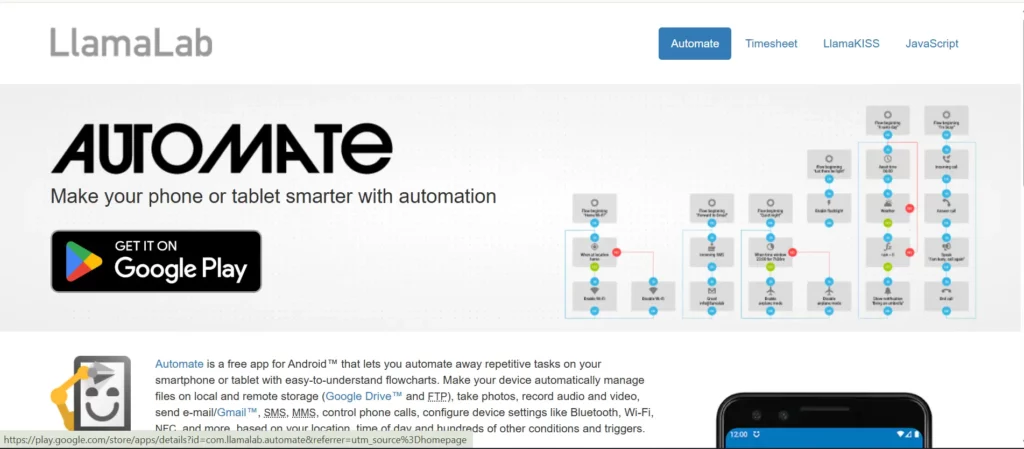
Automate (by LlamaLab) sits between MacroDroid and Tasker in complexity. It uses a flowchart-style visual builder — blocks connected by lines, each representing a condition or action.
It’s particularly good for logic-heavy flows where you need branching: “if the app shows screen A, tap button X; if it shows screen B, wait 2 seconds and try again.” That kind of conditional logic is harder to build in MacroDroid and more readable in Automate than in Tasker.
Automate also handles HTTP requests natively, making it useful for lightweight API-triggered automation — for example, receiving a signal from an external system and acting on it.
Trade-off: flowcharts get unwieldy fast. Complex flows become hard to debug, and the app has a limit on blocks per flow in the free tier.
A note on Google Sheets + Apps Script
Not strictly a device automation tool, but worth mentioning for scheduling. Teams often use Google Sheets as a lightweight dashboard — log in, mark which accounts need actions today, trigger a script. It works well as a coordination layer sitting above the actual device tools. On its own it can’t touch the Android device, but paired with Tasker’s HTTP task listener, it can trigger flows remotely.
What no-code automation can’t solve on its own
Here’s the reality check most automation guides skip.
No-code tools are great at repeating sequences. They’re not designed to handle what happens when platforms start noticing those sequences.
Common mistakes that get accounts flagged:
- Running the same timing pattern every day (platforms learn behavioral signatures)
- Multiple accounts sharing the same device — even if they’re in different apps
- Automating on a device with mismatched proxy and location settings
- Running too many actions per session without natural pauses
- Using an emulator as your base device instead of a real Android environment
That last point is where a lot of phone farming setups run into trouble. Cloud phones vs mobile emulators breaks this down in detail — but the short version is that emulators carry detectable signals that real Android hardware doesn’t produce. Platforms have been getting better at identifying emulated environments since at least 2022.
And when you’re trying to automate a phone farm at any real scale, managing physical devices becomes its own full-time job. Hardware fails, apps update and break macros, and keeping 50 devices charged and connected isn’t a solved problem.
The tools above solve the “what to automate” question. They don’t solve the “where to run it, with what identity, on what infrastructure” question. That’s where cloud phones come in.
How cloud phones change the equation
A cloud phone is a real Android device hosted in the cloud — not an emulator, not a browser profile, not a simulated environment. It runs a full Android OS with genuine hardware identifiers: IMEI, Android ID, MAC address, real system parameters.
The reason this matters for automation is simple: each cloud phone presents as a distinct, real device to every app running on it. There’s no fingerprint bleed between sessions, no shared hardware signatures across accounts, no emulation signals.
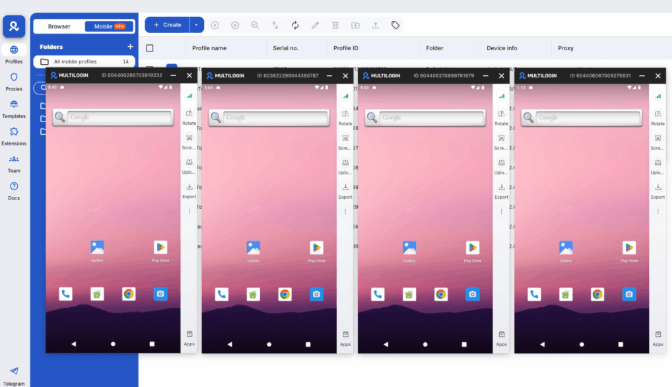
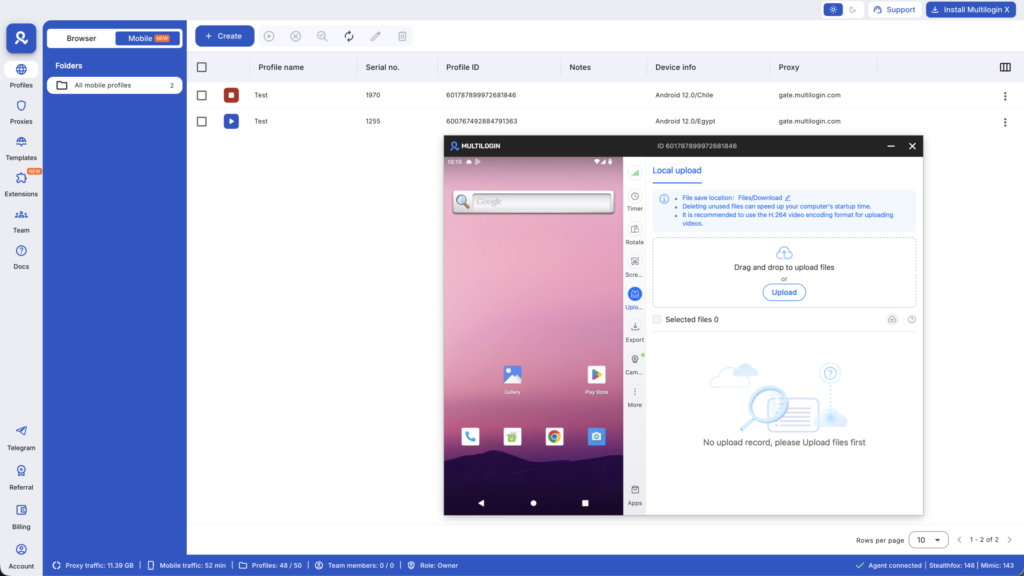
From the Multilogin dashboard on your desktop, you can launch multiple cloud phone profiles simultaneously. Each has its own persistent app state — logins, cache, storage — so your accounts don’t reset between sessions. Each can be assigned its own proxy with matched geolocation, so the location signal coming from the device lines up with the IP.
Real Android devices in the cloud run Android 10–15 across approximately 27 real device models. You can run no-code automation tools directly inside those environments — Tasker, MacroDroid, or Automate installed as normal apps — or use web automation with Multilogin via Selenium, Playwright, or Puppeteer if you need programmatic control.
This is the setup that actually scales. Not 50 physical phones on a charging shelf — 50 cloud phone profiles managed from a single dashboard, each with isolated identity, persistent state, and matched proxy.
For a broader look at device infrastructure, the Android virtual device glossary entry covers the terminology and technical distinctions.
Start your Multilogin plan — manage multiple cloud phone profiles from your desktop, with automation tools running inside each isolated Android environment. See pricing.
A practical setup for multi-account automation
Here’s how a social media team or phone farming operation typically structures this:
Step 1: Set up cloud phone profiles in Multilogin Create one profile per account or per account cluster. Assign a residential proxy with city-level matching to each profile. Each profile gets its own device fingerprint — different IMEI, different Android ID, different model.
Step 2: Install your automation tool inside each profile MacroDroid or Tasker installed inside the cloud phone environment works like it would on any real Android device. Build your flow once, then deploy it to each profile with appropriate timing variations — never identical patterns across accounts.
Step 3: Add randomization This is the part most people skip. Fixed timing is a detection signal. Add ±30–90 second variance to every trigger. Vary session lengths. Include idle periods that look like normal usage breaks.
Step 4: Monitor from your dashboard The Multilogin Live Running Profiles view shows all active cloud phone sessions in real time. You can pause, restart, or check any profile without touching the device-level automation.
Step 5: Scale without adding hardware Need more capacity? Add profiles in the dashboard. No new hardware, no new network setup. Billing is per-minute of usage at €0.009/minute.
Teams using cloud phones built for social media work typically run this setup across TikTok, Instagram, and Facebook simultaneously — with phone farming setups running reward apps in parallel.
Mini checklist before you launch:
- One proxy per profile, geolocation matched to account location
- Timing randomization on all triggers (minimum ±30 seconds variance)
- Persistent app storage enabled — don’t reset between sessions
- Device model varied across profiles (not all Samsung Galaxy S21)
- Test one account’s flow manually before scaling to the full set
- Keep session lengths realistic — 15–40 minutes per session is normal human behavior
- Review account health weekly, not just automation logs
Need a better way to automate your processes? Try Multilogin Cloud Phones.
The Bottom Line
Your Android phone is more powerful than most people realize. Whether you’re building simple daily routines with MacroDroid or running enterprise-scale mobile automation with cloud phones and Selenium, Android automation can quietly handle tasks that were eating hours from your week.
Start simple. Automate one routine. Then build.
And if you’re ready to scale beyond a single device, Multilogin Cloud Phones gives you real Android environments, built-in proxy management, and full automation framework support to run professional operations at scale.
👉 Explore Multilogin Cloud Phones for automation that actually scales.
Frequently Asked Questions About Best No-Code Tools to Automate Android Apps
Tasker is the most powerful Android automation app for advanced users. MacroDroid is the best choice for beginners who want easy-to-configure automations without a steep learning curve. Automate app (by LlamaLab) is ideal for visual thinkers who prefer flowchart-style logic.
MacroDroid has a generous free tier (up to five macros). Automate app allows 30 blocks per flow for free. IFTTT has a limited free plan. Tasker has a paid one-time purchase but offers a free trial. For basic automation needs, the free versions of these tools handle most use cases.
Yes. Most Android automation apps use Android’s Accessibility Service to interact with other apps without requiring root access. Tasker, MacroDroid, and Automate all function without root for the majority of automation tasks.
Professionally, phone automation is used for social media account management, data collection, app testing, e-commerce monitoring, and running multiple accounts simultaneously. At scale, cloud phones combined with automation frameworks like Selenium or Playwright are more effective than device-based automation apps.
Android automation apps (Tasker, MacroDroid, Automate) run on individual physical devices and control that device’s behavior. Cloud phone automation runs on virtual Android environments in the cloud, enabling the same automation to run across dozens of devices simultaneously without hardware limitations.

