QA automation for real-world testing

With Multilogin, you can validate mobile UX, run geo-aware QA, and automate Android web testing at scale using isolated browser profiles — each with a unique fingerprint, stable session state, and real mobile IPs, even on platforms with strict anti-bot protections. 

QA automation for real-world testing
Automate your QA testing with Multilogin

Automate your QA testing

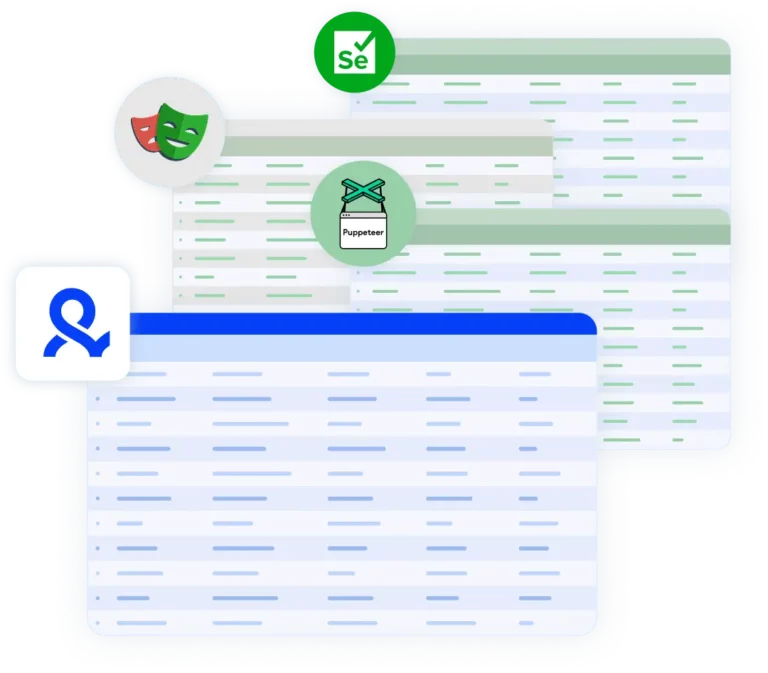
Run browser automation and QA test scenarios using Playwright, Puppeteer, Selenium, or Multilogin’s CLI — all inside isolated browser profiles that behave like real users.

Execute QA automation for mobile using Multilogin's Android emulator

Execute QA automation for mobile safely from your desktop 

Multilogin’s Android emulator allows teams to reproduce real device behavior — including screen resolution, touch interactions, WebView headers, hardware signals and network type.  Connect each environment via HTTP, HTTPS, or SOCKS5, all from one dashboard with the Multilogin X desktop app. 

QA automation with build-in residential proxies 

QA automation with build-in residential proxies 

Run QA automation without relying on shared IPs or external proxy tools using Multilogin’s premium residential proxies: 

  • 24-hour sticky sessions for stable connections
  • 95% clean IPs to avoid bans
  • 30M+ residential IPs in 195+ countries
  • City-based targeting in 1,400+ cities 

Grow your social media accounts with Multilogin cloud phones

Build account trust, reach any location, and boost your engagement
  • Unlimited time

  • Mobile and browser profiles included

  • Free built-in proxies & mobile minutes

  • Unlimited time

  • Mobile and browser profiles included

  • Free built-in proxies & mobile minutes

What is antidetect browser?

An antidetect browser allows you to run multiple browser environments, giving each profile its own device identity, storage, cookies, and network signals. 

This ensures platforms treat automated tests as legitimate user activity, not synthetic traffic — making qa automation more reliable in real-world conditions. 

Multiple cloud phone devices running in parallel for mobile account management

Why choose Multilogin for QA automation? 

Multilogin allows automated tests to run in environments that platforms treat as independent users. This prevents automated QA runs from being blocked or flagged, especially when testing authentication flows, rate-limited actions, or production systems protected by anti-bot technology. 


Why choose Multilogin for QA automation? 

What Multilogin offers that other antidetect browsers don't

Easy collaboration for teams

Flexible automation support​

Built-in proxies

Session persistence

Human behavior simulation​

Account longevity

Multilogin resources for mobile testing

Icon representing Multilogin's feature to bypass bot protection.

Bypass bot protection

Mask unique browser fingerprints with our anti-fingerprinting tech to bypass multi-account and automated browser detection, ensuring secure and undetected usage.

Icon depicting Browser Action Automation in Multilogin, allowing users to automate browsing tasks, enhance efficiency, and manage multiple accounts securely.

Browser action automation

Automate repetitive tasks and form filling with Selenium, Postman, Playwright, and Puppeteer automation drivers while bypassing anti-bot algorithms.

Icon representing the Android Chrome browser in Multilogin.

Android Chrome browser

Emulate the full functionality of the Android Chrome Browser on your desktop seamlessly.

An icon representing fingerprint adjustment to match proxy feature of Multilogin.

Fingerprint adjustment to proxies

All browser fingerprints are automatically adjusted to match the proxy’s location, enhancing anonymity.

Icon representing Multilogin's support for all proxy types, including HTTP, HTTPS, and SOCKS5.

Supports for all proxy types

Whether you use our proxies or bring your own, all proxy types are seamlessly supported.

Icon representing residential rotating IPs in Multilogin.

Rotating IPs

We test our residential proxies daily, ensuring they work seamlessly with Ticketmaster, SeatGeek, AXS, and more.

Icon representing data sync over the cloud with Multilogin.

Data sync over Cloud

Use cloud browser profiles to sync data across multiple devices or VPS instances.

Icon representing the Manual Mode feature in Multilogin.

Manual mode

Manually control the settings of your mobile browser profiles in secure virtual environments.

Why people love Multilogin

review_ha_d

Ha D.

Social Media Marketing Retail

A Good Cloud Phone for Account Management
Running a small team means I need control over who can access what, and Multilogin handles that well. The team access controls let me manage permissions without giving everyone the keys to every account. On top of that, the cloud phones keep everything isolated so one account issue doesn't put the rest at risk. Solid choice for agencies managing multiple clients or accounts.

Nino Latif

The best service for great ideas and big minds!
Always here for their clients, always ready to help out. I am using the service for 3-4-5 months now and brought me lots of great things 🙂 Hope to grow it on a larger scale and continue using the service ...

Stanislav K.

Marketing Manager

Cloud phones make it easy to manage multiple TikTok accounts with AI agents
I use Multilogin to manage a bunch of AI agents running TikTok accounts for different countries. Since each agent needs its own account, I wanted an easy way to keep everything organized. Cloud phones make it super easy. Every account has its own phone, so I don't have to buy or manage a bunch of real devices. I can see everything in one dashboard while the AI agents handle posting and the rest of the daily work.

Elen S.

Marketing Manager

Ideal for Social Media Management
I mainly use Multilogin for client social media management, and the cloud phones have been the biggest advantage for me. I can keep different clients in separate environments, leave their sessions running, and jump between accounts without constantly switching physical devices. It feels much more practical than trying to manage everything from a pile of phones.
Hamza Arif

Hamza Arif

E-commerce Manager

Perfect browser for work, worth the money!
My overall experience with Multilogin has been excellent. I really like its intuitive dashboard, reliable customer support, and competitive pricing. It has become an essential part of my e-commerce business, and I highly recommend it to anyone looking for a dependable solution.
Yasmin's Review

Yasmin D.

Social Media Manager

Safer accounts using Cloud Phones for social profiles
Running social profiles on cloud phones feels safer, everything is properly separated instead of relying on browser fingerprint tricks alone. Been running mine for a couple months with zero linking issues.
Nick H.

Nick Horvath

Marketing agency

Efficient Account Management and Outstanding Support with Multilogin
Multilogin has been an excellent tool for managing multiple accounts efficiently. The setup was quick, and I was able to start using it right away with no learning curve. The interface feels just like Chrome, making it easy to navigate and work without interruption. Performance has been smooth, and browsing feels natural and responsive.

Most Awarded Antidetect Browser

Kinza awards for Multilogin.
Conversion club badge for Multilogin.
Mask group badge for Multilogin
Startup 2019 awards badge for Multilogin
badge for Multilogin
Best Value Software 2022 badge for Multilogin
Best support
Momentum leader
High Performer
High Performer Small Business
SourceForge top performer 2023 badge
GetApp user reviews badge

Watch the Multilogin demo

Learn how Multilogin enhances your anonymity for robust multi-account management and android testing activities. Just fill in your name, last name and email below, and we’ll deliver the demo video directly to your inbox.

Name
Last Name
Email *
Image of locked video for Multilogin demo preview

How to start using Multilogin

Start collecting data effortlessly with the industry leading antidetect browser.

Step 1 of how to use Multilogin

Sign up

Register using a verified email address

Step 2 of how to use Multilogin

Choose your plan

Select from various subscription plans tailored to your business needs

Step 3 of how to use Multilogin

Download the Multilogin agent

Available for Windows, Mac, and Linux.

Step 4 of how to use Multilogin

Access the Multilogin dashboard

Start creating and managing antidetect browser profiles

Step 5 of how to use Multilogin

Create and manage multiple accounts

Set up and manage multiple accounts using separate browser profiles, all from one secure platform.

Improve your QA automation with no bans.

Use Multilogin’s antidetect browser and Adroid emulator

A guide to QA automation with Multilogin

As software delivery cycles become faster and more frequent, QA automation has moved from a nice-to-have to a core requirement. Teams are expected to validate features across browsers, devices, locations, and user states — often multiple times per day. 
  
At the same time, modern platforms analyze far more than page responses. They look at things like browser fingerprints, session behavior, IP consistency, and automation signals. Automated tests aren’t useful or trustworthy when the test environments don’t match how real users would use the system. 
  
By giving each browser environment its own device fingerprint and network identity, Multilogin makes QA automation easier because the environments are completely separate from each other. This lets teams run a lot of automated tests while still getting realistic behavior, stable sessions, and consistent results, even in places that have advanced anti-bot systems. 

Why use isolated browser environments for QA automation?

A lot of the time, traditional QA automation setups use shared browsers, basic profiles, or desktop simulations. This may work for testing in the early stages, but it quickly falls apart as more tests are added. 
  
Cookies, storage, and device signals are all reused in shared environments. This makes tests unreliable, results inconsistent, and failures hard to reproduce over time. In places with anti-bot protection, reused fingerprints and IP  patterns can also cause blocks, CAPTCHAs, or throttling, even when testing is done correctly. 
  
QA automation tests run in environments that act like separate users when you use isolated browser profiles. Depending on the goal of the test, each session starts fresh or continues on purpose. This makes the results more predictable and much more like how they would be used in real life. 

Key benefits of QA automation with Multilogin 

The main advantage of using Multilogin for qa automation is accuracy. Tests no longer run in artificial or reused environments, but in browser profiles that platforms treat as real users. 
 
Each profile includes its own device fingerprint, cookies, local storage, and network settings. This prevents cross-test contamination and reduces false positives caused by shared state or leftover data from previous runs. 
 
Scalability is another major gain. QA teams are no longer limited by the number of machines or browsers available. Multiple automated test suites can run in parallel, each inside its own isolated environment, without interfering with one another. 
 
Multilogin also enables reliable cross-environment testing. By running tests across different browser profiles and multiple accounts, teams can validate how applications behave under varying device conditions, locales, time zones, and session states — without rebuilding test infrastructure every time. 
 
From a workflow perspective, Multilogin integrates naturally with existing qa automation tools. Automation scripts can be executed using Playwright, Puppeteer, Selenium, or Multilogin’s CLI, without sacrificing isolation or realism. This allows teams to maintain their existing frameworks while improving the quality of the environments those frameworks run in. 

How teams use QA automation in practice 

In real QA workflows, the value of Multilogin shows up less in theory and more in execution. Teams use it to make automated testing predictable, repeatable, and easier to operate as test volume grows. 
 
Regression and smoke tests are a common starting point. With Multilogin, each test run starts in a clean browser profile or continues from a controlled session when needed. This reduces noise in results and makes it clearer whether a failure is caused by a real issue or by test setup inconsistencies. 
 
When bugs appear, isolated profiles make debugging simpler. QA engineers can rerun the same tests using the same browser profile to reproduce issues under identical conditions, instead of trying to recreate state manually or guessing what changed between runs. 
 
For teams running data-driven tests, Multilogin helps keep scenarios separated. Different datasets can be executed in parallel, each inside its own browser environment, without overlap or shared state influencing the outcome. This makes it easier to catch edge cases and validate assumptions with confidence. 
 
At scale, automation engineers rely on Multilogin to support parallel execution across pipelines. Multiple test suites can run at the same time, each with its own set of browser profiles, without triggering platform defenses or causing session instability. This allows teams to increase coverage and speed without sacrificing reliability. 
 
Across all these use cases, Multilogin fits into existing QA setups without changing how tests are written. Teams keep using their current tools and frameworks but gain environments that behave more like real users — which is ultimately what makes QA automation useful in production. 


QA automation across desktop and android environments

Modern QA automation often requires testing beyond desktop browsers. Mobile web behavior, especially on Android, introduces differences in rendering, session handling, and interaction patterns. 

Multilogin allows teams to extend qa testing automation into Android environments directly from the desktop. Instead of relying solely on physical devices or limited emulators, QA teams can run Android browser profiles  with realistic mobile behavior and isolated device fingerprints, using residential proxies.

This makes it easier to validate mobile user journeys, reproduce platform-specific bugs, and ensure consistency between desktop and mobile experiences — all within the same automation strategy. 

Conclusion

QA automation only works when test environments behave like real users do. If browsers share state, fingerprints repeat, or mobile behavior is only partially simulated, even well-written tests start producing unreliable results. 

Multilogin gives QA teams a more solid way to run automation by separating every antidetect browser profile, assigning each one its own device identity, and supporting Android web testing alongside desktop. This removes many of the issues that come with shared browsers, basic emulators, and setups that break as soon as testing scales. 

The outcome is simpler and more practical: tests are more accurate, failures are easier to trust, and teams can be confident that what works in automation will also work for real users — across devices, locations, and sessions. 

Frequently Asked Questions

Multilogin addresses one of the biggest weaknesses in QA automation: unrealistic test environments. Many QA automation tools rely on shared browsers or reused sessions, which leads to flaky tests, false positives, and blocked runs. Multilogin creates fully isolated browser environments so automated tests behave like real users.

Because real users never share cookies, storage, or device fingerprints. In QA testing automation, shared environments cause data leakage between tests and make results unreliable. Isolated profiles ensure every test runs as a separate user, improving accuracy and making failures easier to reproduce.

Yes. Multilogin works seamlessly with popular QA automation tools like Playwright, Puppeteer, Selenium, and Multilogin’s own CLI. Teams keep their existing test frameworks and simply run them in cleaner, more realistic environments.

Modern platforms analyze fingerprints, IP patterns, and session behavior. Multilogin assigns each automated session a unique device identity and network setup, which helps QA automation run reliably without triggering CAPTCHAs, blocks, or throttling.

Yes. Multilogin is built for scale. Teams can run multiple qa testing automation pipelines in parallel, each using its own isolated browser profiles, without session conflicts or cross-test contamination.

Regression and smoke tests run in fresh, isolated environments every time. In QA automation, this removes issues caused by dirty sessions or leftover data. When a bug appears, teams can reuse the same profile to reproduce the issue under identical conditions.

Yes. Each dataset can be executed in its own isolated browser profile. This is especially valuable in qa testing automation, where reused sessions often hide edge cases or produce misleading results.

Yes. Multilogin allows teams to extend QA automation into Android browser environments directly from the desktop. Our Android emulator makes profiles behave like real mobile devices, making mobile web testing more reliable than with basic emulators.

Most emulators focus on visuals but fail to replicate real device identity. Multilogin focuses on isolation, fingerprint realism, and session stability — which is critical for QA automation tools operating on platforms with strong detection systems. 

Multilogin is ideal for QA teams, automation engineers, developers, and product teams that need reliable QA automation across browsers, devices, locations, and user states — especially when tests must scale or run on protected platforms.

Telegram
Thank you! We’ve received your request.
Please check your email for the results.
We’re checking this platform.
Please fill your email to see the result.

Multilogin works with amazon.com