
Most “alternatives” articles are lazy. They round up five products, paste bullet points from each pricing page, and call it a comparison. You’ve read them. They don’t actually help you make a decision.
This is not that article.
Instead, let’s talk about what you’re actually trying to solve when you go looking for a BitBrowser or BitCloudPhone alternative, and work backwards from there to find what actually fits.
The Two Problems You’re Actually Trying to Solve
BitBrowser and BitCloudPhone address two distinct problems that often get bundled together.
BitBrowser is an antidetect browser. The problem it solves: managing multiple accounts from one device without platforms detecting that those accounts share infrastructure. You get isolated browser profiles with unique fingerprints, each with its own cookies, local storage, and identity signals.
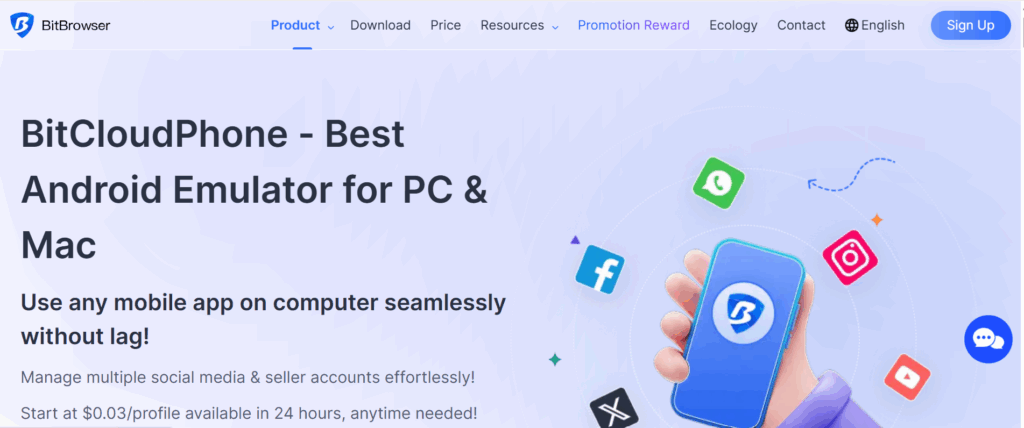
BitCloudPhone is an Android emulator posing as a cloud phone. The problem it solves: accessing the native mobile app experience for each account without owning dozens of physical phones.
These are related problems but not the same problem. The best operators address both with tools that were actually designed to solve each one, integrated into a single workflow rather than stitched together from separate products.
Understanding this distinction shapes everything about how you evaluate alternatives.
What Is BitBrowser, Exactly?
BitBrowser is a multi-account management browser based in Hong Kong, operating since 2018. It offers isolated browser profiles with fingerprint spoofing, proxy support, and team management features. The free tier gives 10 permanent profiles, which makes it popular as an entry point.
What BitBrowser does well: the free tier is genuinely useful, the RPA automation features are functional, and the proxy setup interface is relatively accessible for new users. BitBrowser extensions integrate with Chrome-compatible tools, and the API documentation allows developers to automate profile management.
What BitBrowser doesn’t do as well: the fingerprint engine is not as mature or continuously maintained as platforms that have been battle-testing against real platform detection for longer. User reviews consistently mention a steep learning curve around proxy configuration. The cloud phone product (BitCloudPhone) is a separate tool rather than a unified part of the same platform.
The search traffic around “bitbrowser download,” “bitbrowser proxy,” and “bitbrowser sign up” reflects genuine interest from operators evaluating it as an entry point. It is one. The question is whether it’s where you want to stay.
What “Cloud Phone” Actually Means (And Why the Market Is Confusing)
Before evaluating any alternative, it helps to be precise about terminology, because “cloud phone” means different things in different contexts.
In the business phone world, a cloud phone system (also called a cloud-based phone system or cloud PBX) is a VoIP phone service hosted in the cloud. Companies use cloud phone systems to replace traditional landlines with internet-based calling, routing business calls through cloud servers rather than physical hardware. When small businesses search for a “cloud phone system for small business,” this is what they mean: a business communication tool.
In the multi-account management world, a cloud phone is a mobile device environment hosted remotely that you access from your computer. Each profile simulates a separate Android device with its own identity, running native mobile apps without requiring physical hardware.
BitCloudPhone sits firmly in the second category. It is not a cloud-based business phone system. It’s a tool for running multiple Android device environments in the cloud for account management purposes.
The terminology overlap creates genuine confusion when evaluating options. A “cloud cell phone” in the multi-account context is a remote Android device. A “cloud mobile phone” in the telecom context is a business phone service. They solve completely different problems.
For anyone managing multiple social media accounts, running TikTok profiles, operating marketplace seller accounts, or doing anything that requires multiple isolated mobile device identities, the relevant category is multi-account cloud phones, not business phone systems.
The Architecture Divide That Actually Matters
The cloud phone market for multi-account management has two fundamentally different technical approaches.
The emulation approach runs Android software on PC server hardware. BitCloudPhone is explicit about this: the product page calls itself an “Android Simulator” and describes the ability to “emulate Android Phone on PC.” You’re using a computer that is pretending to be a phone. Modern platform detection systems, particularly TikTok’s risk engine, Instagram’s device trust scoring, and Facebook’s hardware verification, have become sophisticated enough to catch many signals that betray emulated environments: inconsistent baseband radio data, ARM architecture mismatches, sensor response patterns that don’t match real mobile hardware.
The real hardware approach hosts actual Android devices in a data center. When you access a cloud phone built this way, you’re controlling a physical phone that happens to live remotely. The device signals it sends to platforms are genuine because the device is genuine.
This architectural difference is the primary reason people look for BitCloudPhone alternatives once they’ve run operations at scale. Not because the emulation doesn’t work for low-stakes use, but because it introduces detection risk that real hardware eliminates entirely.
The Question Nobody Asks But Should
Before comparing any two products in this space, ask: what happens to your operation when an account gets banned?
If you manage 5 accounts for personal use and one gets flagged, it’s annoying. You rebuild it.
If you manage 50 accounts for clients, or run 200 profiles across an airdrop farming operation, or operate an e-commerce business across multiple marketplace seller accounts, a ban cascade is a business emergency. The cost isn’t just the account. It’s the content history, the audience relationships, the review scores, the trust signals that took months to build.
That framing changes the calculus on “which option is cheapest” entirely. The cheapest tool that gets your accounts flagged is more expensive than the pricier one that doesn’t.
This is why the market has effectively bifurcated: casual tools for low-stakes experimentation, and professional platforms for operations where account health directly impacts revenue.
Mapping the Actual Landscape
Rather than list products with equal weight, here’s an honest map of where options actually sit.
The Entry-Level Tier
BitBrowser, BitCloudPhone, VMOS Cloud, and similar products offer fingerprinting and Android emulation at low entry prices. BitBrowser’s free 10-profile tier and BitCloudPhone’s $0.03-per-day pricing make them natural starting points.
They work for app testing, development environments, and small-scale management where occasional account restrictions are an acceptable operating cost. The profile costs look attractive. The hidden costs come in two forms: the proxy setup and maintenance you handle separately, and the account replacements you absorb when emulator-based profiles get flagged.
The Middle Tier
Several antidetect browser products have added cloud phone features as secondary offerings. These are primarily browser-based management tools that bolted on mobile environments after the fact. The integration is tighter than running two completely separate products, but the cloud phone component was not the original engineering focus.
Products in this space serve agencies whose primary platform activity happens through web browsers and who need mobile access as a secondary workflow.
The Professional Tier: What Serious Operators Use
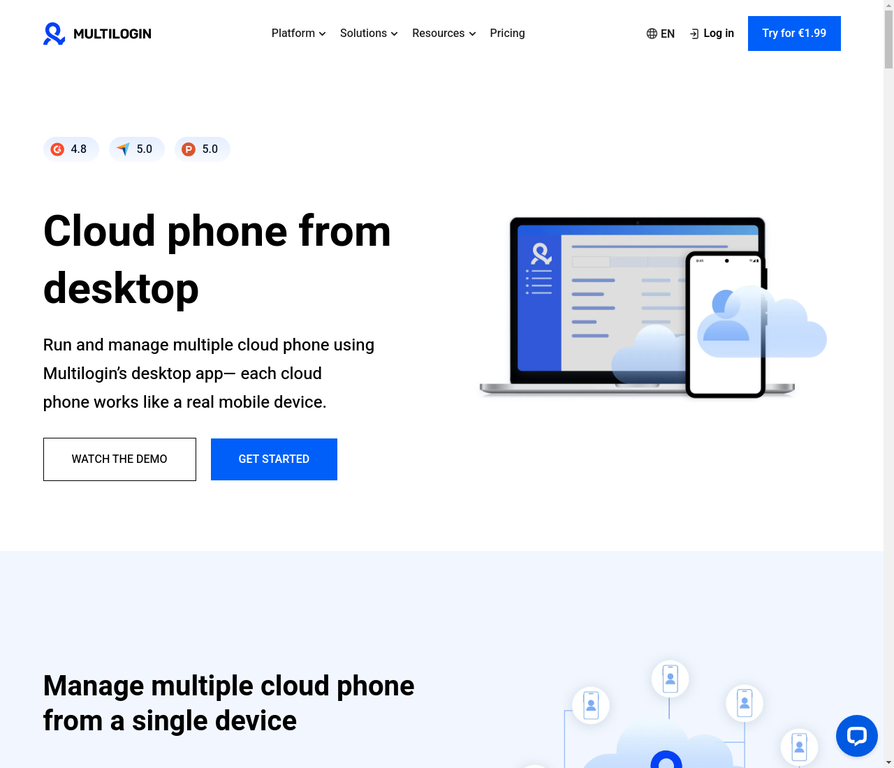
Multilogin was not built as a cloud phone that added browser features, or a browser that added mobile emulation. It was built as the complete infrastructure for professional multi-account management, and both products grew from that same foundation.
The architectural difference that matters most: Multilogin’s cloud phones run on real Android hardware. Not emulated. Not simulated. Actual physical devices hosted in the cloud with genuine hardware identifiers, genuine baseband radio signals, genuine ARM architecture, and the full sensor profile that distinguishes a real phone from a computer pretending to be one.
This matters for TikTok. It matters for Instagram. It matters for any platform that has invested in hardware-level device verification. By 2026, most major platforms have.
Beyond the hardware, what Multilogin adds that no BitBrowser or BitCloudPhone alternative in the same price range can match:
Pre-farmed cookies. When you create a new profile, it imports cookies from real browsing sessions, giving new accounts the trust signals of established users from day one. This single feature changes the experience of managing accounts on platforms where new-account restrictions are the immediate obstacle. No other platform in this space offers it at this level.
Built-in, location-matched proxies. The proxy setup that BitBrowser and BitCloudPhone require you to handle separately is handled automatically. Each cloud phone profile gets a residential IP that matches its configured geographic location. Timezone, language, carrier, cookie profile, and IP address all align without manual configuration, eliminating the most common source of detection risk.
The antidetect browser and cloud phones in one dashboard. Every account your operation manages, mobile or desktop, runs from a single interface. No credential management across two platforms. No context-switching between separate tools.
Ten years of fingerprint maintenance. Multilogin has been actively testing against real platform detection since 2015. When Instagram updates its device verification, when TikTok tightens its emulator detection, when Facebook rolls out new behavioral analysis, Multilogin’s engineering team responds. The fingerprint engine is continuously updated against live platform behavior in a way that newer entrants cannot replicate with the same depth.
If you’re managing multiple social media accounts at scale, running a phone farm, or operating anywhere that account bans would be a genuine business problem, Multilogin is where operators who’ve tried other options consistently land.
BitBrowser vs Multilogin: Where They Actually Differ
Since many people searching for BitBrowser alternatives are specifically comparing it to Multilogin, here’s the honest comparison.
- Free tier: BitBrowser wins. 10 permanent free profiles is a real entry point. Multilogin’s Starter plan starts at €5.85 per month. If you’re testing with a handful of accounts and cost is the primary constraint, BitBrowser’s free tier is a legitimate option.
- Fingerprint depth: Multilogin wins. Thirty-plus customizable fingerprint parameters, continuously maintained against live detection. BitBrowser provides functional fingerprinting but without the same engineering depth or update cadence.
- Cloud phone technology: Multilogin wins significantly. Real hardware versus emulation is an architectural difference that no feature list comparison can paper over.
- Integrated platform: Multilogin wins. One dashboard for both browser profiles and mobile cloud phones. BitBrowser and BitCloudPhone are separate products from the same company but not a truly unified system.
- Proxy management: Multilogin wins. Built-in residential proxies with automatic location matching versus manual setup required for BitBrowser.
- API and automation: BitBrowser’s API documentation and RPA automation tools are functional and well-documented. Multilogin’s API is also available. Both serve developers who want programmatic profile management.
- Support maturity: Multilogin wins. A decade of operation produces documentation, edge-case knowledge, and support infrastructure that reflects years of real-world use.
The pattern is consistent: BitBrowser is better when cost is the primary filter. Multilogin is better when account safety and operational efficiency are the primary filters.
The Bigger Picture: Cloud Phone vs Cloud Phone System
One clarification worth making for anyone who arrived at this article from a different angle.
A cloud-based phone system or cloud phone service in the business communication sense, such as RingCentral, Vonage, or 8×8, is a fundamentally different category from what BitCloudPhone, Multilogin, and similar tools provide.
Business cloud phone systems route calls and messages for companies over the internet. They replace traditional office phone infrastructure with cloud-hosted VoIP. When small businesses search for a “cloud phone system for small business” or a “cloud based business phone system,” they’re looking for communication infrastructure, not device management tools.
If you’re here because you need a business phone system for your company, those are the right products to evaluate. If you’re here because you need isolated mobile device environments for multi-account operations, you’re in the right conversation.
Both categories use the phrase “cloud phone.” They mean entirely different things.
Need a better Bit Cloud Phone Alternative? Try Multilogin Cloud Phones.
The Infrastructure Question
Here’s the reframe that changes how operators think about this category.
Most people approach cloud phones as a feature purchase: “I need mobile accounts, so I need a cloud phone.”
Professional operators approach it as infrastructure: “I’m building a multi-account operation that needs to survive platform detection for months or years. What’s the foundation that makes that possible?”
That framing leads to different decisions. It’s why operators who start with BitBrowser and BitCloudPhone for their low entry cost often migrate to Multilogin once they’ve been through their first ban cascade at scale. Not because the entry-level tools failed at what they promised, but because what they promised wasn’t quite the right thing.
The question was never “what’s the cheapest option?” The question was always “what keeps accounts alive long enough to make the operation worth running?”
Multilogin is the answer most operators settle on to that second question: real hardware, unified platform, pre-farmed cookies, built-in proxies, and a decade of fingerprint maintenance against live detection systems.
Start from €5.85 per month. The operational overhead it removes, and the account losses it prevents, make it the multi-account management foundation that serious operations build on.
Frequently asked questions About BitCloudPhone Alternatives
BitCloudPhone is an Android emulator and cloud phone product from BitBrowser, a Hong Kong-based multi-account management company. It allows users to simulate Android devices on PC and Mac for managing multiple social media accounts without physical devices.
BitCloudPhone pricing starts at $0.03 per profile per 24-hour period for the time-based model, or $0.07 per 15 minutes (capped at $1.60 per day) for temporary access. There is no standard monthly subscription tier listed on their pricing page.
Start with three questions rather than a feature comparison:
What happens if an account gets flagged? If the answer is “it’s an inconvenience,” emulation-based tools are fine. If the answer is “it’s a business emergency,” you need real hardware.
How many accounts will you manage in six months? Per-profile-per-day pricing looks cheap at five profiles and expensive at fifty. Subscription pricing looks expensive at five profiles and efficient at fifty. Project your actual scale before choosing.
Do you need mobile and desktop access for the same accounts? If yes, a unified platform like Multilogin eliminates significant coordination overhead. If you only need mobile, standalone tools are simpler. If you only need desktop, a browser-only tool may be sufficient.
Those three questions narrow the field significantly and save you the time of evaluating products that don’t fit your actual situation.
No. BitCloudPhone uses Android emulation technology, while Multilogin Cloud Phones run on real Android hardware hosted in the cloud. This is a fundamental technical difference that affects how platform detection systems read device signals from each product.
BitCloudPhone’s emulation approach creates risks with platforms that specifically fingerprint for emulator characteristics. Real hardware cloud phones like Multilogin’s are more resistant to this type of detection because they generate authentic hardware-level signals that emulators cannot replicate.
A cloud phone runs on real Android hardware hosted remotely. An Android emulator runs Android in software on PC hardware. Cloud phones produce genuine hardware signals that platform detection systems trust. Emulators produce software-generated signals that advanced detection systems can identify as non-genuine.

