


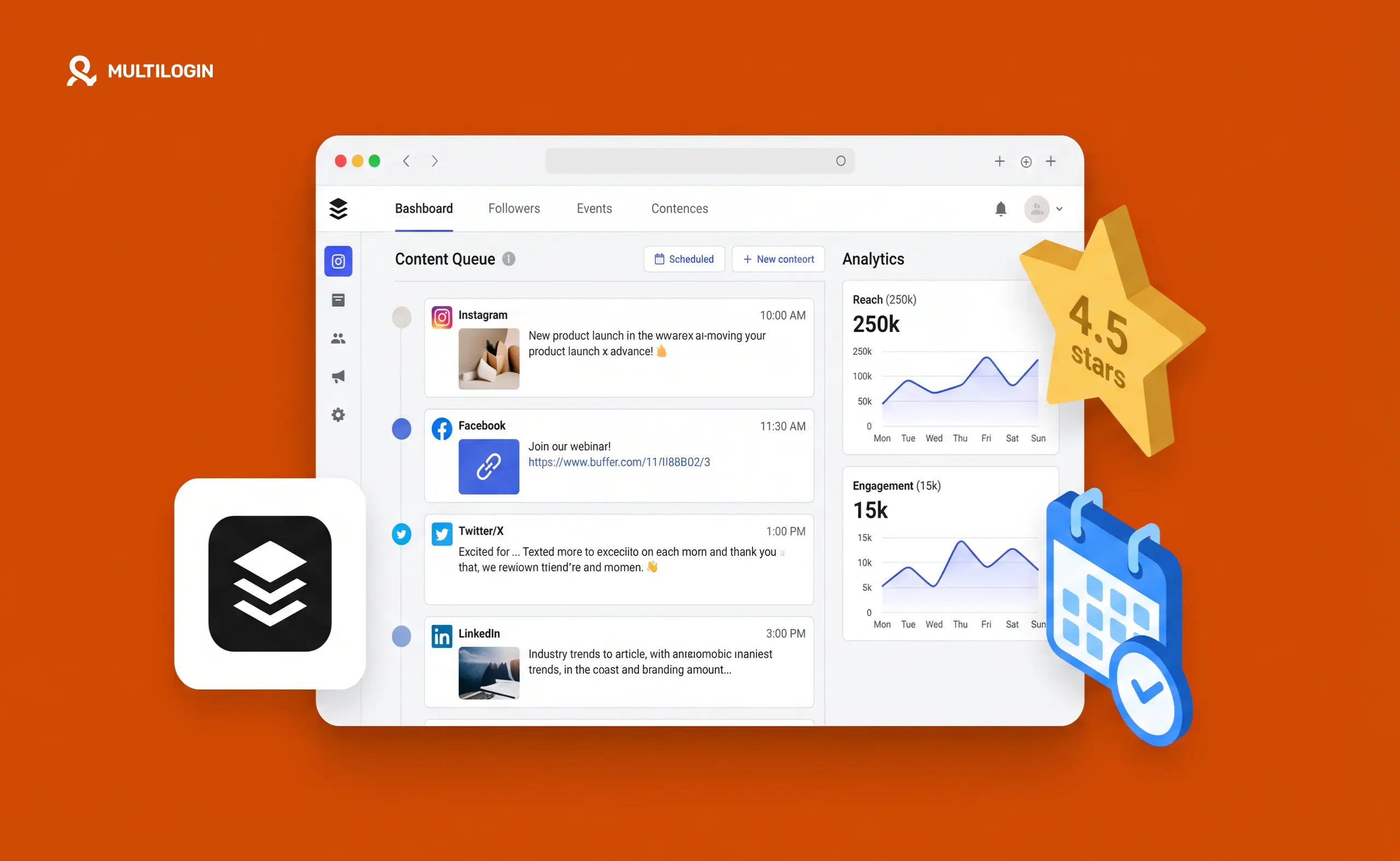



Buffer has been scheduling social media posts since 2010. That’s a long run in a space where tools come and go constantly. And it’s lasted because it made one clear decision early on: be the simplest, most reliable scheduling tool available, and resist the urge to become everything to everyone.
In 2026, that philosophy still holds. Buffer is not trying to compete with Hootsuite on social listening or with Sprout Social on enterprise analytics. It’s trying to be the cleanest, most straightforward way to schedule and publish content across social channels — and for a specific type of user, it succeeds.
This review covers what Buffer actually gives you, what it costs, where it genuinely falls short, and who it makes the most sense for.
What Buffer Does
Buffer is a social media scheduling and publishing platform. You connect your social accounts, create posts, set your preferred times, and Buffer publishes them for you. The core product is simple by design.
It currently supports 11 platforms: Instagram, Facebook, LinkedIn, TikTok, X (Twitter), Threads, Bluesky, Pinterest, YouTube, Google Business Profile, and Mastodon.
Beyond the basic scheduling queue, Buffer includes several features that have been added over the years:
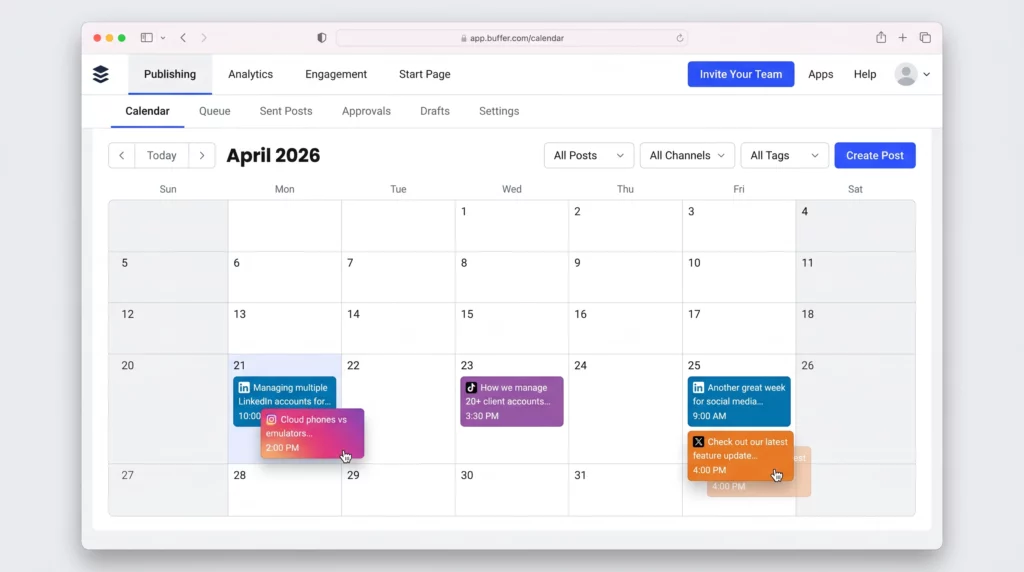
- Visual content calendar. A drag-and-drop calendar showing everything scheduled across all your connected accounts. The interface is clean and genuinely easy to navigate — one of Buffer’s consistent strengths across reviews.
- Engagement inbox. Consolidates comments from Instagram, Facebook, LinkedIn, Threads, Bluesky, and X into a single stream. If you’re managing comments for clients without logging into each platform separately, this helps significantly. It doesn’t replace full community management but reduces the daily login shuffle.
- Start Page. A link-in-bio landing page builder built into Buffer. If you need a simple, clean bio link page for Instagram or TikTok without paying for a separate tool like Linktree, this covers the basics.
- AI Assistant. Available on all plans including free. Generates caption ideas, helps repurpose content into different formats, adjusts tone. Good for first drafts, useful for speeding up content production. Not dramatically better or worse than the AI built into competing tools.
- Analytics. Post-level data including impressions, clicks, reach, and engagement by channel. The free plan gives 30 days of history. Paid plans extend this. The analytics are functional but not deep — there’s no competitor benchmarking, no audience demographics, no cross-channel rollup reporting.
Buffer Pricing in 2026
Buffer uses per-channel pricing, which is transparent and scales predictably — but catches people off guard when they start adding up channels.
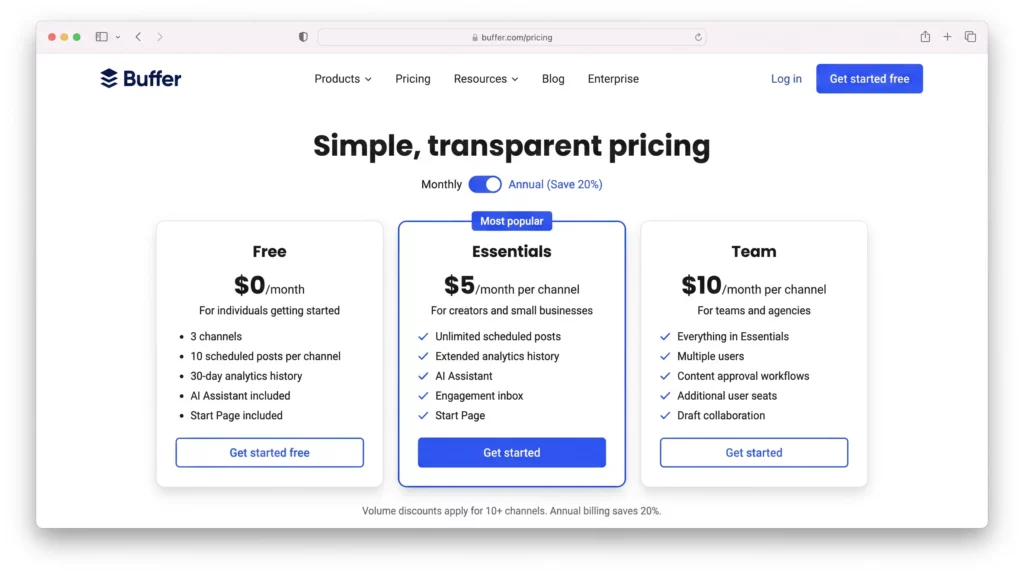
- Free plan. Up to 3 channels, 10 scheduled posts per channel at a time, 30-day analytics history. There’s also a lifetime limit of 8 unique channel connections — once you’ve connected and disconnected channels, they count toward that cap even after removal.
- Essentials: $5/month per channel. Removes the post cap, extends analytics history, keeps the AI assistant and engagement inbox. Managing 3 channels costs $15/month. Managing 10 channels costs $50/month.
- Team: $10/month per channel. Adds multiple users, content approval workflows, and team collaboration features. The same 10 channels now costs $100/month.
- Volume discount applies on channels beyond 10 on paid plans. Annual billing is cheaper than monthly.
- The math for agencies. An agency managing 20 client channels on Essentials pays $100/month. That’s competitive against some tools but more expensive than others with flat-rate pricing. Once you cross 15-20 channels, it’s worth running the comparison against Hootsuite’s $249 Team plan or Metricool’s flat rates.
Who Buffer Works Best For
Buffer’s positioning is honest: it’s built for creators, small teams, and businesses that want social media scheduling to be simple and reliable — not for enterprise organizations running complex multi-client operations with deep analytics needs.
It’s the right tool if you’re:
- A freelance social media manager handling a few clients
- A small brand running your own 3 to 5 channels
- A creator who wants a simple, reliable queue without learning a complex platform
- Someone who wants a genuine free plan that actually works
The interface is clean. Scheduling a post takes under a minute once you’re set up. The free plan doesn’t feel artificially crippled. These are things Buffer consistently gets right.
Where Buffer Falls Short
- Analytics aren’t deep enough for client reporting. Buffer gives you post-level metrics. There’s no competitor analysis, no audience demographic breakdown, no cross-channel performance rollup. If you’re producing monthly performance reports for clients — the kind agencies present in formal meetings — Buffer’s analytics alone won’t cut it. You’ll need a separate reporting tool or manual data export.
- Approval workflows hit a ceiling. The Team plan adds approval, but it’s basic. Teams managing content through multiple review stages — internal review, then client review, then legal, then final sign-off — will outgrow it quickly. Hootsuite and Sprout Social have more robust workflow capabilities.
- No social listening. Buffer won’t tell you what people are saying about your brand, monitor competitor activity, or surface industry conversations. If brand monitoring matters to your workflow, you need a separate tool entirely.
- Instagram features have limitations. Buffer supports Reels, carousels, and Stories scheduling. But some features — like Story scheduling with interactive stickers or certain carousel configurations — have API limitations that create friction. This is partly Meta’s API constraints, partly Buffer’s implementation.
- Per-channel pricing at scale. Once you’re managing 20+ channels, the per-channel model becomes expensive. This is where flat-rate alternatives start making more financial sense.
Buffer for Multi-Client Agencies: What It Covers and What It Doesn’t
Buffer handles the scheduling layer of social media management well. But scheduling is only part of the job.
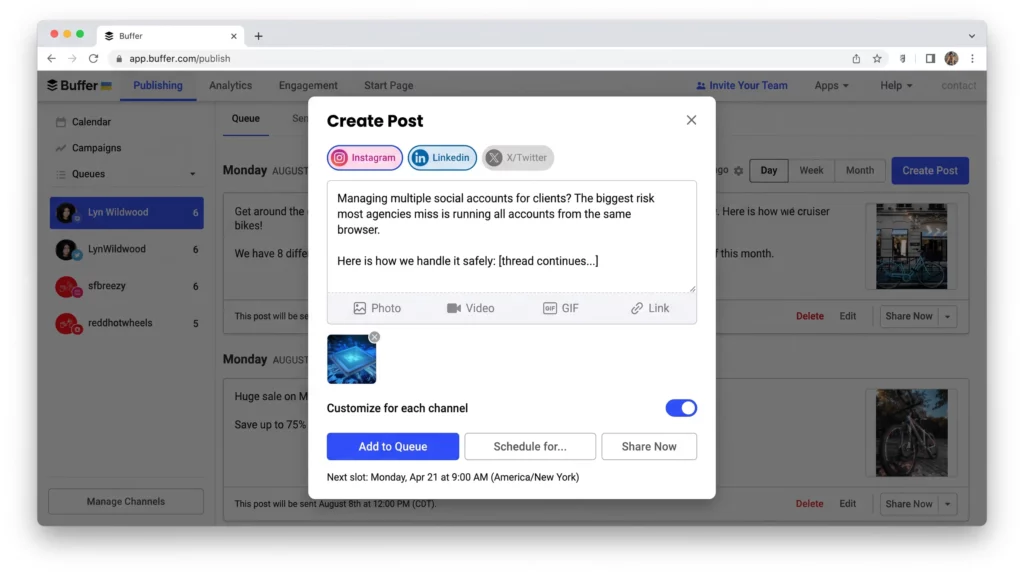
When you’re managing Instagram, TikTok, LinkedIn, and Facebook for 10 different clients, you’re also responding to comments in native apps, handling DMs, checking platform-specific analytics, managing boosted posts, and doing everything else that requires actually being logged into each account. Buffer doesn’t touch this layer.
The problem: when multiple client sessions run from the same browser on the same device, platforms detect it. Facebook, Instagram, and TikTok all monitor device fingerprints, IP addresses, and session patterns. When accounts share an environment, platforms link them — and a flag on one account can cascade to others.
The right setup for agencies running multiple Instagram accounts, multiple TikTok accounts, or managing multiple LinkedIn accounts is a two-layer approach:
Buffer (or equivalent) handles scheduling. It publishes at the right times, maintains the content queue, provides basic analytics.
Multilogin Cloud Phones handle native sessions. Each client account gets its own real Android device running in the cloud — its own IMEI, its own Android ID, its own hardware fingerprint, and its own residential IP. When your team member logs into a client’s TikTok to moderate comments or check trends, they’re doing it from a dedicated physical device that looks to TikTok like a real person’s phone. Because it is.
This combination is what actually works for managing social media accounts for multiple clients at scale. Buffer covers what it’s built for. Cloud Phones cover everything Buffer doesn’t touch.
Buffer for TikTok Management: Important Limitations
TikTok deserves a specific note. Buffer supports TikTok scheduling, but TikTok is a mobile-first platform. Its detection systems read mobile device signals — including hardware identifiers — that desktop browser sessions don’t fully replicate.
For TikTok specifically, managing accounts through a real mobile environment is meaningfully different from managing them through a desktop scheduling tool. Agencies doing serious TikTok work for clients use Cloud Phones for TikTok to ensure each account operates from a genuine mobile device environment, then use Buffer or a similar tool for the scheduling queue on top.
The same principle applies to managing multiple TikTok creator accounts and running TikTok ads across multiple accounts.
Need to manage multiple social media accounts? Try Multilogin Cloud Phones.
Frequently asked questions About Buffer Review 2026:
Yes. Buffer has a free plan supporting up to 3 channels with 10 scheduled posts each. It includes 30-day analytics and the AI assistant.
Essentials costs $5/month per channel. Team costs $10/month per channel. Volume discounts apply beyond 10 channels. Annual billing is cheaper than monthly.
For scheduling and basic analytics across a small client roster, yes. For deep client reporting, social listening, or managing native platform sessions at scale, you’ll need additional tools. Pairing Buffer with Multilogin Cloud Phones for native session management is the approach agencies use for professional multi-client operations.
Buffer supports TikTok scheduling. For managing TikTok accounts natively — moderating comments, using creator tools, running ads — TikTok’s mobile-first detection means dedicated cloud phone environments are more reliable than desktop-only management.
Yes. Buffer can handle scheduling and content queues, while Multilogin Cloud Phones can handle native app activities such as responding to comments, managing DMs, and checking platform-specific features. Multilogin also offers a free plan with 5 profiles and no time limit, so you can start testing the setup at no cost.
Final Verdict
Buffer is genuinely good at what it’s designed to do: simple, reliable social media scheduling with a clean interface and honest pricing. The free plan works. The per-channel Essentials plan is affordable for small channel counts. The AI assistant is useful. The calendar is easy to use.
It’s not the right tool if you need social listening, deep analytics, complex approval workflows, or management of 20+ channels in a cost-effective way.
And for agencies managing native client sessions — not just scheduled publishing — Buffer needs to be paired with isolated session management. Multilogin Cloud Phones are the right layer for that.


