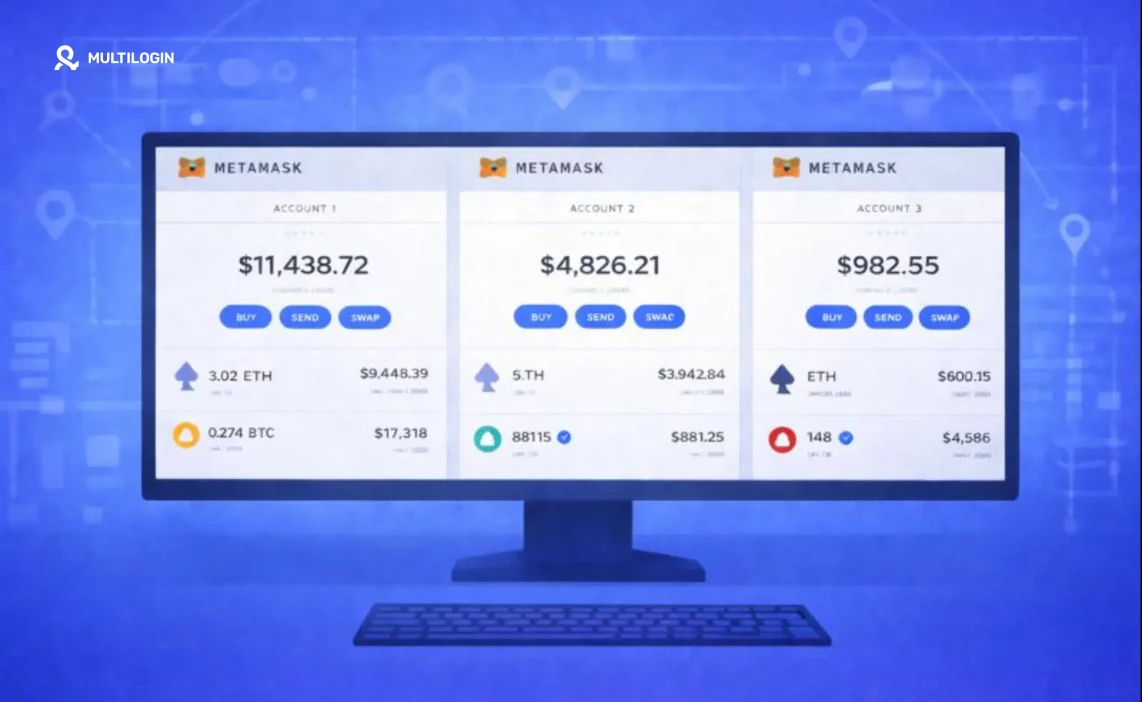

Here’s the short answer: yes, you can create as many MetaMask wallets as you want. There’s no limit. But here’s what most guides won’t tell you—there’s a massive difference between creating multiple accounts and creating multiple wallets, and getting this wrong could put all your crypto at risk.
If you’re farming airdrops, trading across multiple DEXs, or just want to keep your long-term holdings separate from your degen plays, you need to understand how to set this up properly. This guide walks you through every method, from the quick-and-easy approach to the professional setup that serious traders use.
Ready to get your wallet situation sorted? Let’s break it down.
View Multilogin plans for professional multi-wallet management.
First things first: accounts vs wallets (this matters more than you think)
Before you create anything, you need to understand what you’re actually creating. MetaMask uses two terms that sound similar but mean completely different things.
An account is a single address within a wallet. When you click “Create Account” in MetaMask, you’re generating a new address that’s derived from your existing seed phrase. This is important: all accounts under the same seed phrase share the same security risk. If someone gets your seed phrase, they get all of your accounts. Every single one.
A wallet is a completely separate entity with its own seed phrase. Each wallet is independent. If one wallet gets compromised, the others stay safe.
Think of it like this: accounts are rooms in the same house. Wallets are separate houses entirely. If someone breaks into your house, they get access to every room. But if you own multiple houses, they only get into one.
For casual users managing small amounts, multiple accounts under one seed phrase is fine. But if you’re farming airdrops with multiple wallets or holding significant funds, separate wallets with different seed phrases is the way to go.
How to create a new MetaMask wallet with a new seed phrase
This is the method you want if you need true wallet separation. Here’s exactly how to do it:
Step 1: Create a new browser profile. In Chrome, click your profile icon in the top right corner, then “Add” to create a new profile. Brave, Firefox, and Edge all have similar options. Each browser profile is completely isolated from the others.
Step 2: Install MetaMask in the new profile. Go to the MetaMask website and install the extension fresh. Don’t import anything.
Step 3: Generate your new seed phrase. When MetaMask asks you to set up, choose “Create a new wallet.” It will generate a fresh 12-word seed phrase.
Step 4: Write it down. Seriously, write it down on paper. Not in a notes app. Not in a screenshot. Not in an email to yourself. Paper, stored somewhere safe.
Step 5: Confirm the seed phrase by entering the words in order.
That’s it. You now have a completely separate wallet with its own seed phrase, isolated from your other wallets.
The key here is that each browser profile keeps everything separate—cookies, cache, extensions, everything. Your MetaMask installations don’t know each other exist. To platforms and protocols, each wallet looks like it’s coming from a completely different person.
MetaMask multiple accounts with different seed phrases
If you want multiple accounts that each have their own seed phrase, you’re essentially creating multiple wallets. Follow the process above for each one.
For example, you might have:
- Browser Profile 1: Your main holding wallet (long-term investments, never touch it)
- Browser Profile 2: Your trading wallet (active DeFi, DEX swaps)
- Browser Profile 3: Your airdrop farming wallet (testing new protocols)
Each one has its own seed phrase. Each one is completely independent. If your farming wallet interacts with a malicious contract, your holdings wallet stays safe.
Can I have the same MetaMask wallet on two devices?
Yes, and this is actually pretty useful for convenience. Here’s how:
On your second device, install MetaMask. When it asks you to set up, choose “Import an existing wallet” instead of creating a new one. Enter your 12-word seed phrase, and you’re in.
Now you can access the same wallet from your laptop and your phone, or from your desktop and your travel laptop.
The tradeoff: Your seed phrase now exists on two devices, which technically increases your attack surface. If either device gets compromised, your funds are at risk. For smaller amounts or trading wallets, this is usually fine. For your cold storage or serious holdings, consider keeping the seed phrase on only one device—or better yet, use a hardware wallet.
How to switch wallets on MetaMask
If you’ve set up multiple wallets in different browser profiles, switching is simple: just switch browser profiles. Each profile has its own MetaMask installation, so you’re switching the entire environment.
If you have multiple accounts within the same wallet (same seed phrase), click the account icon in MetaMask and select the account you want to use. MetaMask makes this easy with a dropdown menu.
MetaMask change wallet (importing a different seed phrase)
Sometimes you need to switch to a completely different wallet in the same browser profile. Maybe you’re troubleshooting, or you want to check on an old wallet.
Here’s how to do it:
Go to MetaMask Settings. Select “Security & Privacy.” Look for the option to lock your wallet or import an existing wallet. You can then enter a different seed phrase.
Warning: MetaMask doesn’t store multiple seed phrases simultaneously in the same installation. When you import a new seed phrase, you’re essentially replacing the current wallet. Make sure you have your current seed phrase backed up before doing this.
MetaMask login on a new device
Setting up MetaMask on a new device is straightforward:
- Install MetaMask from the official website (always double-check the URL)
- Choose “Import an existing wallet”
- Enter your 12-word seed phrase
- Set a new password for this installation
- Your wallet is ready to use
The seed phrase is your master key. The password is just for this specific MetaMask installation—it doesn’t transfer between devices.
Why separate wallets matter for serious crypto users
Here’s the reality: if you’re active in DeFi, you’re constantly interacting with smart contracts. Some of those contracts have vulnerabilities. Some are outright scams designed to drain wallets.
With multiple separate wallets:
- Your long-term holdings stay isolated from your active trading
- A malicious contract approval on one wallet doesn’t affect the others
- You can compartmentalize risk based on your activities
- Airdrop farming doesn’t expose your main holdings
This is especially important if you’re scaling your airdrop farming operations across multiple protocols. You want each wallet to look like a unique user, not just different accounts from the same person.
How Multilogin takes multi-wallet management to the next level
Browser profiles work fine for 3-5 wallets. But what if you’re managing 20? 50? 100 wallets for serious airdrop farming or trading operations?
This is where switching between browser profiles becomes a nightmare. You lose track of which profile is which. You accidentally log into the wrong wallet. The whole system becomes unsustainable.
Multilogin antidetect browser
Multilogin is an antidetect browser designed specifically for managing multiple online identities at scale. Instead of juggling Chrome profiles, you get a dedicated dashboard where each wallet has its own completely isolated browser profile.
Here’s what makes it different:
- Unique fingerprints for each profile. Regular browser profiles share certain technical characteristics that can link them together. Multilogin generates a unique device fingerprint for each profile—different screen resolution, different fonts, different WebGL renderer, different everything. To platforms and protocols, each profile looks like a genuinely different device.
- Built-in residential proxies. Each wallet can have its own IP address through Multilogin’s built-in residential proxies. No need to manage separate proxy subscriptions.
- Session persistence. Your wallets stay logged in. No need to re-enter passwords every time you open a profile.
- Team collaboration. If you’re running a trading operation with multiple people, you can share specific wallet profiles with team members while keeping others private.
Cloud phones for mobile wallet management
For mobile-first operations, Multilogin offers cloud phones—real Android devices hosted in the cloud that you control from your desktop.
Why does this matter for crypto? Because many protocols and airdrops specifically look for mobile app usage. Mobile wallets interact with dApps differently than browser extensions. Some airdrops explicitly reward mobile users.
Each cloud phone has:
- Genuine hardware identifiers (IMEI, Android ID, MAC address)—not emulated, real
- Its own IP address with location matching
- Persistent sessions that stay active 24/7
- The ability to install any Android wallet app (MetaMask Mobile, Trust Wallet, Rainbow, whatever you need)
You can manage 5 cloud phones or 500, all from one dashboard on your desktop. For airdrop hunters running operations across dozens of protocols, this is how you scale without losing your mind.
Learn more about how cloud phones work and why they’re becoming essential for serious crypto operations.
Explore antidetect browsers for crypto trading and see how professionals manage their operations.
No more juggling physical devices or risking account links. Try Multilogin's cloud phones now.
Frequently Asked Questions About Can I Create Multiple MetaMask Wallets
Yes, you can have unlimited MetaMask wallets. The key is creating each one with a separate seed phrase in a separate browser profile (or device). This gives you true wallet separation where compromising one doesn’t affect the others. For casual use, multiple accounts under one seed phrase works fine, but for security-conscious users or airdrop farmers, separate wallets are the way to go.
Install MetaMask in a new browser profile or on a new device. When prompted, select “Create a new wallet” rather than importing an existing one. MetaMask will generate a fresh 12-word seed phrase. Write it down on paper—never digitally—and store it securely. Confirm the phrase by entering the words in order, and your new wallet is ready. Each new wallet should use a completely different seed phrase.
Absolutely. MetaMask hasn’t changed its policy on this. You can create as many wallets as you need, each with its own unique seed phrase. The process is the same as it’s always been: new browser profile, fresh MetaMask installation, new seed phrase. The main thing that’s evolved is the tooling—professional solutions like Multilogin now make managing dozens or hundreds of wallets much more practical than juggling browser profiles manually.
Yes, but you need to understand the terminology. Multiple accounts within MetaMask always share the same seed phrase—they’re derived from it. If you want different seed phrases, you need multiple wallets, which means separate MetaMask installations in different browser profiles or on different devices. Each wallet has its own seed phrase and is completely independent from the others.
Scale your crypto operations with confidence
Multiple MetaMask wallets give you the flexibility and security to operate across DeFi, NFTs, and airdrops without putting all your eggs in one basket. Whether you’re managing 3 wallets or 300, the principles are the same: separate seed phrases, isolated environments, and proper organization.
For casual users, browser profiles get the job done. For serious traders and airdrop farmers, Multilogin’s antidetect browser and cloud phones provide the infrastructure to scale professionally.
Ready to level up your wallet management? View pricing and plans and start building your crypto operation the right way.

