
Let’s break down everything you need to know about running multiple Redbubble accounts. We’ll go over how it works, why it matters for sellers, and how to keep your workflow smooth while you stay within Redbubble’s rules.
Also, quick reality check: most people don’t get “randomly” restricted. They get restricted because accounts start looking connected, spammy, or like they’re trying to game limits. If you want multiple shops for legit reasons (different niches, different brands, different audiences), you can absolutely structure it in a clean way.
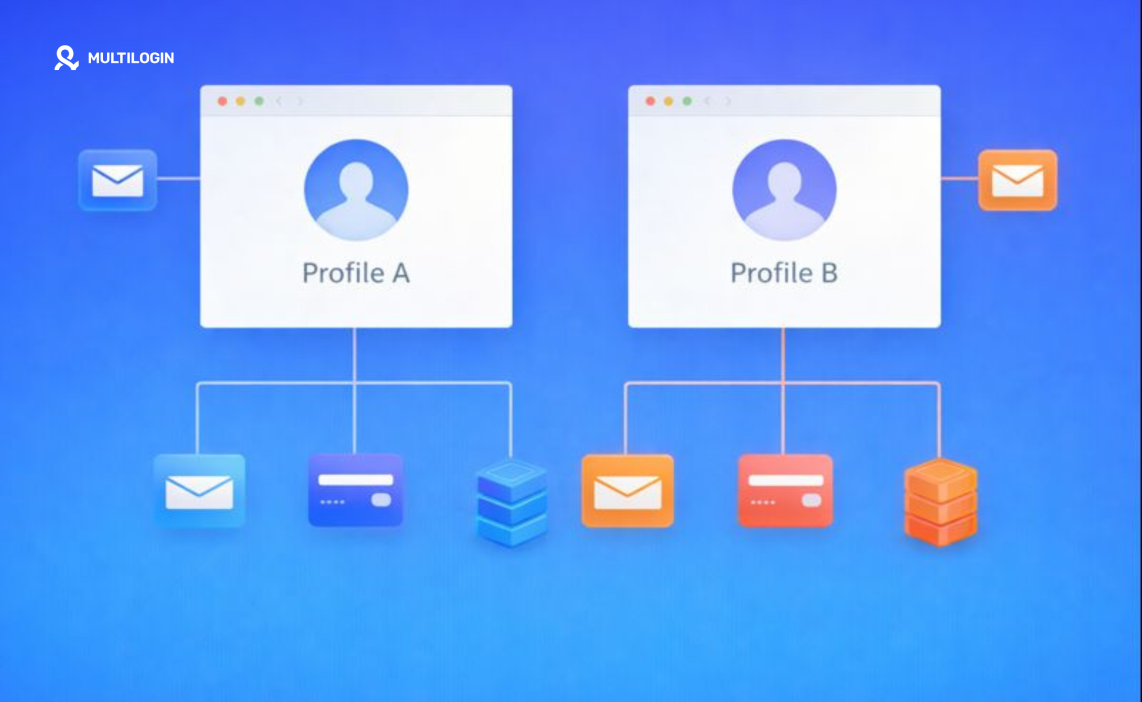
If you plan to scale beyond “one shop, one vibe,” you’ll want a setup that keeps sessions separated. That’s exactly what an antidetect browser does: it isolates cookies + browser fingerprints so Brand A doesn’t bleed into Brand B.
Multilogin was built for this kind of multiaccount management, and you can try it out. Start here: Multilogin pricing.
Now, let’s talk about what Redbubble actually allows.
Can You Have Multiple Redbubble Accounts?
Redbubble’s rules focus less on “how many accounts exist” and more on how you use them.
Two official points matter a lot:
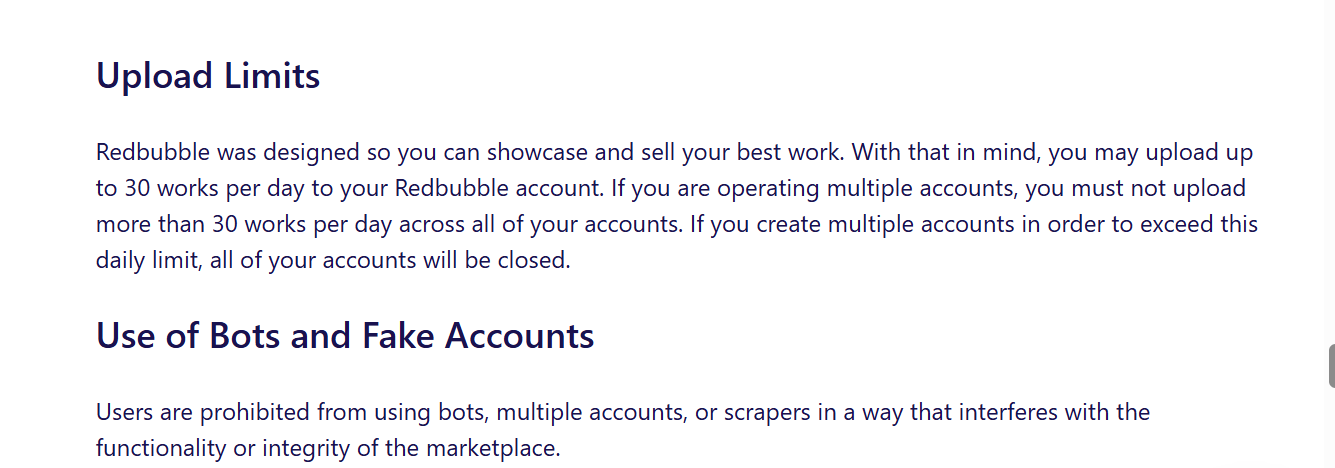
- Upload limits apply across accounts: Redbubble says you may upload up to 30 works per day, and if you operate multiple accounts you must not exceed 30 total uploads per day across all accounts. If you create multiple accounts to exceed that daily limit, Redbubble says all accounts will be closed.
- Linked accounts share consequences: Redbubble also states that if you violate the User Agreement, they may close any related accounts (same person, business entity, or team).
So yes, multiple accounts can exist in practice, but you can’t use them as a loophole. If you run multiple shops, run them like real brands—not like “Account #7 to upload faster.”
Can You Have Multiple Redbubble Stores?
Yes, if you treat each store as a distinct storefront with its own positioning and upload strategy, and you still respect the same marketplace integrity rules (especially upload limits and policy compliance).
Where people get cooked is when they:
- upload the same designs across stores,
- blast out 30 uploads on each account (that’s a huge no),
- reuse the same “signals” everywhere (same browser session, same device fingerprint, same sloppy patterns),
- or try to come back after enforcement with “fresh” accounts.
If you want multiple stores because you sell in multiple niches, you can do that. If you want multiple stores because you want to exceed limits, Redbubble explicitly calls that out.
Multiple Redbubble Accounts: Why Sellers Do It
Here are legit reasons that actually make sense:
- Separate niches: One shop for minimalist typography, one for anime-inspired art, one for pet designs. Buyers love consistent catalogs.
- Different languages / regions: Separate branding and targeting can help conversion.
- Different business identities: You might run a personal art shop and a “client work” shop.
- Testing without chaos: You can test styles, pricing strategies, or themes without messing up your main brand’s identity.
If you only upload occasionally, one shop often wins because it’s simpler. However, if your catalog grows fast, separate brands make your life easier—provided that you manage them cleanly.
Redbubble Multiple Accounts: What gets Accounts Linked
Redbubble doesn’t publish a “tracking checklist,” but standard marketplace risk signals are pretty consistent:
- Browser data: cookies, local storage, and session artifacts
- Browser fingerprinting: device and browser traits that make one laptop look like “the same device” even when you switch accounts
- Network signals: IP address, ISP patterns, unusual location switching
- Payment / payout overlap: Redbubble limits how many times you can reuse the same payout details, specifically to stop multiple accounts from harming marketplace integrity.
- Behavior patterns: rapid uploads, repeated metadata patterns, copy-paste product settings, identical “shop vibe” across accounts
This is why “just use Incognito mode” rarely holds up at scale. Incognito clears some local data after the session, but it doesn’t give you true identity separation.
If you want a deeper explanation of how fingerprinting works (in human words), this glossary page helps: browser fingerprinting.
Are you allowed to use multiple Redbubble accounts?
If you do it to operate multiple real shops (and you respect the upload cap + rules), you’re far safer than someone using extra accounts to push volume.
Redbubble’s strongest “don’t do it” language targets limit-evasion: they explicitly say they can close all accounts if you create multiple accounts to exceed upload limits.
So the clean framing is:
- Multiple accounts for separate brands → possible in practice
- Multiple accounts to bypass caps or enforcement → explicitly risky, and Redbubble calls it out
Redbubble multiple stores: the safe way to structure it
Here’s a setup that stays aligned with the rules and also keeps your workflow sane.
1) Treat each store like a separate business
Give each shop:
- its own niche + style rules
- its own product focus (or at least its own collections)
- its own upload plan (still within the 30/day total cap across accounts)
2) Don’t duplicate designs across stores
Even if you “own” the art, duplicate catalogs scream “spam network.” Keep it clean: unique designs per shop, unique product mix per shop.
3) Keep payout details compliant (and expect limits)
Redbubble notes that payout details reuse has limits, specifically to prevent misuse across multiple accounts.
That means: even if everything you do is legit, you might hit friction if you try to scale dozens of accounts with identical payout info.
4) Avoid messy “same browser, same session” switching
If you log into 3 shops inside the same normal browser profile, you mix cookies and signals. You also increase the chance you lock yourself out, trigger extra verification, or confuse your own workflow.
This is exactly where an anti detect browser becomes more than a “growth hack.” It’s just operational hygiene.
If you want a quick overview of why a proxy alone doesn’t solve it, this guide explains it well: free proxy vs antidetect browser.
Redbubble multiple shops: a Multilogin workflow that doesn’t feel like a science project
Multilogin works like this: each Redbubble shop runs inside its own browser profile with its own fingerprint, cookies, and storage. You open Shop A, do the work, close it. Then you open Shop B, and it looks like a separate device identity.
If you want to see the product angle first, start here: Multilogin antidetect browser.
Step-by-step setup (seller-friendly)
- Create one Multilogin profile per Redbubble store
Name them like: RB – pets, RB – minimal, RB – stickers. - Assign stable settings per store
Don’t rotate everything every day. Consistency looks normal. - Use a clean network strategy
- If you only run 2 stores from one location, you may not even need “fancy” routing.
- If you operate teams, travel a lot, or manage many stores, you’ll want controlled IP usage.
Multilogin’s paid plans include residential proxy traffic and you can also bring your own proxies.
- Keep your daily uploads under the total cap across accounts
If you run 3 stores, split your pace like 10/10/10, not 30/30/30. Redbubble explicitly warns against exceeding 30/day across accounts. - Use a cookie strategy that saves time
If you manage lots of logins, cookie tools help you move faster without sloppy re-logins. This guide is worth bookmarking: best cookie editors in 2026.
Why not just use a VPN?
A VPN changes your IP. That’s it. It doesn’t isolate cookies, local storage, or fingerprints.
So if your goal is “separate brand workspaces,” a VPN alone feels like putting a band-aid on a workflow problem. A proper proxy browser setup (antidetect + stable routing) gives you actual separation.
If you plan to scale e-commerce side projects beyond Redbubble, this guide maps the same idea to stores and teams: best antidetect browser for dropshipping.
Quick competitor reality check (so you don’t waste time)
Tools like GoLogin, AdsPower, and Incogniton also offer profile-based isolation and team features. Pricing models and “what’s included” differ, especially around proxy add-ons and team seats, so comparing matters before you commit.
If you want the short version inside the Multilogin ecosystem:
If you’re serious about multiple stores, the boring stuff (support, stability, and clean separation) matters more than “cheap monthly pricing.” Multilogin’s baseline entry point stays simple: €1.99 trial, then €5.85/month on annual billing for Pro plans.
Want to stop reading and test the workflow? Grab the trial here: Try Multilogin.
Mobile antidetect browser: do you need it for Redbubble?
Most Redbubble seller work happens on desktop. However, a mobile antidetect browser helps if you:
- check how your storefront looks on mobile,
- manage social promo accounts alongside your shops,
- run campaigns that behave differently on mobile devices.
If that’s your situation, this page explains the angle: mobile antidetect browser.
Can I use multiple coupons on Redbubble?
No. Redbubble’s help center says only one code can be used at a time, so you can use a gift card/voucher or a coupon code per order, but you can’t stack them together.
One interesting detail: if you apply a coupon during a site-wide promotion, Redbubble says their system calculates which option gives the best price and applies either the coupon or the promotion per item.
So if you’re trying to stack two discounts like it’s a video game combo move… Redbubble won’t play along.
Can I use multiple gift cards on Redbubble?
Redbubble’s official docs focus on “one code at a time” (gift card/voucher or coupon), rather than promising that you can stack multiple gift cards in one checkout.
If you have multiple gift cards, the safest approach is:
- try applying one gift card code at checkout,
- if you still need to apply another, contact support through the help center request form (because systems vary by region and checkout flow).
Can you pay with multiple cards on Redbubble?
Redbubble says you can choose one payment method for a single purchase, unless you use a digital gift card as well.
So you generally can’t split a purchase across two credit cards.

