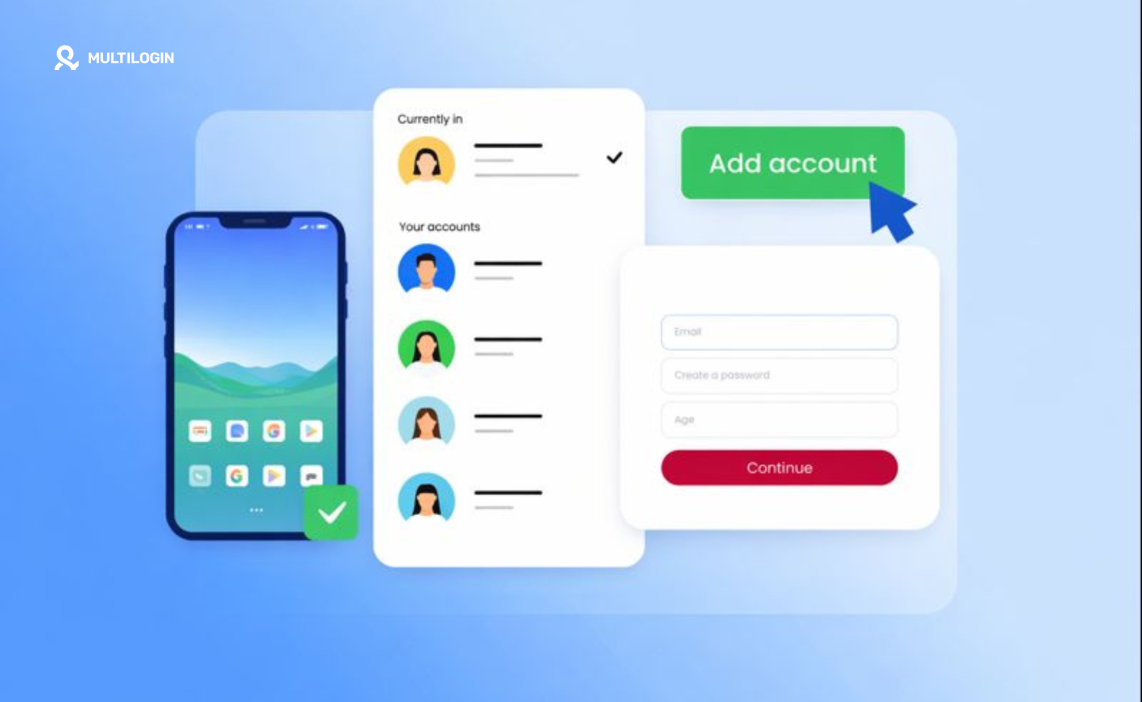

If you’re searching “phone farm,” you’re probably seeing images of racks filled with hundreds of smartphones and wondering: is this something I should build? How does it work? And is there a better way in 2025?
Here’s what most guides won’t tell you: physical phone farms made sense 5-10 years ago. Today, they’re expensive, difficult to maintain, and increasingly unnecessary thanks to cloud phone technology.
Whether you’re looking at phone farms for app testing, multi-account management, crypto operations, or passive income schemes, the fundamental economics have changed. What used to require $20,000 in hardware, dedicated physical space, and constant maintenance now works better through cloud-hosted solutions.
This guide breaks down what phone farms actually are, how physical setups work, why people build them, the real costs involved, and how cloud phone farms provide the same capabilities without the operational nightmare.
Need to manage multiple mobile accounts at scale? Multilogin Cloud Phones provide real Android devices in the cloud — all the benefits of a phone farm without buying hardware, managing power, or dealing with physical maintenance.
What is a phone farm? (definition and purpose)
A phone farm is a collection of multiple smartphones (typically 10-500+ devices) organized, powered, and controlled together for scaled mobile operations.
Physical setup components:
The devices
- Budget Android phones (Alcatel, BLU, ZTE, older Samsung models)
- Sometimes iPhones for iOS-specific operations
- Usually 50-100 phones minimum for “serious” operations
Power infrastructure
- Multiple charging hubs or USB power stations
- Custom power distribution boards
- Surge protection systems
- Enough electrical capacity (50 phones = ~200-300W continuous)
Organization system
- Rack mounting frames (“phone farm boxes” or “phone farm racks”)
- Labeled positions for tracking individual devices
- Ventilation to prevent overheating
- Cable management systems
Network connectivity
- WiFi routers (multiple for bandwidth distribution)
- Ethernet backbone
- Sometimes cellular data plans for each device
- Proxy configurations for IP diversity
Control systems
- Remote control software (AirDroid, TeamViewer, custom solutions)
- Automation frameworks (Appium, UIAutomator)
- Centralized management dashboards
Common purposes:
✅ App testing (developers testing across multiple devices)
✅ Multi-account operations (social media, e-commerce, crypto)
✅ Crypto mining (some coins optimized for mobile mining)
✅ Ad watching (passive income apps)
✅ Game farming (in-game currency, items)
✅ Survey apps (completing offers at scale)
✅ Airdrop farming (claiming crypto airdrops with multiple wallets)
❌ Spam operations (illegal bot networks)
❌ Click fraud (fake ad clicks)
❌ Account verification bypass (selling verified accounts)
Learn more about phone farming operations and their evolution.
Physical phone farm setup: how it actually works
Building a physical phone farm requires significant planning and investment.
Step 1: Acquire the phones
Budget approach:
Buy 50-100 used or budget Android phones:
- $30-$50 per phone
- Total: $1,500-$5,000 for devices
Quality approach:
Buy mid-range devices with better performance:
- $100-$200 per phone
- Total: $5,000-$10,000 for 50 phones
Where people buy:
- eBay (used phones in bulk)
- Alibaba/AliExpress (new budget models)
- Local liquidation sales
- Carrier trade-in programs
Step 2: Build the physical infrastructure
Option A: Buy a phone farm box
Pre-made rack systems from Alibaba:
- Hold 50-100 phones
- Built-in charging
- $500-$2,000 per box
Option B: DIY setup
Build custom racks:
- Pegboard or acrylic mounting
- USB hub arrays
- Cable organization systems
- $200-$500 in materials
Step 3: Power distribution
50 phones charging simultaneously = major electrical load:
- Install dedicated circuits (electrician fees)
- Use industrial-grade USB hubs
- Add surge protection
- Monitor heat generation
Cost: $300-$1,000 depending on existing infrastructure
Step 4: Network configuration
WiFi approach:
- Multiple routers for coverage
- Mesh network setup
- VLAN segmentation for management
Cellular approach:
- Individual SIM cards per phone
- Data plan costs: $5-$20/month per phone
- Total: $250-$1,000/month for 50 phones
Step 5: Install control software
Remote access:
- AirDroid (remote control each device)
- TeamViewer (screen sharing)
- VNC solutions
Automation:
- Appium (mobile automation framework)
- UIAutomator (Android automation)
- Custom scripts (Python, JavaScript)
Step 6: Configure accounts and apps
- Install target apps on each device
- Create/assign accounts per phone
- Set up unique profiles (avoid linking)
- Configure proxy settings
- Test automation workflows
Step 7: Ongoing maintenance
- Replace broken screens
- Swap failing batteries
- Update apps and OS
- Monitor for account bans
- Manage cooling/ventilation
- Pay electricity bills (~$50-$200/month)
Reality check: This process takes weeks of work and requires technical expertise. One person managing 50+ physical phones is a full-time job.
Box phone farm: pre-made hardware solutions
“Box phone farm” or “phone farm box” refers to manufactured rack systems designed to hold and charge multiple phones.
What you get:
Physical structure
- Steel or aluminum frame
- Slots for 50-100 phones
- Cable management channels
- Ventilation openings
Power system
- Integrated USB charging ports
- Power distribution board
- Usually supports 50-100 devices
- Overcurrent protection
Where to buy:
Alibaba/AliExpress
- Price range: $300-$2,000
- Ships from China
- Quality varies dramatically
Custom manufacturers
- Higher quality but more expensive
- $1,000-$3,000 per box
- Better build quality and support
Pros:
✅ Organized setup
✅ Integrated power
✅ Professional appearance
Cons:
❌ Still need to buy phones separately
❌ Still need software/automation
❌ Still have maintenance burden
❌ Hardware becomes obsolete
The problem: A phone farm box solves the physical organization challenge but doesn’t address the fundamental limitations of managing hundreds of physical devices.
Phone farm software: automation and control tools
Managing 50+ physical phones requires automation software.
Remote control software:
AirDroid
- Remote access to Android devices
- Screen mirroring
- File transfer
- $3.99/month per device at scale
TeamViewer
- Cross-platform remote desktop
- Works for Android
- $50-$90/month for commercial use
VNC solutions
- Open-source alternatives
- Free but requires more setup
- Less mobile-optimized
Automation frameworks:
Appium
- Open-source mobile automation
- Supports Android and iOS
- Requires coding knowledge (Python, Java)
- Free but steep learning curve
UIAutomator
- Android native automation
- Good for testing workflows
- Requires Java expertise
Selenium with WebDriver
- Mobile web automation
- Works with browser apps
- Complex setup
Commercial solutions:
Phone farm management software
Some companies sell “phone farm software” promising:
- Centralized control dashboards
- Automated app installation
- Account management
- Analytics tracking
Price range: $200-$2,000 for software licenses
Reality: Most commercial “phone farm software” is either:
- Repackaged open-source tools
- Limited in capability
- Quickly becomes outdated
- Gets blocked by platforms detecting automation
The fundamental problem: No software can solve the hardware maintenance burden, power costs, space requirements, and physical degradation of managing hundreds of phones.
How to build a phone farm (DIY setup guide)
If you’re determined to build a physical phone farm despite the costs, here’s the realistic process:
Planning phase (Week 1):
Define your purpose
- What apps will you run?
- How many accounts needed?
- What’s your automation strategy?
- What’s your budget ceiling?
Calculate requirements
- Phones needed (1 per account minimum)
- Power capacity (check your electrical panel)
- Space requirements (50 phones = roughly 6-8 square feet)
- Network bandwidth (50 phones streaming = substantial)
Acquisition phase (Weeks 2-4):
Buy phones strategically
- Purchase 5-10 initially to test
- Verify compatibility with your apps
- Check automation tool support
- Scale up once proven
Where to source:
- eBay for used phones in bulk
- Swappa for verified condition
- Local liquidators
- Carrier buyback programs
Construction phase (Week 5-6):
Build racks or buy boxes
- DIY: pegboard + cable clips + shelf brackets
- Commercial: Alibaba phone farm boxes ($500-$1,000)
- Ensure ventilation (phones generate heat)
- Label each position clearly
Setup power distribution
- High-capacity USB hubs (Anker 60W+ models)
- Individual power bricks if needed
- Surge protectors (critical)
- Consider dedicated circuit installation
Configuration phase (Weeks 7-8):
Network setup
- Mesh WiFi system for coverage
- VLAN separation for management
- Bandwidth monitoring tools
- Consider cellular if WiFi unreliable
Software installation
- Install remote control apps (AirDroid, TeamViewer)
- Configure automation frameworks
- Set up proxy connections
- Create unique profiles per device
Testing phase (Week 9-10):
Validation
- Test automation scripts on 5-10 phones
- Monitor for crashes/freezes
- Check battery heating issues
- Verify account isolation (not getting linked)
- Measure actual power consumption
Operational phase (Week 11+):
Ongoing management
- Daily: Check for crashes, charge issues
- Weekly: Update apps, review account status
- Monthly: Replace damaged hardware, analyze ROI
- Quarterly: Evaluate if physical farm still makes sense vs cloud
Reality check: This 10+ week process assumes technical expertise, time availability, and suitable space. Most people underestimate the complexity and abandon projects halfway through.
Cloud phone farm: the modern alternative
A cloud phone farm means using real Android devices hosted in data centers instead of physical phones in your location.
How it works:
Real devices in the cloud
- Actual smartphones in server racks (Samsung, Google, OnePlus, etc.)
- Genuine hardware identifiers (IMEI, Android ID, MAC)
- Native Android OS on real chipsets
Remote access
- Control from desktop or web browser
- Live streaming of device screens
- Touch input transmission
- Persistent sessions (everything saves between uses)
Built-in infrastructure
- Power and cooling managed by provider
- Network connectivity included
- Residential proxy integration
- Automated maintenance and updates
Key advantages over physical farms:
✅ Zero hardware investment (no phones to buy)
✅ No physical space required (no dedicated room)
✅ No maintenance burden (provider handles hardware)
✅ No electricity costs (included in service)
✅ Instant scaling (add 50 more phones in minutes)
✅ Team collaboration (share access with team members)
✅ Geographic flexibility (access from anywhere)
✅ No hardware degradation (provider replaces failing devices)
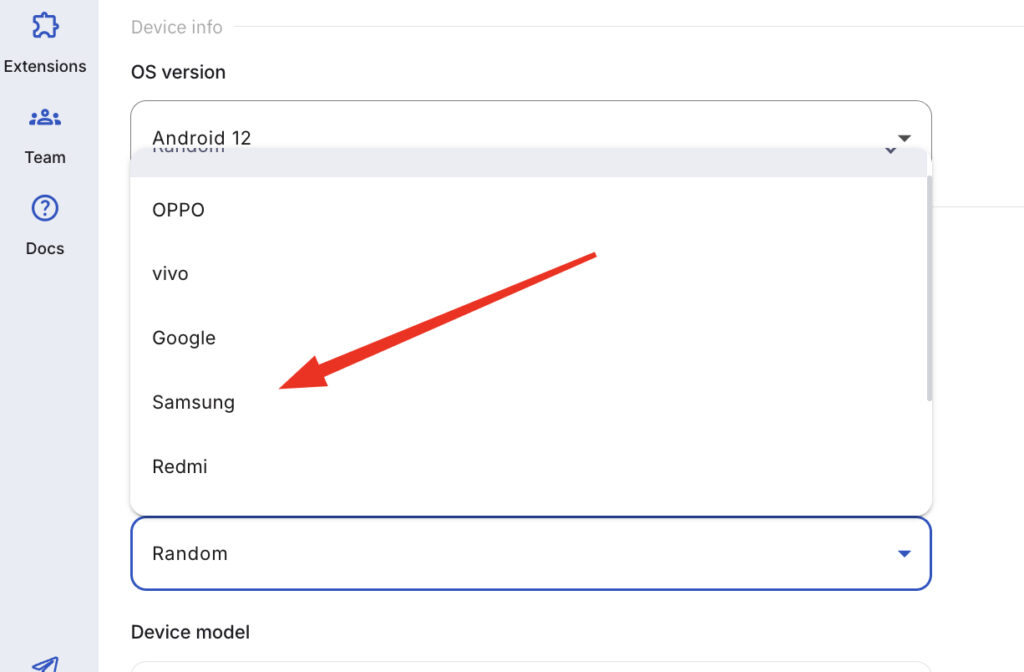
Multilogin Cloud Phones implementation:
🔹 Real Android devices (approximately 30 models available)
🔹 Desktop management interface
🔹 Built-in residential proxies (30M+ IPs, 195+ countries)
🔹 Team permissions and activity tracking
🔹 Usage-based pricing (€0.009/minute)
🔹 Plans start at €5.85/month
Physical phone farm vs cloud phone farm: which should you choose?
Choose physical phone farm if:
✅ You need maximum control over hardware
✅ You’re running 24/7 operations (cost advantage long-term)
✅ You have suitable space and electrical infrastructure
✅ You have technical expertise for maintenance
✅ You’re not concerned about mobility/remote access
✅ You’re willing to invest significant upfront capital
Realistic scenarios: Large-scale testing labs, established crypto mining operations
Choose cloud phone farm if:
✅ You want zero hardware investment
✅ You need to scale quickly up or down
✅ You lack suitable physical space
✅ You want team collaboration features
✅ You need remote access from anywhere
✅ You want predictable monthly costs
✅ You don’t want maintenance responsibilities
Realistic scenarios: Social media agencies, e-commerce operators, multi-account managers, app testing teams, startup operations
Hybrid approach:
Some operations use both:
- Physical farm for core 24/7 operations
- Cloud phones for overflow capacity
- Cloud phones for testing before scaling physically
- Cloud phones for geographic diversity
The 2026 reality:
Physical phone farms made sense when:
- Cloud infrastructure was unreliable
- Cost per cloud device was prohibitive
- Real device cloud hosting didn’t exist
Today, cloud phones offer real Android devices at competitive pricing with zero operational overhead. For most use cases, physical farms are obsolete.
No more juggling physical devices or risking account links. Try Multilogin's cloud phones now.
Frequently Asked Questions About Cloud phone farm vs physical phone farm
Phone farms are used for multiple purposes: app testing (developers testing across real devices), multi-account management (social media, e-commerce), crypto operations (airdrop farming, some mobile mining), and historically for passive income apps (mostly dead now). Legitimate uses focus on testing and professional account management. Problematic uses include bot networks, spam operations, and click fraud — which violate platform ToS and sometimes laws.
Phone farms themselves are not illegal. However, activities performed with them often violate platform Terms of Service (multi-accounting, automation) or laws (click fraud, spam, identity theft). Legal uses include app testing, managing accounts with permission, and authorized research. The legality depends entirely on what you do with the farm, not the farm itself. Consult legal counsel if operating at scale.
Cloud phone farms (real devices in data centers) beat physical farms for most use cases: zero upfront investment vs $5,000-$10,000, no maintenance burden, instant scaling, team collaboration features, no space requirements, and included infrastructure (power, network, proxies).
Physical farms only make sense for operations running 24/7 with technical expertise and suitable facilities. Cloud phones (Multilogin starting €5.85/month) cost less long-term when factoring all expenses.
Switch from physical phone farms to cloud phones
If you’re considering building a physical phone farm or already managing one, cloud phones provide all the benefits without operational headaches.
Physical farms require massive upfront investment, constant maintenance, dedicated space, and full-time management. Hardware degrades, devices fail, and platforms still detect coordinated activity.
Multilogin Cloud Phones deliver genuine Android devices without the infrastructure burden:
🔹 Real Android hardware — Samsung, Google, OPPO, OnePlus, Redmi, Vivo with authentic identities
🔹 ~30 device models available — choose exact devices for your use case
🔹 Zero hardware investment — no phones to buy, no racks to build
🔹 No maintenance required — provider handles all hardware management
🔹 Built-in residential proxies — 30M+ IPs, 195+ countries included
🔹 Desktop management interface — control all phones from one dashboard
🔹 Team collaboration features — share devices, set permissions, track usage
🔹 Instant scaling — add 50 more phones in minutes, no hardware procurement
🔹 Usage-based pricing — €0.009/minute, plans start at €5.85/month
Whether you’re testing apps, managing social media accounts, running e-commerce operations, or farming crypto airdrops, cloud phones provide the stability and features physical farms can’t match.
Get started with Multilogin Cloud Phones — all the power of a phone farm without buying hardware, managing space, or dealing with maintenance.
