

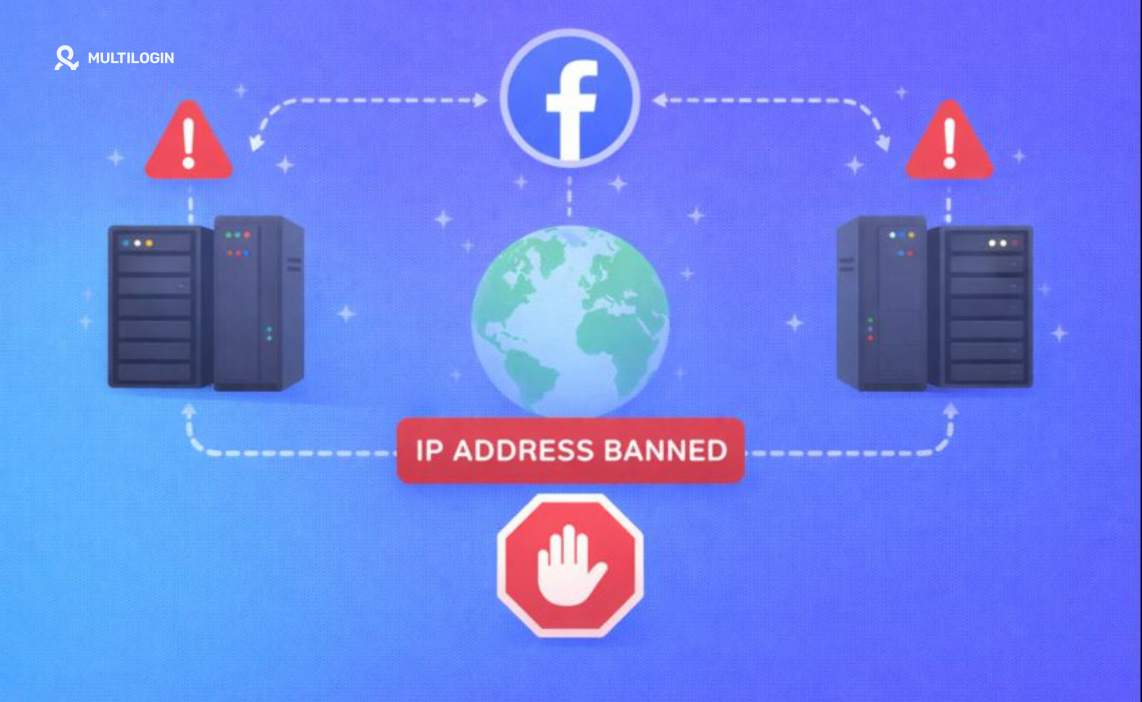

Account disabled. Error message. Locked out.
You’re sitting there thinking: “Did Facebook IP ban me?”
Search online and you’ll find thousands of people convinced Facebook banned their entire household. Small business owners panicking because they can’t access ad accounts. Digital marketers wondering if they need new internet service.
Here’s what most people miss: Yes, Facebook bans IP addresses. But that’s not what’s actually keeping you locked out.
Think about it logically. Changing your IP takes five seconds. Reset your router—new IP from your provider. Connect through VPN—instant new IP. Facebook knows this. They’re not running a billion-dollar platform using security from 1995.
The real enforcement mechanism—the one that actually matters—is something most people don’t even know exists: device fingerprinting.
Your IP address is just surface-level detection. It catches obvious bot attacks, mass account creation from data centers, automated spam operations. But for keeping individual users out after bans? Facebook tracks your device itself. Your computer, phone, tablet. The unique digital signature identifying your specific hardware.
This is where things get messy for anyone managing multiple Facebook accounts legitimately—ad accounts for different clients, business pages for separate companies, testing accounts for agencies.
Let’s break down what’s actually happening.
Facebook IP Ban vs Device Ban: The Difference That Matters
When people ask “can Facebook IP ban you,” they’re asking the wrong question entirely.
IP Bans – Quick and Easily Bypassed:
Facebook sees mass suspicious activity from one IP address. Bot creating hundreds of accounts. Scraper pulling data. Automated spam tool posting everywhere. They block that IP temporarily.
Effectiveness? Nearly zero for individuals. Change to mobile data. Reset router for new IP assignment. Use any VPN. The ban becomes meaningless instantly.
This is why Facebook barely relies on IP bans for serious enforcement. They’re useful for stopping automated attacks in real-time, but useless for keeping actual humans off the platform permanently.
Device Bans – The Real Problem:
Facebook identifies your specific device through dozens of unique characteristics. Your graphics card creates a signature when rendering web content. Your screen resolution, installed fonts, browser plugins, how your CPU processes tasks—everything combines into a fingerprint as unique as your actual fingerprint.
They ban this fingerprint. Now it doesn’t matter if you:
- Change IP addresses
- Clear all cookies
- Use incognito mode
- Create new account with different email
- Wait weeks before trying
Log in from same device? Facebook sees that fingerprint, instantly connects your new account to your banned account. New account dies within minutes, sometimes seconds.
Side-by-Side Comparison:
What Gets Banned | Bypass Difficulty | Facebook’s Usage |
IP Address | Trivial (VPN, router reset, mobile data) | Bot attacks, mass spam operations |
Device Fingerprint | Requires specialized tools | Permanent bans, preventing user return |
Understanding this distinction changes everything about how you approach the problem.
Why “Facebook Banned My IP Address” Usually Means Something Else
Let me show you what actually happens in real scenarios.
Scenario: The Instant Re-Ban
You got banned last week. Used VPN today. New email, new profile details. Account created successfully. Five minutes later—banned again.
“Facebook IP banned me!” But you’re using a VPN with completely different IP. So what happened?
Device fingerprint caught you. Facebook analyzed how your browser rendered a test image (Canvas fingerprinting), checked your graphics card signature (WebGL), noted your screen resolution, detected installed fonts, compared everything to their database. Perfect match to banned account’s device. Instant ban.
Scenario: The “Whole House” Ban
Your ad account gets banned for policy violation. Wife tries logging into her separate account from family computer—also banned. Kid can’t access Facebook on home WiFi.
Everyone blames the IP. “Facebook banned our IP address!”
Reality? You all used the same device (family computer) or Facebook’s algorithms saw suspicious patterns—multiple accounts, same IP, similar activities. Device fingerprints plus IP address plus behavioral patterns combined triggered restrictions. The IP was one data point among many.
Scenario: The VPN That “Doesn’t Work”
You’re using VPN. Different IP every login. Still getting caught immediately. “VPNs don’t work for Facebook bans!”
Wrong conclusion. VPNs work fine for changing IPs. But you’re broadcasting identical device fingerprint. Canvas rendering unchanged. WebGL signature identical. Screen resolution same. Facebook doesn’t care your IP says Sweden when yesterday said Japan. They care the device accessing accounts is identical.
Facebook’s Actual Detection Layers:
Layer 1 – IP Address: Quick bot filtering. Easily bypassed.
Layer 2 – Cookies/Browser Data: Tracking through stored data. Easily cleared.
Layer 3 – Device Fingerprinting: Hardware-level identification. Where most people get caught.
Layer 4 – Behavioral Analysis: Usage patterns, typing speed, mouse movements. Hard to detect but patterns emerge.
Layer 5 – Network Analysis: Connection patterns between accounts, interaction networks.
Most people only address Layer 1, maybe Layer 2. Layers 3-5? Don’t even know they exist.
This is why “does Facebook ban IP address” misses the entire point.
What Actually Happens When You Get Hit
Real consequences for people running businesses on Facebook:
Solo Advertiser Reality:
Running Facebook ads for your e-commerce store. Account banned for unknown policy violation. Try creating new ad account from your computer. Banned immediately. Can’t advertise. Can’t sell. Revenue stops.
Not an IP problem. Device fingerprint problem.
Social Media Manager Nightmare:
Managing ten client Facebook pages from office computer. One client’s page gets restricted. Suddenly nervous. If Facebook links all client accounts through your device fingerprint, you could lose access to everything. Ten clients can’t post content. Your entire business at risk.
Agency Disaster:
Running multiple ad accounts for different clients. Facebook’s algorithms notice these accounts accessed from same office IP and same computers. Start flagging accounts. “Related ad accounts detected.” Playing whack-a-mole trying to keep campaigns running while Facebook connects dots you don’t want connected.
One device fingerprint linking everything. That’s the nightmare.
The Real Cost:
Not just “can’t access Facebook.” It’s:
- Lost advertising revenue during lockout
- Destroyed client relationships when you can’t deliver
- Shot credibility when clients find out you’re “banned from Facebook”
- Wasted time trying to create accounts that get instant-banned
- Money spent on VPNs and proxies that don’t solve actual problem
For serious Facebook operations—advertising, page management, groups, affiliate marketing—this isn’t inconvenience. It’s business-ending.
What Actually Works for Protecting Multiple Facebook Accounts
If you’ve made it this far, you get it. The problem isn’t your IP. It’s your device fingerprint.
So how do you actually fix this?
What Fails:
❌ Simple VPNs (only change IP, fingerprint unchanged)
❌ Incognito mode (zero fingerprint protection)
❌ Clearing cookies (surface level only)
❌ Different browsers (Chrome vs Firefox—fingerprint barely changes)
❌ Basic virtual machines (still detectable without proper configuration)
What Works:
Each Facebook account needs to look like it’s accessed from completely different computer. Not just different IP. Different hardware, different graphics card, different everything.
Antidetect browsers solve this problem.
Multilogin creates isolated browser profiles where each has unique, consistent device fingerprint. To Facebook, each profile appears as separate computer operated by separate person.
Profile A: Appears as Windows 11 laptop, Intel graphics, 1920×1080 screen, specific fonts, unique Canvas signature. Connects through New York residential IP.
Profile B: Appears as MacBook Pro, Apple Silicon, 2560×1600 Retina, different fonts, completely different Canvas signature. Connects through Chicago residential IP.
Profile C: Entirely different configuration with own characteristics and location.
Each profile maintains same fingerprint over time—consistency makes accounts look legitimate. If “Client A’s Ad Account” logs in from virtual Windows laptop today, it’s that same laptop tomorrow and next month. Facebook sees consistent, normal user behavior.
The Setup Process:
Step 1: Create separate browser profiles in Multilogin for each Facebook account.
Step 2: Configure each profile with unique fingerprints and dedicated residential proxies—real IPs from actual ISPs, not data center IPs screaming “VPN user.”
Step 3: Access each account only through its dedicated profile. Never mix accounts between profiles.
Step 4: Maintain consistent patterns. Real users log in from same device regularly. Profiles should do the same.
Daily Operation:
At your desk. Need to check Client A’s ads. Click their profile—instant switch to their virtual device. Already logged in. Check campaigns, adjust, close.
Client B needs post scheduled. Click their profile. Different virtual device, different fingerprint, different IP. Access page, schedule post.
Personal Facebook? Separate profile, separate fingerprint, separate IP.
Three completely different “computers” in Facebook’s eyes. Five minutes of work. Zero linking risk.
This is how professional marketers and agencies operate. Not for shady reasons. Because Facebook’s detection is so aggressive that legitimate multi-account management requires proper isolation.
The Real Question About Facebook IP Bans
Stop asking “does Facebook ban IP address.”
Start asking: “How do I manage multiple Facebook accounts without device fingerprint linking?”
That’s the actual problem needing solution.
For Advertisers:
Each ad account needs own digital identity. When one gets restricted (happens to everyone—Facebook’s ad policies are minefields), it doesn’t cascade to others.
For Agencies:
Complete client isolation. One client’s problems don’t become other clients’ problems. Agency doesn’t get flagged as suspicious “network.”
For E-commerce:
Personal account, business page, backup ad account—properly separated so algorithms can’t connect them.
For Anyone Managing Multiple Accounts:
Protection against Facebook’s increasingly aggressive detection assuming any connection means something suspicious.
Question isn’t whether Facebook can ban your IP. Question is whether you’ve set up infrastructure keeping accounts isolated when you have legitimate reasons managing multiple accounts.
What This Actually Costs vs Business Risk
Let’s talk real numbers because “antidetect browser” sounds expensive until you compare alternatives.
Business Risk Without Protection:
Lost ad account = lost revenue. Spending $10,000/month on Facebook ads? Account banned means $10,000+ lost revenue while locked out. Could be weeks getting reinstated if it happens at all.
Client account you manage gets linked to others and taken down? Just lost multiple clients who’ll never work with you again. $50,000-100,000+ annual revenue gone.
Professional Protection Cost:
Multilogin: Starting at €19/month Quality residential proxies: ~$50-80/month Total monthly: ~$70-100
Compare to:
- One lost ad account: $10,000+ in lost spend and revenue
- One lost client: $2,000-10,000+ annual contract
- Agency reputation damage: Hundreds of thousands in lost future business
Infrastructure cost is roughly what you’d pay for project management software. Business risk without it is potentially catastrophic.
For Professional Operations:
If you’re managing Facebook ads or client accounts professionally, this isn’t optional. It’s insurance—you hope you never desperately need it, but when things go wrong, you’re incredibly grateful it’s there.
Hobbyists can risk it. Professionals can’t afford to.
Works for More Than Facebook
Once you’ve got device fingerprint isolation working for Facebook, you’ve got it for everything.
Multiple Instagram accounts? Same infrastructure. Multiple TikTok accounts? Covered. Multiple Amazon accounts? Same approach.
Digital marketers: Facebook, Instagram, TikTok, LinkedIn, Twitter—all properly isolated so one platform’s problems don’t cascade.
E-commerce sellers: Amazon, eBay, Etsy—keeping business separate from test separate from personal accounts.
Affiliate marketers: Different campaigns, geos, traffic sources—properly compartmentalized.
Infrastructure scales with business. Manage three Facebook accounts today. Twenty accounts across six platforms tomorrow. Same approach, same tools, same protection.
Not just solving immediate Facebook problem. Building professional infrastructure supporting business growth across entire digital operation.
👉 Don’t risk bans: Try Multilogin and keep your accounts undetected.
Frequently Asked Questions About Does Facebook Ban IP Address
Facebook can ban IPs, but permanent IP bans are rare and mostly pointless. You can change your IP in seconds—reset router, use mobile data, connect to VPN. When people say “Facebook permanently banned my IP,” what actually happened is Facebook banned their device fingerprint, not their IP. Your specific computer got flagged, and now every login from that device gets blocked regardless of IP address used.
Test it: Try accessing Facebook from completely different device (friend’s phone, public computer). If you can access your account fine from another device but not your usual one, you don’t have IP ban—you have device fingerprint issue. Use mobile data instead of WiFi. If Facebook works on mobile but not home internet, might be IP issue. Use VPN to change IP. Still can’t create accounts? Not IP problem—device fingerprint problem.
No. VPNs change one thing: IP address. They don’t touch device fingerprinting parameters Facebook actually uses—Canvas rendering, WebGL signatures, screen resolution, installed fonts, browser plugins, system configuration. All stays identical with VPN. Facebook sees different IP but exact same device fingerprint as banned account. Instant re-ban. VPNs can actually make things worse since Facebook treats VPN traffic as higher risk.
Facebook’s ad account enforcement barely involves IP addresses. When ad account gets disabled, Facebook enforces against your Business Manager, personal profile, payment methods, and related accounts. They care about device fingerprints linking multiple ad accounts, payment patterns, business verification documents, and network analysis of connected accounts far more than IPs. One disabled ad account cascades to others through device fingerprints and behavioral patterns, not IP addresses.
Rarely happens the way people think. Usually it’s device fingerprint linking (family shares one computer, one person gets banned, everyone using that computer has problems) or algorithmic pattern detection (multiple household members managing pages/ads from same IP triggers “related accounts” flags). True IP-level household blocks only happen for serious abuse like bot operations, and these are typically temporary. If everyone can still browse Facebook normally, you don’t have IP ban—you have account-level restrictions.
Account ban: Your specific account gets disabled for violating policies. You get notification explaining why. Other accounts might not be affected initially. This is account-level enforcement. IP ban: Your IP address gets blocked from accessing Facebook entirely. Can’t load website, can’t use app. Extremely rare for residential users. What people usually mean by “Facebook IP banned me”: Their account got banned, tried creating new account from same device, new account instantly banned due to device fingerprint detection—not IP ban.
Stop Worrying, Start Protecting
You got into digital marketing or e-commerce to grow businesses. Not to become browser fingerprinting expert.
Reality is harsh: Facebook’s detection is sophisticated enough that managing multiple accounts requires proper infrastructure. Not because you’re doing anything wrong. Because algorithms are so aggressive they flag legitimate operations as suspicious.
Good news? Proper infrastructure is cheaper than you think and dramatically more effective than amateur workarounds.
Multilogin provides complete device fingerprint isolation, professional proxy integration, team collaboration, and support from people who understand these systems.
This is what serious marketers use managing multiple accounts without constant ban anxiety.
Stop googling “Facebook IP banned me” every time something breaks. Stop losing sleep wondering if today’s the day accounts get linked. Stop limiting business growth because you’re scared of Facebook’s detection.
Get infrastructure that actually protects your business.
Start your plan and see how professional account management works.

