
The Facebook ads library is a free, public database of every ad running across Meta platforms — Facebook, Instagram, Messenger, and the Audience Network. No login required. No subscription. You can search any advertiser and see exactly what they’re running right now.
That makes it one of the most useful competitor research tools available, and most people barely scratch the surface of what it can do.
This guide covers how to search it properly, how to download ad creatives, what the data actually tells you, and how it fits into running multiple Facebook ad accounts at scale. If you’re running Facebook ads across multiple accounts, there’s a section on that too.
Try Multilogin now to manage multiple Facebook ad accounts with isolated browser profiles — starting at €5.85/month.
What is the Facebook ads library?
Meta launched the Ads Library in 2018 as a transparency measure, originally focused on political advertising. It’s since expanded to cover all ads across all categories.
Every advertiser running ads on Facebook or Instagram has their active (and recently inactive) ads visible in the library. You can search by advertiser name, keyword, or topic. You can filter by country, platform, date range, and ad category.
The library is free and open to anyone. You don’t need a Facebook account to view most ads, though some categories (like political ads) require you to be logged in.
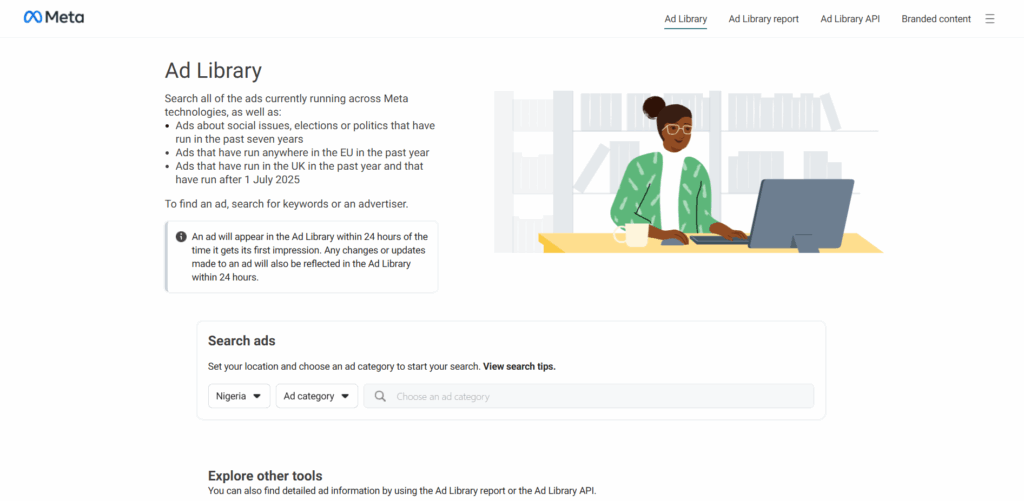
How to access the Facebook ads library
Go to facebook.com/ads/library directly, or find it via the three-dot menu on any Facebook ad (click “Why am I seeing this ad?” then “See more ads”).
The URL works without logging in for most searches. You can also access it from Meta Business Suite settings.
If the link isn’t loading, try clearing your browser cache or accessing it in an incognito window. Some ad blockers interfere with the library loading properly.
How to search the Facebook ads library
The search bar at the top takes either an advertiser name or a keyword.
Search by advertiser name: Type the brand or business name. You’ll see their active ads and, depending on the category, ads from the last 90 days or up to 7 years (for political/issue ads).
Search by keyword: This searches ad text and headlines. Useful for finding what angle competitors are using on a specific topic.
Key filters to know:
- Country: Ads are filtered by country since ad content often varies by region. Set this to the market you’re researching.
- Ad category: Most ads fall under “All ads.” Political, electoral, and issue ads have their own category with more detailed transparency data.
- Platform: Filter by Facebook, Instagram, Audience Network, or Messenger.
- Active ads only vs. all ads: Toggle between seeing only currently running ads or including recently stopped campaigns.
- Date range: Available for political ads; for standard ads you see “started running on” dates.
How to download videos from the Facebook ad library
The library doesn’t have a built-in download button for video ads. Here’s what actually works:
Option 1 — Right-click save: Some video ads allow right-click > Save video as. This works for some formats but not all.
Option 2 — Browser extensions: Extensions like “Facebook Ad Library Video Downloader” appear in Chrome extensions stores. They add a download button to ad cards. Quality varies by tool and Meta may throttle them.
Option 3 — Screen recording: The most reliable method for any video format. Use your OS’s built-in recorder (Windows + G on Windows, Command + Shift + 5 on Mac).
Option 4 — Ad library API: If you’re pulling at scale, the API returns media URLs you can download programmatically (more on this below).
What the Facebook ad library actually tells you
Each ad card shows:
- Advertiser name and page — who’s running it
- Start date — when the ad began running
- Platforms — which Meta platforms it’s active on
- Status — active or inactive
- Ad creative — image, video, or carousel; headline and body copy
- Call to action — what button they’re using
- Impressions and spend estimates — only available in some regions and categories
What it doesn’t show you: exact targeting, audience demographics, cost per click, or conversion data. The library is a creative and messaging research tool, not a performance data tool.
Why the ad library isn’t showing ads
This is a common issue. A few causes:
The advertiser isn’t running any active ads right now. The library only shows ads that are active or were recently active. If a brand paused all campaigns, nothing shows up.
Country filter mismatch. If you’re searching US ads but the advertiser only runs in the UK, the results won’t appear. Switch the country filter.
Ad category mismatch. Some ads are categorized under “Social issues, elections or politics” and require a separate search. Regular brand ads won’t appear in that category.
Page name changes. If a brand recently renamed their Facebook page, searching the old name won’t return results.
Ad blocker interference. Some content blockers prevent the library from loading properly. Try incognito mode without extensions.
How to use the Facebook ad library API
The API lets you query the library programmatically — useful for research at scale, competitive monitoring, or building internal dashboards.
Access the API via graph.facebook.com/ads_archive. You’ll need a Facebook developer account and a valid access token.
Basic query parameters:
- ad_type (ALL_ADS or POLITICAL_AND_ISSUE_ADS)
- ad_active_status (ACTIVE, INACTIVE, or ALL)
- search_terms (keyword or phrase)
- ad_reached_countries (country code, e.g., US, GB, DE)
- fields (specify what data fields you want returned)
The API returns JSON with ad creative URLs, page info, start/end dates, and reach estimates. Rate limits apply, so batch requests if you’re pulling large datasets.
For teams doing ongoing competitor monitoring, the API is worth setting up once and automating.
Using the ads library for competitor research: a practical workflow
Most people open the library, type a competitor name, and scroll. That’s a start, but not a system. Here’s a more structured approach:
Step 1 — Baseline check. Search your top 3–5 competitors. Note how many ads they’re running. Volume tells you how aggressively they’re testing.
Step 2 — Sort by date. Look at their most recent ads first. What angles are they prioritizing right now?
Step 3 — Check what’s been running longest. Ads that have been active for 30+ days are usually performing. If a brand keeps running the same ad for months, that’s their control creative — their best performer. Study it.
Step 4 — Note the CTA. Are they sending traffic to a homepage, a specific landing page, or a lead form? CTAs reveal where they’re in their funnel.
Step 5 — Cross-reference across regions. Some brands test messaging in smaller markets before rolling out globally. Search the same advertiser with different country filters.
Running multiple Facebook ad accounts: what the library doesn’t tell you
The library shows you what competitors are running. What it doesn’t help with is managing your own ads across multiple accounts — which is where most agencies and media buyers hit friction.
If you’re running ads for multiple clients, or operating multiple ad accounts in the same vertical, Facebook treats shared signals as a red flag. Accounts that log in from the same IP, same browser, or same device pattern get reviewed and often restricted.
This is why aged Facebook ad accounts have value — they have history. And it’s why Facebook ad accounts get banned even when the content is clean — because the account behavior, not just the ads, triggers review.
The solution is isolation at the account level: separate browser profiles with distinct fingerprints, separate proxies per account, no shared session data. That’s the setup that keeps multiple Facebook accounts from being treated as one operation.
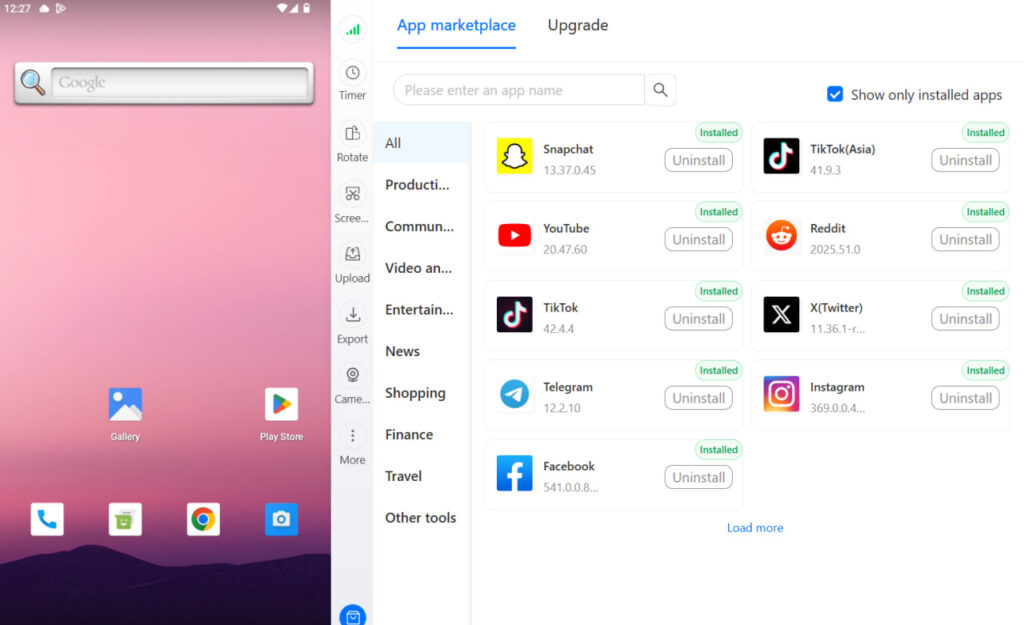
Cloud phones for Facebook ads management add another layer — running the Facebook app natively on real Android cloud devices means each account operates with genuine mobile hardware identifiers, not emulated signals.
Try Multilogin now with the Facebook proxy and antidetect bundle to keep your ad accounts isolated.
Need to manage multiple Facebook accounts? Try Multilogin Cloud Phones.
Frequently asked questions About Facebook Ads Library
A free, public database of all ads running across Meta platforms (Facebook, Instagram, Messenger, Audience Network). It was created for ad transparency and lets anyone search what any advertiser is running.
Go to facebook.com/ads/library, type the advertiser name or keyword in the search bar, and set your country and category filters. You can filter by active status and platform.
Yes. Completely free. No login required for most searches. Political and issue ads require a Facebook account to view.
The library has no built-in download button. Options include right-click save (works on some formats), browser extensions, screen recording, or pulling media URLs via the Ads Library API.
Common causes: the advertiser has no active campaigns, country filter mismatch, an ad blocker interfering with loading, or the page name changed recently. Try incognito mode and adjust filters.
Open the event, click the three-dot menu, and select Delete event. This will notify all guests. You can’t undo a deletion.
It means the ad is currently running and serving impressions. Inactive ads were stopped by the advertiser or rejected by Meta and are no longer running.
Conclusion
The Facebook ads library is a straightforward tool that most advertisers underuse. Searching competitors by name gets you their current messaging strategy. Filtering by date shows you what’s working long-term. And the API lets you scale that research across hundreds of brands automatically.
The library tells you what’s out there. What it doesn’t help with is the operational side — running your own ads across multiple accounts without triggering Facebook’s review systems. That requires proper account isolation.
If you’re managing ads at scale, a cloud phone for Facebook alongside isolated browser profiles gives each account its own identity from the start.
Try Multilogin now and keep your Facebook ad accounts from getting linked.

