
Facebook Marketplace is built into Facebook — you don’t download it separately. But finding it, keeping it visible, and understanding why it disappears on some accounts is a different problem.
This guide walks through how to get to Marketplace on desktop and mobile, why the Marketplace tab goes missing, what to do when your account gets restricted from it, and what’s involved in managing multiple Facebook accounts for Marketplace selling at scale.
Try Multilogin now to keep multiple Facebook Marketplace accounts isolated and protected — starting at €5.85/month.
How to get Facebook Marketplace on desktop
Step 1: Log into Facebook at facebook.com.
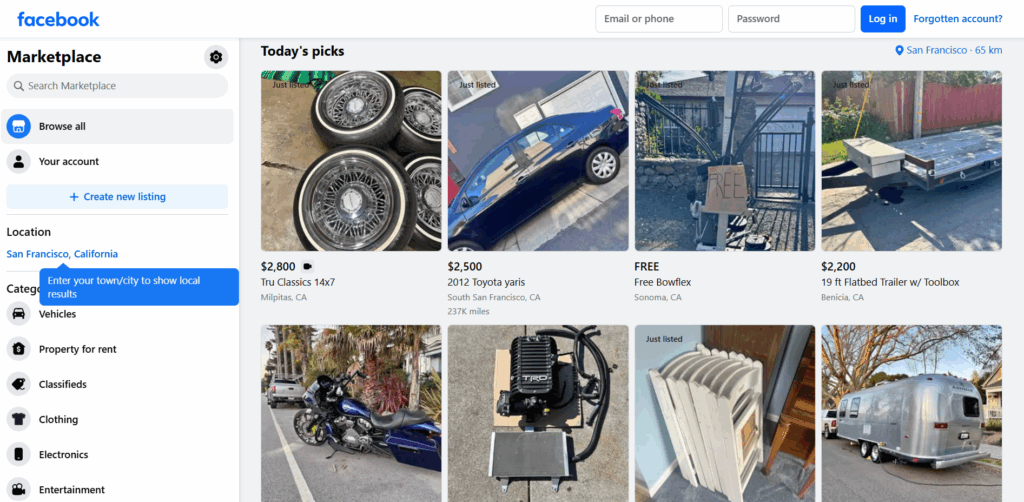
Step 2: Look at the left-hand sidebar. You should see a Marketplace icon — it looks like a small storefront or shop.
Step 3: Click it to open Marketplace.
If you don’t see it in the sidebar, click See more at the bottom of the navigation list. Marketplace is sometimes collapsed.
You can also go directly to facebook.com/marketplace in your browser.
How to get Facebook Marketplace on your phone
Step 1: Open the Facebook app on Android or iPhone.
Step 2: Look at the bottom navigation bar. There should be a Marketplace icon (storefront symbol) between the Watch and Groups icons.
Step 3: Tap it.
On some devices or older versions of the app, the bottom bar layout is different. If Marketplace isn’t there:
- Tap the three-line menu in the bottom-right corner
- Scroll down and look for Marketplace in the list
- Tap to open it
If neither of these works, update the Facebook app. Older versions sometimes lose Marketplace access after interface updates.
Why Facebook Marketplace isn’t showing up
This is the most common problem people hit. A few causes:
Account age. Facebook requires accounts to be at least a few days to a few weeks old before Marketplace becomes available. Brand new accounts typically don’t see it.
Account eligibility. Marketplace isn’t available in all countries, and eligibility can be affected by account standing. If your account has active violations or warnings, Marketplace access may be removed.
App needs an update. Outdated Facebook apps often lose Marketplace visibility. Update through the App Store or Google Play.
Restricted account. If Facebook has flagged your account for suspicious activity, Marketplace is usually one of the first features restricted. This is different from a full ban — the account still works, but certain features get locked.
Geographical restriction. Marketplace isn’t available in all countries. Facebook’s support page has a current list.
How to get the Marketplace icon back on Facebook
If Marketplace disappeared from a place where it used to show:
On desktop: the sidebar is customizable. Scroll to the bottom of the left navigation and click See more. Marketplace should appear there. You can pin it back to the top of the sidebar by hovering over it and clicking the three-dot menu > Pin to sidebar.
On mobile: check for app updates first. Then log out completely, log back in, and check the bottom nav bar again. Interface changes sometimes reset the tab layout.
If neither of those works, the issue is usually account eligibility, not a settings problem.
How to get rid of Facebook Marketplace
If you don’t want Marketplace to appear (for a client account, a shared device, or personal preference):
On desktop: hover over Marketplace in the left sidebar, click the three-dot menu that appears, and select Remove from menu. This hides it from the navigation without disabling it at the account level.
On mobile: Facebook doesn’t currently offer a native option to remove Marketplace from the bottom navigation bar. You can ignore it, but it stays visible.
There’s no way to permanently disable Marketplace from your account through settings — it’s a platform feature, not a profile option.
What is the “hidden information” on Facebook Marketplace?
Some Marketplace listings show a prompt that says the seller has hidden their contact information. This is a privacy setting on the seller’s end — they’ve chosen not to display their phone number or email publicly.
To contact them, you go through Facebook Messenger via the Send message or Ask for details button on the listing. You can’t see their number or email unless they choose to share it in the conversation.
There’s no workaround to reveal hidden contact info. If a listing doesn’t give you contact details, messaging through Marketplace is the only path.
How to get a refund from Facebook Marketplace
Facebook Marketplace refund options depend on how you paid.
If you paid through Facebook checkout (purchase protection): You may be eligible for Facebook’s Purchase Protection policy. Go to the order, tap Report problem, and follow the steps. Purchase Protection covers items that weren’t delivered, arrived significantly different from the description, or were returned within the seller’s return window.
If you paid outside Facebook (cash, Venmo, PayPal F&F, etc.): Facebook Purchase Protection doesn’t apply. You’d need to dispute through PayPal if you used Goods & Services, or through your bank/card issuer if you paid by card. Cash transactions have no platform-level protection.
The safest Marketplace transactions use Facebook checkout — it’s the only payment method with built-in buyer protection.
Why you might not be eligible for Facebook Marketplace
Facebook doesn’t publish a full eligibility checklist, but the most common reasons for ineligibility:
- Account too new (under a few weeks old)
- Account is in a country where Marketplace isn’t supported
- Account has received policy violations
- Account was flagged for suspicious activity (even if it wasn’t banned outright)
- Previously listed items were removed for policy violations
- Rapid account activity that looks automated or coordinated
If your account is ineligible and you think it’s a mistake, you can submit an appeal through the Marketplace section of Facebook’s Help Center.
Running multiple Marketplace accounts: what you need to know
A lot of sellers operate at a scale where one Marketplace account isn’t enough — flippers moving high volume, dropshippers managing multiple categories, agencies handling Marketplace presence for multiple clients.
Facebook actively looks for accounts that seem coordinated. Signals they check: shared IP addresses, same device fingerprint, overlapping login times, similar listing patterns.
Accounts that share these signals get flagged together. One Facebook Marketplace ban can trigger reviews on every account touching the same network.
The fix is the same as with other Facebook multi-account operations: each account needs its own isolated session. Separate browser profile, separate IP address (ideally a residential proxy in the relevant location), separate cookies and local storage.
That’s what antidetect browsers for Marketplace sellers are specifically designed to handle. Each browser profile carries its own fingerprint — device ID, screen resolution, fonts, browser version — so accounts don’t look like they’re coming from the same operator.
For sellers who also manage Marketplace at scale through data collection, scraping Facebook Marketplace data is a separate operation that also requires proper IP rotation and session management.
Try Multilogin now with the Facebook proxy and antidetect bundle to run Marketplace accounts without shared signals.
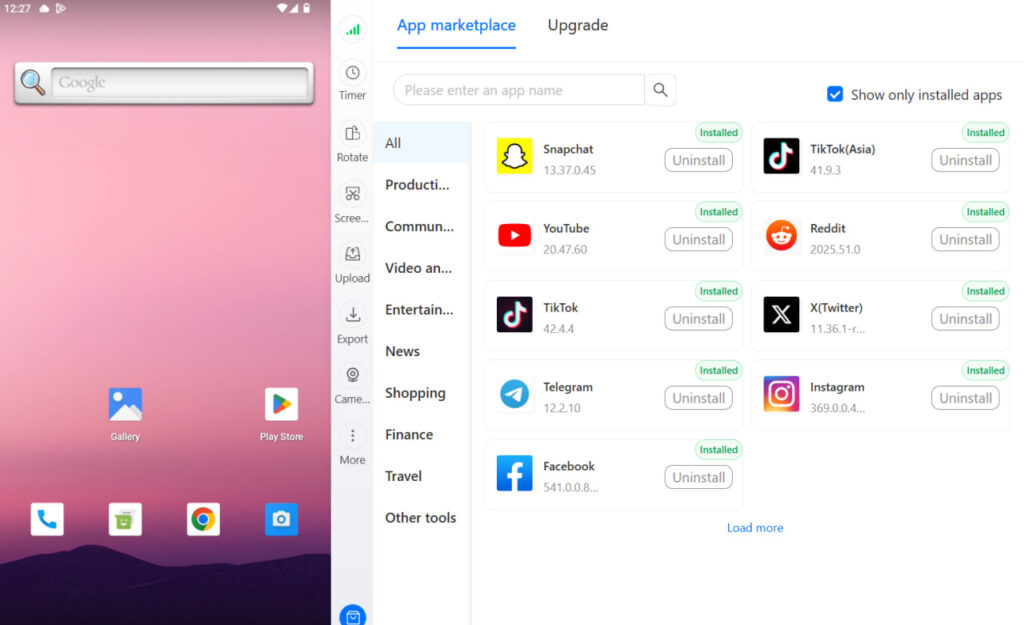
Need to manage multiple Facebook accounts? Try Multilogin Cloud Phones.
Frequently asked questions About How do I get the Facebook Marketplace
Common causes: account too new, account has eligibility restrictions, Marketplace isn’t available in your country, or the app needs an update. Try accessing facebook.com/marketplace directly first.
On desktop, click “See more” in the left navigation and pin Marketplace back to the sidebar. On mobile, update the app and log out/in. If it’s still missing, it’s likely an account eligibility issue.
On desktop, hover over Marketplace in the sidebar, click the three-dot menu, and select “Remove from menu.” Mobile doesn’t have a native option to remove it from the bottom nav.
If you paid through Facebook checkout, use Facebook’s Purchase Protection by reporting a problem on your order. If you paid outside Facebook (cash, PayPal F&F), Facebook can’t help — dispute through your payment provider.
Sellers can choose to hide their contact details. The only way to reach them is through Facebook Messenger using the listing’s contact button.
No. Marketplace requires a Facebook account. You also need to meet Facebook’s eligibility requirements for your region.
Open the Facebook app and look for the storefront icon in the bottom navigation bar. If it’s not there, tap the three-line menu and scroll to Marketplace. Update the app if it’s still missing.
Conclusion
Getting Facebook Marketplace is usually just a matter of knowing where to look — it’s in the left sidebar on desktop and the bottom nav on mobile. When it disappears, the cause is almost always account eligibility or an outdated app.
The more complicated situation is when you’re operating multiple seller accounts on Marketplace. That’s where session isolation, proper proxy setup, and browser fingerprint separation become the actual problem to solve — not the Marketplace tab.
If that’s your situation, a cloud phone for Facebook gives each account a genuinely distinct mobile identity to work from.
Try Multilogin now and keep your Marketplace accounts from getting linked.

