
Pinterest isn’t dying. It’s not even slowing down. In 2026, it’s still one of the most powerful traffic drivers for blogs, e-commerce stores, and content creators who understand how the platform actually works.
But growing on Pinterest requires a different approach than other platforms. It’s not about follower counts like Instagram. It’s not about going viral like TikTok. Pinterest is a search engine disguised as a social network, and growing on Pinterest means understanding how its algorithm surfaces content and how to optimize for discovery.
This guide covers how to grow on Pinterest in 2026: what actually works, what’s changed, how to grow your Pinterest account from zero, how to use Pinterest to grow your blog or business, and how to manage multiple Pinterest accounts at scale without getting flagged.
How Pinterest Growth Actually Works
Pinterest is fundamentally different from Instagram, TikTok, or Facebook. Understanding this difference is the first step to growing successfully.
- Pinterest is a search and discovery platform. Users come to Pinterest to find ideas, solutions, and inspiration for future actions. They search for “living room ideas,” “keto meal prep,” or “summer outfit inspo.” They save pins to boards to reference later. The content that gets saved, clicked, and engaged with gets shown to more people.
- Followers matter less than you think. On Instagram, follower count directly impacts reach. On Pinterest, your pins show up in search results and feeds regardless of your follower count. A brand new account with zero followers can get massive traffic if its pins rank for popular searches.
- Pinterest rewards consistency and volume. The accounts that grow fastest publish regularly (daily is ideal), create multiple pins per blog post or product, and maintain activity over months. Pinterest’s algorithm favors accounts with consistent pinning behavior.
- Fresh pins matter more than repins in 2026. Pinterest’s algorithm changed in recent years to prioritize new, original content over repinned content. Creating fresh pins (new images, new designs) performs better than endlessly repinning existing content.
How to Grow on Pinterest: The Foundation
1. Convert to a Business Account
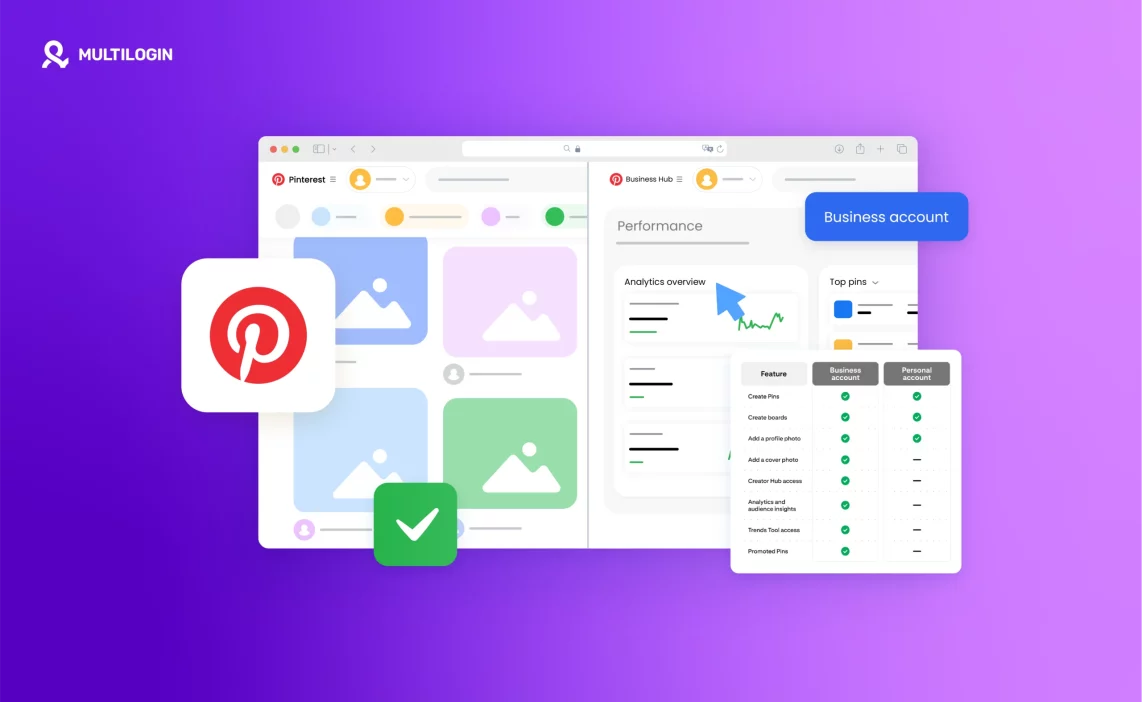
Personal accounts don’t get access to Pinterest Analytics or ads. Business accounts do. Go to Settings → Account Management → Convert to Business Account. Free, takes two minutes, essential for growth.
2. Verify Your Website
Claim your website in your Pinterest settings. This unlocks rich pins (pins that pull metadata from your website) and lets you track which pins drive traffic to your site. Verification involves adding a meta tag to your website or uploading an HTML file. The process is straightforward and detailed in Pinterest’s help docs.
3. Optimize Your Profile for Search
Your profile name and bio are searchable. Include relevant keywords. If you run a food blog, your profile name might be “Sarah | Easy Recipes” and your bio should mention “quick dinners,” “meal prep,” “healthy recipes” — terms people actually search.
4. Create Boards with SEO-Friendly Titles
Board titles should be clear and keyword-rich. “Home Decor” is fine. “Modern Farmhouse Living Room Ideas” is better. Pinterest treats board titles as search signals. The more specific and descriptive, the better.
5. Pin Consistently
Daily pinning is the standard recommendation. 5-10 pins per day (mix of your own content and relevant content from others) keeps your account active. Consistency matters more than volume. Pinning 50 pins one day and nothing for a week performs worse than 10 pins daily.

How to Grow Pinterest Followers in 2026
Follower growth on Pinterest is a byproduct of good content, not the primary goal. But followers do provide a baseline audience for new pins. Here’s what actually works:
- Create pins that solve problems. Pins that answer questions, provide tutorials, or offer solutions get saved more. Saved pins get more distribution. More distribution leads to profile visits. Profile visits from engaged users convert to follows.
- Use vertical pins (2:3 ratio). Pinterest is a mobile-first platform. Vertical pins (1000 x 1500 pixels is the standard) take up more screen space and get more engagement than square or horizontal pins.
- Design for the feed. Your pin needs to stand out in a feed of hundreds of images. Bold text overlays, clear focal points, high contrast, and readable fonts perform better than subtle, minimalist designs.
- Pin to relevant group boards. Group boards expose your pins to the board’s existing audience. Find active group boards in your niche, request to join, and pin your best content there.
- Engage with comments. Pinterest is more social than most people realize. Responding to comments on your pins increases engagement signals that Pinterest’s algorithm recognizes.
- Follow accounts in your niche. Some will follow back. More importantly, this helps Pinterest understand what your account is about and surfaces your content to similar audiences.
How to Grow Your Pinterest Account Organically
“Organic growth” means growth without ads. It’s slower but sustainable.
- Focus on one niche. Accounts that pin about one topic (home decor, recipes, fitness, travel) grow faster than accounts that pin everything. Niche clarity helps Pinterest’s algorithm understand who to show your pins to.
- Publish 3-5 pins per blog post or product. Each pin should have a different design. Pinterest treats these as separate pieces of content, multiplying your chances of ranking in search.
- Write keyword-rich pin descriptions. Descriptions should be 100-300 characters with natural keyword usage. Pinterest reads these for search relevance. “This easy chicken recipe takes 30 minutes and uses pantry staples” beats “Yum! Try this!” every time.
- Use hashtags strategically. Pinterest supports hashtags, but they’re not as critical as on Instagram. Use 3-5 relevant hashtags at most. More than that looks spammy.
- Optimize your website for Pinterest. Add a Pinterest “Save” button to images on your site. Make your images pin-friendly (vertical, high-resolution, with text overlays explaining what the pin offers).
- Track what works. Pinterest Analytics shows which pins drive the most impressions, saves, and clicks. Double down on what works. Stop creating what doesn’t.
How to Grow Fast on Pinterest (Without Getting Banned)
The desire for fast growth leads some users to tactics that work short-term but create long-term problems. Here’s what works without triggering spam detection:
- Use Pinterest Trends. Pinterest Trends (available in business accounts) shows what users are searching for right now. Create content around trending topics in your niche for faster traction.
- Seasonal content in advance. Pinterest users plan ahead. Post holiday content 45-60 days before the holiday. Post seasonal content (summer recipes, fall decor) at the beginning of the season.
- Run Pinterest ads. Organic growth takes time. Ads accelerate it. Even a small budget ($5-10/day) can significantly boost profile traffic and follower growth while building organic momentum.
- Join Tailwind Communities. Tailwind is a Pinterest-approved scheduling tool. Tailwind Communities (formerly Tribes) are groups where members share each other’s pins. This expands reach beyond your own network.
Collaborate on boards. Invite other creators to contribute to your boards. Their pins expose your board to their audience. Your board becomes a hub, which Pinterest’s algorithm rewards.
How to Use Pinterest to Grow Your Blog
Pinterest is one of the most effective blog traffic sources in 2026, but the strategy has evolved from “pin once and forget” to a more systematic approach.
- Create multiple pin designs per post. One blog post should generate 3-5 pins with different images and headlines. Test which design drives the most clicks.
- Focus on evergreen content. Trending topics get short-term spikes. Evergreen topics (things people search for year-round) drive consistent traffic long-term.
- Link pins directly to the blog post. Don’t link to your homepage. Don’t link to a landing page. Direct links to the actual content perform better because Pinterest rewards clicks that lead to valuable content.
- Include the pin image in the blog post. When users click through, seeing the image they pinned reinforces that they’re in the right place. Reduces bounce rate, increases time on site.
- Use Rich Pins. Article Rich Pins pull your blog post headline, description, and author directly from your website. They’re more informative and get higher click-through rates than standard pins.
- Track Pinterest referral traffic in Google Analytics. See which pins and boards drive the most traffic. Create more content on those topics.
How to Use Pinterest to Grow Your Business
For e-commerce, SaaS, and service businesses, Pinterest is a conversion channel, not just an awareness channel.
- Optimize product pins. Product pins should show the product clearly, include pricing, and have a compelling description. “Handmade ceramic mug – dishwasher safe, perfect for coffee lovers – $28” tells users exactly what they’re getting.
- Create lifestyle pins, not just product shots. Show the product in use. A cozy reading nook with your candle product performs better than a white-background product photo alone.
- Target buyer-intent keywords. “How to decorate” is informational. “Throw pillows for grey couch” is buyer-intent. Optimize for the second type when your goal is sales.
- Use Pinterest Shopping. If you have an online store, enable Pinterest Shopping to turn your pins into direct purchase opportunities. Users can check out without leaving Pinterest.
- Run conversion-focused ads. Pinterest ads allow targeting by interest, keyword, and demographic. Conversion campaigns optimize for purchases, not just clicks.
How to Grow Your Instagram with Pinterest
Pinterest and Instagram are complementary platforms. Here’s how they work together:
- Drive Pinterest traffic to your Instagram bio link. Create pins for your Instagram content (Reels, carousel posts, guides) and link to your Instagram profile or link-in-bio page.
- Cross-promote. Pin screenshots of your Instagram posts with text overlays that prompt users to follow you on Instagram for more. “Daily outfit inspo on Instagram @username.”
- Use Pinterest to test content ideas. See what topics get traction on Pinterest, then create Instagram content around those topics.
- Repurpose content. Turn Instagram captions into Pinterest pin descriptions. Turn Instagram carousel posts into Pinterest idea pins. Turn Instagram Reels into Pinterest video pins.
How Long Does It Take to Grow on Pinterest?
This is the most common question and the most frustrating answer: it depends.
Average timeline for new accounts:
- Month 1: Getting indexed by Pinterest’s algorithm. Impressions are low. Focus on pinning consistently and building your content library.
- Months 2-3: Impressions start increasing as Pinterest understands your account. You might see your first viral pin.
- Months 4-6: Consistent traffic growth if you’ve been pinning regularly. Some pins start ranking in search results.
- 6+ months: Compounding effects. Older pins continue driving traffic. New pins perform better because your account has established authority.
Accounts that grow faster:
- Already have a website with valuable content
- Publish new content regularly (weekly or more)
- Pin daily or use scheduling tools
- Focus on one clear niche
Accounts that grow slower:
- Inconsistent pinning (pin a lot one week, nothing for a month)
- No website or low-quality website content
- Generic, non-optimized pins
- Broad, unfocused content across many unrelated topics
Pinterest Mobile: Managing Your Account on the Go
Pinterest mobile app functionality has evolved significantly. In 2026, you can do almost everything from the app that you can from desktop.
How to Post on Pinterest Mobile
- Open the Pinterest app
- Tap the “+” button at the bottom center
- Choose “Pin” to create a standard pin or “Idea Pin” for multi-page carousel-style content
- Upload your image or video
- Add a title, description, and destination link
- Choose a board
- Publish
How to Create a Pin on Pinterest Mobile
Same process as posting. Tap “+”, select “Pin”, upload image, add details, select board, publish.
How to Post Videos on Pinterest Mobile
Tap “+”, select “Pin”, upload your video (Pinterest supports videos up to 15 minutes), add title and description, choose board, publish. Video pins tend to get higher engagement than static pins in 2026.
How to Make Carousel Pins on Pinterest Mobile
These are called “Idea Pins” now. Tap “+”, select “Idea Pin”, add multiple images or videos (up to 20 pages), customize each page, add text overlays and music if desired, publish.
How to Delete Pins on Pinterest Mobile
Go to your profile, find the pin, tap the three dots, select “Delete Pin”, confirm.
How to Delete Messages on Pinterest Mobile
Go to Messages, open the conversation, long-press the message you want to delete, select “Delete”, confirm. (Note: Pinterest messaging is limited; most growth strategies don’t rely on DMs.)
Managing Multiple Pinterest Accounts at Scale
Growing one Pinterest account is manageable from a single device. Growing 10+ accounts for clients, multiple brands, or niche-specific content requires infrastructure that personal devices don’t provide.
The multi-account problem on Pinterest:
Pinterest tracks device fingerprints, IP addresses, and login patterns. If multiple accounts log in from the same device with the same browser fingerprint, Pinterest’s system flags them as potentially linked accounts.
For agencies managing client accounts or businesses running multiple brand accounts, this creates restrictions: account linking leads to follow limits, pin restrictions, and in severe cases, account suspensions.
Why cloud phones solve this for Pinterest:
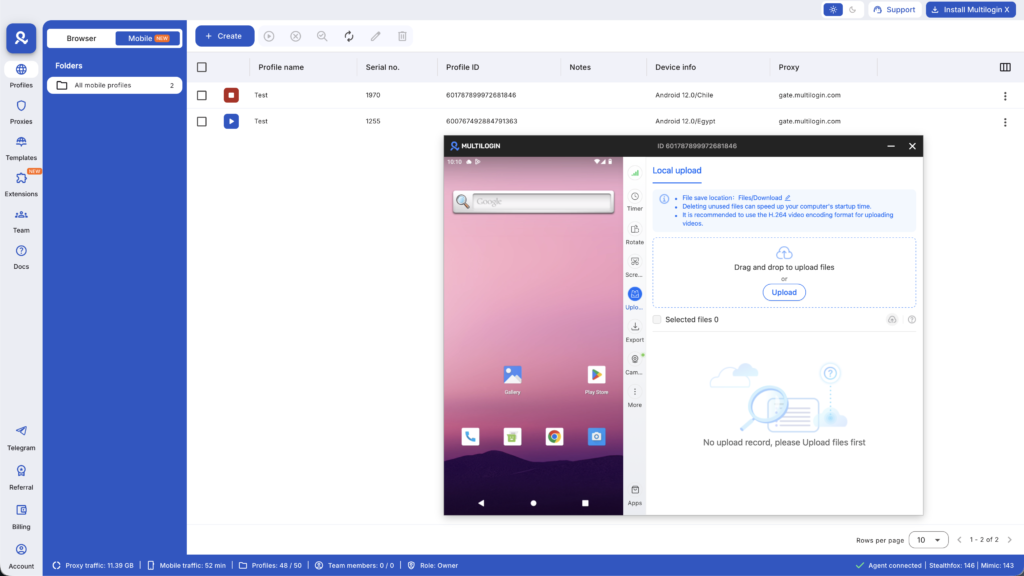
Each Pinterest account should appear to come from a distinct device. Multilogin Cloud Phones provide real Android devices hosted in the cloud, accessed through your browser. For Pinterest mobile app management:
- Each cloud phone has a unique device identity (IMEI, Android ID, hardware fingerprint)
- Each account runs on what Pinterest reads as a completely separate device
- Location-matched mobile proxies align with the account’s configured region
- Persistent sessions mean you stay logged in between work sessions
- Team members can access assigned accounts without credential sharing
For desktop Pinterest management, Multilogin’s antidetect browser creates isolated browser profiles with unique fingerprints. Each Pinterest account has its own profile with separate cookies, local storage, and device signals.
This is the infrastructure agencies use to manage multiple social media accounts including Pinterest without account linking or restrictions. It’s multi-account management applied specifically to Pinterest’s detection environment.
Common Pinterest Growth Mistakes in 2026
- Mistake 1: Buying followers. Pinterest follower counts don’t drive reach. Bought followers are inactive and damage engagement rates. Don’t waste money on this.
- Mistake 2: Only pinning your own content. Pinterest rewards accounts that curate valuable content, not just self-promote. Pin others’ content alongside your own (80/20 rule: 80% your content, 20% others).
- Mistake 3: Neglecting pin descriptions. Descriptions are where Pinterest reads context and keywords. A pin without a description or with a generic description ranks poorly.
- Mistake 4: Inconsistent pinning. Pinning 100 pins one day and nothing for two weeks tells Pinterest your account isn’t active. Consistency beats intensity.
- Mistake 5: Ignoring Pinterest Analytics. If you’re not checking what’s working, you’re guessing. Analytics shows exactly which pins, boards, and strategies drive results.
Want to earn more on Pinterest? Try Multilogin Cloud Phones.
Summary: Pinterest Growth in 2026
Strategy | Timeline | Effort Level | Best For |
Organic pinning (daily) | 3-6 months | Medium | Blogs, patient growth |
Pinterest ads | Immediate-1 month | Low (budget required) | E-commerce, fast results |
SEO-optimized pins | 2-4 months | High | Long-term traffic |
Group boards | 1-2 months | Medium | Expanding reach |
Idea Pins (carousels) | 1-3 months | Medium-High | Engagement, brand awareness |
Multi-account management | Ongoing | High (requires infrastructure) | Agencies, multi-brand businesses |
Pinterest remains one of the most effective organic traffic channels in 2026, but it requires understanding how the platform’s search algorithm works and committing to consistent content creation. The accounts that grow fastest pin daily, create multiple designs per piece of content, optimize for keywords, and track what works.
For individuals growing one account, the Pinterest app and web interface are sufficient. For agencies or businesses managing multiple Pinterest accounts at scale, proper isolation through Multilogin prevents account linking and allows each account to build its own authority without restrictions.
Start from €5.85/month and handle multi-account Pinterest management the way agencies actually do it: isolated devices, location-matched IPs, persistent sessions, and zero account linking.
Frequently asked questions About How to Grow on Pinterest
Convert to a business account, verify your website, create keyword-optimized boards and pins, pin 5-10 times daily, focus on vertical pins (2:3 ratio), write descriptive pin titles and descriptions with keywords, and track performance in Pinterest Analytics.
Most accounts see meaningful traction after 3-6 months of consistent pinning (daily or near-daily). Some see faster results if they’re in high-demand niches or have existing website traffic. Pinterest growth compounds over time as older pins continue driving traffic.
Create valuable, save-worthy pins consistently. Engage with other accounts. Join and contribute to group boards. Follow accounts in your niche. Run Pinterest ads if budget allows. Followers grow naturally as your content gets distribution.
Yes. Create pins that link to your Instagram profile or link-in-bio page. Use Pinterest to drive traffic to Instagram-exclusive content. Cross-promote: tell Pinterest users to follow you on Instagram for more.
Yes, but you need proper technical setup to prevent account linking. Professional Pinterest managers use cloud phones for each account. Each account runs in its own genuine Android environment with unique device identity. Without proper isolation, Pinterest links your accounts through device fingerprints and behavioral patterns, then restricts all of them simultaneously.
Traditional VPNs and browser incognito mode don’t provide sufficient isolation. Pinterest’s detection systems are way more sophisticated than that.

