


Facebook has a complicated relationship with location. The platform uses your location for almost everything: Marketplace listings, Dating matches, Events suggestions, ad targeting, nearby friends, but gives you weirdly inconsistent control over it depending on which feature you’re in.
Some location changes are instant. Others are locked behind Facebook’s detection of where you actually are. And some features, particularly Marketplace, will frustrate you in ways that have nothing to do with your settings and everything to do with how Facebook’s servers verify location.
This guide covers all of it: how to change location on Facebook for every major feature, why some changes work and others don’t, what to do when Facebook won’t cooperate, and how professional operators handle location management at scale.
How to Change Your Location on Facebook (Profile and General)
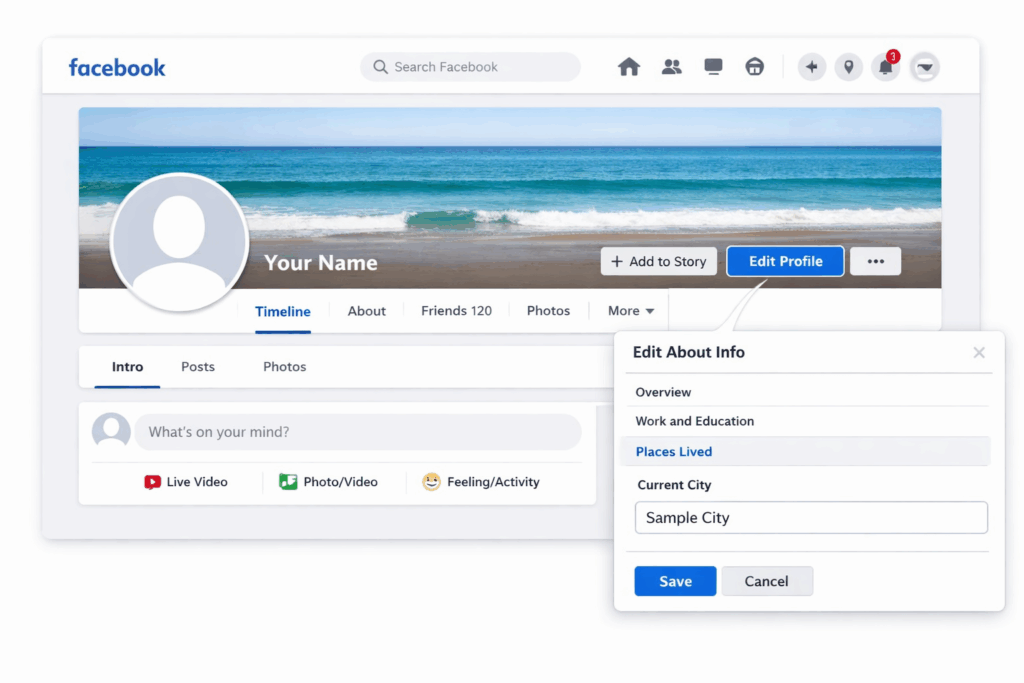
Your Facebook profile location is separate from the location Facebook uses for feature-specific things like Marketplace or Dating. Changing your profile location is straightforward.
On desktop:
- Go to your Facebook profile
- Click “Edit profile”
- Under “Overview,” find the “Current city” field
- Type your new city and select it from the dropdown
- Choose who can see it (Public, Friends, Only me)
- Click Save
On the Facebook app (iPhone and Android):
- Tap your profile photo to go to your profile
- Tap “Edit profile”
- Under “Overview,” tap “Current city”
- Update the location and save
This changes what appears on your profile. It does not change what Facebook uses for Marketplace, Dating, or ad targeting, which are driven by your device’s IP address and GPS rather than what you write in your profile.
How to Change Location on Facebook Marketplace
Marketplace location is where most people run into problems. Facebook Marketplace determines your location primarily from your device’s GPS and IP address, not your profile settings. This means changing your profile city does nothing for Marketplace.
On the Facebook App (iPhone and Android)
- Open Facebook and tap the Marketplace icon (the storefront)
- Tap the search bar at the top
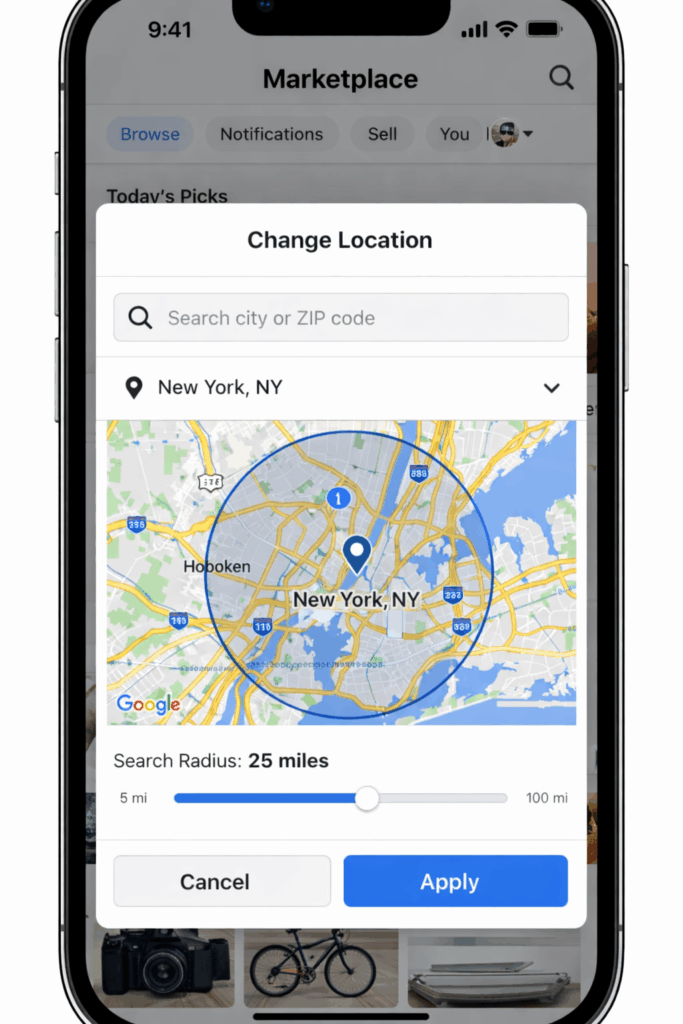
- Tap the location filter (shows your current city)
- Type a new location in the search field
- Select the city from the dropdown and tap “Apply”
This adjusts your browsing location (what listings you see). However, your selling location is a separate matter.
How to Change Location on Facebook Marketplace Listings When Selling
When creating a listing, Facebook pre-fills the location based on your device. To change it:
- When creating a new listing, tap the location field
- Delete the pre-filled location
- Type the city or zip code where you want the listing to appear
- Select it and continue
For existing listings, you can edit the location by going to the listing, tapping “Edit,” and updating the location field.
How to Change Location on Facebook Marketplace on Desktop (PC)
- Go to facebook.com/marketplace
- Click the search bar and look for the location filter
- Click your current city name next to the search bar
- Type a new location and click Apply
Desktop location changes for browsing work the same as the app. Listings created on desktop pull your IP-based location, so changing it requires either updating the location field manually in the listing or changing your IP address.
Why You Can’t Change Location on Facebook Marketplace
If you’re unable to change location on Facebook Marketplace, or getting the message “cannot change location on Facebook Marketplace,” there are a few common causes:
- Your device’s GPS is locked to your real location. Marketplace uses GPS on mobile devices and will override the location you type if your GPS is active and strong. Try disabling location permissions for the Facebook app in your phone settings and entering the location manually.
- Your IP address contradicts your listed location. Facebook cross-references your device location with your IP. If you’re in one city but trying to list in a city 500 miles away, Marketplace may restrict this. This is the core reason why buyers in one region struggle to list in another, or why accounts managed from one location can’t naturally operate in Marketplace for a different region.
- New account restrictions. Fresh accounts face Marketplace limitations regardless of location. Facebook requires account history, phone verification, and ID verification for many Marketplace activities.
- Listing category restrictions. Some categories have geographic restrictions that override your location settings.
How to Change Location on Facebook Dating
Facebook Dating uses your location to surface matches within a set radius. The location is determined by your real-world GPS and IP, not your profile city. This is intentional, as the feature is designed around proximity.
Changing Your Dating Location
- Open Facebook Dating (tap the heart icon in Facebook)
- Tap your profile icon in Dating
- Tap “Edit profile”
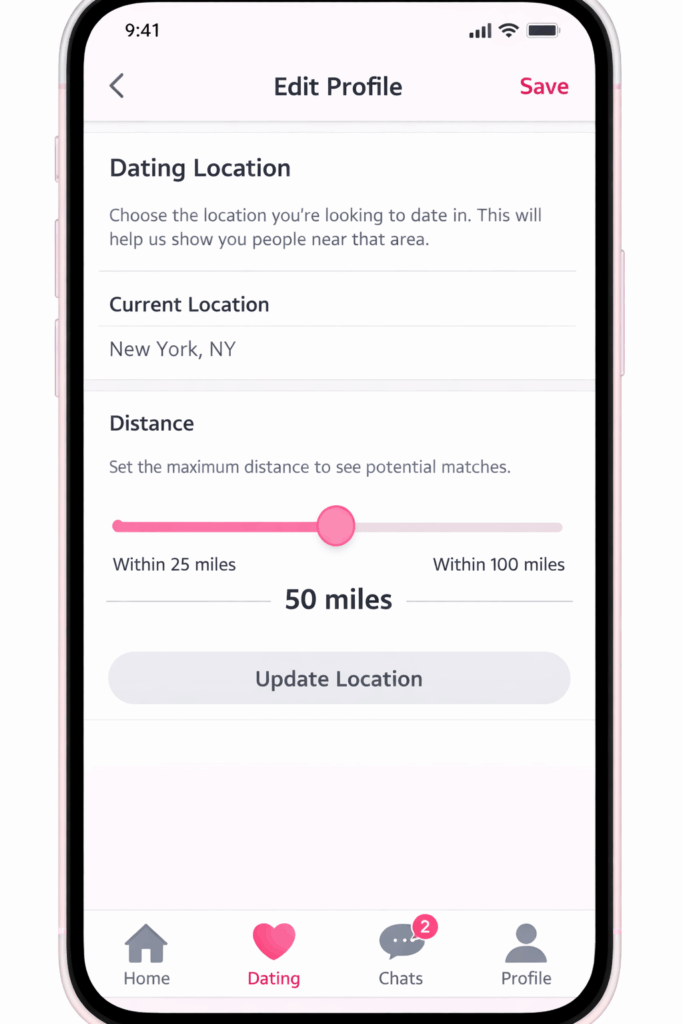
- Find the location settings
- Adjust your location radius (you can increase how far out matches can come from, but you cannot fake a location you’re not in)
Can You Change Location on Facebook Dating to a Different City?
The honest answer: not easily through normal means. Facebook Dating specifically validates your location against your device’s GPS and IP address. Unlike Marketplace where you can manually type a different city, Dating enforces proximity more strictly.
Why people try to change their Dating location: Testing matches in a city they’re about to move to, managing accounts for different regions, or operating Dating presence in multiple cities.
What actually works: If you need to operate Facebook Dating from a location that differs from where your device actually is, the underlying issue is device and IP location, not a settings toggle. Changing the GPS coordinates your device reports and matching your IP address to that location is what actually changes where Dating thinks you are.
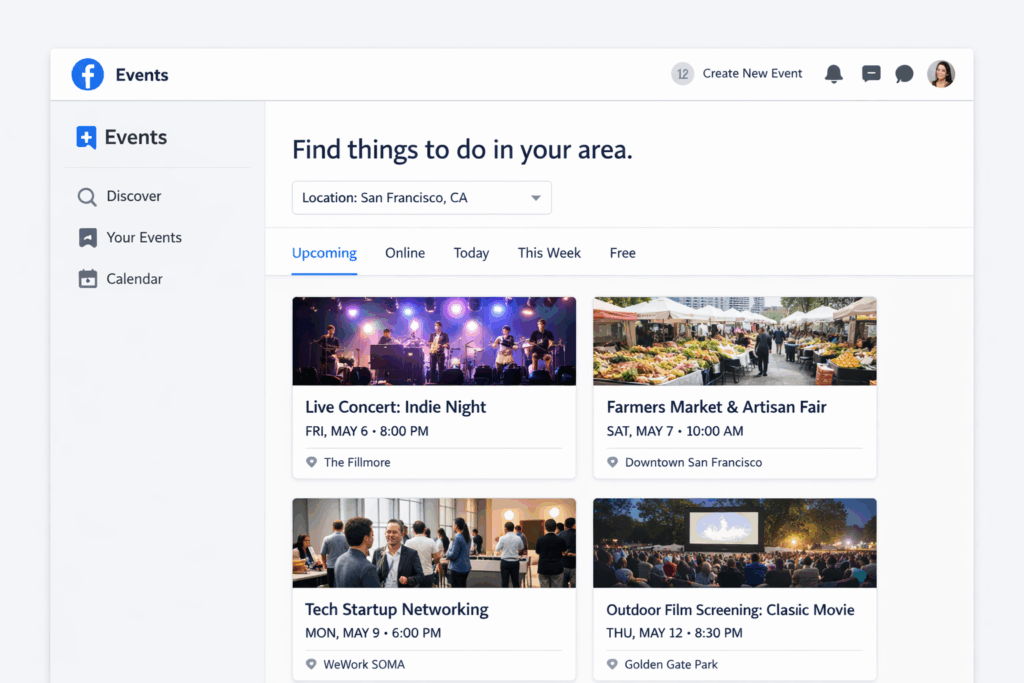
How to Change Location on Facebook Events
Changing your location for Events affects what events Facebook suggests to you.
On the app:
- Tap the Events icon
- Tap the search bar or location filter at the top
- Tap your current city
- Type a new location
- Apply
On desktop:
- Click Events in the left sidebar
- Use the location filter to change the city you’re browsing events for
This affects browsing only. If you’re creating an event, the location is whatever you enter in the event creation form, where you have full control and can set any location worldwide.
How to Change Location on Facebook Ads (As an Advertiser)
If you run Facebook ads, location targeting is set at the ad set level.
- Open Ads Manager
- Create or edit an ad set
- Under “Audience,” find “Locations”
- Add, remove, or change the geographic targeting
- You can target by country, state/region, city, or a radius around a specific point
You can also exclude locations, target people currently in a location, or target people who live in a location. The distinction matters for time-sensitive campaigns.
For Facebook business page location, go to your Page settings, then “Page info,” and update the address fields there.
How to Change Location on Facebook Posts, Photos, and Albums
Adding or Changing Location on a Facebook Post
When creating a post:
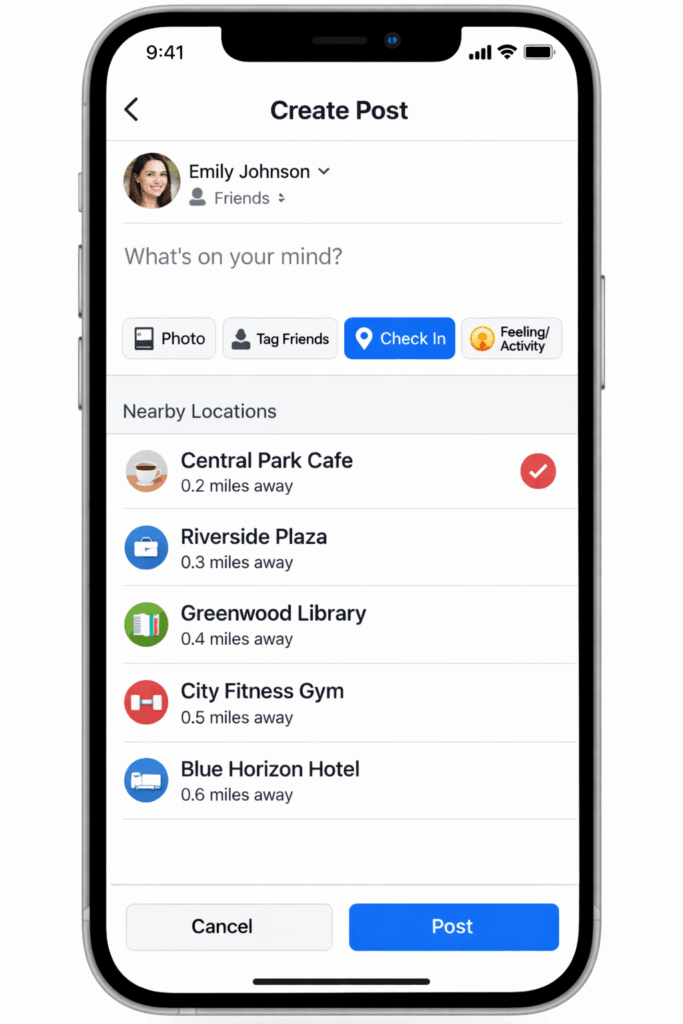
- Click or tap “Check in” or the location pin icon
- Search for the location you want to tag
- Select it
To change the location on an existing post:
- Click the three dots on the post
- Click “Edit post”
- Find and change the location tag
- Save
Changing Location on Facebook Photos
For individual photos:
- Open the photo
- Click the three dots or Options
- Click “Edit”
- Add or update the location tag
Changing Location on a Facebook Album
For entire albums:
- Go to the album in Photos
- Click “Edit album”
- Add a location to the album
Note: Instagram posts shared to Facebook carry the location tag from Instagram. To change the location on a Facebook post from Instagram, you need to edit it in Instagram before sharing, or edit the post directly in Facebook after it’s shared.
How to Change Location on Facebook Messenger
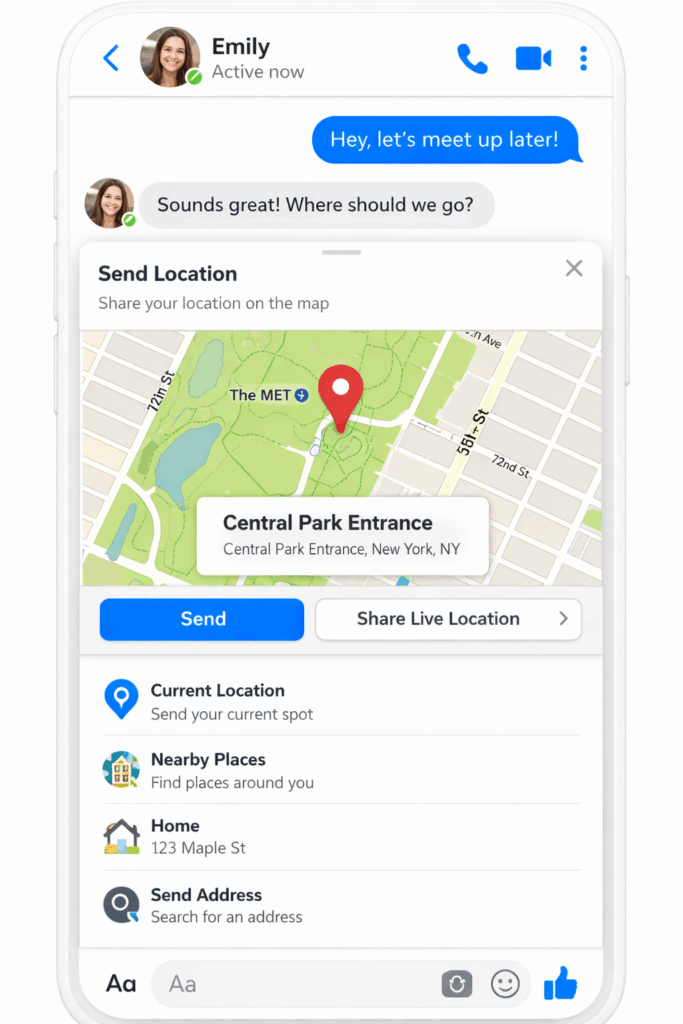
Facebook Messenger location sharing works differently from profile location.
- Live location sharing: When sharing live location in a conversation, Messenger uses your device’s real GPS. To change what location Messenger sees, you need to change what GPS coordinates your device reports.
- Sharing a specific location: You can share any location as a pin in chat by tapping the location icon and manually searching for a place. This sends the location you choose, not your actual GPS position.
For the “nearby friends” feature in Facebook, location is pulled directly from your device and cannot be manually set to a different city.
How to Actually Change Facebook’s Location: IP Address and Device Location
Using a Proxy or VPN to Change Location on Facebook
A VPN or proxy routes your internet traffic through a server in another location, giving Facebook a different IP address to read. This works for many location-dependent features.
Standard VPN limitations: Most consumer VPNs use datacenter IP addresses that platforms like Facebook have identified as non-residential. Facebook increasingly detects and ignores these, sometimes flagging accounts that appear to be using them.
Residential proxies use IP addresses assigned to real residential internet connections. Facebook reads these as genuine user locations because they are: the IPs belong to actual homes in the target location. For location changes on Facebook that need to hold up to verification, residential proxies are significantly more reliable than datacenter VPNs.
Multilogin’s built-in residential proxies provide this automatically, with location-matched IPs that align with your configured profile location. When you set a US profile to a specific city, the proxy IP that Facebook reads is from that city’s residential network.
Changing Your Device’s Reported Location
For mobile features like Facebook Dating and Marketplace on the app, IP address alone isn’t always sufficient. The Facebook app also reads GPS coordinates from your device.
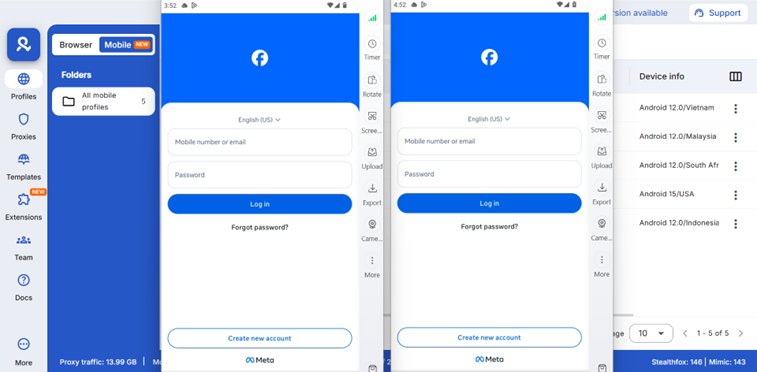
This is where Multilogin Cloud Phones become the complete solution. Each cloud phone is a real Android device in the cloud with:
- A GPS position set to the configured location
- A mobile proxy IP matching that geographic location
- A genuine Android device identity (not an emulator that platforms flag)
- A complete device fingerprint consistent with the target location
When Facebook’s app reads location from a Multilogin Cloud Phone, every signal it checks: GPS, IP, carrier location, timezone, language, all point to the same place. This is what produces a consistent, believable location that holds up to verification for features like Dating, Marketplace, and Events that cross-reference multiple location signals.
Managing Multiple Facebook Accounts Across Different Locations
For agencies and operators managing Facebook accounts for clients in different cities, the location challenge multiplies.
An agency managing Facebook Marketplace accounts for clients in New York, Los Angeles, and Chicago needs each account to genuinely appear to be operating from its respective location. Logging into all three from the same office network in one city creates obvious location inconsistencies that Facebook reads as suspicious behavior.
The professional solution pairs two things:
Isolated browser profiles with location-matched proxies for each account, so the IP address Facebook reads matches the account’s target location. Multilogin’s antidetect browser handles this with separate, isolated profiles that prevent accounts from being linked to each other.
Cloud phones with location configuration for accounts that need mobile access with GPS-consistent location. Each cloud phone profile runs with the GPS, IP, carrier, and timezone all aligned to the target city.
This approach means the New York account shows New York location signals, the Los Angeles account shows Los Angeles location signals, and none of them share infrastructure that Facebook could use to link them.
You can read more about how agencies handle this in the multi-account management guide and the multiple social media accounts guide.
Troubleshooting: Why You Can’t Change Location on Facebook
Can’t Change Location on Facebook Marketplace
The most common issue. Solutions in order of what to try first:
- Disable Facebook’s location permissions in your phone settings and enter the location manually in the listing
- Check that you’re not in a category with geographic restrictions
- If your account is new, build account history before attempting location-sensitive operations
- If you’re physically in a different location from where you want to list, your IP and GPS need to match the target location
Can’t Change Location on Facebook Dating
Dating enforces location more strictly than other features. If the location toggle isn’t working, it’s because Dating is reading your GPS directly. Changing your Dating location to a different city requires the underlying device location to match.
Can’t Change Location on Facebook (Profile)
If the profile location won’t save, check that your privacy settings allow the field to be updated, that you’re not hitting Facebook’s rate limits on profile edits, and that the city you’re entering is recognized in Facebook’s location database. Obscure locations sometimes need to be entered as the nearest major city.
Facebook Dating Can’t Change Location / App Not Updating
Force close the app and reopen it after making location changes. Facebook Dating in particular can cache location aggressively. Signing out and back in often forces a refresh of the location data the app is using.
Need a better way to manage multiple Facebook accounts? Try Multilogin Cloud Phones.
The Underlying Reality
Most guides on changing Facebook location treat it as a settings problem. Toggle this, tap that, problem solved.
The reality is that Facebook’s location system has multiple layers, and the settings you can change in the app only touch the outermost layer. The underlying IP and GPS signals that drive feature-specific behavior (Marketplace, Dating, ad delivery) require a different approach when you need to reliably operate from a location different from your physical one.
For individuals who just want to update their profile city or browse Marketplace listings from another area, the in-app steps above handle it fine.
For operators managing accounts across multiple locations, or anyone who needs GPS and IP signals to consistently reflect a specific location rather than their physical one, Multilogin’s cloud phones and residential proxies solve the problem at the layer that actually matters.
Start from €5.85 per month at Multilogin.
Frequently asked questions About How to Change Location on Facebook
Profile location is visible to whoever you set it to when you save it. Set it to “Only me” if you want to update it without others seeing the change. For feature-specific location (Marketplace, Dating), these aren’t publicly visible profile fields; they are used by the feature internally.
Facebook Marketplace is not available in all countries, and cross-border Marketplace activity is restricted in most regions. Within countries where it’s available, location switching between distant cities is possible through the browsing filters but listing location is harder to move far from your actual IP-detected location.
Same process as the general app steps above: Marketplace > search bar > location filter > type new location > Apply. The browsing location changes immediately. Listing location still pulls from your device GPS and IP, so disable location permissions and enter manually when creating listings if you need a specific location.
Facebook reads your device location passively and will update location-dependent features when it detects you’ve moved. If you set a manual location for Marketplace or Dating and then open the app with GPS enabled, it may revert to your actual GPS location. Keep location permissions for Facebook disabled when you want a manually set location to hold.
When Instagram posts are shared to Facebook, they carry whatever location tag was set in Instagram. To change this before sharing: edit the Instagram post location before sharing. After it’s already on Facebook: go to the post on Facebook, click the three dots, click Edit post, and update the location tag there.
In Ads Manager, location targeting is controlled at the ad set level under Audience. You can target any geography worldwide regardless of where your personal account is located. Your advertiser account location and your ad targeting location are independent.

